Note_Tech
All technological notes.
Project maintained by simonangel-fong Hosted on GitHub Pages — Theme by mattgraham
AWS Project - Import VM Image Into AWS AMI
Prerequisites
Install AWS CLI
-
Download link:
- https://docs.aws.amazon.com/cli/latest/userguide/getting-started-install.html
-
Verify
aws --version
Setting up the AWS CLI
aws configure
# AWS Access Key ID [None]: access_key_id
# AWS Secret Access Key [None]: secret_access_key
# Default region name [None]: us-east-1
# Default output format [None]: json
Configure required service role
- Create a file named
trust-policy.jsonon computer.
{
  "Version": "2012-10-17",
  "Statement": [
    {
      "Effect": "Allow",
      "Principal": { "Service": "vmie.amazonaws.com" },
      "Action": "sts:AssumeRole",
      "Condition": {
        "StringEquals": {
          "sts:Externalid": "vmimport"
        }
      }
    }
  ]
}
- Create a role named
vmimportand grant VM Import/Export access to it.
aws iam create-role --role-name vmimport --assume-role-policy-document "file://path\to\trust-policy.json"
-
Create a specific bucket for imported disk images.
-
Create a file named
role-policy.jsonwith policy.- Replace the
amzn-s3-demo-import-bucketandamzn-s3-demo-export-bucketwith bucket.
- Replace the
{
  "Version": "2012-10-17",
  "Statement": [
    {
      "Effect": "Allow",
      "Action": ["s3:GetBucketLocation", "s3:GetObject", "s3:ListBucket"],
      "Resource": [
        "arn:aws:s3:::amzn-s3-demo-import-bucket",
        "arn:aws:s3:::amzn-s3-demo-import-bucket/*"
      ]
    },
    {
      "Effect": "Allow",
      "Action": [
        "s3:GetBucketLocation",
        "s3:GetObject",
        "s3:ListBucket",
        "s3:PutObject",
        "s3:GetBucketAcl"
      ],
      "Resource": [
        "arn:aws:s3:::amzn-s3-demo-export-bucket",
        "arn:aws:s3:::amzn-s3-demo-export-bucket/*"
      ]
    },
    {
      "Effect": "Allow",
      "Action": [
        "ec2:ModifySnapshotAttribute",
        "ec2:CopySnapshot",
        "ec2:RegisterImage",
        "ec2:Describe*"
      ],
      "Resource": "*"
    }
  ]
}
- Use command to attach the policy to the role created above.
aws iam put-role-policy --role-name vmimport --policy-name vmimport --policy-document "file://path\to\role-policy.json"
Upload VM Image
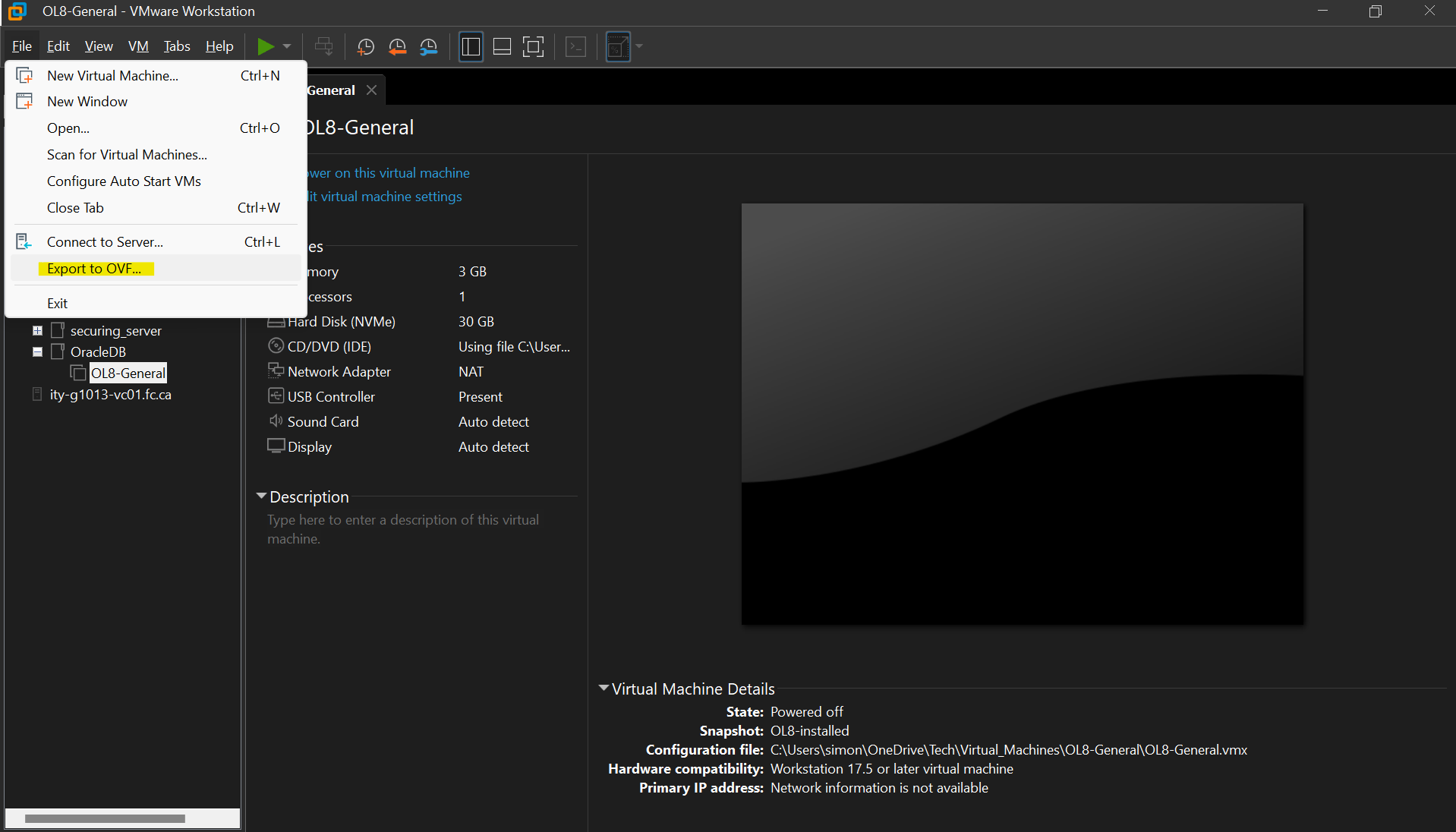
Export VM Image in VMware Workstation
- Export image as
.ovafile.

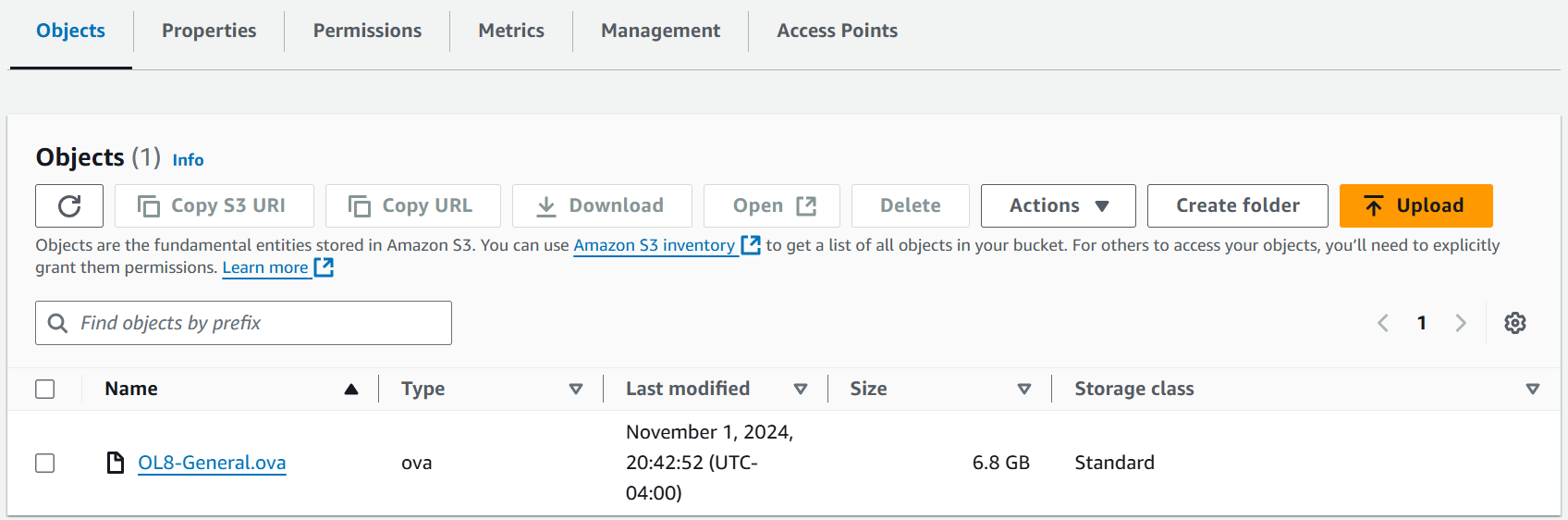
Upload .ova file to S3 bucket
Import VM from S3 bucket
- Create
containers.jsonfile that specifies the image using an S3 bucket.
[
  {
    "Description": "image_description",
    "Format": "ova",
    "UserBucket": {
      "S3Bucket": "bucket_name",
      "S3Key": "ova_object_name"
    }
  }
]
- Command to import an image with a single disk.
aws ec2 import-image --description "My server VM" --disk-containers "file://path\to\containers.json"
# copy the import-ami-id for the next step.
- Command to monitor an import image task
aws ec2 describe-import-image-tasks --import-task-ids import-ami-id
# Status values include the following:
#   active — The import task is in progress.
#   deleting — The import task is being canceled.
#   deleted — The import task is canceled.
#   updating — Import status is updating.
#   validating — The imported image is being validated.
#   validated — The imported image was validated.
#   converting — The imported image is being converted into an AMI.
#   completed — The import task is completed and the AMI is ready to use.
Create EC2 Instance using imported image
- For ssh access:
- Instance must be in a public subnet.
- Attach SSH Security Group.
- Access key cannot apply.
- Access with public IP:
ssh user_name@public_ip.- SSH must enable within the image.