Note_Tech
All technological notes.
Project maintained by simonangel-fong Hosted on GitHub Pages — Theme by mattgraham
AWS - EC2
- AWS - EC2
Amazon EC2
-
Amazon EC2:Elastic Compute Cloud- Infrastructure as a Service
-
It mainly consists in the capability of :
- Renting virtual machines (EC2)
- Storing data on virtual drives (EBS)
- Distributing load across machines (ELB)
- Scaling the services using an auto-scaling group (ASG)
EC2 sizing & configuration options
- Operating System (OS): Linux, Windows or Mac OS
- How much compute power & cores (CPU)
- How much random-access memory (RAM)
- How much storage space:
- Network-attached (EBS & EFS)
- hardware (EC2 Instance Store)
- Network card: speed of the card, Public IP address
- Firewall rules: security group
- Bootstrap script (configure at first launch): EC2 User Data
EC2 Instance Types
-
Naming convention:
[instance_class][generation].[size]- eg:
m5.2xlarge,t2.micro
- eg:
-
different types of EC2 instances that are optimised for different use cases
- ref: https://aws.amazon.com/ec2/instance-types/
| Type | Feature | Use Case | Example |
|---|---|---|---|
| General Purpose | for a diversity of workloads | web servers | t2 |
| Compute Optimized | for compute-intensive tasks | ML, Gaming server | C6g |
| Memory Optimized | for workloads that process large data sets in memory | In-memory databases | R5 |
| Storage Optimized | for intensive access to large data sets on local storage | OLTP | I3 |
Purchasing Options
| Option | Feature |
|---|---|
| On-Demand Instances | short workload, predictable pricing, pay by second |
| Reserved (1 & 3 years) - Reserved | long workloads |
| Reserved (1 & 3 years) - Convertible Reserved Instances | long workloads with flexible instances |
| Savings Plans (1 & 3 years) | commitment to an amount of usage, long workload |
| Spot Instances | short workloads, cheap, can lose instances (less reliable) |
| Dedicated Hosts | book an entire physical server, control instance placement |
| Dedicated Instances | no other customers will share your hardware |
| Capacity Reservations | reserve capacity in a specific AZ for any duration |
On Demand
- Pay for what you use:
- Linux or Windows - billing per second, after the first minute
- All other operating systems - billing per hour
- Has the highest cost but no upfront payment
- No long-term commitment
- Recommended for short-term and un-interrupted workloads, where you can’t predict how the application will behave
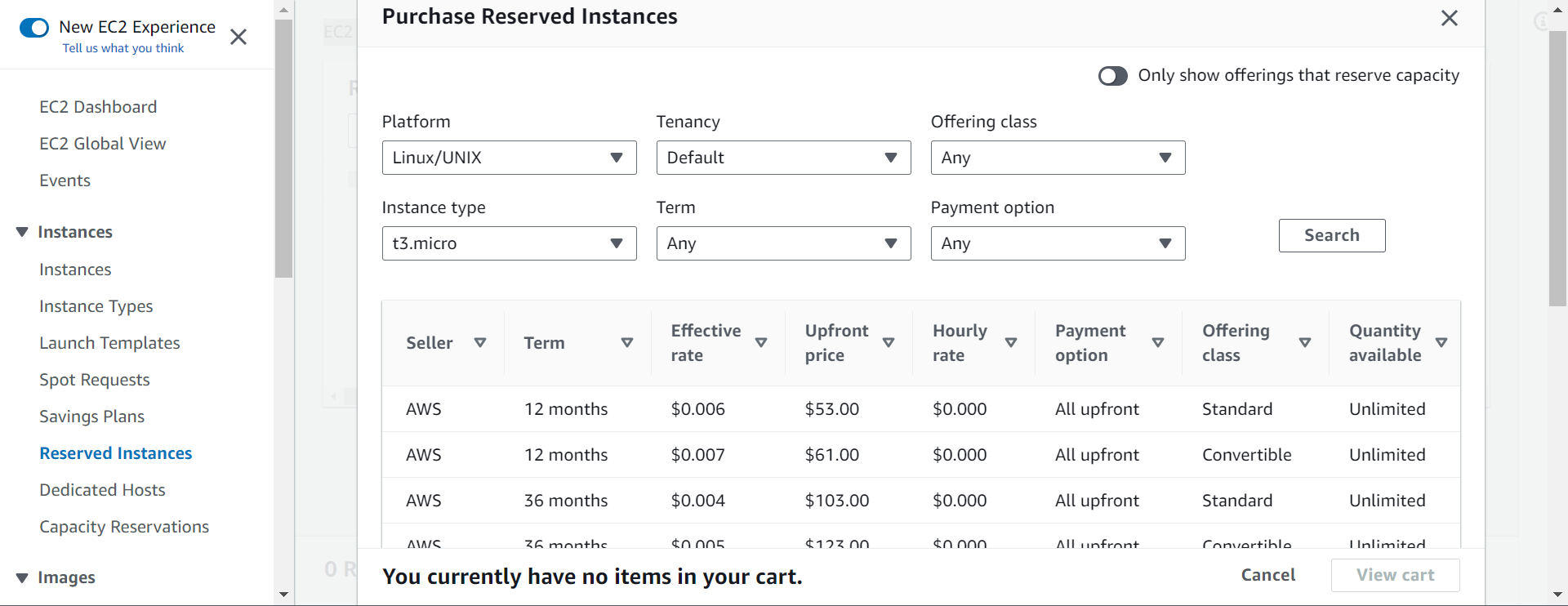
Reserved Instances
- Up to 72% discount compared to On-demand
- You reserve a specific instance attributes (Instance Type, Region, Tenancy, OS)
-
Reservation Period
- 1 year (+discount)
- 3 years (+++discount)
-
Payment Options
- No Upfront (+),
- Partial Upfront (++),
- All Upfront (+++)
-
Reserved Instance’s Scope
- Regional
- Zonal (reserve capacity in an AZ)
-
Recommended
- for steady-state usage applications (think database)
-
You can buy and sell in the Reserved Instance Marketplace
- Convertible Reserved Instance
- Can change the EC2 instance type, instance family, OS, scope and tenancy
- Up to 66% discount
Hands-on: Reserved Instances
Savings Plans
- Get a discount based on long-term usage (up to 72% - same as RIs)
- Commit to a certain type of usage ($10/hour for 1 or 3 years)
- Usage beyond EC2 Savings Plans is billed at the On-Demand price
- Locked to a specific instance family & AWS region (e.g., M5 in us-east-1)
- Flexible across:
- Instance Size (e.g., m5.xlarge, m5.2xlarge)
- OS (e.g., Linux, Windows)
- Tenancy (Host, Dedicated, Default)
Hands-on: Savings Plans
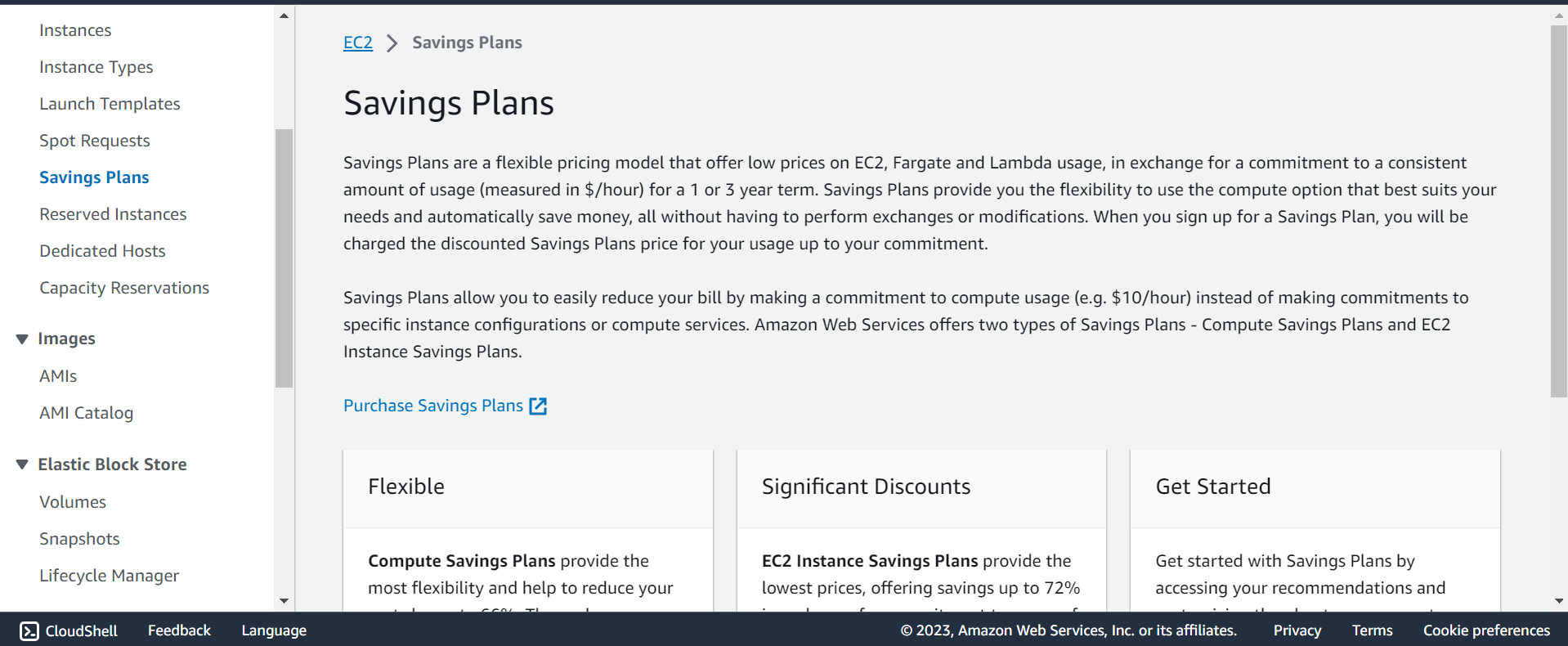
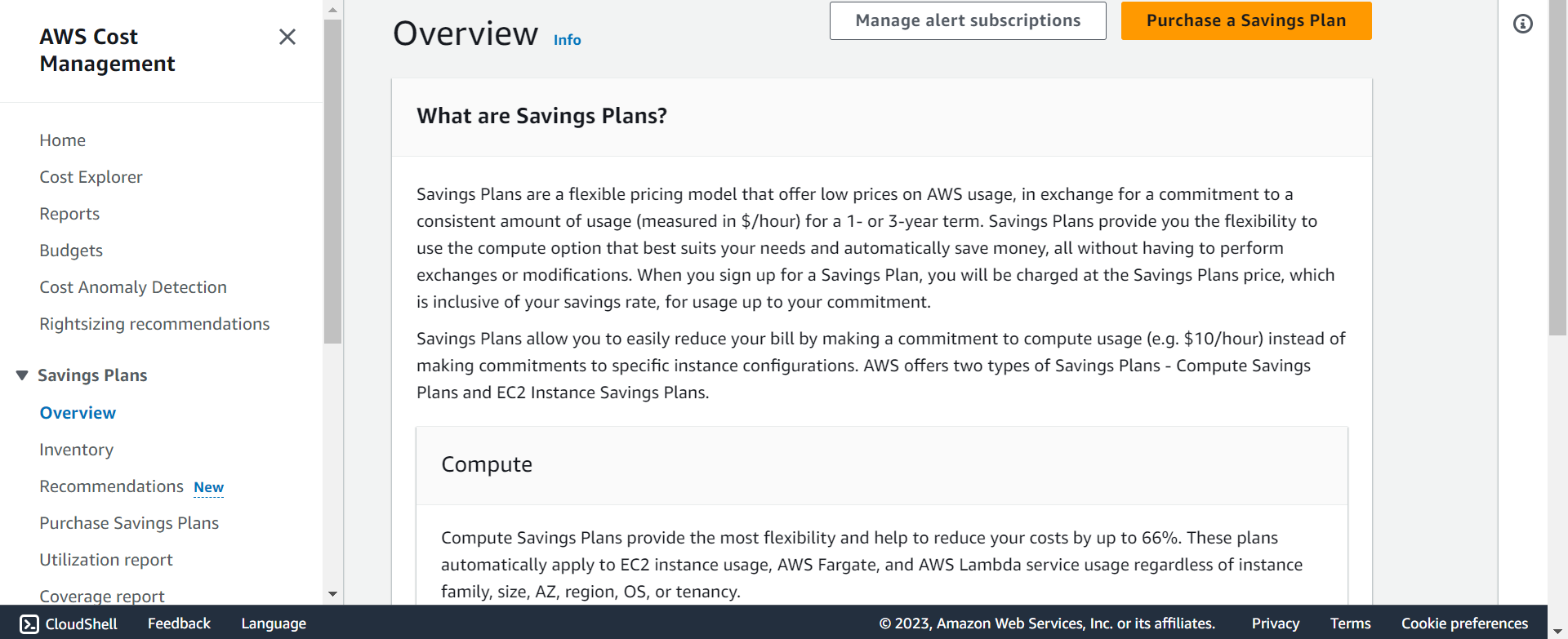
- will redirect to Cost management
Spot Instances
- Can get a discount of up to 90% compared to On-demand. Most discount
- Instances that you can “lose” at any point of time if your max price is less than the current spot price
- The MOST cost-efficient instances in AWS
-
Useful for workloads that are resilient to failure
- Batch jobs
- Data analysis
- Image processing
- Any distributed workloads
- Workloads with a flexible start and end time
- Not suitable for critical jobs or databases
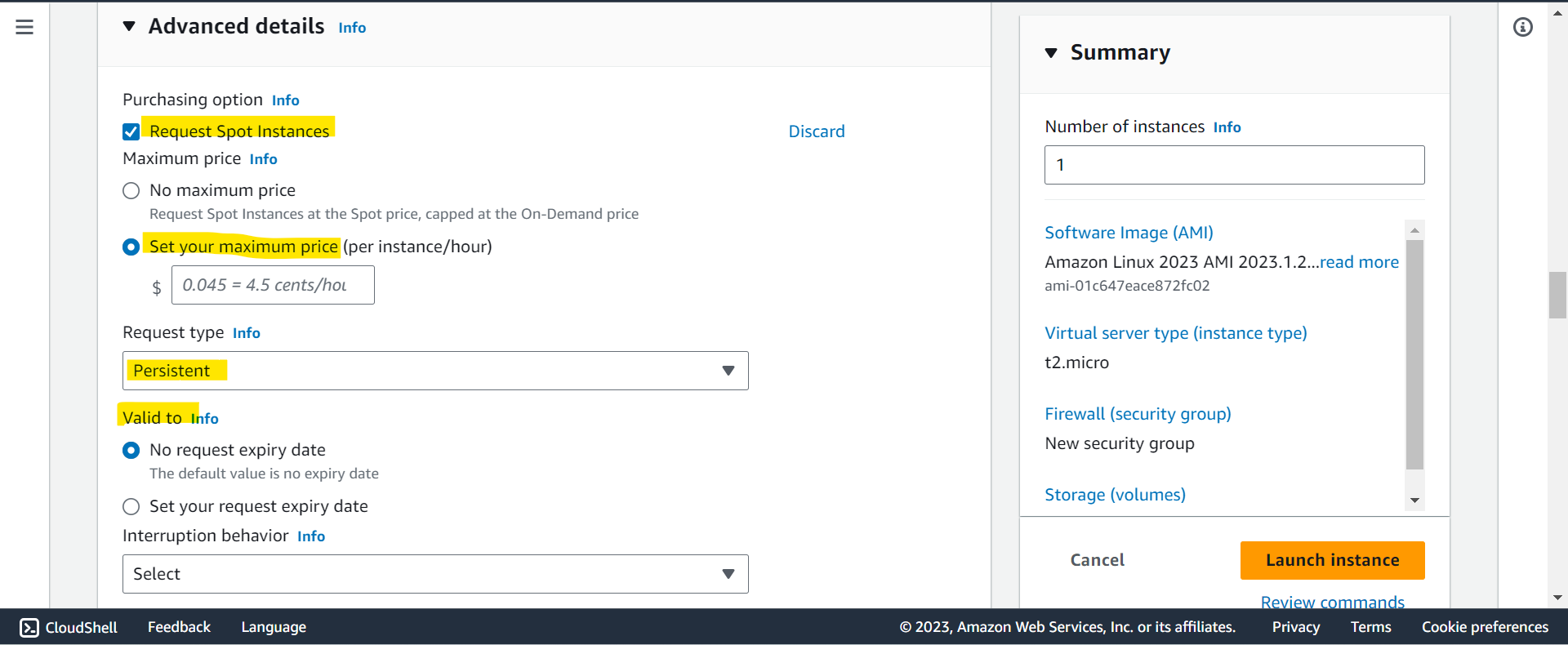
Spot Instance Requests
- Can get a discount of up to 90% compared to On-demand
- Define max spot price and get the instance while current spot price < max
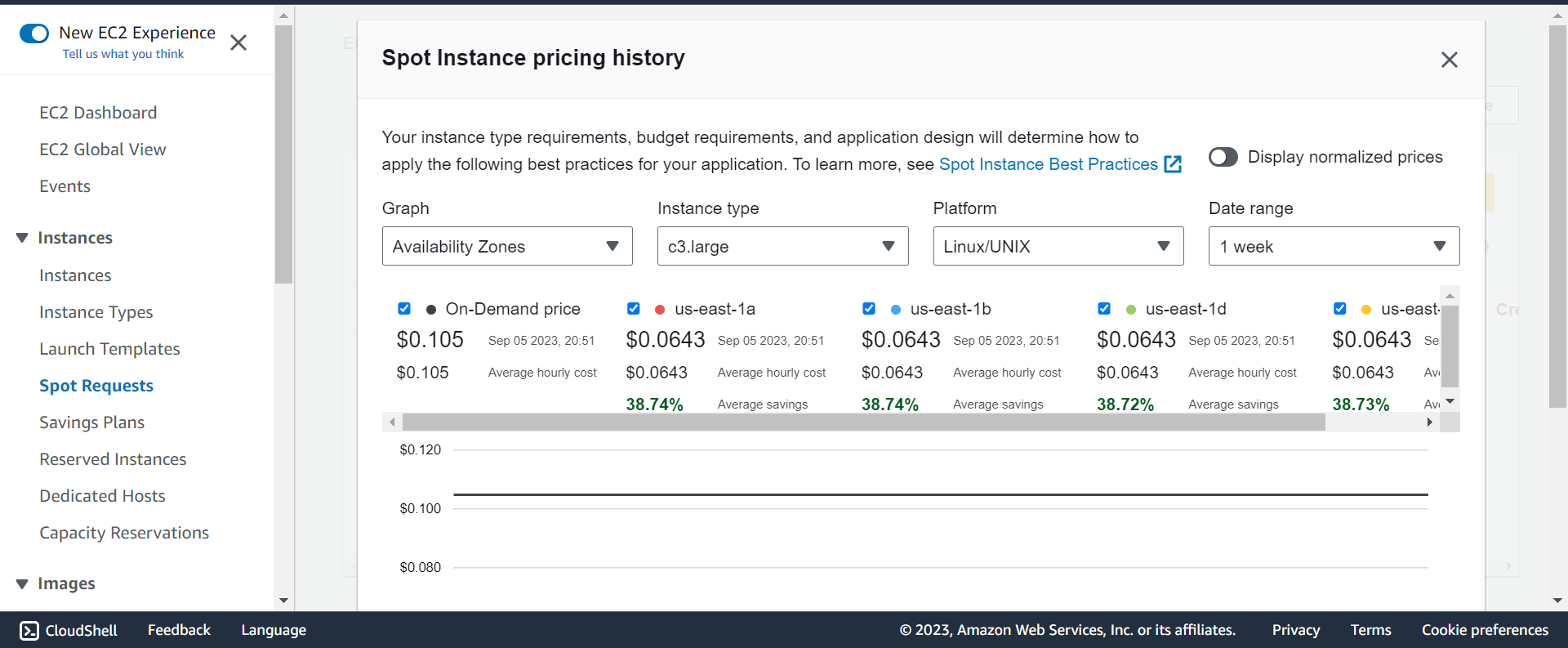
- The hourly spot price varies based on offer and capacity
- If the current spot price > your max price you can choose to stop or terminate your instance with a 2 minutes grace period.
-
Other strategy: Spot Block
- “block” spot instance during a specified time frame (1 to 6 hours) without interruptions
- In rare situations, the instance may be reclaimed
- Used for batch jobs, data analysis, or workloads that are resilient to failures.
-
Not great for critical jobs or databases
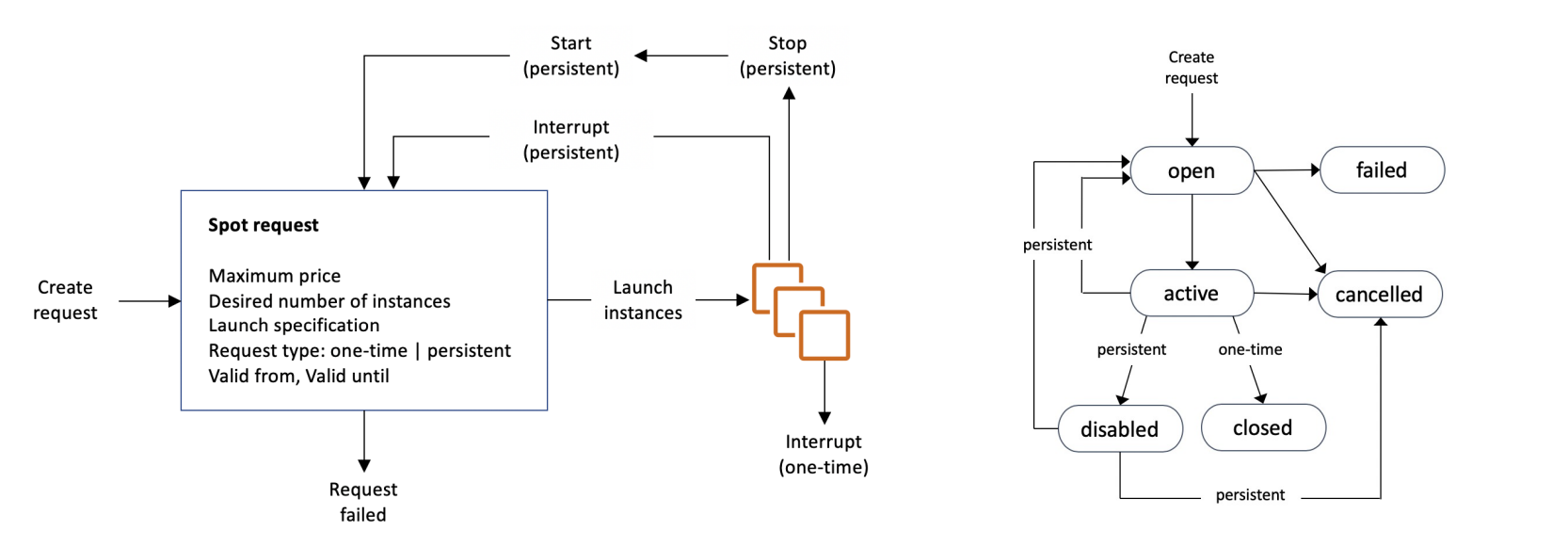
- terminate Spot Instances:
- You can only cancel Spot Instance requests that are open, active, or disabled.
- Cancelling a Spot Request does not terminate instances
- You must first cancel a Spot Request, and then terminate the associated Spot Instance
Hand-on: Spot Instance Requests
EC2>Instances>Launch an instance
Spot Fleets
-
Spot Fleets allow us to automatically request Spot Instances with the lowest price
Spot Fleets- set of Spot Instances + (optional) On-Demand Instances
-
The Spot Fleet will try to meet the target capacity with price constraints
- Define possible launch pools: instance type (m5.large), OS, Availability Zone
- Can have multiple launch pools, so that the fleet can choose
- Spot Fleet stops launching instances when reaching capacity or max cost
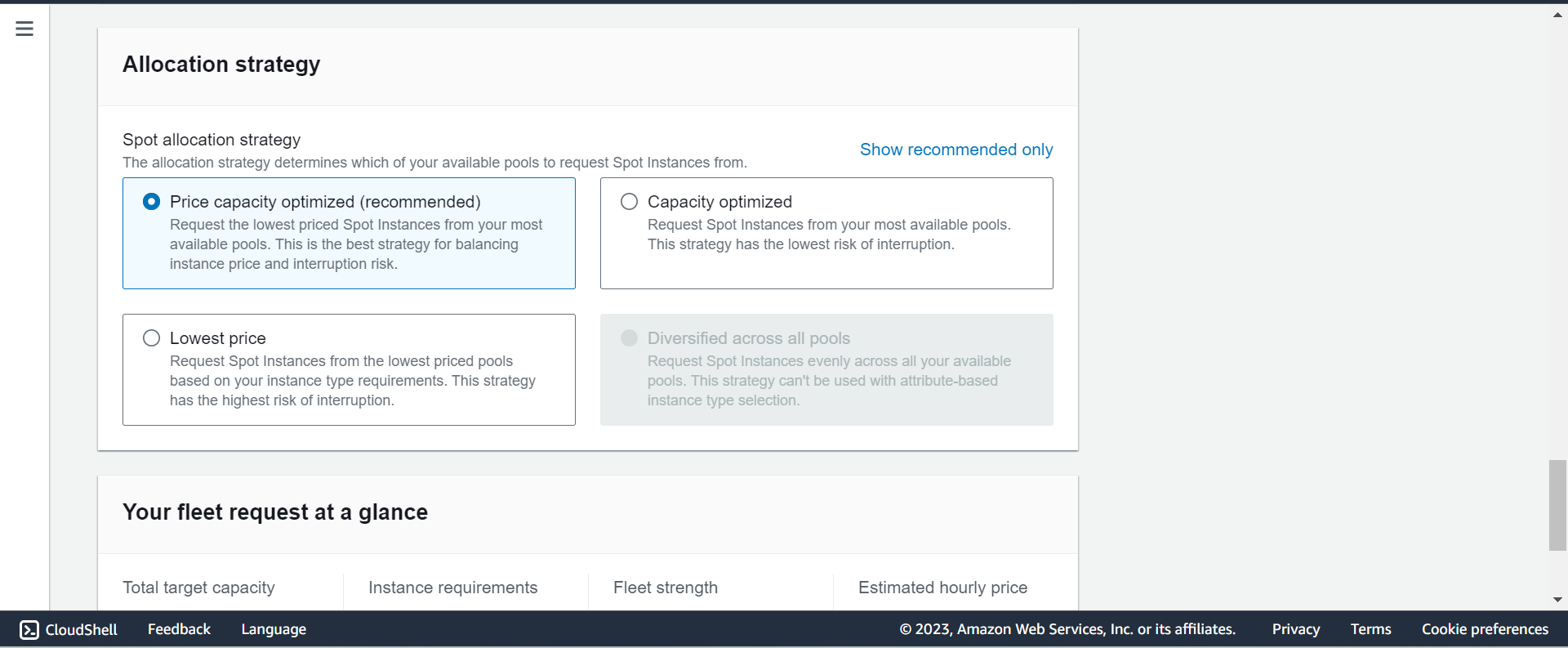
- Strategies to allocate Spot Instances:
- lowestPrice: from the pool with the lowest price (cost optimization, short workload)
- diversified: distributed across all pools (great for availability, long workloads)
- capacityOptimized: pool with the optimal capacity for the number of instances
- priceCapacityOptimized (recommended): pools with highest capacity available, then select the pool with the lowest price (best choice for most workloads)
Hands-on: Spot Fleets
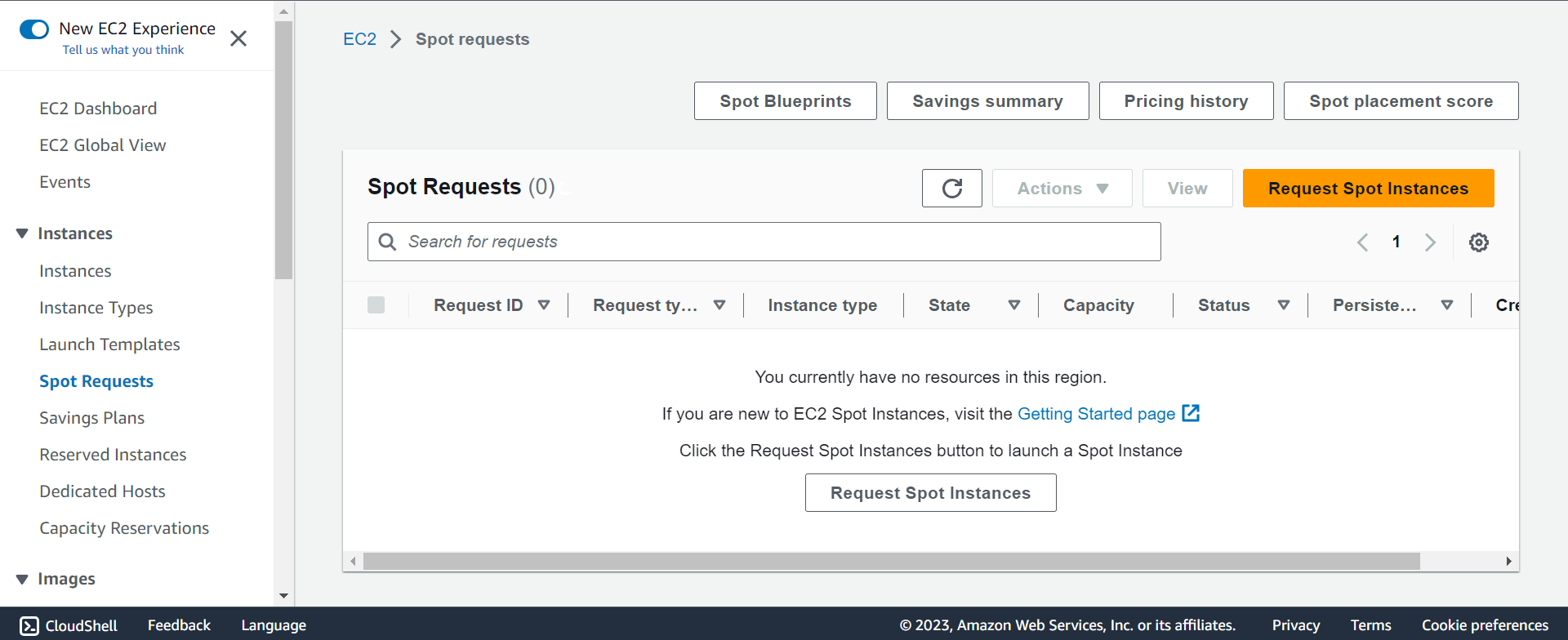
EC2>Spot requests>Request Spot Instances
Dedicated Hosts
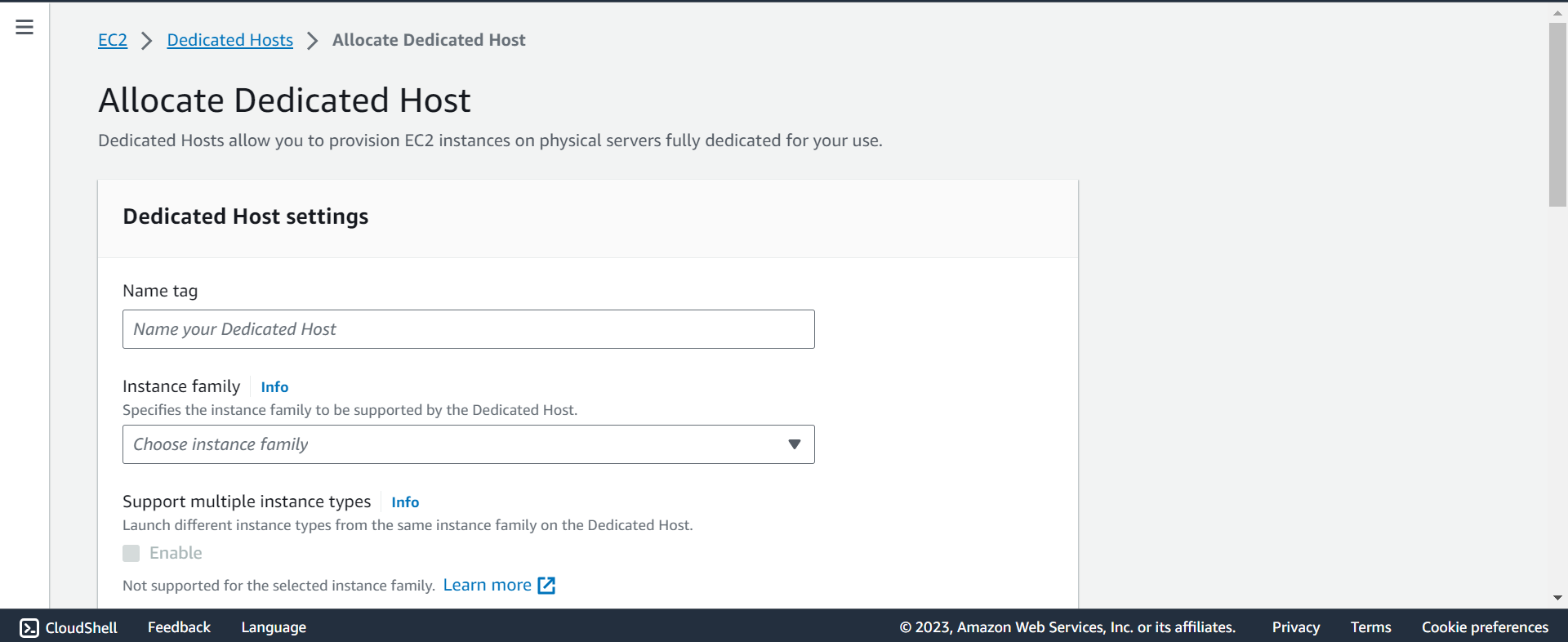
- A physical server with EC2 instance capacity fully dedicated to your use
- Allows you address compliance requirements and use your existing server-bound software licenses (per-socket, per-core, pe—VM software licenses)
-
Purchasing Options:
- On-demand – pay per second for active Dedicated Host
- Reserved - 1 or 3 years (No Upfront, Partial Upfront, All Upfront)
-
The most expensive option
-
Useful
- for software that have complicated licensing model (BYOL – Bring Your Own License)
- for companies that have strong regulatory or compliance needs
- Hands-on
Dedicated Instances
- Instances run on hardware that’s dedicated to you
- May share hardware with other instances in same account
- No control over instance placement (can move hardware after Stop / Start)
Capacity Reservations
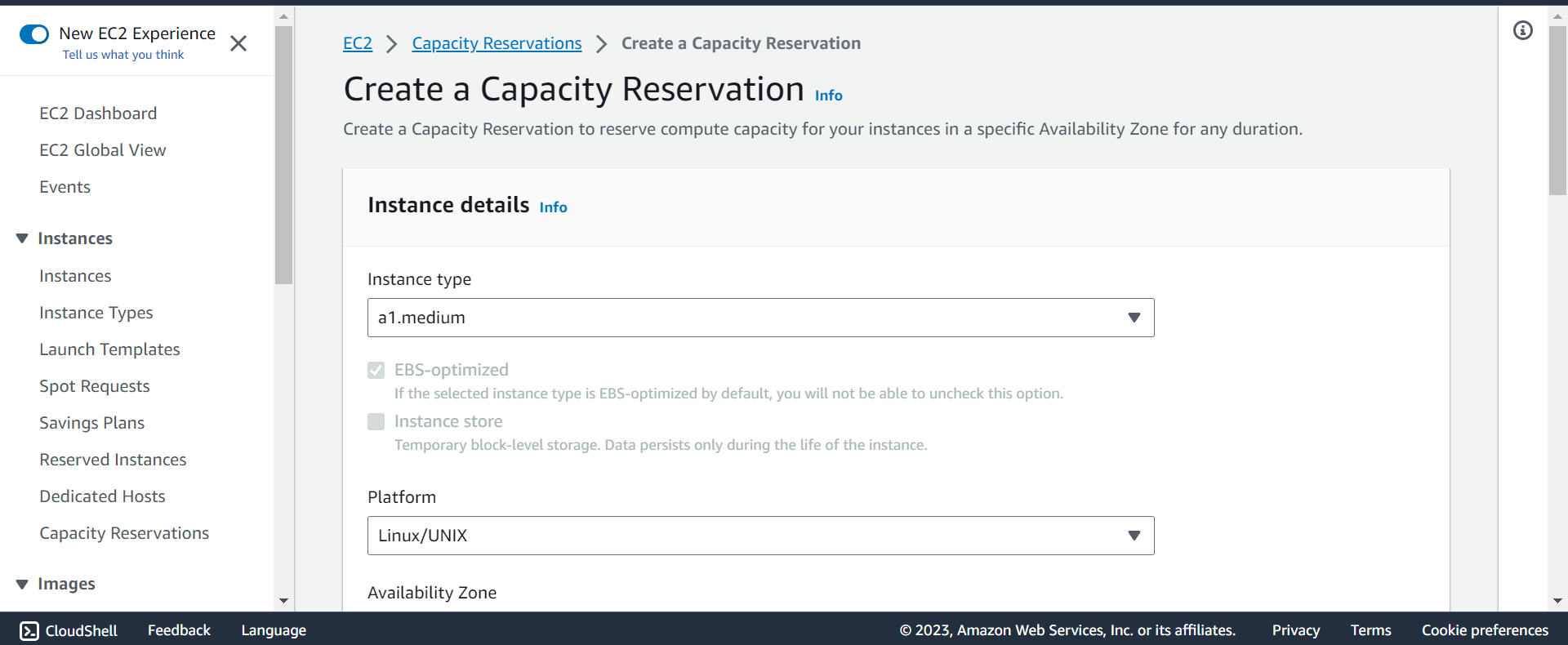
- Reserve On-Demand instances capacity in a specific AZ for any duration
- You always have access to EC2 capacity when you need it
- No time commitment (create/cancel anytime), no billing discounts
- Combine with Regional Reserved Instances and Savings Plans to benefit from billing discounts
- You’re charged at On-Demand rate whether you run instances or not
- Suitable for short-term, uninterrupted workloads that needs to be in a specific AZ
Right Option
- Spot instances: the hotel allows people to bid for the empty rooms and the highest bidder keeps the rooms. You can get kicked out at any time
- On demand: coming and staying in resort whenever we like, we pay the full price
- Reserved: like planning ahead and if we plan to stay for a long time, we may get a good discount.
- Savings Plans: pay a certain amount per hour for certain period and stay in any room type (e.g., King, Suite, Sea View, …)
- Capacity Reservations: you book a room for a period with full price even you don’t stay in it
- Dedicated Hosts: We book an entire building of the resort
Advanced
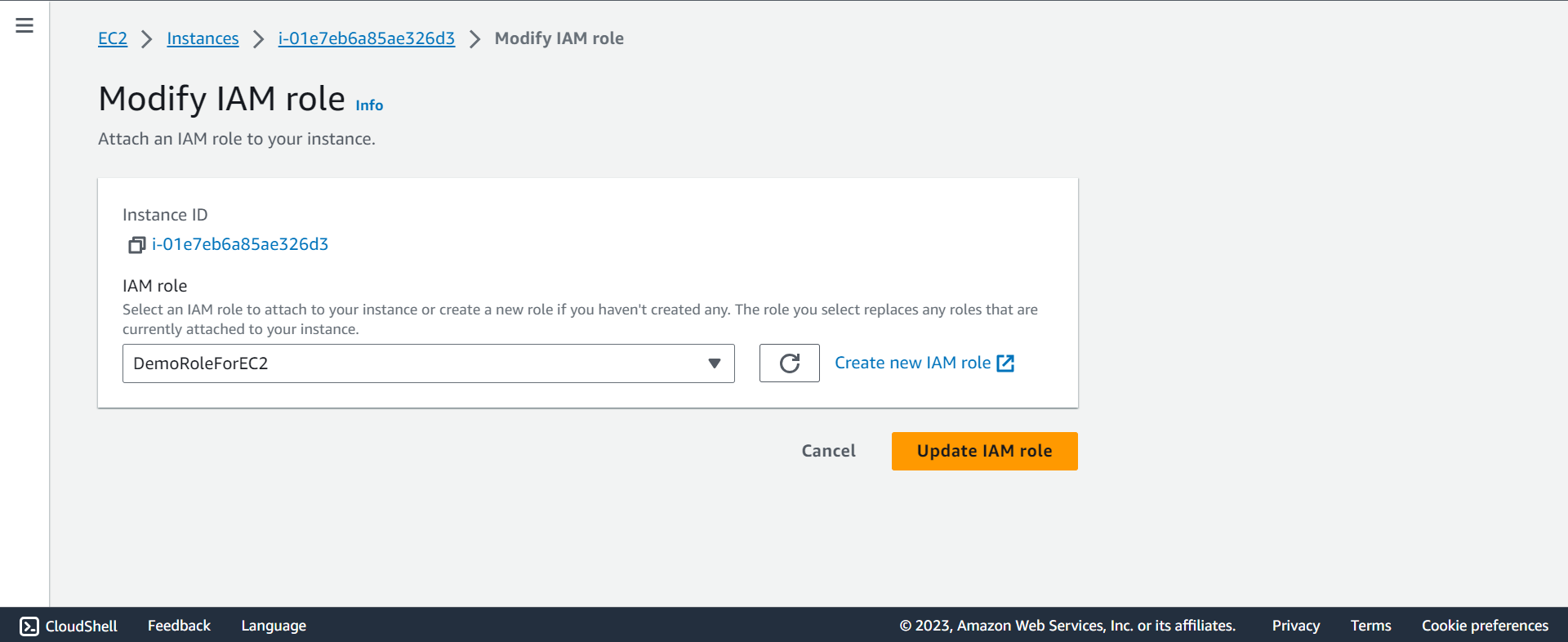
Attach aws role to EC2 instance
- After create an instance
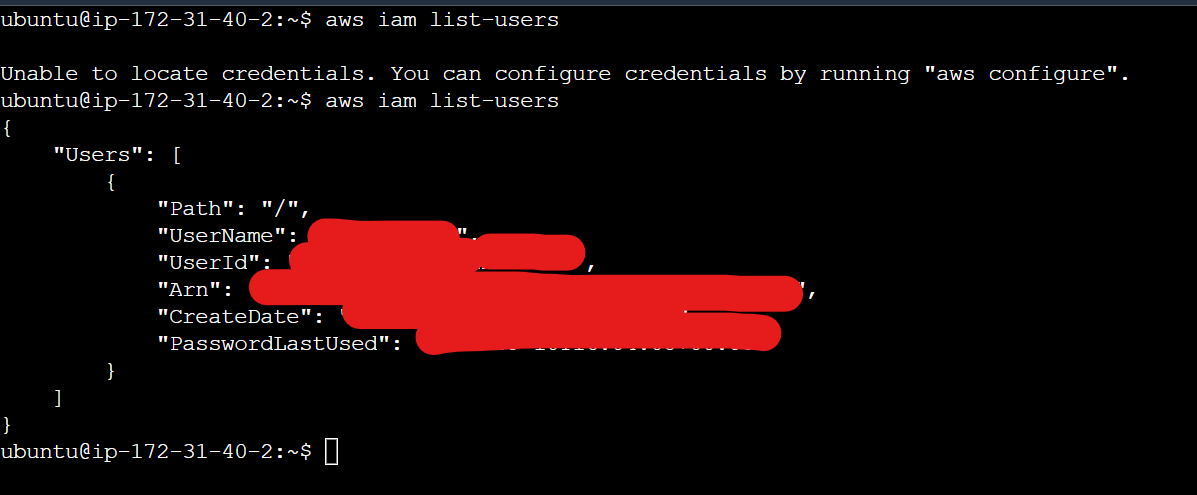
- Result:
- Security: instance can access aws services without keep access key in the instance.
User Data
- It is possible to bootstrap our instances using an EC2 User data script.
-
bootstrapping:- launching commands when a machine starts
- That script is only run once at the instance first start
- EC2 user data is used to automate boot tasks such as:
- Installing updates
- Installing software
- Downloading common files from the internet
- Anything you can think of
- The EC2 User Data Script runs with the root user. (script can skip
sudo)
Hands-on: User Data
- Create an EC2 as a linux server using user data
#!/bin/bash
# Use this for your user data (script from top to bottom)
# install httpd (Linux 2 version)
yum update -y
yum install -y httpd
systemctl start httpd
systemctl enable httpd
echo "<h1>Hello World from $(hostname -f)</h1>" > /var/www/html/index.html
Placement Groups
-
placement groups- used to define EC2 Instance placement strategy
-
Strategies for the group:
Cluster:- clusters instances into a low-latency group in a single Availability Zone
Spread:- spreads instances across underlying hardware (max 7 instances per group per AZ)
Partition:- spreads instances across many different partitions (which rely on different sets of racks) within an AZ. Scales to 100s of EC2 instances per group (Hadoop, Cassandra, Kafka)
Cluster
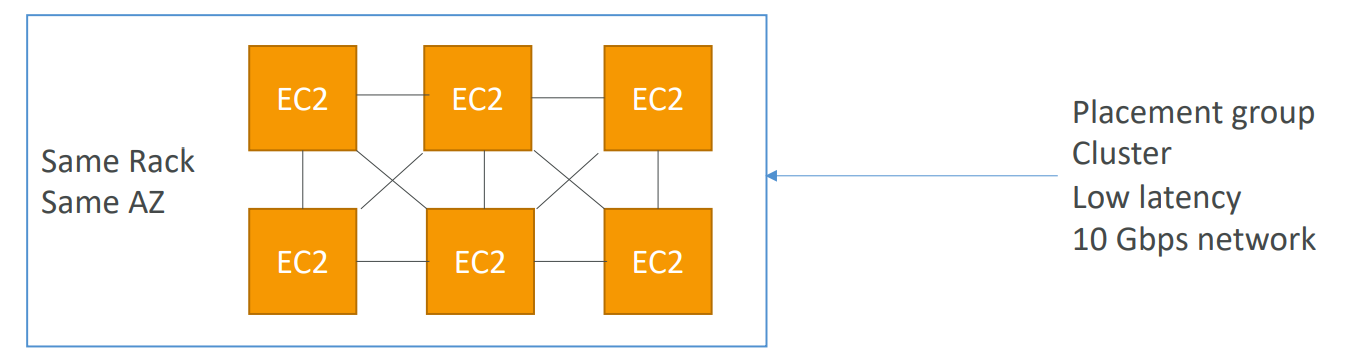
- Same Rack, Same AZ
- Pros:
- Great network (10 Gbps bandwidth between instances with Enhanced Networking enabled - recommended)
- Cons:
- If the rack fails, all instances fails at the same time
- Use case:
- Big Data job that needs to complete fast
- Application that needs extremely low latency and high network throughput
Spread
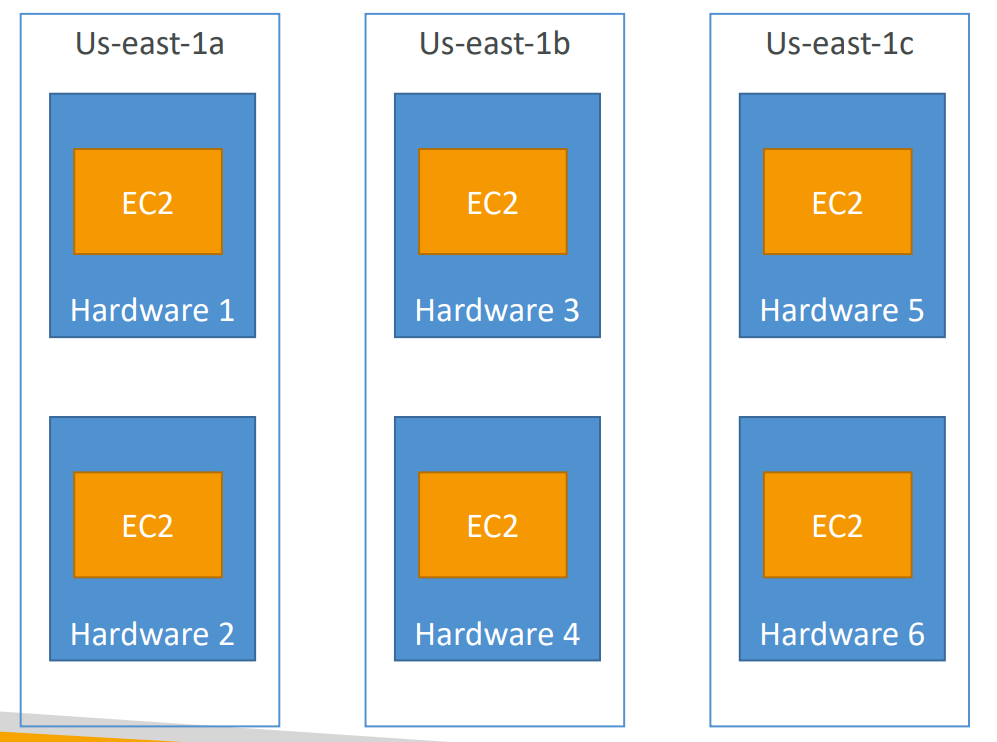
- Different rack, same AZ or different AZ
- Pros:
- Can span across Availability Zones (AZ)
- Reduced risk is simultaneous failure
- EC2 Instances are on different physical hardware
- Cons:
- Limited to 7 instances per AZ per placement group
- Use case:
- Application that needs to maximize high availability
- Critical Applications where each instance must be isolated from failure from each other
Partition
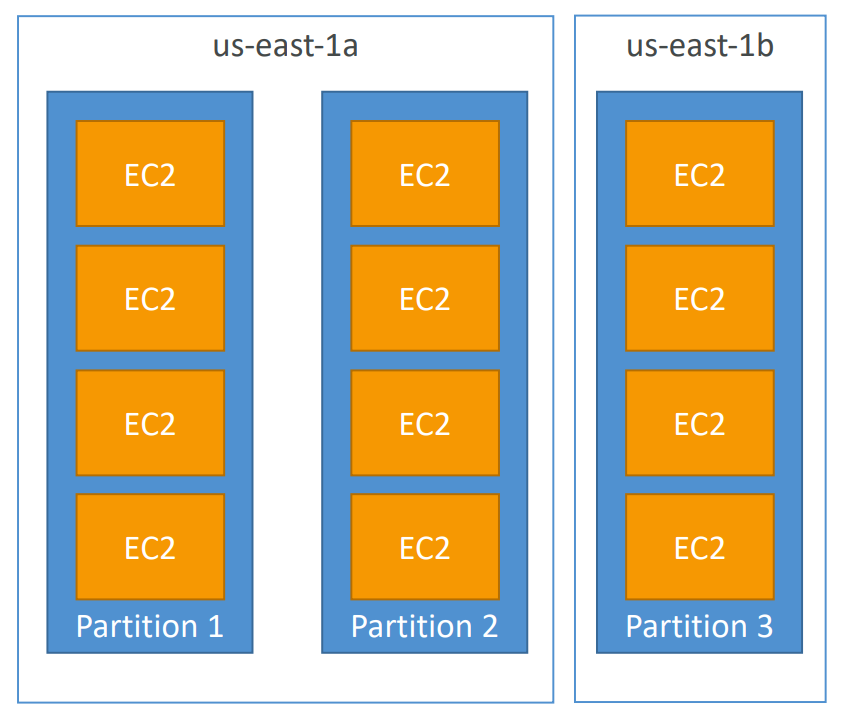
- Different partitions, different rack.
- Up to 7 partitions per AZ
- Can span across multiple AZs in the same region
- Up to 100s of EC2 instances
- The instances in a partition do not share racks with the instances in the other partitions
- A partition failure can affect many EC2 but won’t affect other partitions
- EC2 instances get access to the partition information as metadata
- Use cases:
- HDFS, HBase, Cassandra, Kafka
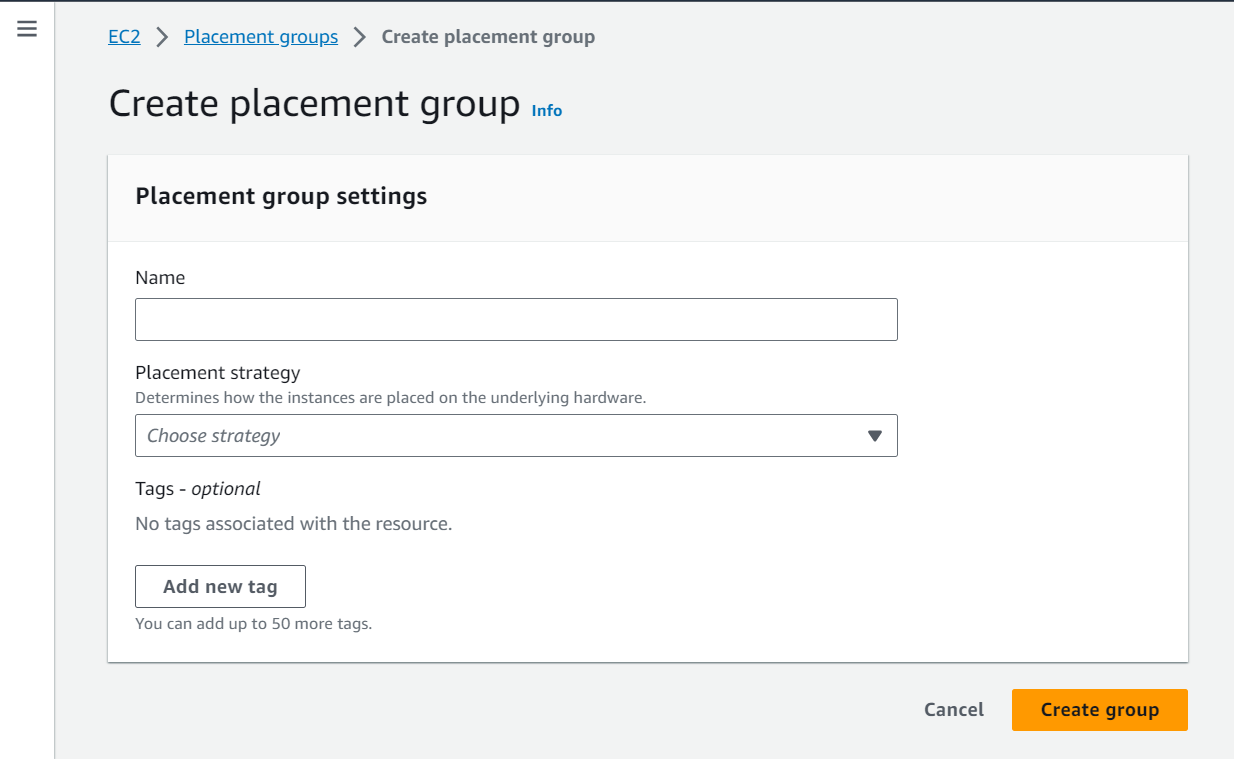
Hands-on: Placement group
- EC2 > Placement groups > Create placement group
Hibernate
-
We know we can stop, terminate instances
- Stop – the data on disk (
EBS) is kept intact in the next start - Terminate – any EBS volumes (root) also set-up to be destroyed is lost.
- Stop – the data on disk (
-
On start, the following happens:
- First start: the OS boots & the EC2 User Data script is run
- Following starts: the OS boots up
- Then your application starts, caches get warmed up, and that can take time!
-
Introducing EC2 Hibernate:
- The in-memory (RAM) state is preserved
- The instance boot is much faster! (the OS is not stopped / restarted)
- Under the hood: the RAM state is written to a file in the root EBS volume
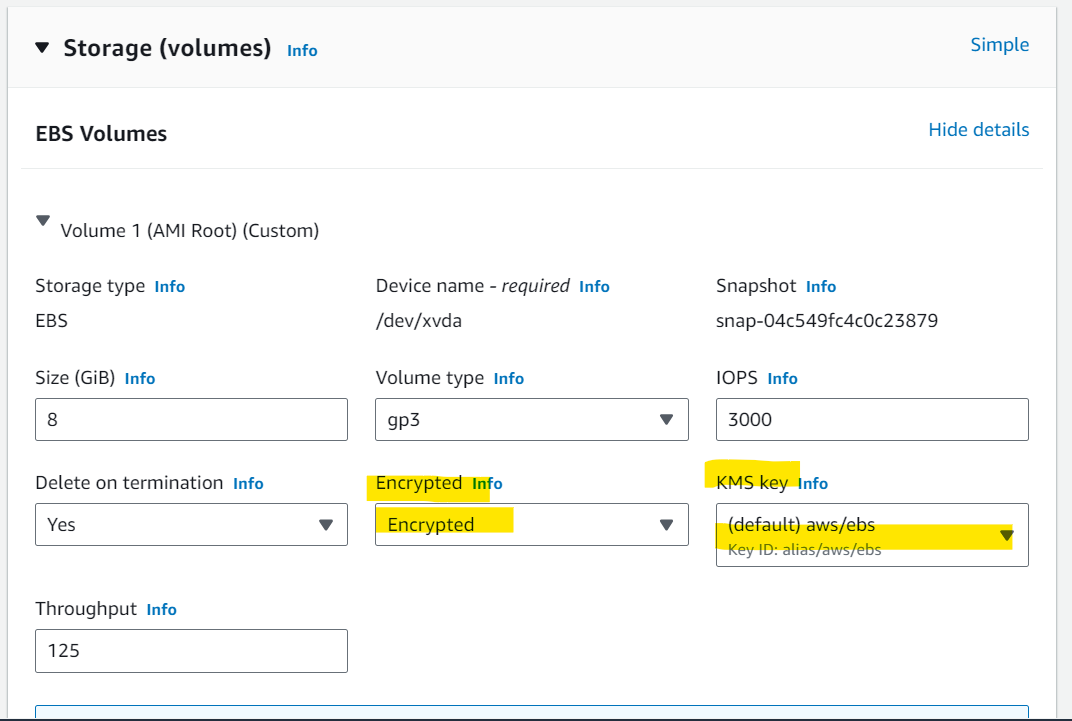
- The root EBS volume must be encrypted
-
Use cases:
- Long-running processing
- Saving the RAM state
- Services that take time to initialize
-
Good to know
- Supported Instance Families – C3, C4, C5, I3, M3, M4, R3, R4, T2, T3, …
- Instance RAM Size – must be less than 150 GB.
- Instance Size – not supported for bare metal instances.
- AMI – Amazon Linux 2, Linux AMI, Ubuntu, RHEL, CentOS & Windows…
- Root Volume – must be EBS, encrypted, not instance store, and large
- Available for On-Demand, Reserved and Spot Instances
- An instance can NOT be hibernated more than 60 days
Hands-on: Hibernate
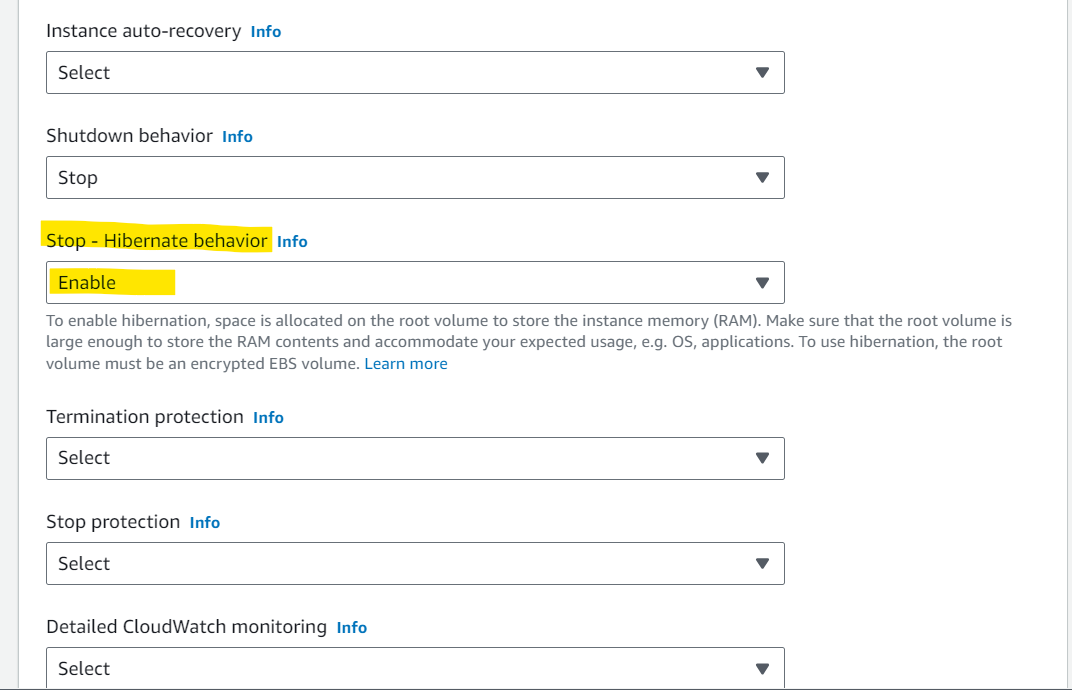
- Enable Hibernate when creating EC2
- instance memory < EBS
- EBS Encrypted
- Advanced > Stop - Hibernate behavior: Enable
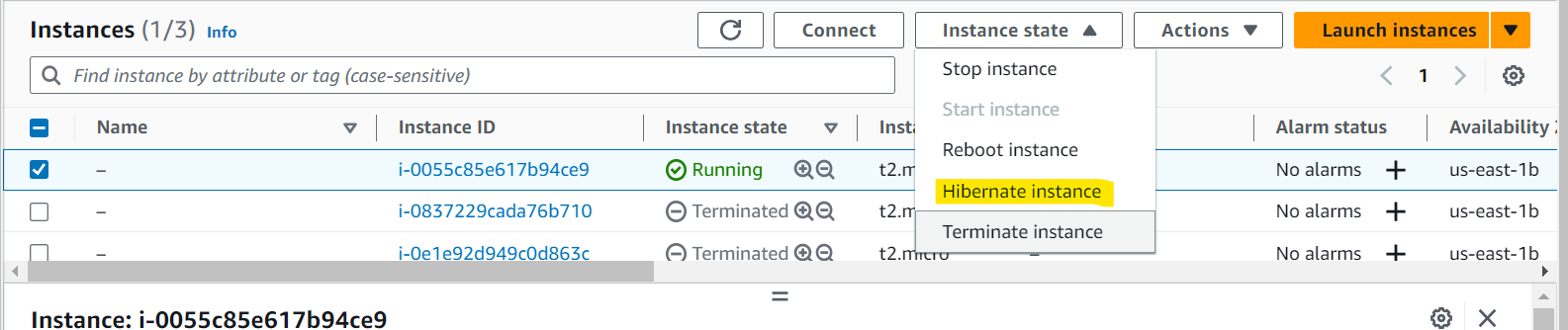
- Hibernate instance
AMI
-
AMI:Amazon Machine Image- a customization of an EC2 instance
- You add your own software, configuration, operating system, monitoring…
- Faster boot / configuration time because all your software is pre-packaged
-
AMI are built for a specific region (and can be copied across regions)
- You can launch EC2 instances from:
- A Public AMI:
- AWS provided
- Your own AMI:
- you make and maintain them yourself
- An AWS Marketplace AMI:
- an AMI someone else made (and potentially sells)
- A Public AMI:
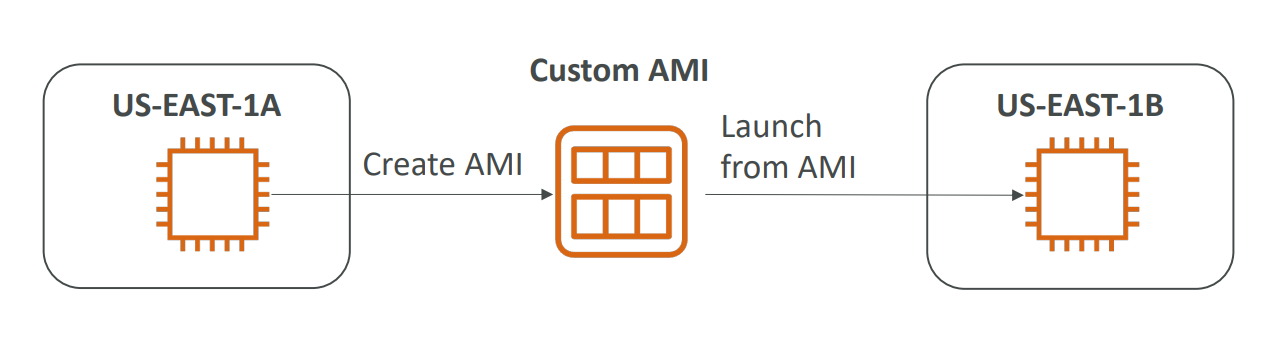
AMI Process (from an EC2 instance)
- Start an EC2 instance and customize it
- Stop the instance (for data integrity)
- Build an AMI – this will also create EBS snapshots
- Launch instances from other AMIs
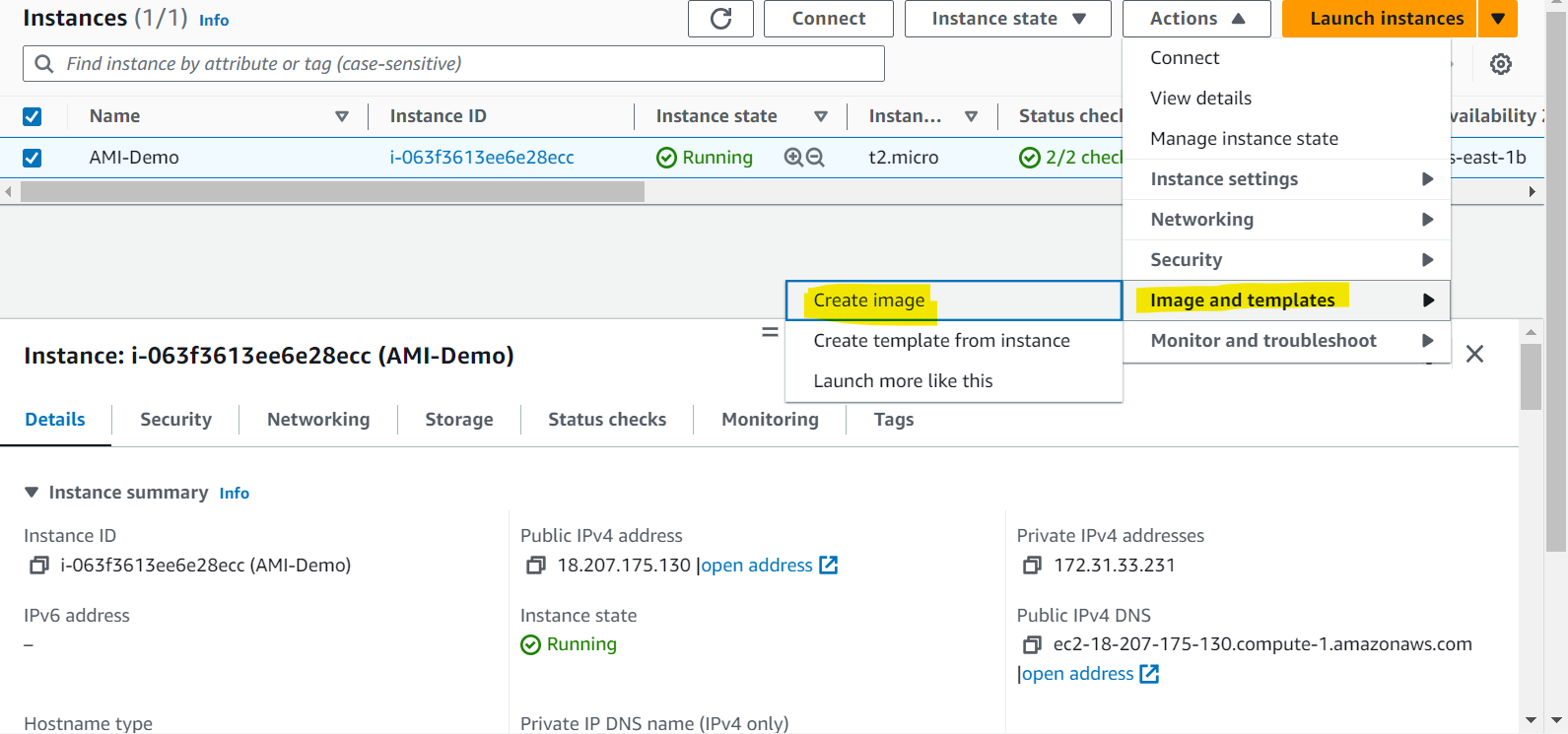
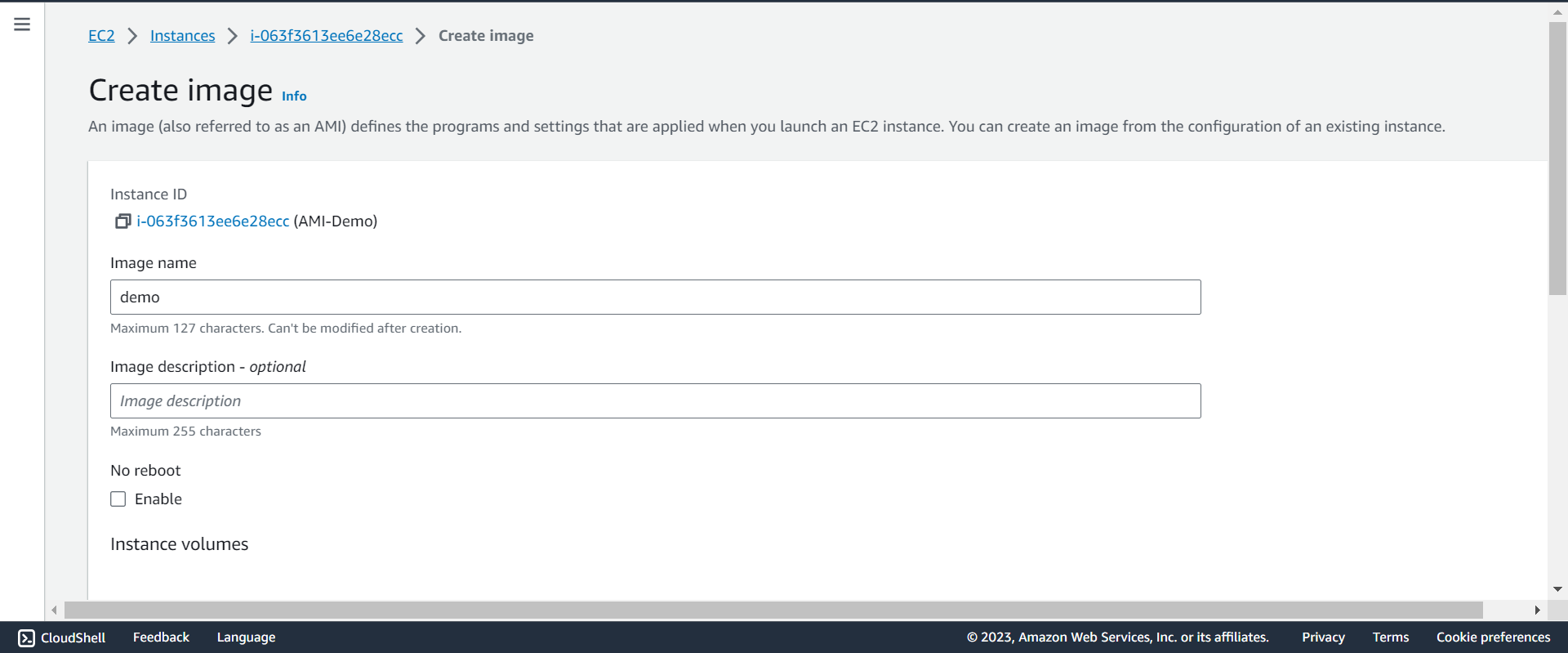
Hands-on: AMI
- Create
- List
