Note_Tech
All technological notes.
Project maintained by simonangel-fong Hosted on GitHub Pages — Theme by mattgraham
AWS - ECS
Amazon ECS
ECS=Elastic Container Service
Types
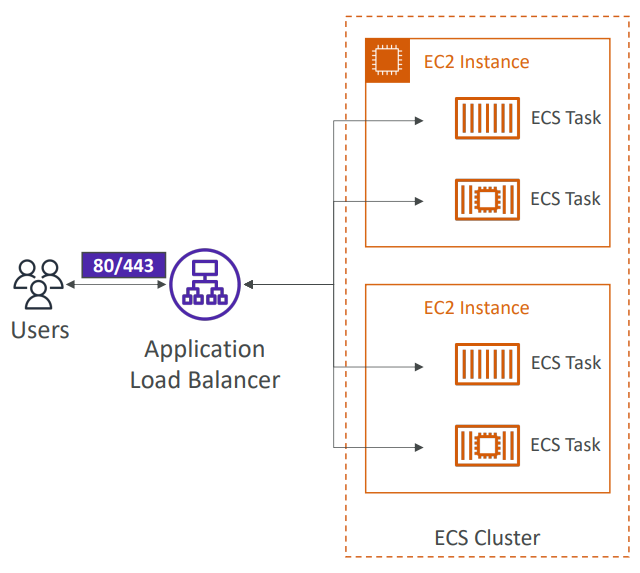
EC2 Launch Type
-
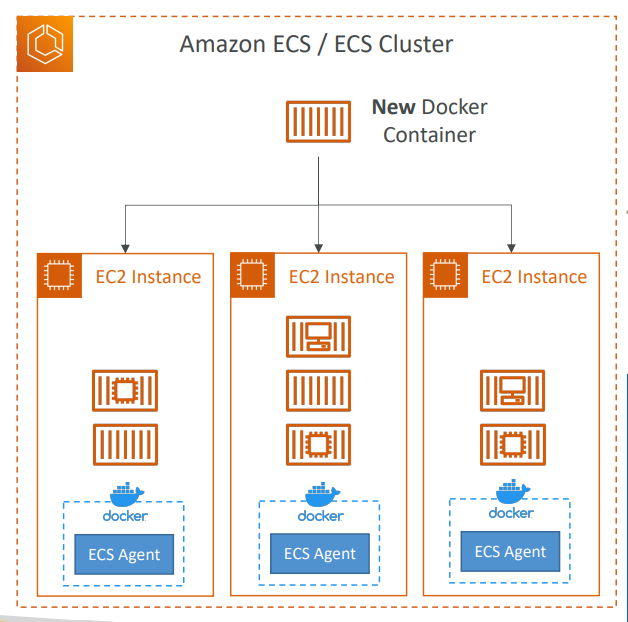
EC2 Launch Type:
- you must provision & maintain the infrastructure (the EC2 instances)
- Launch Docker containers on AWS = Launch ECS Tasks on ECS Clusters
- Each EC2 Instance must run the
ECS Agentto register in theECS Cluster - AWS takes care of starting / stopping containers
Fargate Launch Type
-
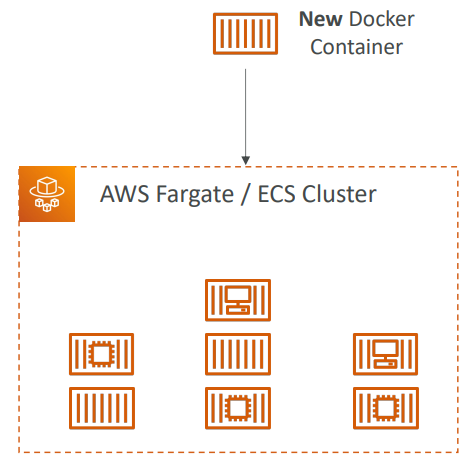
You do not provision the infrastructure (no EC2 instances to manage)
- no more EC2 instances(easier to manage than EC2 launch type)
- Launch Docker containers on AWS
- It’s all Serverless!
- You just create task definitions
- AWS just runs ECS Tasks for you based on the CPU / RAM you need
- To scale, just increase the number of tasks. Simple
- Sample:
- You have multiple Docker-based applications hosted on-premises that you want to migrate to AWS. You don’t want to provision or manage any infrastructure; you just want to run your containers on AWS. Which AWS service should you choose?
AWS Fargateallows you to run your containers on AWS without managing any servers.
IAM Roles for ECS
-
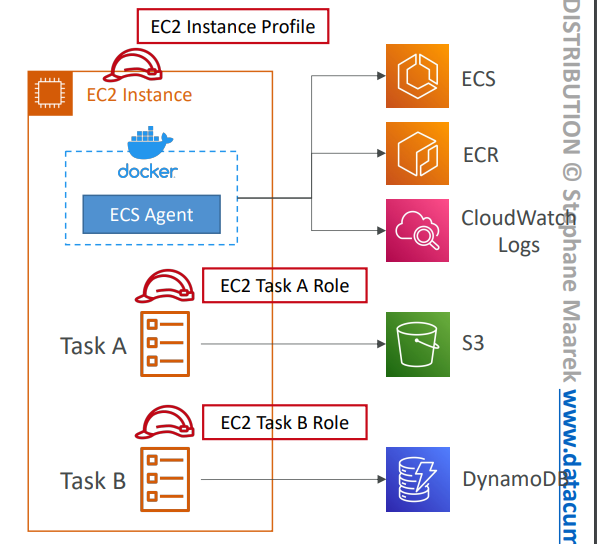
EC2 Instance Profile Role (
EC2 Launch Typeonly):- Used by the
ECS agent - Makes API calls to ECS service
- Send container logs to
CloudWatch Logs - Pull Docker image from
ECR - Reference sensitive data in
Secrets ManagerorSSM ParameterStore
- Used by the
-
ECS Task Role: (Both for EC2 type and Fargate type)
- Allows each task to have a specific role
- Use different roles for the different ECS Services you run
- Task Role is defined in the task definition
-
ECS Task Role is the
IAM Roleused by the ECS task itself. Use when your container wants to call other AWS services likeS3,SQS, etc.
- Sample:
- You are deploying an application on an ECS Cluster made of EC2 instances. Currently, the cluster is hosting one application that is issuing API calls to DynamoDB successfully. Upon adding a second application, which issues API calls to S3, you are getting authorization issues. What should you do to resolve the problem and ensure proper security?
- Create an IAM Task Role for new application.
Load Balancer Integrations
-
To expose task as http/https endpoint.
Classic Load Balancersupported but not recommended (no advanced features – no Fargate)Application Load Balancersupported and works for most use casesNetwork Load Balancerrecommended only for high throughput / high performance use cases, or to pair it withAWS Private Link
Data Volumes/Data Persistence (EFS)
-
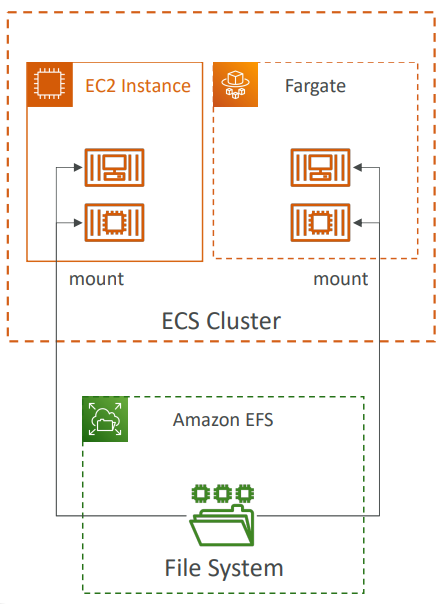
EFS volumecan be shared between differentEC2 instancesand differentECS Tasks.- It can be used as a persistent multi-AZ shared storage for your containers.
-
Mount
EFSfile systems onto ECS tasks- Works for both
EC2andFargatelaunch types - Tasks running in any AZ will share the same data in the EFS file system
Fargate+EFS=Serverless
- Works for both
-
Note:
- Amazon
S3cannot be mounted as a file system
- Amazon
-
Use cases:
- persistent multi-AZ shared storage for your containers
Service Auto Scaling: # of tasks
-
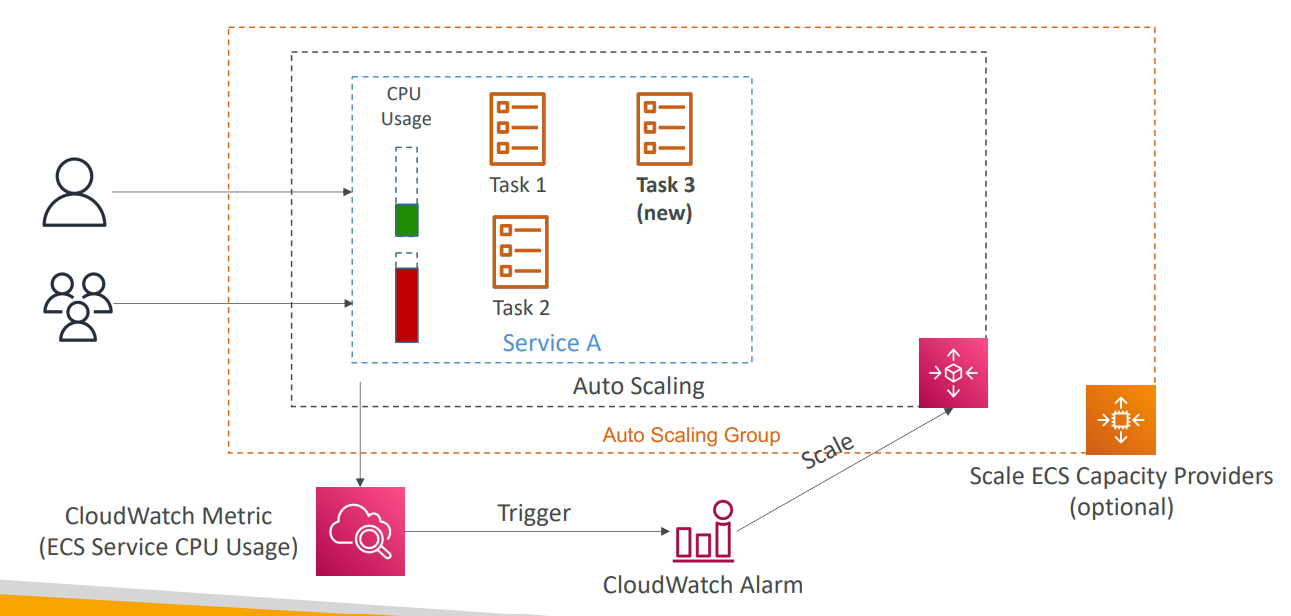
Automatically increase/decrease the desired number of ECS tasks
-
Amazon ECS Auto ScalingusesAWS Application Auto Scalingwith 3 metrics:- ECS Service Average CPU Utilization
- ECS Service Average Memory Utilization - Scale on RAM
- ALB Request Count Per Target – metric coming from the ALB
-
Types of Auto Scaling:
-
Target Tracking
- scale based on target value for a specific
CloudWatchmetric
- scale based on target value for a specific
-
Step Scaling
- scale based on a specified
CloudWatchAlarm
- scale based on a specified
-
Scheduled Scaling
- scale based on a specified date/time (predictable changes)
-
-
ECS Service Auto Scaling(task level) ≠EC2 Auto Scaling(EC2 instance level) -
Fargate Auto Scalingis much easier to setup (because Serverless)
EC2 Launch Type – Auto Scaling EC2 Instances
-
Accommodate ECS Service Scaling by adding underlying EC2 Instances
-
Ways to auto scaling EC2 instacnes:
-
Auto Scaling Group Scaling
- Scale your ASG based on CPU Utilization
- Add EC2 instances over time
-
ECS Cluster Capacity Provider: a recommandated feature
- Used to automatically provision and scale the infrastructure for your ECS Tasks
- Capacity Provider paired with an
Auto Scaling Group - Add EC2 Instances when you’re missing capacity (CPU, RAM…)
-
Hands-on
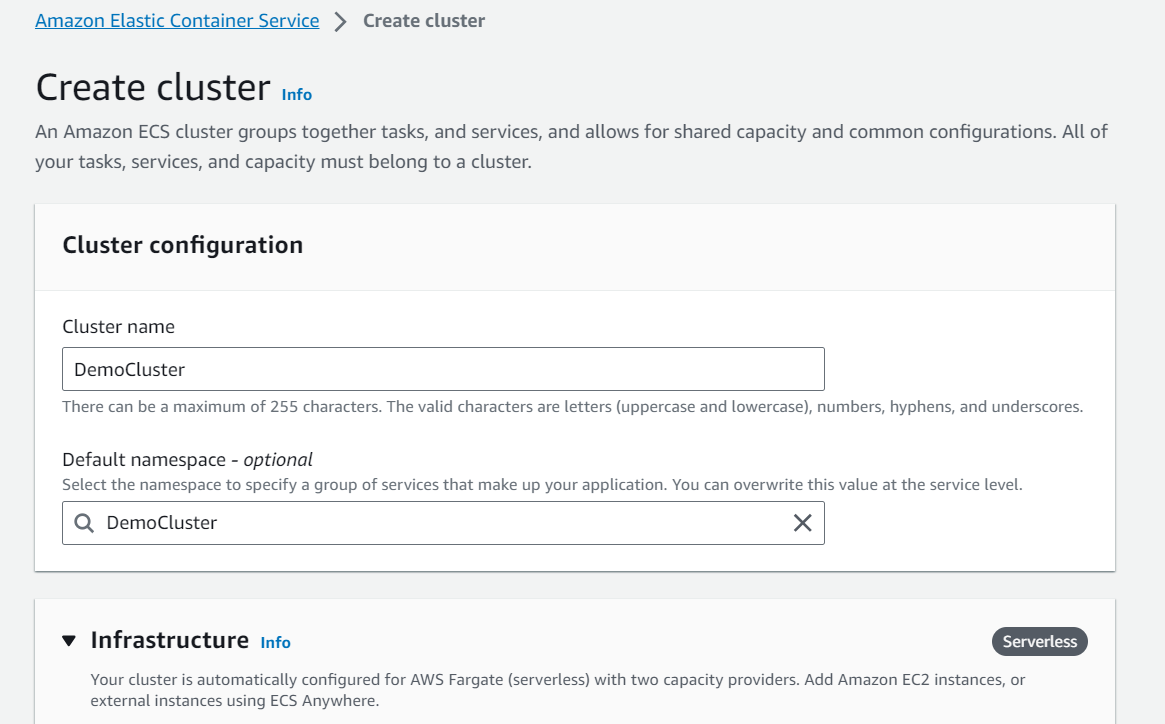
- Create Cluster
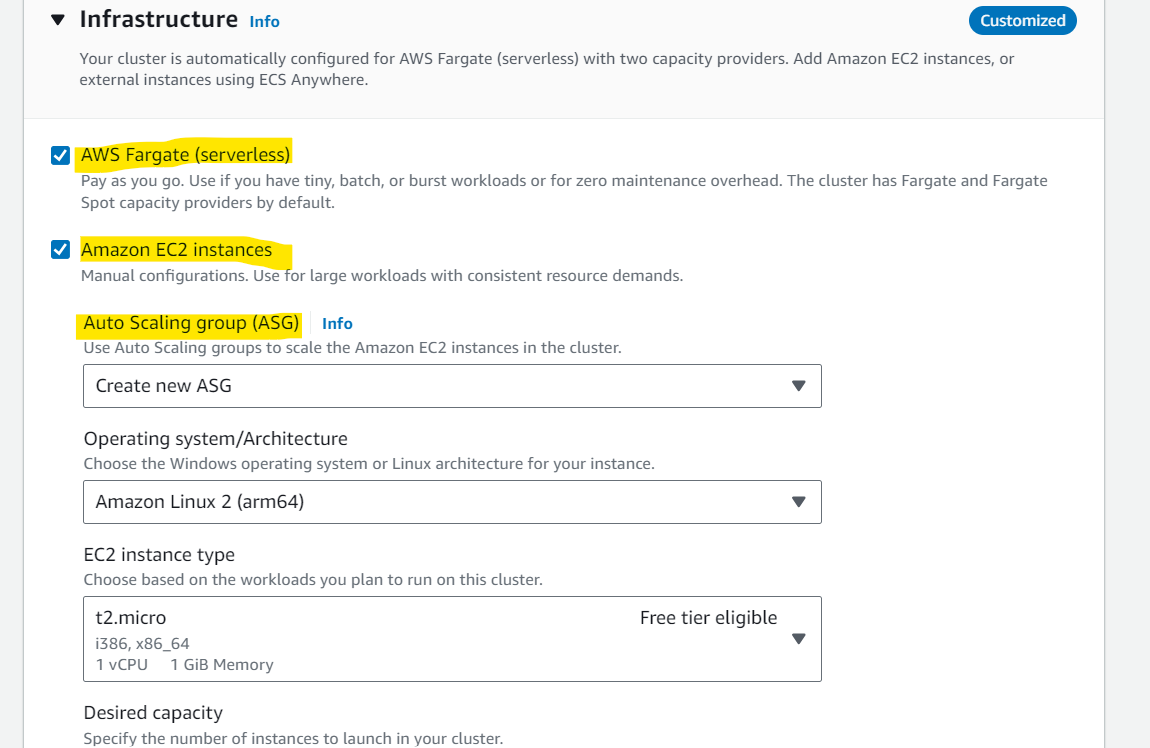
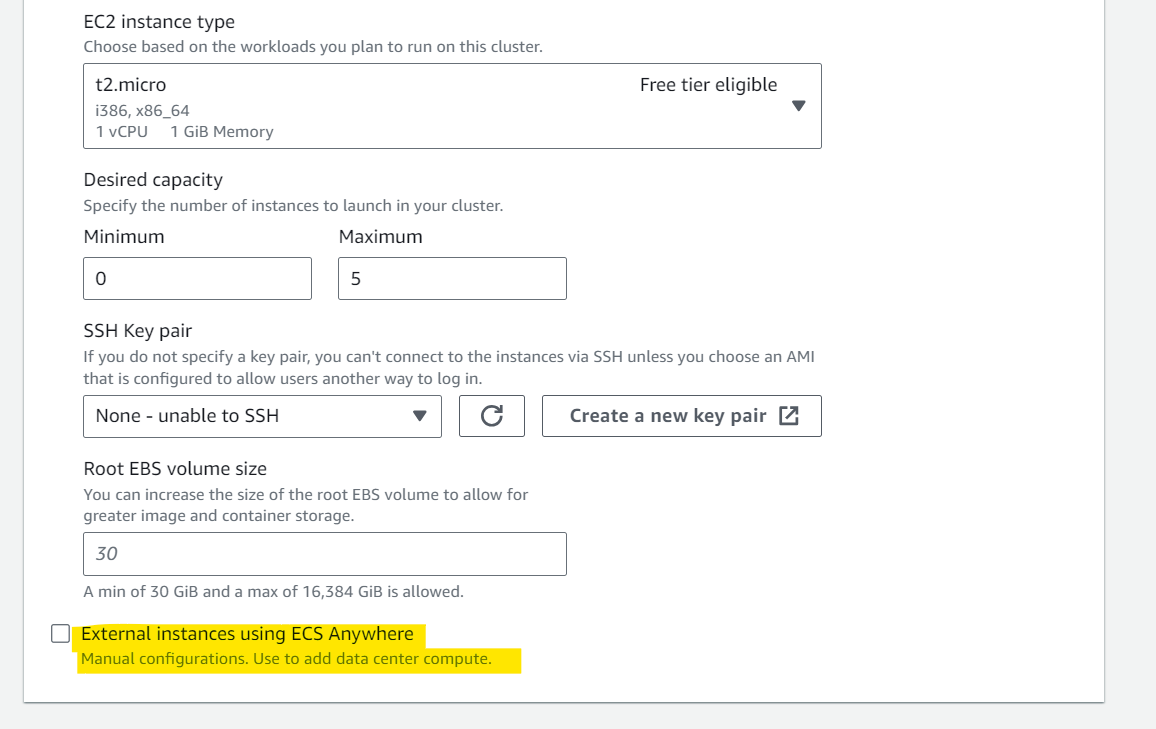
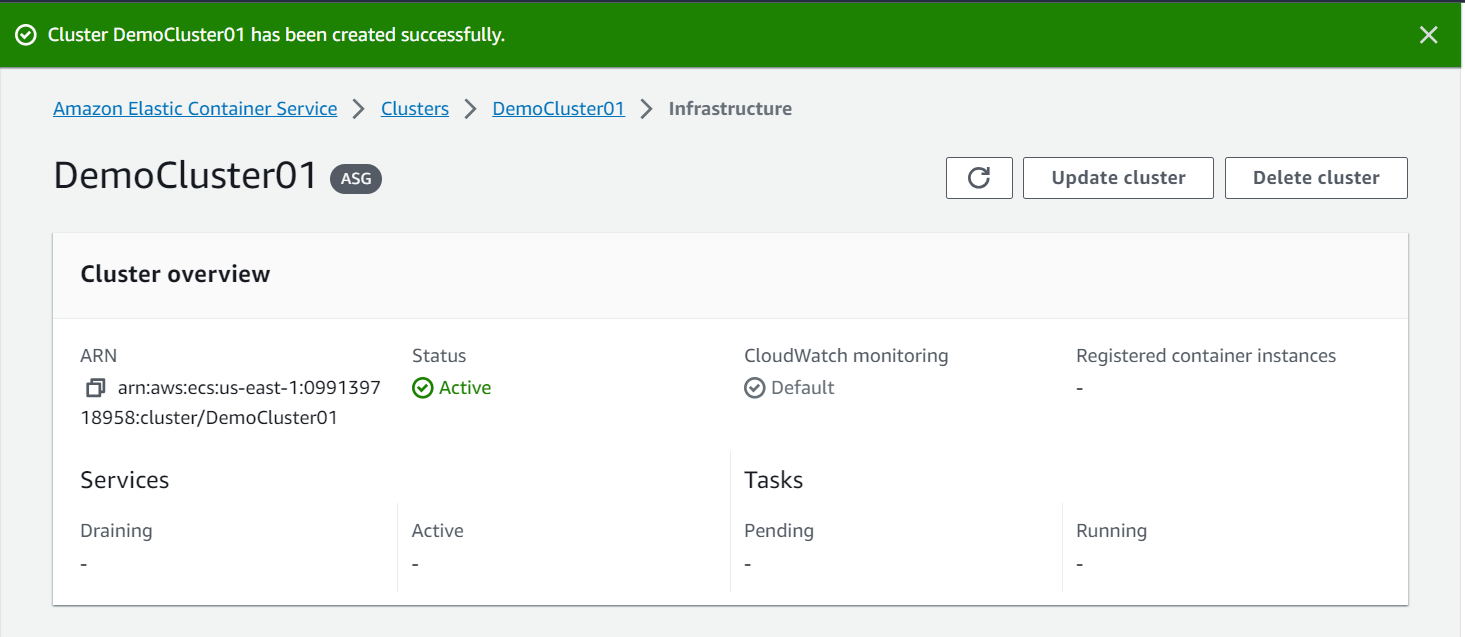
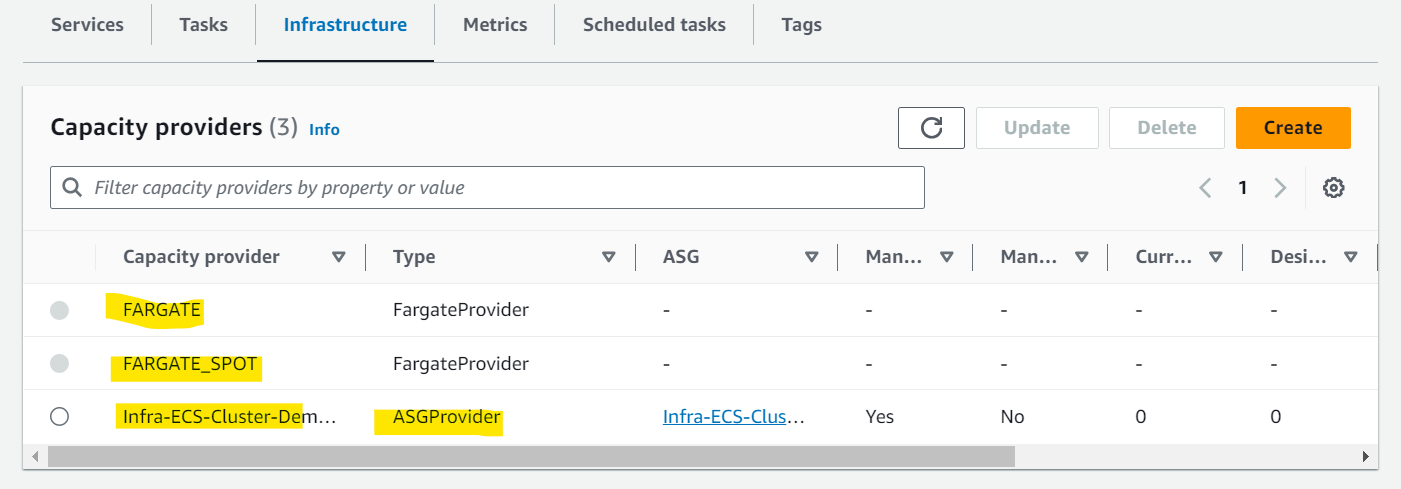
- Create Task
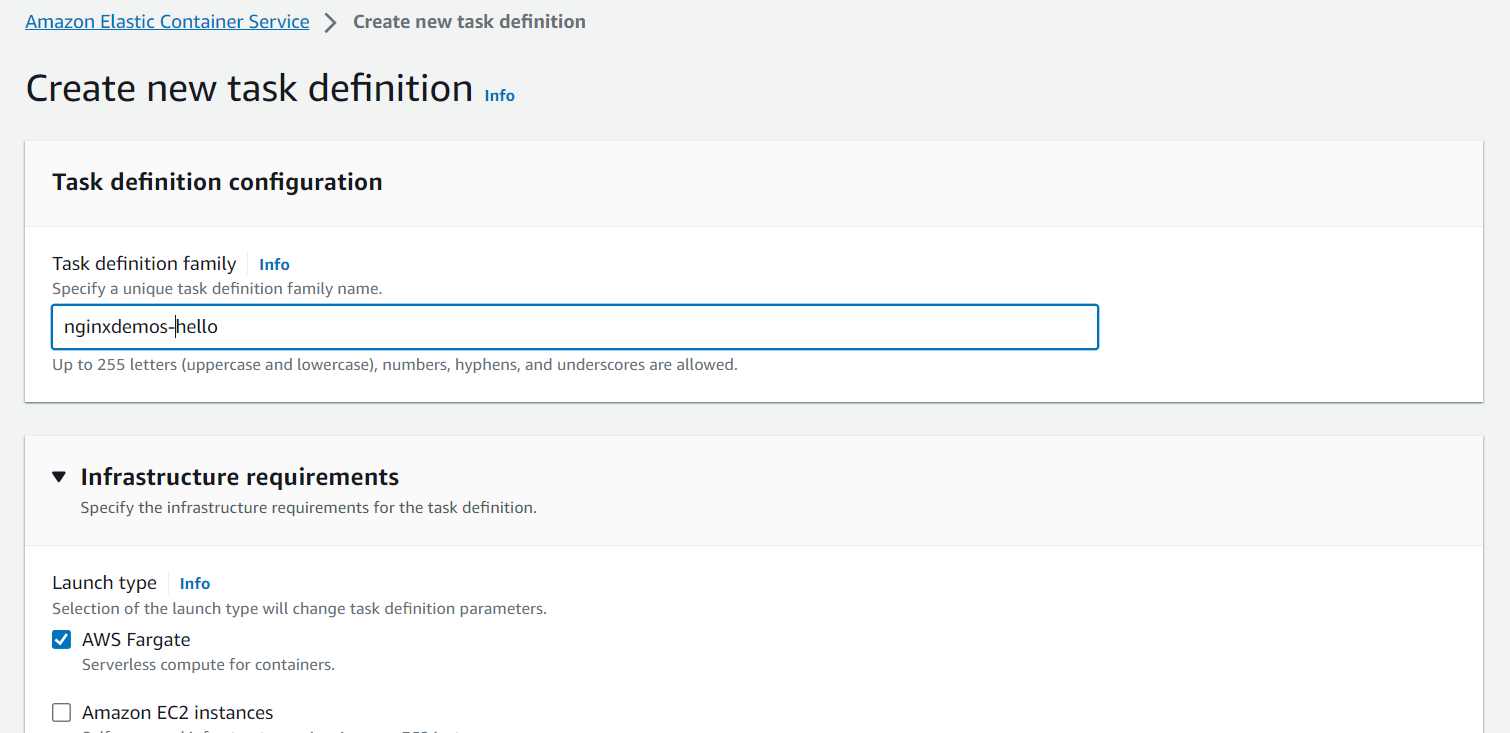
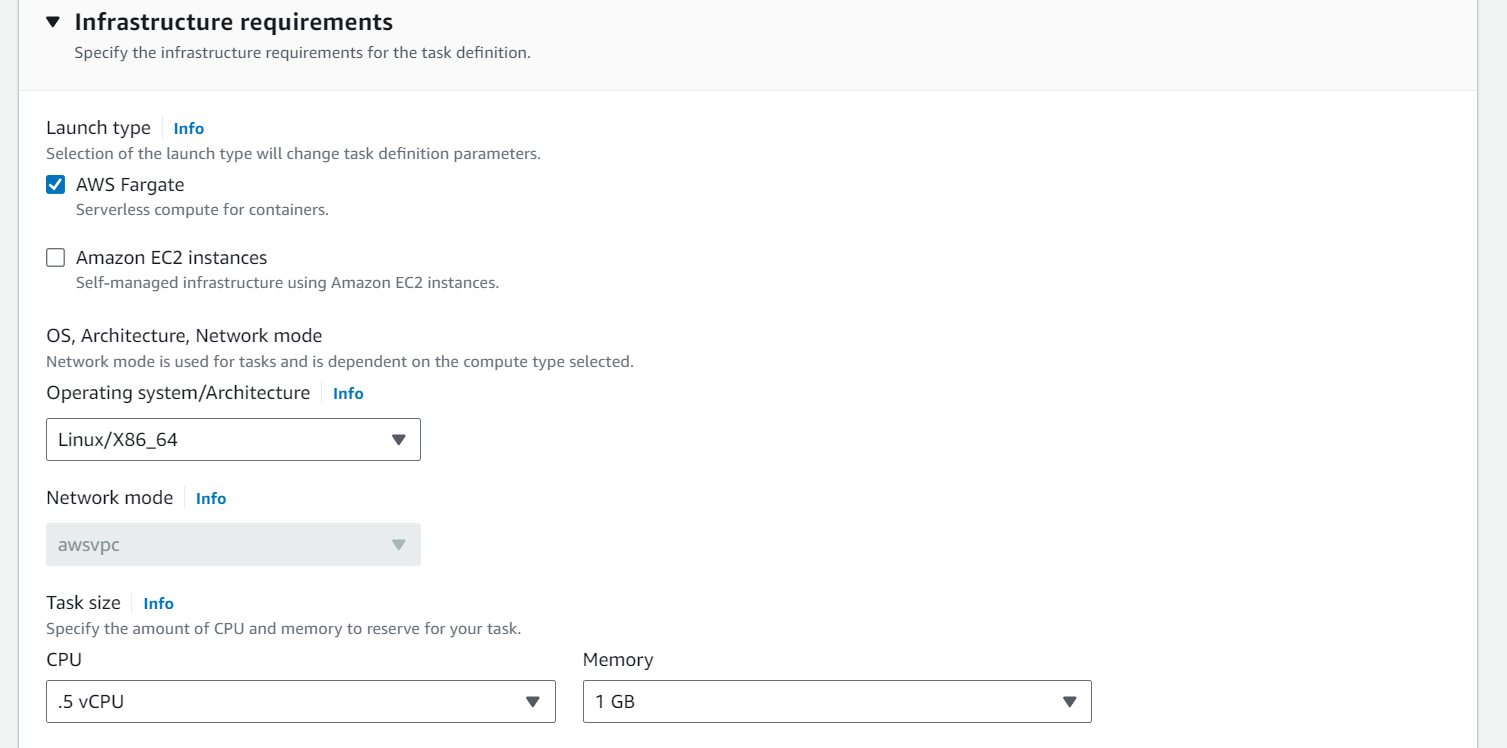
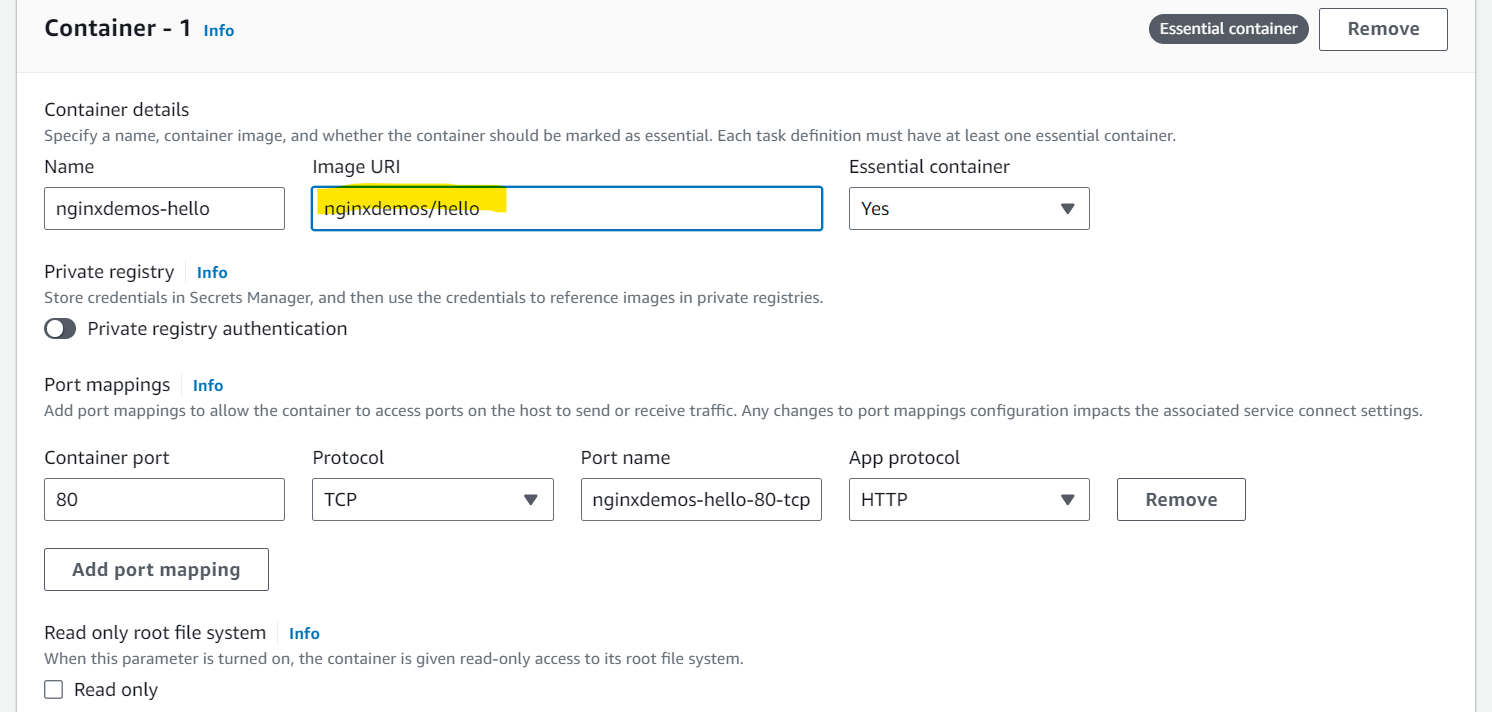
- Image URL: nginxdemos/hello
- https://hub.docker.com/r/nginxdemos/hello/
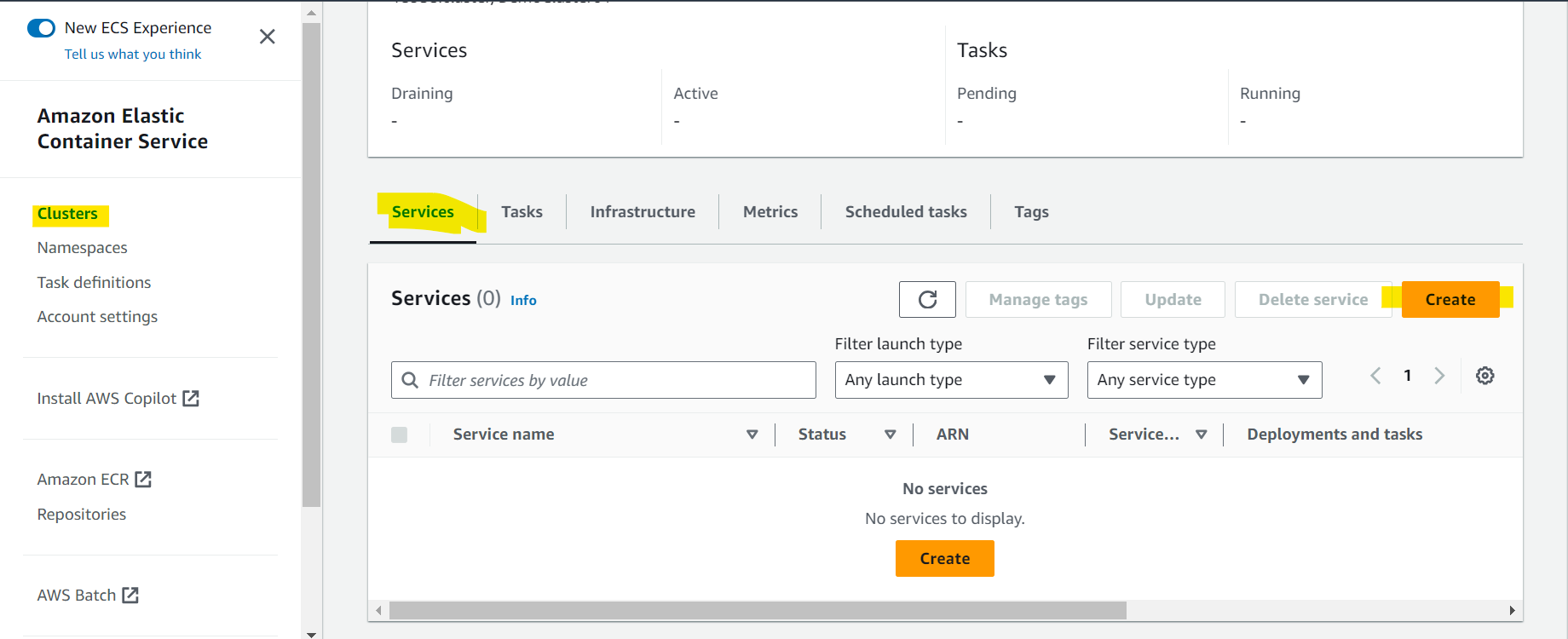
- Create service
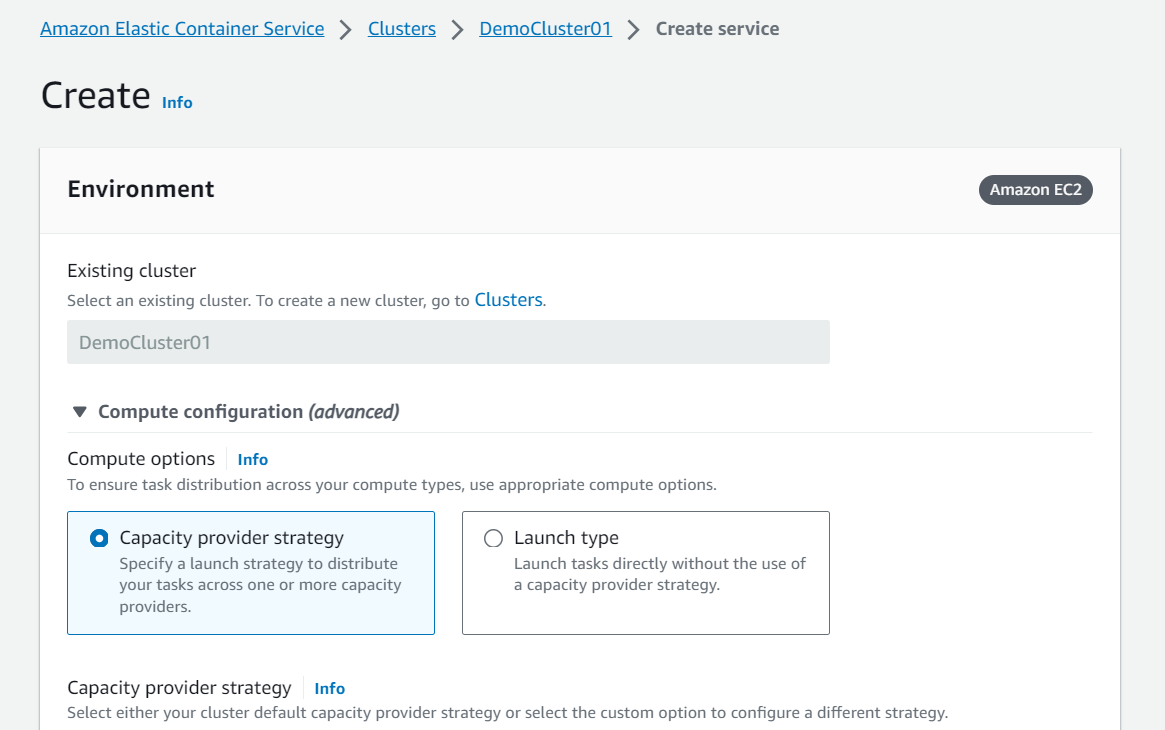
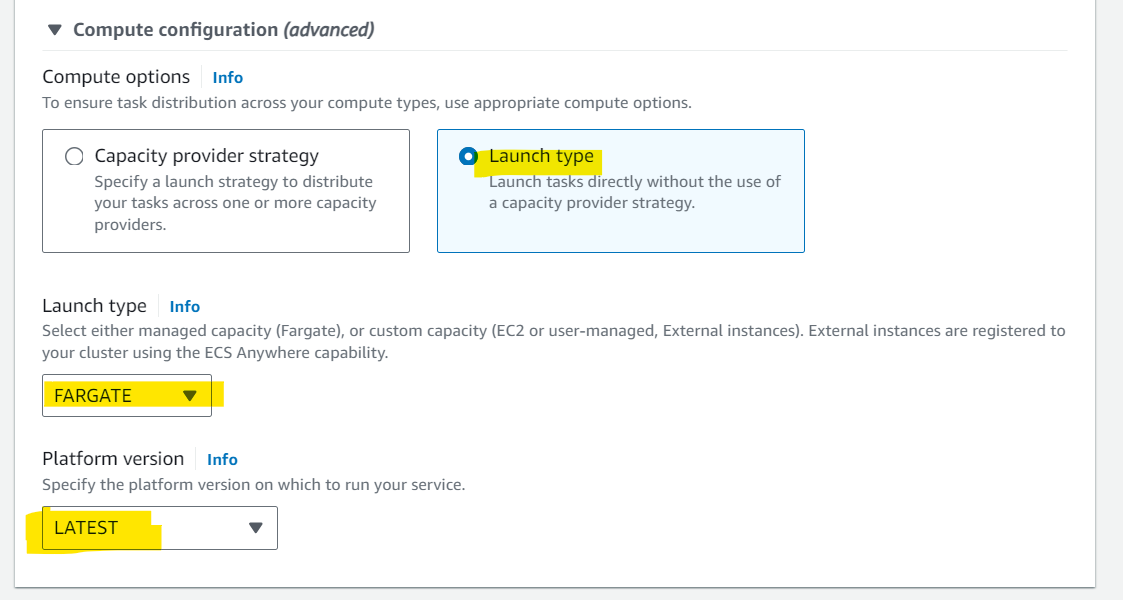
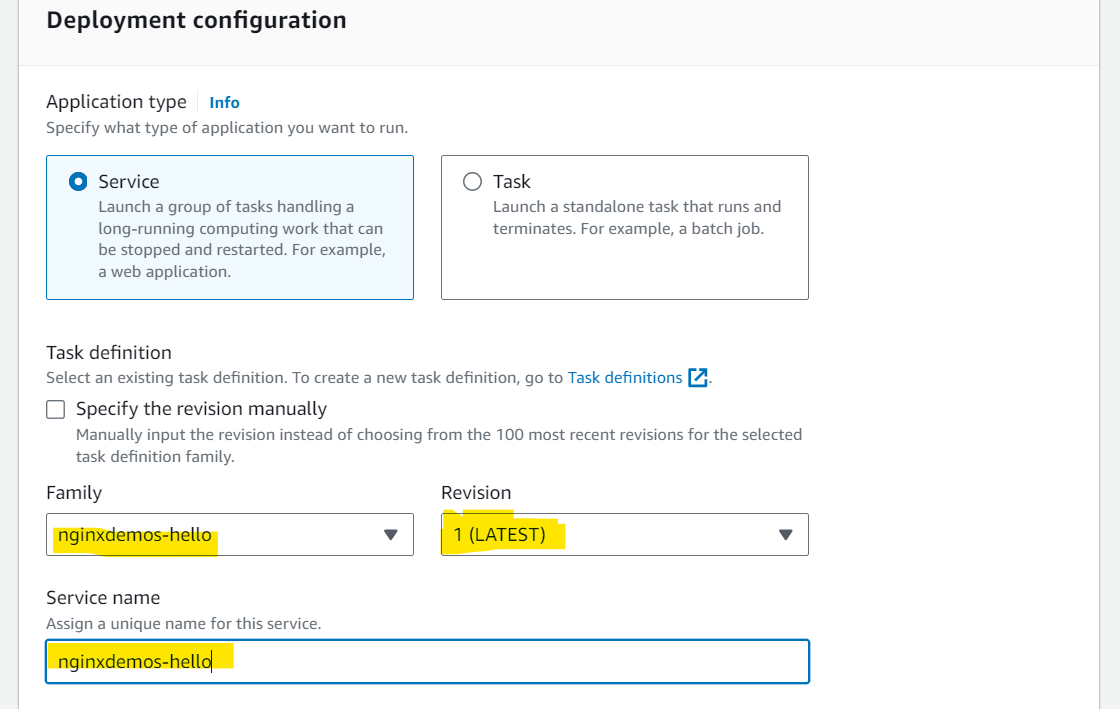
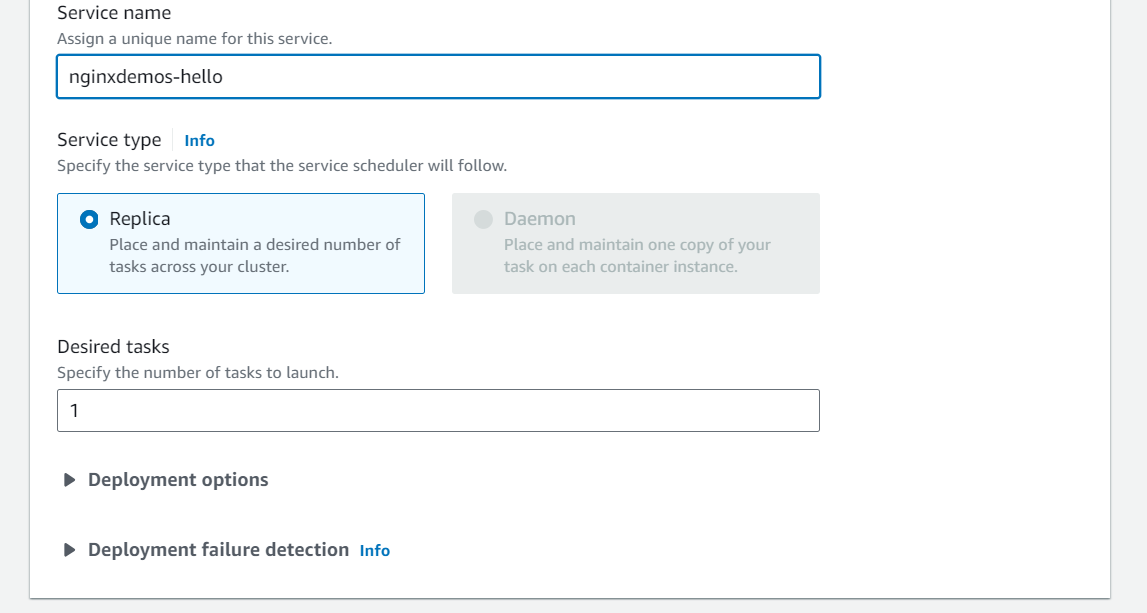
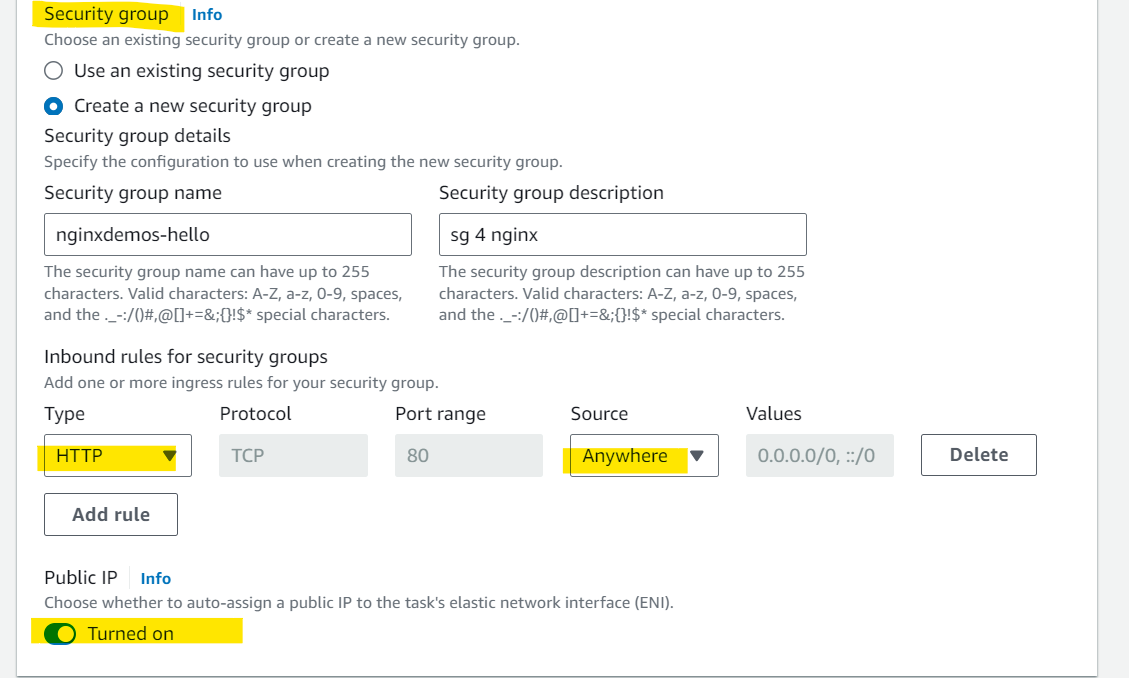
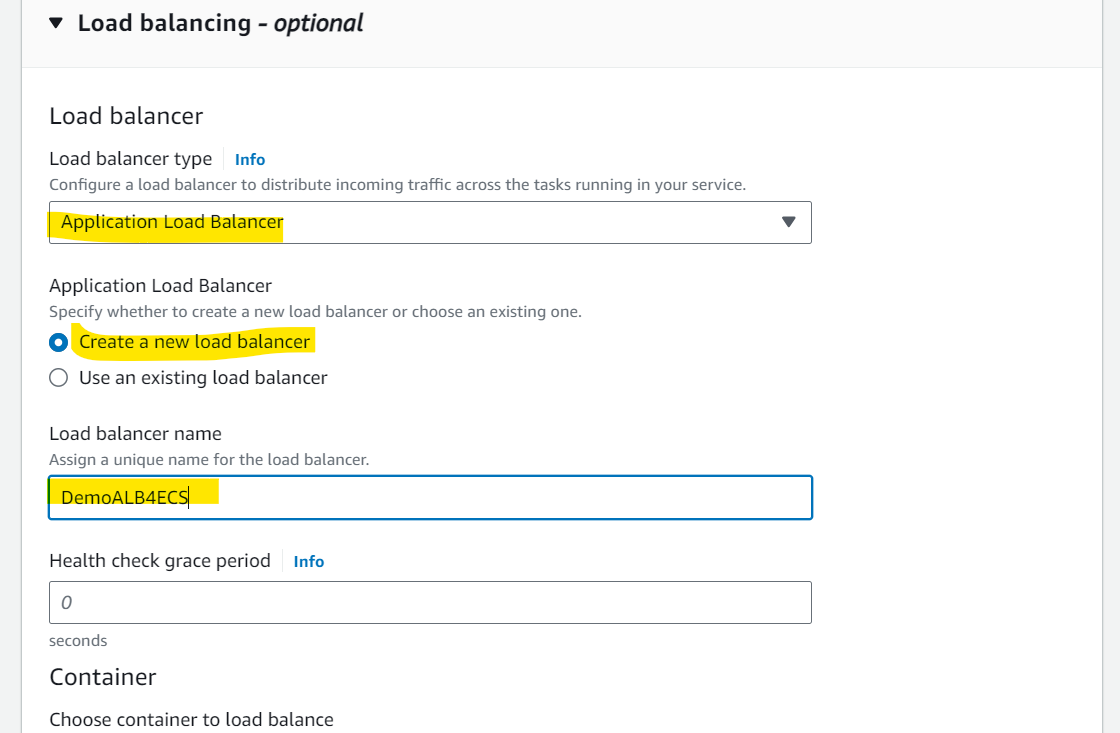
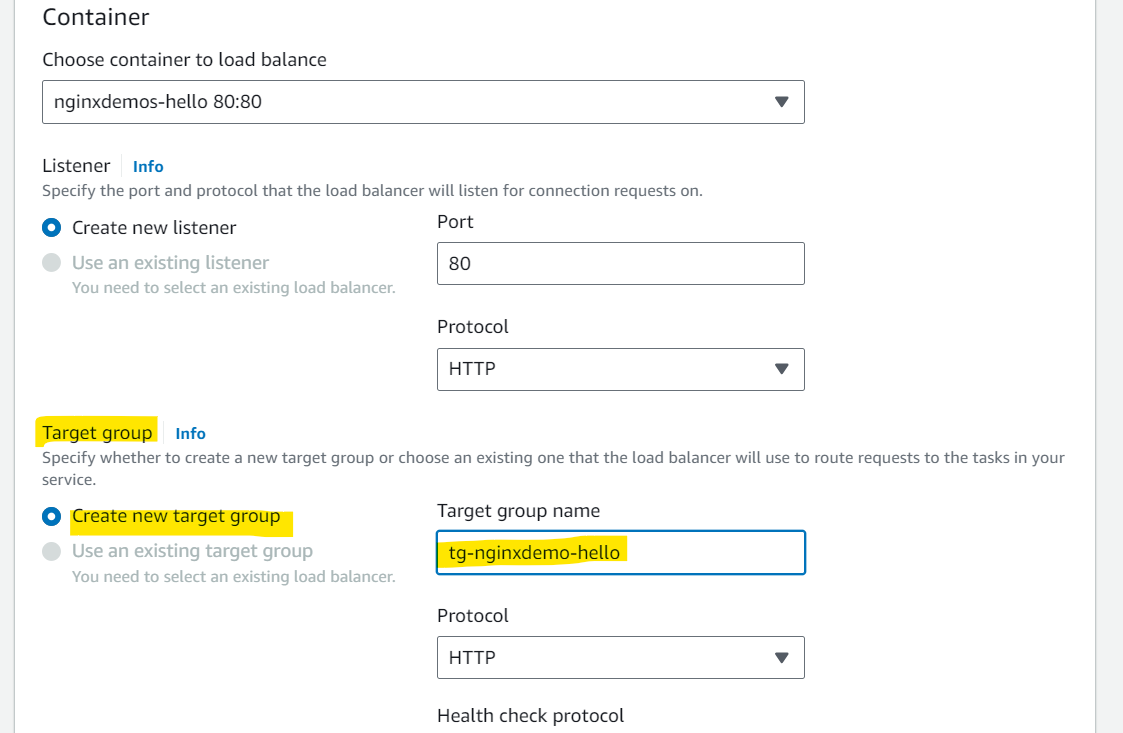
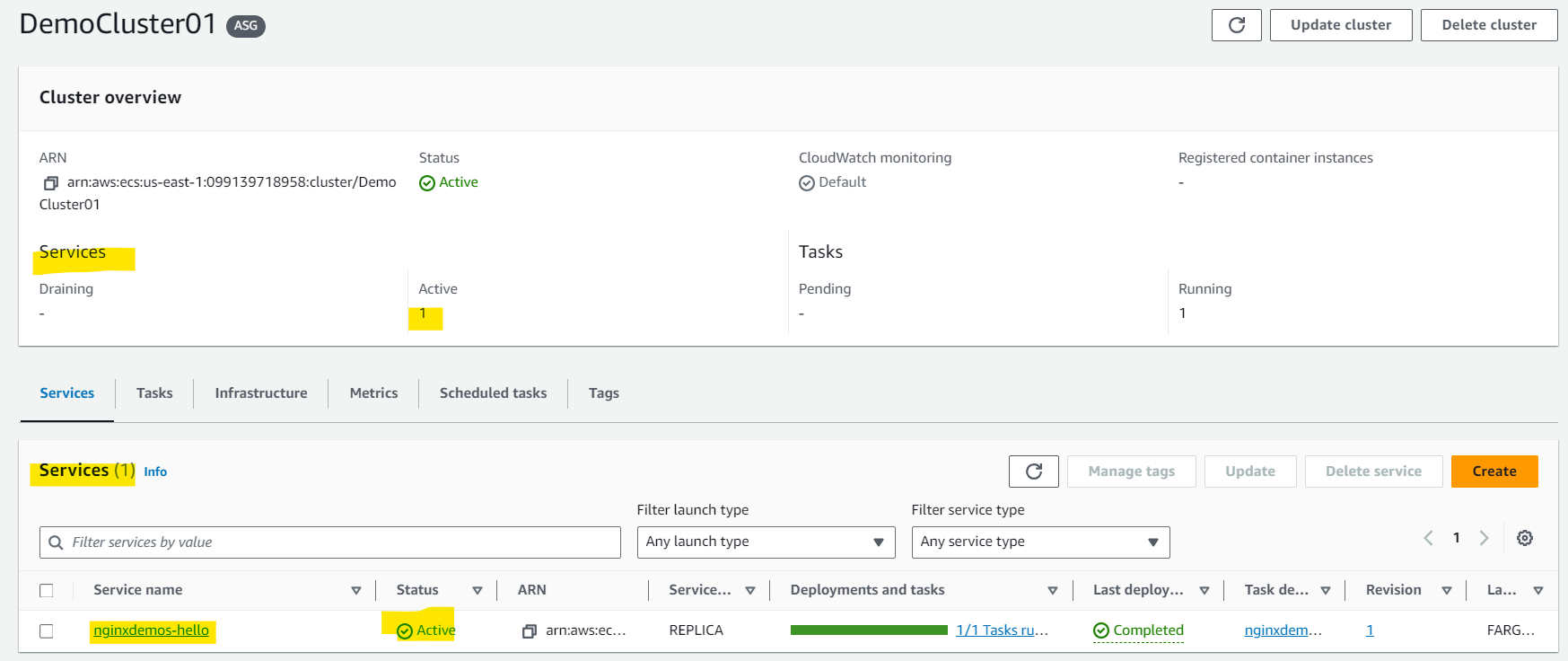
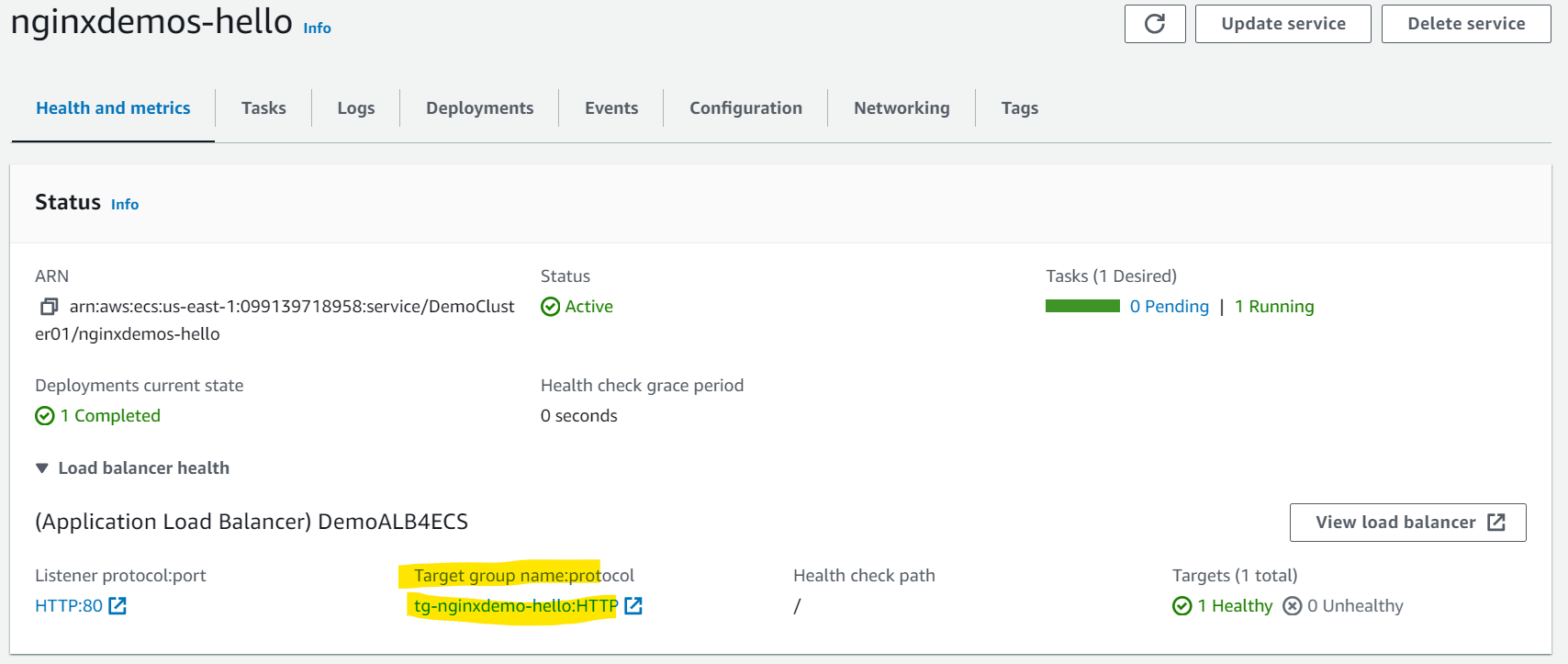
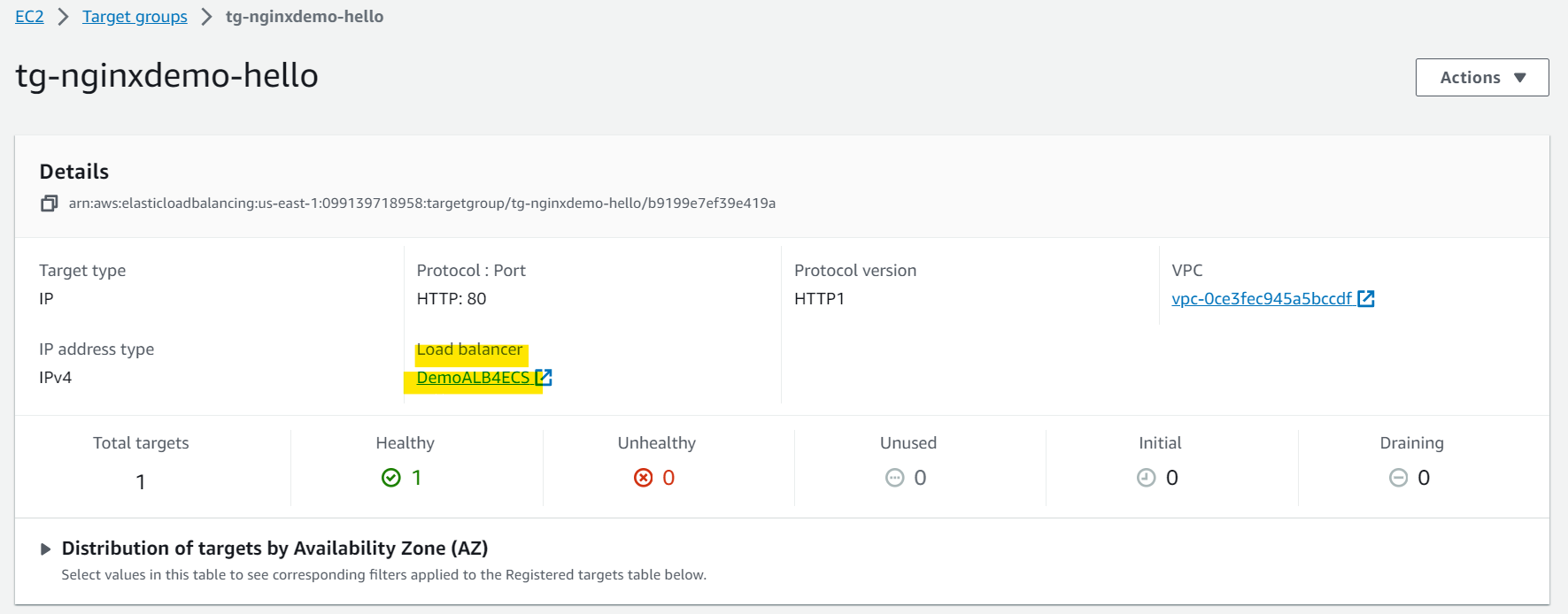
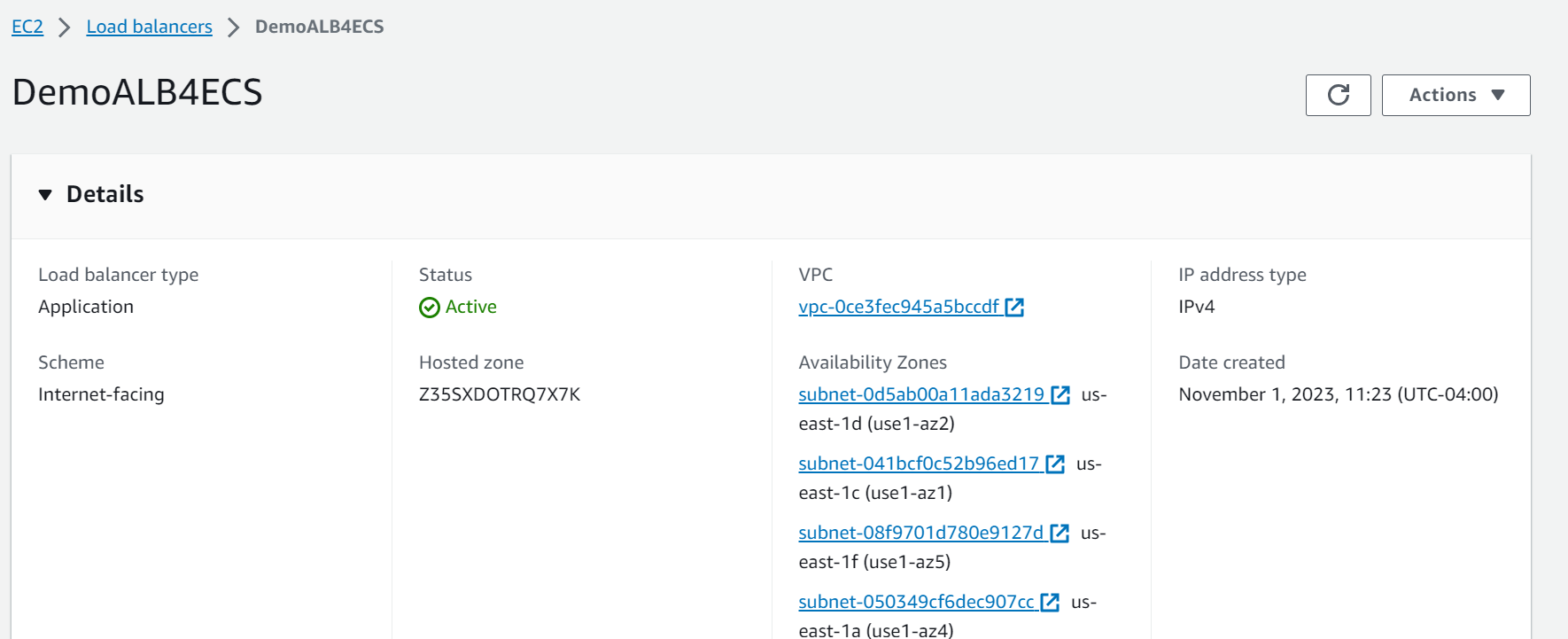
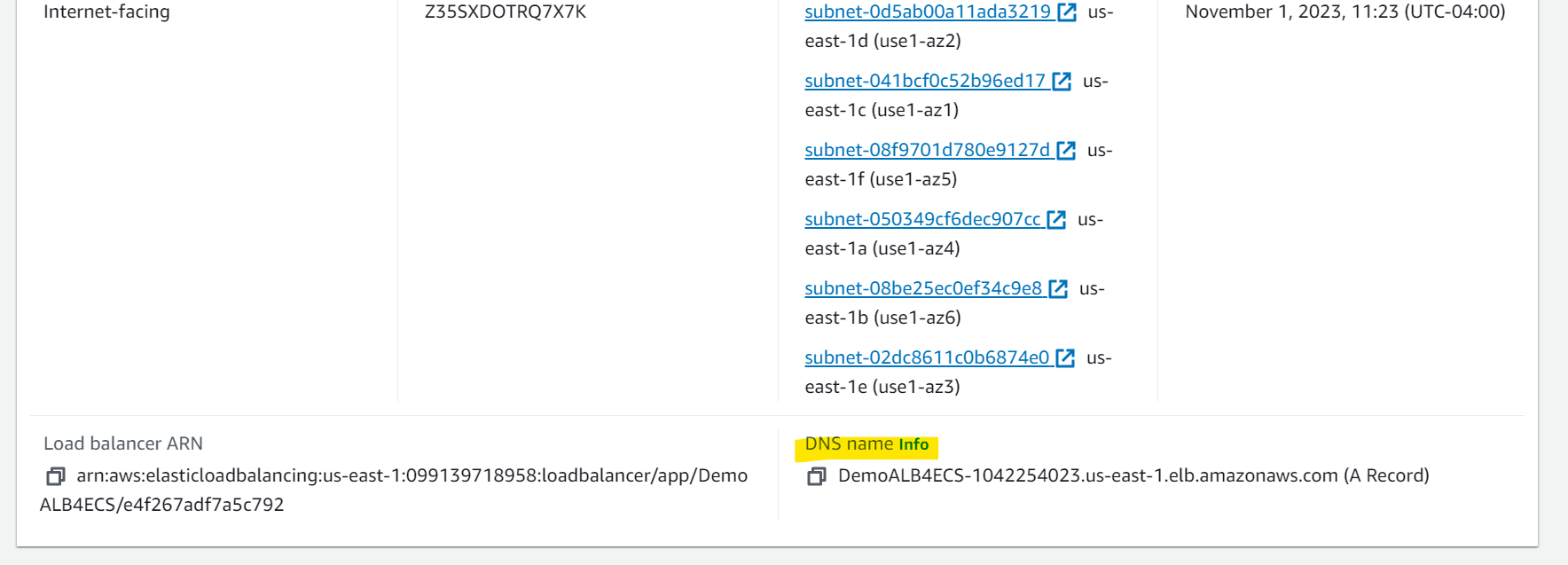
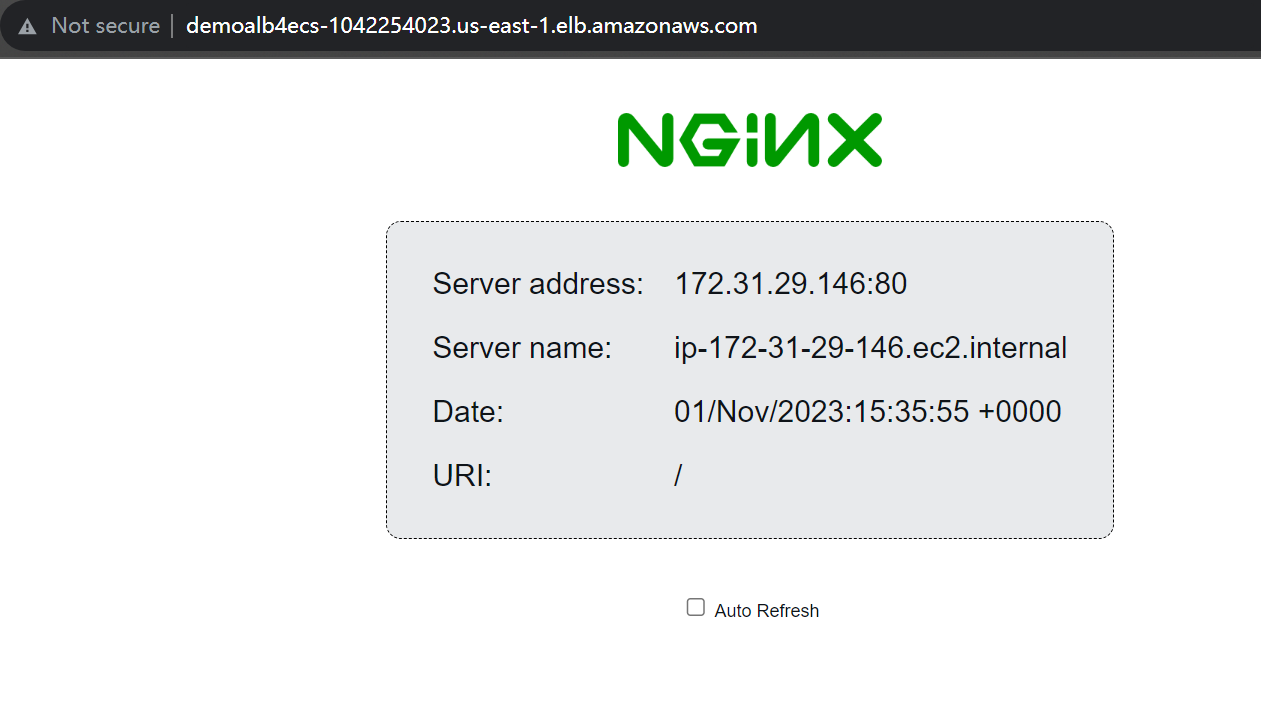
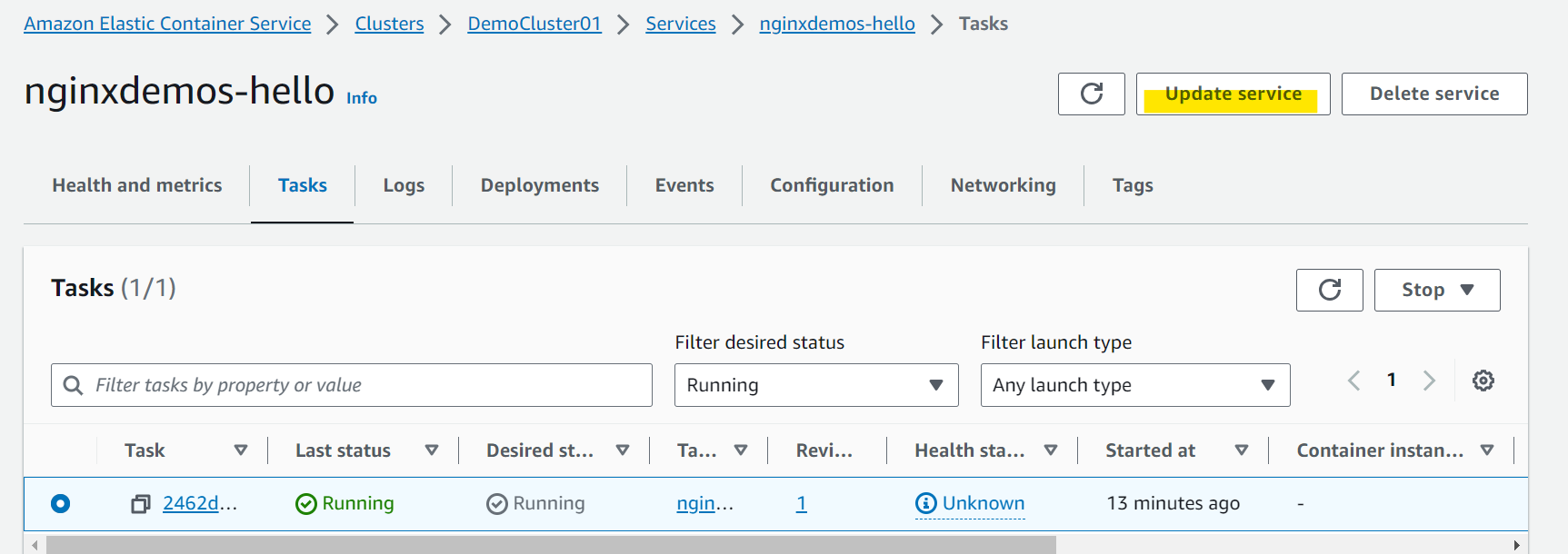
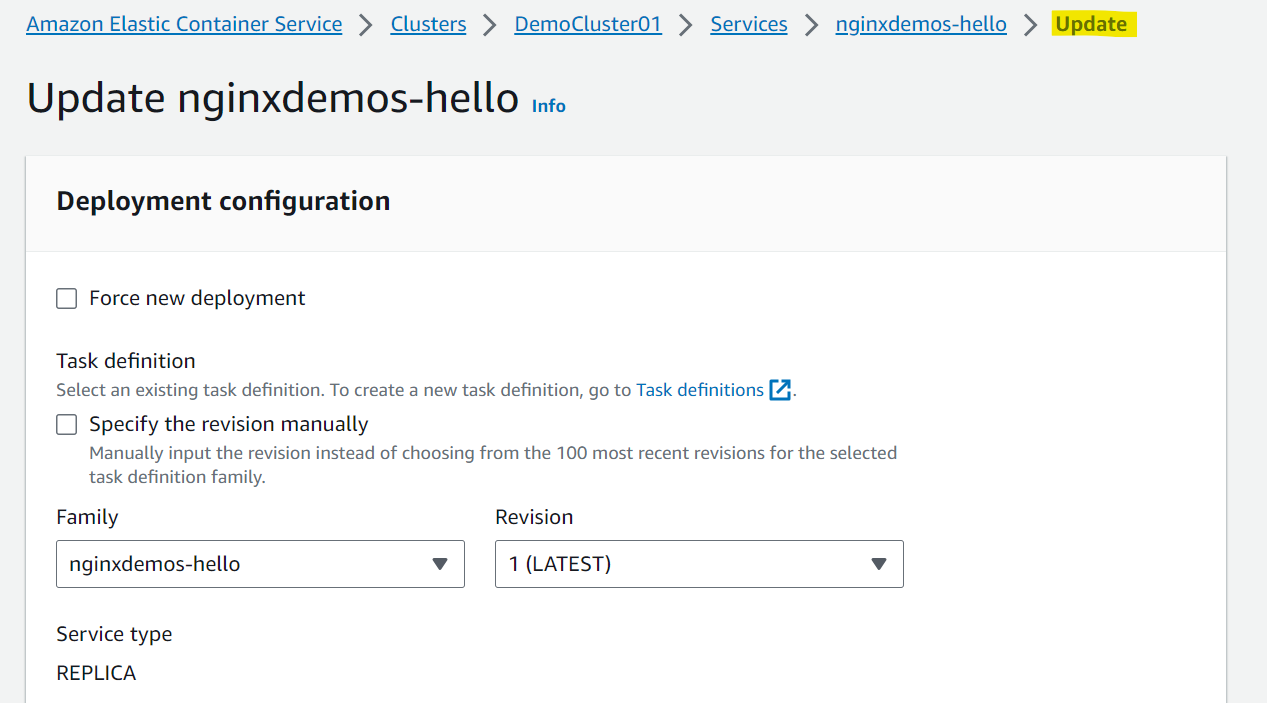
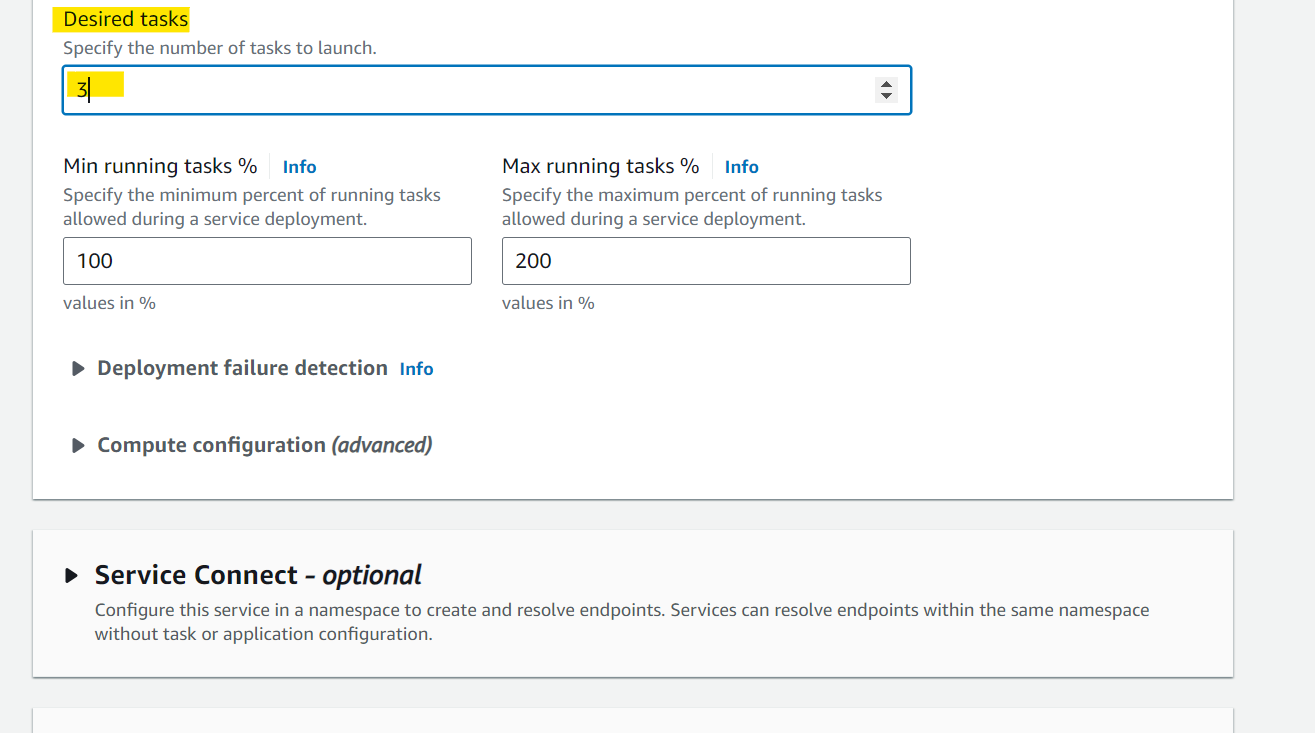
- Scaling up task.
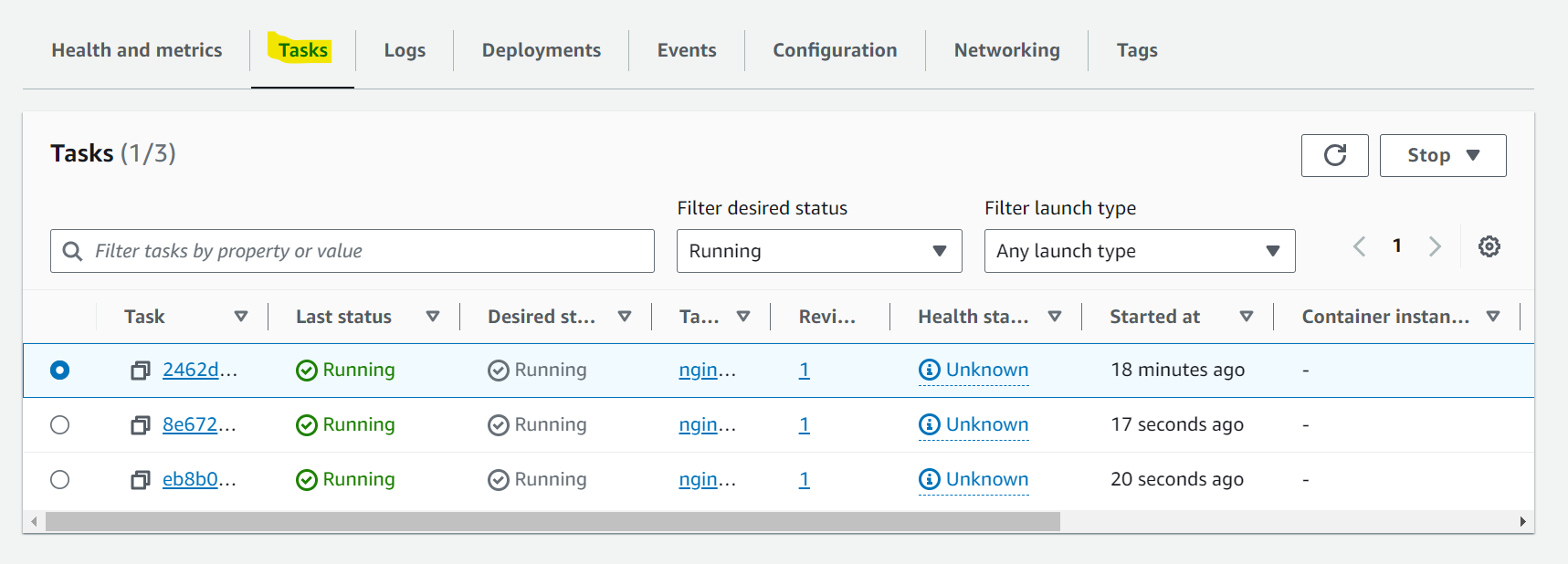
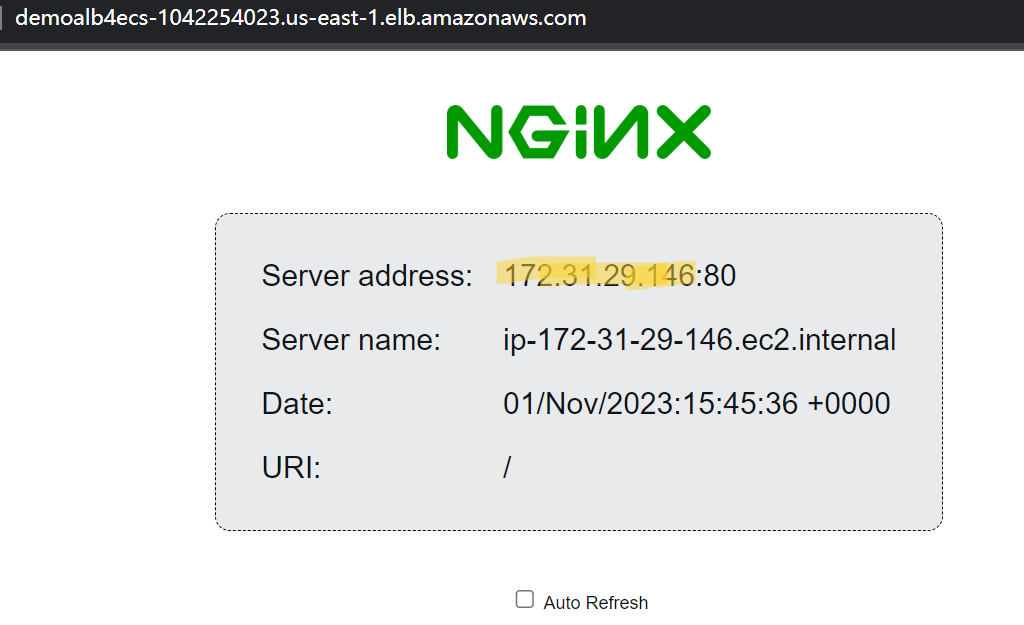
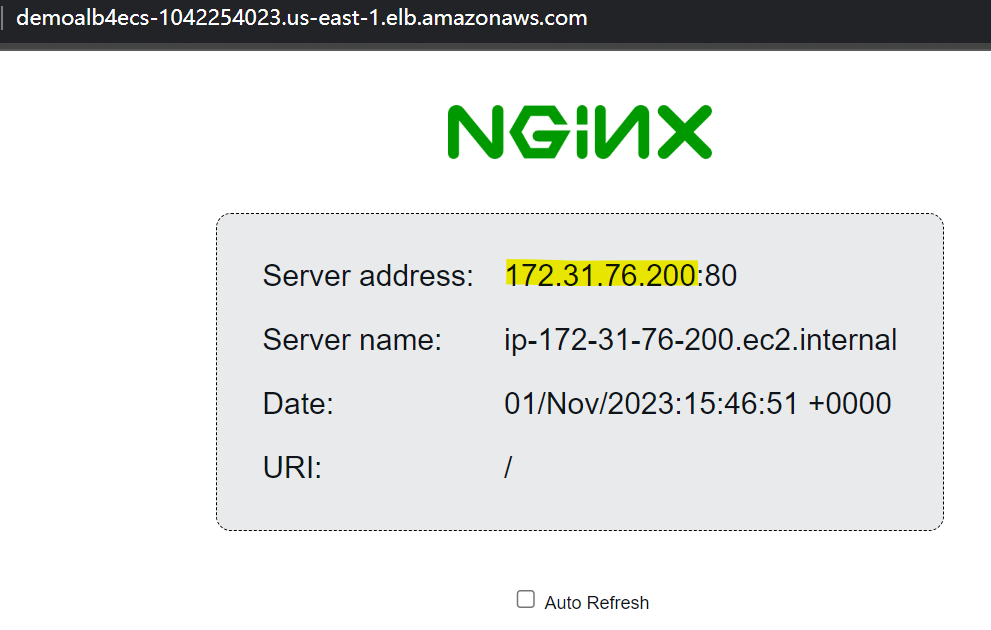
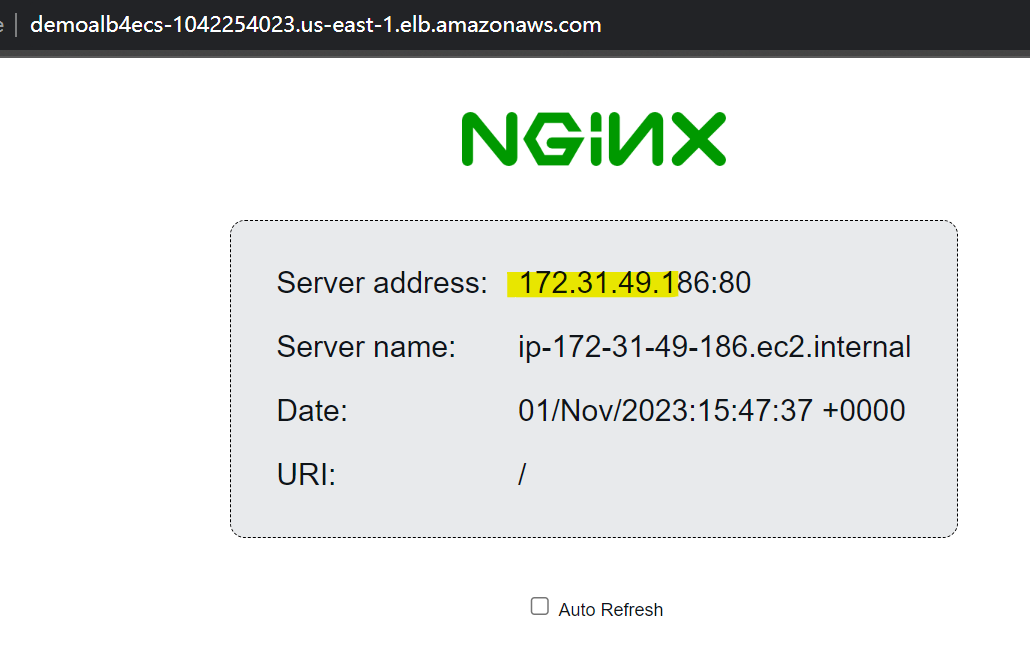
- 效果:
- 相当于有 3 个 instance 共同指向一个 ALB
- 刷新时, 会显示不同 IP.
Sulotion Architecture
- Serverless + DB
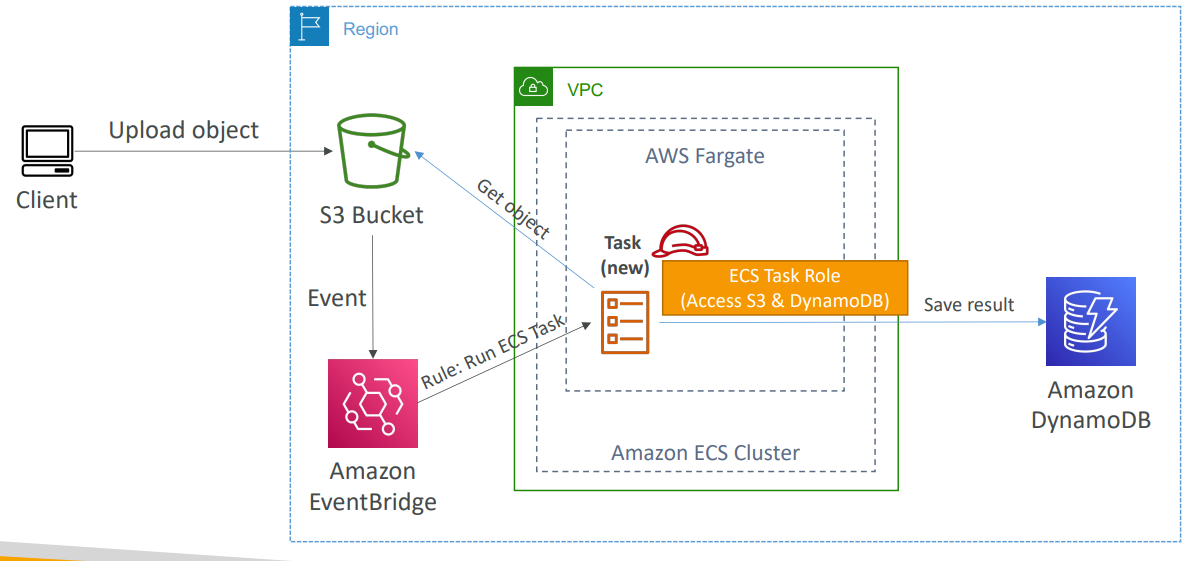
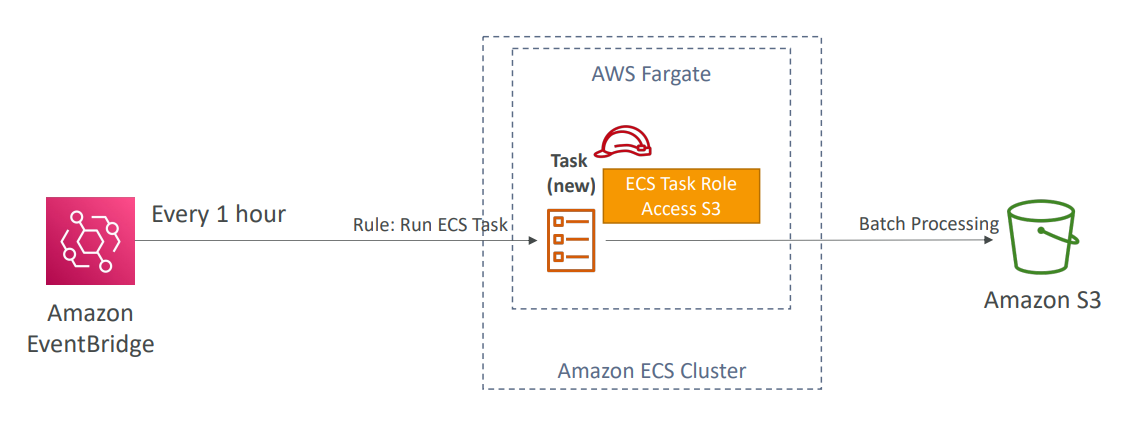
- Schedule Serverless
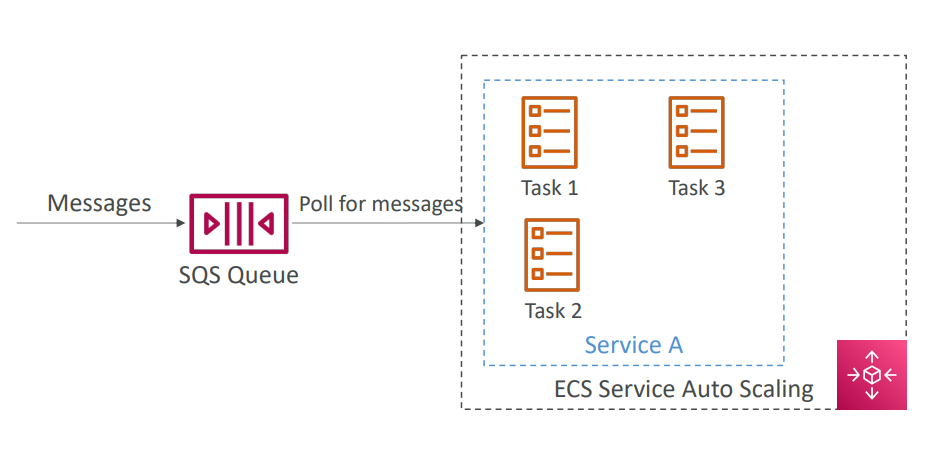
- SQS Queue
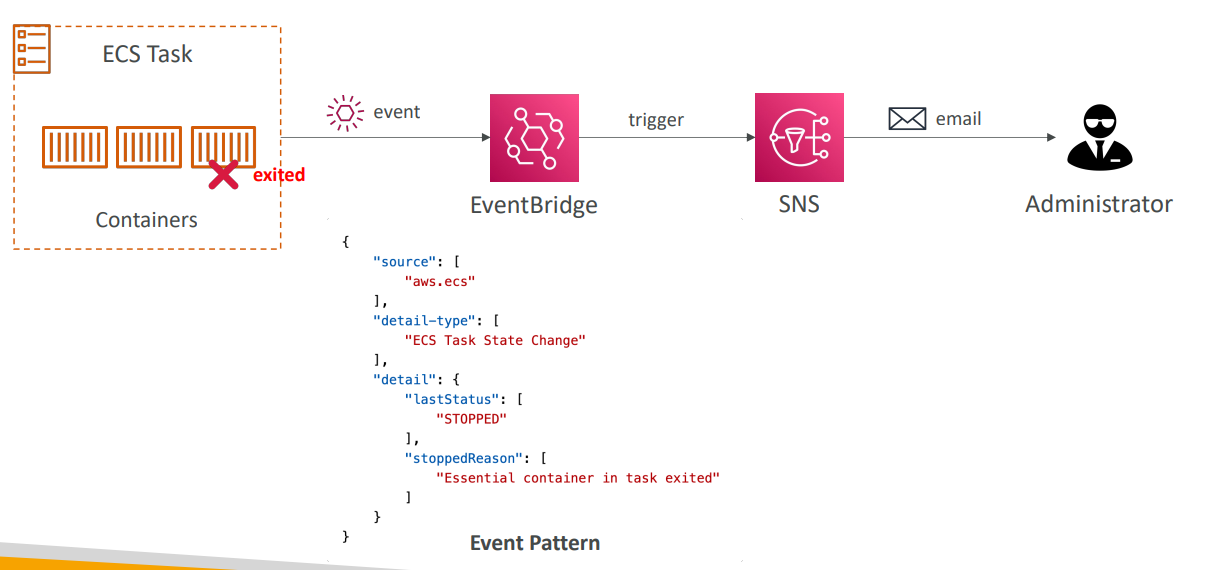
- Monitor ECS task
Amazon ECR
-
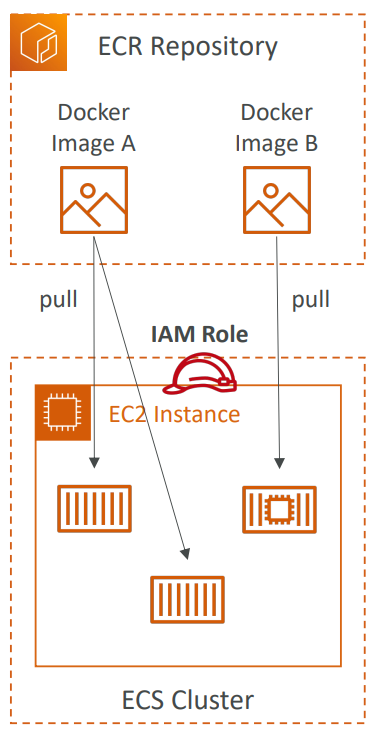
ECR=Elastic Container Registry- Store and manage Docker images on AWS
- Private and Public repository (Amazon ECR Public Gallery https://gallery.ecr.aws)
- Fully integrated with ECS, backed by Amazon
S3
- Access is controlled through
IAM(permission errors => policy) - Supports image vulnerability scanning, versioning, image tags, image lifecycle, …