Note_Tech
All technological notes.
Project maintained by simonangel-fong Hosted on GitHub Pages — Theme by mattgraham
SSA - Elastic Beanstalk
Elastic Beanstalk
-
Elastic Beanstalk- a developer centric view of deploying an application on AWS
- It uses all the component’s we’ve seen before: EC2, ASG, ELB, RDS, …
- Managed service
- Automatically handles capacity provisioning, load balancing, scaling, application health monitoring, instance configuration, …
- Just the application code is the responsibility of the developer
- We still have full control over the configuration
- inluding AMI, Instance Type, network, database…
- Beanstalk is free but you pay for the underlying instances
Components
-
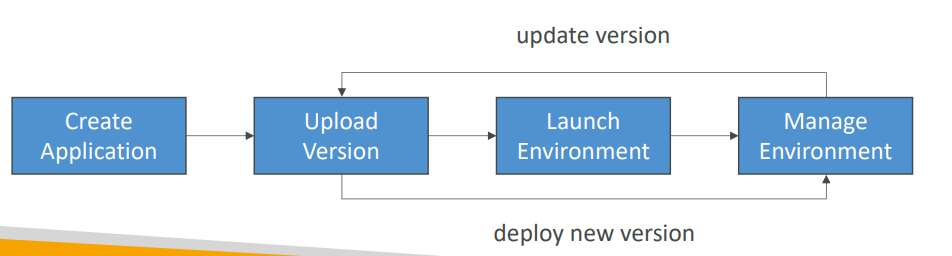
Application:
- collection of Elastic Beanstalk components (environments, versions, configurations, …)
-
Application Version:
- an iteration of your application code
-
Environment
- Collection of AWS resources running an application version (only one application version at a time)
-
Tiers:
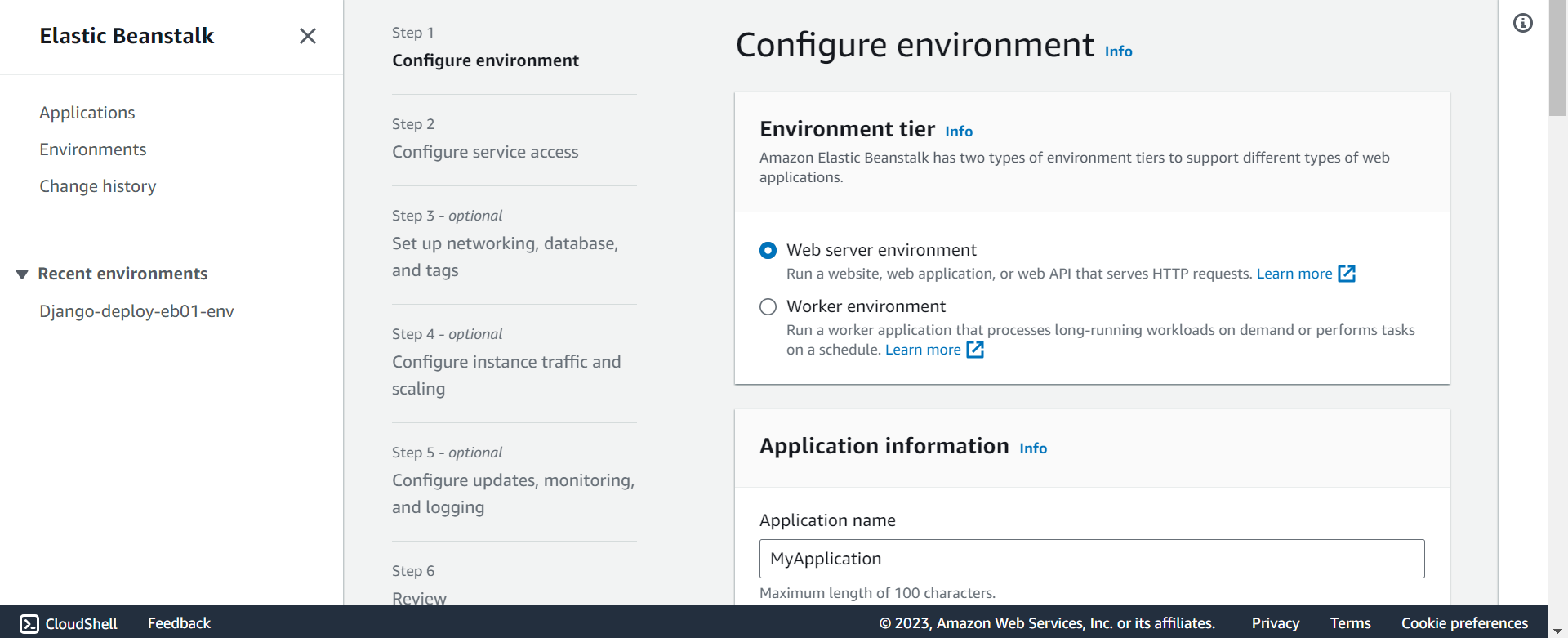
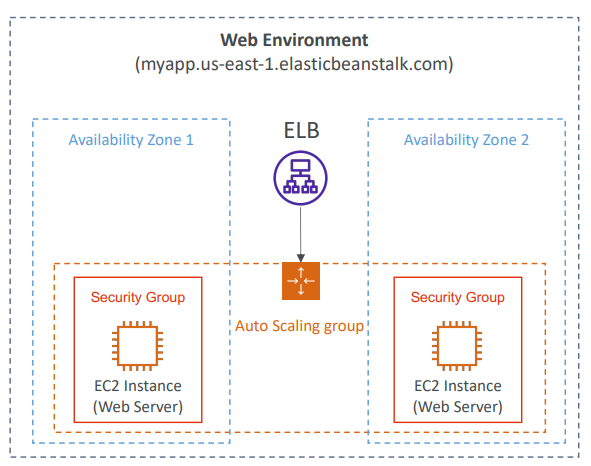
- Web Server Environment Tier & Worker Environment Tier
- You can create multiple environments (dev, test, prod, …)
Supported Platforms
- Go
- Java SE
- Java with Tomcat
- .NET Core on Linux
- .NET on Windows Server
- Node.js
- PHP
- Python
- Ruby
- Packer Builder
- Single Container Docker
- Multi-container Docker
- Preconfigured Docker
- If not supported, you can write your custom platform (advanced)
Web Server Tier vs. Worker Tier
- Web Server Tier
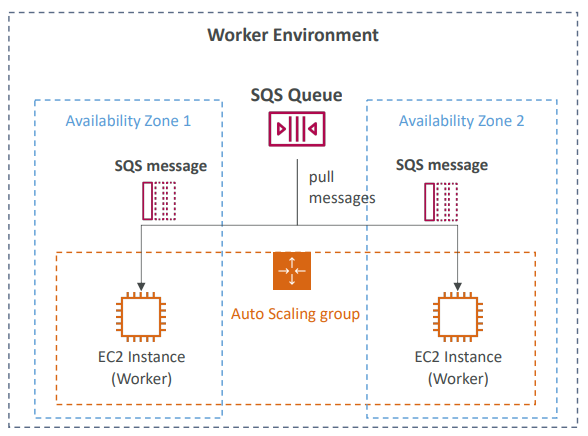
- Worker Tier
- Scale based on the number of SQS messages
- Can push messages to SQS queue from another Web Server Tier
Deployment Modes
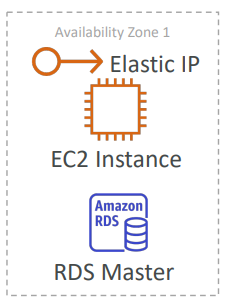
- Single Instance
- Great for dev
- Cost less
- Single Instance Mode will create one EC2 instance and one Elastic IP.
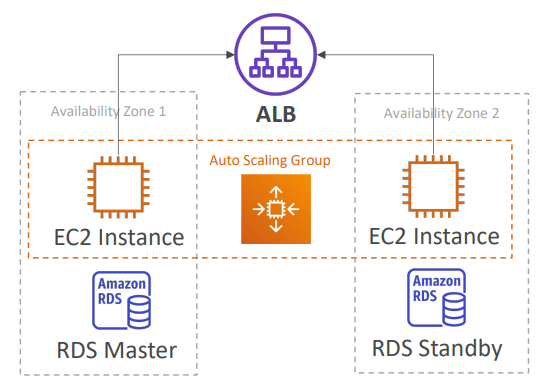
- High Availability with Load Balancer
- Great for prod
Hands-on
- All resources are created by
CloudFormation, includes- EC2
- Security group
- Elastic IP
- Auto Scaling groups