Note_Tech
All technological notes.
Project maintained by simonangel-fong Hosted on GitHub Pages — Theme by mattgraham
AWS Storage - Snow Family
AWS Snow Family
- Highly-secure, portable devices to collect and process data at the edge, and migrate data into and out of AWS
| Snowcone | Snowball Edge | Snowmobile | |
|---|---|---|---|
| Edge computing | Yes | Yes | Yes |
| Data migration | Yes | Yes | No |
Data Migrations with AWS Snow Family
-
Challenges of data migration:
- Limited connectivity
- Limited bandwidth
- High network cost
- Shared bandwidth (can’t maximize the line)
- Connection stability
-
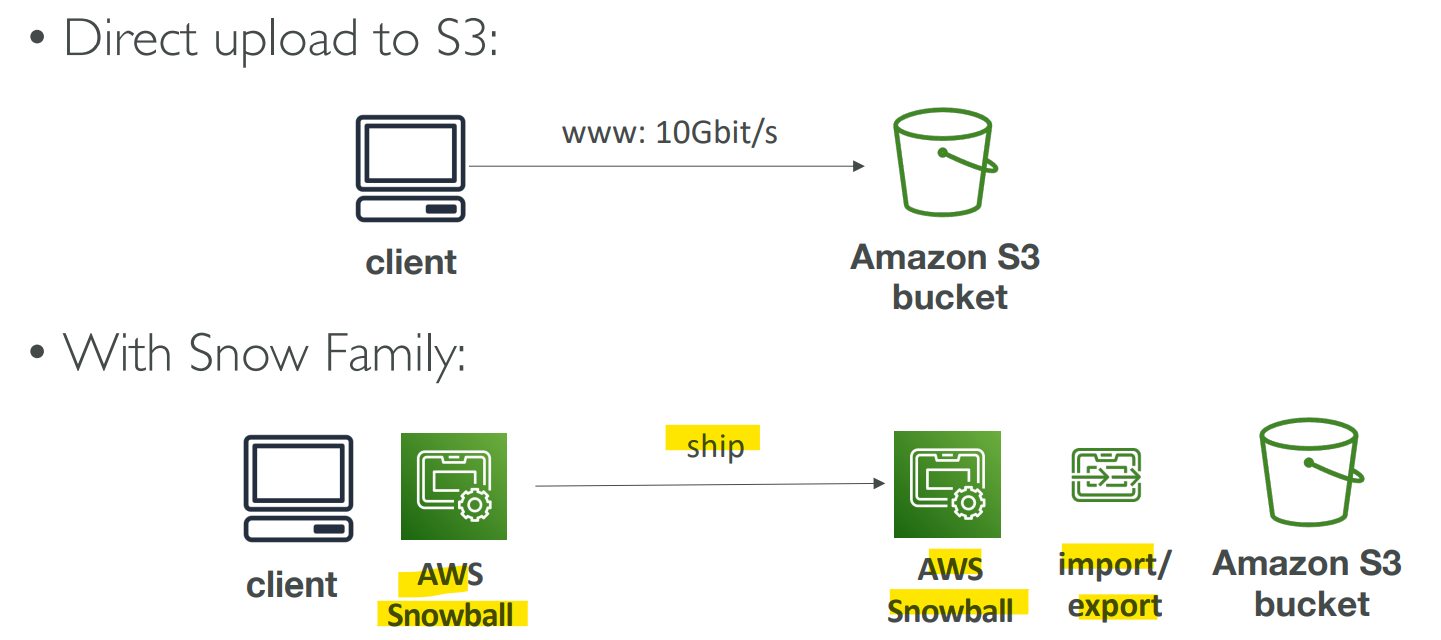
AWS Snow Family:- offline devices to perform data migrations
- through physical route, not network route.
-
If it takes more than a week to transfer over the network, use Snowball devices!
Snowball Edge (for data transfers)
-
Snowball Edge- Physical data transport solution:
- move
TBsorPBsof data in or out of AWS - Alternative to moving data over the network (and paying network fees)
- Pay per data transfer job
-
Provide block storage and Amazon S3-compatible object storage
- 2 flavors:
-
Snowball Edge Storage Optimized80 TBof HDD capacity for block volume and S3 compatible object storage
-
Snowball Edge Compute Optimized42 TBof HDD or28TBNVMe capacity for block volume and S3 compatible object storage
- Use cases:
- large data cloud migrations,
- DC decommission,
- disaster recovery
Snowcone & Snowcone SSD
- Small, portable computing, anywhere, rugged & secure, withstands harsh environments
- Light (4.5 pounds, 2.1 kg)
-
Device used for edge computing, storage, and data transfer
-
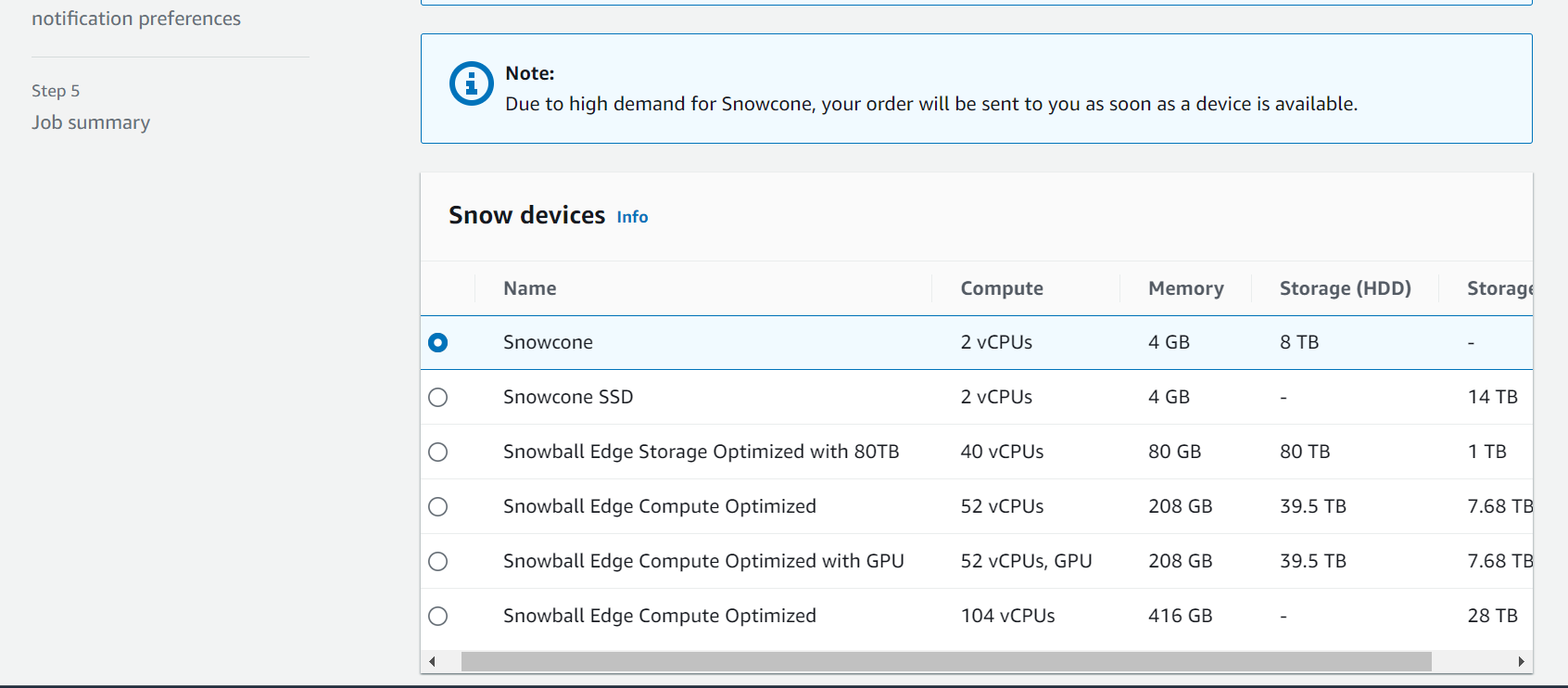
Snowcone8 TBof HDD Storage
-
Snowcone SSD14 TBof SSD Storage
- Use
SnowconewhereSnowballdoes not fit (space constrained environment) -
Must provide your own battery/cables
- 2 ways to send back to AWS
- Can be sent back to AWS offline,
- connect it to internet and use
AWS DataSyncto send data
Snowmobile
- Transfer exabytes of data (1 EB = 1,000 PB = 1,000,000 TBs)
- Each
Snowmobilehas 100 PB of capacity (use multiple in parallel) - High security:
- temperature controlled, GPS, 24/7 video surveillance
- Better than Snowball if you transfer more than 10 PB
Snow Family for Data Migrations
| Snowcone & Snowcone SSD | Snowball Edge Storage Optimized | Snowmobile | |
|---|---|---|---|
| Storage Capacity | 8 TB HDD, 14 TB SSD |
80 TB usable |
< 100 PB |
| Migration Size | Up to 24 TB, online and offline |
Up to petabytes offline | Up to exabytes, offline |
| DataSync agent | Pre-installed |
- Sample Q:
- You have hundreds of Terabytes that you want to migrate to AWS S3 as soon as possible. You tried to use your network bandwidth and it will take around 3 weeks to complete the upload process. What is the recommended approach to using in this situation?
Snowball Edge
- You have hundreds of Terabytes that you want to migrate to AWS S3 as soon as possible. You tried to use your network bandwidth and it will take around 3 weeks to complete the upload process. What is the recommended approach to using in this situation?
Usage Process
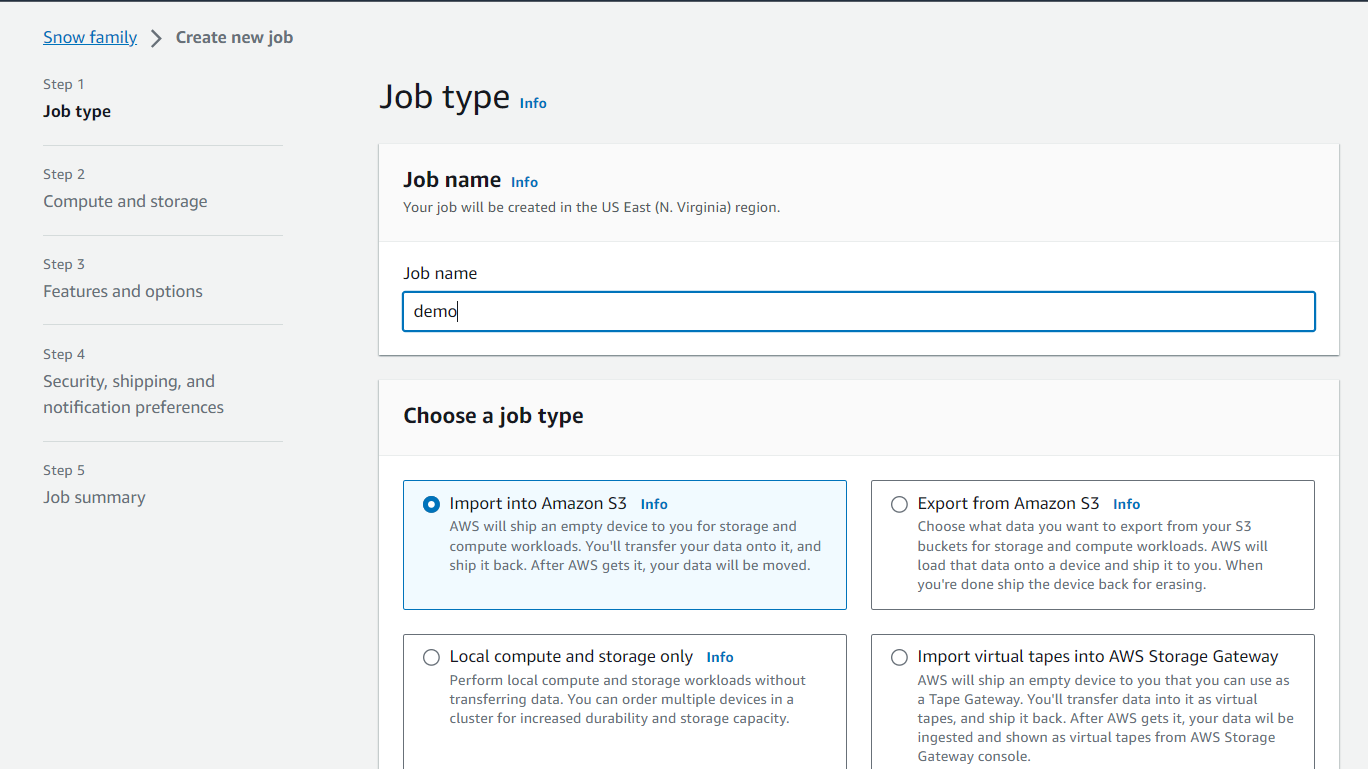
- Request Snowball devices from the AWS console for delivery
- Install the snowball client /
AWS OpsHubon your servers - Connect the snowball to your servers and copy files using the client
- Ship back the device when you’re done (goes to the right AWS facility)
- Data will be loaded into an S3 bucket
- Snowball is completely wiped
Edge Computing
-
Process data while it’s being created on an
edge location -
edge location- A truck on the road, a ship on the sea, a mining station underground…
-
These locations may have
- Limited / no internet access
- Limited / no easy access to computing power
-
We setup a
Snowball Edge/Snowconedevice to do edge computing -
Use cases of Edge Computing:
- Preprocess data
- Machine learning at the edge
- Transcoding media streams
-
Eventually (if need be) we can ship back the device to AWS (for transferring data for example)
-
Snowcone&Snowcone SSD(smaller)- 2 CPUs, 4 GB of memory, wired or wireless access
- USB-C power using a cord or the optional battery
-
Snowball Edge – Compute Optimized- 104 vCPUs, 416 GiB of RAM
- Optional GPU (useful for video processing or machine learning)
- 28TB NVMe or 42TB HDD usable storage
- Storage Clustering available (up to 16 nodes)
-
Snowball Edge – Storage Optimized- Up to 40 vCPUs, 80 GiB of RAM, 80 TB storage
-
All: Can run
EC2 Instances& AWSLambdafunctions (using AWS IoT Greengrass) -
Long-term deployment options:
1and3years discounted pricing
OpsHub
- Historically, to use Snow Family devices, you needed a CLI (Command Line Interface tool)
- Today, you can use
AWS OpsHub(a GUI software you install on your computer / laptop) to manage your Snow Family Device- Unlocking and configuring single or clustered devices
- Transferring files
- Launching and managing instances running on Snow Family Devices
- Monitor device metrics (storage capacity, active instances on your device)
- Launch compatible AWS services on your devices (ex: Amazon EC2 instances, AWS DataSync, Network File System (NFS))
Solution Architecture: Snowball into Glacier
- Snowball cannot import to Glacier directly
- You must use Amazon
S3first, in combination with an S3 lifecycle policy

Hands-on