Note_Tech
All technological notes.
Project maintained by simonangel-fong Hosted on GitHub Pages — Theme by mattgraham
DBA - Instance: Automatic Diagnostic Repository (ADR)
Automatic Diagnostic Repository (ADR)
-
Automatic Diagnostic Repository (ADR)- a file-based repository outside the database
- a system-wide central tracing and loggin repository
-
Stores database diagnostic data such as:
- traces
- alert log
- health monitor reports.
-
Typical installations will have the
ADR_BASEset to theORACLE_BASE:echo $ORACLE_BASEshow parameter diagnostic_dest
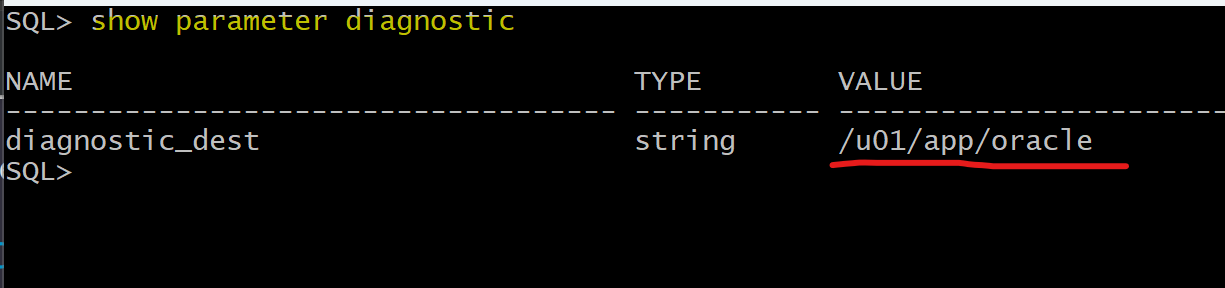
- ADR home path:
<adr_base>/diag/product_type/db_id/instance_id/
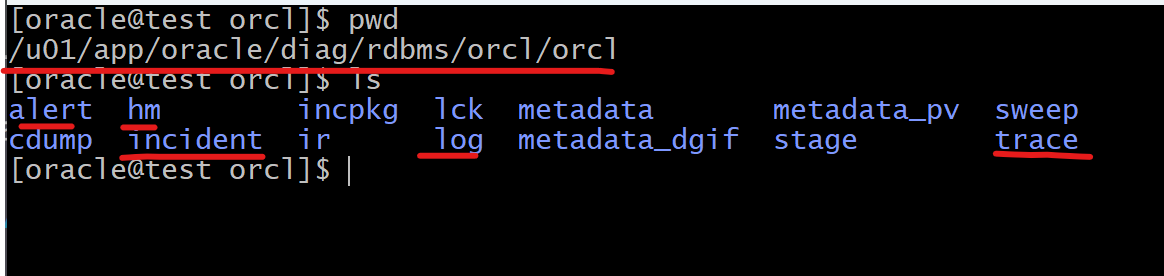
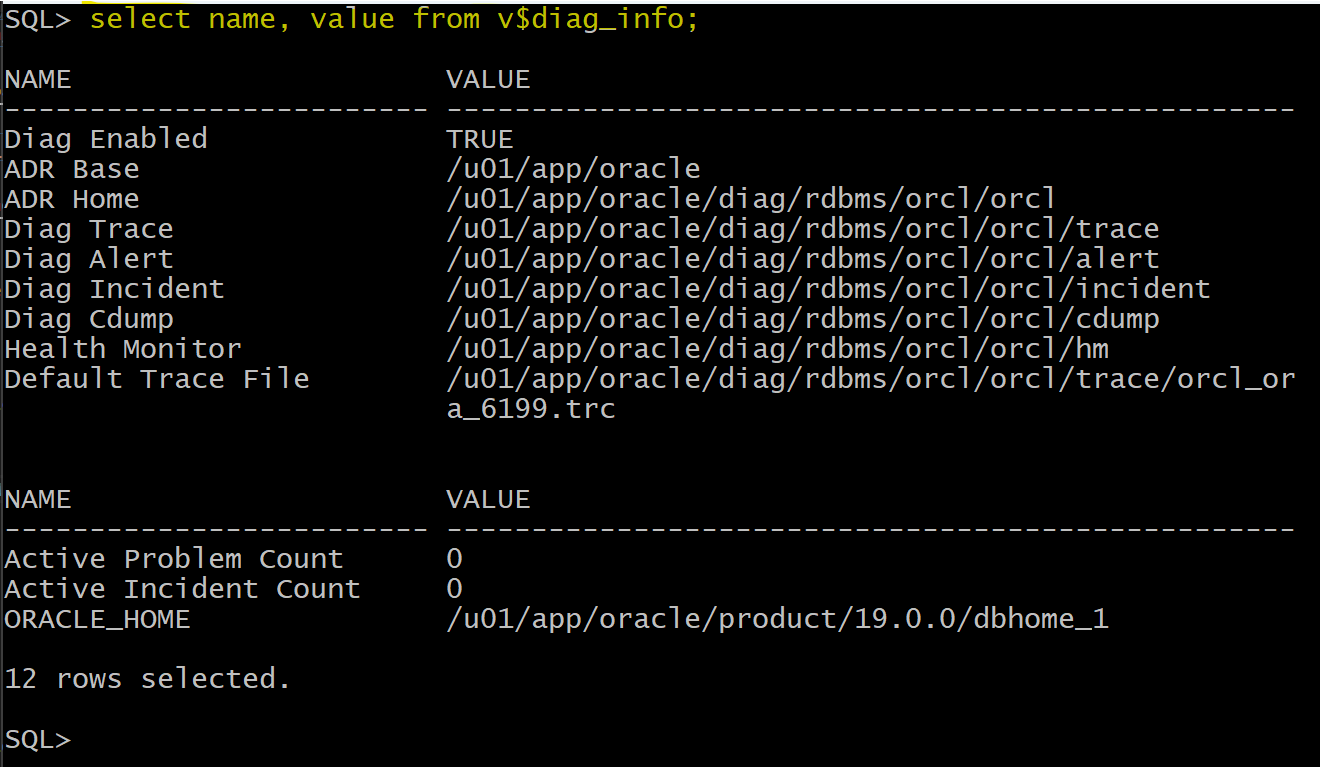
V$DIAG_INFO:- describes the state of Automatic Diagnostic Repository (ADR)
Lab: Query diagnostics directories
SELECT name, value FROM v$diag_info;
Alert log
-
alert log:- a chronological log of messages and errors
-
alert logincludes:- Any non default
initialization parameterused at startup. - All internal errors (ORA-00600), block corruption errors (ORA-01578), and deadlock errors (ORA-00060) that occur
- Administrative operations, such as some CREATE, ALTER, and DROP statements and STARTUP, SHUTDOWN, and ARCHIVELOG statements
- Messages and errors relating to the functions of shared server and dispatcher processes.
- Errors occurring during the automatic refresh of a materialized view
- Any non default
-
can view the alert log by text editor or using
ADRCI -
Importance Files:
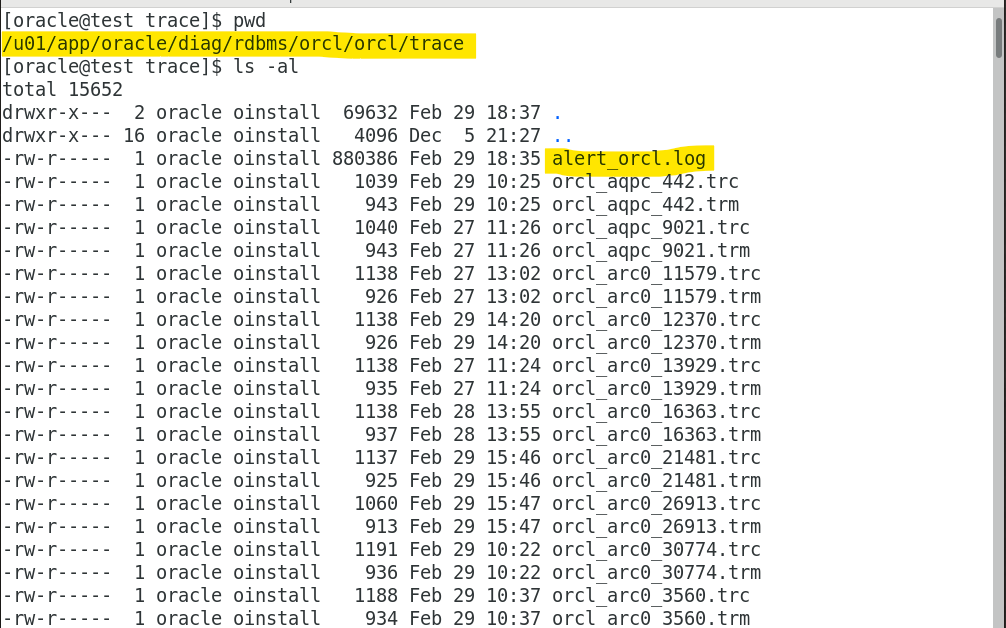
adr_home/alert/log.xml: XML formatadr_home/trace/alert_orcl.log: text format
Lab: View Alert Log File in XML and text
- change directory to ADR alert dir
- open
log.xmlfile usinggedit- a xml format of alert log
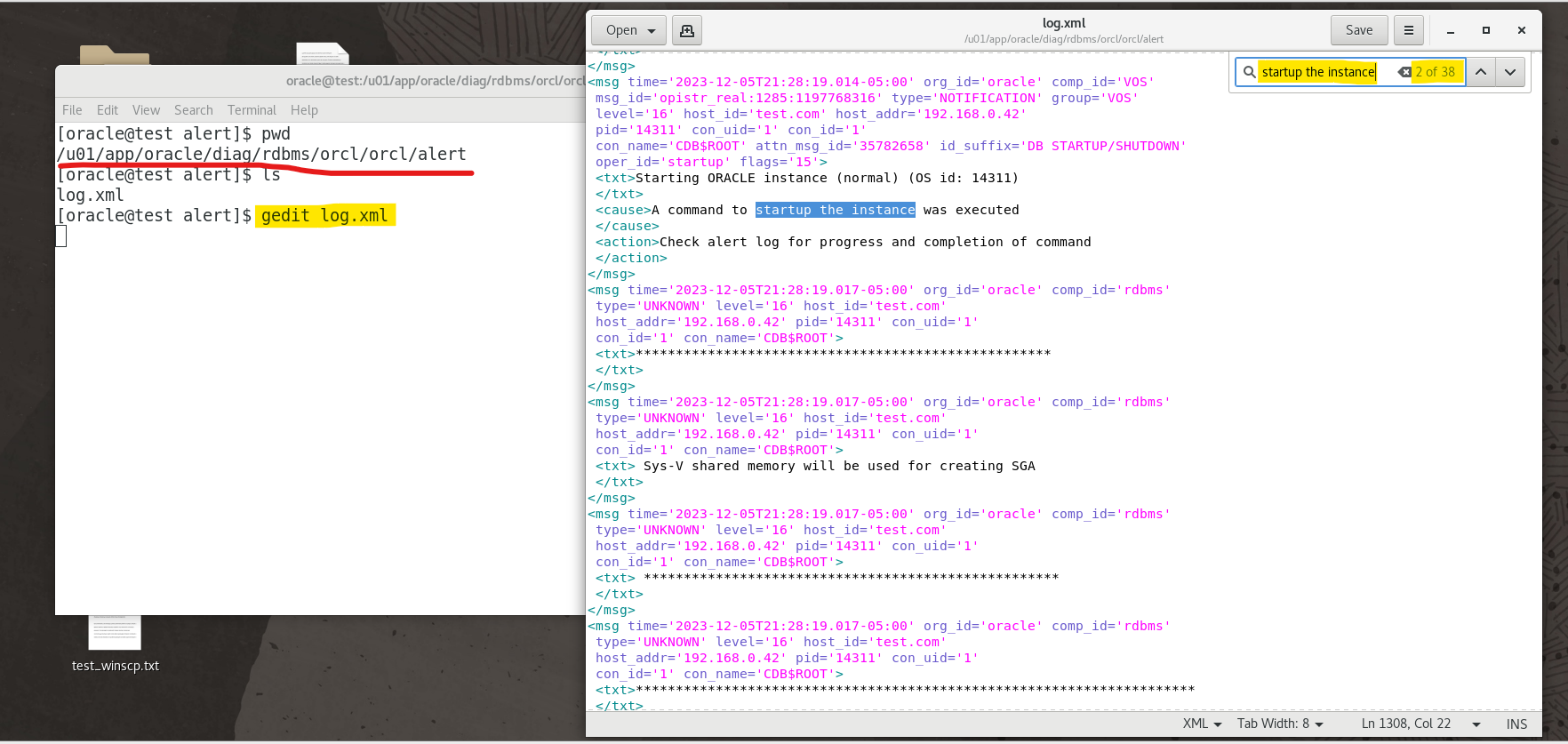
- change directory to ADR
tracedir - open
alert_orcl.logfile usinggedit- a text format of alert log
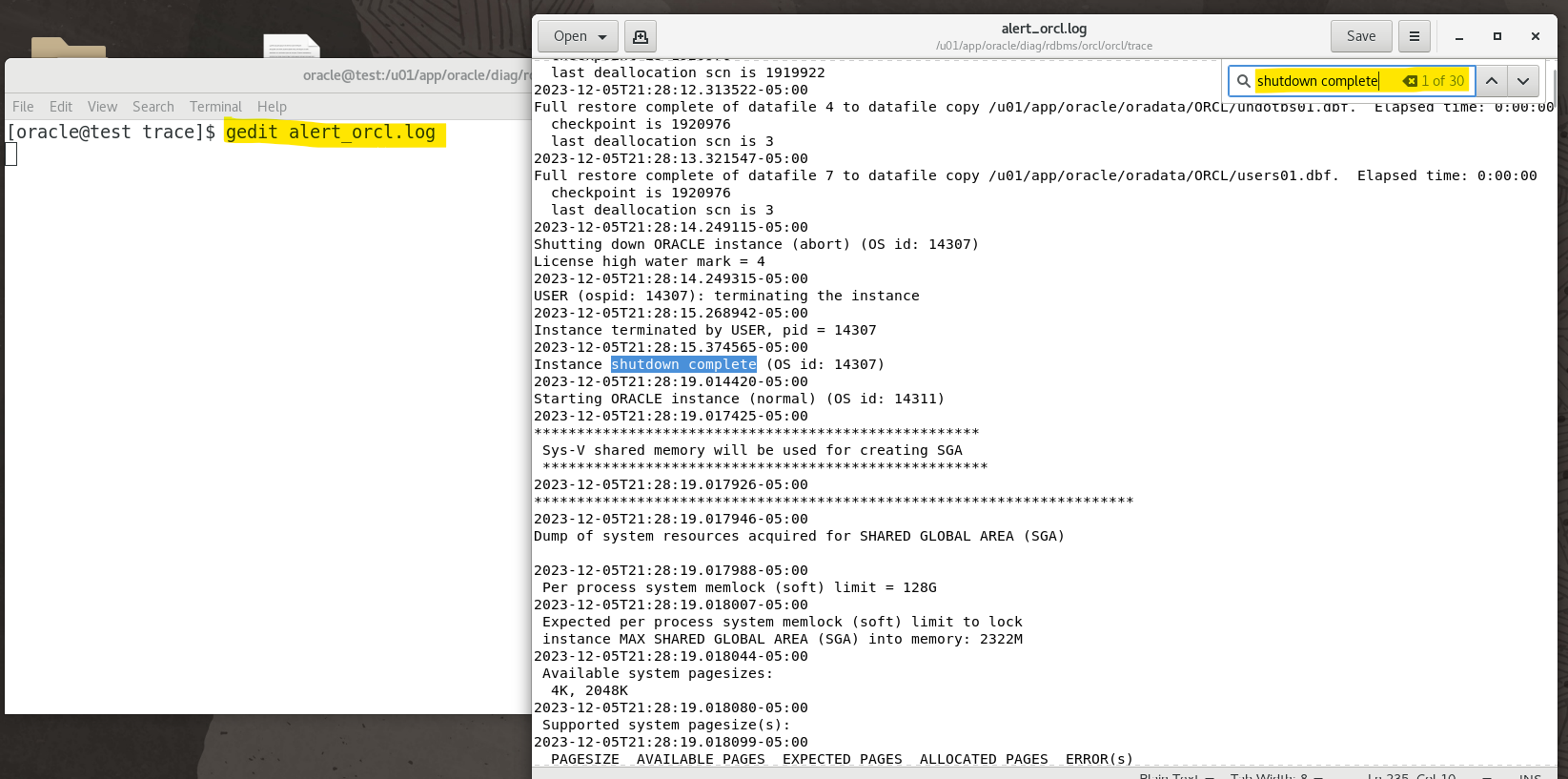
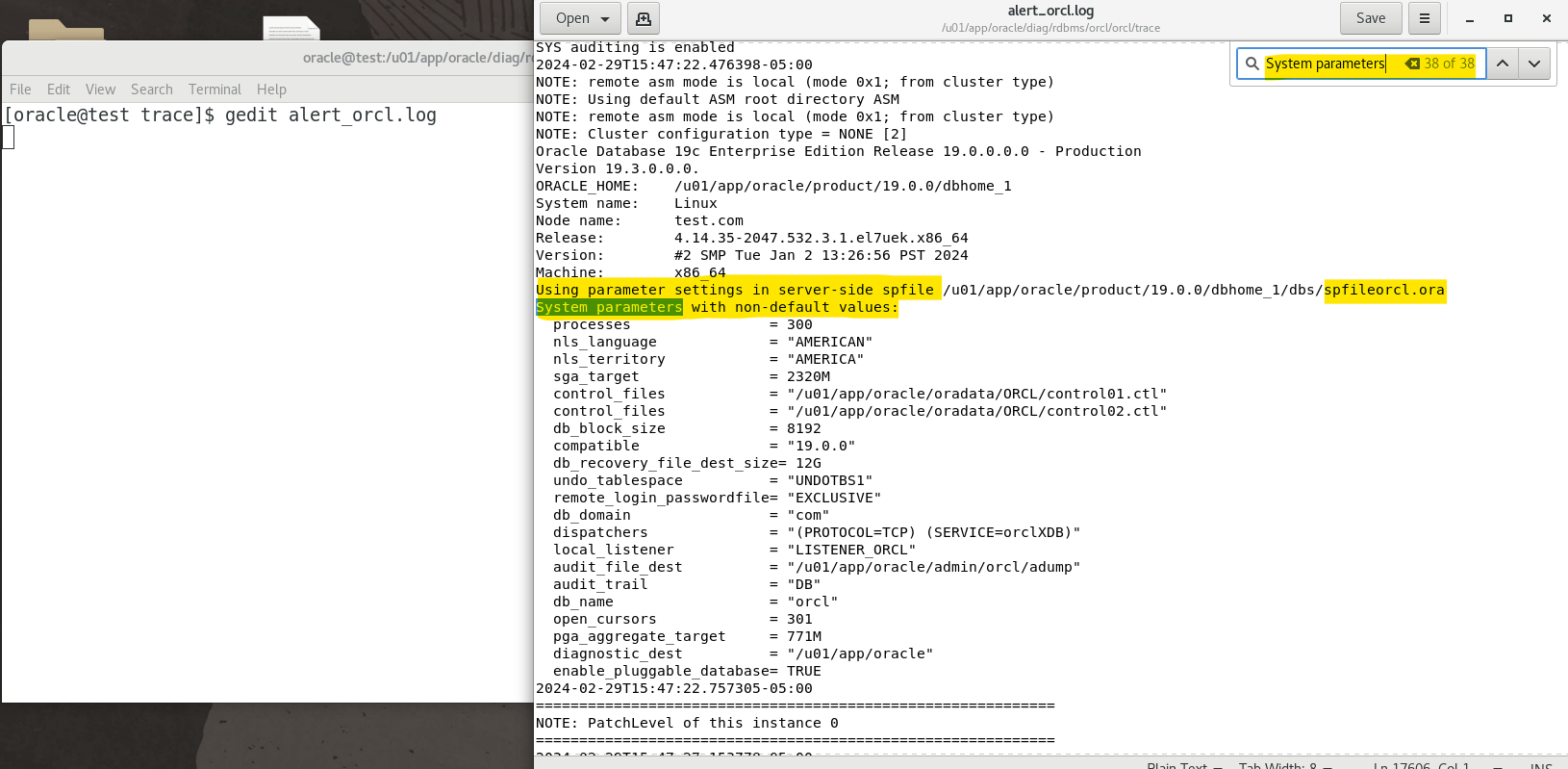
- trace the last time startup instance using non default parameters.
Lab: View Alert Log using ADRCI
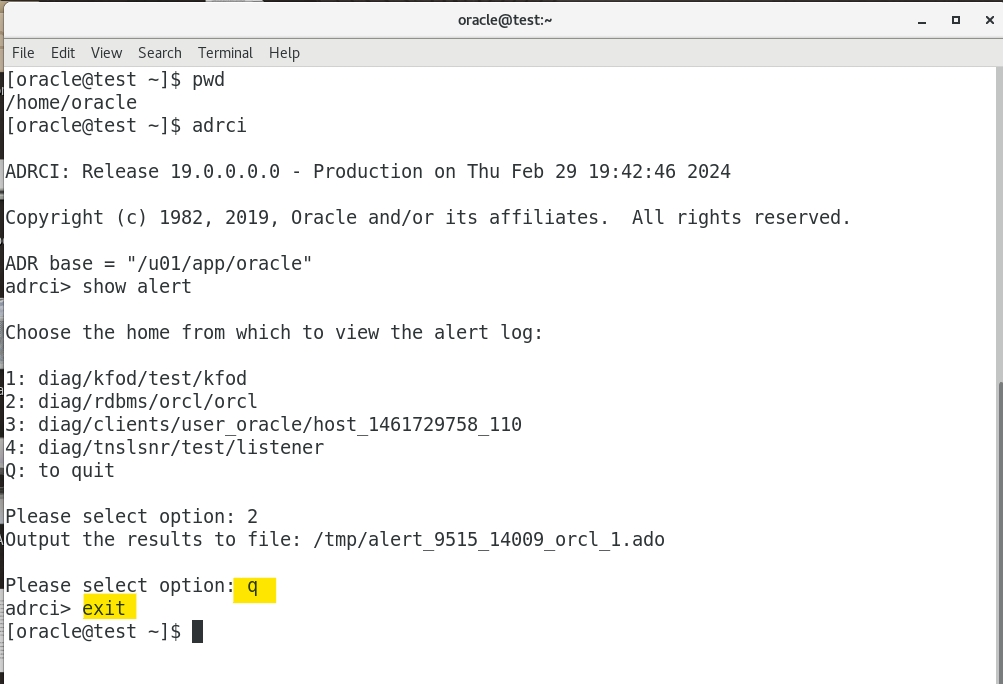
- Launch adrci
adrci
- in the adrci
show alert
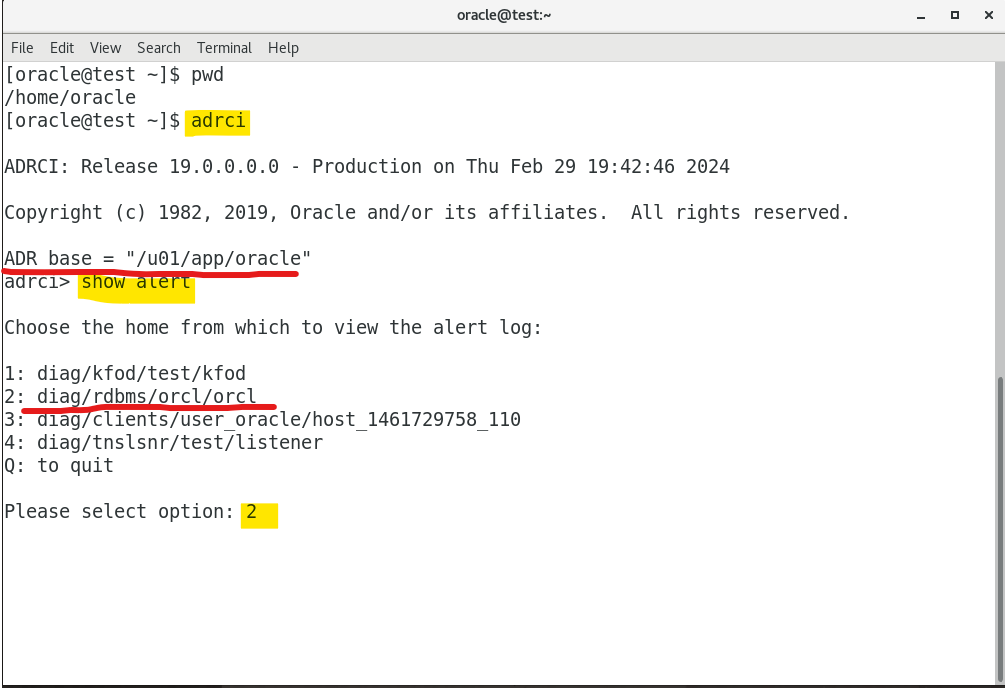
- choose log and will load log in Vim
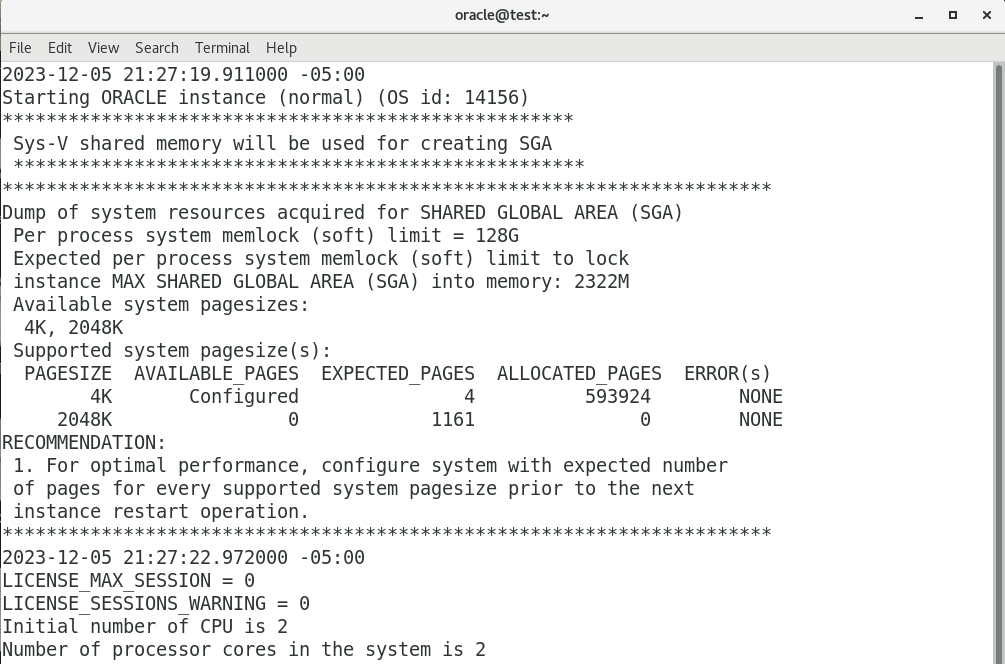
-
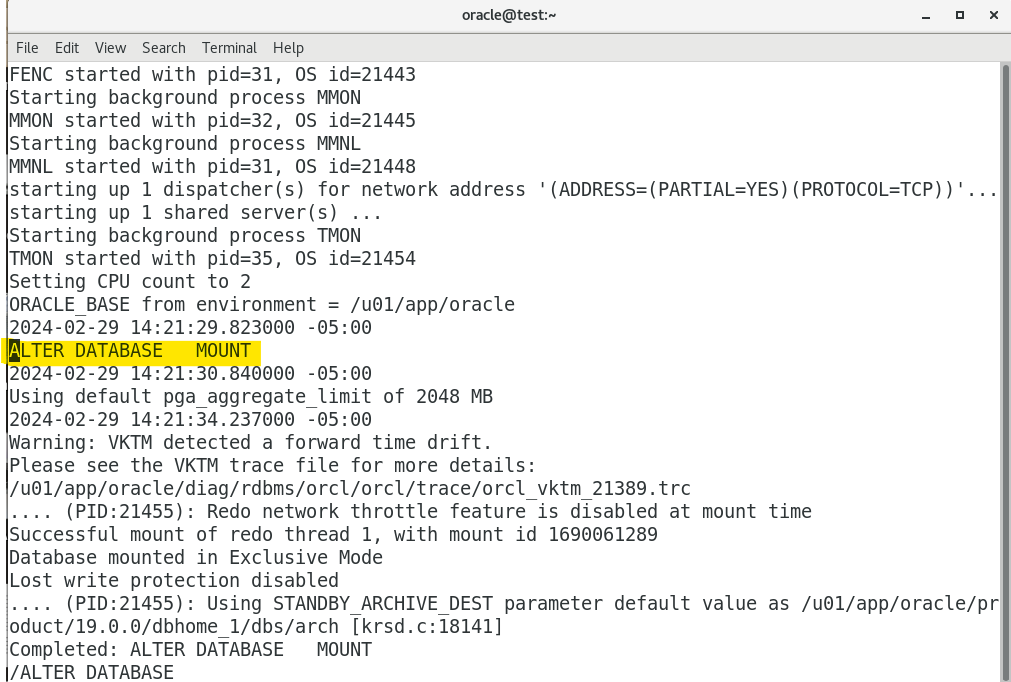
Search the last time to start up an instance
- Move to the last line and search from the bottom.
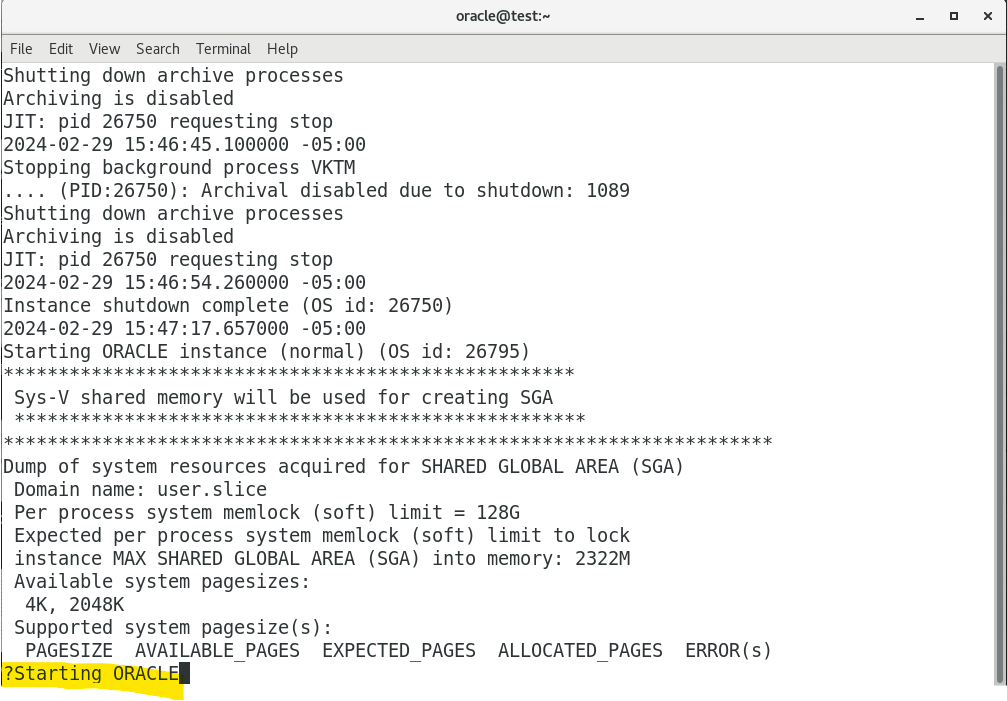
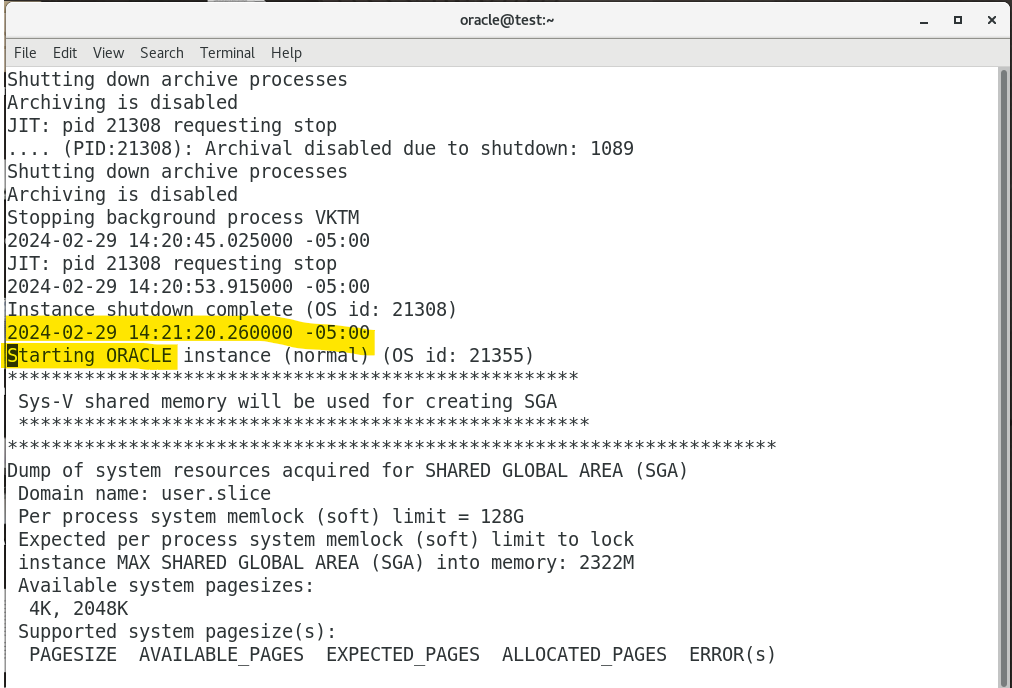
- Press n to continue searching.
- Search for the first time of altering database.
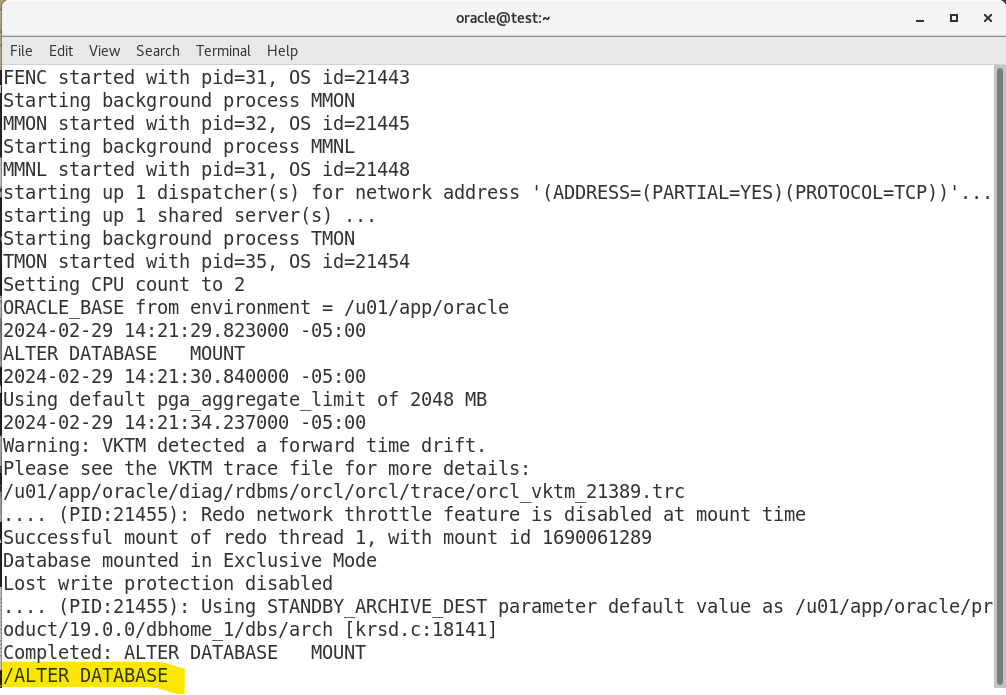
- exit
:q
Trace files
-
Trace Filecontain:- Error information, contact Oracle Support Services if internal error occurs.
- Information that can provide guidance for tuning applications or an instance.
- Each
serverandbackground processcan write to an aasociated trace file.- file name for
background process:- e.g.,
orcl_dbw0_27147.trc
- e.g.,
- file name for
server process:- e.g.,
orcl_ora_3341.trc
- e.g.,
- Exception:
- Trace files generated by
job queue process.
- Trace files generated by
- file name for
- Oracle Database includes an advanced fault diagnosability infrastrucure for preventing, detecting, diagnosing, and resolving problems.
- When a critical error occurs:
- An
incident numberis assigned to the error. - Diagnostic data for the error (such as trace files) is immediately captured and tagged with the incident number.
- Data is stored in the
ADR.
- An
-
ADR files can be automatically purged with
retention policy parameters.自动删除. - trace file located in
<adr_home>/trace - when a danger error occurs, it will move to
<adr_home>/incident
Purgin Mechanism
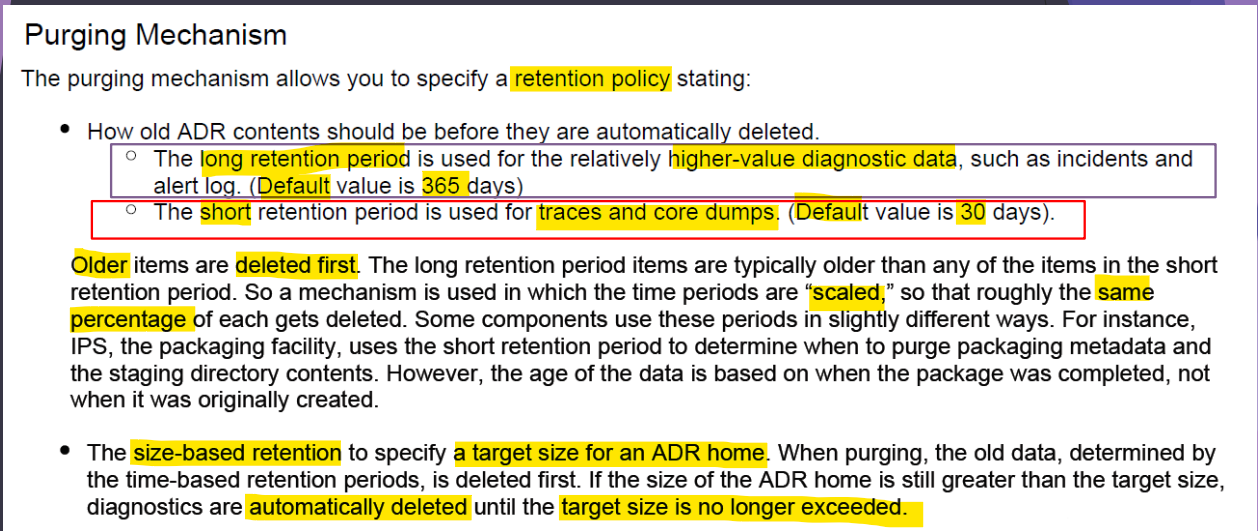
- retention period:
- long: 365, higher-value
- short: 30, not importance
- older first.
- Time-based + size base
Lab: Configure ADR Policy
- adrci terminal
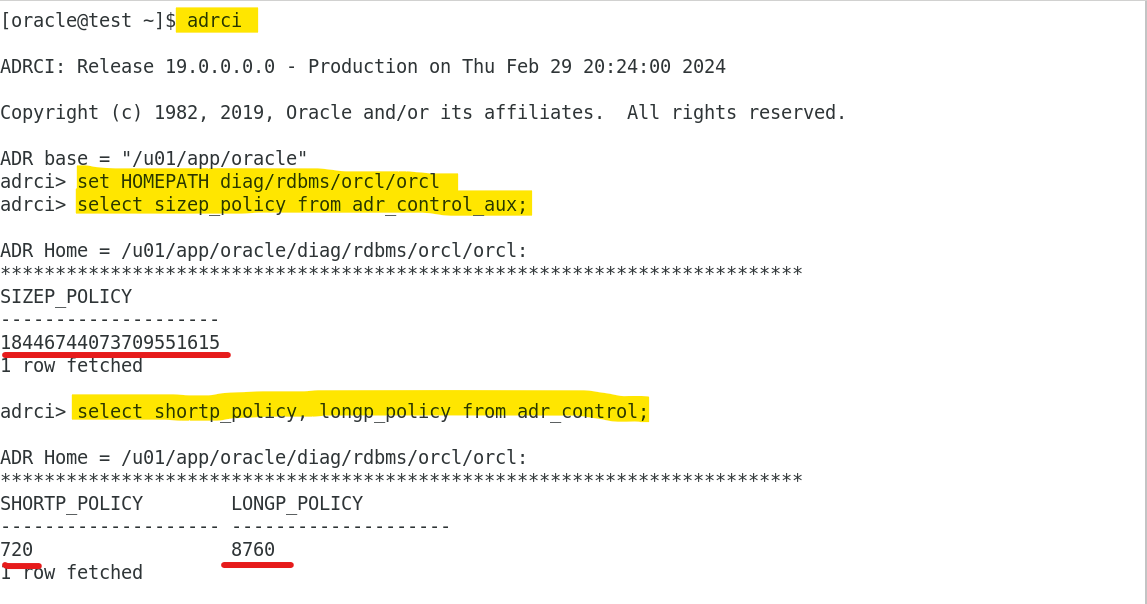
- Query the current policy
# set home path
set HOMEPATH diag/rdbms/orcl/orcl

# query the size policy for adr
select sizep_policy from adr_control_aux;

# query the short and long policy
# return the number in hours, 30days, 365 days.
select shortp_policy, longp_policy from adr_control;
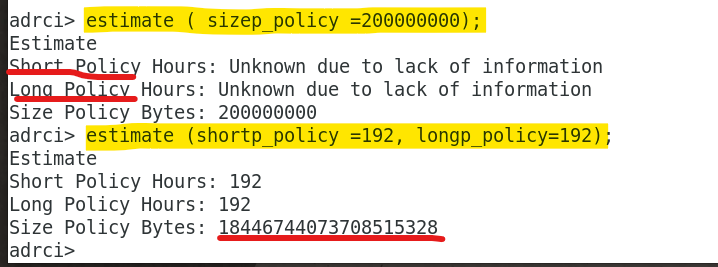
- Estimate the policy
# return an estimate for a size policy
estimate ( sizep_policy =200000000);

# return an estimate for a short and long policy, 8 days
estimate (shortp_policy =192, longp_policy=192);
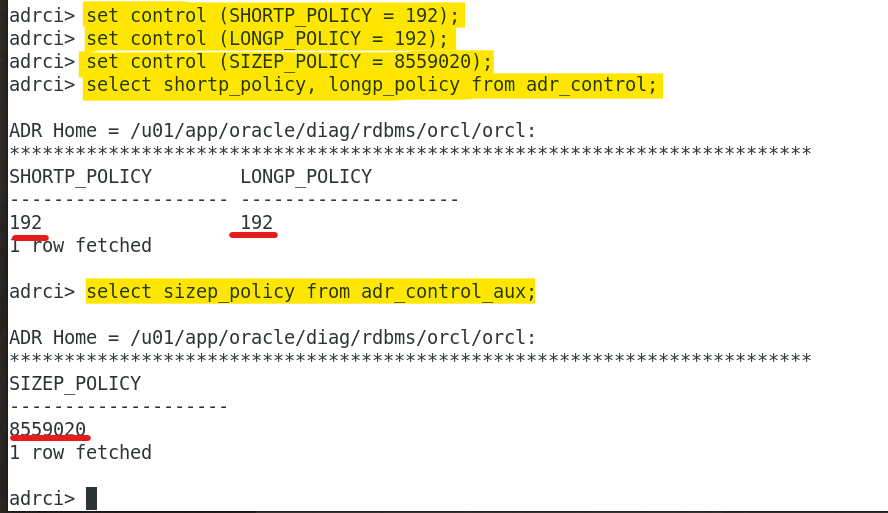
- update policies
- after 8 days, all file will be deleted.
set control (SHORTP_POLICY = 192);
set control (LONGP_POLICY = 192);
set control (SIZEP_POLICY = 8559020);

select shortp_policy, longp_policy from adr_control;
select sizep_policy from adr_control_aux;
Lab: Purg files manually in ADRCI
cd  /u01/app/oracle/diag/rdbms/orcl/orcl
# return the size of dir
du -hs

- Open adrci terminal
#[-size <bytes>]: Purge diagnostic data from the ADR home until the size of the home reaches <bytes> bytes.
purge -size 5000000     # purge until 5M
- Check size after purging
- adr will try to purge until the given size.
- the size cannot be the given size, because there might be big files or critical files cannot be removed.

Lab: Enable DDL Logging
-
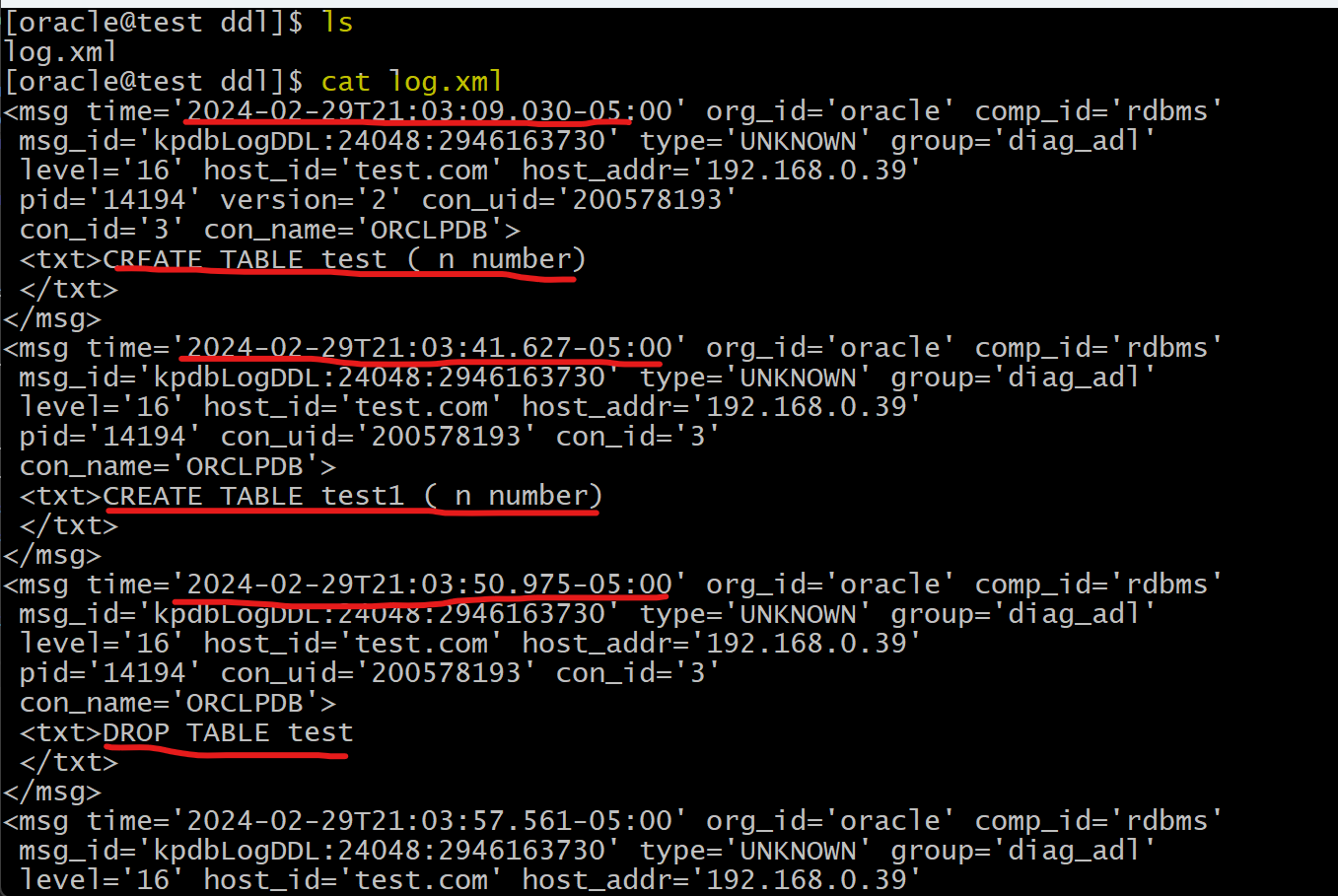
DDL log- contains one log record for each DDL statement issued by the database.
-
Before enabling
- nothing in the dir
/u01/app/oracle/diag/rdbms/orcl/orcl/log/ddl
- nothing in the dir

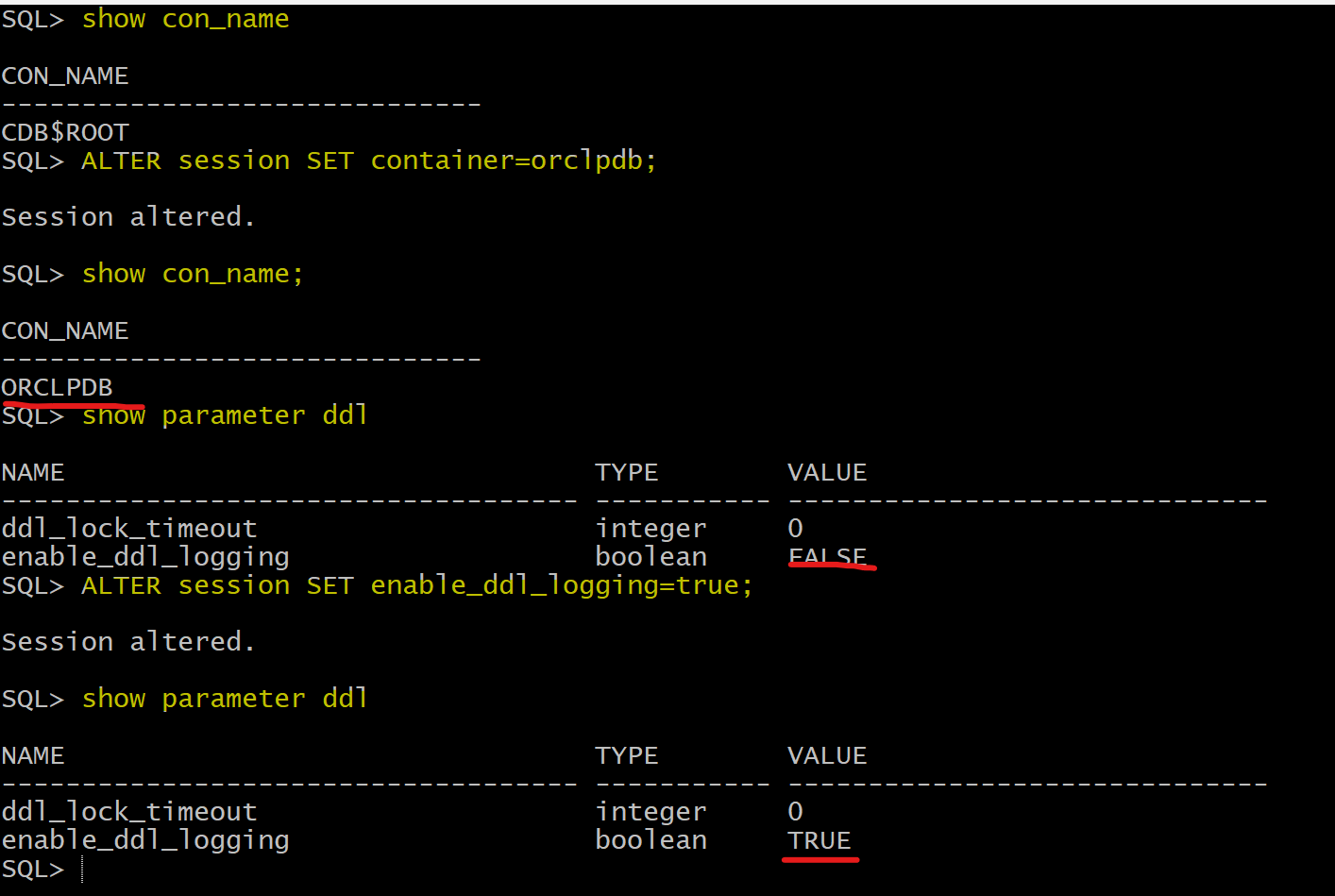
- login sqlplus
- move to pdb
- alter
enable_ddl_loggingto true for the current session
show con_name
ALTER session SET container=orclpdb;
show con_name

show parameter enable_ddl_logging;
ALTER session SET enable_ddl_logging=true;
show parameter enable_ddl_logging;
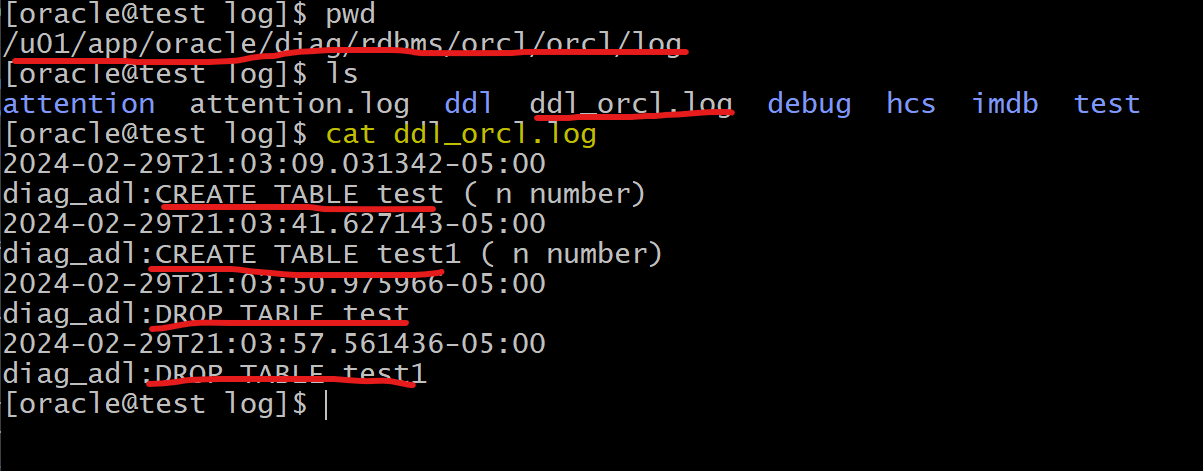
- Do some ddl
- create a table
CREATE TABLE test ( n number);
CREATE TABLE test1 ( n number);
DROP TABLE test;
DROP TABLE test1;
- Check log file in ddl dir
show alert -p "message_text like '%terminating the instance%'"
show alert -p "message_text like '%Beginning crash recovery%'"
show alert -p "message_text like '%Started redo scan%'"
show alert -p "message_text like '%Completed crash recovery%'"
show alert -p "message_text like '%db_recovery_file_dest_size%'"

terminating the instance