Note_Tech
All technological notes.
Project maintained by simonangel-fong Hosted on GitHub Pages — Theme by mattgraham
DBA - SQL*Loader
- DBA - SQL*Loader
SQL*Loader
SQL*Loader- a bulk loader utility used to load data from external files into tables of an Oracle database. 用于导入
Lab: import data from csv file
- place csv file in the path:
scp emp.csv oracle@test.com:/home/oracle/sqlloader/emp.csv
- Connect with HR user
-- drop tb if exists
DROP TABLE EMP_LOAD;

-- create tb
CREATE TABLE EMP_LOAD
(EMPNO NUMBER ,
FNAME VARCHAR2(100),
LNAME VARCHAR2(100)
);

-- query before load
SELECT * FROM EMP_LOAD;
- Create a control file
emp.ctl
# create a new file
touch /home/oracle/sqlloader/emp.ctl

# edit control file
vi /home/oracle/sqlloader/emp.ctl

# Load Data
# INFILE '/home/oracle/sqlloader/emp.csv'
# APPEND
# INTO Table emp_load
# FIELDS TERMINATED BY ','
# (
#     empno,
#     fname,
#     lname
# )

# load data
sqlldr control=/home/oracle/sqlloader/emp.ctl log=/home/oracle/sqlloader/emp.log
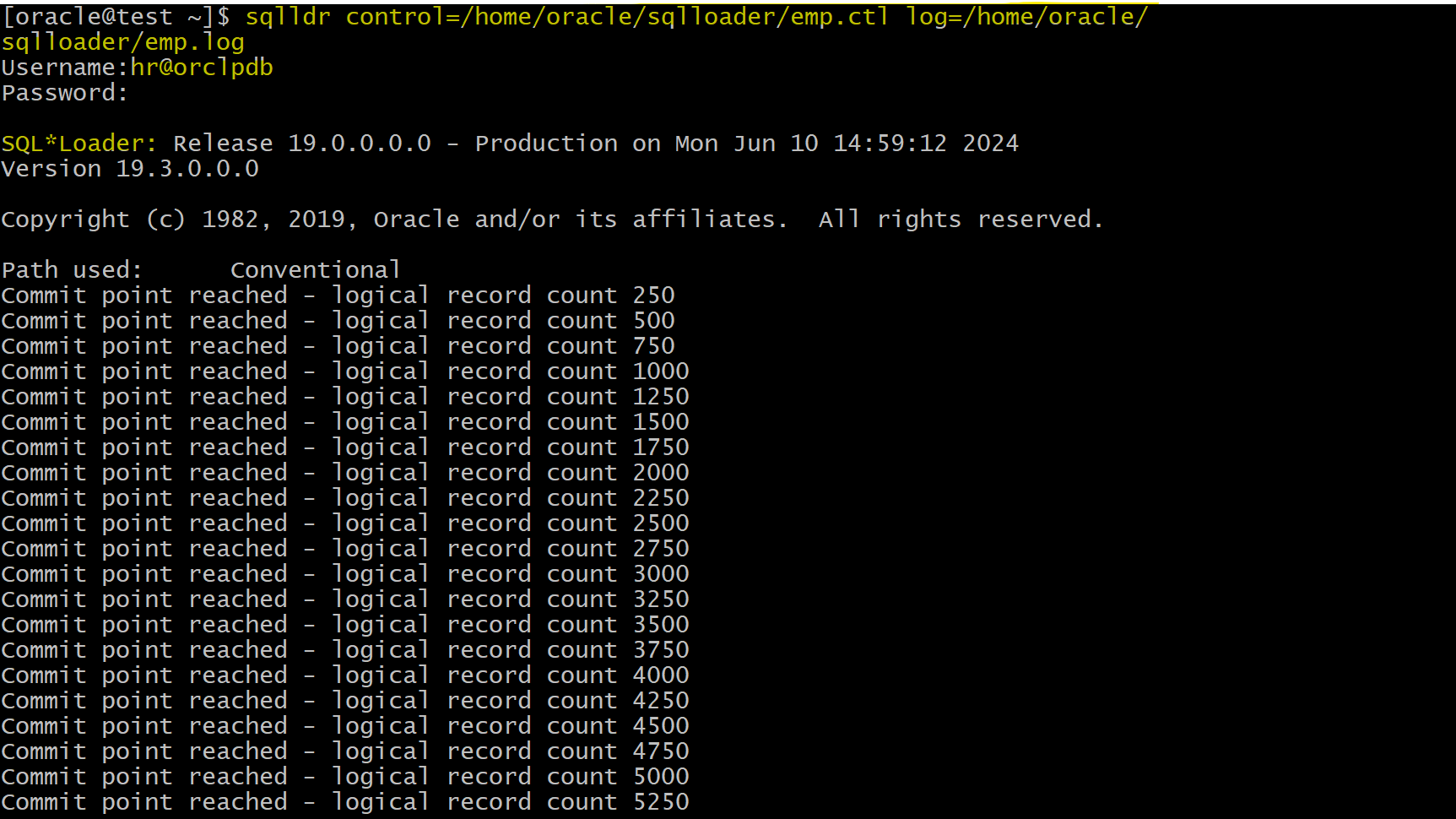
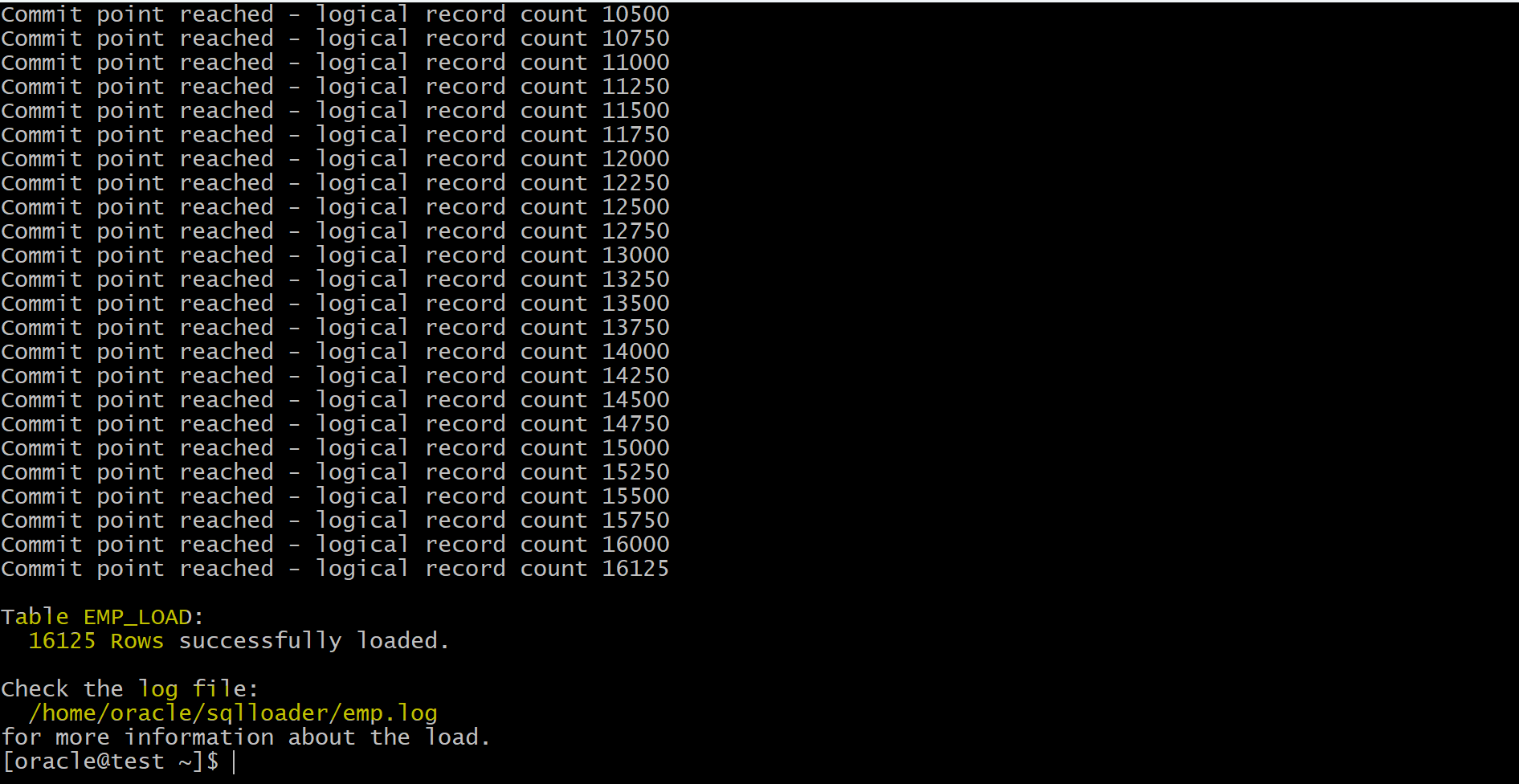
- log:
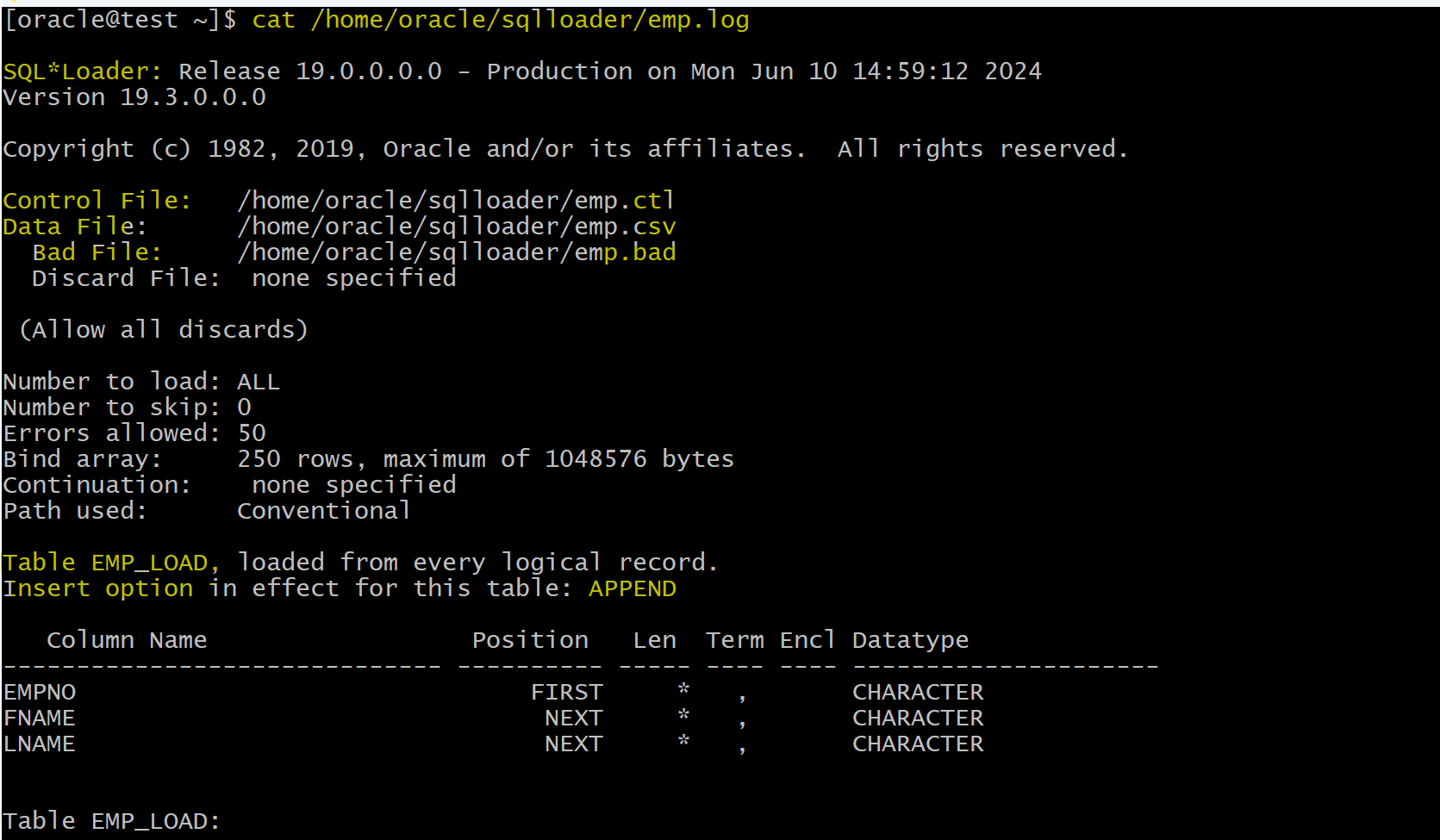
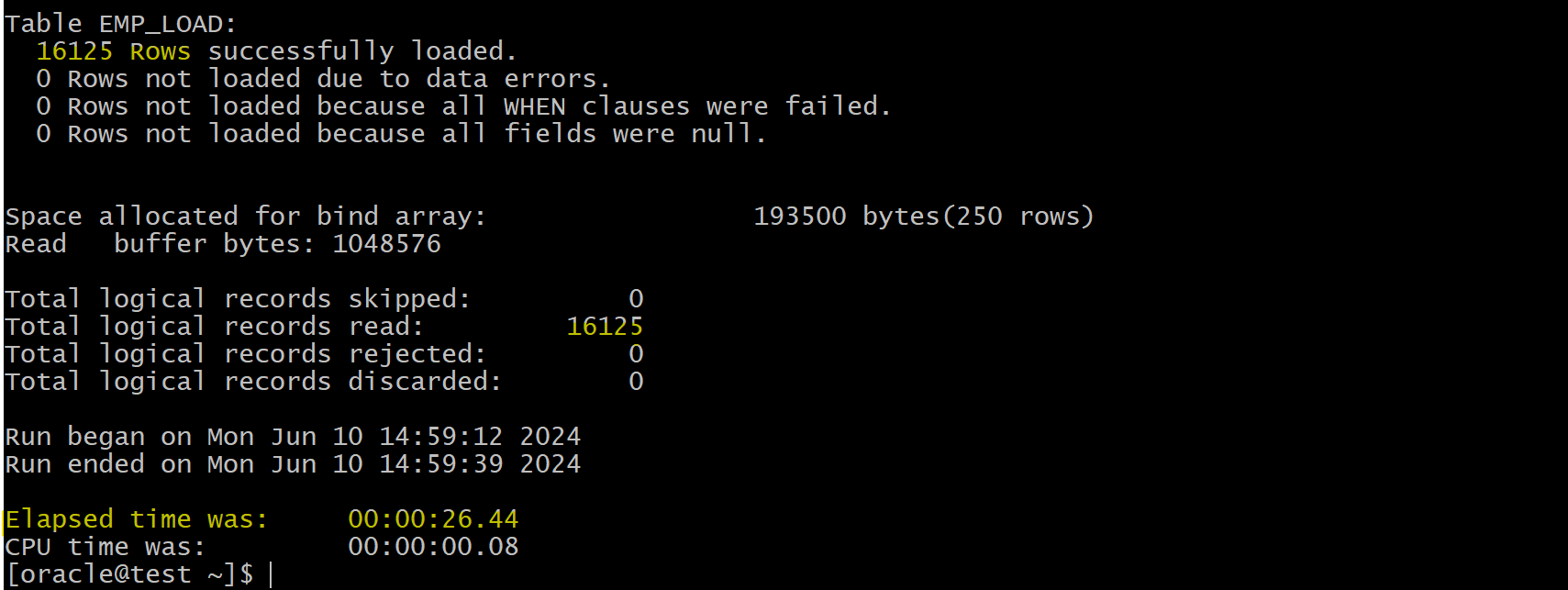
- Query tb to verify
SELECT * FROM EMP_LOAD;
- Truncate
truncate table EMP_LOAD;
- make some id to be characters, which will create bad records, leading to bad file.
vi /home/oracle/sqlloader/emp.csv
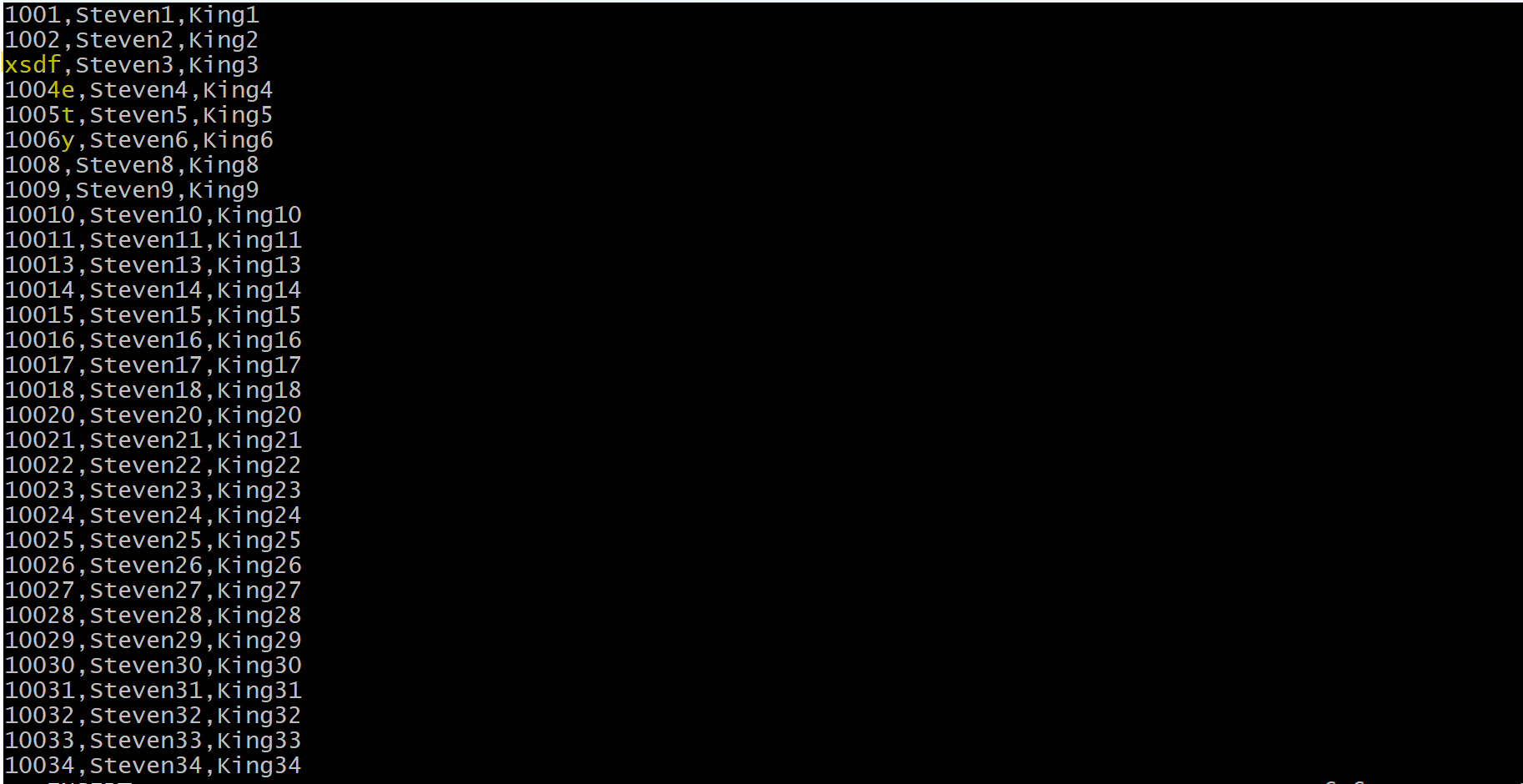
- load data
sqlldr control=/home/oracle/sqlloader/emp.ctl log=/home/oracle/sqlloader/emp.log
- check log
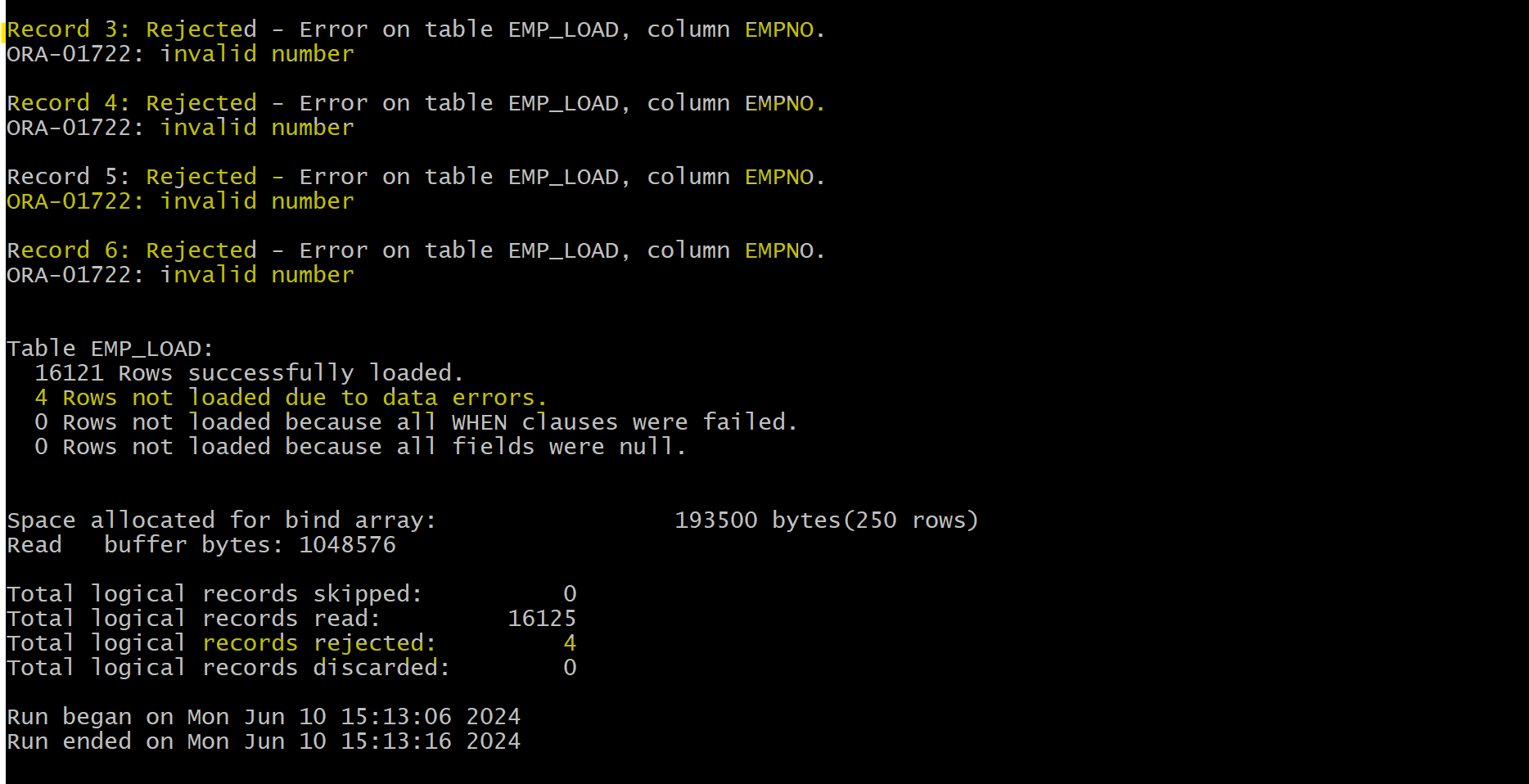
- Check bad file
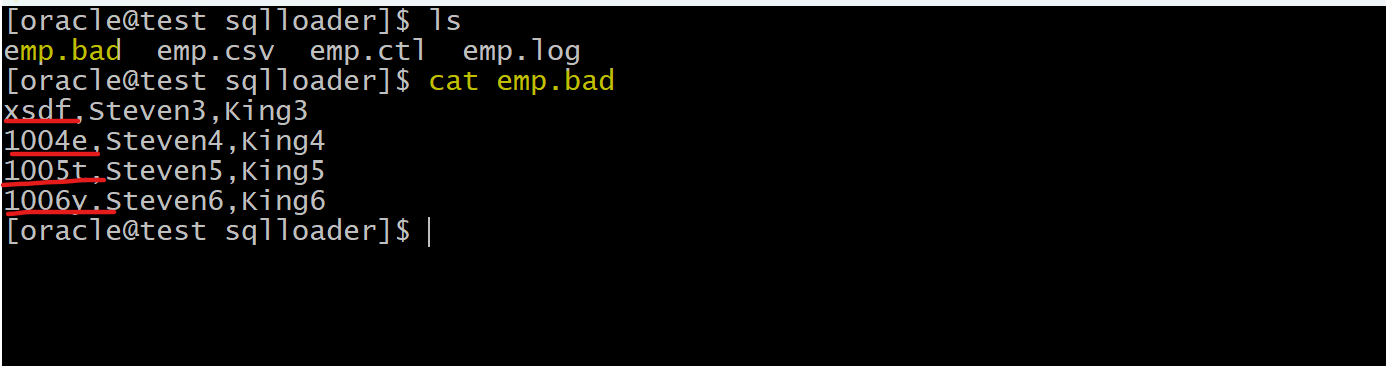
Discard File
- SQL*Loader
Discard File:- a file created when SQL*Loader filters some records out of the load.
- A
discard fileis created only when it is needed, and only if you have specified that a discard file should be enabled. -
The
discard filecontains records that were filtered out of the load because they did not match any record-selection criteria specified in the control file. - Because the
discard filecontains record filtered out of the load, the contents of the discard file are records that were not inserted into any table in thedatabase.- Data written to any database table is not written to the
discard file.
- Data written to any database table is not written to the
- You can specify the maximum number of such records that the discard file can accept.
- Vs
Bad File- Both are the records do not load into the database.
- Discard file contains only the filtered out records that do not match the record-selection criteria.
- Bad file contains the records that have errors, such as integiry constraints, oversize of the conlumn length
Lab: Discard File
Filter Records
- Create table
sqlplus hr@orclpdb
show user;
show con_name;

-- create tb
DROP TABLE EMP_LOAD;
CREATE TABLE EMP_LOAD
(
  EMPNO NUMBER ,
  FNAME VARCHAR2(100),
  LNAME VARCHAR2(100)
);

SELECT * FROM EMP_LOAD;
-- return none
- locate csv file
# create dir for lab to place csv
mkdir /home/oracle/sqlloader/discard_file
# copy the emp.csv file to this dir
- Create control file emp.ctl
touch /home/oracle/sqlloader/discard_file/emp.ctl
vi /home/oracle/sqlloader/discard_file/emp.ctl

# note: we will not load empno='1008'
# using when clause to filter
Load Data
INFILE '/home/oracle/sqlloader/discard_file/emp.csv'
APPEND
INTO Table emp_load
WHEN empno <> '1008'
FIELDS TERMINATED BY ','
(
  empno,
  fname,
  lname
)
- Load data
sqlldr control=/home/oracle/sqlloader/discard_file/emp.ctl log=/home/oracle/sqlloader/discard_file/emp.log
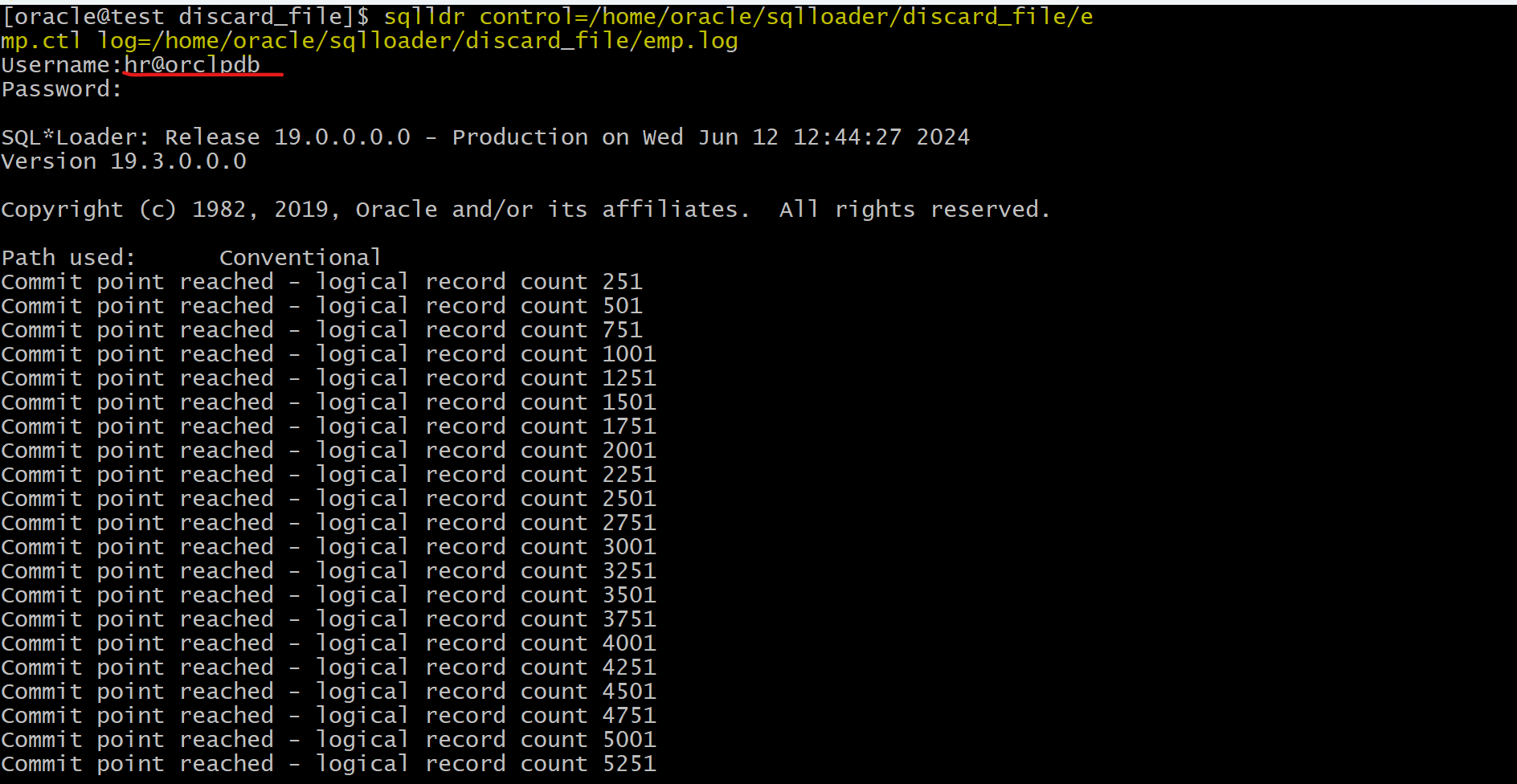
- Log
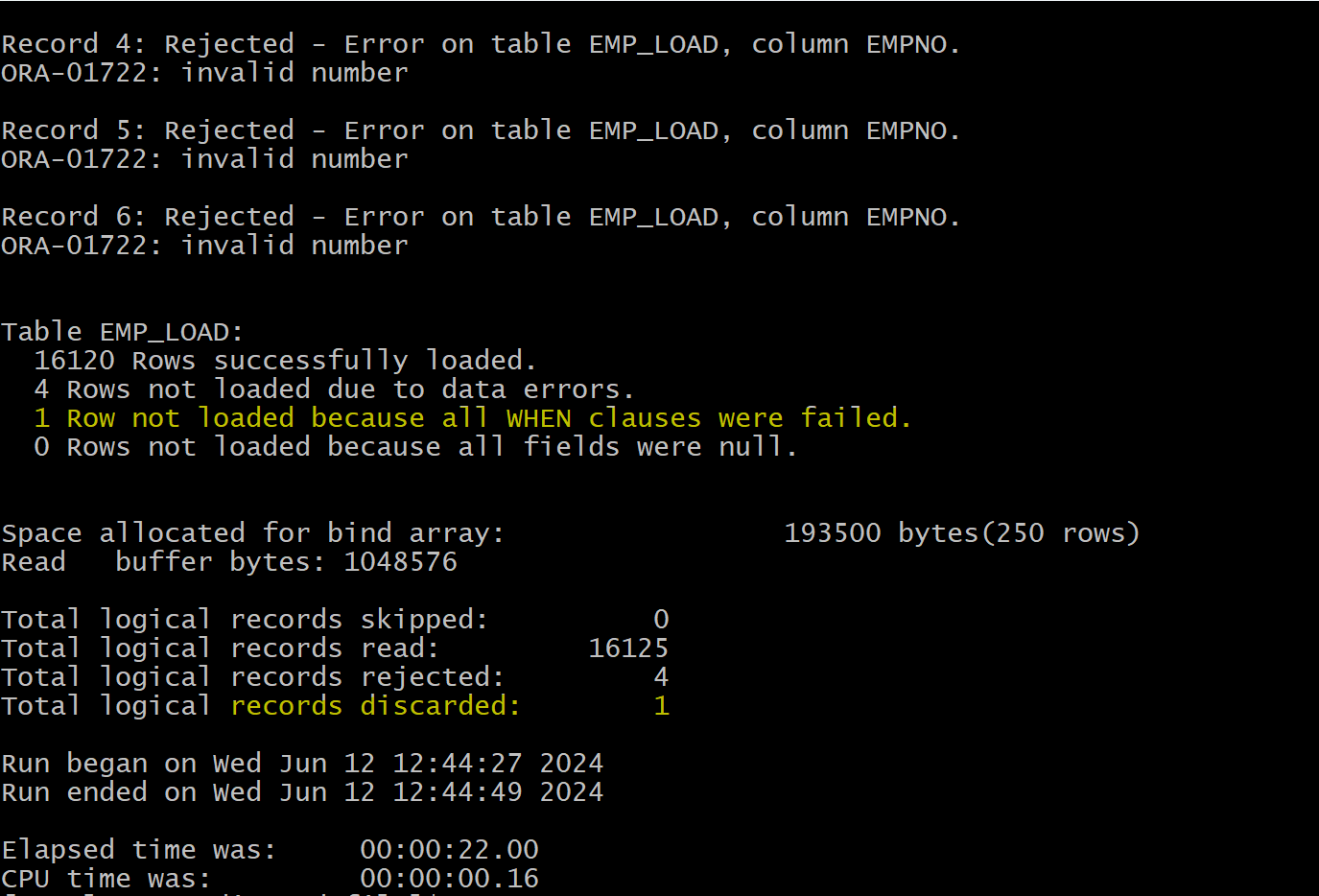
- this example shows both error and filter
- this did not generate the discard file due to ignorance of the option.
- Verify data in the table
sqlplus hr@orclpdb

SELECT count(*) FROM EMP_LOAD;
--  16120
Generate Discard file
- Truncate tb
truncate table EMP_LOAD;
- Load data specifying discard file
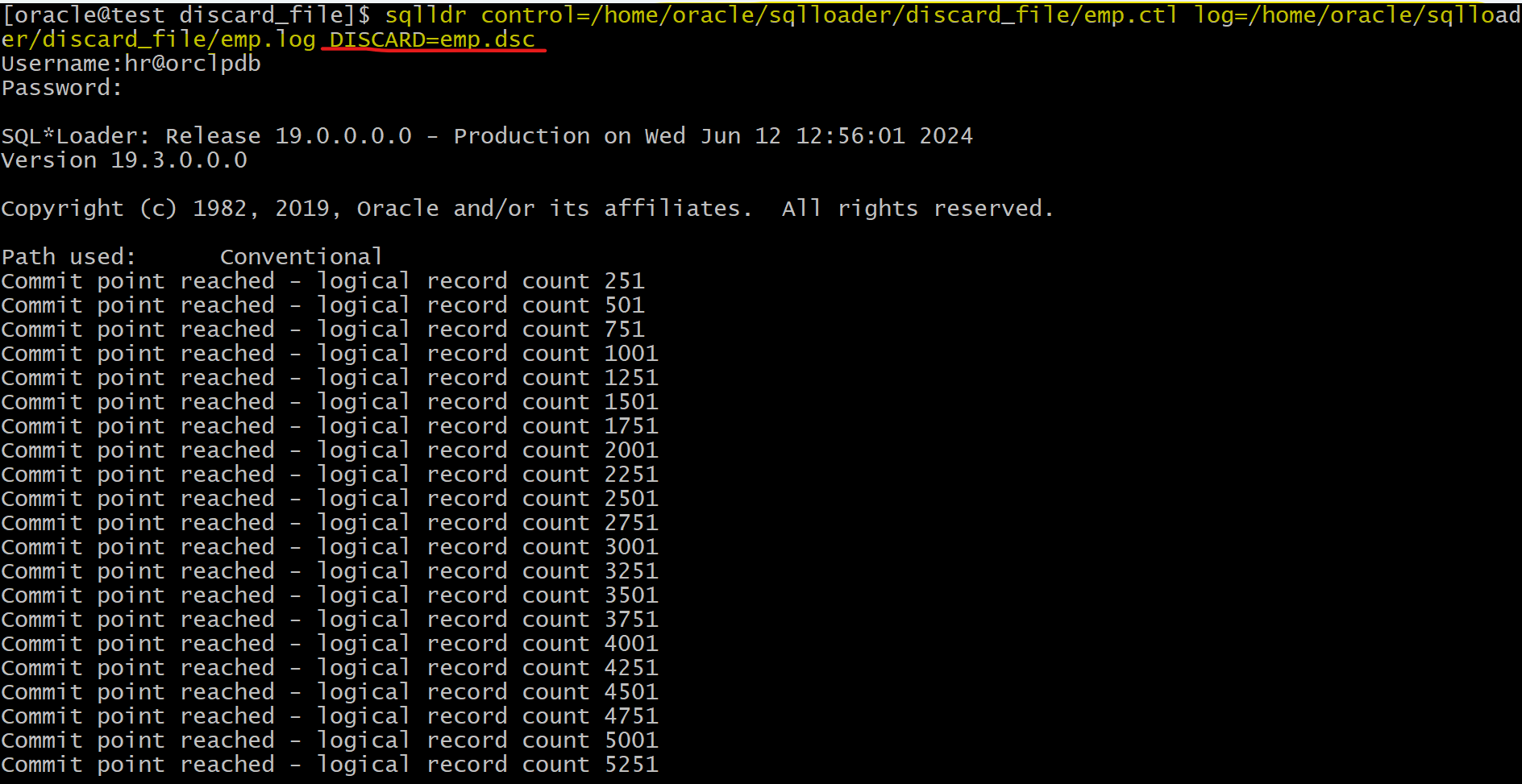
sqlldr control=/home/oracle/sqlloader/discard_file/emp.ctl log=/home/oracle/sqlloader/discard_file/emp.log DISCARD=emp.dsc

Data Loading Methods
-
SQL*Loader can load data by using either a
convention path load, or adirect path load. conventional path load:- runs SQL
INSERTstatements to populate tables in Oracle Database.
- runs SQL
-
direct path load:- eliminates much of the Oracle Database overhead by formatting Oracle
data blocks, and then writing thedata blocksdirectly to the database files. - A
direct loaddoes not compete with other users for database resources, so it can usually load data at near disk speed.
- eliminates much of the Oracle Database overhead by formatting Oracle
-
SQL*Loader never creates
tables.- The
tablesthat you want to be loaded must already exist in the database. - It loads existing tables that either already contain data, or that are empty.
- The
- The following privileges are required for a load:
- You must have
INSERTprivileges on the table to be loaded. - You must have
DELETEprivileges on the table that you want to be loaded, when using theREPLACEorTRUNCATEoption to empty old data from the table before loading the new data in its place.
- You must have
Conventional Load
- Always generates
redoentries - Enforces all constraints
- Can load into clustered tables
- Fires
INSERTtriggers - Allows other users to modify tables during load operation
- Uses
COMMIT- The insertion of an array of records is followed by a
COMMIToperation. - It is not necessary to make a commit after each record.
- Oracle will save after 64 records or 250.
- The insertion of an array of records is followed by a
- Each data load may involve several transactions.
Lab: Conventional Load
- Create tb with constraints
show  user;
--USER is "HR"
show con_name;
--CON_NAME
--------------------------------
--ORCLPDB

drop table emp_x;
drop table dept_x;

-- create tb with constraint
create table dept_x
(
    deptno number,
    dname varchar2(100),
    constraint dept_x primary key (deptno)
 );

insert into dept_x values (1, 'sales');
commit;

select * from dept_x;
-- 1	sales

-- create tb with constraints, including fk
create table emp_x
(
    empid number,
    name varchar2(10) not null,
    gender varchar(1),
    deptno number,
    address varchar2(100),
    constraint emp_x_pk primary key (empid),
    constraint emp_x_uk1 unique  (name),
    constraint emp_x_fk1 foreign key (deptno) references dept_x(deptno),
    constraint emp_x_chq1 check ( gender in ('M','F') )
);

select * from emp_x;
-- return none
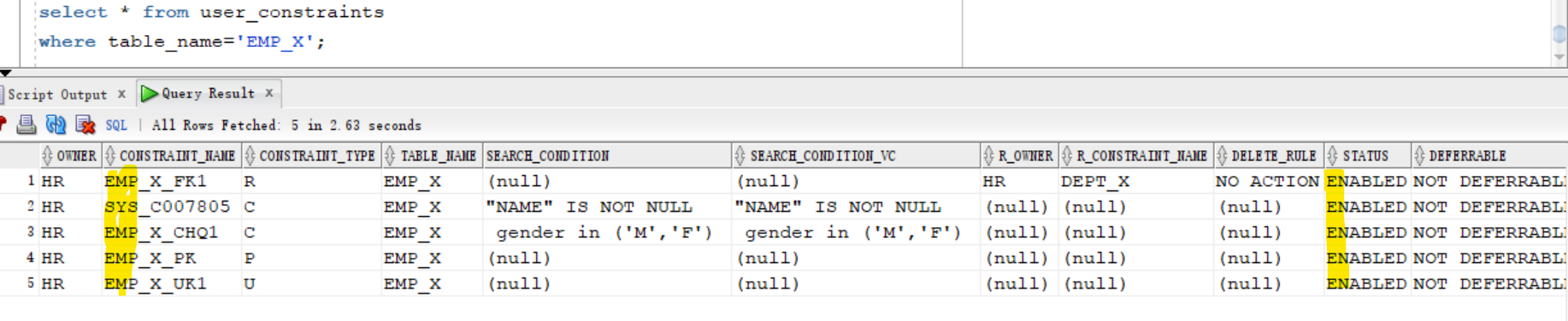
- Query constraints
select * from user_constraints
where table_name='EMP_X';
Load Valid Data
-
Note: In this scenario, all data in the csv file match the DDL of the tb, exspecially the deptno is 1, matching the data in dept table.
-
Create dir and place csv file
# create dir to place EMPLOYEES.csv
mkdir /home/oracle/sqlloader/con_load
- Create control file
- using conventional load path
touch /home/oracle/sqlloader/con_load/EMPLOYEES.ctl
vi /home/oracle/sqlloader/con_load/EMPLOYEES.ctl

# Load Data
# INFILE '/home/oracle/sqlloader/con_load/EMPLOYEES.csv'
# APPEND
# INTO Table emp_x
# FIELDS TERMINATED BY ','
# (
#   empid,
#   name,
#   gender,
#   deptno,
#   address
# )
- Load data
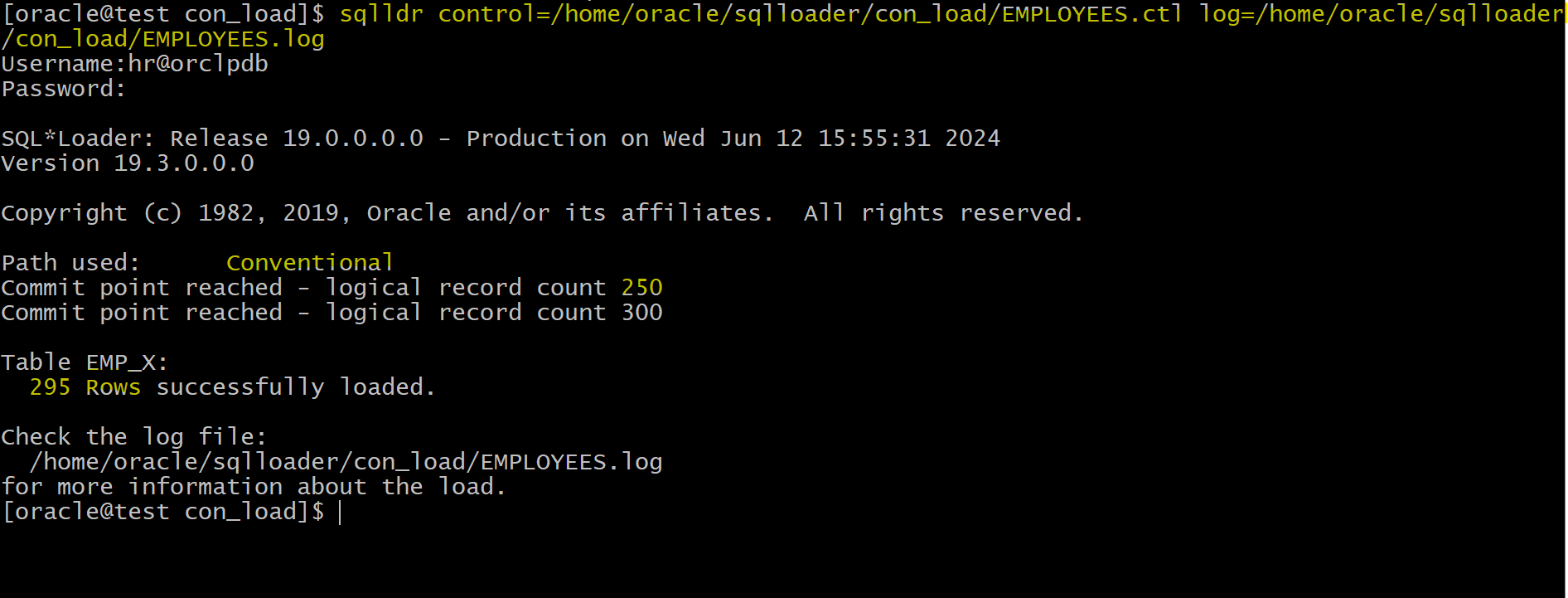
sqlldr control=/home/oracle/sqlloader/con_load/EMPLOYEES.ctl log=/home/oracle/sqlloader/con_load/EMPLOYEES.log
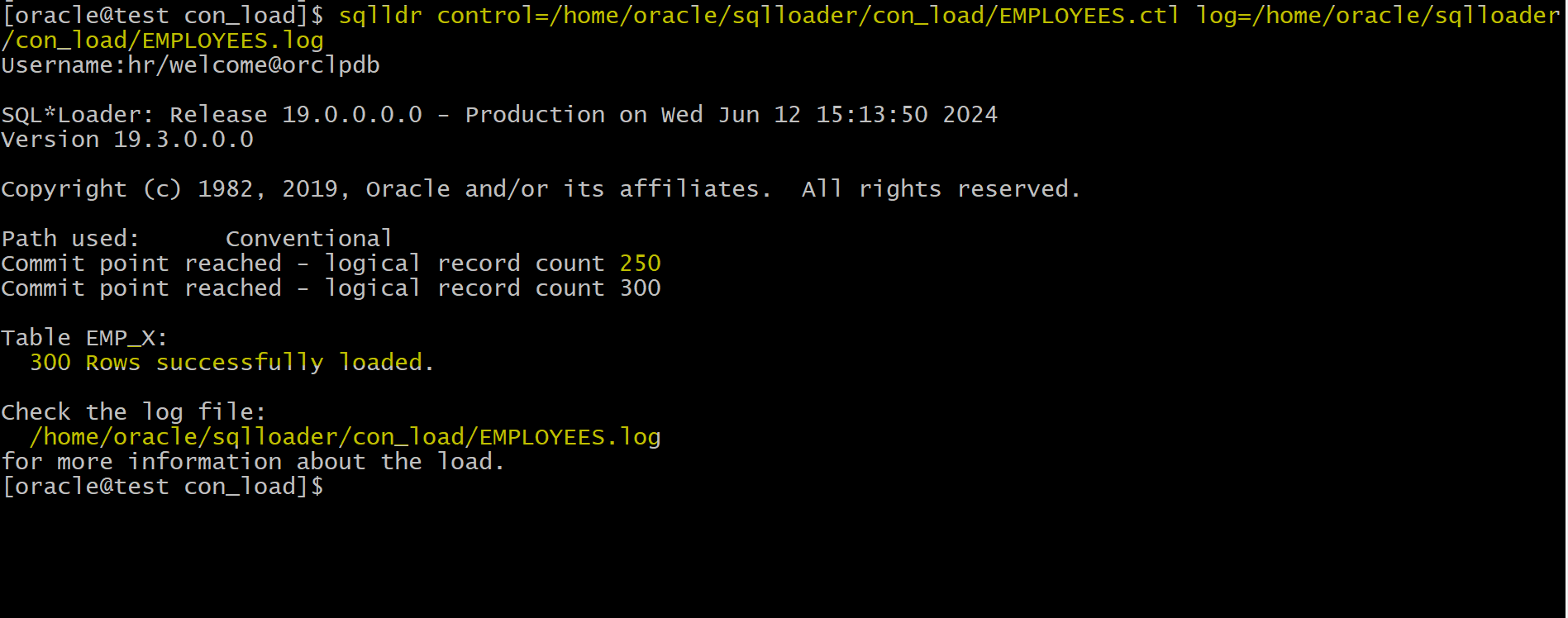
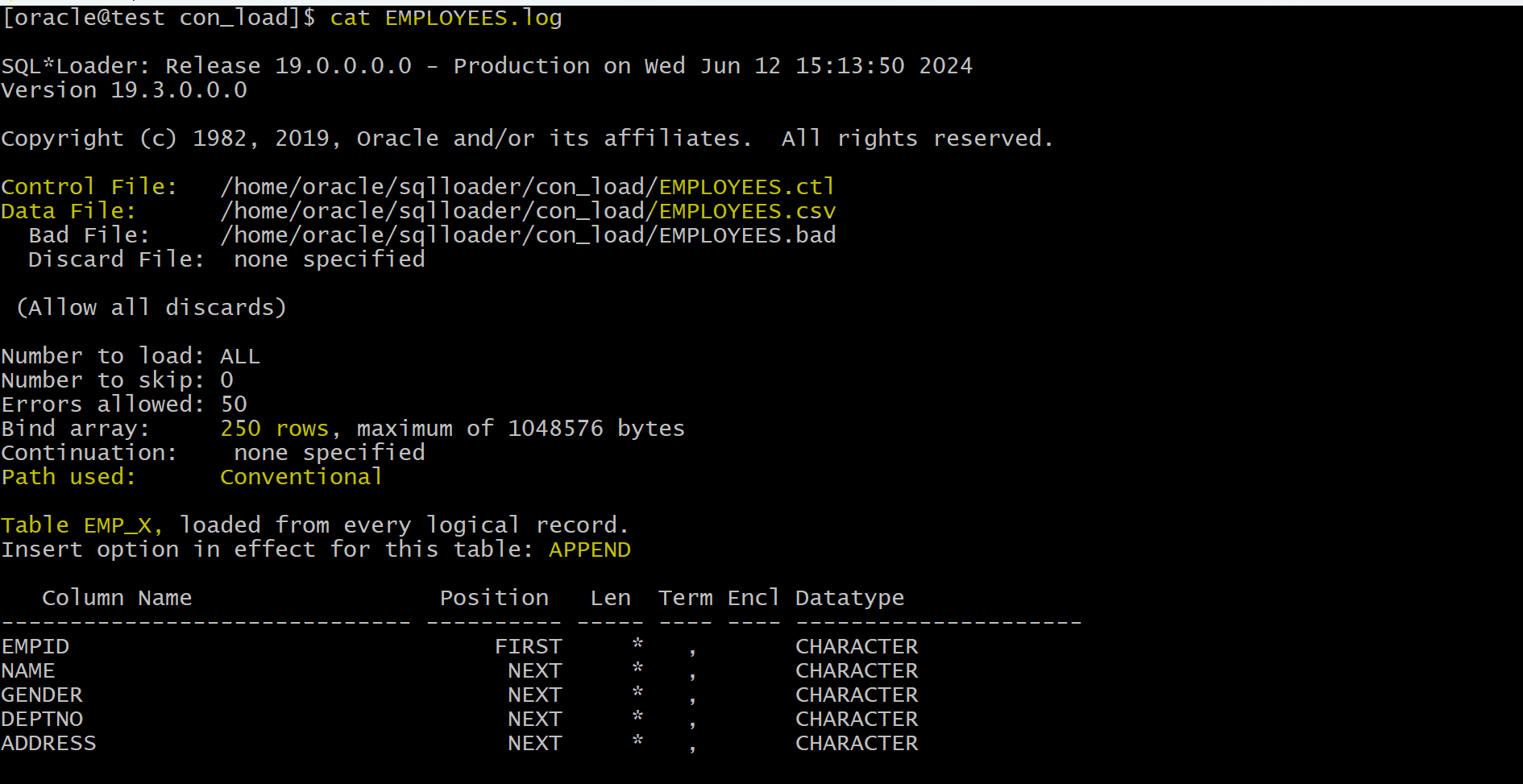
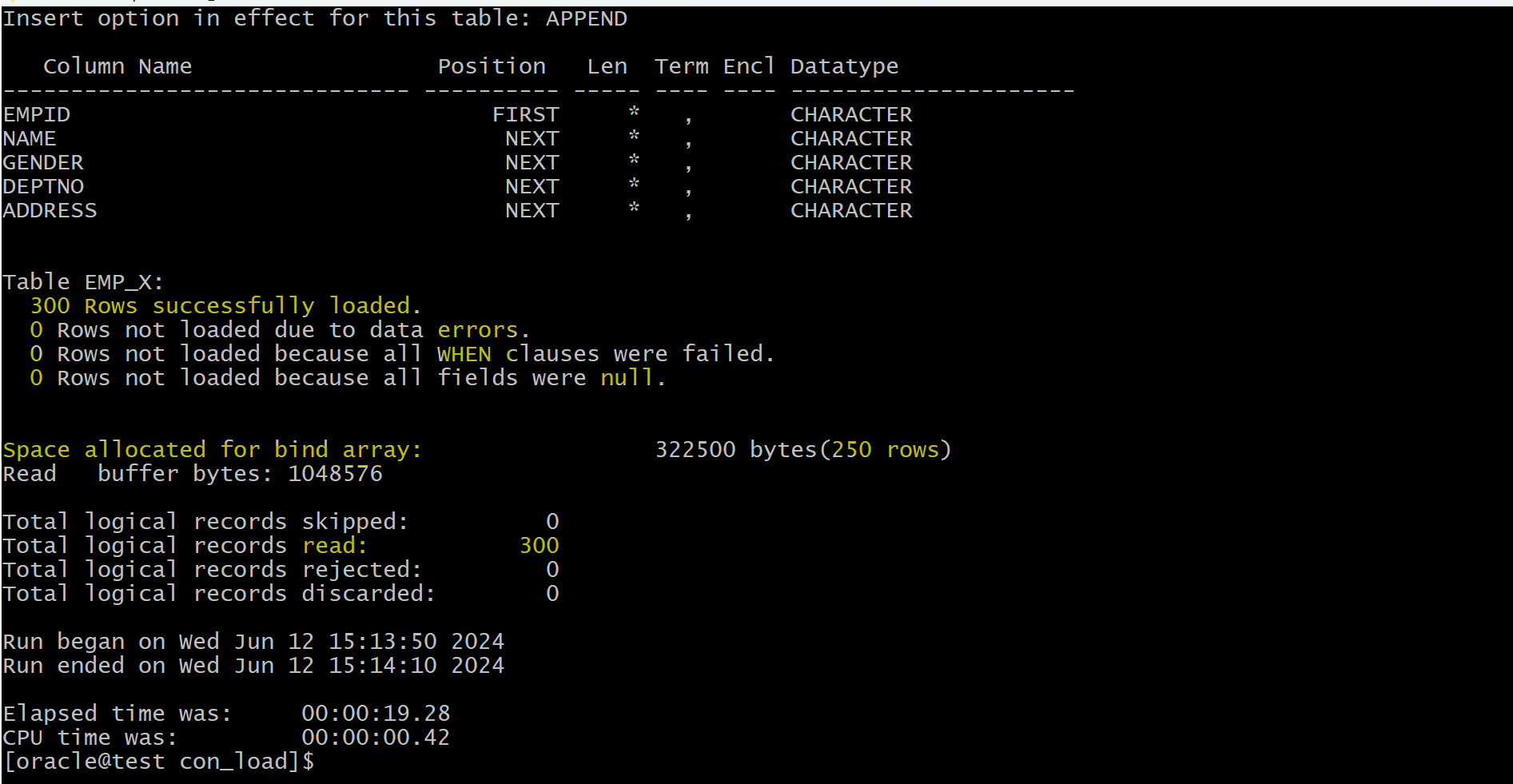
- It shows every 250 records, oracle commits the records.
- Log:
- Query to verify
select count(*) from emp_x;
--300
Load Data Violating Constraints
-- truncate tb
truncate table emp_x
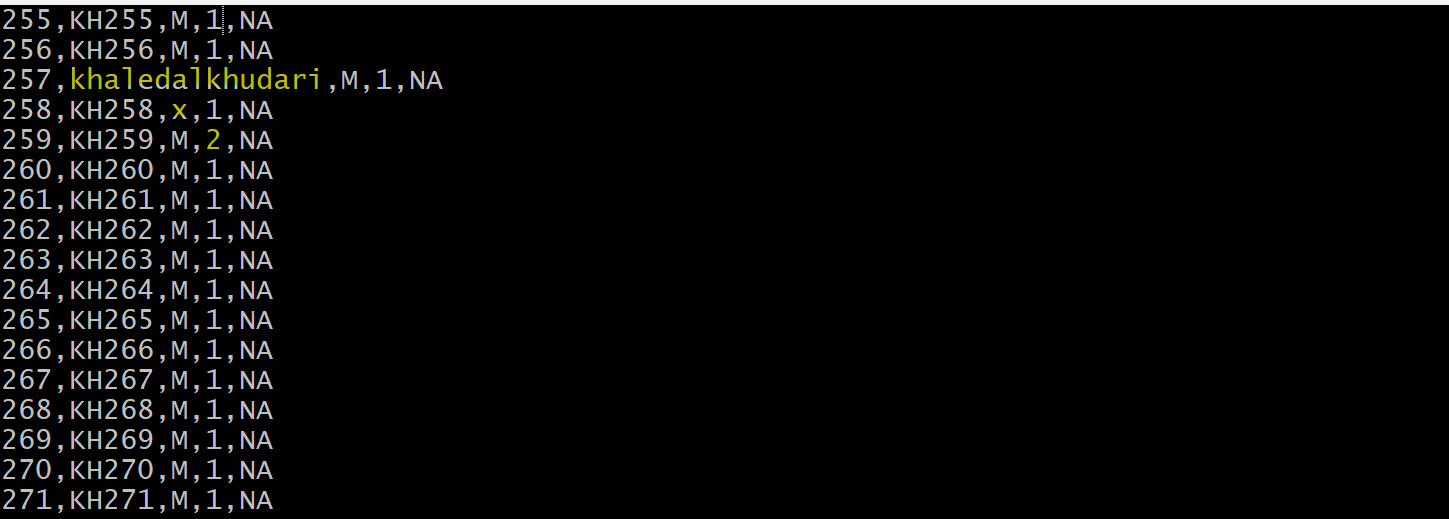
- Update the data in csv
- violate the length of column
- violate the check constraint
- violate the fk
vi /home/oracle/sqlloader/con_load/EMPLOYEES.csv

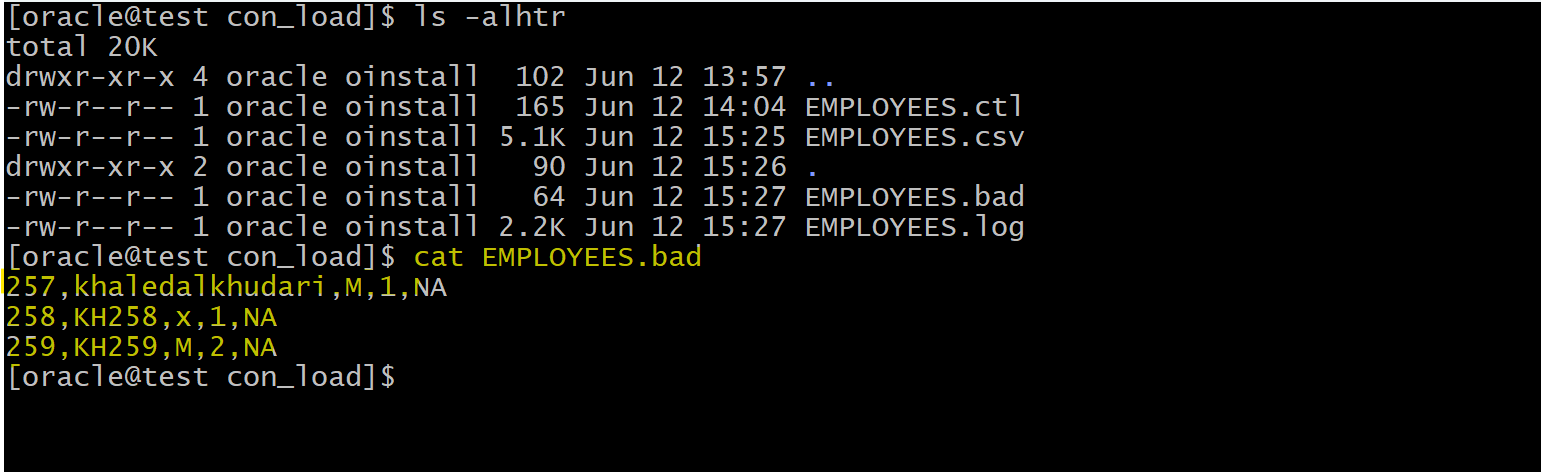
# 257,khaledalkhudari,M,1,NA
# 258,KH258,x,1,NA
# 259,KH259,M,2,NA
- Import Data
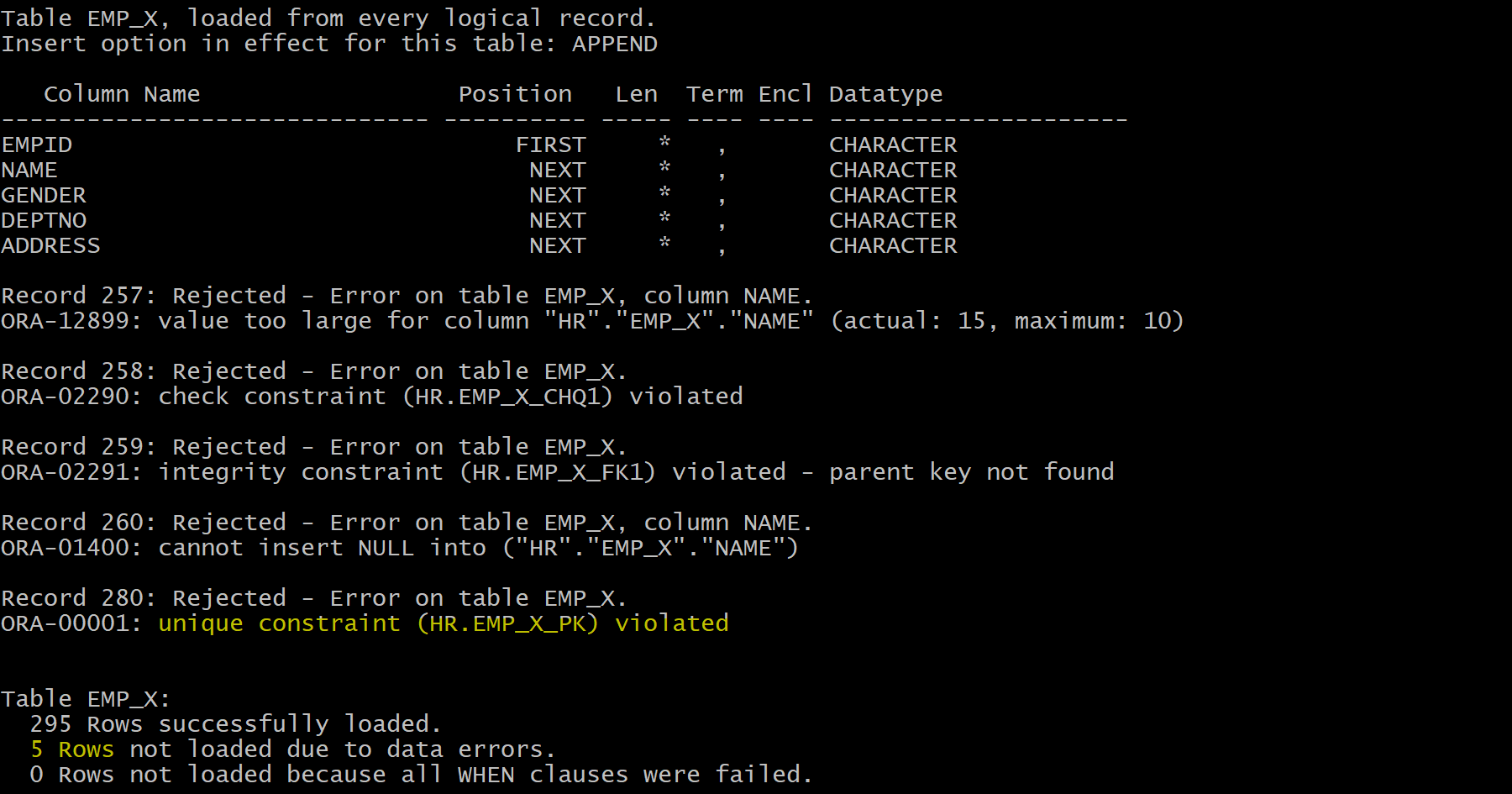
sqlldr control=/home/oracle/sqlloader/con_load/EMPLOYEES.ctl log=/home/oracle/sqlloader/con_load/EMPLOYEES.log
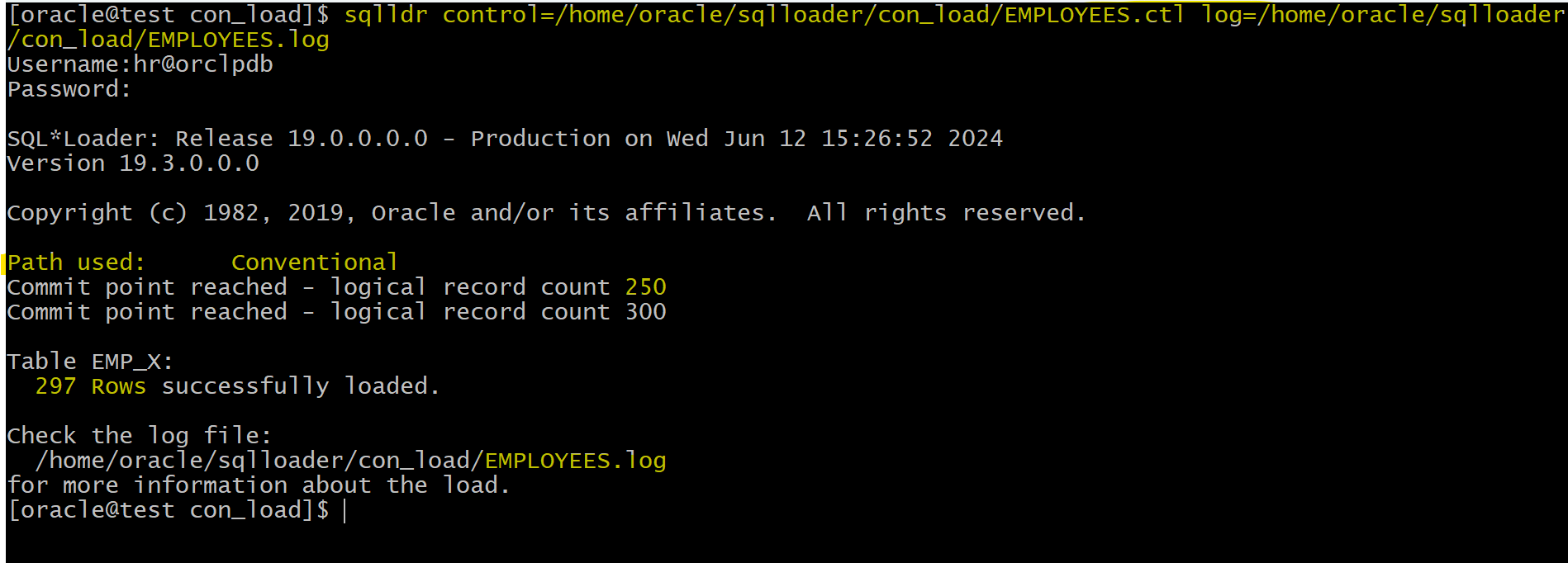
- only 297 rows imported.
- Bad file
- Log
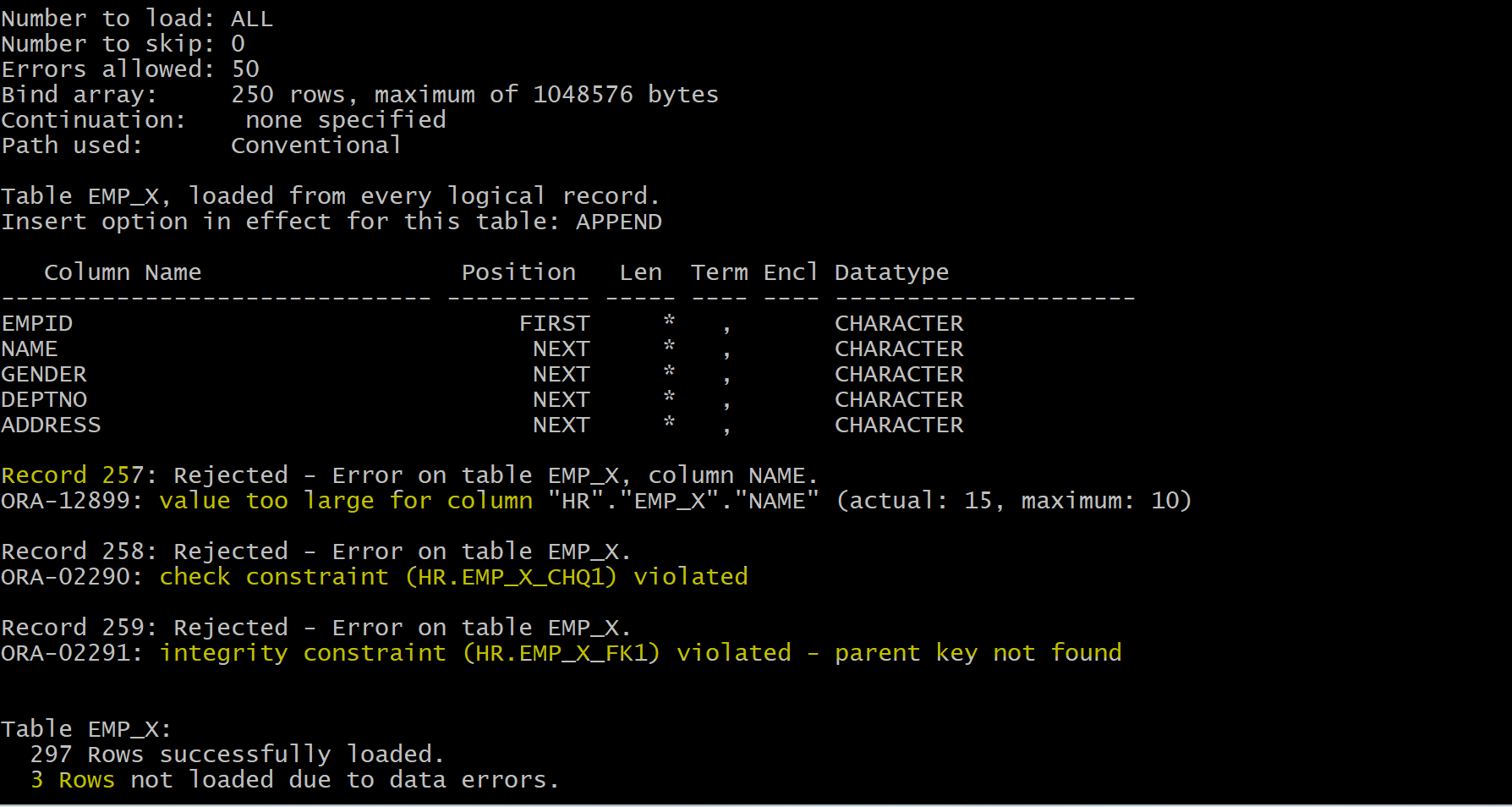
- This shows that when importing with conventional path load, oracle checks constraints.
Load Data with Null value
-- truncate tb
truncate table emp_x
- Update the csv file with null value
vi /home/oracle/sqlloader/con_load/EMPLOYEES.csv
# keep the change in the previous test
# 260,,M,1,NA

- Import Data
sqlldr control=/home/oracle/sqlloader/con_load/EMPLOYEES.ctl log=/home/oracle/sqlloader/con_load/EMPLOYEES.log
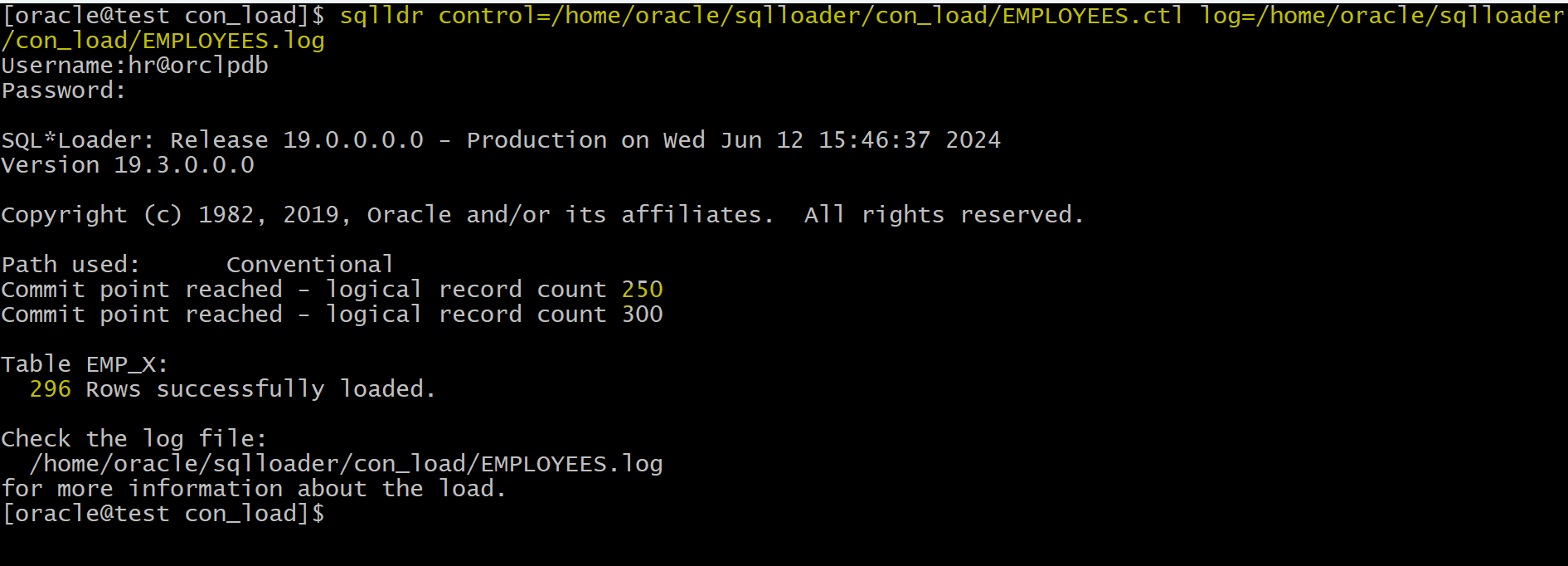
- Bad file

- Log File
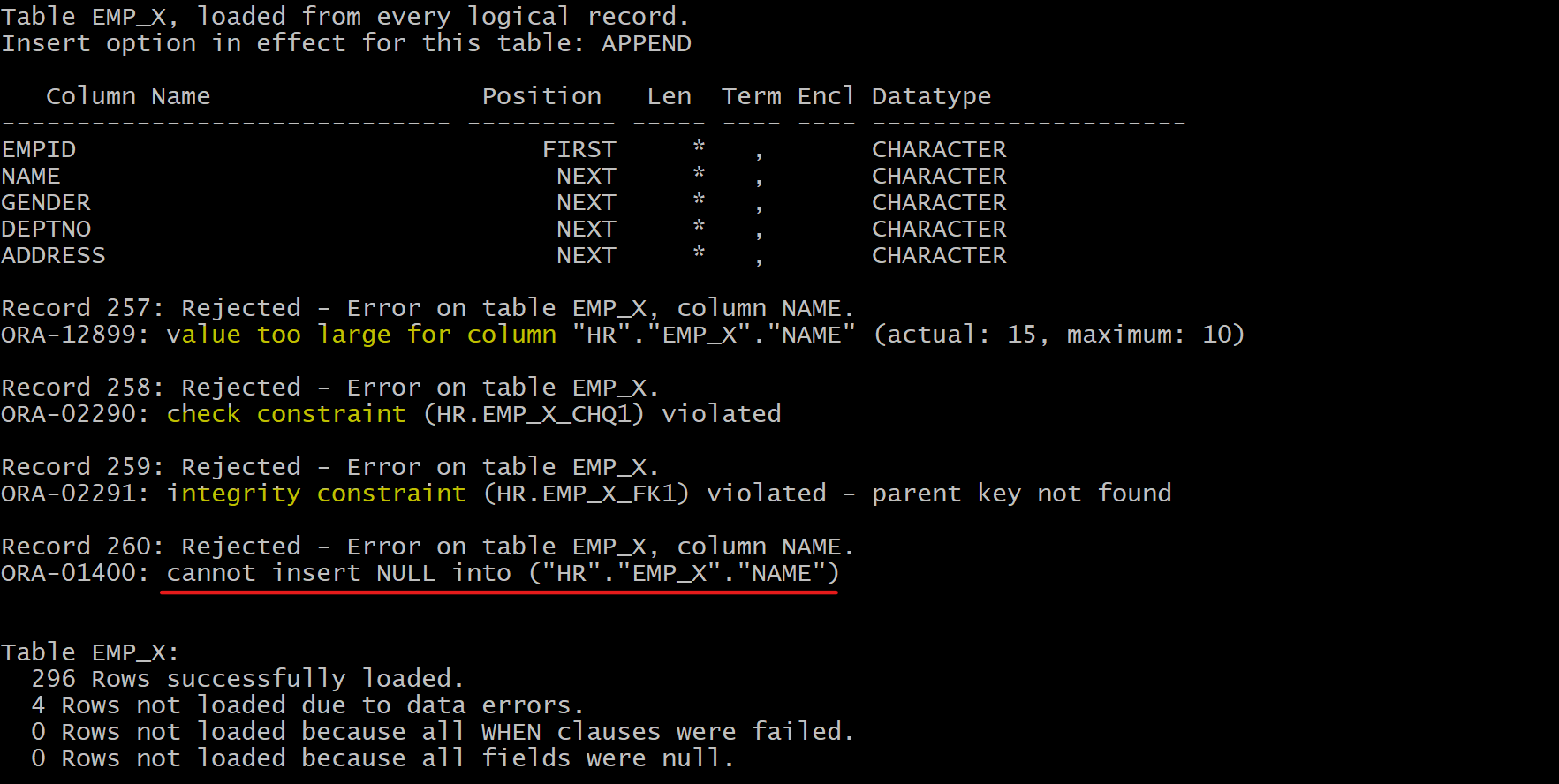
- load check the not null constraint.
Load Data violating PK
-- truncate tb
truncate table emp_x;
- Update the csv file with null value
vi /home/oracle/sqlloader/con_load/EMPLOYEES.csv
# keep the change in the previous tests
# make the id 280 = 1

- Import Data
sqlldr control=/home/oracle/sqlloader/con_load/EMPLOYEES.ctl log=/home/oracle/sqlloader/con_load/EMPLOYEES.log
- Bad file

- Log file
Load Data controling commit
truncate table emp_x;
- Load data
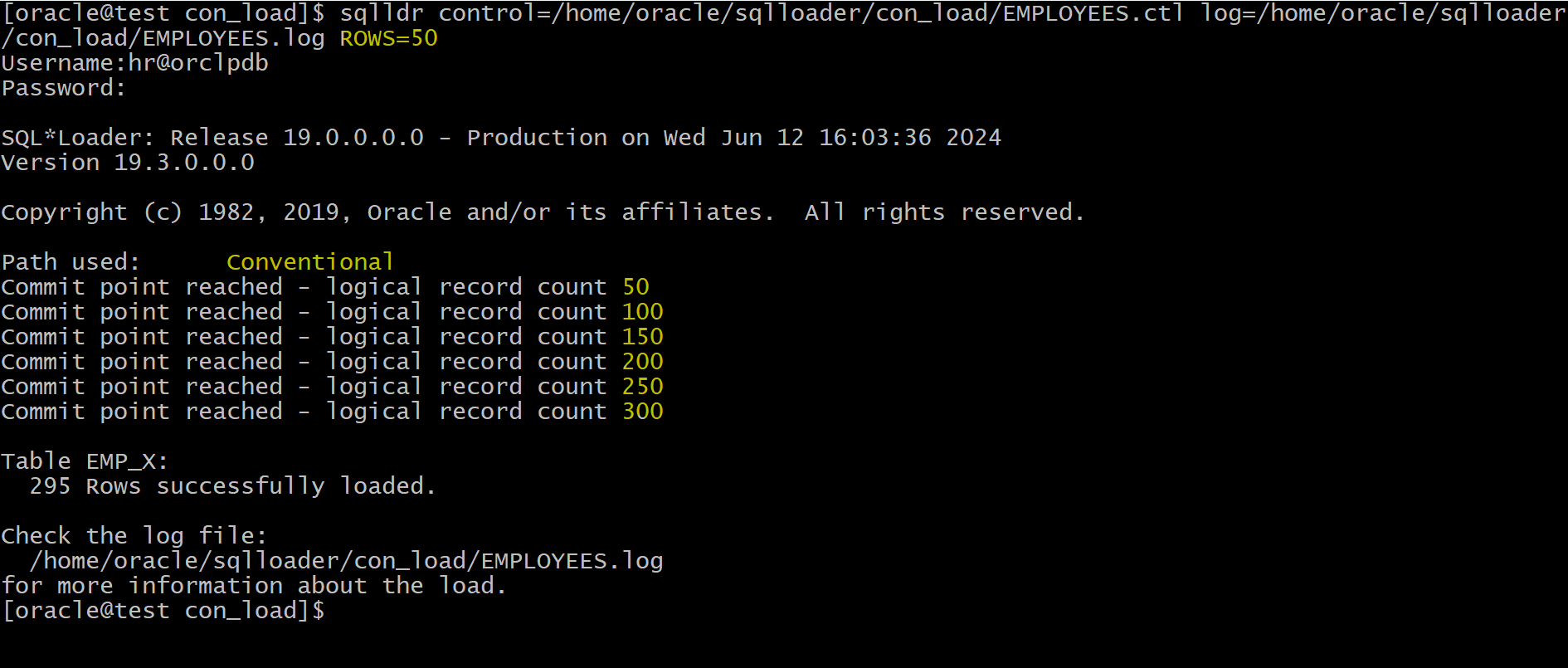
# instruct loader to commit each 50 records.
sqlldr control=/home/oracle/sqlloader/con_load/EMPLOYEES.ctl log=/home/oracle/sqlloader/con_load/EMPLOYEES.log ROWS=50
Direct Path Load
- Insert the data after the watermark
- It means it will not search for any empty blocks in the segements.
- It will go to the end of the watermark and insert to the end of the tables, skipping a lot of database and buffer operations.
- Uses
data saves(faster operation)- It write the data directly to the database files.
- Generates
redoonly under specific conditions - Enforces only
PRIMARY KEY,UNIQUE, andNOT NULL - Does not fire
INSERTtriggers - Does not load into clusters
- Prevents other users from making changes to tables during load operation
- Using
DIRECT=TRUEclause
Lab: Direct Path Load
- setup env
show  user;
-- USER is "HR"
show con_name;
--CON_NAME
--------------------------------
--ORCLPDB


drop table emp_x;
drop table dept_x;
-- create tb with pk
create table dept_x
(deptno number,
 dname varchar2(100),
 constraint dept_x primary key (deptno)
 );

insert into dept_x values (1, 'sales');
commit;

select * from dept_x;
-- 1	sales

-- create tb with constraints
create table emp_x
(
    empid number,
    name varchar2(10) not null,
    gender varchar(1),
    deptno number,
    address varchar2(100),
    constraint emp_x_pk primary key (empid),
    constraint emp_x_uk1 unique  (name),
    constraint emp_x_fk1 foreign key (deptno) references dept_x(deptno),
    constraint emp_x_chq1  check ( gender in ('M','F') )
);


select * from emp_x;
-- return none
Load Valid Data
- Place the csv in a dir
mkdir /home/oracle/sqlloader/direct_load
# place EMPLOYEES.csv in this dir
- Create control file
touch /home/oracle/sqlloader/direct_load/EMPLOYEES.ctl
vi /home/oracle/sqlloader/direct_load/EMPLOYEES.ctl

Load Data
INFILE '/home/oracle/sqlloader/direct_load/EMPLOYEES.csv'
APPEND
INTO Table emp_x
FIELDS TERMINATED BY ','
(
  empid,
  name,
  gender,
  deptno,
  address
)
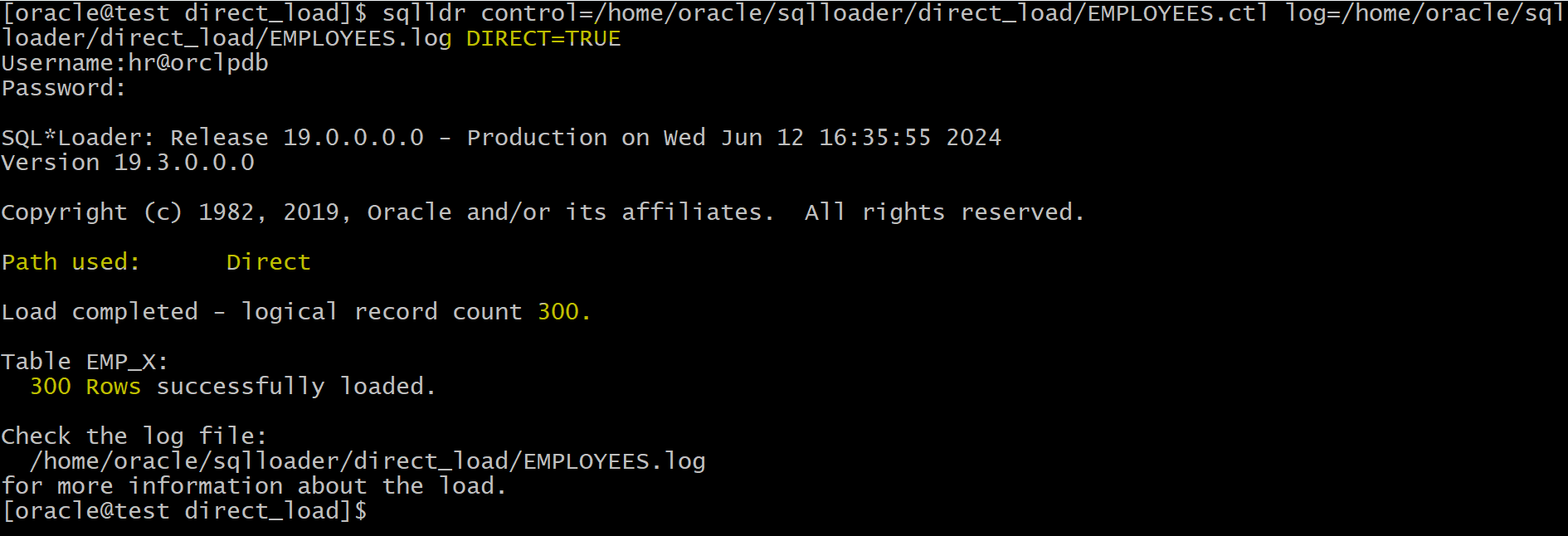
- Load Data with direct path load
# using DIRECT=TRUE clause
sqlldr control=/home/oracle/sqlloader/direct_load/EMPLOYEES.ctl log=/home/oracle/sqlloader/direct_load/EMPLOYEES.log DIRECT=TRUE
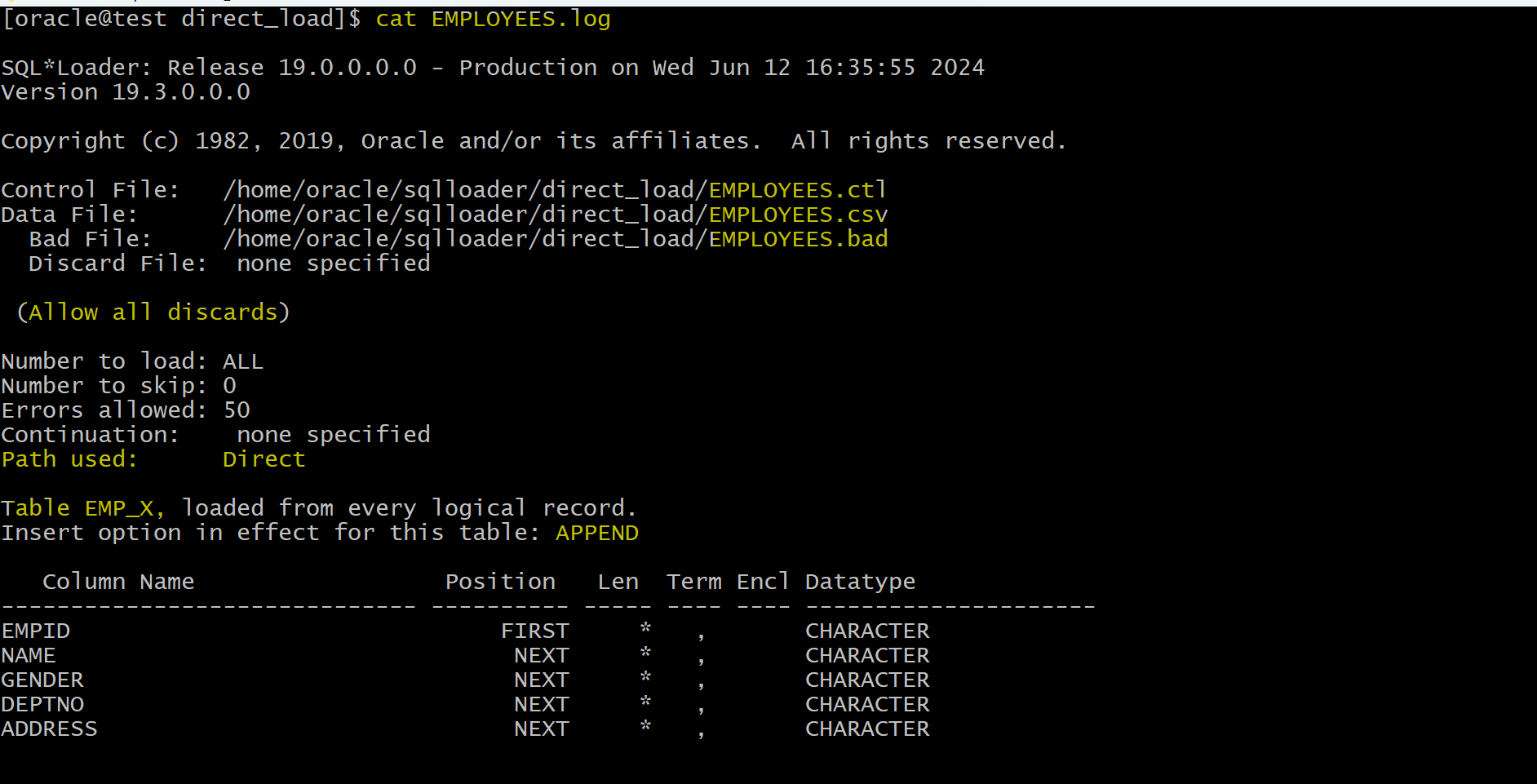
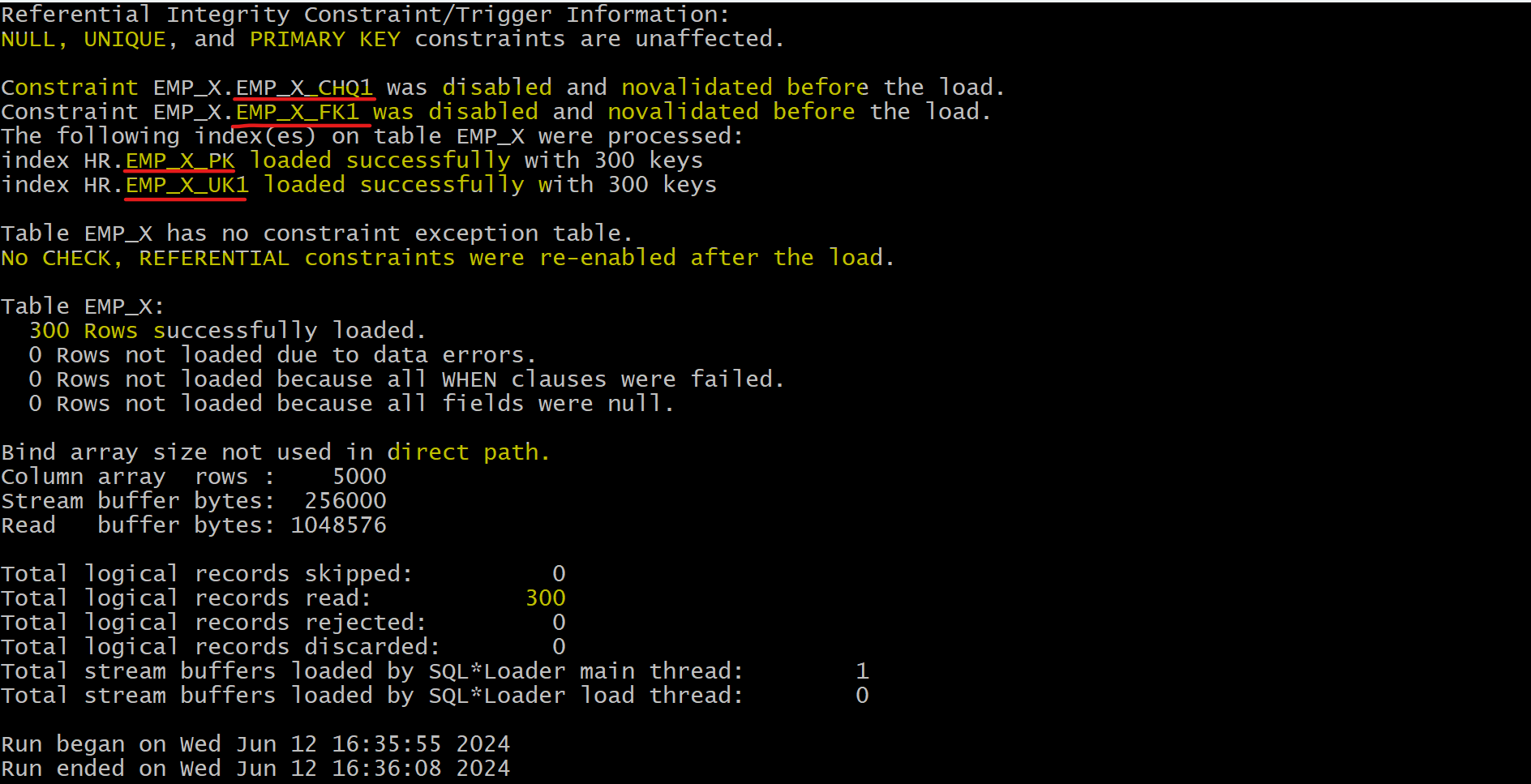
- Log
- Query tb to verify
select count(*) from emp_x;
-- 300
- Query constrants
select * from user_constraints
where table_name='EMP_X';
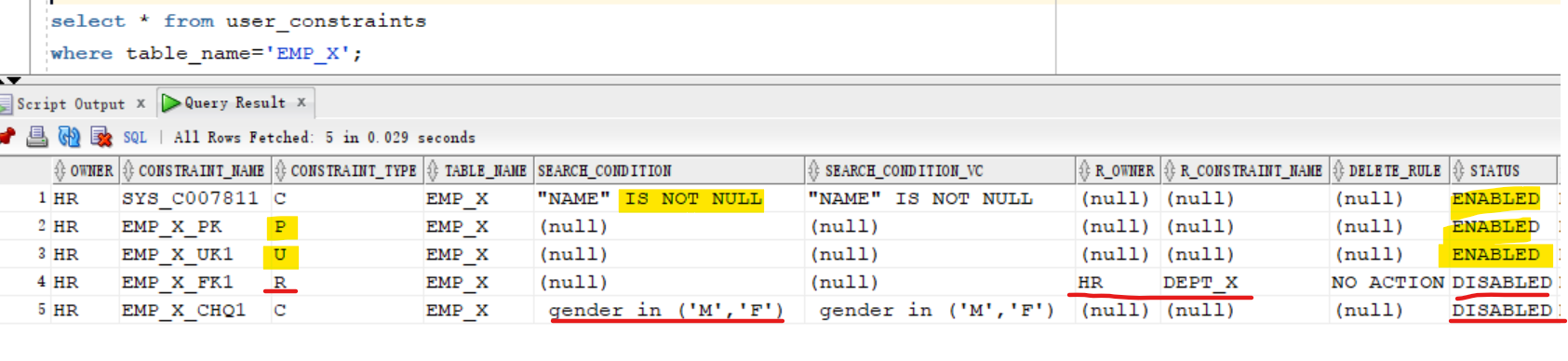
- only the not null, unique and pk constraints are enabled after loading.
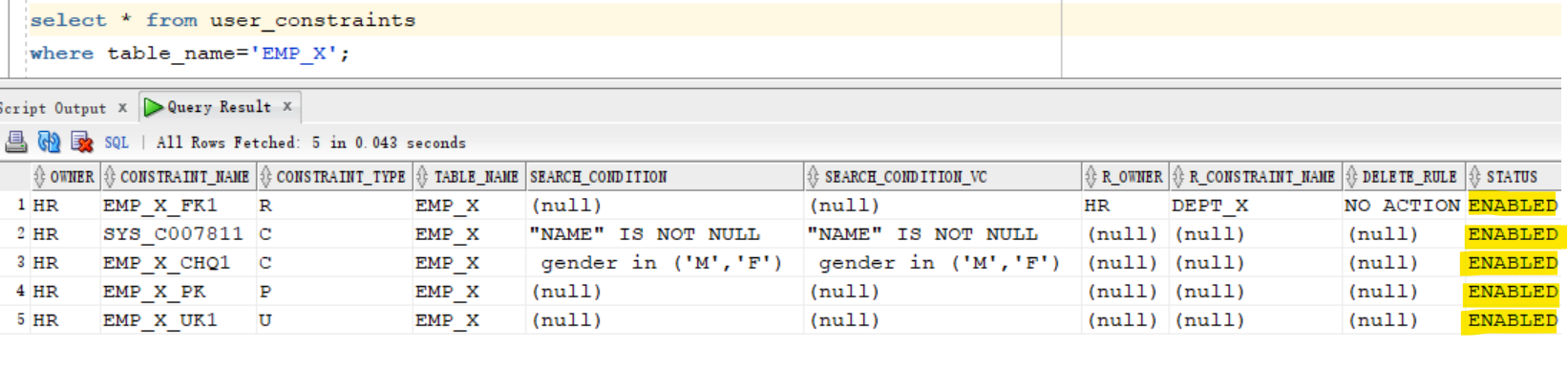
- Enable the constraints after loading.
ALTER TABLE emp_x ENABLE CONSTRAINT EMP_X_CHQ1;
ALTER TABLE emp_x ENABLE CONSTRAINT EMP_X_FK1;

-- verify
select * from user_constraints
where table_name='EMP_X';
- Query index
select * from user_indexes
where table_name='EMP_X';
-- the status is valid
Load Data violating FK and Check constraints
truncate table emp_x;
- Make some changes in csv file
vi /home/oracle/sqlloader/direct_load/EMPLOYEES.csv

# 287,KH287,x,1,NA
# 288,KH288,M,2,NA

- Load data
# using DIRECT=TRUE clause
sqlldr control=/home/oracle/sqlloader/direct_load/EMPLOYEES.ctl log=/home/oracle/sqlloader/direct_load/EMPLOYEES.log DIRECT=TRUE
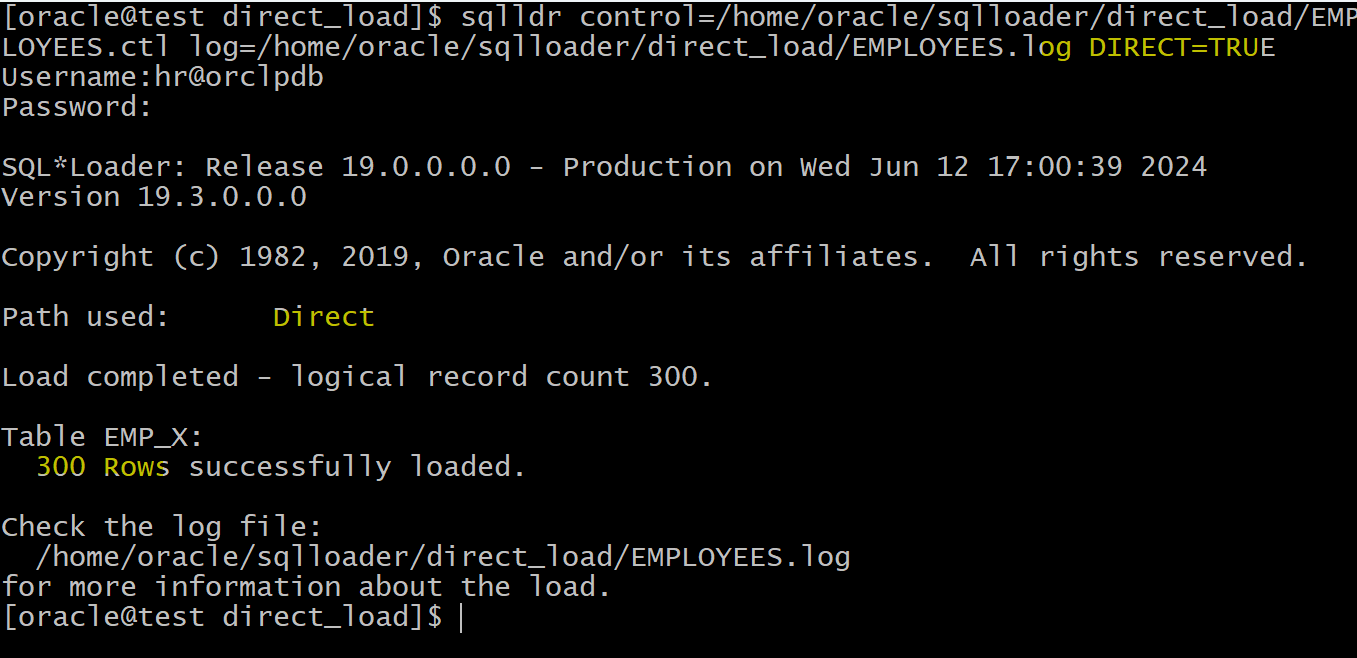
- all data are loaded without any issues because direct path load disables the check and fk constraints.
- Try to enable constraints after loading
- it will raise error, because the values are violating contraints.
select constraint_name, constraint_type, search_condition, status
from user_constraints
where table_name='EMP_X';
--SYS_C007811	C	"NAME" IS NOT NULL	ENABLED
--EMP_X_PK	P		ENABLED
--EMP_X_UK1	U		ENABLED
--EMP_X_FK1	R		DISABLED
--EMP_X_CHQ1	C	 gender in ('M','F') 	DISABLED

ALTER TABLE emp_x ENABLE CONSTRAINT EMP_X_CHQ1;
--Error starting at line : 110 in command -
--ALTER TABLE emp_x ENABLE CONSTRAINT EMP_X_CHQ1
--Error report -
--ORA-02293: cannot validate (HR.EMP_X_CHQ1) - check constraint violated
--02293. 00000 - "cannot validate (%s.%s) - check constraint violated"
--*Cause:    an alter table operation tried to validate a check constraint to
--           populated table that had nocomplying values.
--*Action:   Obvious

ALTER TABLE emp_x ENABLE CONSTRAINT EMP_X_FK1;
--Error starting at line : 120 in command -
--ALTER TABLE emp_x ENABLE CONSTRAINT EMP_X_FK1
--Error report -
--ORA-02298: cannot validate (HR.EMP_X_FK1) - parent keys not found
--02298. 00000 - "cannot validate (%s.%s) - parent keys not found"
--*Cause:    an alter table validating constraint failed because the table has
--           child records.
--*Action:   Obvious
Load Data violating PK, Unique, and NOT NULL constraints
- When violating
PKandUnique, Oracle will disalbe the constraint and insert data.- No bad records will be generated.
- When violating the
not null, Oracle will reject and put it in a bad file.- In direct path load, the only record which will be rejected is the
not nullconstraint.
- In direct path load, the only record which will be rejected is the
- In the
log file, all PK, Not Null, and unique constraints will display. - In the
bad file/rejected data, only the not null records can be found.
-- truncate tb
truncate table emp_x;

-- enable constraints
ALTER TABLE emp_x ENABLE CONSTRAINT EMP_X_CHQ1;
ALTER TABLE emp_x ENABLE CONSTRAINT EMP_X_FK1;
- Make some changes in csv file
vi /home/oracle/sqlloader/direct_load/EMPLOYEES.csv

# MAKE THE ID 289=1
# 290,,M,1,NA
# 291,KH1,M,1,NA

- Load data
# using DIRECT=TRUE clause
sqlldr control=/home/oracle/sqlloader/direct_load/EMPLOYEES.ctl log=/home/oracle/sqlloader/direct_load/EMPLOYEES.log DIRECT=TRUE
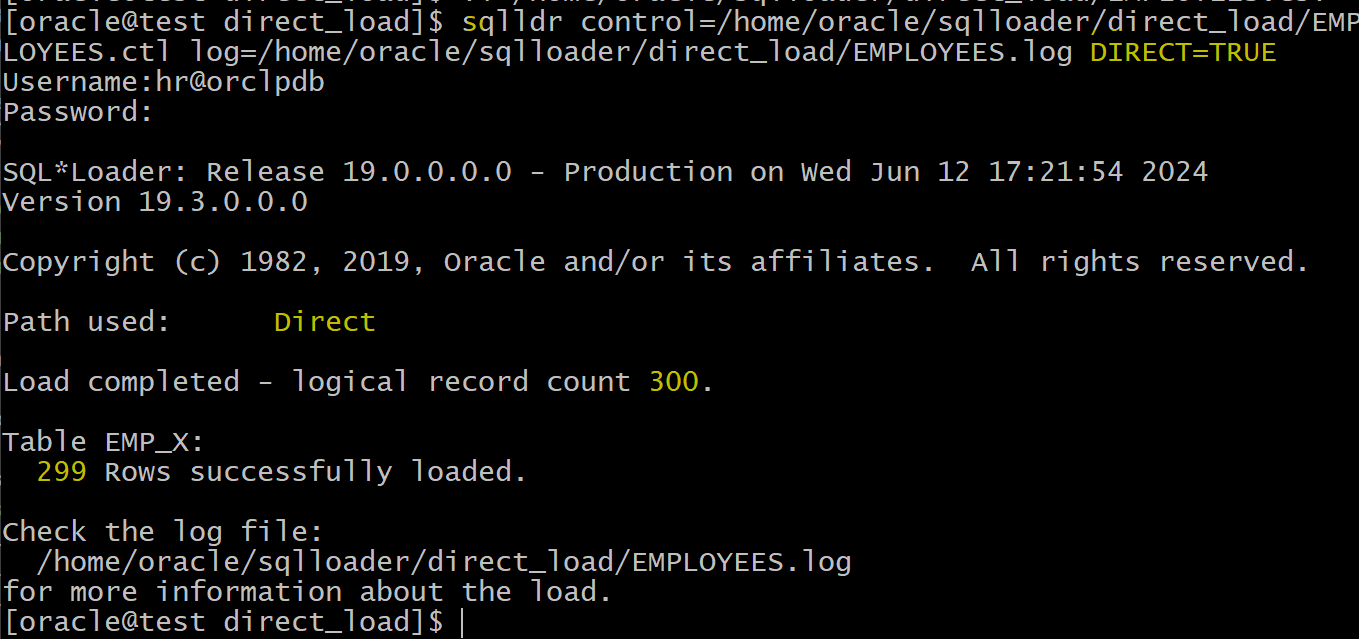
- one record was rejected.
- Bad file

- the rejected record in bad file is the one violating the not null constraint.
- Log
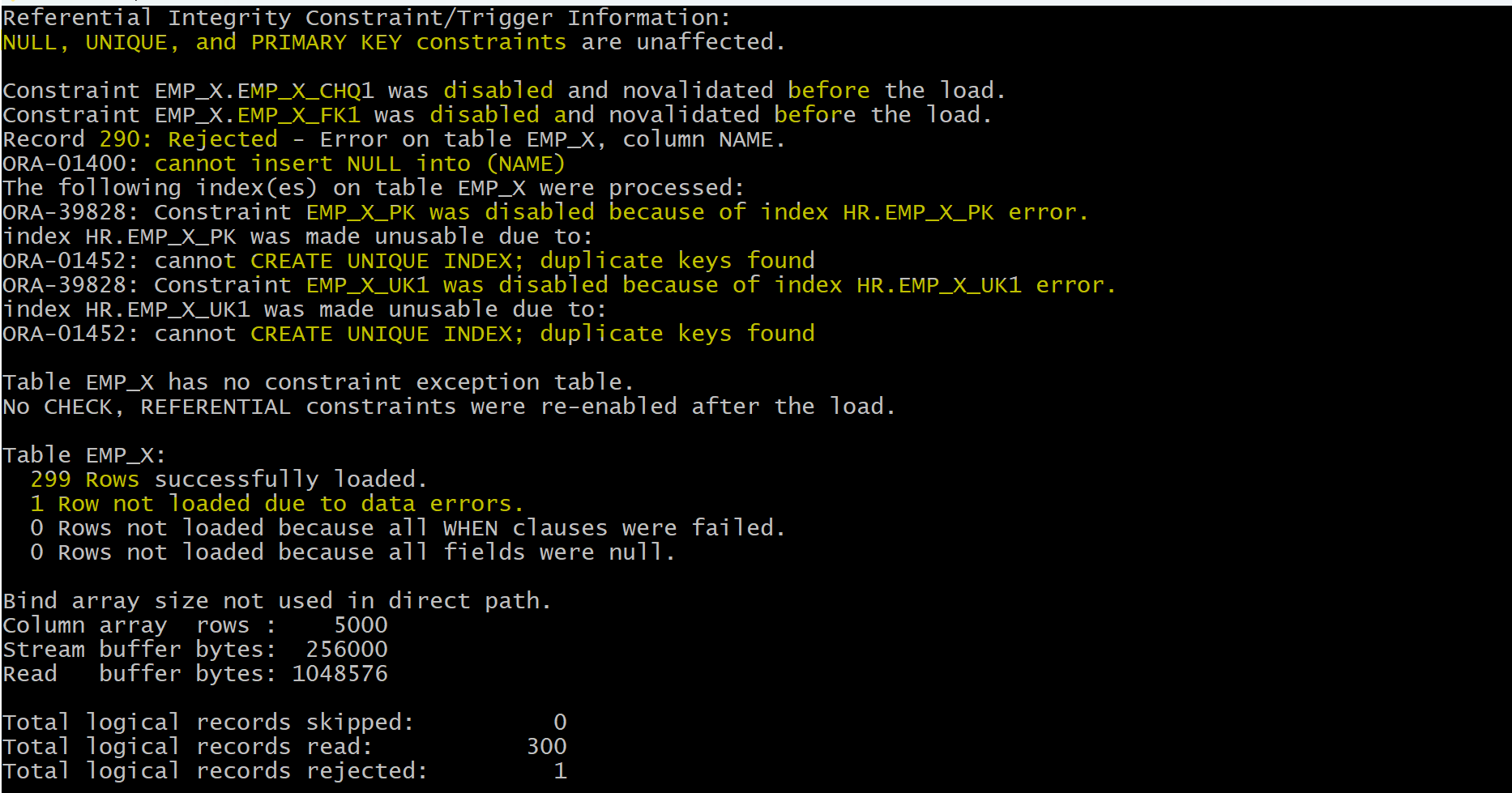
- When violating the PK and unique constraints, Oracle disable them but insert the record.
- When violating the not null constraint, Oracle reject the record.
- Query data
- only the not null constraint remain enabled.
- PK constraint is violated.
- Unique constraint is violated.
-- query constraints
select constraint_name, constraint_type, search_condition, status
from user_constraints
where table_name='EMP_X';
--SYS_C007811	C	"NAME" IS NOT NULL	ENABLED
--EMP_X_FK1	R		DISABLED
--EMP_X_CHQ1	C	 gender in ('M','F') 	DISABLED
--EMP_X_PK	P		DISABLED
--EMP_X_UK1	U		DISABLED

SELECT * FROM emp_x
ORDER BY  1;
-- note 2 record with pk equal to 1
--1	KH289	M	1	"NA"
--1	KH1	M	1	"NA"

SELECT * FROM emp_x
ORDER BY  2;
-- note 2 records with the same name
--1	KH1	M	1	"NA"
--291	KH1	M	1	"NA"
Summary
- Scenario to use direct path load?
- all the data are clean and no constraint is violated.
- Scenario to use conventional path load:
- data might violate the constraint and need to keep the constraint enabled.
Express Mode
-
SQL*Loader
express mode- lets you quickly perform a load by specifying only a table name when the table columns are all character, number, or datetime data types, and the input data files contain only delimited character data.
-
In
express mode, a SQL*Loadercontrol fileis not used. I- Instead, SQL*Loader uses the table column definitions found in the
ALL_TAB_COLUMNSview to determine the input field order and data types. - For most other settings, it assumes default values which you can override with command-line parameters.
- Instead, SQL*Loader uses the table column definitions found in the
-
The main benefit:
- the savings for time and effort that results from not needing to write and test a SQL*Loader
control file.- Instead, you specify a single SQL*Loader command with a few parameters and the load starts.
- it will try to use the fastest mechanism for loading data files.外表+并行
external tablesusing parallel inserts with theappend hint.- The
append hinton aninsertstatement tells the database to usedirect pathfor loading table data. - Executing the insert in parallel means that multiple processes can load data from the data file at once, reducing the elapsed time for the load.
- the savings for time and effort that results from not needing to write and test a SQL*Loader
Lab: Express Mode
- Setup Env
show  user;
--USER is "HR"
show con_name;
--CON_NAME
--------------------------------
--ORCLPDB

drop table emp_x;
drop table dept_x;

-- create tb with pk
create table dept_x
(
    deptno number,
    dname varchar2(100),
    constraint dept_x primary key (deptno)
 );

insert into dept_x values (1, 'sales');
commit;

select * from dept_x;
-- 1	sales

create table emp_x
(
    empid number,
    name varchar2(10) not null,
    gender varchar(1),
    deptno number,
    address varchar2(100),
    constraint emp_x_pk primary key (empid),
    constraint emp_x_uk1 unique  (name),
    constraint emp_x_fk1 foreign key (deptno) references dept_x(deptno),
    constraint emp_x_chq1  check ( gender in ('M','F') )
);


select * from emp_x;
-- return none
Load Valid Data
- Place dat file
mkdir /home/oracle/sqlloader/express_mode
# place dat file
- The csv file needs to change the extention with .dat.
- Load data
cd /home/oracle/sqlloader/express_mode

sqlldr hr@orclpdb TABLE=emp_x
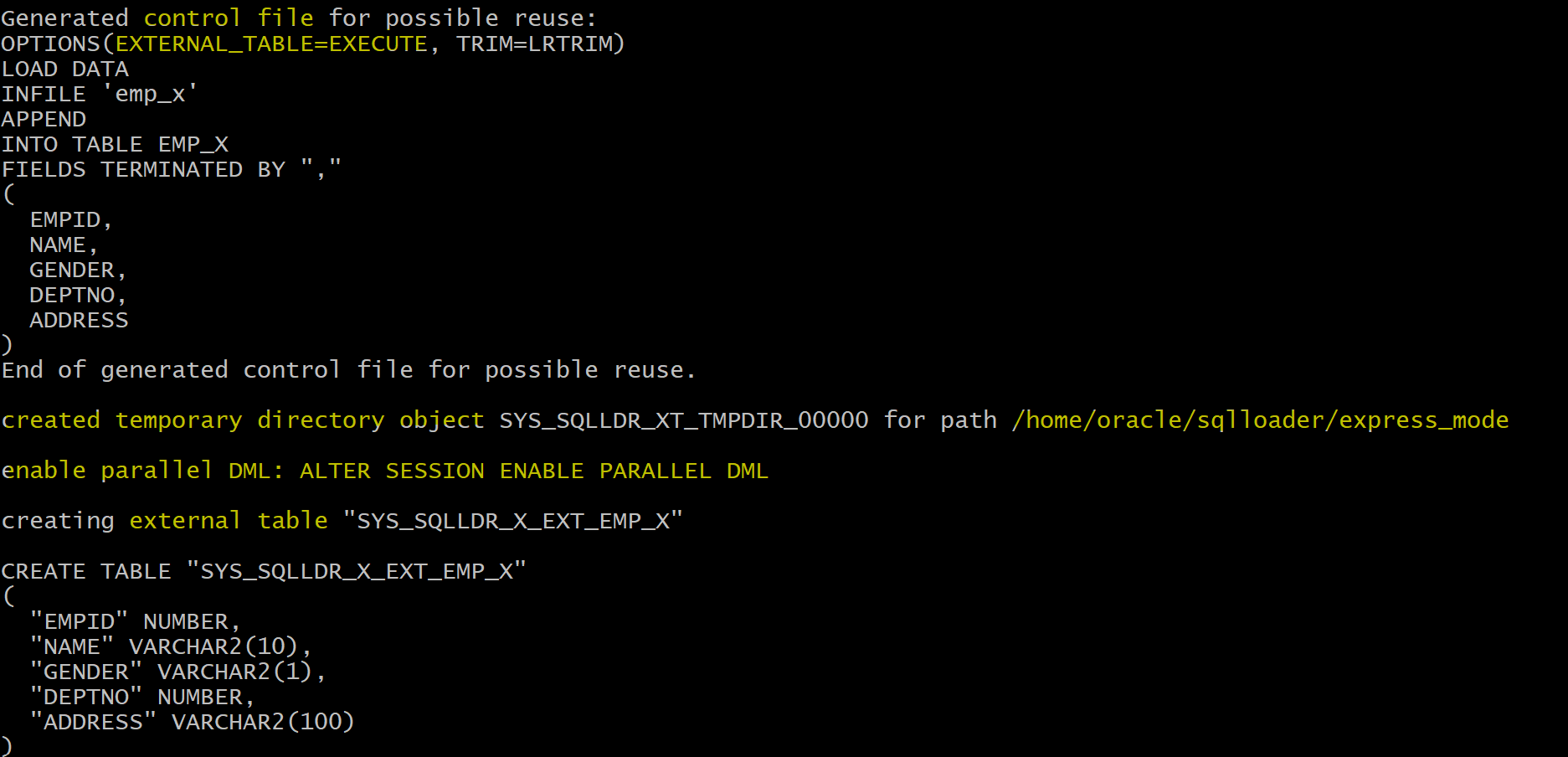
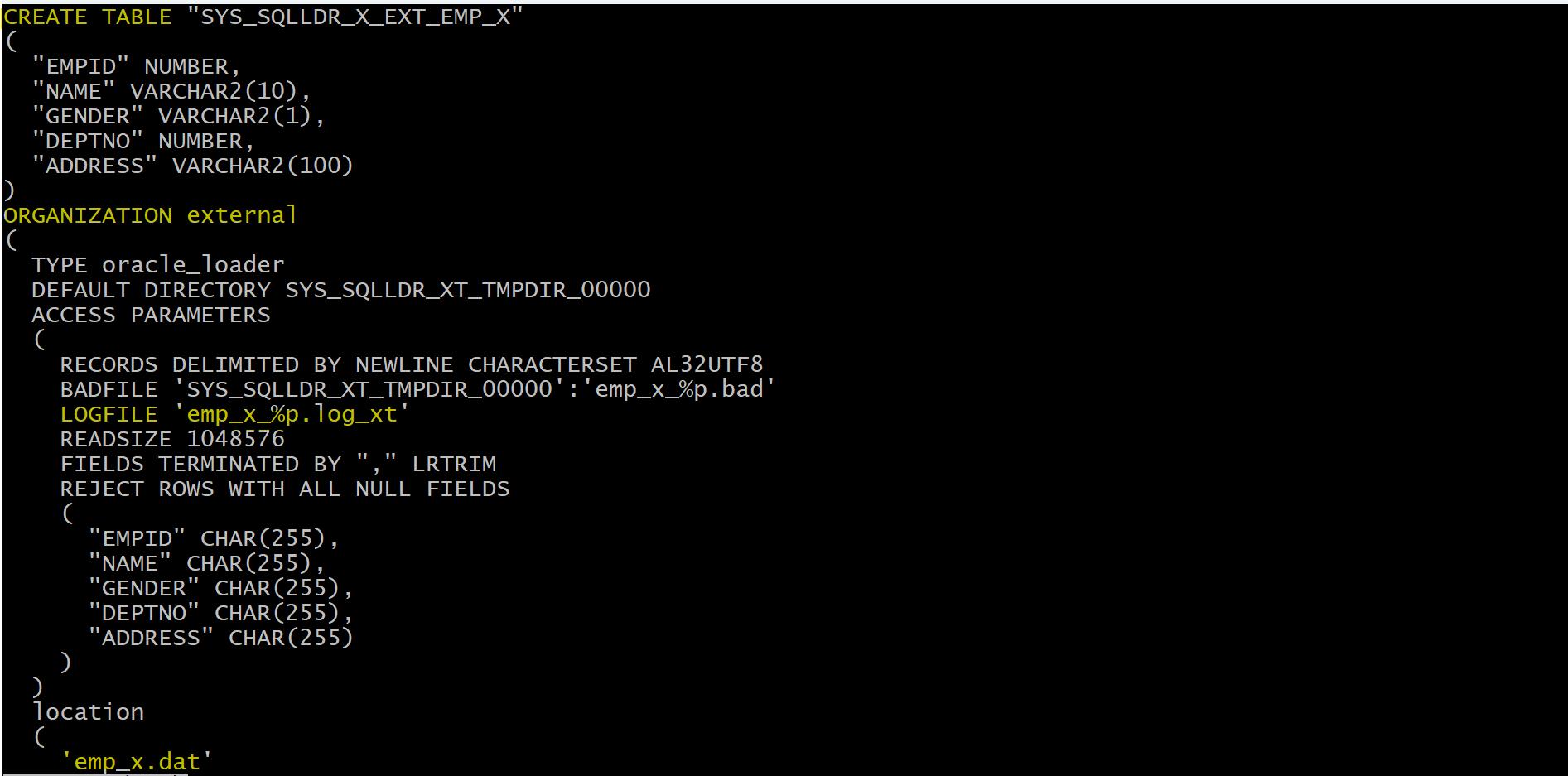
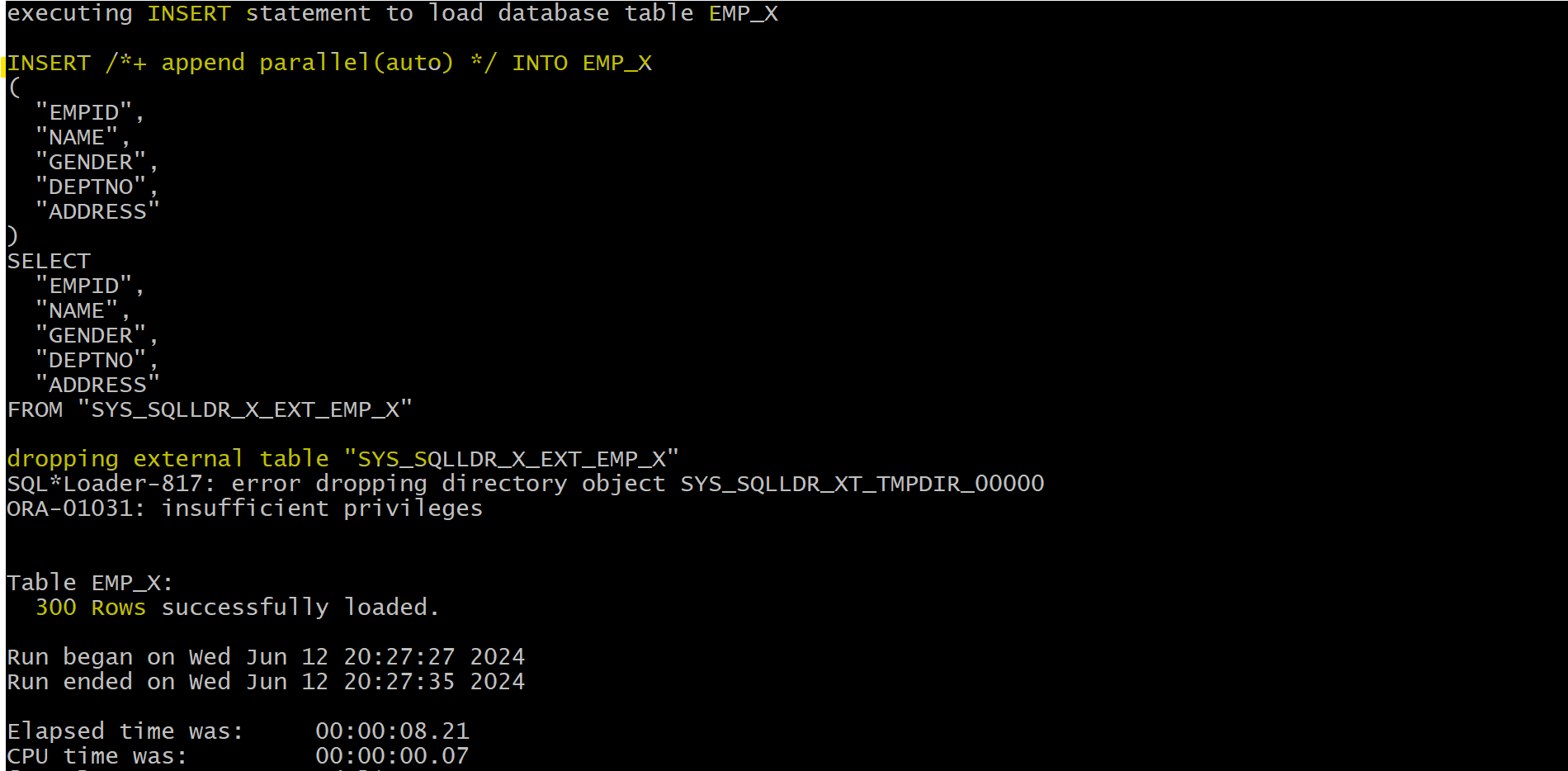
- SQL*Loader first created a temporary
external table, used theexternal tableto load the content of the external data file into the table, and finally dropped the temporaryexternal table.- The command will generate the log file and
.log_xtfile
- Log file
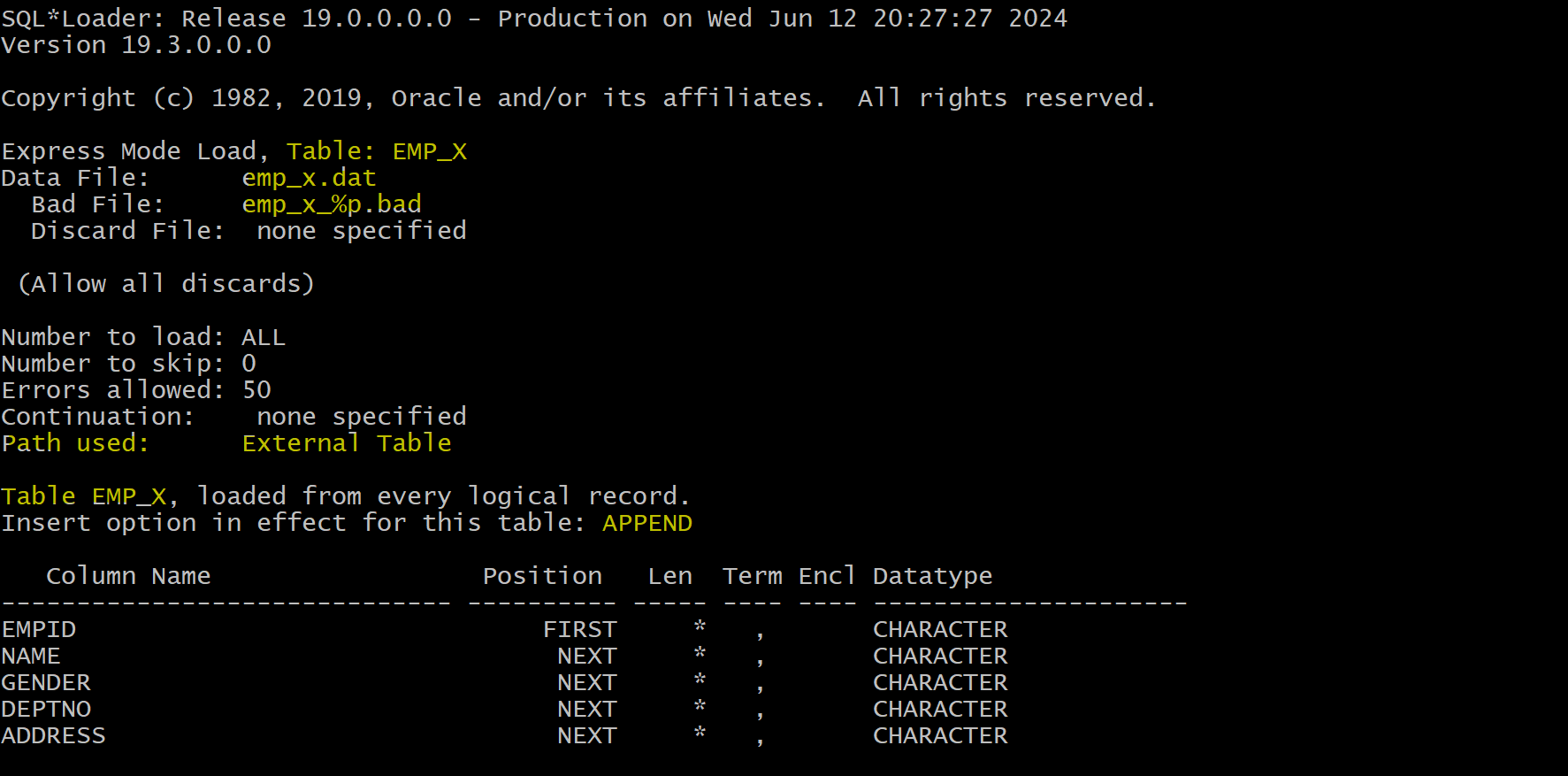
- Confirm
select count(*) from emp_x;
-- 300
Load Valid Data without external tb
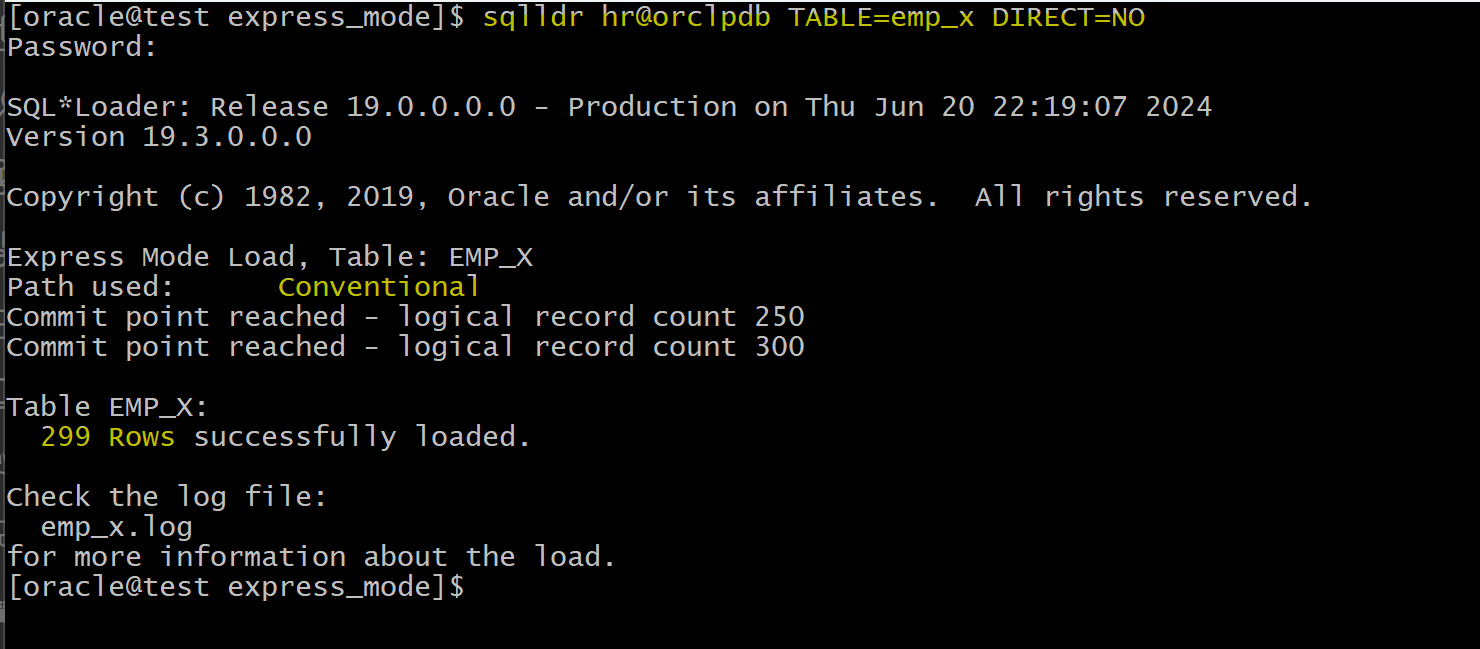
- without external tb = conventional load
-- existing data
delete from emp_x;
commit;
sqlldr hr@orclpdb TABLE=emp_x DIRECT=NO
Load Valid Data with direct load
sqlldr hr@orclpdb TABLE=emp_x DIRECT=YES
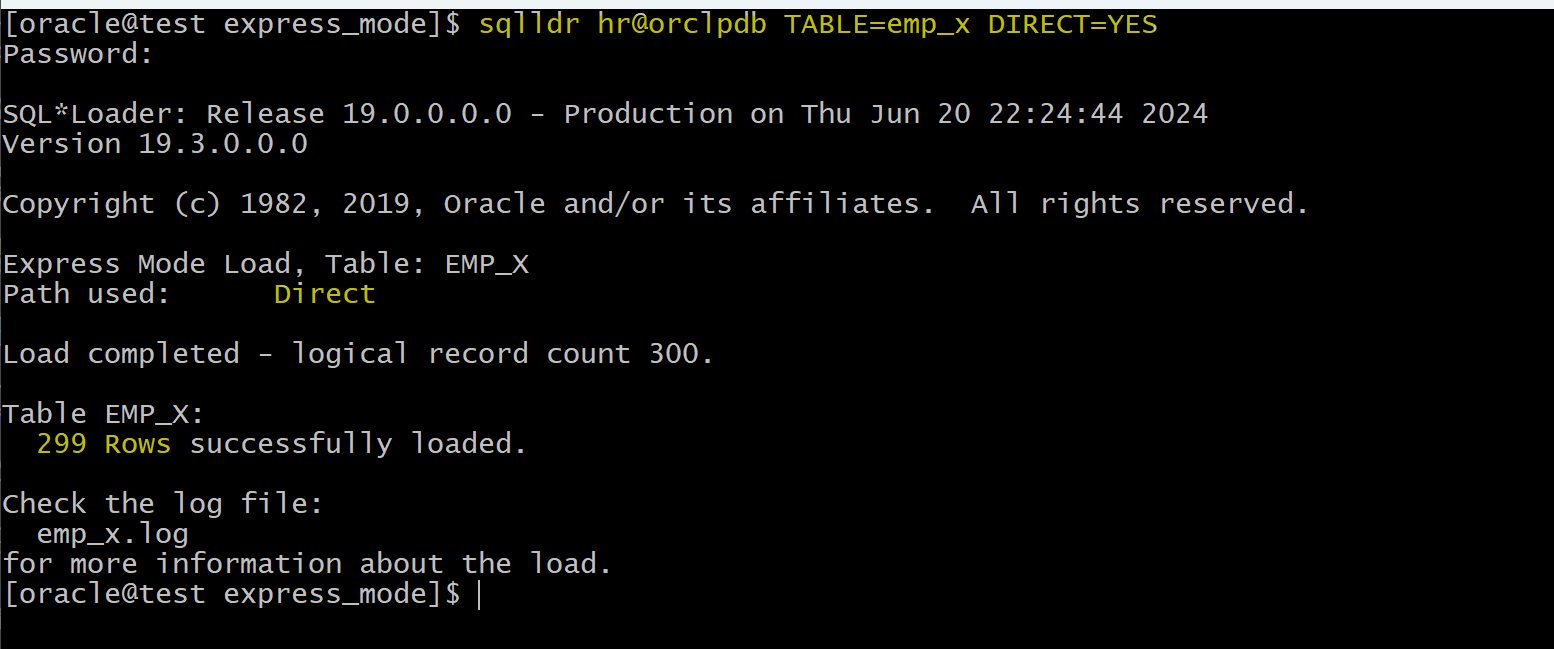
Loader uses direct path the constraints are disabled all valid rows are inserted.
- verify
SELECT count(*) FROM emp_x
ORDER BY 1;
-- 598

select constraint_type, status
from user_constraints
where table_name='EMP_X';
--C	ENABLED
--R	DISABLED
--C	DISABLED
--P	DISABLED
--U	DISABLED
Load Data violating PK
- Clear existing data
delete from emp_x;
commit;
- change and load data
vi /home/oracle/sqlloader/express_mode/emp_x.dat
# 1,KH280,M,1,NA

sqlldr hr@orclpdb TABLE=emp_x
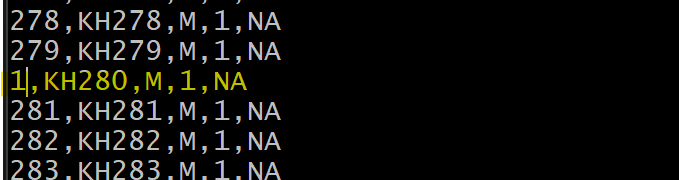
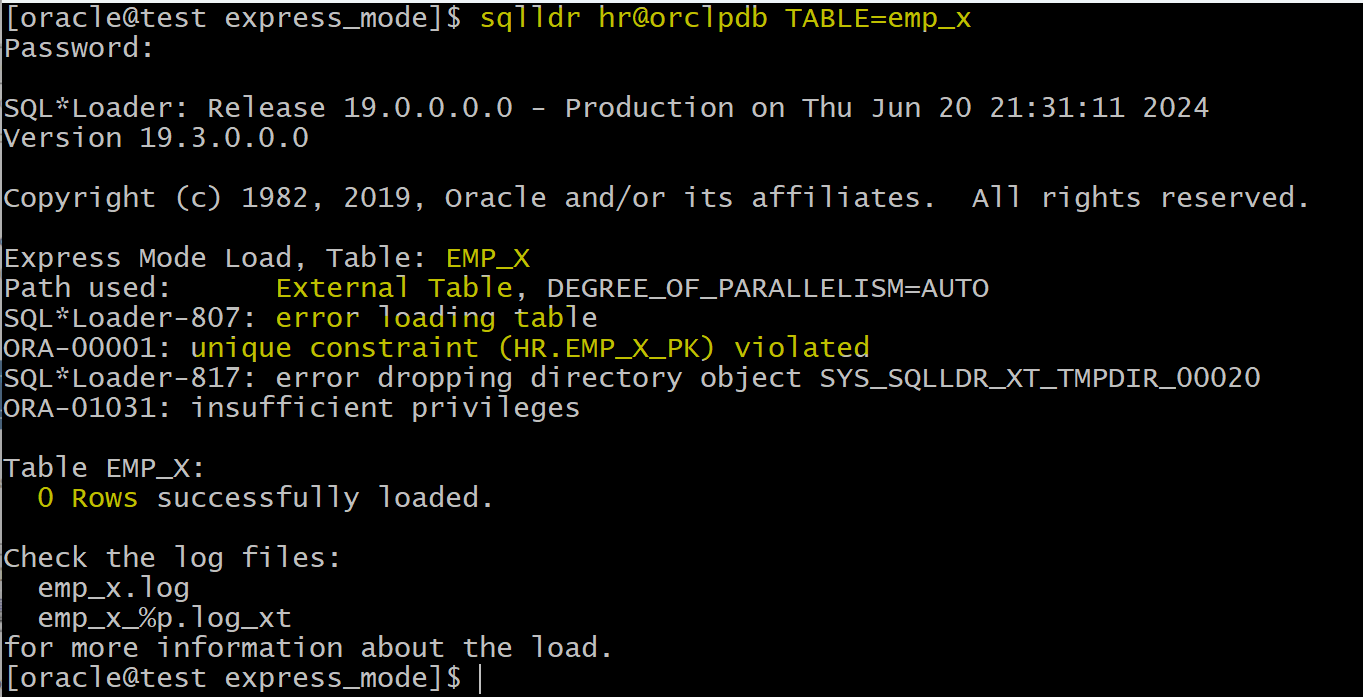
If any of the constraint has been violated, Oracle will not continue the loading.
Load Data violating unique constraint
- Change
vi /home/oracle/sqlloader/express_mode/emp_x.dat
# 280,KH1,M,1,NA

sqlldr hr@orclpdb TABLE=emp_x

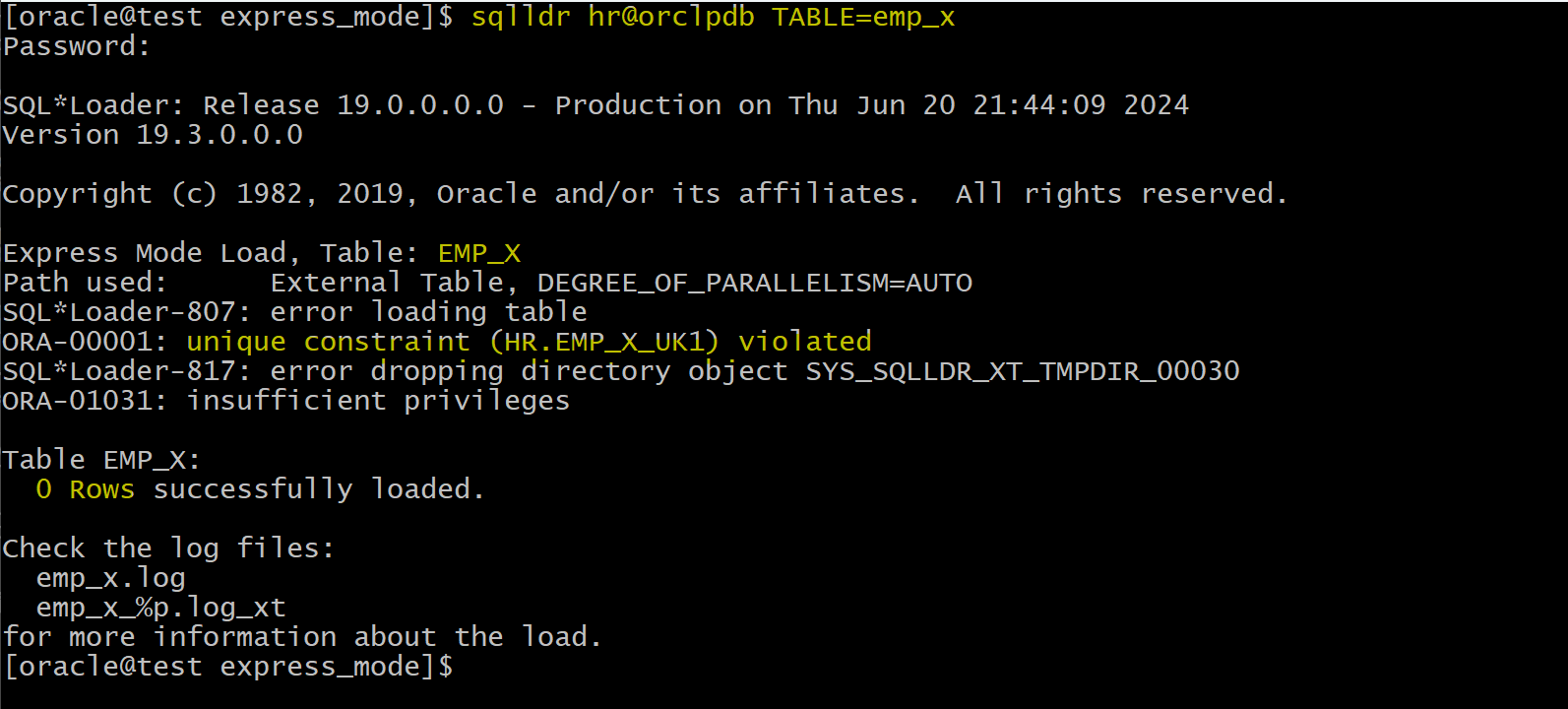
If any of the constraint has been violated, Oracle will not continue the loading.
Load Data violating length of column
-- existing data
delete from emp_x;
commit;
- Change data
vi /home/oracle/sqlloader/express_mode/emp_x.dat
# 280,KH28888888888888888888888888888,M,1,NA

sqlldr hr@orclpdb TABLE=emp_x
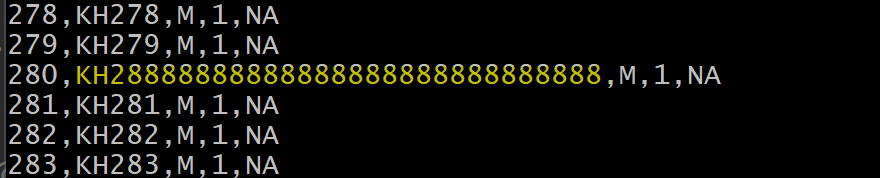
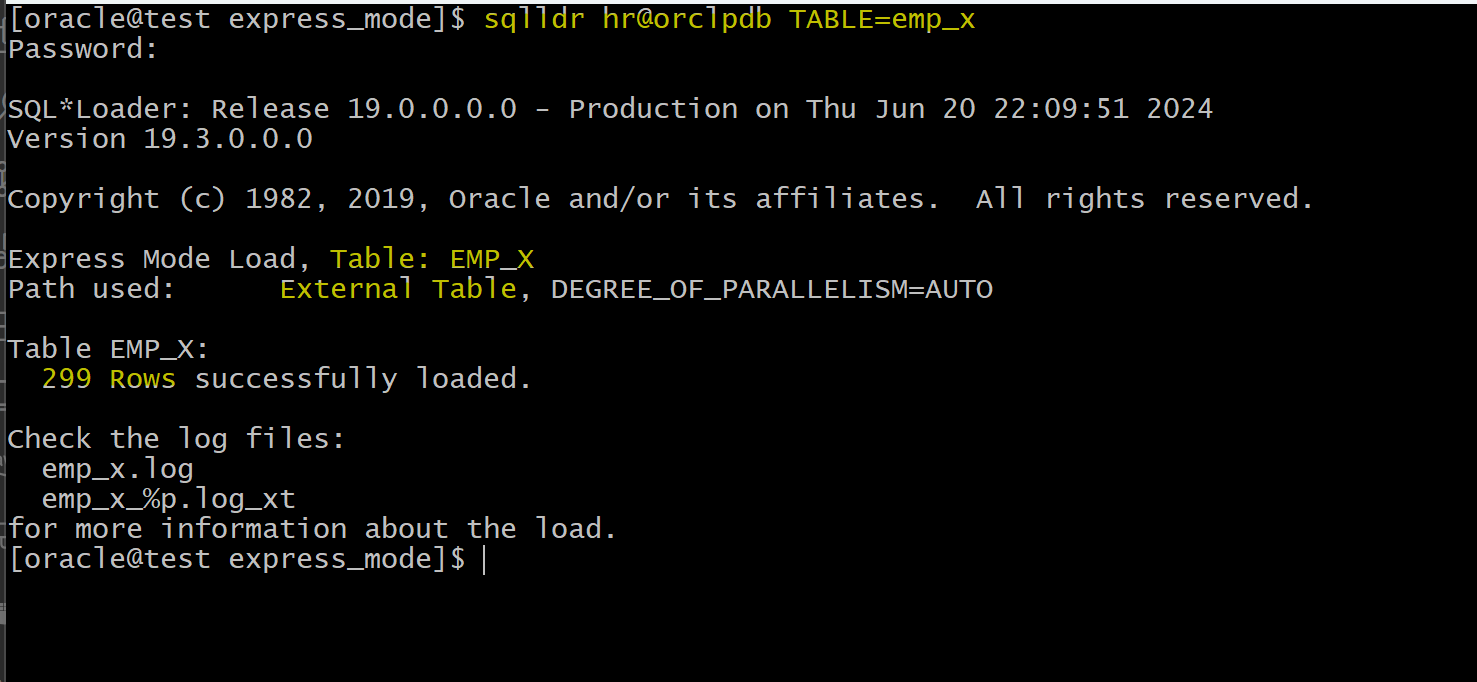
If a row violate the length of a colum, this row will not insert. A bad file will be created.
- verify
select count(*)
from emp_x;
-- 299
####