Note_Tech
All technological notes.
Project maintained by simonangel-fong Hosted on GitHub Pages — Theme by mattgraham
DBA - Net Service: Listener Control Utility
Listener Control Utility
Listener Control Utility:- enables you to administer listeners
| Command | Description |
|---|---|
START |
start the named listener. |
STOP |
stop the named listener. |
STATUS |
display basic status information |
SERVICES |
obtain information about the database services |
RELOAD |
reread the listener.ora file |
SHOW |
view the current parameter values |
VERSION |
display the current version |
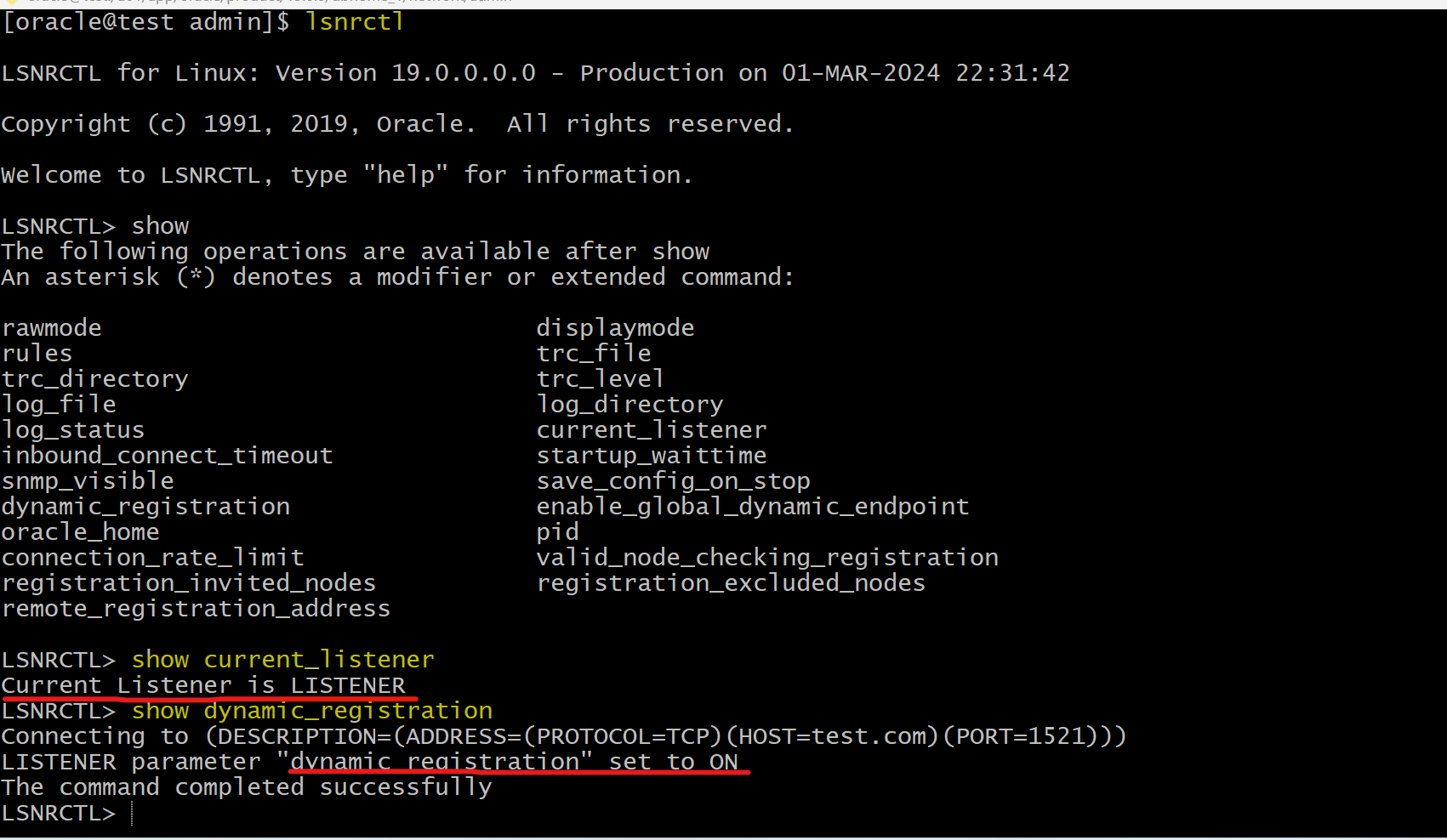
Lab: Show current listener’s information
show current listener
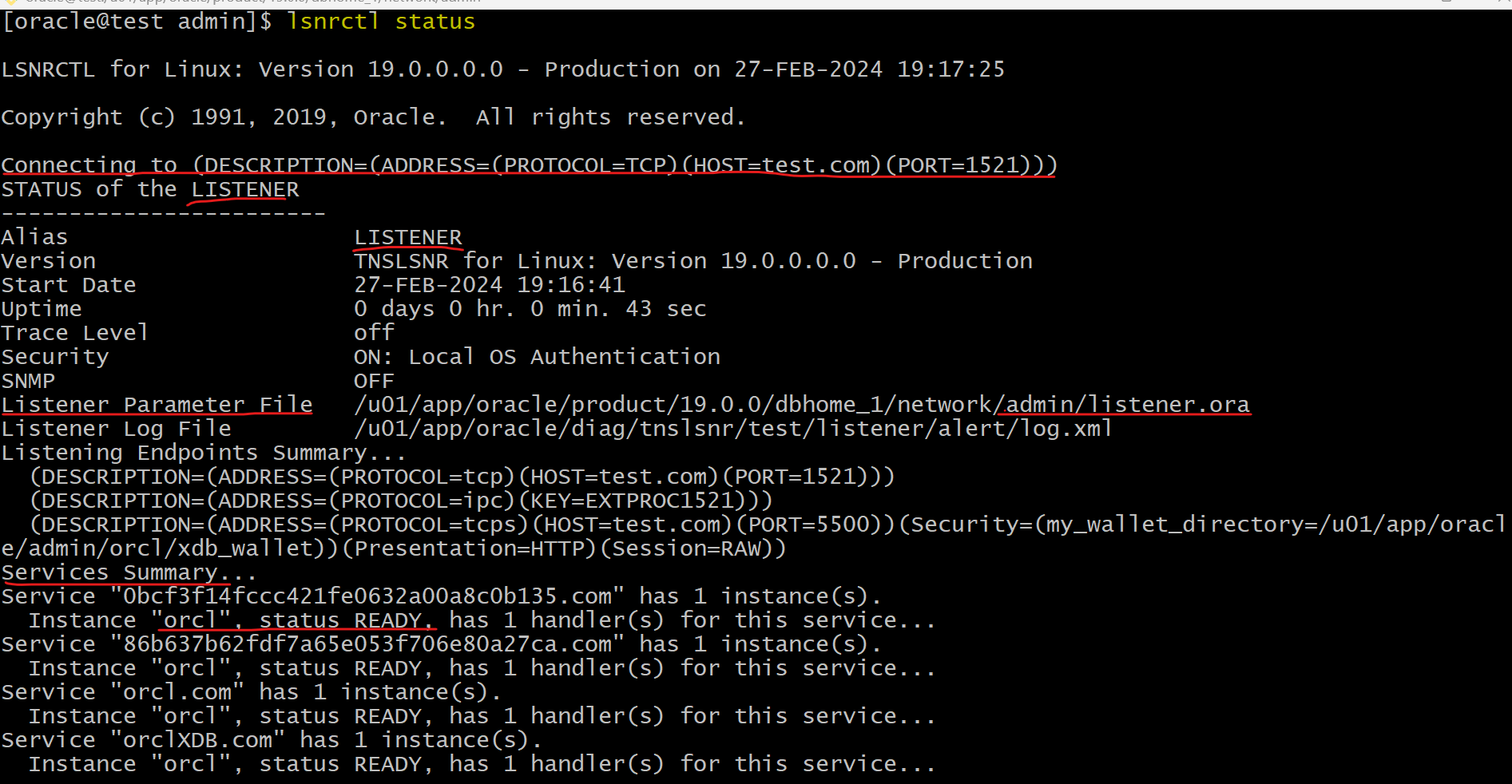
Lab: Get Listener’s status
- To show the status the listener
# using default listener name LISTENER
lsnrctl STATUS

# listener_name is the name of the listener defined in the listener.ora file.
lsnrctl STATUS [listener_name]
Connecting to (DESCRIPTION=(ADDRESS=(PROTOCOL=ipc)(KEY=net)))
STATUS of the LISTENER
------------------------
Alias                     LISTENER
Version                   TNSLSNR for Linux: Version 23.1.0.0.0
Start Date                15-JULY-2022 20:22:00
Uptime                    65 days 10 hr. 5 min. 22 sec
Trace Level               support
Security                  OFF
Listener Parameter File   /oracle/admin/listener.ora
Listener Log File         /oracle/network/log/listener.log
Listener Trace File       /oracle/network/trace/listener.trc
Listening Endpoints Summary...
  (DESCRIPTION=(ADDRESS=(PROTOCOL=ipc)(KEY=net)))
  (DESCRIPTION=(ADDRESS=(PROTOCOL=tcp)(HOST=sales-server)(PORT=1521)))
  (DESCRIPTION=(ADDRESS=(PROTOCOL=tcps)(HOST=sales-server)(PORT=2484)))

Services Summary...
Service "sales.us.example.com" has 1 instance(s).
  Instance "sales", status READY, has 3 handler(s) for this service...
Service "hr.us.example.com" has 1 instance(s).
  Instance "hr", status READY, has 2 handler(s) for this service...
The command completed successfully
Lab: Start and stop the Listener
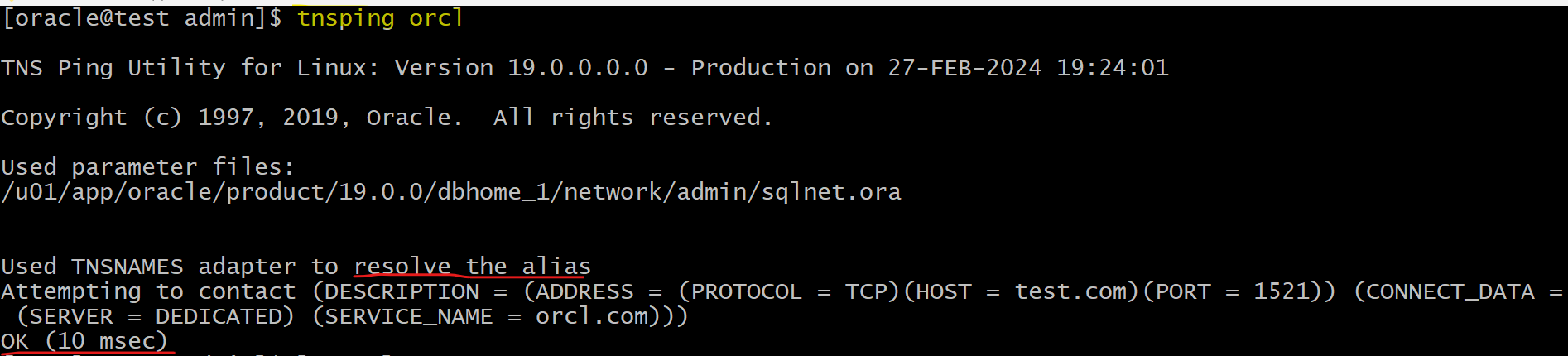
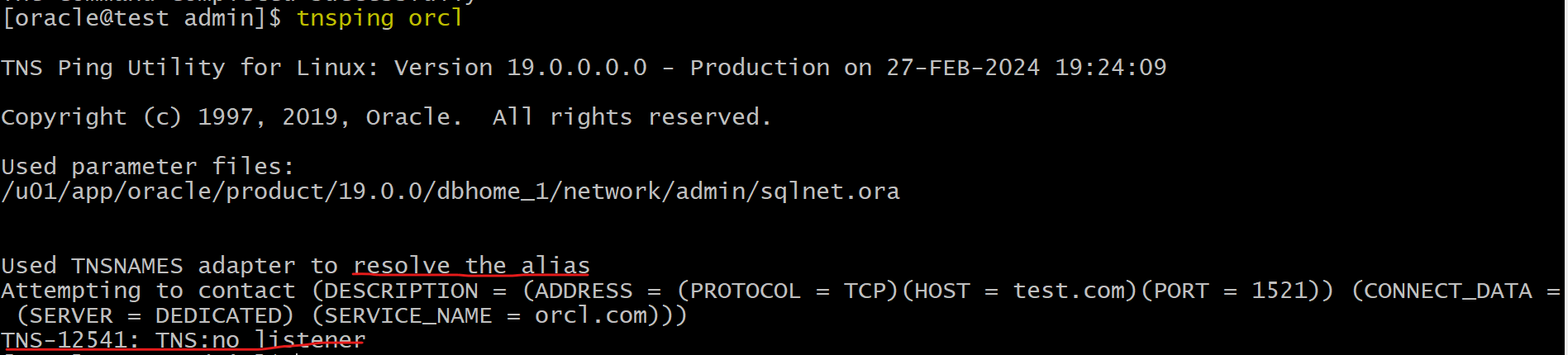
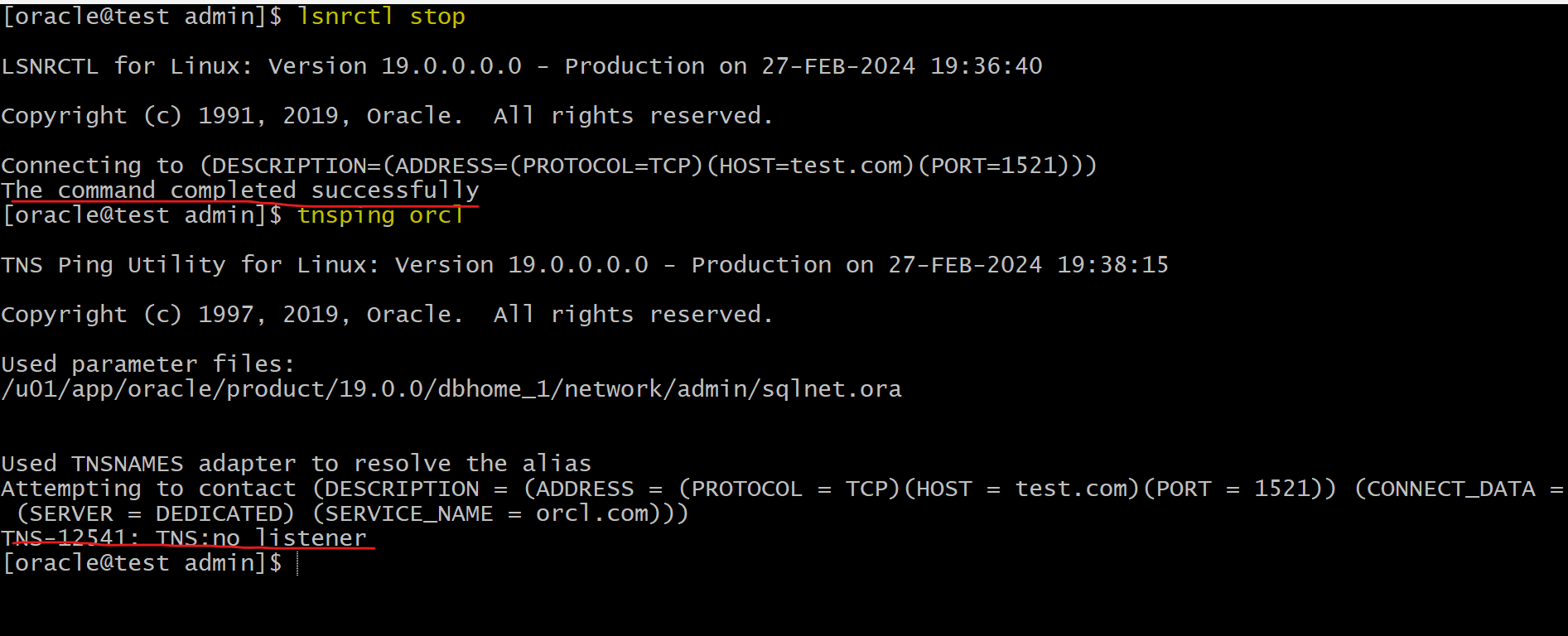
- Stop Listener
# using default listener name LISTENER
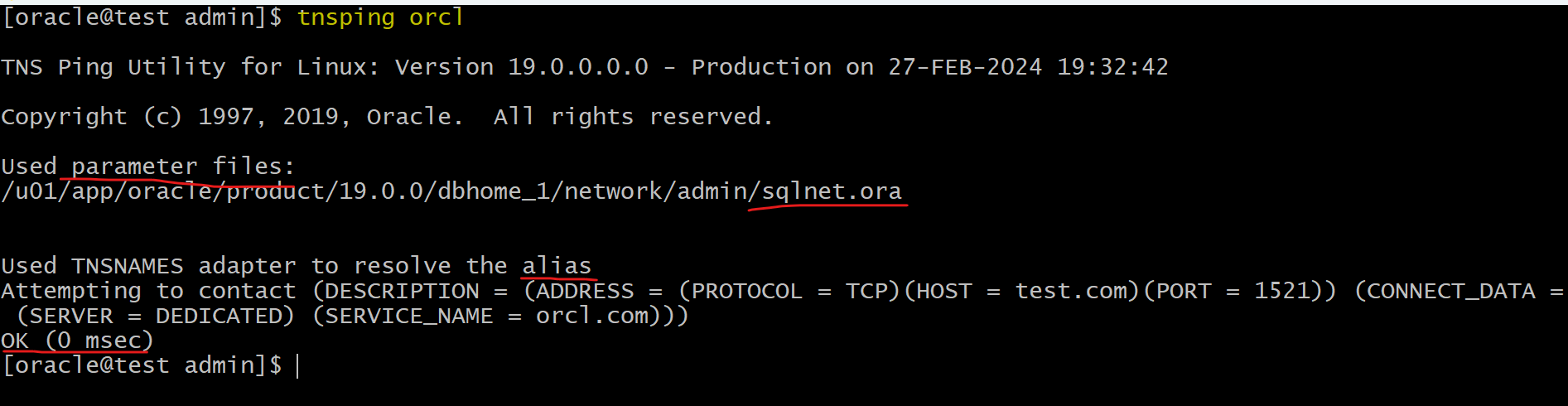
tnsping orcl
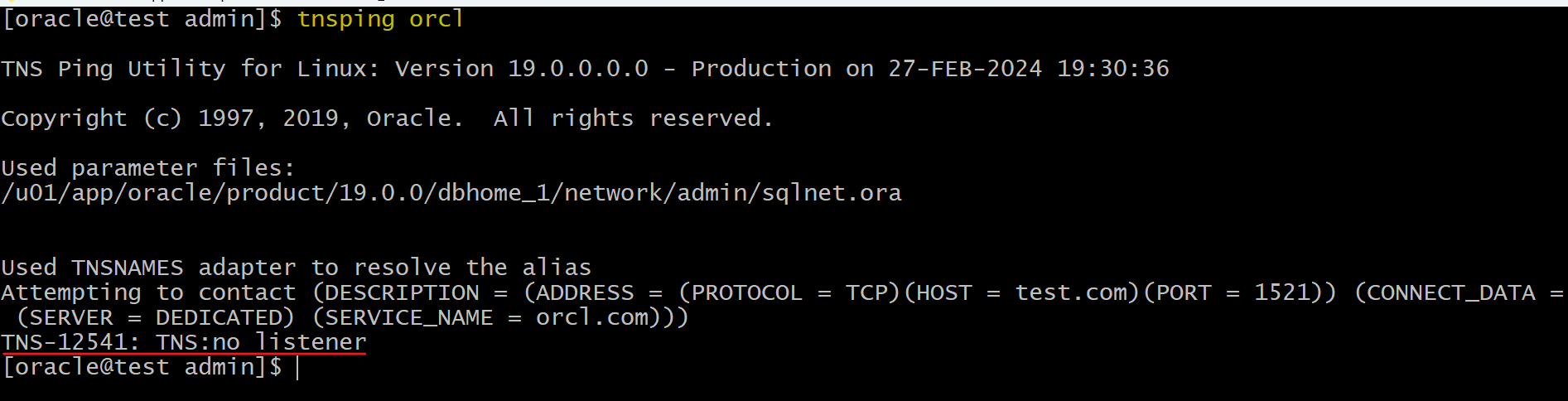
lsnrctl STOP
# lsnrctl STOP [listener_name]
# listener_name is the name of the listener defined in the listener.ora file.
tnsping orcl

- Start listener:
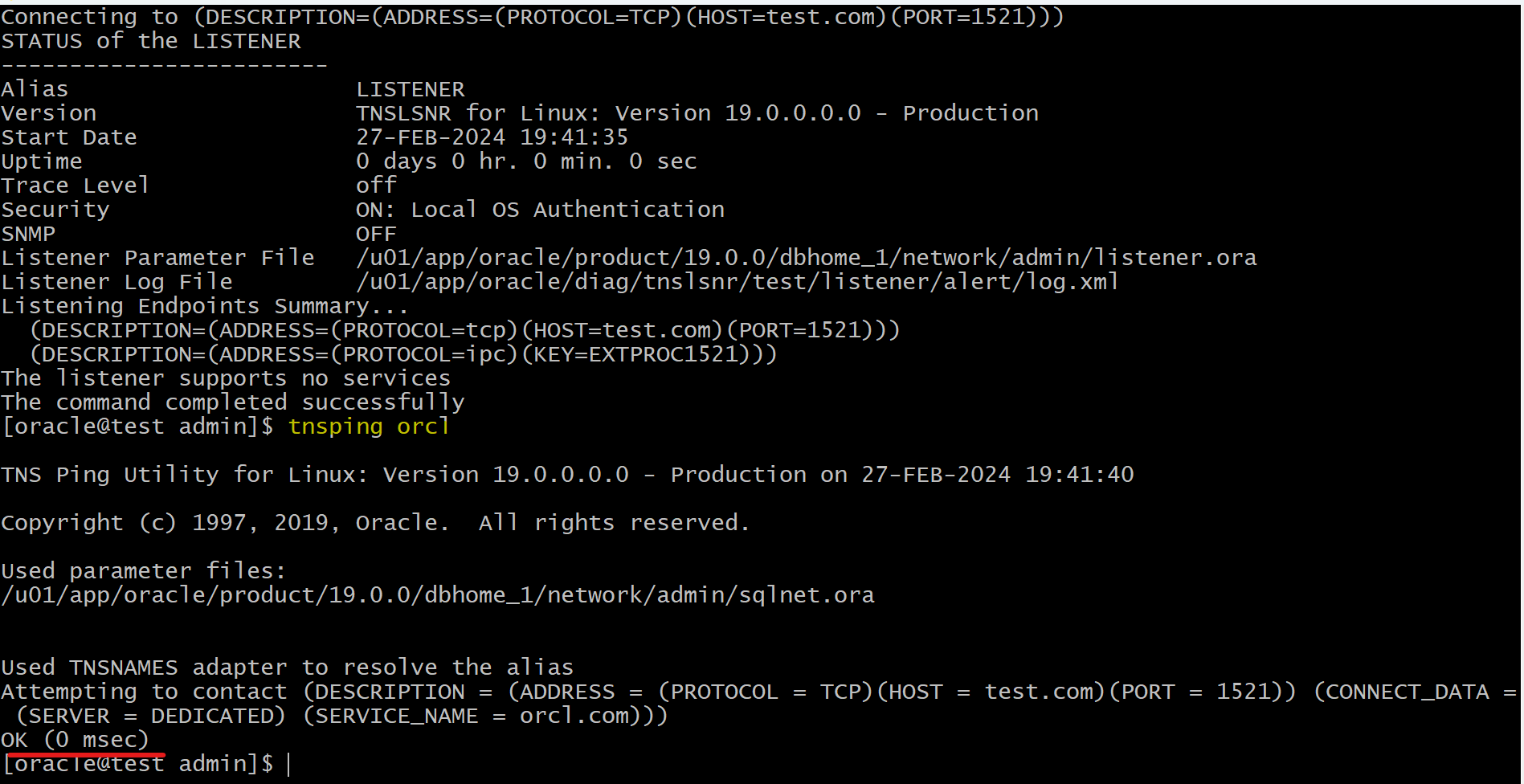
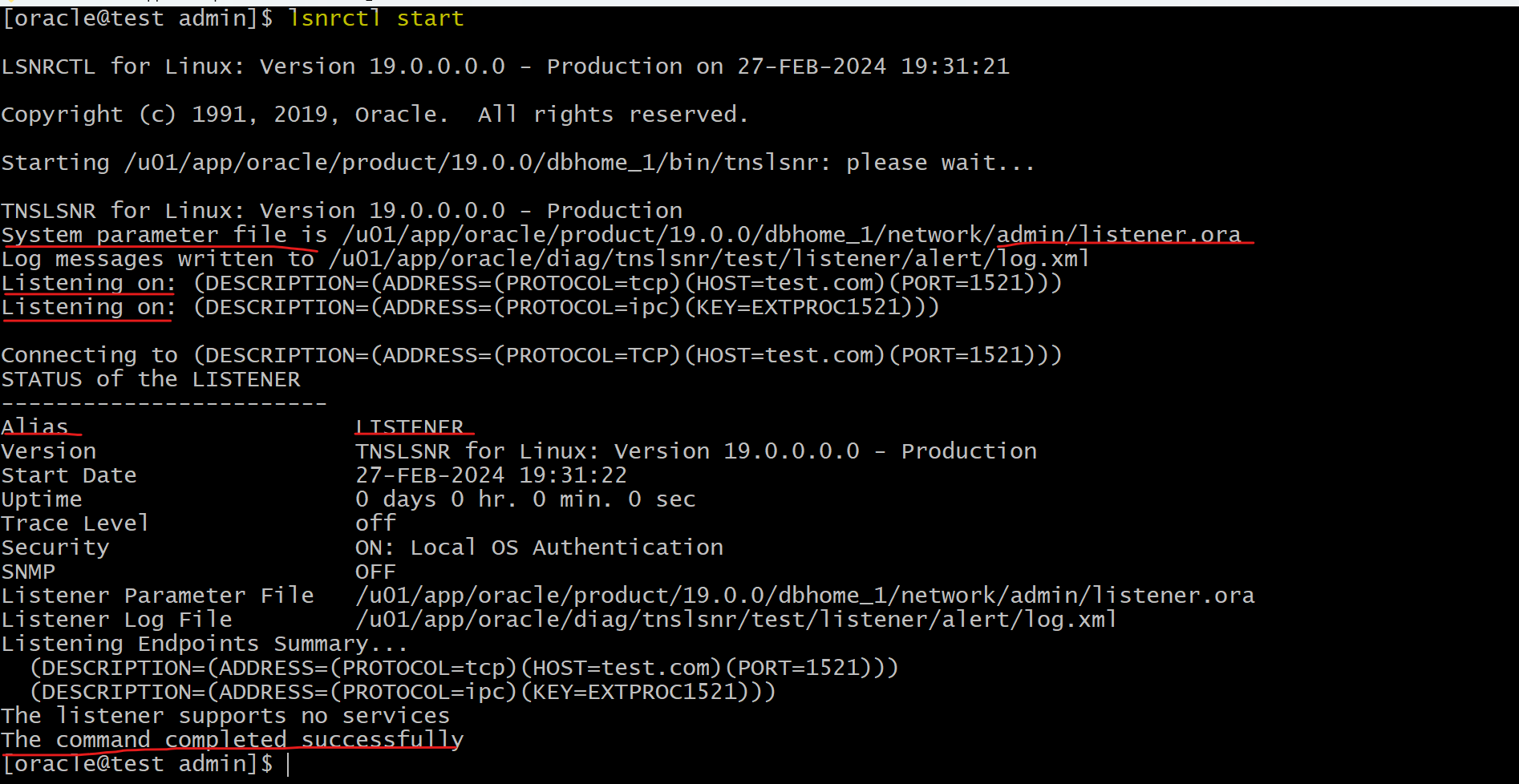
- note: when starting listener, it will prompt that
The listener supports no servers.- This is because it takes 60 seconds for LREG to register.
- After 60 seconds, it will show all the registered services.
- note: when starting listener, it will prompt that
tnsping orcl
lsnrctl START
# lsnrctl START [listener_name]
tnsping orcl
Lab: Get Services
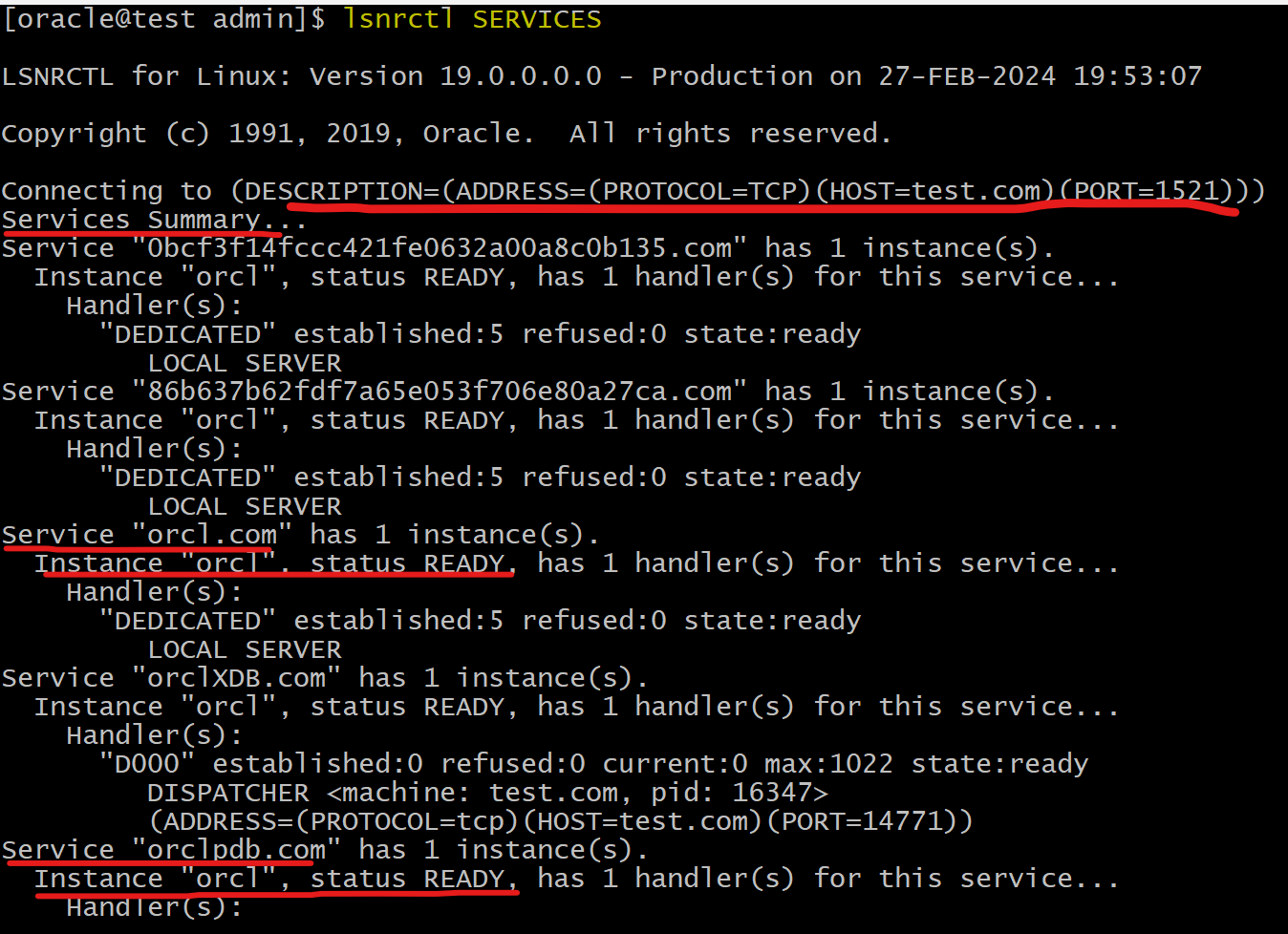
SERVICEScommand- provides detailed information about the services and instances registered with a listener and the service handlers allocated to each instance.
# using default listener name LISTENER
lsnrctl SERVICES

# listener_name is the name of the listener defined in the listener.ora file.
lsnrctl SERVICES [listener_name]
Lab: Connect with SQL Developer
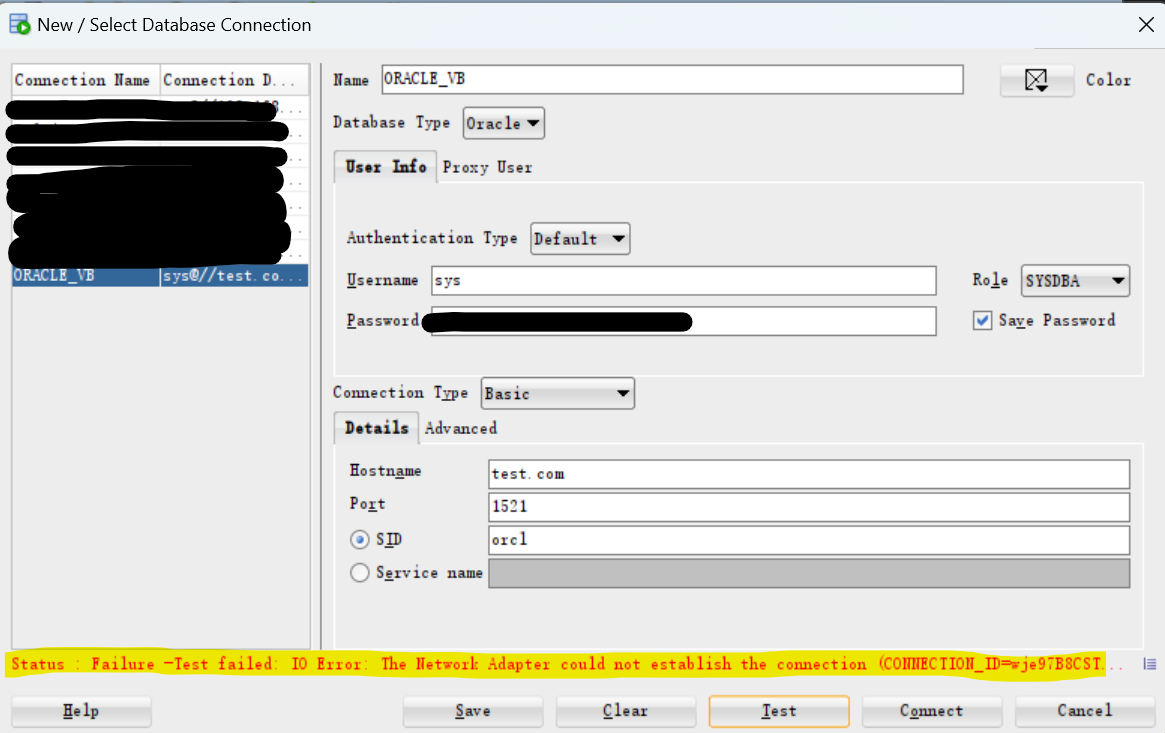
- Stop listener
- Connect with SQL Deveopler
- Error:
Status : Failure -Test failed: IO Error: The Network Adapter could not establish the connection (CONNECTION_ID=wje97B8CSTK2k9fqv37Kjg==)
- Error:
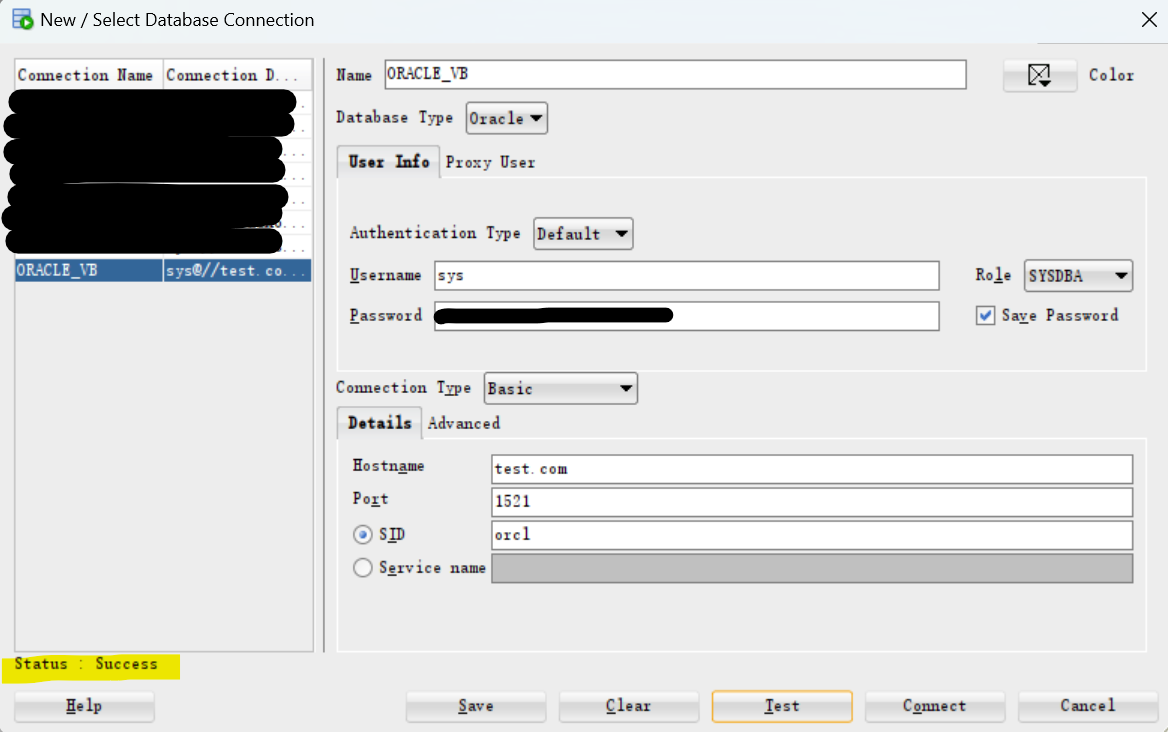
- Start listener
- Connect with SQL Deveopler: success