Note_Tech
All technological notes.
Project maintained by simonangel-fong Hosted on GitHub Pages — Theme by mattgraham
DBA Net Service - tnsnames.ora File
Client Connection
-
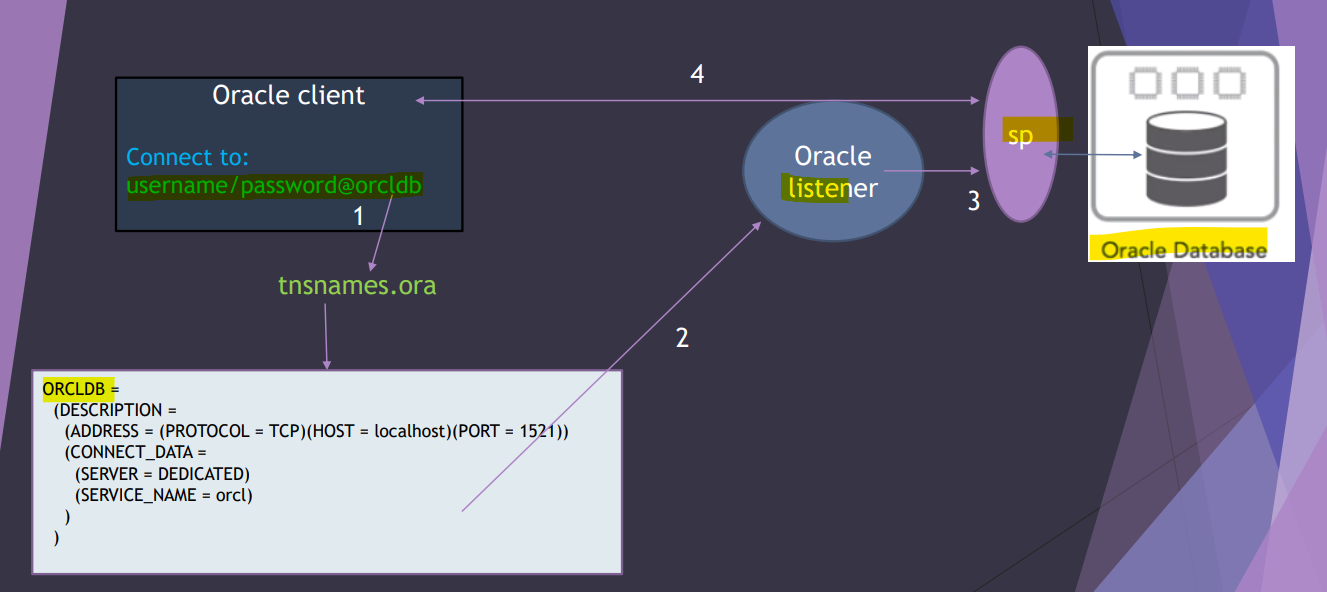
- To connect with DB, Client uses a
connection stringcontaining a tnsname.
- To connect with DB, Client uses a
-
- The Oracle client will go to the
tnsname.orato find the detail information about theconnect descriptor, specially the host name and the service name. Then, the information will be sent to theOracle listener.
- The Oracle client will go to the
-
Oracle listenerwill check whether the information is a valid.
-
- If the connection information is valid, the
Oracle listenerwill create aserver processto deal with the Oracle instance and database.
- This
server processis responsible for all the client requests.
- If the connection information is valid, the
- After the
server processis created byOracle Listener, there is no need forOracle Listener.- If the Oracle Listener is stopped, the session has been created will be still connected and valid.
- If the client closes the session and tried to open the session again, the Oracle Listener should be up and running.
- 即监听器相当于门卫, 一旦认证, 则 session 持续有效; 但 session 结束, 则需要重新认证.
tnsnames.ora File
-
tnsnames.ora- can exist in the both client and server sides as client style.
- a configuration file in Oracle Database that stores
net service namesmapped toconnect descriptorsfor establishing connections to Oracle databases.
-
Oracle client will need to know the following:
- The hostname where is the listener is running
- Port number
- Listener protocol
- Name of the service that the listener is handling
- Example:
# tnsnames.ora Network Configuration File: /u01/app/oracle/product/19.0.0/dbhome_1/network/admin/tnsnames.ora
# Generated by Oracle configuration tools.

# Lo
LISTENER_ORCL =
  (ADDRESS = (PROTOCOL = TCP)(HOST = test.com)(PORT = 1521))


ORCL =
  (DESCRIPTION =
    (ADDRESS = (PROTOCOL = TCP)(HOST = test.com)(PORT = 1521))
    (CONNECT_DATA =
      (SERVER = DEDICATED)
      (SERVICE_NAME = orcl.com)
    )
  )


#################################################
# LISTENER_ORCL: local listener
# ORCL:     A TNS name entry

#################################################
# ADDRESS section
#   PROTOCOL parameter: identifies the listener protocol address
#   HOST parameter:     identifies the host name.
#   PORT parameter:     identifies the port. Default = 1521
#   HTTPS_PROXY and HTTPS_PROXY_PORT parameters:
#           Optional, allow the database client connection to traverse through the organization’s forward web proxy.
#           applicable only to the connect descriptors where PROTOCOL=TCPS.
#################################################
# CONNECT_DATA section:
#   SID parameter:          identifies the system identifier (SID) of the Oracle database.
#   SERVICE_NAME parameter  identifies the service. SERVICE_NAMES initialization parameter, typically the global database name
#   INSTANCE_NAME parameter optional, identifies the database instance. useful for an Oracle RAC configuration
#   SERVER parameter        identifies the service handler type.
#        DEDICATED, default value. a dedicated server process is assigned to each user session, providing isolation and dedicated resources for that connection.
#       SHARED, multiple client connections share a common server process.
#       POOLED, typically associated with Oracle Connection Manager. The pool contains shared server processes that are dynamically allocated to client connections as needed.
- Usage:
-- Command uses a connect string that has a complete connect descriptor as the connect identifier instead of a network service name.
CONNECT hr@(DESCRIPTION=(ADDRESS=(PROTOCOL=tcp)(HOST=sales-server1)
(PORT=1521))(CONNECT_DATA=(SERVICE_NAME=sales.us.example.com)))

-- command uses a connect string that uses network service name sales as the connect identifier
CONNECT hr@sales
CONNECT hr/password@sales   # here sales represent the tnsname entry in the client machine.
Connect using a Connection String
- format of connection string
CONNECT username@connect_identifier
-
Default
Connect Identifier- Linux and UNIX:
TWO_TASKenvironment variable
- Microsoft Windows:
LOCALenvironment variable
- Usage:
- if
TWO_TASK = sales - then
CONNECT username=CONNECT username@sales
- if
- Linux and UNIX:
-
Connect identifiersused in a connect string cannot contain spaces unless enclosed within single quotation marks (‘) or double quotation marks (“).- Single quotation marks are required if double quotation marks are used in a connect identifier.
- Double quotation marks are required if single quotation marks are used in a connect identifier.
CONNECT scott@'(DESCRIPTION=(ADDRESS=(PROTOCOL=tcp)(HOST=sales-server)
(PORT=1521))(CONNECT_DATA=(SERVICE_NAME=sales.us.example.com)))'

CONNECT scott@'cn=sales, cn=OracleContext, dc=us, dc=example, dc=com'

CONNECT scott@'sales@"good"example.com'
CONNECT scott@"cn=sales, cn=OracleContext, ou=Mary's Dept, o=example"
Lab: Connect using Connection String
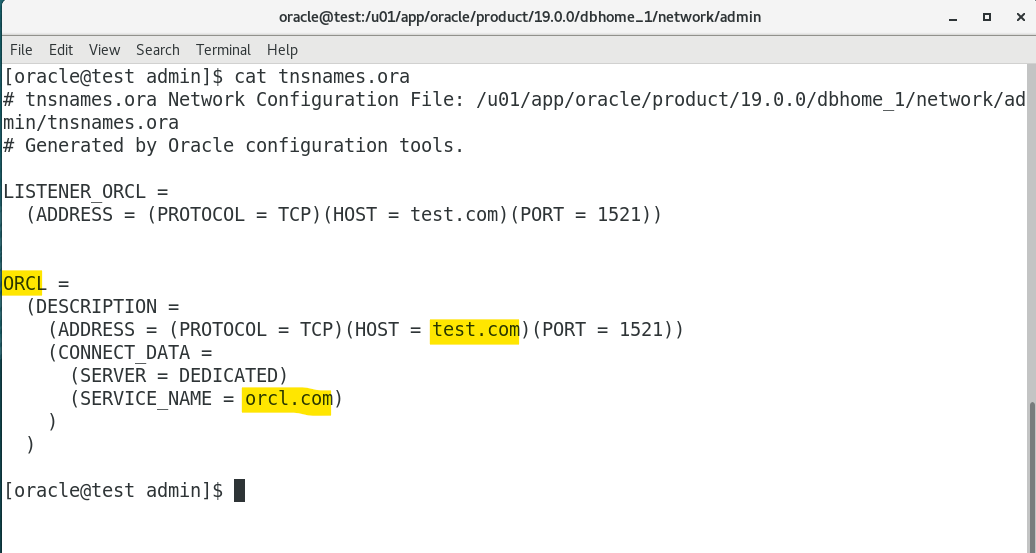
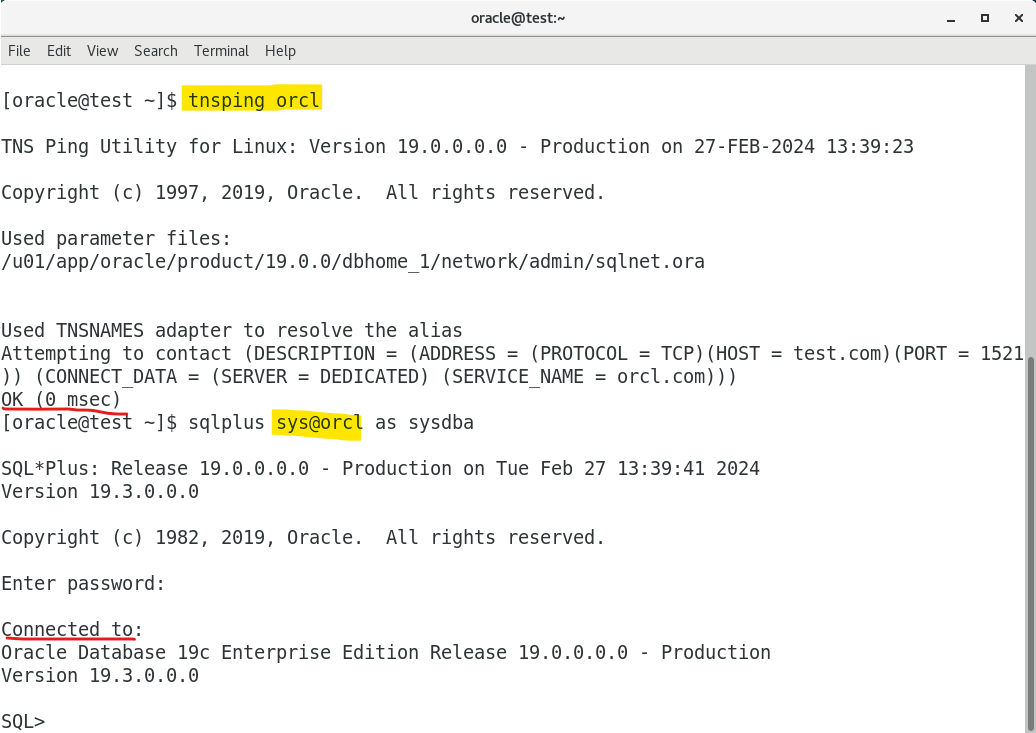
- Using net service name defined in the
tnsname.orato connect with database.
Lab: Create TNS name for PDB
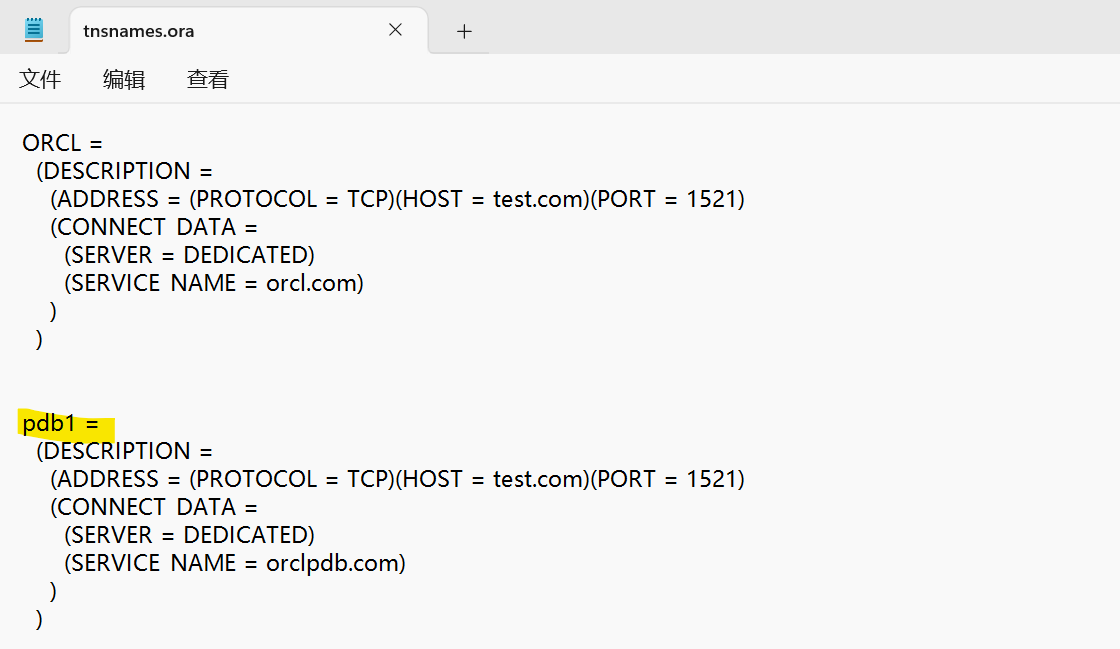
- Get the registered pdb service name from listener
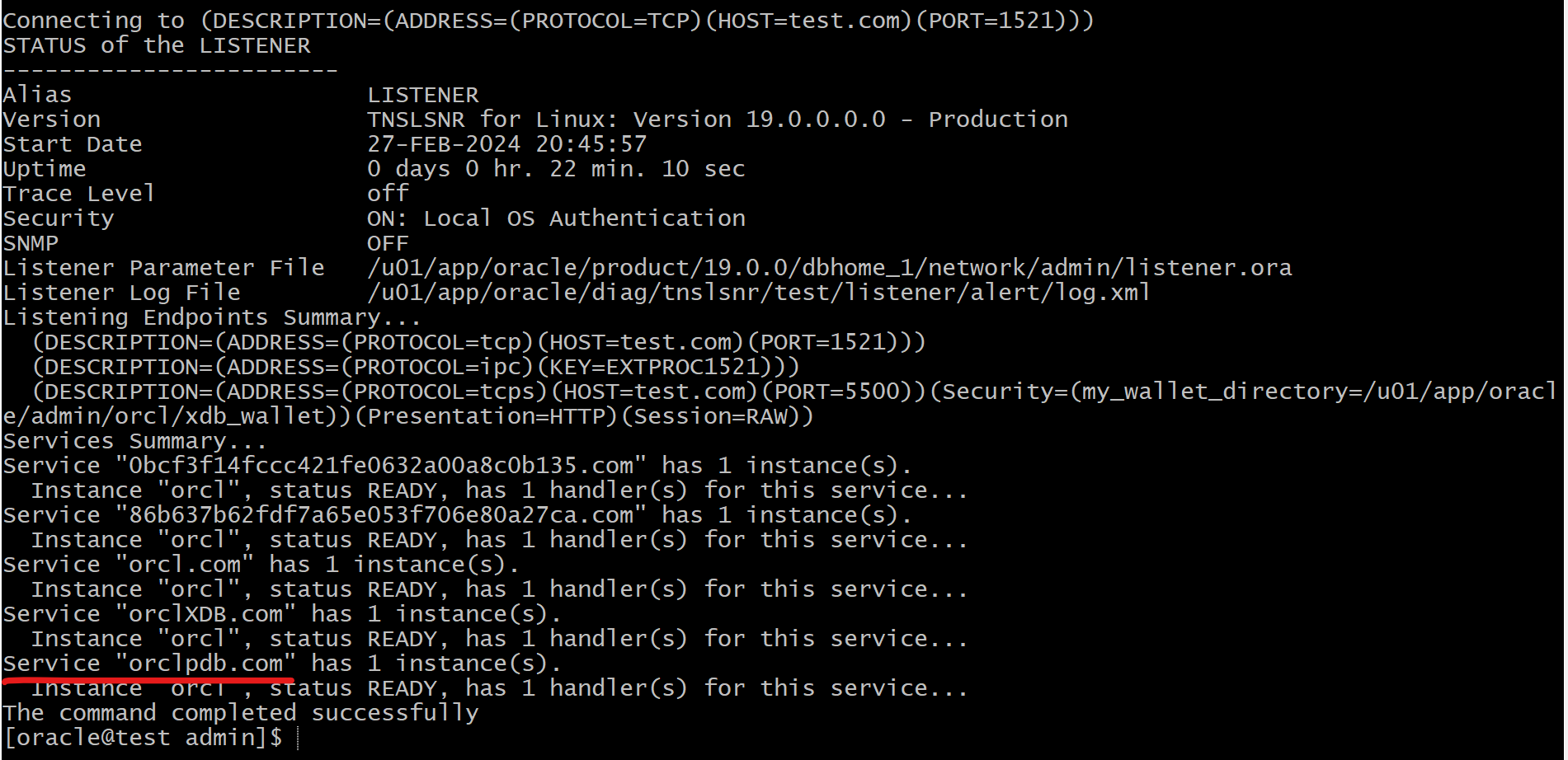
- Add entry in
tnsname.orafile
ORCLPDB =
  (DESCRIPTION =
    (ADDRESS = (PROTOCOL = TCP)(HOST = test.com)(PORT = 1521))
    (CONNECT_DATA =
      (SERVER = DEDICATED)
      (SERVICE_NAME = orclpdb.com)
    )
  )
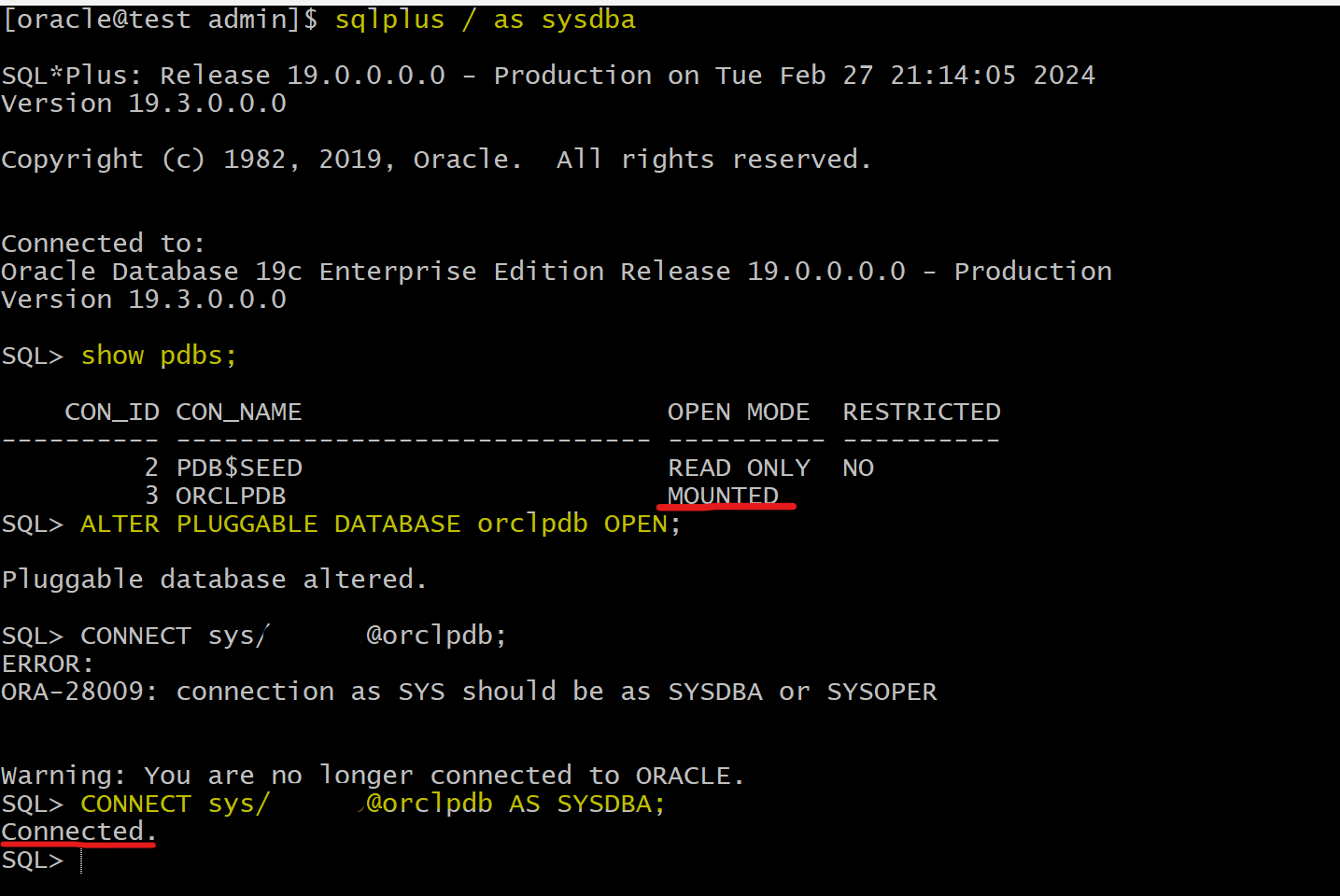
- Login PDB
sqlplus /  as sysdba

show pdbs;    # confirm the pdb is open
ALTER PLUGGABLE DATABASE orclpdb OPEN;    # open target pdb
CONNECT sys/pwd@orclpdb AS SYSDBA;    # connect to pdb
show con_name   # confirm it is in the pdb
Lab: Connect with SQL Developer using TNS Name
- remember: even though the tns names are defined in the server, it is client style(act like a client).
-
Actually, tns name can be used in the client side.
- Copy tnsname to local file “tnsnames.ora”
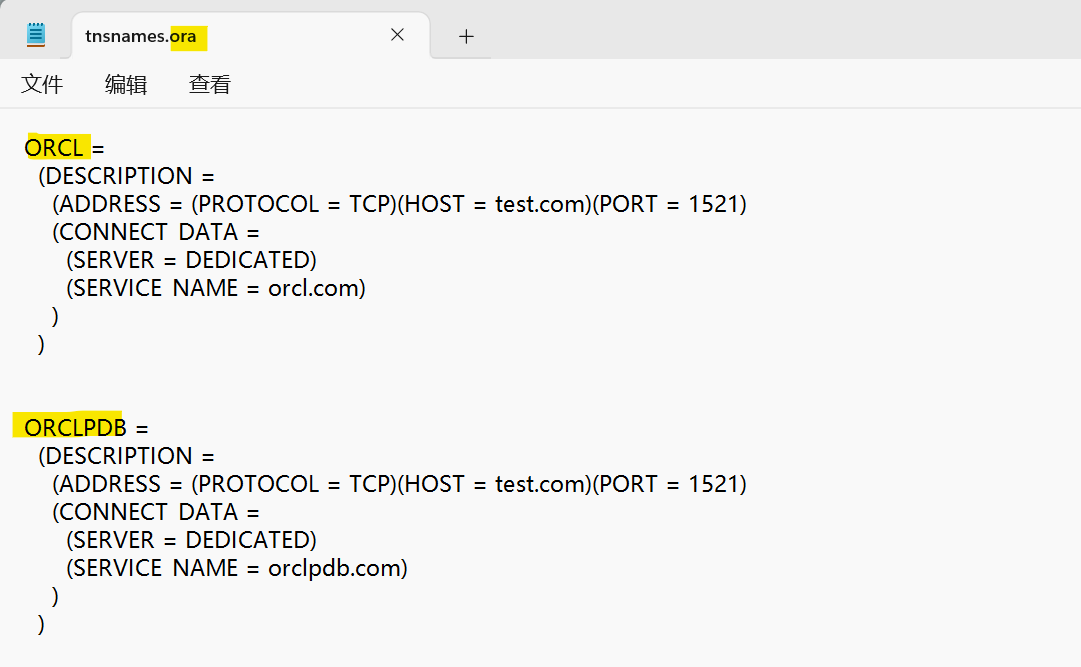
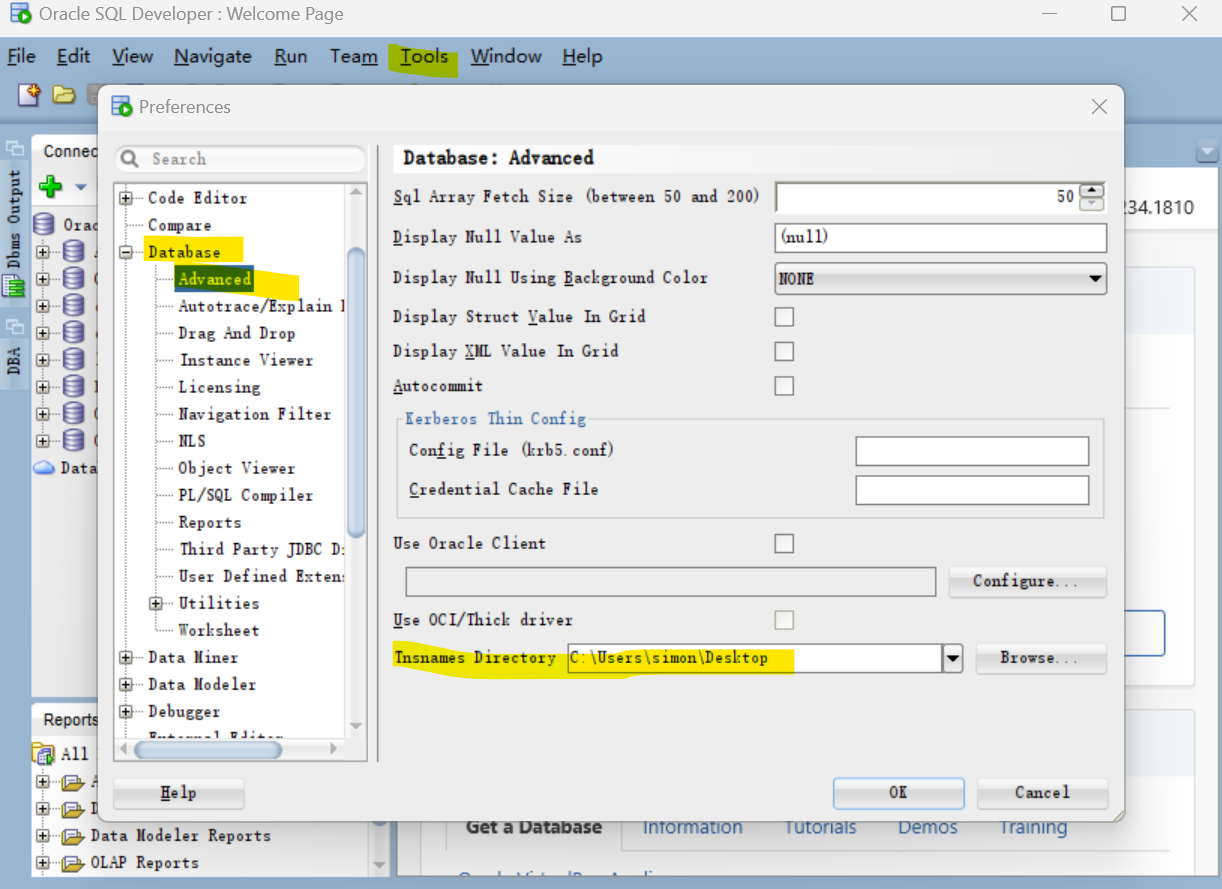
- Open SQL developer > tool > Preferences > Database > Advanced > Tnsnames Directory
- Create new connection
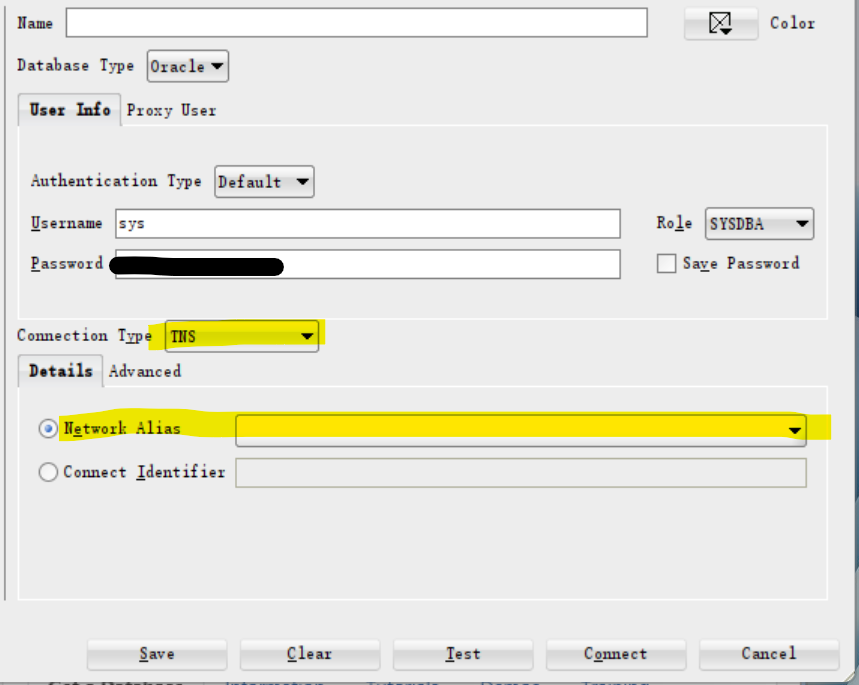
unknow reason cannot load tns names. Skip
- The TNS name, the alias, in the client side can be changed.