Note_Tech
All technological notes.
Project maintained by simonangel-fong Hosted on GitHub Pages — Theme by mattgraham
DBA - Physical Storage Architecture: Data File
- DBA - Physical Storage Architecture: Data File
Data File
data files:- the structure where the data is stored.
- Every Oracle database must have at least one data file.
Use of Data Files
-
Oracle Database physically stores
tablespacedata indata files. 存储表空间数据. -
Each
nonpartitioned schema objectand eachpartitionof an object is stored in its ownsegment, which belongs to only onetablespace.- For example, the data for a nonpartitioned table is stored in a single
segment. Segmentis stored in onetablespace.- 即 schema object 对应一个 segment; segment 对应唯一的 tbsp
- For example, the data for a nonpartitioned table is stored in a single
-
TBSPvsdata file- Each
tablespaceconsists of one or moredata files. 一个 tbsp 对应一个或多个 df - The data for a database is collectively stored in the
data fileslocated in each tablespace of the database. 数据在 df 中. - A
segmentcan span one or moredata files, but it cannot span multipletablespaces. segment 可以跨 df, 但不能跨 tbsp. - A database must have the
SYSTEMandSYSAUXtablespaces.- Oracle Database automatically allocates the first
data filesof any database for theSYSTEMtablespace during database creation.创建时, 先创建 SYSTEM tbsp 的 df. - The
SYSTEMtablespace contains thedata dictionary, a set of tables that contains database metadata. - Typically, a database also has an
undo tablespaceand atemporary tablespace(usually namedTEMP).
- Oracle Database automatically allocates the first
- Each
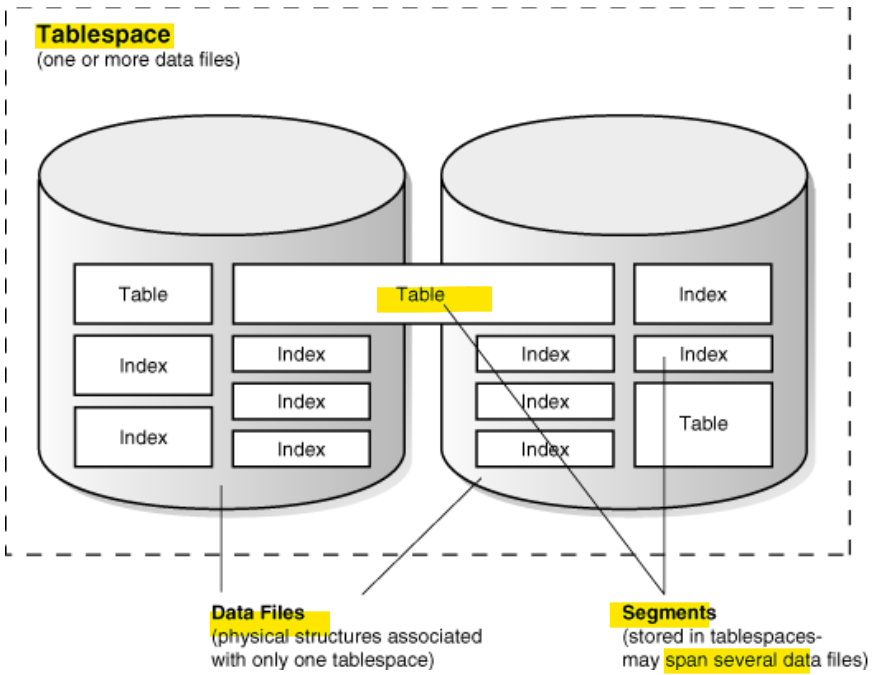
- One tbsp
- 2 DF: 一个 tbsp 可以多个 DF
- segment:
- index 和 table 都是对象, 对应相应的 segment
- segment 可以跨 df
- segment 在一个 tbsp 之下.
Permanent and Temporary Data Files
-
Permanent Data Files
- files designed to store objects(persistent
schema objects) in permanenttablespaces. - 与 permanent tbsp 关联
- files designed to store objects(persistent
-
Temporary Data Files
- files designed to store data in hash, sort, and other operations to manage temporary
tablespaces- A temporary
tablespacecontains schema objects only for the duration of a session. - also store result set data when insufficient space exists in memory.
- A temporary
- files designed to store data in hash, sort, and other operations to manage temporary
-
Temp filesvspermanent data files- Permanent database objects such as tables are never stored in
temp files. - Temp files are always set to
NOLOGGINGmode- never have
redogenerated for them. - Media recovery does not recognize
temp files.
- never have
- cannot make a temp file read-only.
- cannot create a temp file with the
ALTER DATABASEstatement. - When you create or resize temp files, they are not always guaranteed allocation of disk space for the file size specified.
- On file systems such as Linux and UNIX, temp files are created as sparse files. In this case, disk blocks are allocated not at file creation or resizing, but as the blocks are accessed for the first time.
- Permanent database objects such as tables are never stored in
-
Views:
| TEMP | Permenant | |
|---|---|---|
| dynamic performance view | V$TEMPFILE |
V$DATAFILE |
| data dictionary view | DBA_TEMP_FILES |
DBA_DATA_FILES |
- 永久归永久
- 暂时:
- 不能存永久对象
- 不能只读
- 不使用 alter db 语句创建
- nolog: 没有 redo;恢复时无法识别
- 不保证使用磁盘空间.
Online and Offline Data Files
-
Every
data fileis either online (available) or offline (unavailable). -
The database cannot access
offline data filesuntil they are brought online.离线 df 不能访问- can alter the availability of individual data files or temp files by taking them offline or bringing them online.可以改变状态.
-
The database takes a data file offline automatically if the database cannot write to it.
-
Reason to be taken offline:
- perform offline backups
- block corruption
-
TBSP: offline/online
- When a data file is taken offline in an online tablespace, the tablespace itself remains online. 其中一个 df 离线, 不影响 tbsp 在线状态
- can make all
data filesof a tablespace temporarily unavailable by taking thetablespaceitself offline. tbsp 离线, 全部 df 离线.
-
Move df:
- statement:
ALTER DATABASE MOVE DATAFILE - can move an online data file from one physical file to another while the database is open and accessing the file.可以在打开并连线时移动.
- purpose:
- Move a tablespace from one kind of storage to another
- Move data files that are accessed infrequently to lower cost storage
- Make a tablespace read-only and move its data files to write-once storage, such as a
write once read many (WORM)drive - Move a database into Oracle
ASM
- statement:
Data File Structure
-
data file header- contains metadata about the
data file- e.g., its size and checkpoint SCN.
- Each header contains
- an absolute file number, which uniquely identifies the data file within the database,
- a relative file number, which uniquely identifies a data file within a tablespace.
- 绝对文件号: 在数据库中分别文件; 相对: 在 tbsp 中分别文件.
- contains metadata about the
-
creation of a data file for a tablespace
- allocat the specified amount of disk space plus the overhead for the
data file header. - the allocated disk space is formatted but contains no
user data. - reserves the space to hold the data for future
segmentsof the associated tablespace.
- allocat the specified amount of disk space plus the overhead for the
-
As the data grows in a tablespace:
- Oracle Database uses the free space in the data files to allocate
extentsfor thesegment.
- Oracle Database uses the free space in the data files to allocate
-
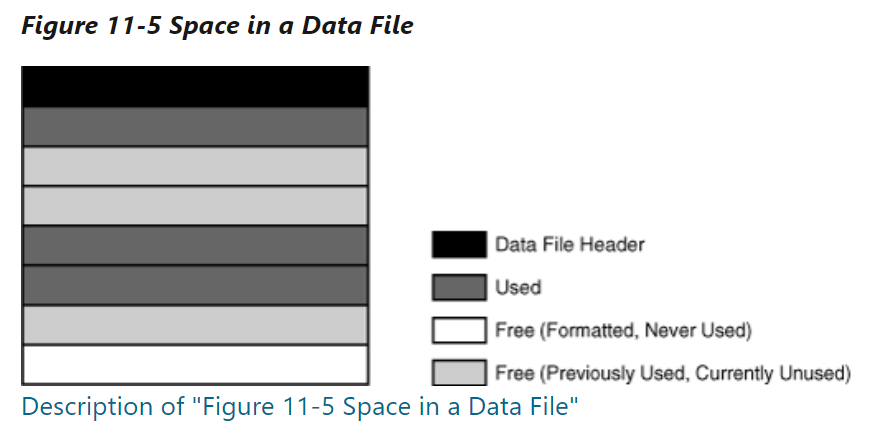
types of space in a data file:
Extentsare- either used, which means they contain segment data,
- or free, which means they are available for reuse.
fragmented free space- empty space that individually are not large enough to be reused for new data
- Over time, updates and deletions of objects within a tablespace can create
fragmented free space.
Views: Data File
- Data File
| Views | Description |
|---|---|
CDB_DATA_FILES |
describes all database files in open database. |
DBA_DATA_FILES |
describes database files. |
V$DATAFILE |
displays datafile information from the control file. |
-
Columns:
BYTES:- Size of the file in bytes
- data + meta Data
USER_BYTES:- The size of the file available for user data.
- the size without meta data
MAXBYTES:- Maximum file size in bytes
BLOCKS:- Size of the file in Oracle blocks
MAXBLOCKS:- Maximum file size in blocks
USER_BLOCKS:- Number of blocks which can be used by the data
INCREMENT_BY:- Number of tablespace blocks used as autoextension increment
Lab: Query Data File
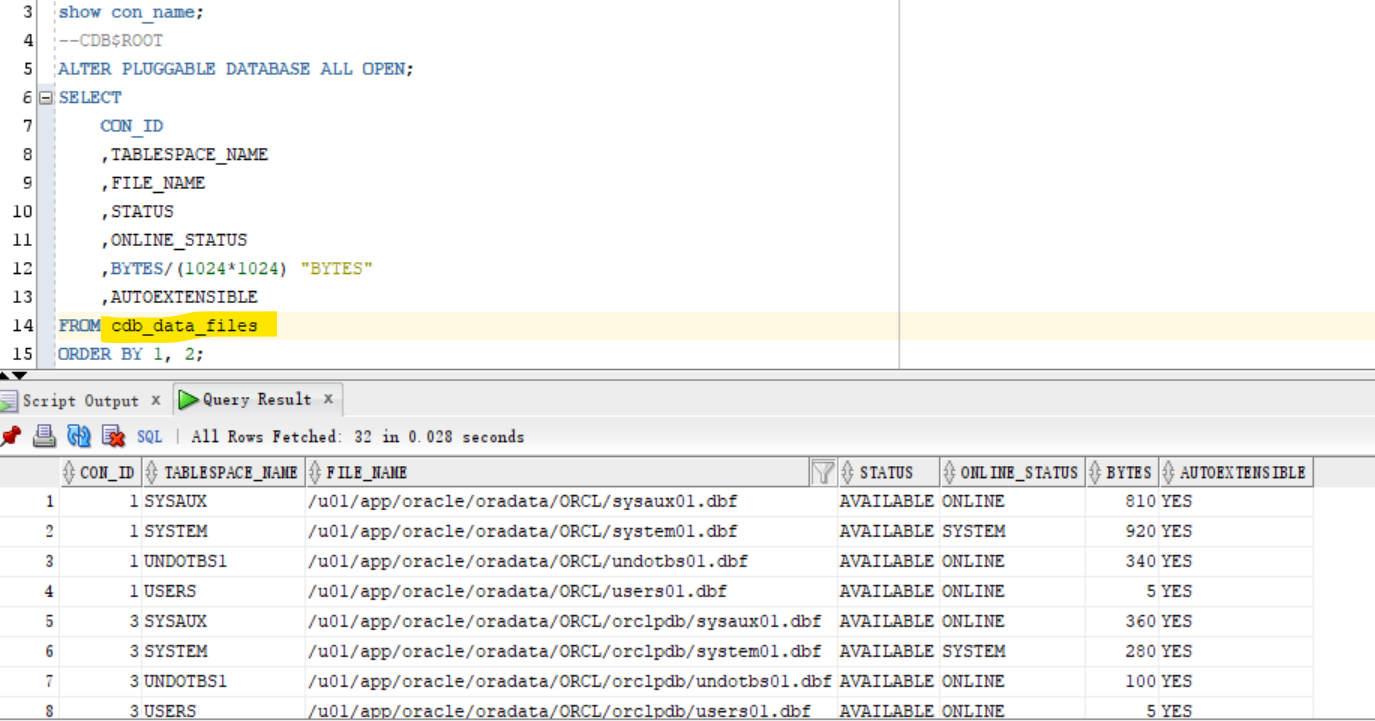
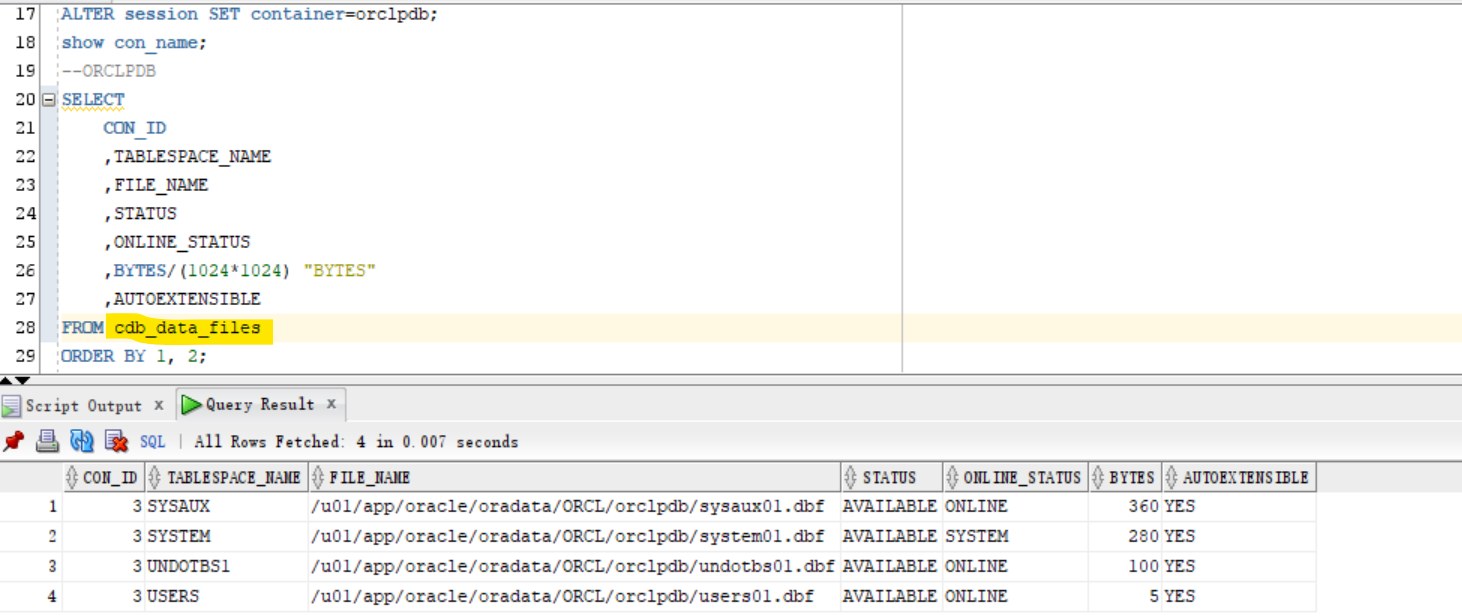
CDB_DATAFILES: Include all open PDB
- Connect to root
show con_name;
--CDB$ROOT
ALTER PLUGGABLE DATABASE ALL OPEN;
SELECT
    CON_ID
    ,TABLESPACE_NAME
    ,FILE_NAME
    ,STATUS
    ,ONLINE_STATUS
    ,BYTES/(1024*1024) "BYTES"
    ,AUTOEXTENSIBLE
FROM cdb_data_files
ORDER BY 1, 2;
ALTER session SET container=orclpdb;
show con_name;
--ORCLPDB
SELECT
    CON_ID
    ,TABLESPACE_NAME
    ,FILE_NAME
    ,STATUS
    ,ONLINE_STATUS
    ,BYTES/(1024*1024) "BYTES"
    ,AUTOEXTENSIBLE
FROM cdb_data_files
ORDER BY 1, 2;
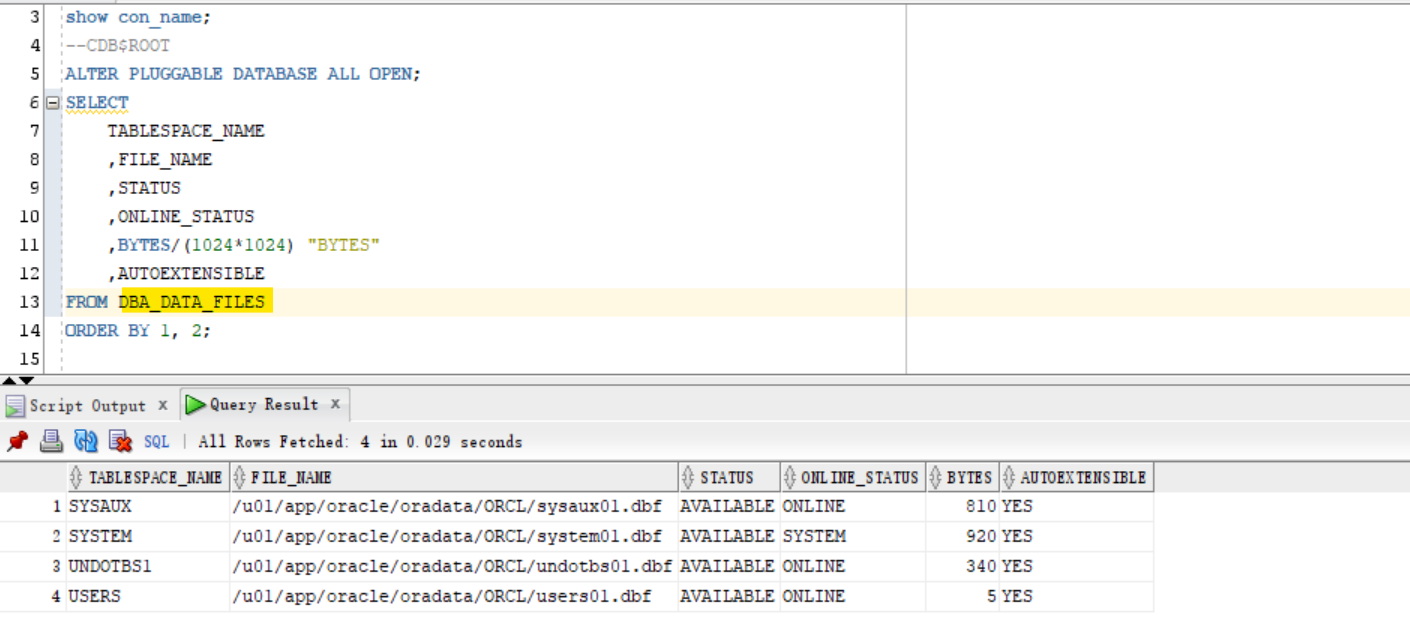
DBA_DATA_FILES: Current Container
show con_name;
--CDB$ROOT
ALTER PLUGGABLE DATABASE ALL OPEN;
SELECT
    TABLESPACE_NAME
    ,FILE_NAME
    ,STATUS
    ,ONLINE_STATUS
    ,BYTES/(1024*1024) "BYTES"
    ,AUTOEXTENSIBLE
FROM DBA_DATA_FILES
ORDER BY 1, 2;
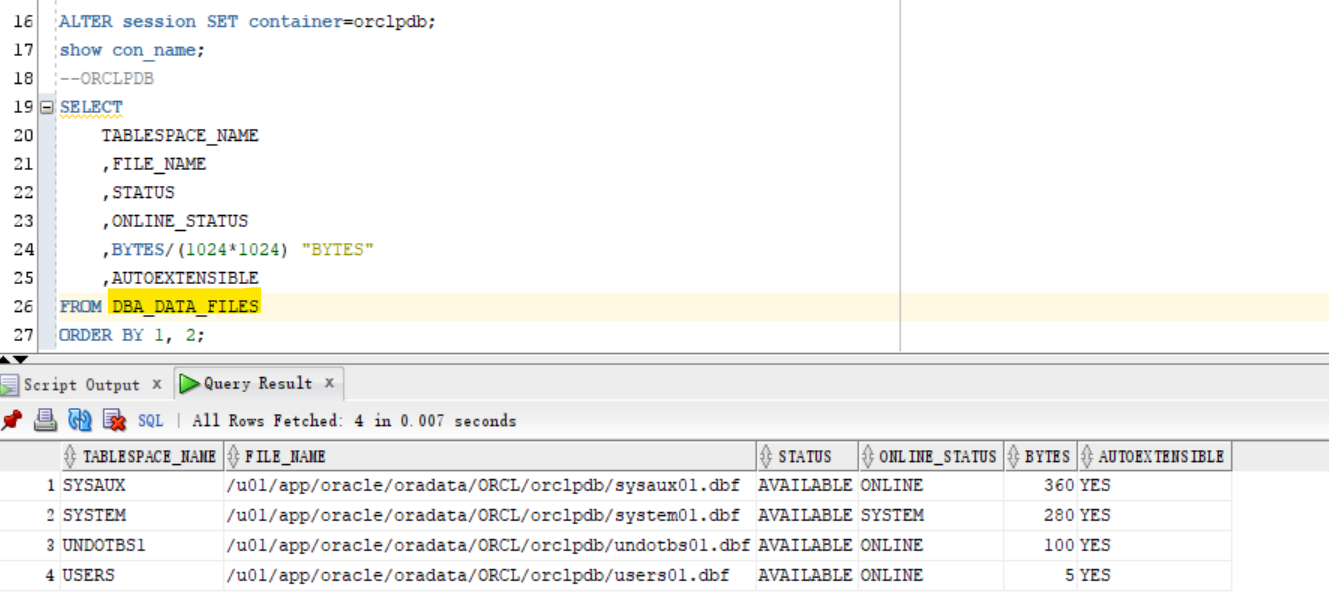
ALTER session SET container=orclpdb;
show con_name;
--ORCLPDB
SELECT
    TABLESPACE_NAME
    ,FILE_NAME
    ,STATUS
    ,ONLINE_STATUS
    ,BYTES/(1024*1024) "BYTES"
    ,AUTOEXTENSIBLE
FROM DBA_DATA_FILES
ORDER BY 1, 2;
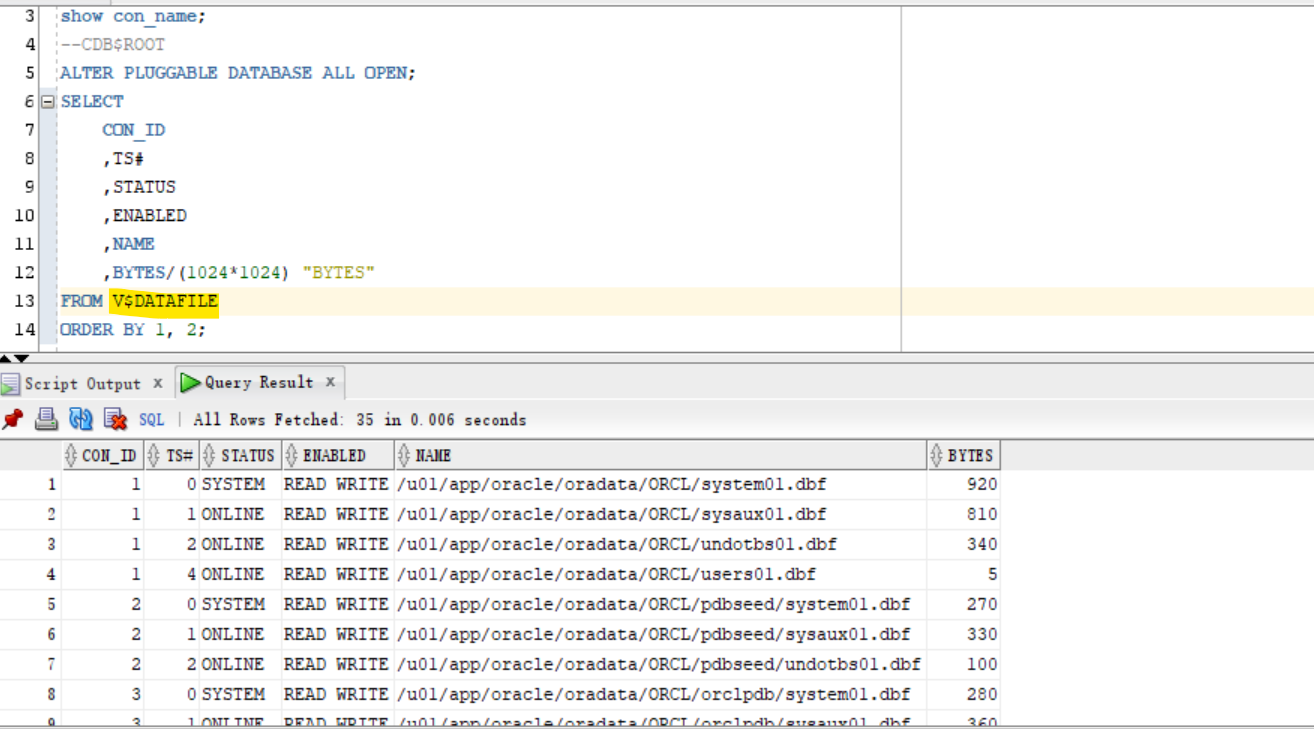
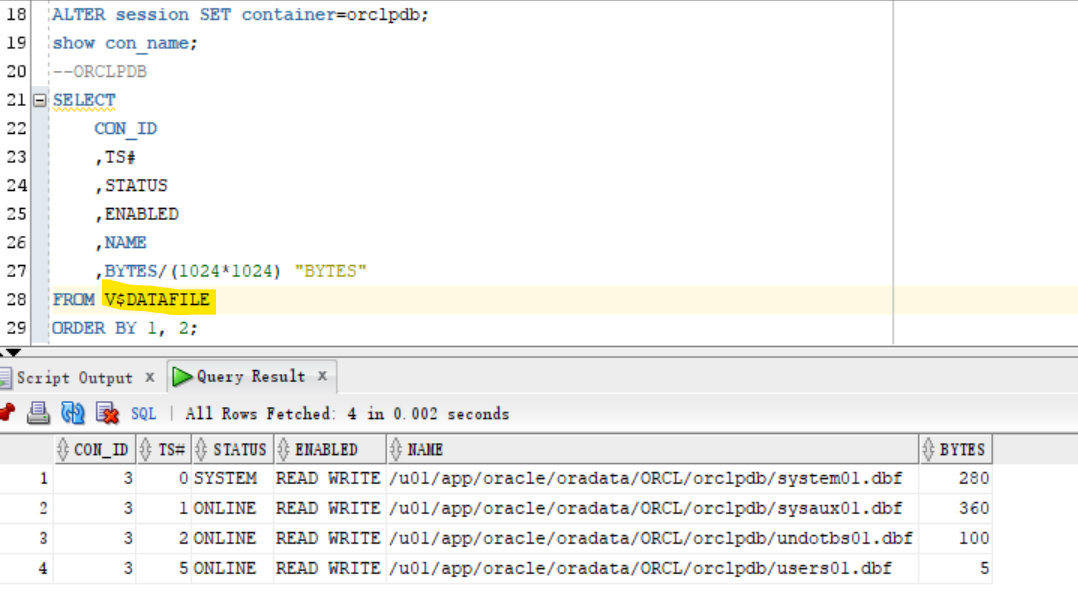
v$datafile: including closed PDB
- Query all data files using v$view
- return includes the data files of seed pdb.
show con_name;
--CDB$ROOT
ALTER PLUGGABLE DATABASE ALL OPEN;
SELECT
    CON_ID
    ,TS#
    ,STATUS
    ,ENABLED
    ,NAME
    ,BYTES/(1024*1024) "BYTES"
FROM V$DATAFILE
ORDER BY 1, 2;
ALTER session SET container=orclpdb;
show con_name;
--ORCLPDB
SELECT
    CON_ID
    ,TS#
    ,STATUS
    ,ENABLED
    ,NAME
    ,BYTES/(1024*1024) "BYTES"
FROM V$DATAFILE
ORDER BY 1, 2;
Views: Temp File
| Views | Description |
|---|---|
CDB_TEMP_FILES |
describes all temporary files (tempfiles) in open database. |
DBA_TEMP_FILES |
describes all temporary files (tempfiles) in current database. |
V$TEMPFILE |
displays temp file information. |
Lab: Query Temp File
-
A tempfile is a file that is part of an Oracle database. Tempfiles are used with TEMPORARY TABLESPACES
-
Temporary tablespaces are used for special operations, particularly for sorting data results on disk and for hash joins in SQL. For SQL with millions of rows returned, the sort operation is too large for the RAM area and must occur on disk. The temporary tablespace is where this takes place
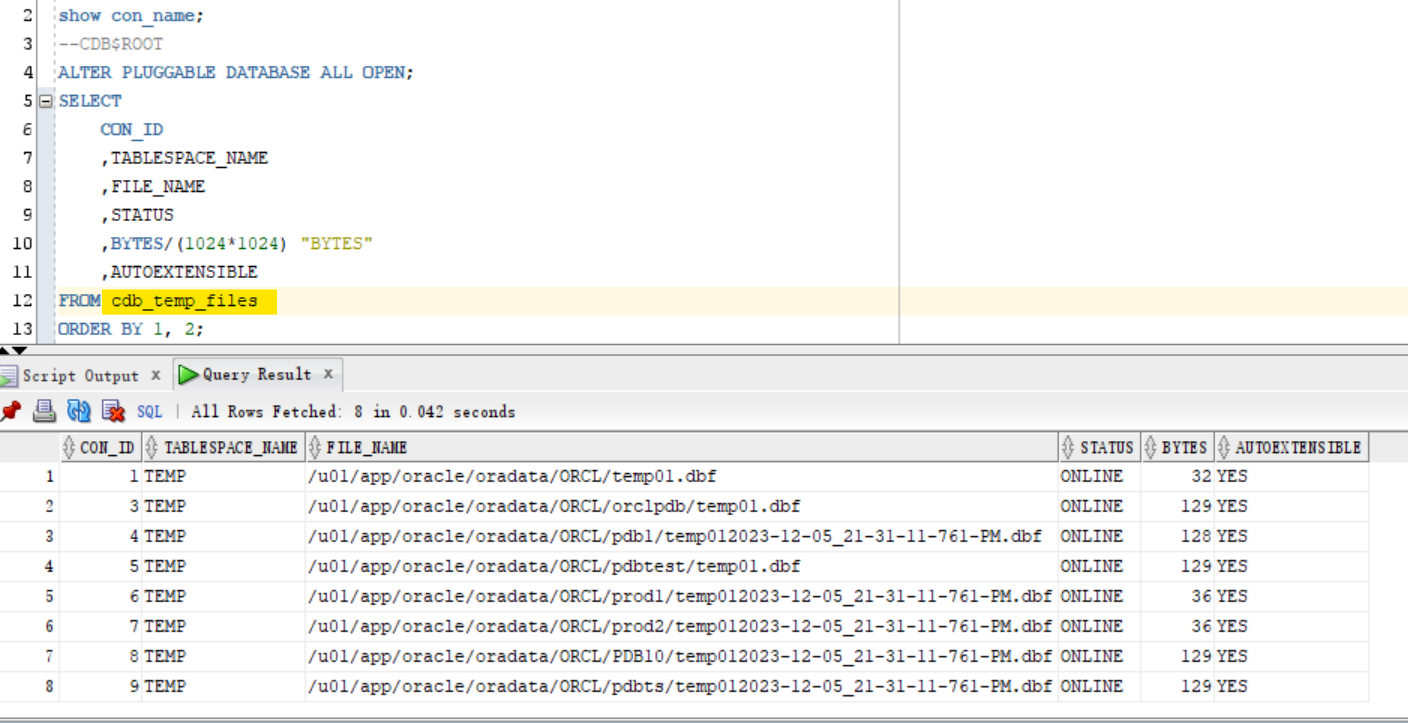
CDB_TEMP_FILES: Include all open PDB
- Connect with root container
show con_name;
--CDB$ROOT
ALTER PLUGGABLE DATABASE ALL OPEN;
SELECT
    CON_ID
    ,TABLESPACE_NAME
    ,FILE_NAME
    ,STATUS
    ,BYTES/(1024*1024) "BYTES"
    ,AUTOEXTENSIBLE
FROM cdb_temp_files
ORDER BY 1, 2;
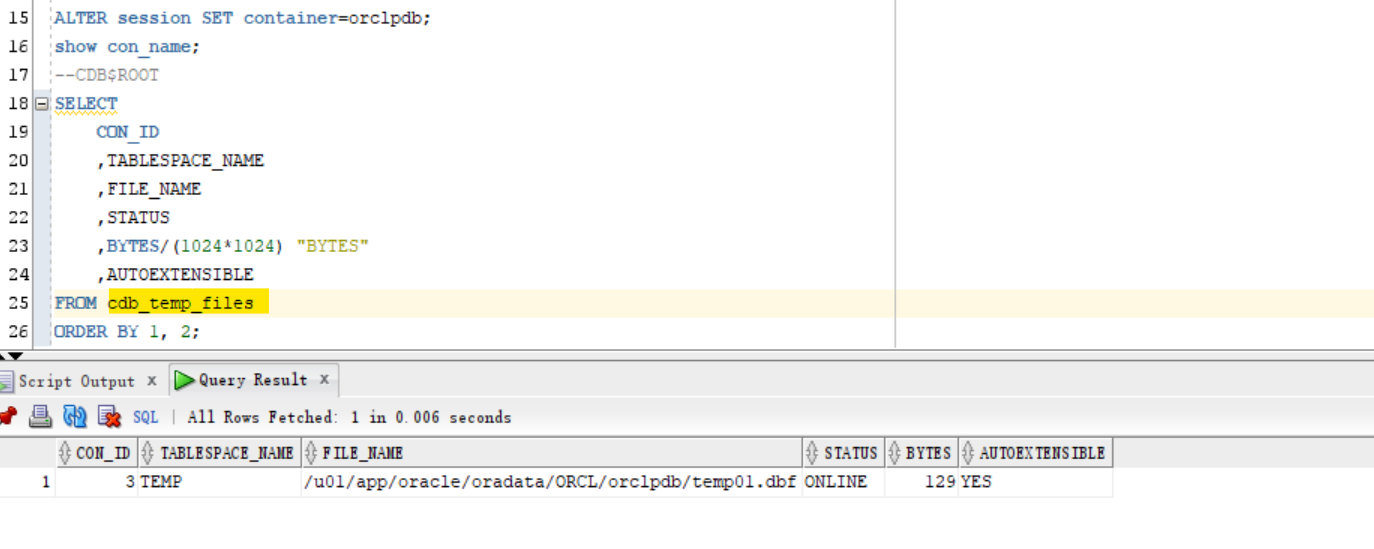
ALTER session SET container=orclpdb;
show con_name;
--ORCLPDB
SELECT
    CON_ID
    ,TABLESPACE_NAME
    ,FILE_NAME
    ,STATUS
    ,BYTES/(1024*1024) "BYTES"
    ,AUTOEXTENSIBLE
FROM cdb_temp_files
ORDER BY 1, 2;
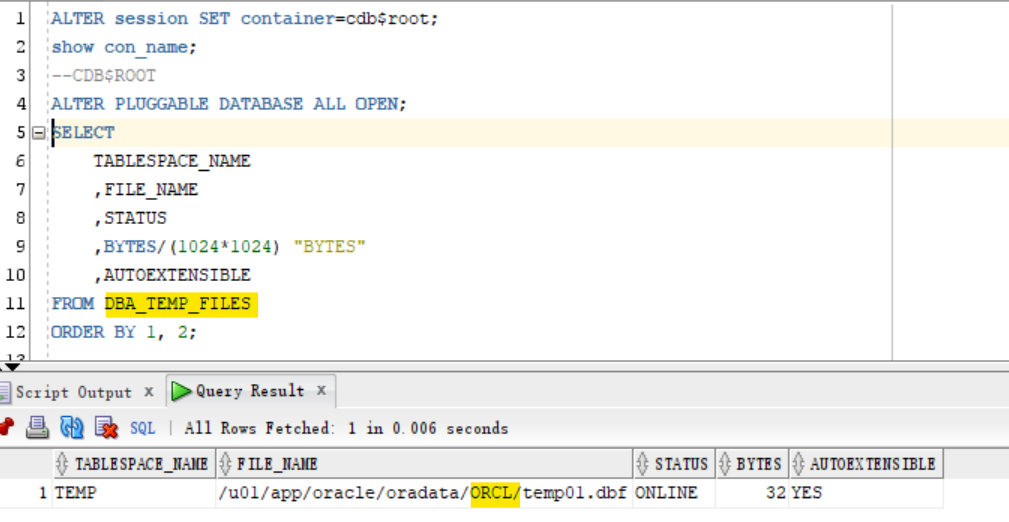
DBA_TEMP_FILES: Current Container
ALTER session SET container=cdb$root;
show con_name;
--CDB$ROOT
ALTER PLUGGABLE DATABASE ALL OPEN;
SELECT
    TABLESPACE_NAME
    ,FILE_NAME
    ,STATUS
    ,BYTES/(1024*1024) "BYTES"
    ,AUTOEXTENSIBLE
FROM DBA_TEMP_FILES
ORDER BY 1, 2;
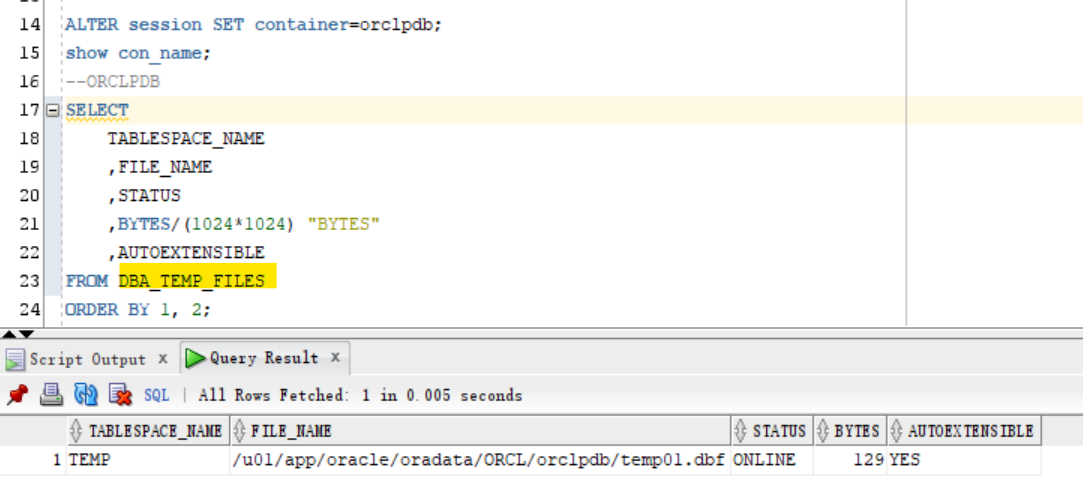
ALTER session SET container=orclpdb;
show con_name;
--ORCLPDB
SELECT
    TABLESPACE_NAME
    ,FILE_NAME
    ,STATUS
    ,BYTES/(1024*1024) "BYTES"
    ,AUTOEXTENSIBLE
FROM DBA_TEMP_FILES
ORDER BY 1, 2;
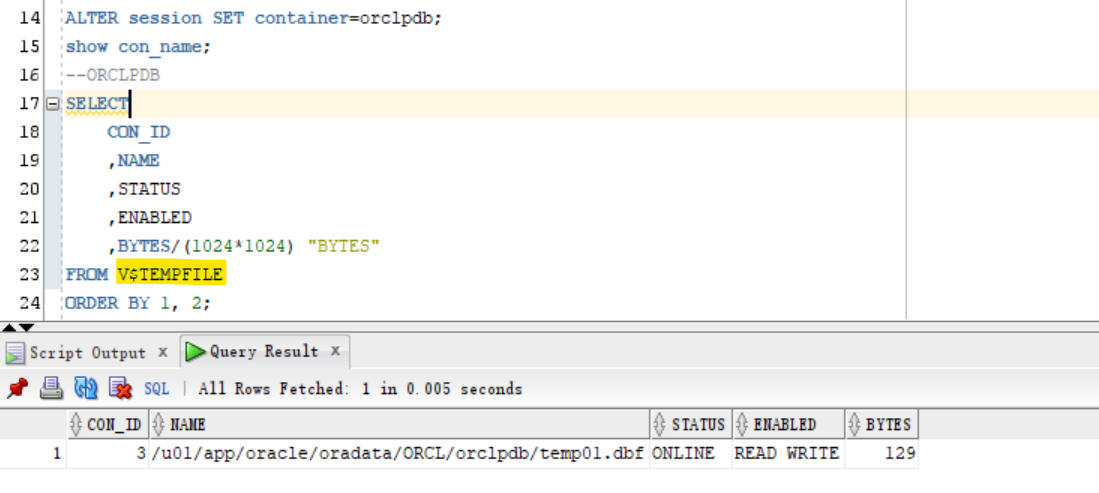
V$TEMPFILE
show con_name;
--CDB$ROOT
ALTER PLUGGABLE DATABASE ALL OPEN;
SELECT
    CON_ID
    ,NAME
    ,STATUS
    ,ENABLED
    ,BYTES/(1024*1024) "BYTES"
FROM V$TEMPFILE
ORDER BY 1, 2;
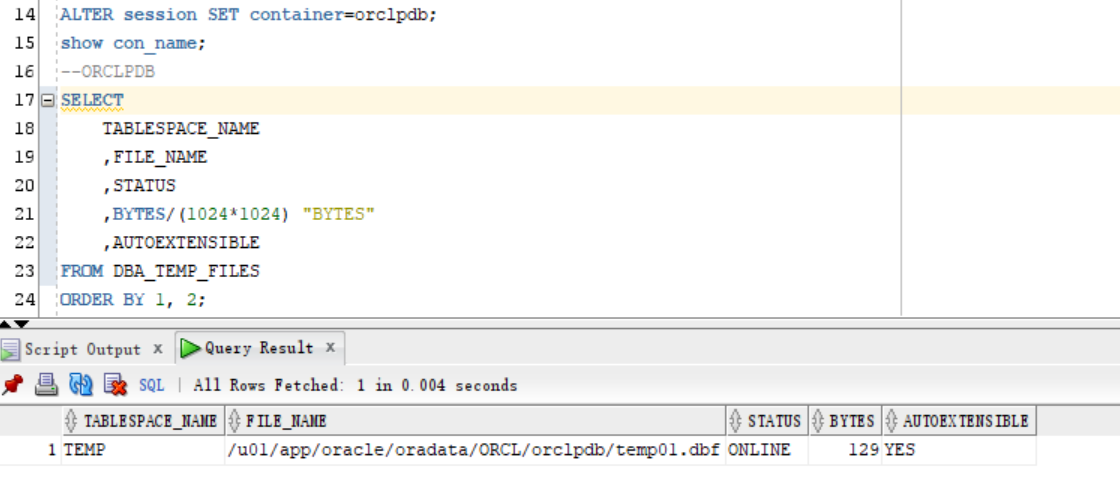
ALTER session SET container=orclpdb;
show con_name;
--ORCLPDB
SELECT
    CON_ID
    ,NAME
    ,STATUS
    ,ENABLED
    ,BYTES/(1024*1024) "BYTES"
FROM V$TEMPFILE
ORDER BY 1, 2;