Note_Tech
All technological notes.
Project maintained by simonangel-fong Hosted on GitHub Pages — Theme by mattgraham
DBA - Pluggable Database: Plugging and Unplugging Pluggable Database
Unplugging and plugging a PDB
-
Unplugging a PDB:- disassociating the PDB from its CDB
-
Plugging a PDB:- associating the PDB from its CDB
-
Can plug a PDB into the same or another CDB.
-
Prerequisite:
- current container must be the root.
- pdb must be closed.
-
Steps:
-
- Close the pdb1
-
- Unplug pdb1 to xml, which contains the definition of the database, but not the datafiles.
-
- Drop the pdb1 but keep the datafiles
-
- Check compatibility
-
- Plug the pdb1 using the xml
-
-
Statement of unplugging a pdb
alter pluggable database pdb5 unplug into '/u01/app/oracle/oradata/pdb5.xml'
- Statement of plugging a pdb
# create a pdb with a new name using the xml, the definition
# using a new location for df
# it will automatically create a new dir for the new pdb.
create pluggable database pdbtest
using '/u01/app/oracle/oradata/pdb5.xml'
FILE_NAME_CONVERT=('/u01/app/oracle/oradata/ORCL/pdb5/',
                  '/u01/app/oracle/oradata/ORCL/pdbtest/');

# plug a pdb with new name and same location for df
# it will no create any dir for the new pdb
create pluggable database pdbtest1
using '/u01/app/oracle/oradata/pdbtest.xml'
NOCOPY TEMPFILE REUSE;
Lab: Unplugging a PDB
- Unplug PDB5
# confirm in root
show con_name

# step1: close pdb
alter pluggable database pdb5 close immediate;

# confirm pdb close
select con_id, name, open_mode
from v$pdbs;
# 2	PDB$SEED	READ ONLY
# 3	ORCLPDB	READ WRITE
# 4	PDB1	READ WRITE
# 5	PDB5	MOUNTED

# step 2: unplug pdb into an xml file
alter pluggable database pdb5 unplug into '/u01/app/oracle/oradata/pdb5.xml';

# list pdbs, pdb5 still exists.
select con_id, name, open_mode
from v$pdbs;
# 2	PDB$SEED	READ ONLY
# 3	ORCLPDB	READ WRITE
# 4	PDB1	READ WRITE
# 5	PDB5	MOUNTED

# step 3: drop pdb structure from Oracle but keep df
drop pluggable database pdb5 keep datafiles;

# confirm the pdb has been dropped.
select con_id, name, open_mode
from v$pdbs;
# 2	PDB$SEED	READ ONLY
# 3	ORCLPDB	READ WRITE
# 4	PDB1	READ WRITE
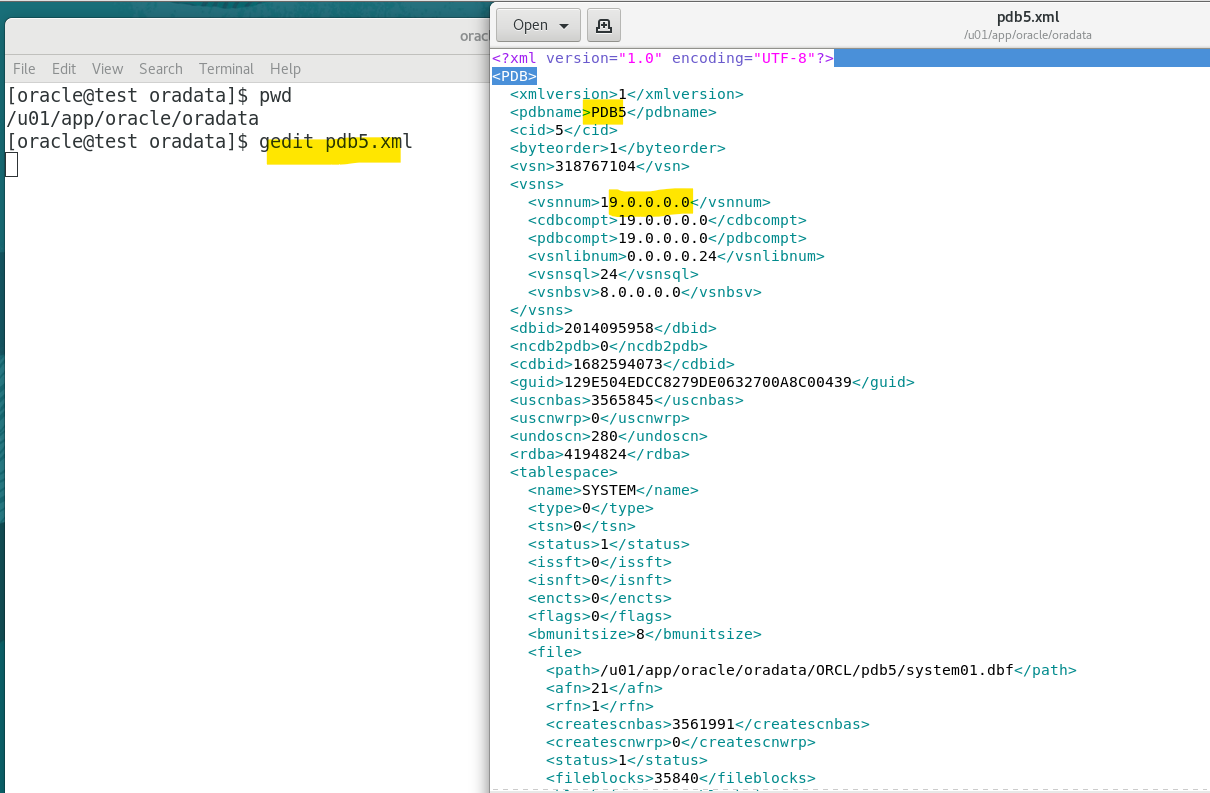
- Check the xml file
- contain no data files but only the definition regarding the pdb, such as pdb name.
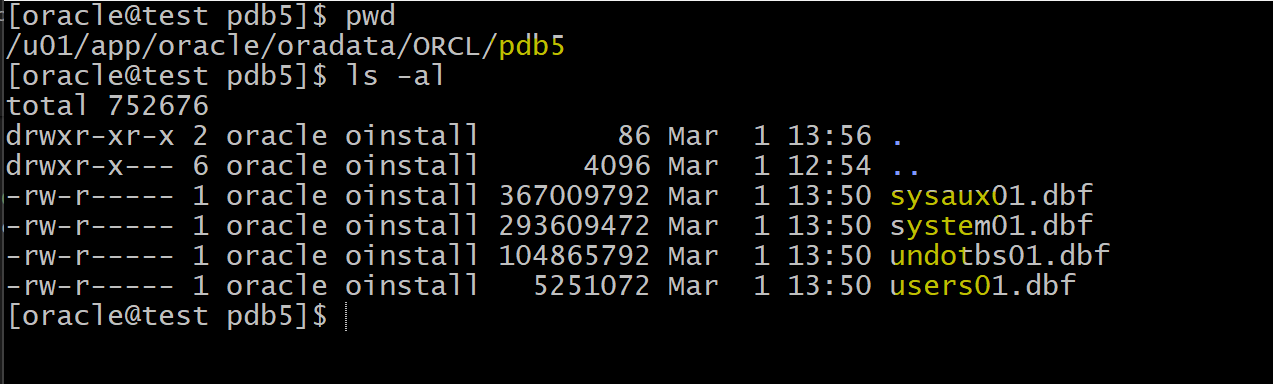
- Check the data file
- still exists
Lab: Plugging a PDB with a new location for data file
--can run the following script, worked in 19c.
DECLARE
  l_result BOOLEAN;
BEGIN
  l_result := DBMS_PDB.check_plug_compatibility(
                pdb_descr_file => '/u01/app/oracle/oradata/pdb5.xml',
                pdb_name => 'PDB5');

  IF l_result THEN
    DBMS_OUTPUT.PUT_LINE('compatible');
  ELSE
    DBMS_OUTPUT.PUT_LINE('incompatible');
  END IF;
END;
# compatible

# create a pdb with a new name using the xml, the definition
# no need to create dir for the new pdb, it will create automatically.
create pluggable database pdbtest
using '/u01/app/oracle/oradata/pdb5.xml'
FILE_NAME_CONVERT=('/u01/app/oracle/oradata/ORCL/pdb5/',
                  '/u01/app/oracle/oradata/ORCL/pdbtest/');
# Pluggable database PDBTEST created.


# confirm the new pdb has been created
select con_id, name, open_mode
from v$pdbs;
# 2	PDB$SEED	READ ONLY
# 3	ORCLPDB	READ WRITE
# 4	PDB1	READ WRITE
# 5	PDBTEST	MOUNTED

# move to the new pdb
alter session set container=pdbtest;
# open current pdb
alter pluggable database open;
# confirm the objects in new pdb
select * from hr.employees;

# query for df
select con_id,file#, name from V$DATAFILE;
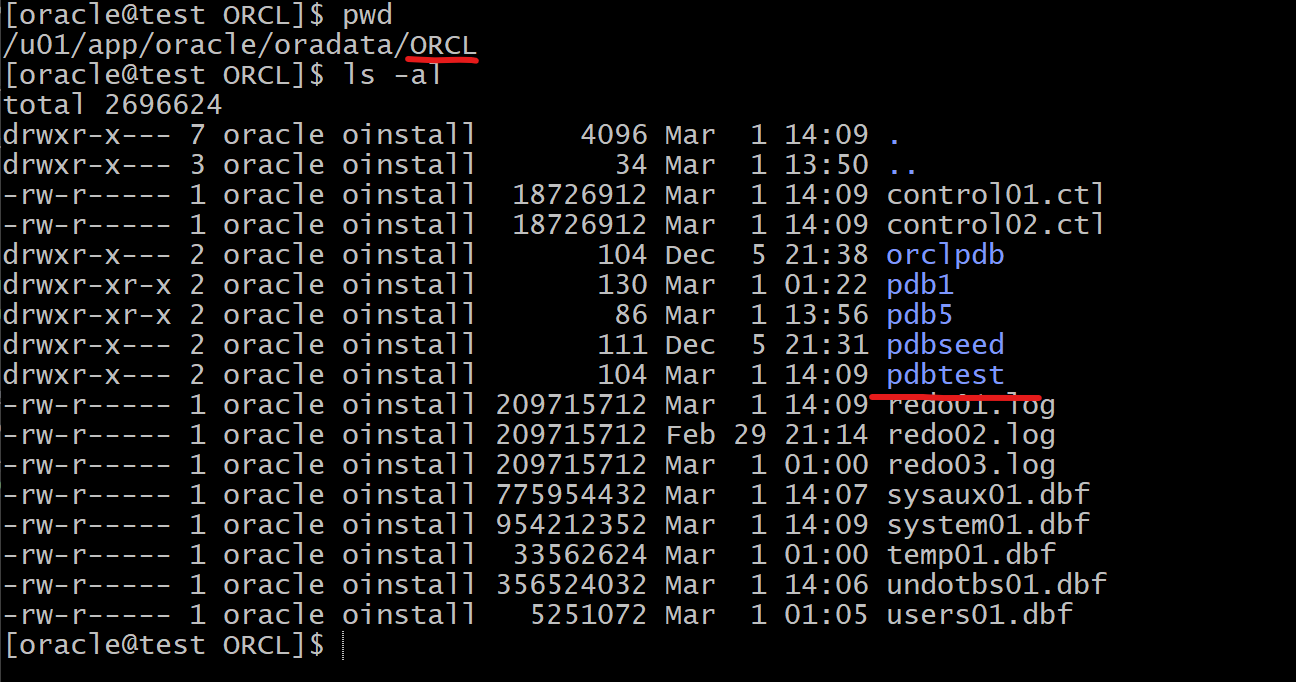
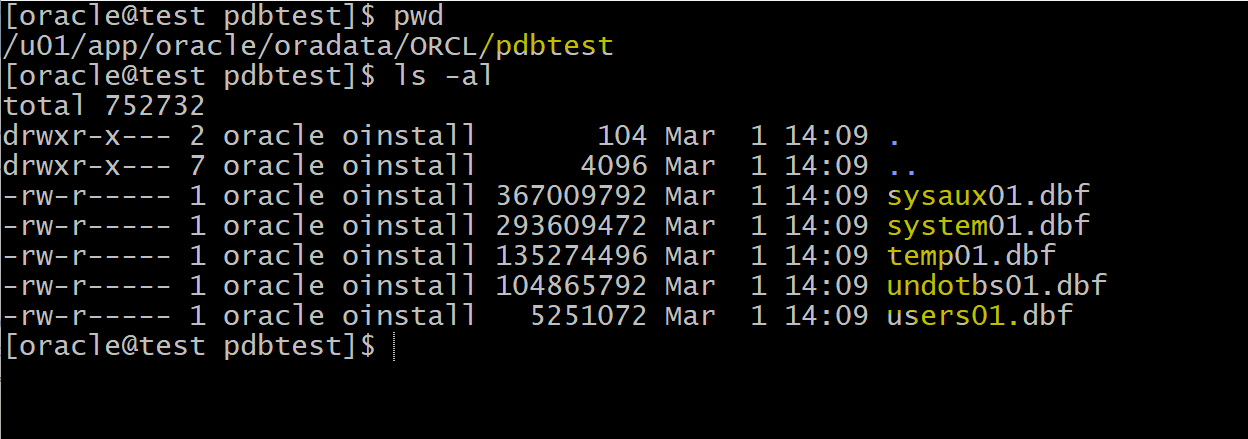
- check file in the OS
- the original pdb5’s datafiles remains existing.
Lab: Plugging a PDB with the original location for data file
- Assumed that the pdbtest has been unplugged and dropped.
# plug a pdb with new name and same location for df
create pluggable database pdbtest1
using '/u01/app/oracle/oradata/pdbtest.xml'
NOCOPY TEMPFILE REUSE;

# confirm creation
select con_id, name, open_mode
from v$pdbs;
# 2	PDB$SEED	READ ONLY
# 3	ORCLPDB	READ WRITE
# 4	PDB1	READ WRITE
# 5	PDBTEST1	MOUNTED

alter session set container=pdbtest1;
alter pluggable database open;
# query df for location
# df exist in the original location.
select con_id,file#, name from V$DATAFILE
# 5	29	/u01/app/oracle/oradata/ORCL/pdbtest/system01.dbf
# 5	30	/u01/app/oracle/oradata/ORCL/pdbtest/sysaux01.dbf
# 5	31	/u01/app/oracle/oradata/ORCL/pdbtest/undotbs01.dbf
# 5	32	/u01/app/oracle/oradata/ORCL/pdbtest/users01.dbf