Note_Tech
All technological notes.
Project maintained by simonangel-fong Hosted on GitHub Pages — Theme by mattgraham
Backup - Control File
Backup Control File
- Configure autobackup
- Backup to trace file
- Even if no autobackup, when backup includes the cdb$root’s system tablespace, the control file will be backed up. 只针对 CDB 的 system, pdb 的 system 不会自动备份.
Lab: Verifying Automatic Backups of the Control File and SPFILE
- When
ON,RMAN automatically back up thecontrol fileandserver parameter file (SPFILE)with every backup and database structural change - It will back up only one of the multiplexed
control filesbecause all control files in a database are identical.
-- rman

-- query all configuration
show all;
-- CONFIGURE CONTROLFILE AUTOBACKUP ON; # default
Backing Up the Control File to a Trace File
-
Trace files- copies of the
control files.
- copies of the
-
Control file trace backup- contains the SQL statement required to re-create the
control filesin the event that all control files are lost. - may be used to recover from loss of all control files.
- contains the SQL statement required to re-create the
-
It is recommended to do after each change in the physical structure of the database.
- e.g., adding tablespaces or data files, adding additional redo log group, database attribute change (
ARCHIVELOG)
- e.g., adding tablespaces or data files, adding additional redo log group, database attribute change (
-
Choose your DBA tool:
Enterprise Manager Database ExpressEnterprise Manager Cloud Control- command line
- location specified by the
DIAGNOSTIC_DESTinitialization parameter.
- location specified by the
Lab: Back up the control file to a trace file
-- Verify that the control files are multiplexed.
SELECT name FROM v$controlfile;
-- /u01/app/oracle/oradata/ORCL/control01.ctl
-- /u01/app/oracle/fast_recovery_area/ORCL/control02.ctl

-- Query the diagnostic path
show parameter DIAGNOSTIC_DEST;
-- /u01/app/oracle

-- Back up the control file to a trace file
ALTER DATABASE BACKUP CONTROLFILE TO TRACE;
-- in this case, the dest is /u01/app/oracle
--  then cf path: /u01/app/oracle/diag/rdbms/orcl/orcl/trace/
- View trace file
cd /u01/app/oracle/diag/rdbms/orcl/orcl/trace
ls
# look for the last trace file
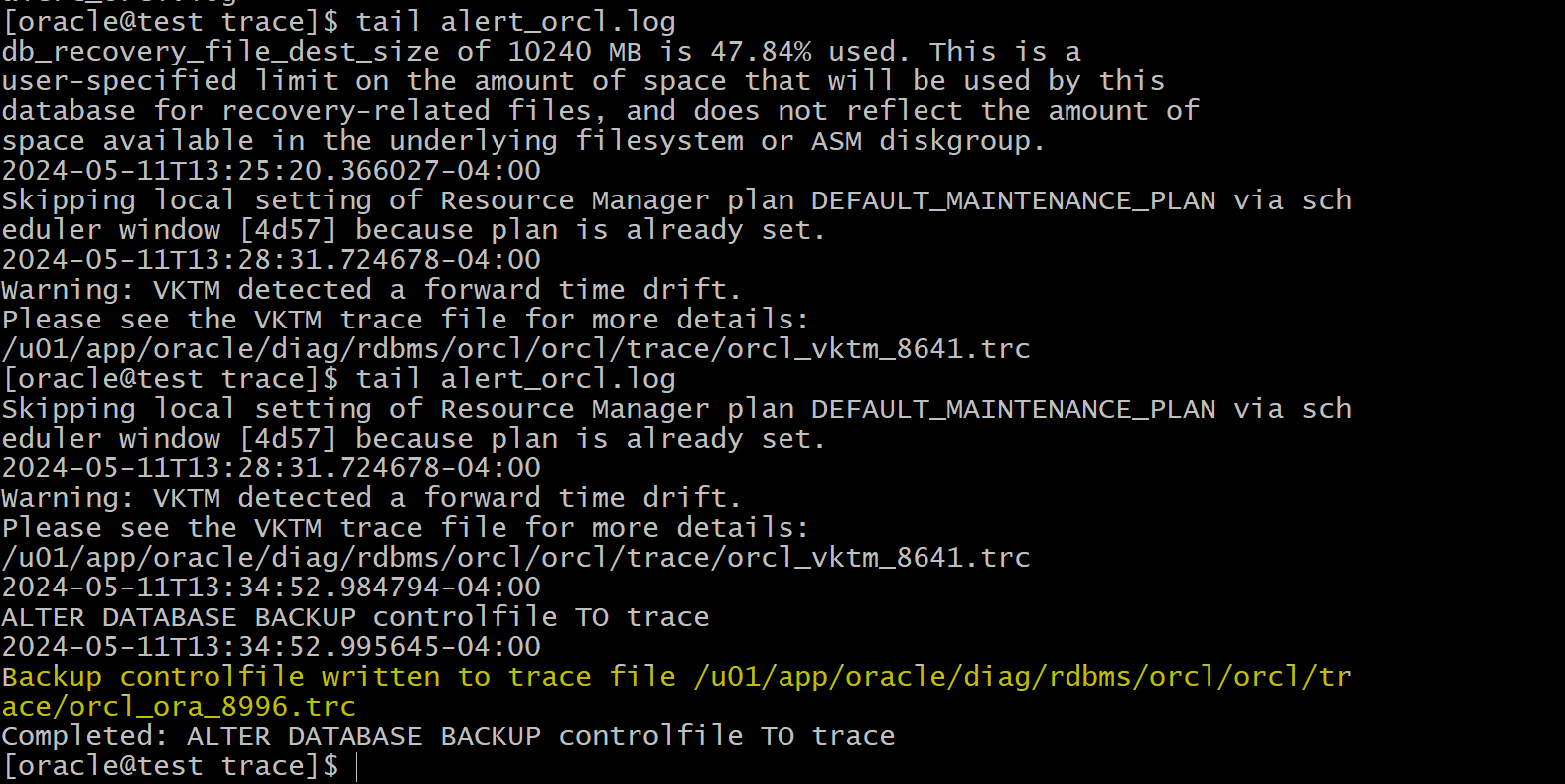
tail alert_orcl.log
# Backup controlfile written to trace file /u01/app/oracle/diag/rdbms/orcl/orcl/trace/orcl_ora_8996.trc
- View the trace file
- trace file contains the sql statement to create file.
cat orcl_ora_8996.trc
- Copy the code of noresetlog
- Create a sql script
ControlFileBackup.sqlin the home dir - Paste teh code
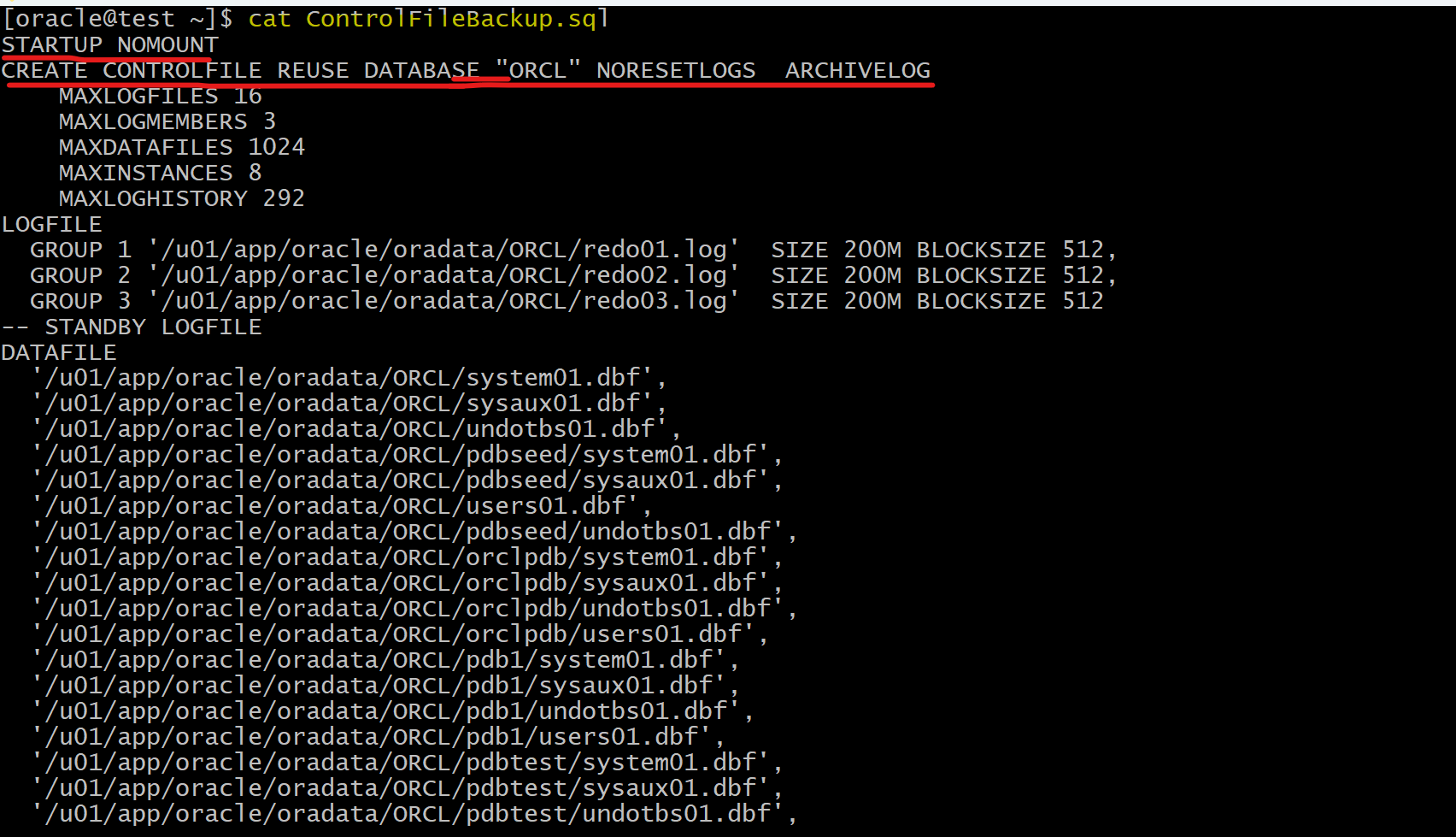
- The code use
CREATE CONTROLFILEcommand to re-create the control file.- Execute this sql script to re-create control file
- The code includes
- all
dataandtempfiles of the different containers (the CDB root, CDB seed, PDB1, and so on)- the multiplexed
redo logfiles- the
ARCHIVELOGmode- the character set
- the name of the CDB
- Question: Why are there two cases—Set #1. NORESETLOGS and Set #2. RESETLOGS?
- Answer:
- Set #1. NORESETLOGS case:
- to execute a
complete database recovery. - Use this only if the current versions of all
online logsare available.
- to execute a
- Set #2. RESETLOGS:
- execute an
incomplete database recovery. - Use this only if
online logsare damaged.- The contents of online logs will be lost, and all backups will be invalidated.
- execute an
- Set #1. NORESETLOGS case:
Lab: Creates a SQL script to re-create a control file.
-- Generate a trace file with a path
ALTER DATABASE BACKUP CONTROLFILE TO TRACE AS
'/home/oracle/backup/orcl/control.sql';
- Confirm
- by default, the code is NORESETLOGS case
