Note_Tech
All technological notes.
Project maintained by simonangel-fong Hosted on GitHub Pages — Theme by mattgraham
DBA - Whole Database Backup and Partial Database Backup
- DBA -
Whole Database BackupandPartial Database Backup
Whole Database Backup
-
Whole Database Backup:- a copy of all
data filesand thecontrol file. - Back up all
PDBsdatafiles andCDBroot files.
- a copy of all
-
Prerequisites
- target database is mounted or opened.不必须打开数据.
-
Steps:
- start
RMANand connect to the target database. - use
BACKUPcommand
- start
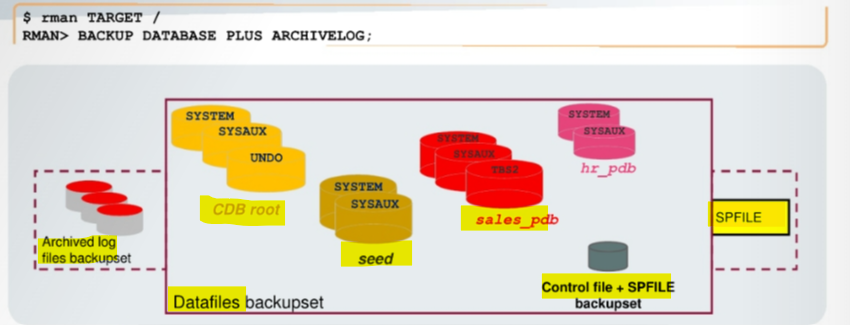
Command
| Command | Backup Description | Storage |
|---|---|---|
BACKUP DATABASE; |
DF, CF | backup set |
BACKUP COPY OF DATABASE; |
DF, CF | image copies |
BACKUP DATABASE PLUS ARCHIVELOG; |
DF,CF,ARLF | backup set |
BACKUP AS COPY DATABASE PLUS ARCHIVELOG; |
DF,CF,ARLF | image copies |
BACKUP DATABASE PLUS ARCHIVELOG DELETE INPUT; |
DF,CF,ARLF, remove ARLF | backup set |
Lab: Creating a Whole Database Backup
-- rman

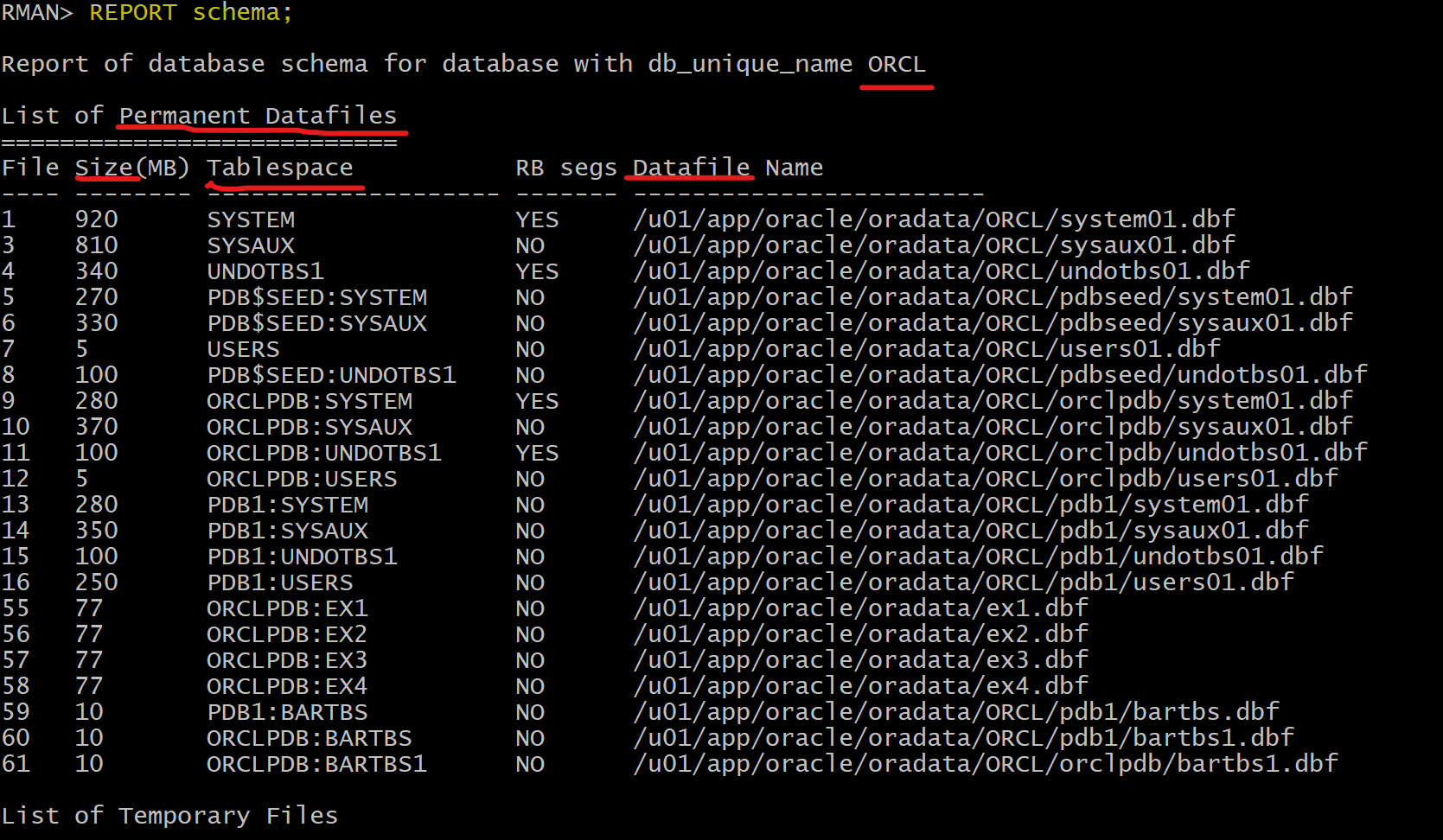
-- View the structure of the CDB in terms of PDBs, tablespaces, and data files (permanent and temporary).
REPORT schema;
-- Back up the whole database.
BACKUP DATABASE;
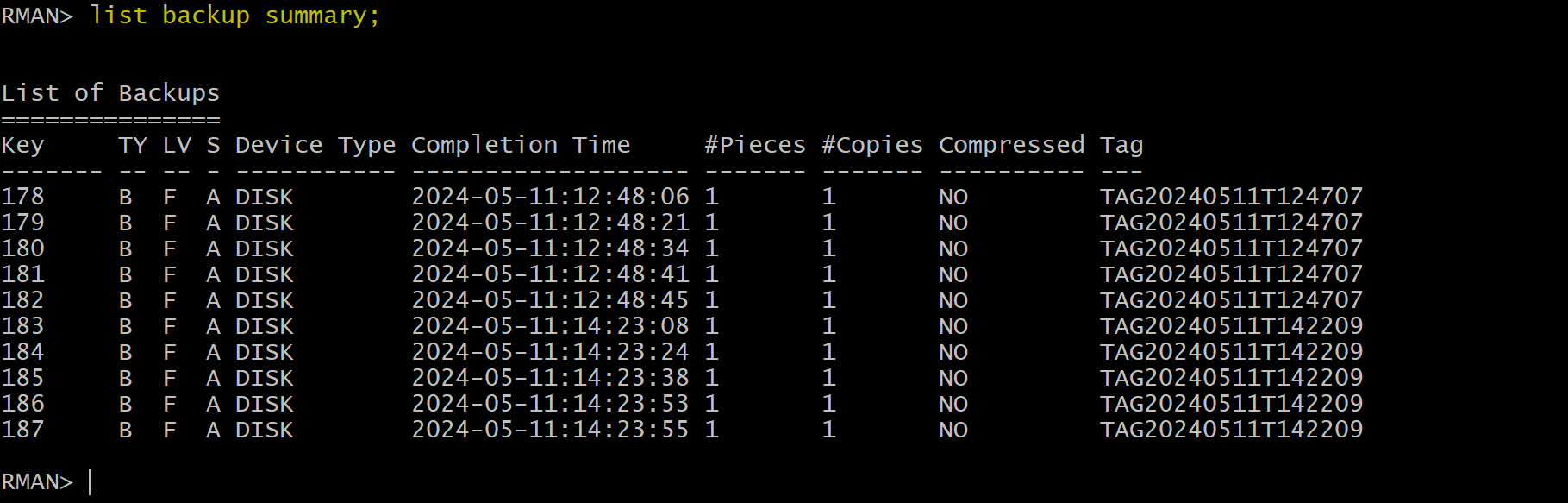
-- List the backup sets.
LIST BACKUP;
- Backup of Control file and Spfile

- The operation creates multiple backup sets.
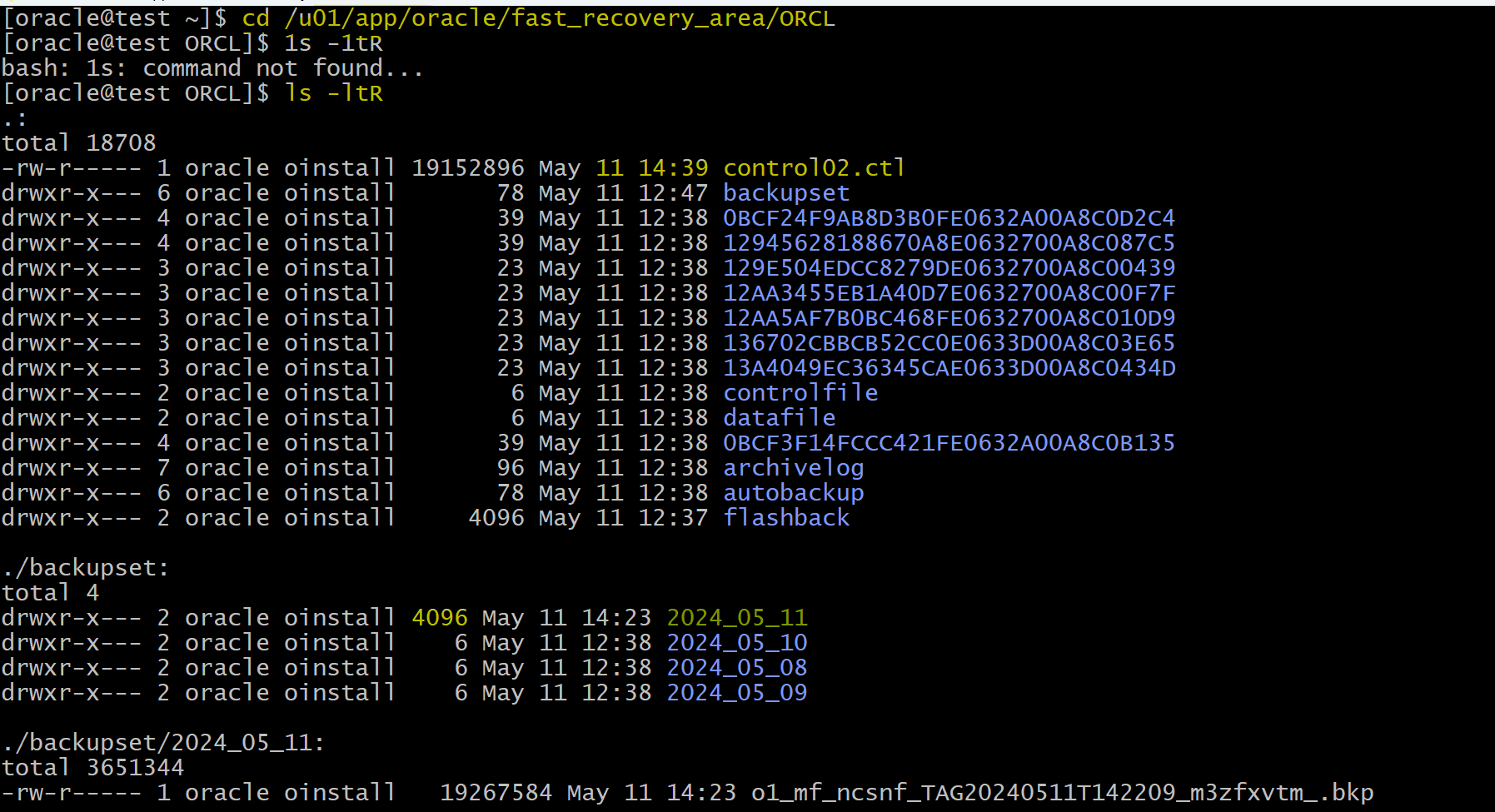
- Verify that the files are stored on disk in the FRA.
cd /u01/app/oracle/fast_recovery_area/ORCL
ls -ltR
Takw-away:
-
As long as the database is in
ARCHIVELOGmode, the backup can take place while the database is opened. This is ahot backup(oronline backup).Online backupsare inconsistent because with the database opened, there is no guarantee that thedata filesare synchronized with thecontrol files.
-
If the database is in
NOARCHIVELOGmode, it requires the database is closed. This is acold backup(oroffline backup).offline backupstaken while the database is not opened are consistent because, at the time of the backup, thesystem change number (SCN)indata fileheaders matches theSCNin thecontrol files.
-
Question: How can
hot backups(inconsistent backups) be used incomplete database recovery?- During a
complete recovery, restoredonline backupsare recovered until the currentSCNis matched, with the use of thearchive log filesandonline redo log files. - 即online backups + archive log files + oneline redo log files = complete recovery
- During a
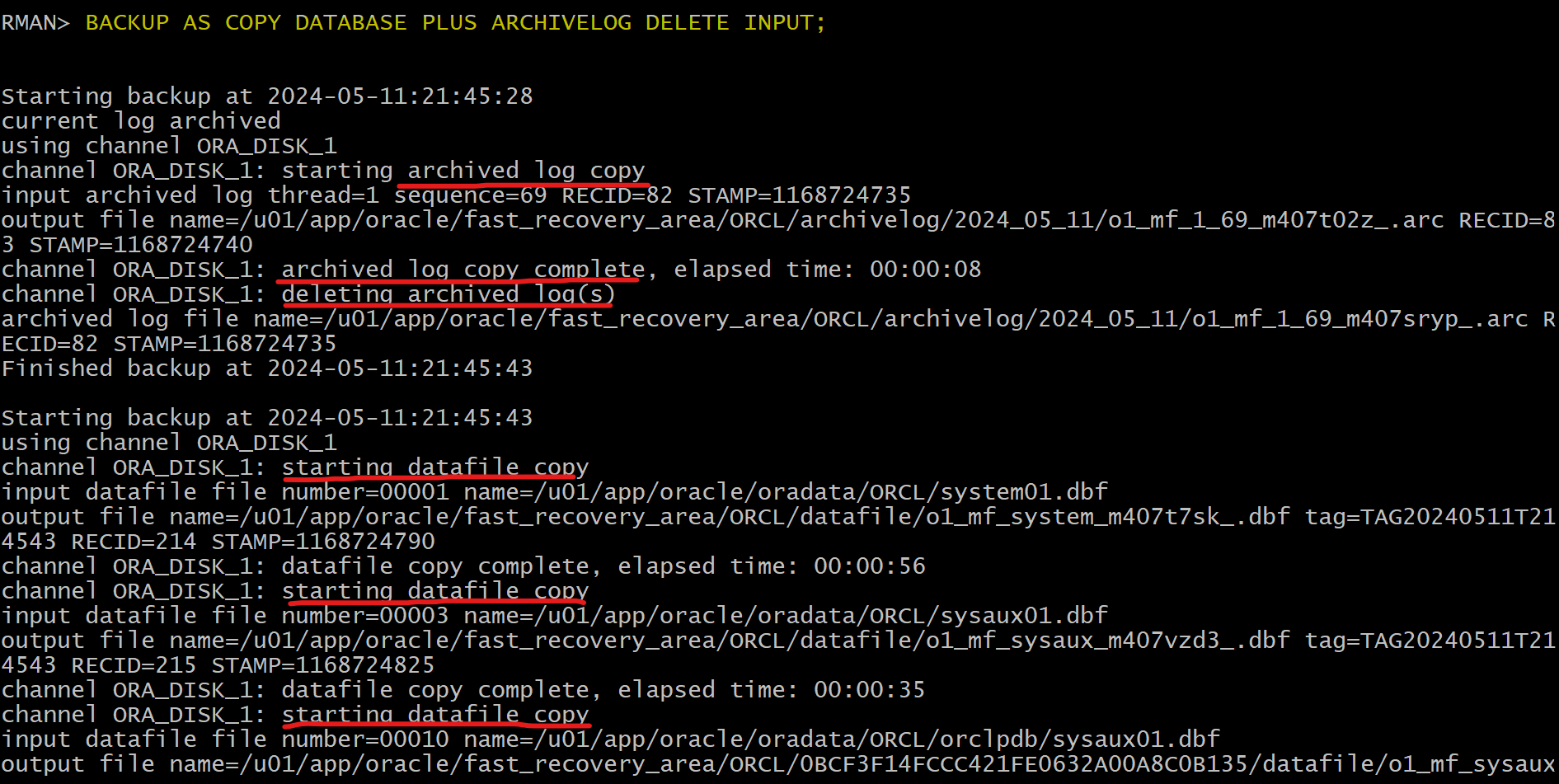
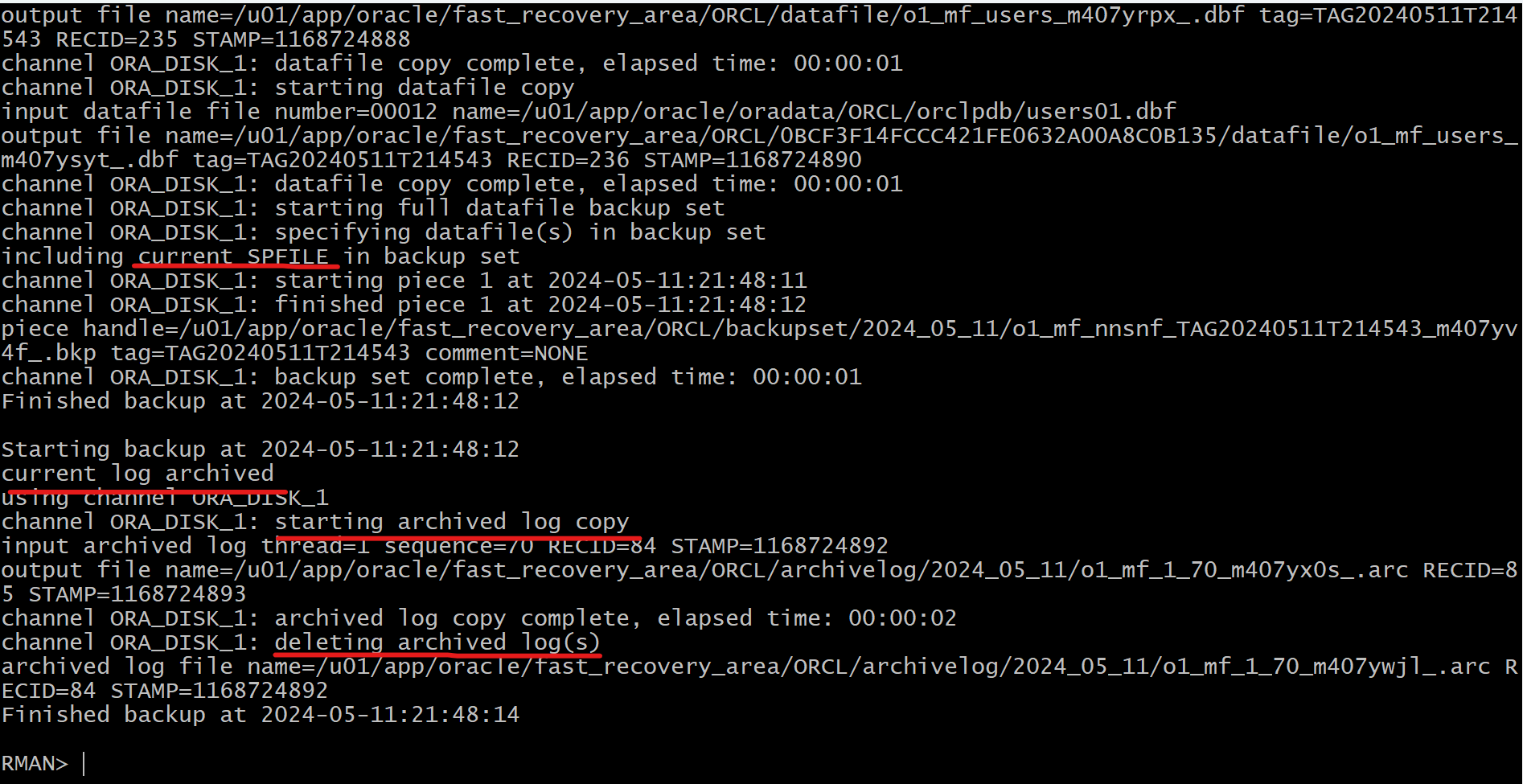
Lab: Back up the database and archive logs as image copies.
-- rman

BACKUP AS COPY DATABASE PLUS ARCHIVELOG DELETE INPUT;
-- order:
--    archived log copy
--    delete archived log copy
--    datafile copy
--    SPFILE backup set
--    archived log copy
--    delete archived log copy
- Troubleshooting
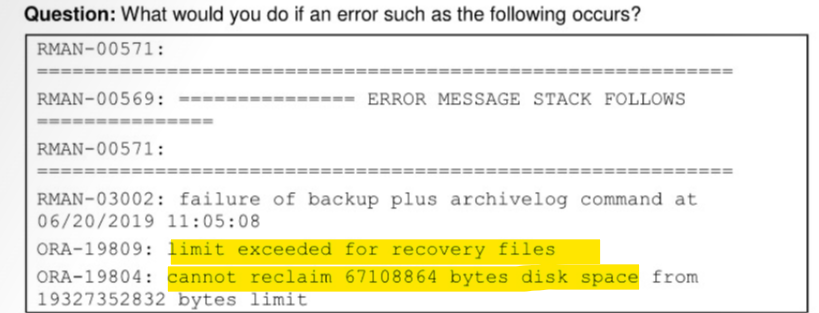
- solution:
- Increase the
DBE_RECOVERY_FILE_DEST_SIZEparameter value
- Increase the
ALTER SYSTEM SET db_recovery file dest size = 30G SCOPE=both;
Partial Database Backup
-
Partial CDB Backup- Back up the CDB root and/or individual PDBs.
- including:
- the entire set of
datafilesof theCDB root, - all
datafilesof definedPDBs, - and the
control fileandSPFILE(configured to be backed up automatically)
- the entire set of
-
Autobackup is also valid for
partial backups.
Backup Pluggable Database
Connect with CDB
rman TARGET /

-- backup all datafiles in the CDB$root, including system, sysaux, undo, users
BACKUP PLUGGABLE DATABASE "CDB$ROOT";   -- quotation is needed

-- backup all datafiles in
BACKUP PLUGGABLE DATABASE pdb1;

-- backup all datafiles in Both CDB$root and pdb1
BACKUP PLUGGABLE DATABASE "CDB$ROOT", pdb1;

-- backup both CDB$root and pdb1 and archive log
BACKUP PLUGGABLE DATABASE "CDB$ROOT", pdb1 PLUS ARCHIVELOG;
When in CDB, backing up the archivelog with PDB is allowed.
Lab: Backup Pluggable Database in CDB root
-- rman
rman target /

BACKUP PLUGGABLE DATABASE pdb1 PLUS ARCHIVELOG;
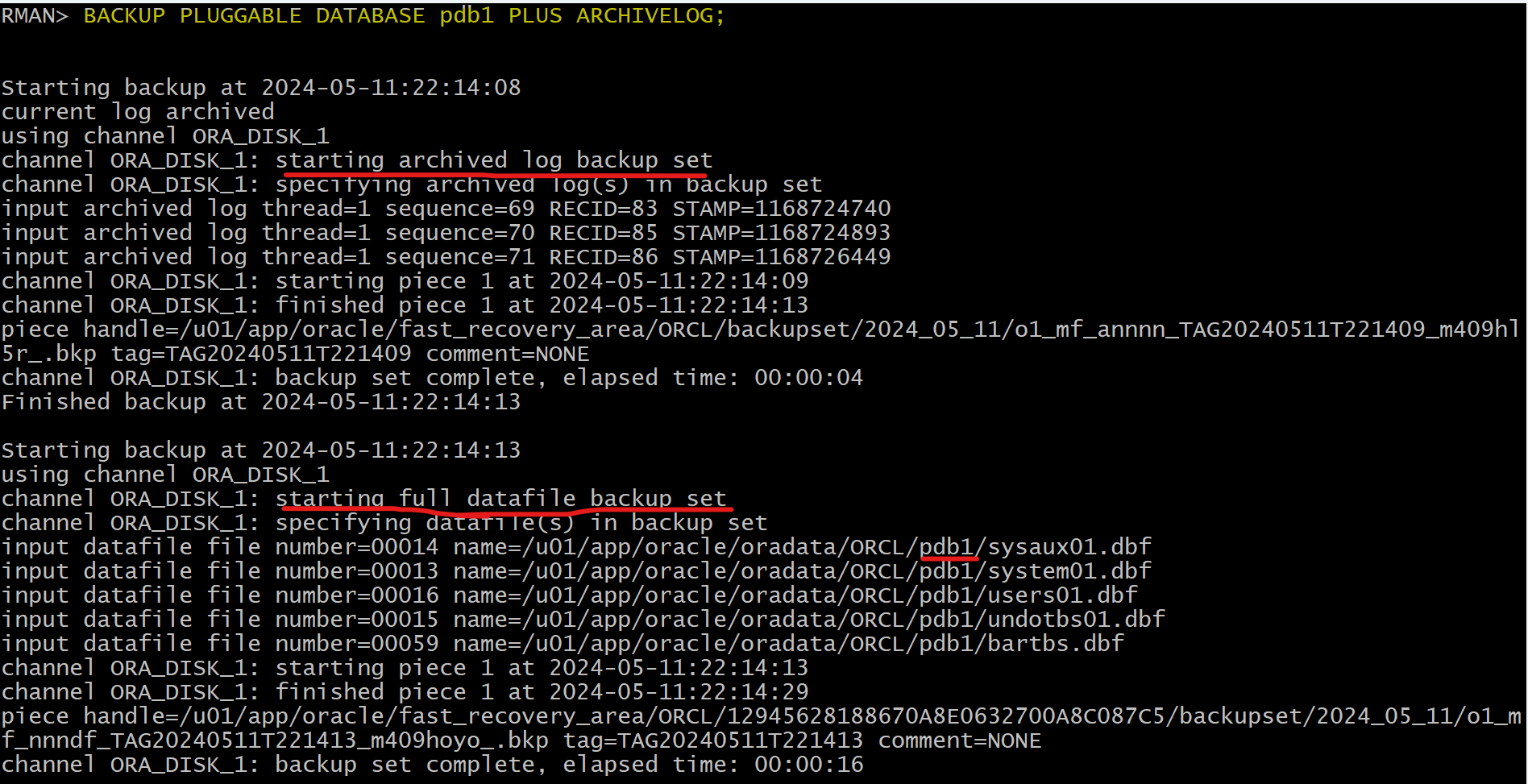
- How many backup sets are created?
- Four backup sets:
- one for the
PDB data files,- one for the
SPFILEandcontrol file,- one for the
archived log filesbefore the data file backup set,- and one for the
archived log filesafter the data file backup set.
Connect with PDB
- Backup PDB
rman TARGET username@pdb

-- backup all df within the current pdb only
BACKUP DATABASE;

-- Do the same
BACKUP PLUGGABLE DATABASE pdb1;
Lab: Backup Pluggable Database in PDB
-- Connect with pdb
rman target SYS@pdbl

-- backup current pdb
BACKUP DATABASE;
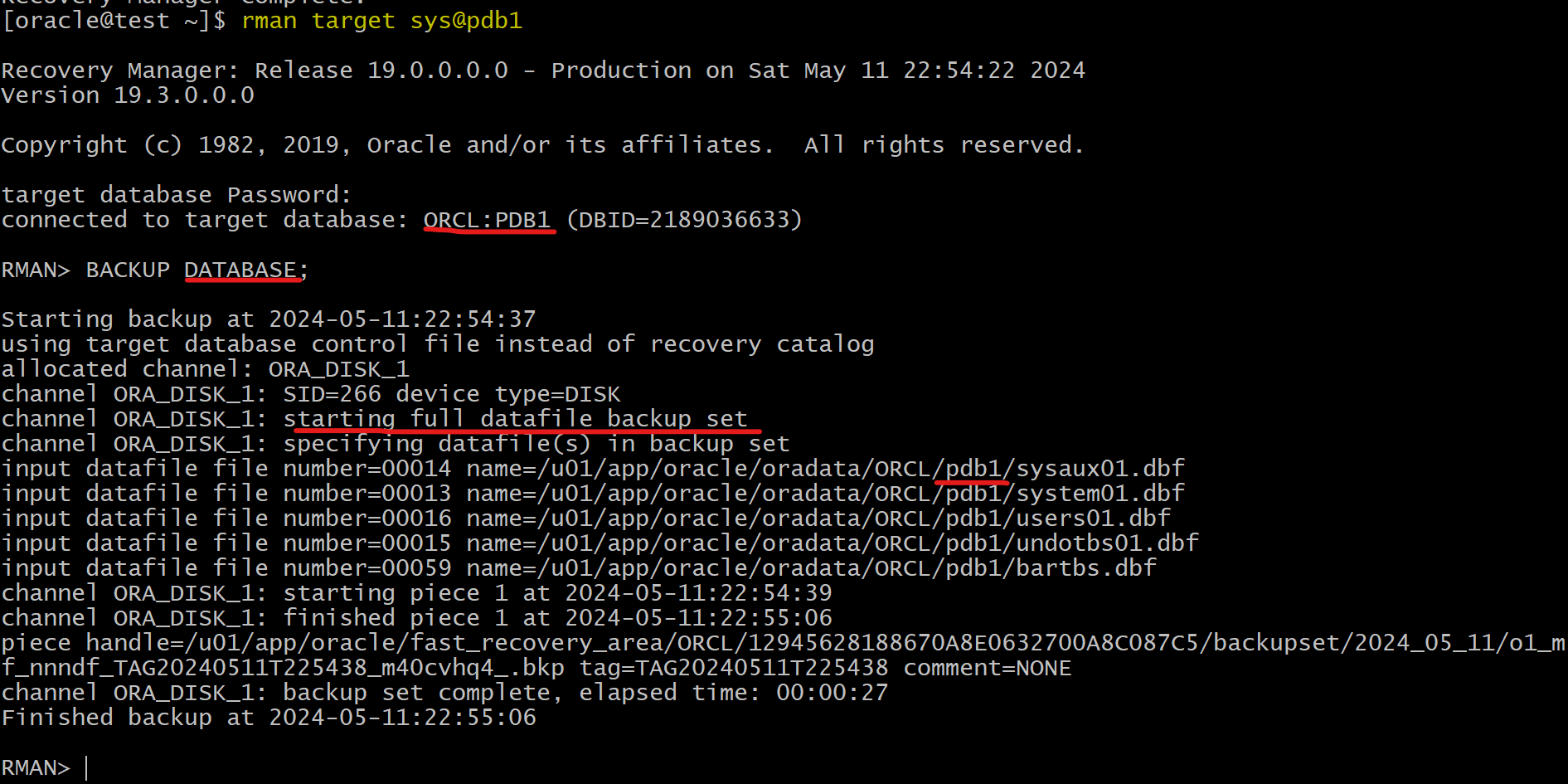
Notice that the
SPFILEandcontrol fileare - not backed up.
- Backup outside of the current pdb is not allowed
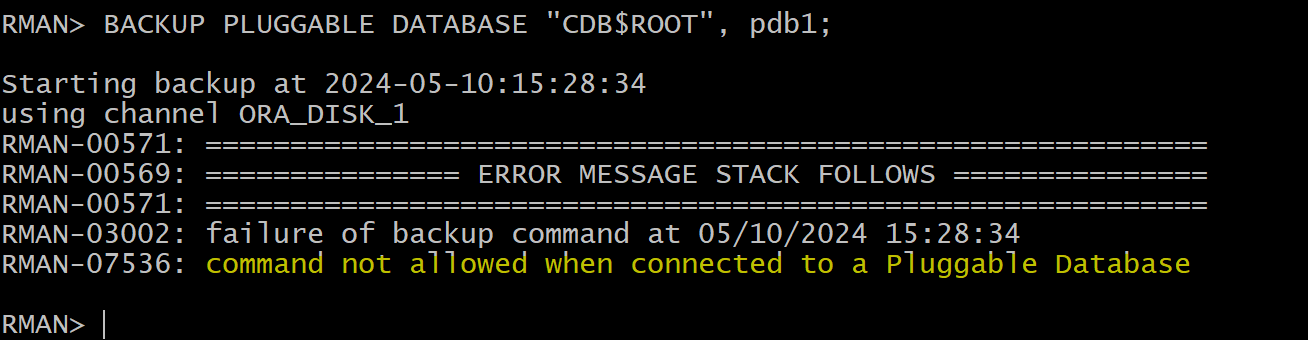
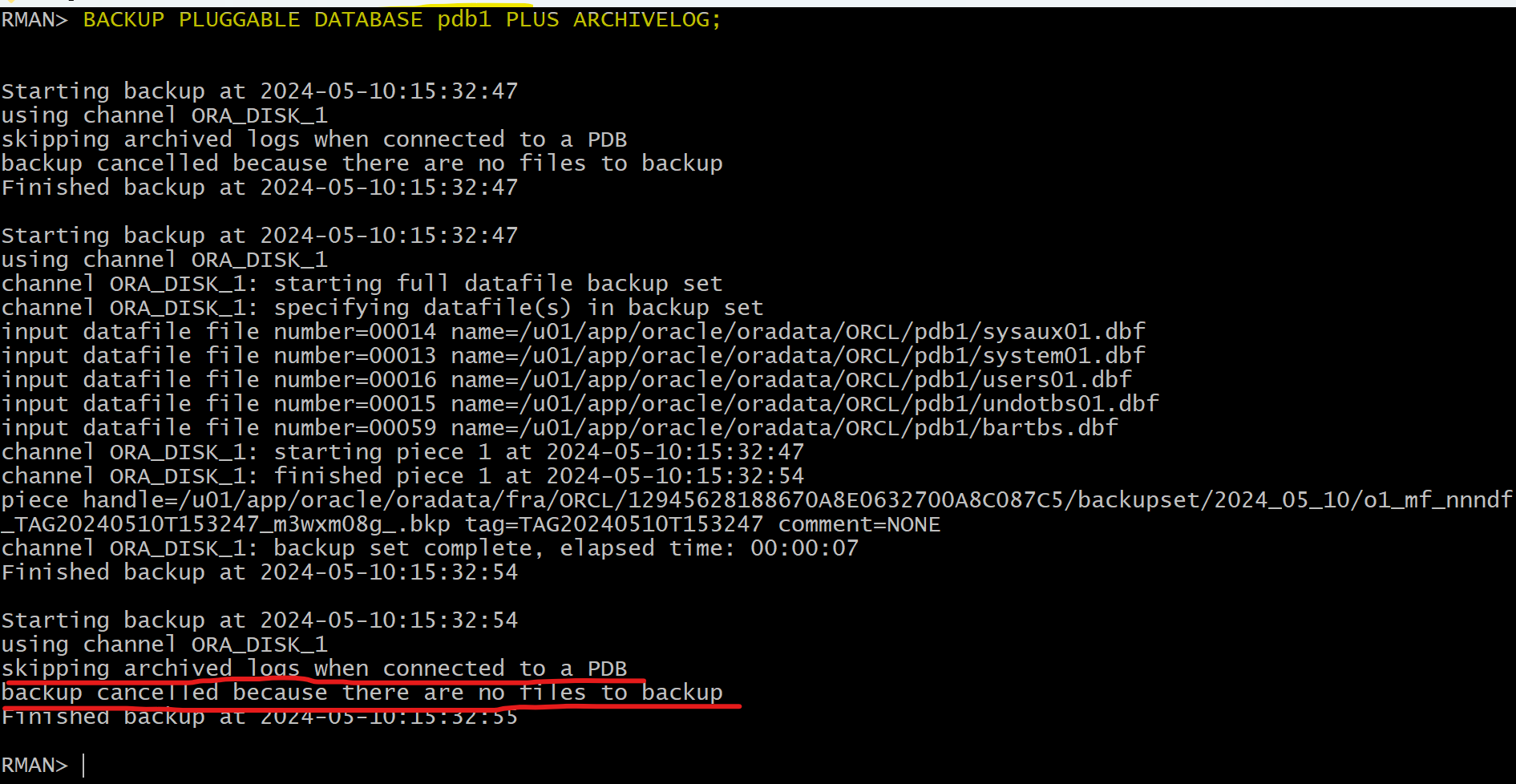
- Backup archivelog is not allowed
- Try to configure the recovery setting for the PDB so that the SPFILE and control file
- get an error message because you must be connected to the CDB root to configure any recovery settings.

Backup Tablespace
Connect with CDB
rman TARGET /

-- Show the names of all data files (permanent and temporary) and tablespaces
REPORT SCHEMA;

-- Backup a tbsp in a pdb
BACKUP TABLESPACE pdb1:users;

-- Backup multiple tbsp in different pdbs
-- if one of the identifiers is not correct, all backup will fail.
BACKUP TABLESPACE pdb1:system, orclpdb:sysaux;

-- Without pdb name: backup the tbsp within the CDB$ROOT
BACKUP TABLESPACE SYSTEM, orclpdb:users, SYSAUX;
-- order:
--    tbsp of current pdb
--    cf, spf
--    tbsp of other pdb
Lab: Back up the tablespace in CDB
rman target /

BACKUP TABLESPACE pdb1:users;
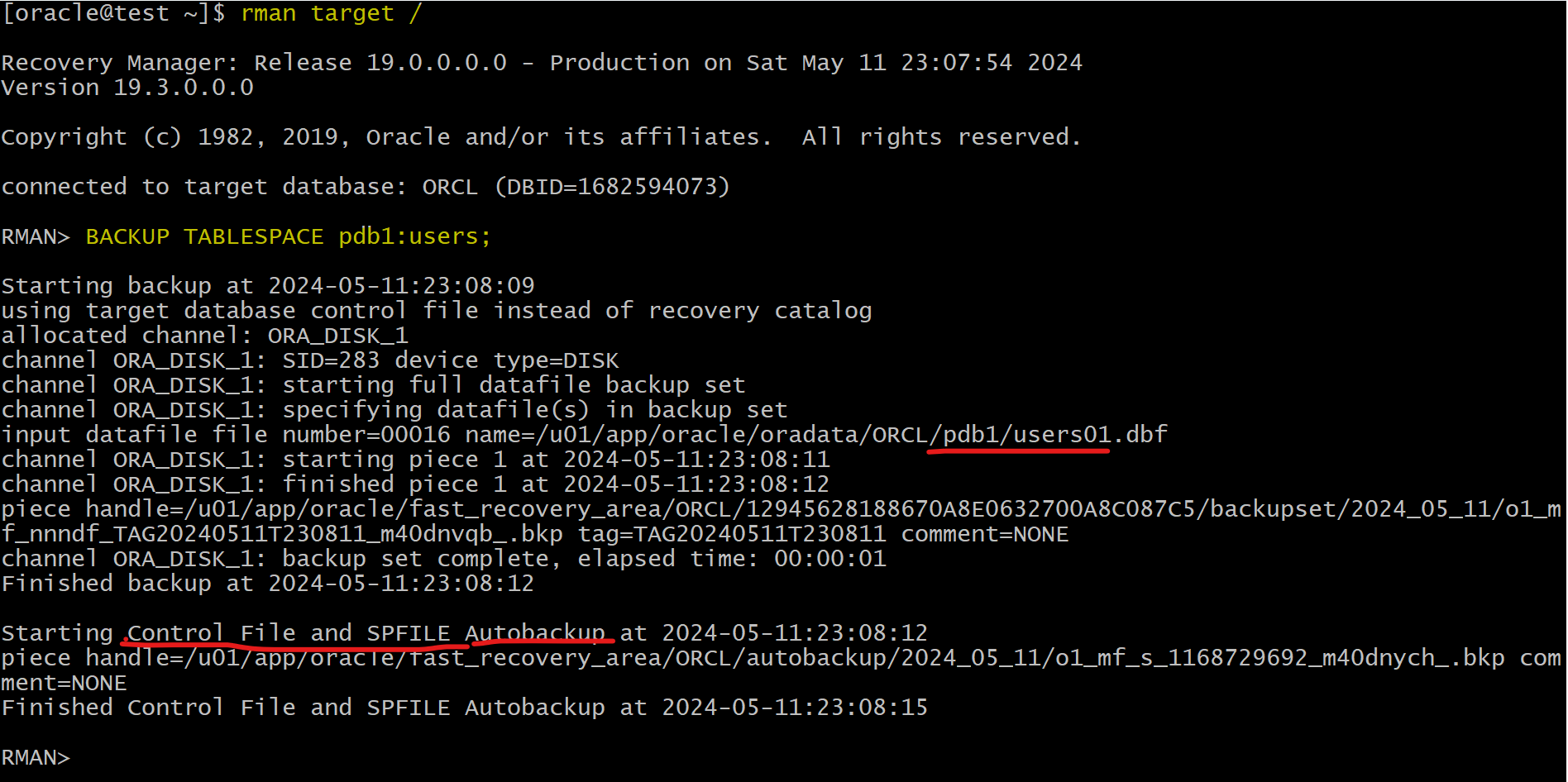
SPFILE and control file are autobackup
Connect with PDB
-- connect with pdb
rman TARGET "'backupadmin@pdb1 as sysdba'"

-- Report schema in current pdb
REPORT SCHEMA;

-- Backup a tbsp in current a pdb
BACKUP TABLESPACE pdb1:users;

-- the pdb name can be ignore
BACKUP TABLESPACE system,users;
Lab: Back up the tablespace in PDB
rman target SYS@pdb1

BACKUP TABLESPACE users;
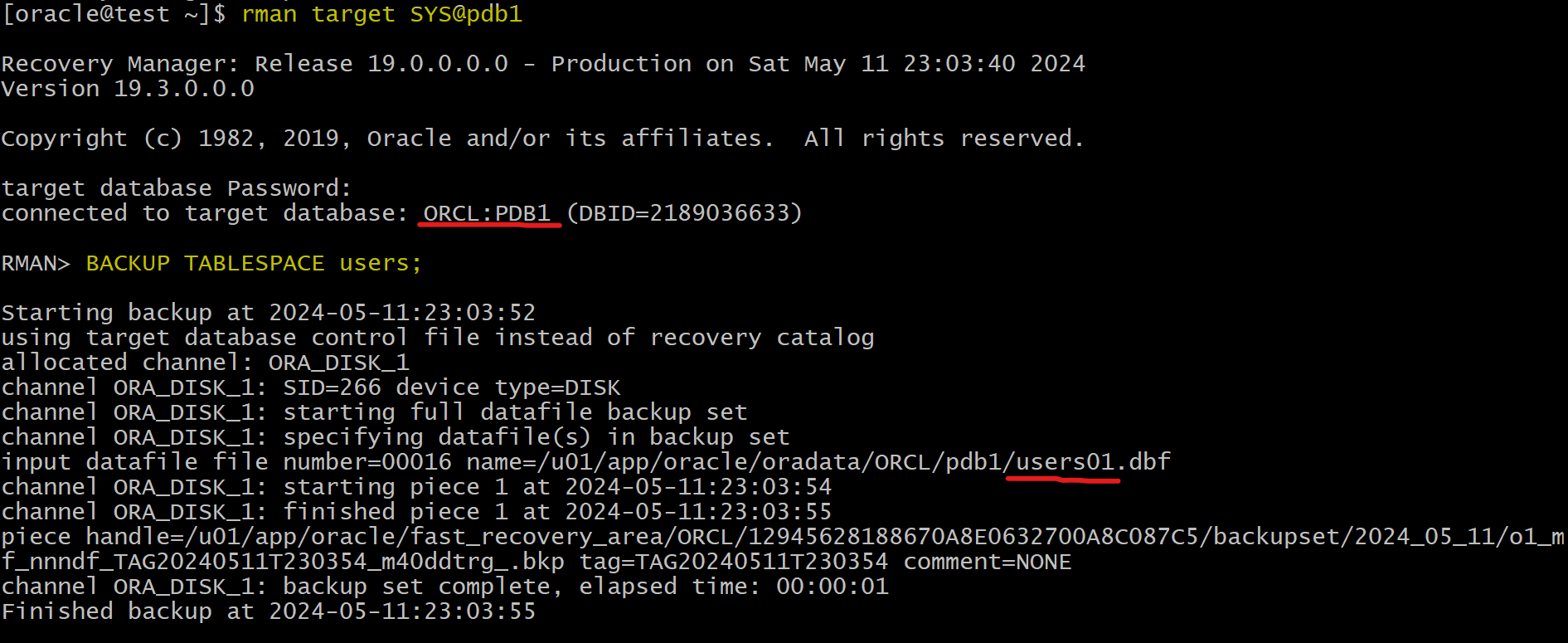
SPFILE and Control file is not autobackup.