Note_Tech
All technological notes.
Project maintained by simonangel-fong Hosted on GitHub Pages — Theme by mattgraham
DBA2 - Multiplexing Control Files
Multiplexing Control Files
Ensure redundancy of control files. If a control file is damaged or lost, recovery is easier if you have another copy.
To protect against database failure, your database should have multiple copies of the control file.
-
control file- a binary file that describes the structure of the database.
- It must be available for writing by the Oracle server whenever the database is mounted or opened.
- Without this file, the database cannot be mounted
- recovery or re-creation of the control file is required.
-
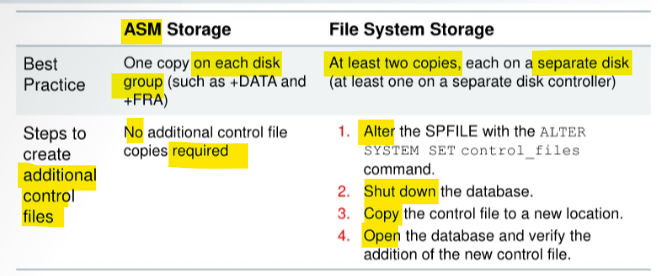
Database should have a minimum of two
control fileson different storage devices to minimize the impact of a loss of one control file.- The loss of a single control file causes the
instanceto fail because all control files must be available at all times. - However, recovery can be a simple matter of copying one of the other control files.
- The loss of all control files is slightly more difficult to recover from but is not usually catastrophic.
- The loss of a single control file causes the
Adding a Control File
-
In a database using regular
file system storage, adding a control file is a manual operation:- Alter the SPFILE with the following command specifying the appropriate location of your files:
ALTER SYSTEM SET control files = '/u0l/app/oracle/oradata/orcl/controlOl.ctl"' , '/u02/app/oracle/oradata/orcl/control02.ctl"' , '/u03/app/oracle/oradata/orcl/control03.ctl' SCOPE=SPFILE;- Shut down the database instance.
- Use an operating system command to copy an existing control file to the location you select for your new file.
- Open the database.
- If you are using
ASMas your storage technique, then as long as you have two control files, one in each disk group (such as+DATAand+FRA), you should not require further multiplexing. - In a database using
Oracle Managed Files (OMF)—such as a database using ASM storage—all additional control files must be created as part of a recovery process usingRMAN(or usingEnterprise Manager).
Lab: Muliplexing Control File
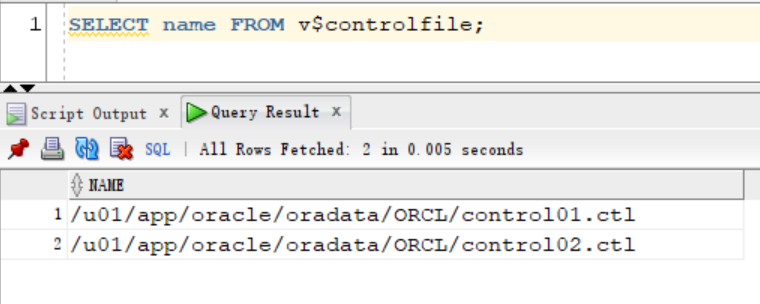
Query control file
sqlplus / AS SYSDBA
SELECT name FROM v$controlfile;
- When the
CDBwas created,DBCAcreated twocontrol files. - When you use the
CREATE DATABASEcommand inSQL*Plusto create a database, you configure theCONTROL_FILESparameter to generate twocontrol filesand set their names.
SHOW PARAMETER control files;

Multiplexing Control File
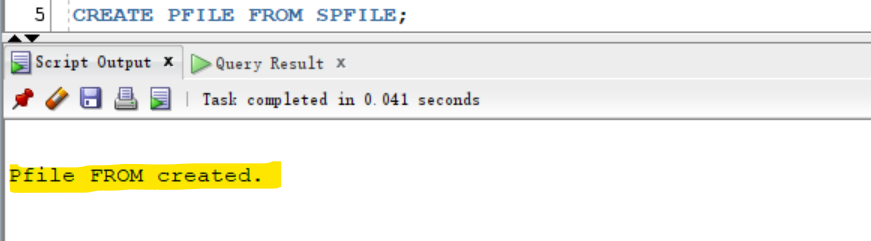
- Create a parameter file (PFILE) from the server parameter file (SPFILE).
- Becuase multiplexing the cf needs to edit the pf.
CREATE PFILE FROM SPFILE;
- Shut down the database instance in
IMMEDIATEmode.
SHUTDOWN IMMEDIATE
EXIT
- Copy cf
# Create a directory for the new control file.
mkdir -p /u01/app/oracle/controlfiles_dir/ORCL

# copy one of control file to directory
cp /u0l/app/oracle/oradata/ORCL/control0l.ctl /u01/app/oracle/controlfiles_dir/ORCL/control03.ctl
- Edit pfile to add the new control file
control_files=
# Backup pfile
cp $ORACLE_HOME/dbs/initorcl.ora $ORACLE_HOME/dbs/backup_initorcl.ora

vi $ORACLE_HOME/dbs/initorcl.ora
# add ,'/u01/app/oracle/controlfiles_dir/ORCL/control03.ctl'
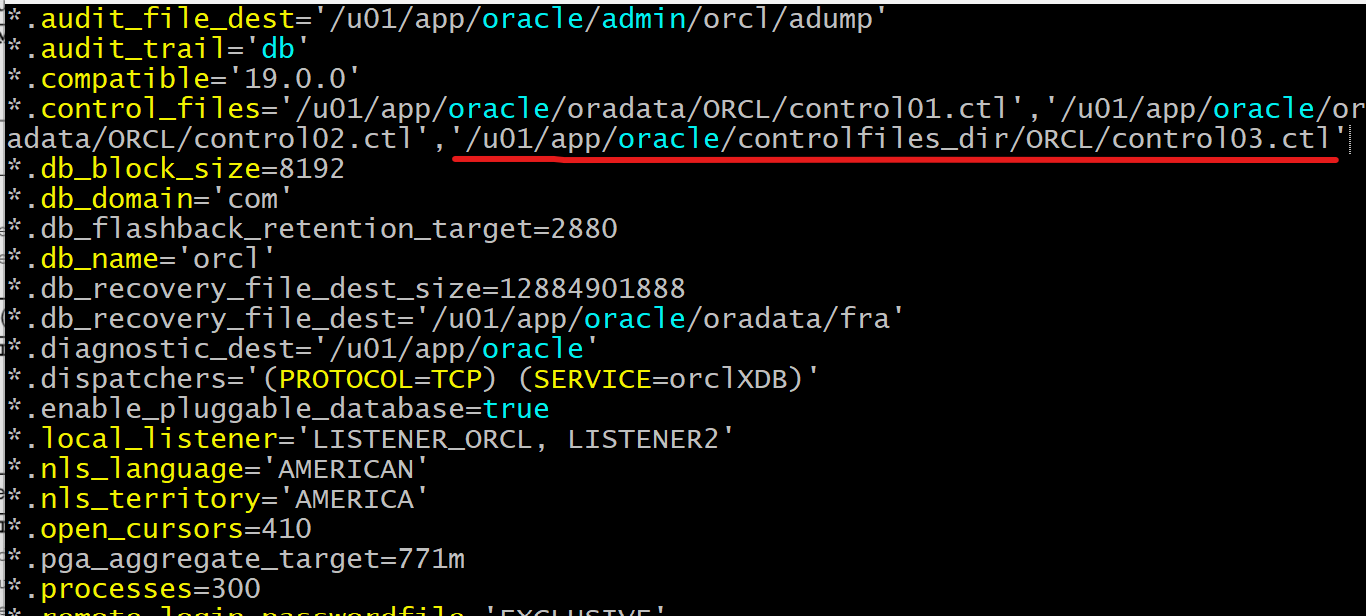
- 注意, 该处是对比步骤
- Start instance
sqlplus / AS SYSDBA

STARTUP
-- view parameter
SHOW PARAMETER control_files
Note:
- Why does the CONTROL_FILES parameter still show only two control files?
- By default, the database instance starts up with the
SPFILE.- If an
SPFILEdoes not exist, then the instance starts up with aPFILE. - In this case, both an
SPFILEandPFILEare present, so theSPFILEtakes precedence. - You configured the
PFILE, not the TheSPFILEstill contains only two references. - SPFILE 与 PFILE 同时存在情况下, SPFILE 优先. 以上步骤只修改 PFILE.所以还是显示 2 个 CF
- If an
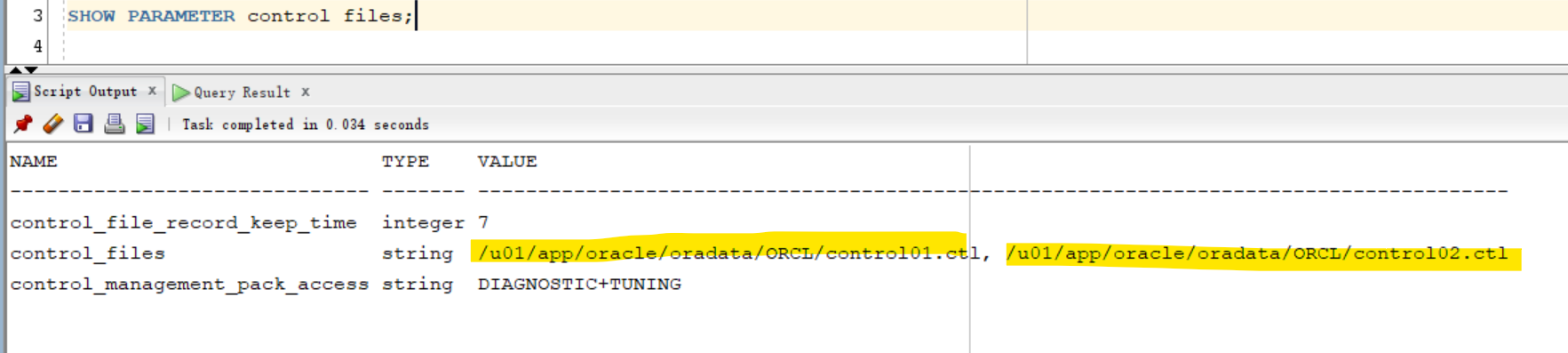
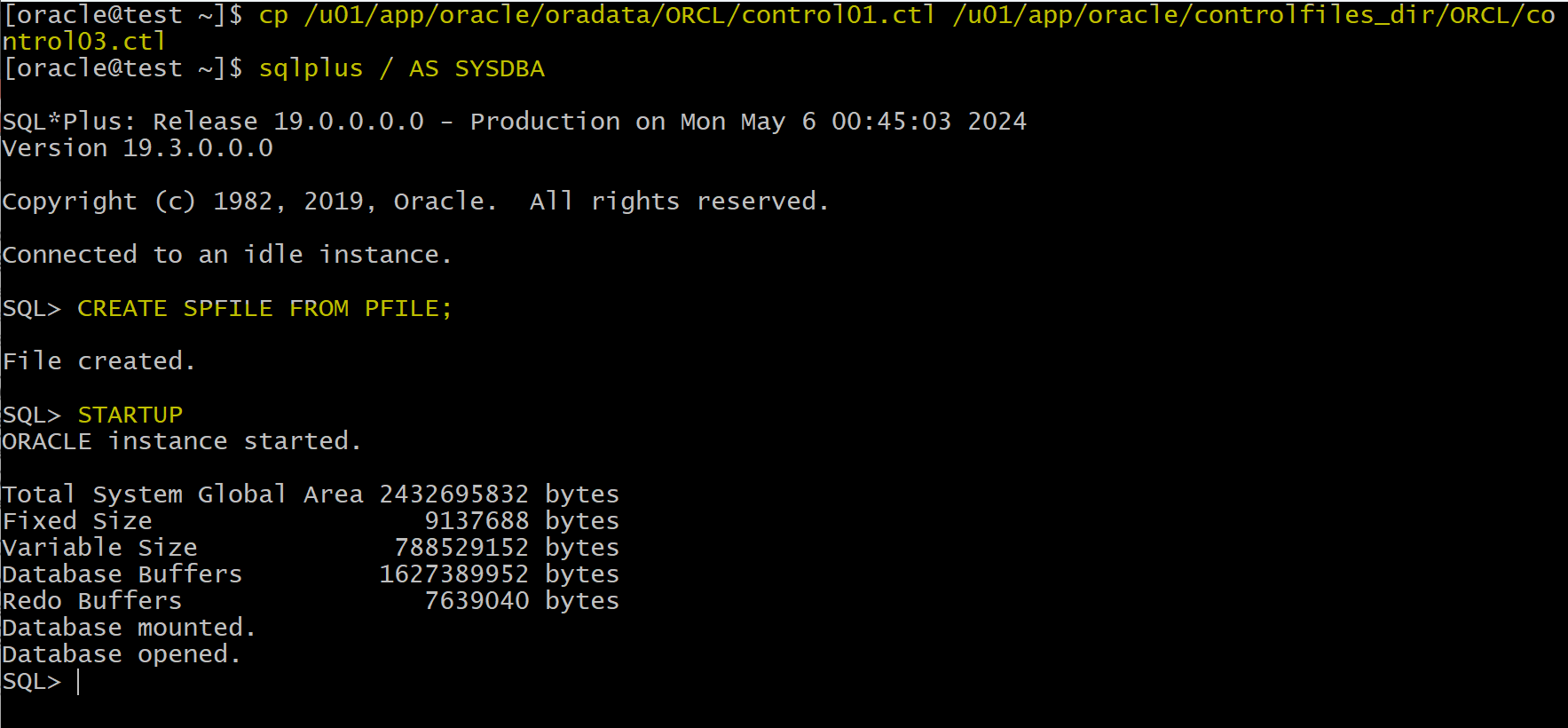
- Re-Create CF, because the CF is in the new version after startup
SHUTDOWN IMMEDIATE
EXIT
# re-create cf
cp /u01/app/oracle/oradata/ORCL/control01.ctl /u01/app/oracle/controlfiles_dir/ORCL/control03.ctl
sqlplus / AS SYSDBA

-- create a spfile from pfile before startup
CREATE SPFILE FROM PFILE;

STARTUP

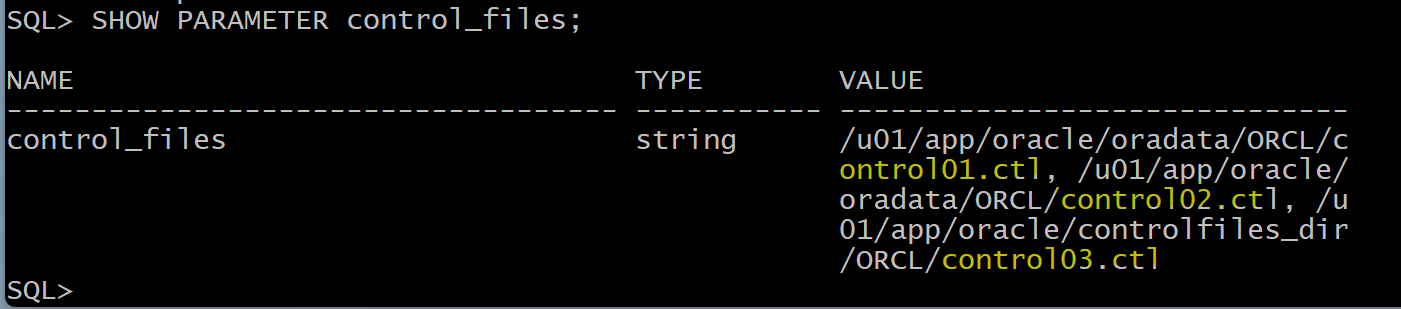
SHOW PARAMETER control_files;

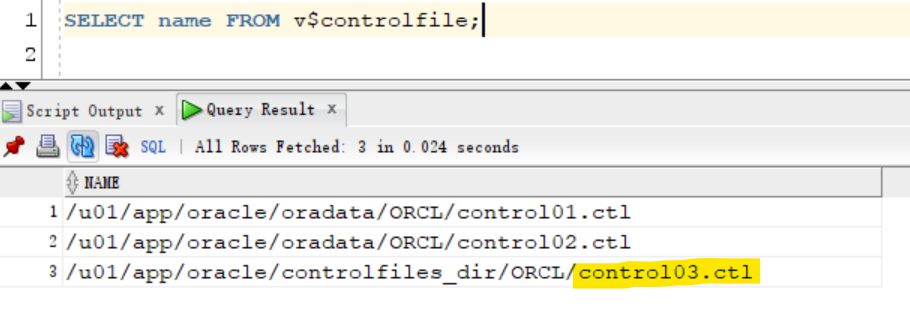
SELECT name FROM v$controlfile;
- Clean up
# refer to the backup pfile
PFILE_PATH=$ORACLE_HOME/dbs/backup_initorcl.ora

sqlplus -s / as sysdba <<EOF
-- Starting the Oracle instance with the specified pfile
STARTUP PFILE='$PFILE_PATH';

-- Recreating the spfile from the current pfile
CREATE SPFILE FROM PFILE;

SHUTDOWN IMMEDIATE

-- startup normally with recreated spfile
STARTUP

SHOW PARAMETER control_files;

SELECT name FROM v\$controlfile;

EXIT

EOF

# remove the additional control file
rm -rf /u01/app/oracle/controlfiles_dir/ORCL
Lab: Multiplex Control File to FRA
- Currently, control file is in the same path
-- View current cf
show parameter control_files;
-- NAME          TYPE   VALUE
-- ------------- ------ --------------------------------------------------------------------------------------
-- control_files string /u01/app/oracle/oradata/ORCL/control01.ctl, /u01/app/oracle/oradata/ORCL/control02.ctl

SELECT name FROM v$controlfile;
-- /u01/app/oracle/oradata/ORCL/control01.ctl
-- /u01/app/oracle/oradata/ORCL/control02.ctl
- Before further step, create a pfile from spfile to backup the current parameters
CREATE PFILE FROM SPFILE;
-- create initorcl.ora in $ORACLE_HOME/dbs
- Update the control file for spfile
- The
SCOPEset asspfileto prevent the database from attempting to look for the new file at this time
- The
ALTER SYSTEM SET CONTROL_FILES='/u01/app/oracle/oradata/ORCL/control01.ctl','/u01/app/oracle/fast_recovery_area/ORCL/control02.ctl' SCOPE=spfile;
- Shutdown Database
SHUTDOWN IMMEDIATE
- Copy the control file to FRA
mv /u01/app/oracle/oradata/ORCL/control02.ctl /u01/app/oracle/fast_recovery_area/ORCL/control02.ctl
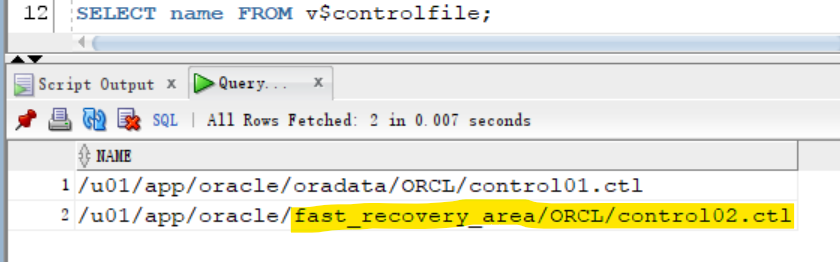
- Start Database and confirm
- When starting up the instance, the instance will read the parameter from the spfile.
STARTUP

SELECT name FROM v$controlfile;
show parameter control_files