Note_Tech
All technological notes.
Project maintained by simonangel-fong Hosted on GitHub Pages — Theme by mattgraham
DBA2 - Multiplexing Redo Log Files
Multiplexing Redo Log Files
-
Ensure that there are at least two
redo log membersin each group.- If a r
edo log memberis damaged or lost, recovery is easier when you have an additional member in the group.
- If a r
-
Redo log groups- made up of one or more
redo log files. - Each
log filein a group is a duplicate of the others.
- made up of one or more
- Multiplex
redo log groupsto protect against media failure and loss of data.- This increases database I/O.
-
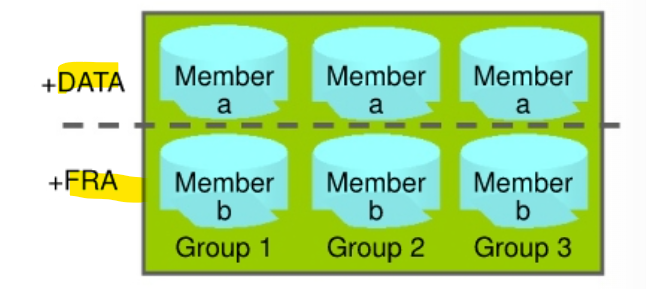
It is suggested that redo log groups have:
- At least two members (files) per group 每组至少两个
- Each member:
- On a separate disk or controller if using
file system storage- If you are using
file system storage, then each member should be distributed on separate disks or controllers so that no single equipment failure impacts an entire log group. 成员分散分布
- If you are using
- Ina separate disk group (such as +DATA and +FRA) if using
ASM- If you are using
ASMstorage, then each member should be in a separate disk group, such as+DATAand+FRA.
- If you are using
- On a separate disk or controller if using
-
Impact of loss:
-
The loss of an entire current log group is one of the most serious
media failuresbecause it can result in loss of data. 全组丢失造成数据丢失- Recovery from the loss of an entire log group requires advanced recovery techniques and is discussed in the course titled Oracle Database 18c: Backup and Recovery Workshop.
-
The loss of a single member of a multiple-member log group is trivial and does not affect database operation (other than causing an alert to be published in the alert log).个别成员丢失不影响.
-
-
Note: Multiplexing redo logs may impact overall database performance.
- Remember that multiplexing redo logs may heavily influence database performance because a commit cannot complete until the transaction information has been written to the logs. 多重 redo log 会影响性能, 因为需要等待写入人 log
- You must place your
redo log fileson your fastest disks served by your fastest controllers. - If possible, do not place any other
database fileson the same disks as your redo log files (unless you are using ASM). Because only one group is written to at a given time, there is no performance impact in having members from several groups on the same disk. - For information about file placement in a Database Cloud Service database deployment, see “Characteristics of a Newly Created Deployment” in Administering Oracle Database Cloud Service.
-
Add a member to an exstng
log group:-
Navigate to the
Redo Log Groupspage inEnterprise Manager Database Express-
- Select Storage > Redo Log Groups.
-
- Select a group and click Add Member.
- The Add Member page appears.
- Select a group and click Add Member.
-
- For File System storage, enter the file name and the file directory. Click OK.
- Repeat these steps for every existing group that you want to multiplex.
-
-
-
Use the
ALTER DATABASEcommand:ALTER DATABASE ADD LOGFILE MEMBER '/u0l/app/oracle/oradata/orcl/redola.log' TO GROUP 1; -
When you add the redo log member to a group, the member’s status is marked as
INVALID(as can be seen in theV$LOGFILEview). 添加后可能显示 invalid, 直到 switch- This is the expected state because the new member of the group has not yet been written to.
- When a log switch occurs and the group containing the new member becomes
CURRENT, the member’s status changes tonull.
- Question: Why is it recommended to have three groups when two would be sufficient?
- Answer: The Oracle Database server treats the online redo log groups as a circular buffer in which to store transaction information, filling one group and then moving on to the next. After all groups have been written to, the Oracle Database server begins overwriting information in the first log group.
- If the database is configured in
ARCHIVELOGmode, theLGWRcannot overwrite data in the first log group if it has not been archived. - 为何两个组足够, 但仍然需要 3 个组.
- archivelog 模式下, 前一个组写完后需要 archived 后才能重用, 此时在 archive 完成前, 则只有一个组, 是一个风险.所以需要至少 3 个.
- If the database is configured in
- Question: Can multiplexing redo logs impact database performance?
- Answer: Multiplexing redo logs may heavily influence database performance because a commit cannot complete until the transaction information has been written to the logs by
LGWR.- DBA must place
redo log fileson fastest disks served by fastest controllers. - If possible, do not place any other
database fileson the same disks as yourredo log files. Because only one group is written to at a given time, there is no performance impact in having members from several groups on the same disk. - df 不建议与 redo log 一起放置.
- DBA must place
Lab: Multiplexing Redo Log File
Query Redo Log Group
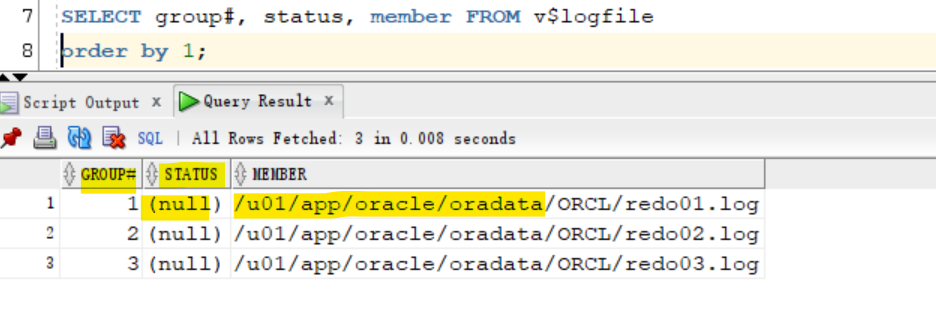
- Query
V$LOGFILEto determine the configuration (number of members) for each redo log group.- The result shows that there are currently three log groups (1, 2, and 3) and only one member in each group.
SELECT group#, status, member FROM v$logfile
order by 1;
Add another member to redo log group.
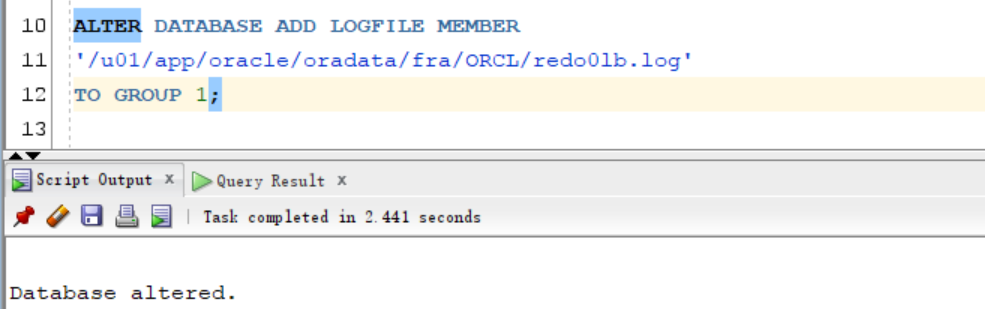
- 只能一个一个添加
ALTER DATABASE ADD LOGFILE MEMBER
'/u01/app/oracle/oradata/fra/ORCL/redo0lb.log'
TO GROUP 1;

ALTER DATABASE ADD LOGFILE MEMBER
'/u01/app/oracle/oradata/fra/ORCL/redo02b.log'
TO GROUP 2;

ALTER DATABASE ADD LOGFILE MEMBER
'/u01/app/oracle/oradata/fra/ORCL/redo03b.log'
TO GROUP 3;
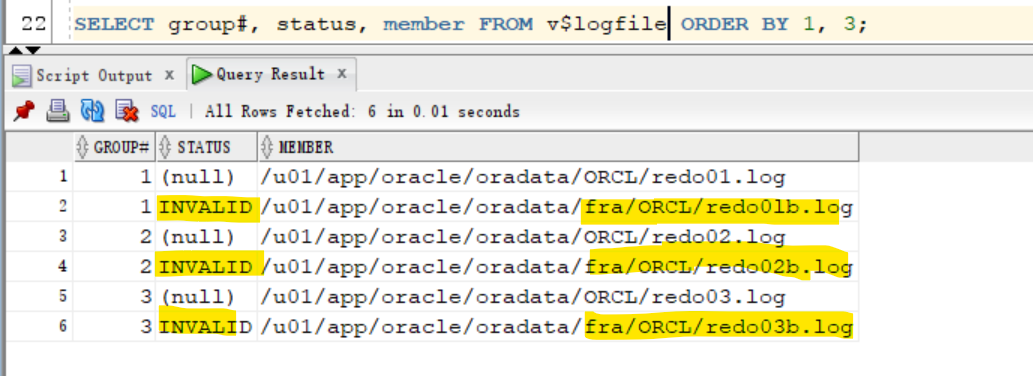
- Verify that the
redo log filesare now multiplexed.- The query result shows that each grouphas two members, and therefore, the
redo log filesare multiplexed. - Observe the
INVALIDstatus of the newly added redo log members.- This status is expected because the new members have not yet been written to by
LGWR. - When a
log switchoccurs and the group containing the new member becomesCURRENT, the new member’s status will change to null.
- This status is expected because the new members have not yet been written to by
- The query result shows that each grouphas two members, and therefore, the
SELECT group#, status, member FROM v$logfile ORDER BY 1, 3;
- Switch log file to update the status of the log file.
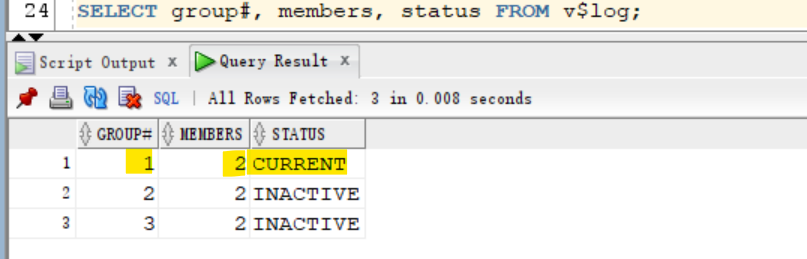
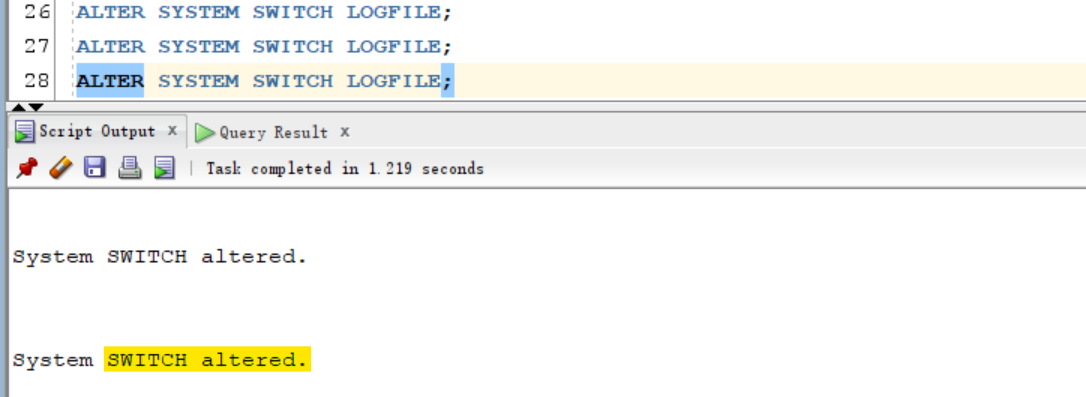
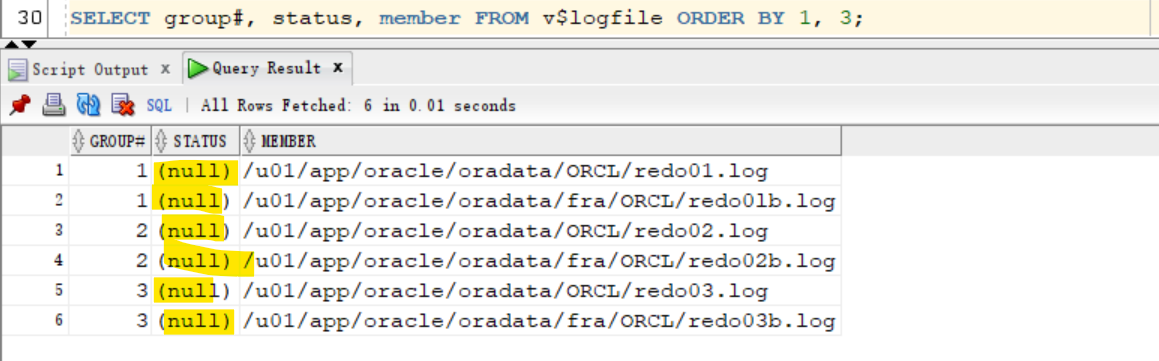
- At last, the status of logfiles are null
-- query log status
SELECT group#, members, status FROM v$log;

-- switch logfile 3 times, so the switch covers 3 groups.
ALTER SYSTEM SWITCH LOGFILE;
ALTER SYSTEM SWITCH LOGFILE;
ALTER SYSTEM SWITCH LOGFILE;

-- query logfile
SELECT group#, status, member FROM v$logfile ORDER BY 1, 3;
Switch Logfile and Log Group status
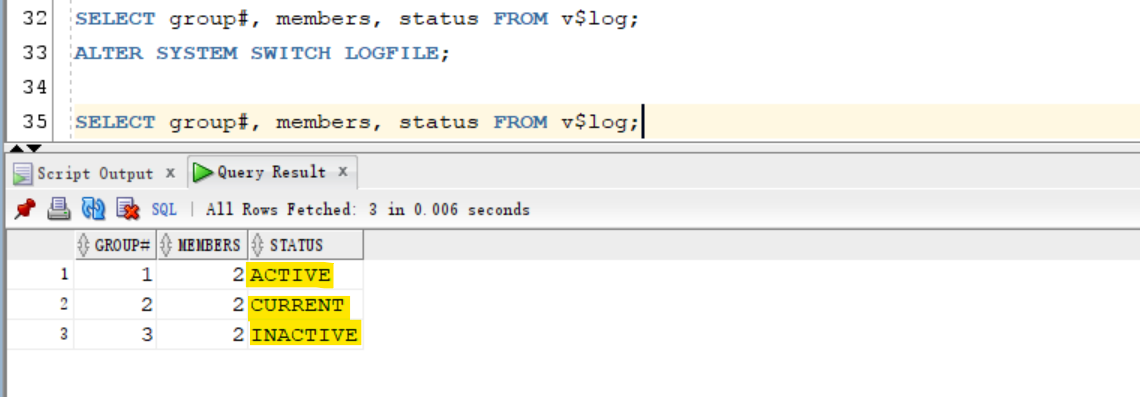
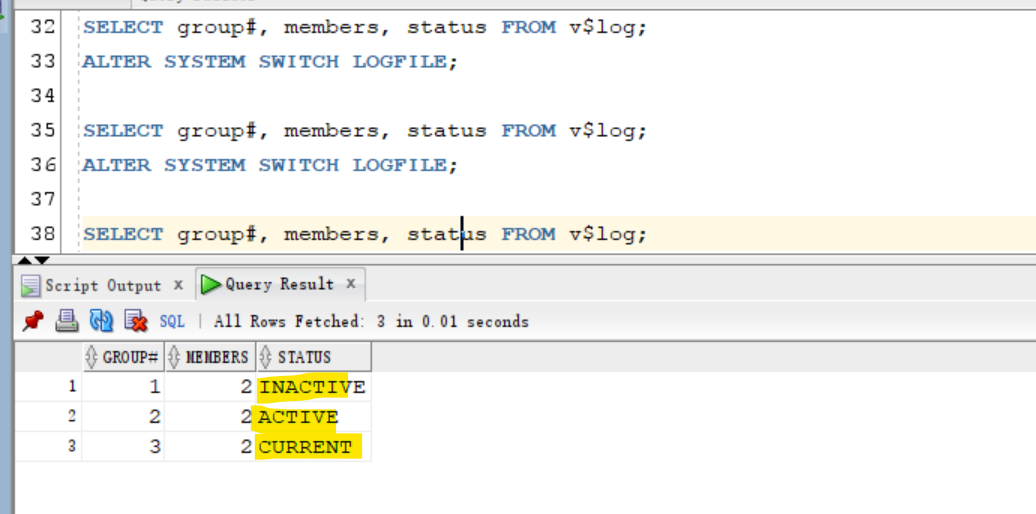
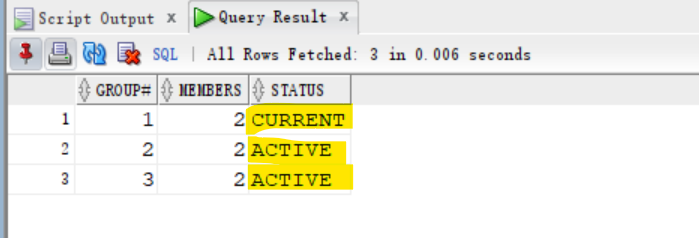
- Switch logfile to view the status of log
INACTIVE: thelog groupis no longer needed for database instance recovery.-
ACTIVE: thelog groupis active but not the current log group. It is needed for crash recovery. It may be in use for block recovery.
SELECT group#, members, status FROM v$log;
ALTER SYSTEM SWITCH LOGFILE;

SELECT group#, members, status FROM v$log;
ALTER SYSTEM SWITCH LOGFILE;

SELECT group#, members, status FROM v$log;
- Question: Can the
LGWRbackground process write to only one member of theCURRENTgroup in case the other members are missing or damaged? -
Answer: Yes, it can. As long as there is one member left in the
CURRENTgroup, LGWR can work. - 即 LGWR 需要当前组有至少有一个成员.
Drop redo file group member
- query the current redo log group
SELECT group#, members, status FROM v$log;
-- 1	2	ACTIVE
-- 2	2	CURRENT
-- 3	2	INACTIVE
- Drop the log file member from an non-current group
- Then switch logfile to move to the next group
ALTER DATABASE DROP LOGFILE MEMBER
'/u01/app/oracle/oradata/fra/ORCL/redo0lb.log';

ALTER SYSTEM SWITCH LOGFILE;

ALTER DATABASE DROP LOGFILE MEMBER
'/u01/app/oracle/oradata/fra/ORCL/redo02b.log';

ALTER SYSTEM SWITCH LOGFILE;

ALTER DATABASE DROP LOGFILE MEMBER
'/u01/app/oracle/oradata/fra/ORCL/redo03b.log';

ALTER SYSTEM SWITCH LOGFILE;
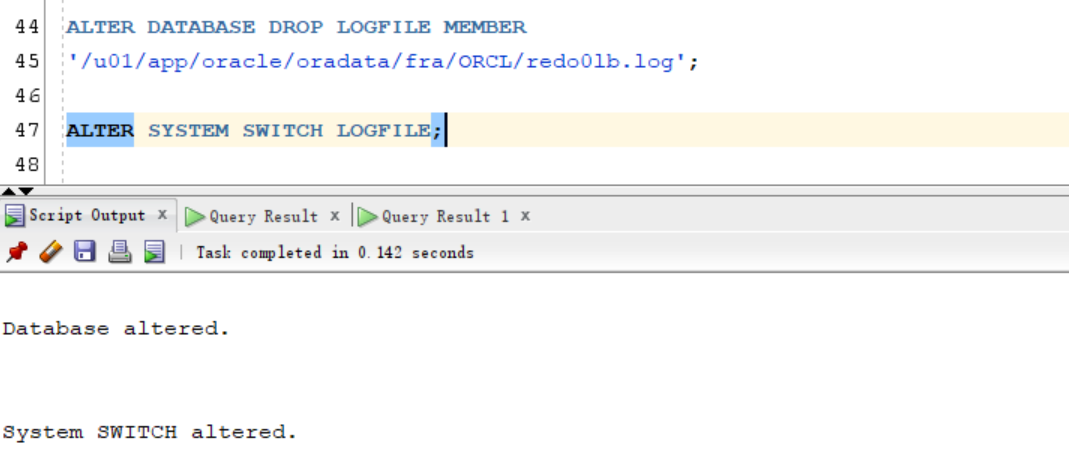
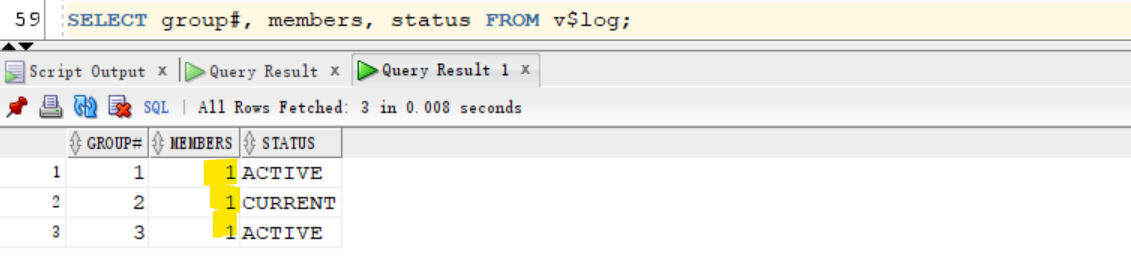
- Verify that each group now has only one member.
SELECT group#, members, status FROM v$log;
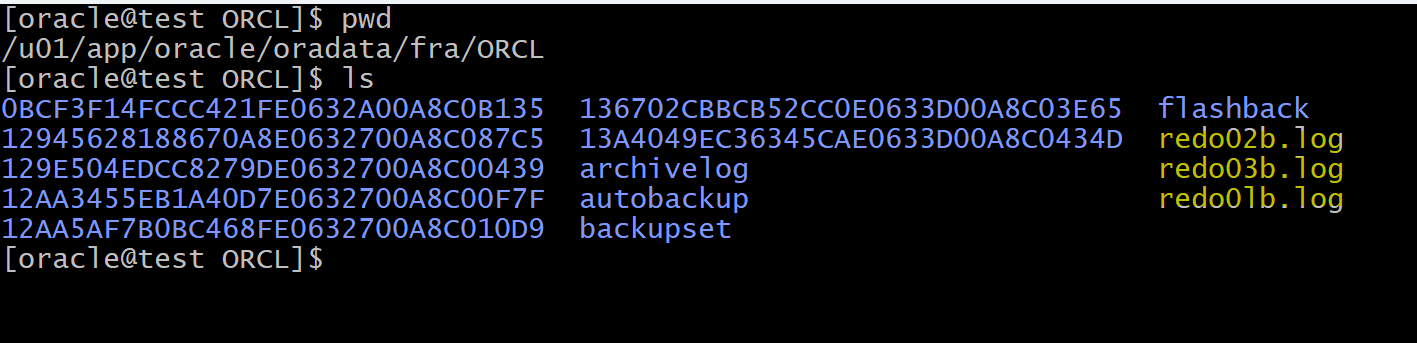
Clean up
rm /u01/app/oracle/oradata/fra/ORCL/redo*.log

ls /u01/app/oracle/oradata/fra/ORCL