Note_Tech
All technological notes.
Project maintained by simonangel-fong Hosted on GitHub Pages — Theme by mattgraham
Recovery - Block Corruption & Block Media Recovery
Block Corruption
-
Corrupted data block:- a block
- that is not in a recognized Oracle format
- whose contents are not internally consistent.
- caused by: 原因: 硬件/OS
- faulty hardware
- operating system problems.
- a block
-
types of curroptions:
Physical/Media corruptionLogical/Software corruption
-
Corrupt blocksare discovered 被发现的时间- when they are accessed
- during a
validation check.- consists of checking all blocks in the object that have not previously been marked corrupt.只检查未被标记的块
- For each block, the transaction and data layer portions are checked for self-consistency.
- During
CHECK_OBJECT, if a block is encountered that has a corrupt buffer cache header, then that block is skipped.
-
Whenever a block is read or written, a consistency check is performed:
- Block version
- DBA (data block address) value in cache as compared to the DBA value in the block buffer
- Block-checksum, if enabled
-
the database marks a block as media corrupt and then writes it to disk 标记并写入磁碟
- when the corruption is first encountered. 第一次碰到时
- No subsequent read of the block will be successful until the block is recovered. 一旦标记, 无法被读取.
-
Physical/Media corruption:- the block format is not correct
- the information in the block does not make any sense after being read from disk.
- the block that the database does not recognize.不能被识别
- the checksum is invalid,
- the block contains all zeros
- the block header is fractured.
- by default,
Physical corruption checkingis enabled.默认会检查 - repaired by:修复
- recovering the block
- dropping the database object that contains the corrupt block
- If
media corruptionis due to faulty hardware- the problem will not be completely resolved until the hardware fault is corrected.
- the block format is not correct
-
Logical/Software corruption:- The block has a valid checksum, the header and footer match, but the contents are inconsistent. 能被识别, 但对象不能对齐.
- marked corrupt by the Oracle database after it detects the inconsistency.检查到不对齐会标记
- raises an Oracle internal error. 不对齐会引发内部错误
- by default,
Logical corruption checkingis disabled. 默认不会检查 CHECK LOGICALoption to check for logical corruption.- cannot be repaired by
Block media recovery
- The block has a valid checksum, the header and footer match, but the contents are inconsistent. 能被识别, 但对象不能对齐.
-
Block corruptionscan be divided intointerblock corruptionandintrablock corruption.intrablock corruption:- the corruption occurs within the block itself
- can be either
physical or logical corruption. 可以是物理或逻辑
interblock corruption:- the corruption occurs between blocks
- can be only
logical corruption. 只能是逻辑
ORA-01578 error
-
ORA-01578 error"ORACLE data block corrupted (file # %s, block # %s)"- generated when a corrupted data block is found
- 返回:
- returned to the session that issued the query being performed when the corruption was discovered 当前 session
- Appears in the
alert.logfile
-
Always returns the tablespace relative file number and block number错误信息
ORA-01578returns the tablespace relative file number相对文件编号- the accompanying
OR2-01110 errordisplays the absolute file number. 绝对文件编号
-
Usually, the result of a hardware problem. 问题诊断
- If the
ORA-01578 erroris always returned with the same arguments, it is most likely amedia corrupt block. - If the arguments change each time, there may be a hardware problem, and you should have the memory and page space checked and the I/O subsystem checked for bad controllers.
- If the
Corruption Handling
-
Diagnosis:
- Check the
alert logandoperating system logfile. - Use available diagnostic tools to find out the type of corruption.
- To determine whether the error persists, run checks multiple times by:
ANALYZEcommand:ANALYZE TABLE emp VALIDATE STRUCTURE CASCADE ONLINE;
- if possible, perform a shutdown and a startup and try again to perform the operation that failed earlier.
- Check the
-
Recovery:
- Recover data from the corrupted object if necessary.
- Recover or restore data from the corrupt object if necessary.
-
Resolve any hardware issues:
- Memory boards
- Disk controllers
- Disks
-
Find out whether there are more corruptions.
- If you encounter one, there may be other corrupted blocks as well.
-
Hardware failuresshould be addressed immediately.- When you encounter hardware problems, the vendor should be contacted and the machine should be checked and fixed before continuing.
- A full hardware diagnostics session should be run.
Parameters to Detect Corruption
| Parameter | Use |
|---|---|
DB_BLOCK_CHECKING |
Prevent memory and data corruption |
DB_BLOCK_CHECKSUM |
Detect I/O storage, disk corruption |
Recommended generic block-corruption parameters:
-
DB_BLOCK_CHECKING- initiates checking of
database blocks. - used to prevent memory and data corruption.
- Default:
FALSE - recommended:
FULLorMEDIUM
- initiates checking of
-
DB_BLOCK_CHECKSUM:- initiates the calculation and storage of a checksum in the
cache headerof every data block when writing it to disk. Checksums- assist in detecting corruption caused by underlying disks, storage systems, or I/O systems.
- Default:
TYPICAL - recommended:
FULL
- initiates the calculation and storage of a checksum in the
-
Each of the parameters set to detect corruption impacts performance to varying degrees and thus requires testing before production use.
Block Media Recovery
-
Block media recovery:-
recover only on blocks that are marked corrupt or fail a
corruption check. -
By default, RMAN searches
- for good copies of the blocks in the
flashback logs- When RMAN finds good copies, it restores them and performs
media recoveryon the blocks. 映像备份优先 Block media recoverycan use onlyredo logsfor media recovery, not incremental backups. 只使用 redo logs
- When RMAN finds good copies, it restores them and performs
- then for the blocks in
full or level 0 incremental backups.
- for good copies of the blocks in the
-
-
Benefits
- Lowers the
mean time to recover (MTTR) - Increases availability during media recovery
- The data file remains online during recovery.
- Only blocks being recovered are inaccessible.
- Lowers the
-
Syntax:
-- Recover a single block
RECOVER DATAFILE 6 BLOCK 3;

-- Recover multiple blocks in multiple data files
RECOVER
DATAFILE 2 BLOCK 43
DATAFILE 2 BLOCK 79
DATAFILE 6 BLOCK 183;

-- Recover all blocks logged in V$DATABASE_BLOCK_CORRUPTION
RECOVER CORRUPTION LIST;
-
V$DATABASE_BLOCK_CORRUPTIONView:- view to display blocks marked corrupt.
- including both
Physical/Media corruptionandLogical corruption
Example:
- the following messages in a user trace file:
ORA-01578: ORACLE data block corrupted (file # 7, block # 3)
ORA-01110: data file 7: '/oracle/oradata/orcl/tools01l.dbf’
ORA-01578: ORACLE data block corrupted (file # 2, block # 235)
ORA-01110: data file 2: '/oracle/oradata/orcl/undotbsOl.dbf’'
- Command to recovery
- the error message indicates multiple errors in multiple files.
RECOVER
DATAFILE 7 BLOCK 3
DATAFILE 2 BLOCK 235;
Prerequisites
- The target database must run in
ARCHIVELOGmode and be open or mounted with a current control file. - not
proxy copies:- The backups of the data files containing the
corrupt blocksmust befull or level 0 backups. 包含在全备份中
- The backups of the data files containing the
Proxy copies:- must be restored to a nondefault location on disk, in which case RMAN considers them data file copies and searches them for blocks during block media recovery. 即不能在默认路径中直接使用
- RMAN can use only
archived redo logsfor the recovery.- cannot use
level 1 incremental backups. Block media recoverycannot survive a missing or inaccessiblearchived redo log, although it can sometimes survive missing redo records.
- cannot use
- To enable RMAN to search the
flashback logsfor good copies of corrupt blocks,Flashback Databasemust be enabled.- If
flashback loggingis enabled and contains older, uncorrupted versions of the corrupt blocks, then RMAN can use these blocks, possibly speeding up the recovery. flashback logging 可以提高效率, 但前提是启动 flashback.
- If
Recovering Individual Blocks
-
RECOVER. . . BLOCKcommand:- Identifies the backups containing the blocks to recover
- Reads the backups and accumulates requested blocks into in-memory buffers
- Manages the block media recovery session by reading the
archive logs from backupif necessary
- must identify the
corrupt blocksbefore block recovery can take place -
method to get information of corrupt blocks:
- Results of the
LIST FAILURE,VALIDATE, orBACKUP ... VALIDATEcommand V$DATABASE_BLOCK_CORRUPTIONview- Error messages in standard output
- The
alert logand usertrace files(identified in theV$DIAG_INFOview) - Results of the
SQL ANALYZE TABLEandANALYZE INDEXcommands - Results of the
DBVERIFYutility
- Results of the
Lab: Block Media Recovery
Setup Environment
- create the
BCuser, theBCTBStablespace, and theBCCOPYtable.
sqlplus / as sysdba

ALTER SESSION SET container=orclpdb;
show con_name
ALTER DATABASE open;
show pdbs

-- CLEANUP from previous run
DROP USER bc CASCADE;
DROP TABLESPACE bctbs INCLUDING CONTENTS AND DATAFILES;

-- Create tablespace
CREATE TABLESPACE bctbs
DATAFILE '/u01/app/oracle/oradata/ORCL/orclpdb/bctbs01.dbf'
SIZE 10M REUSE
SEGMENT SPACE MANAGEMENT MANUAL;

-- Create user
CREATE USER bc IDENTIFIED BY pass4BC
DEFAULT TABLESPACE bctbs
QUOTA UNLIMITED ON bctbs;

GRANT CREATE SESSION TO bc;

-- create table and populate
-- be sure table is at least 2 blocks long
CREATE TABLE bc.bccopy
TABLESPACE bctbs
AS SELECT * FROM HR.EMPLOYEES;

INSERT INTO bc.bccopy
SELECT * FROM bc.bccopy;

INSERT INTO bc.bccopy
SELECT * FROM bc.bccopy;

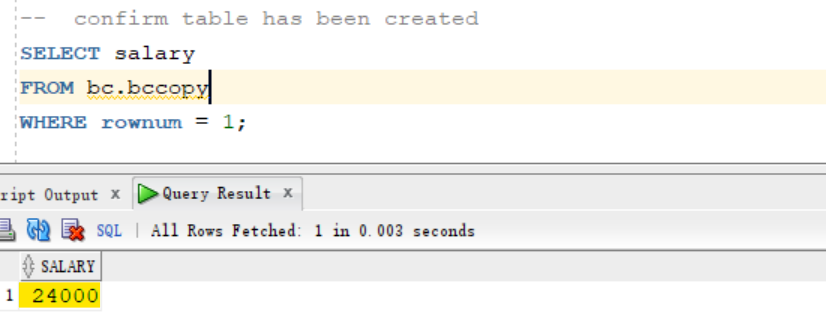
--  confirm table has been created
SELECT salary
FROM bc.bccopy
WHERE rownum = 1;
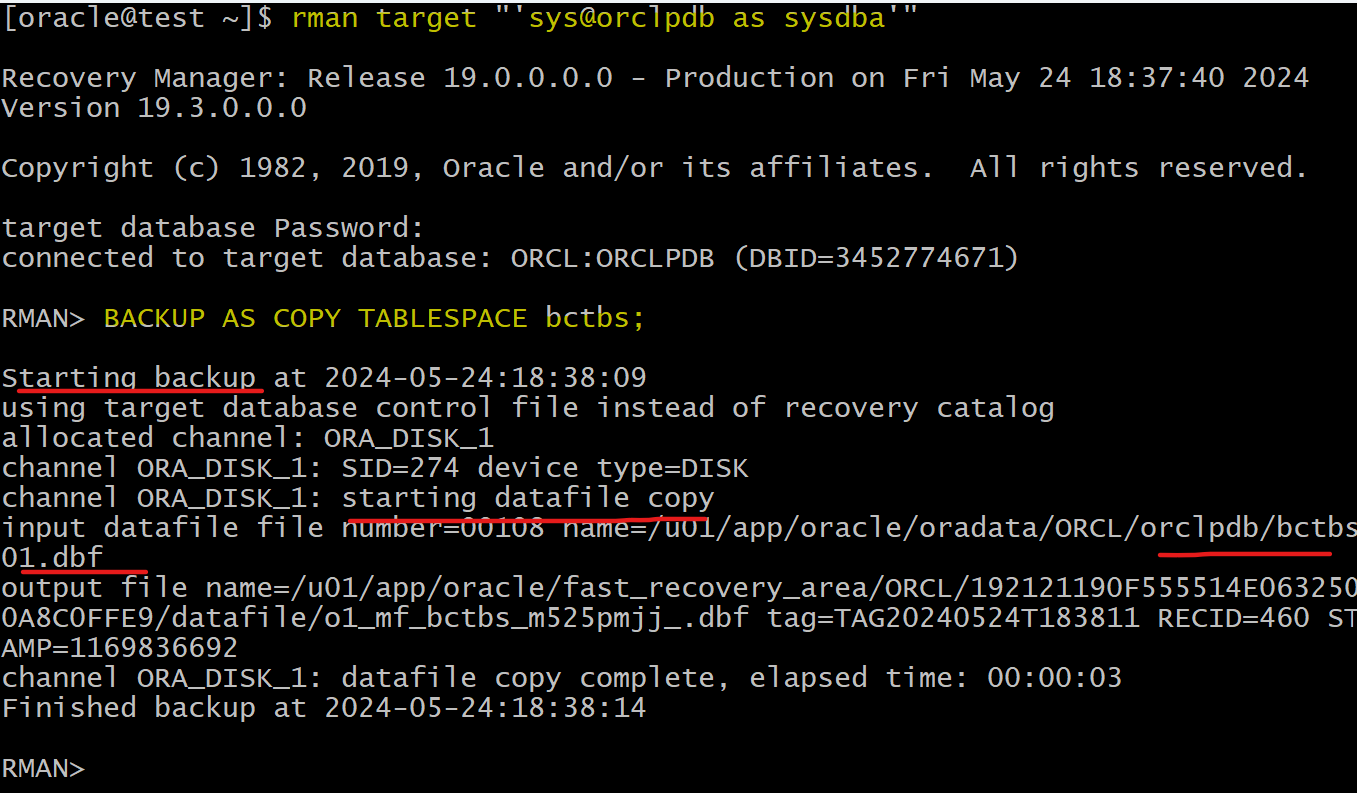
- Create backup of the bctbs tablespace
rman target "'sys@orclpdb as sysdba'"
-- backup tbsp
BACKUP AS COPY TABLESPACE bctbs;

EXIT
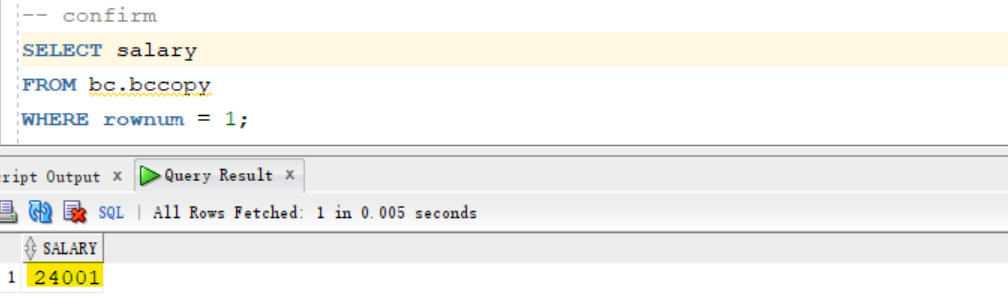
- update the table
sqlplus / as sysdba

ALTER SESSION SET container=orclpdb;
show con_name
UPDATE bc.bccopy SET salary = salary+1;
COMMIT;

-- confirm updated
SELECT salary
FROM bc.bccopy
WHERE rownum = 1;
-
Corrupt a data file created
- The corrupt block error is expected. The script performs a query against the
Bccopytable to force the corrupt block to be discovered.
- The corrupt block error is expected. The script performs a query against the
sqlplus / as sysdba

ALTER SESSION SET container=orclpdb;
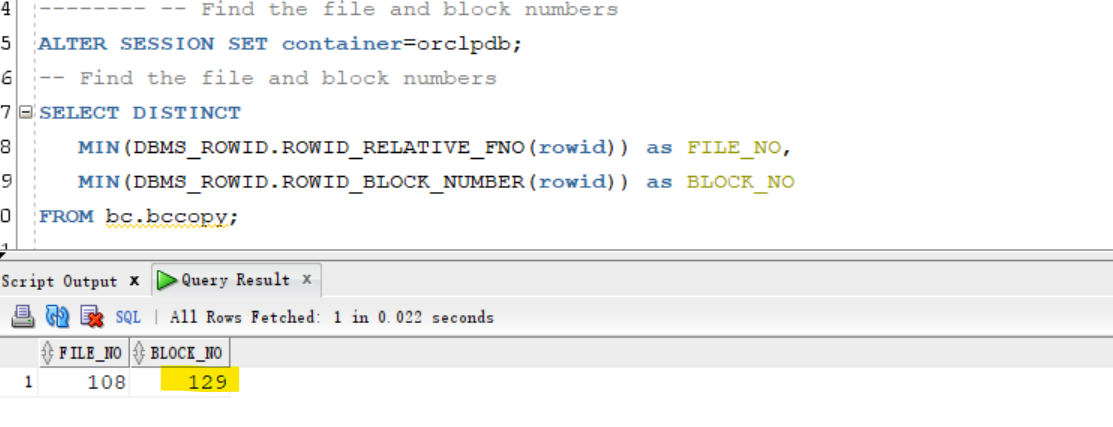
-- Find the file and block numbers
SELECT DISTINCT
   MIN(DBMS_ROWID.ROWID_RELATIVE_FNO(rowid)) as FILE_NO,
   MIN(DBMS_ROWID.ROWID_BLOCK_NUMBER(rowid)) as BLOCK_NO
FROM bc.bccopy;
-- FILE_NO  BLOCK_NO
-- 108	    129

ALTER SYSTEM FLUSH BUFFER_CACHE;
- When prompted, enter the block number that is displayed in the
BLOCK_NOcolumn.
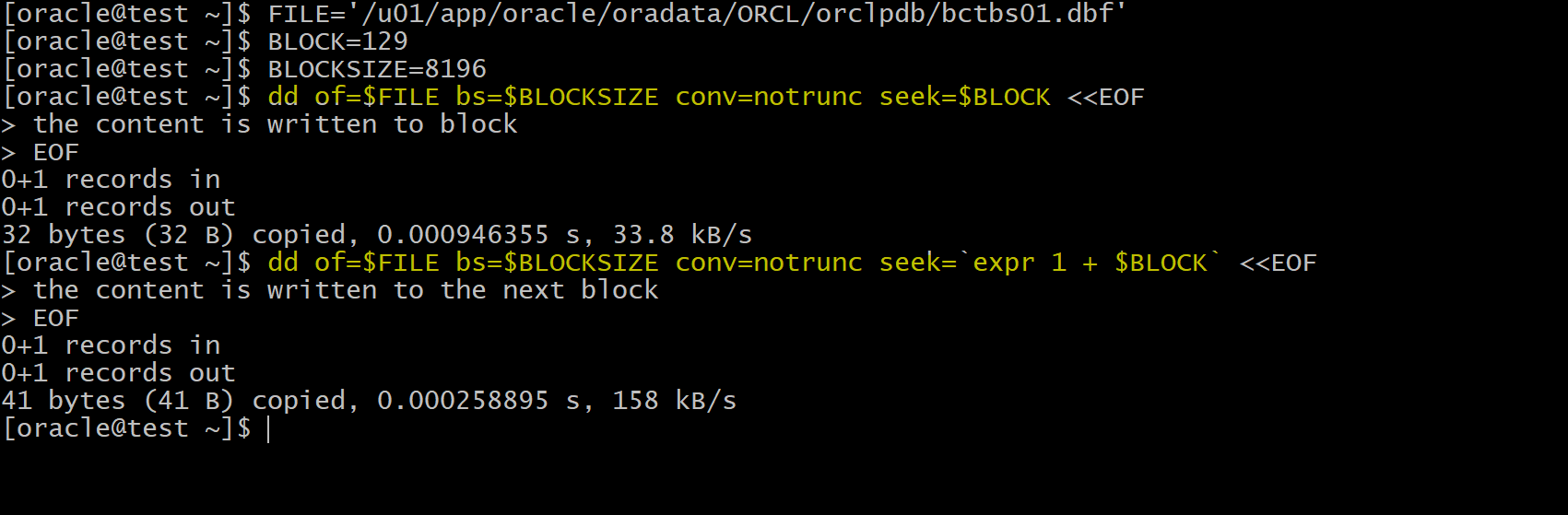
# linux bash command
# Corrupts 2 consecutive blocks.
# make sure the table is in 2 consequetive blocks
# the location of data file
FILE='/u01/app/oracle/oradata/ORCL/orclpdb/bctbs01.dbf'
# block_no
BLOCK=129
# the block size
BLOCKSIZE=8196

# write the content to the block
dd of=$FILE bs=$BLOCKSIZE conv=notrunc seek=$BLOCK <<EOF
the content is written to block
EOF

dd of=$FILE bs=$BLOCKSIZE conv=notrunc seek=`expr 1 + $BLOCK` <<EOF
the content is written to the next block
EOF
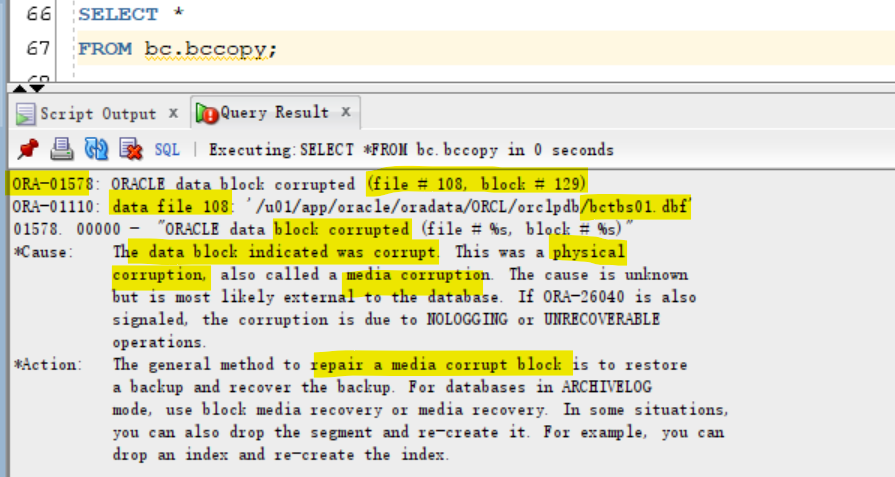
- Query the table after corruption.
SELECT *
FROM bc.bccopy;

/*
ORA-01578: ORACLE data block corrupted (file # 106, block # 129)
ORA-01110: data file 106: '/u01/app/oracle/oradata/ORCL/orclpdb/bctbs01.dbf'
01578. 00000 -  "ORACLE data block corrupted (file # %s, block # %s)"
*Cause:    The data block indicated was corrupt. This was a physical
           corruption, also called a media corruption. The cause is unknown
           but is most likely external to the database. If ORA-26040 is also
           signaled, the corruption is due to NOLOGGING or UNRECOVERABLE
           operations.
*Action:   The general method to repair a media corrupt block is to restore
           a backup and recover the backup. For databases in ARCHIVELOG
           mode, use block media recovery or media recovery. In some situations,
           you can also drop the segment and re-create it. For example, you can
           drop an index and re-create the index
*/
Query Block Corruption
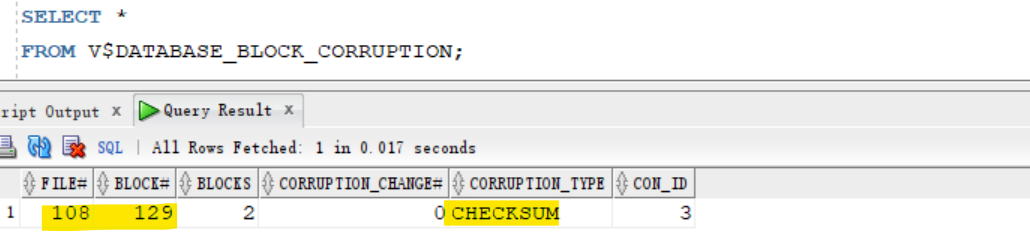
- Query view
SELECT *
FROM V$DATABASE_BLOCK_CORRUPTION;
-- 108	129	2	0	CHECKSUM	3
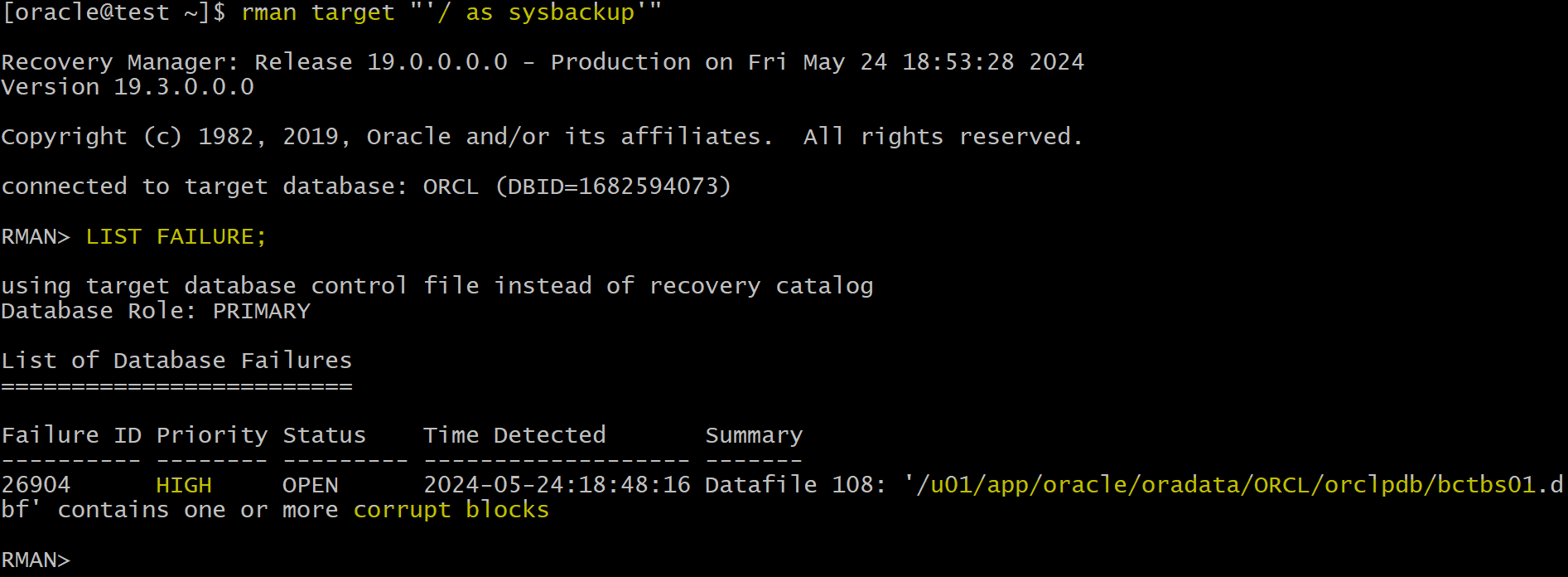
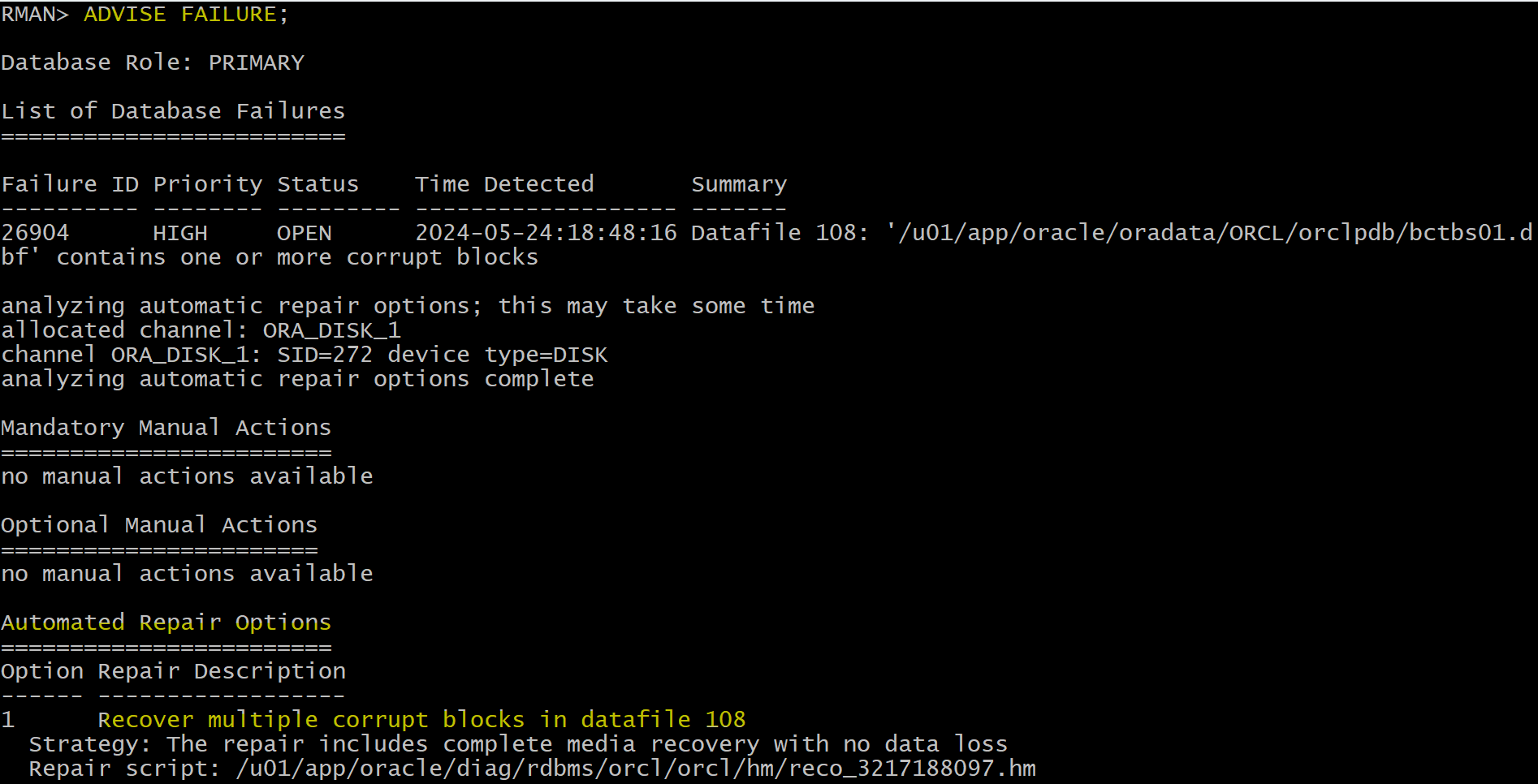
- Use rman to check and advice failure
rman target "'/ as sysbackup'"

-- Check failures
LIST FAILURE;
-- view suggested repair strategy.
ADVISE FAILURE;

-- preview the recovery script
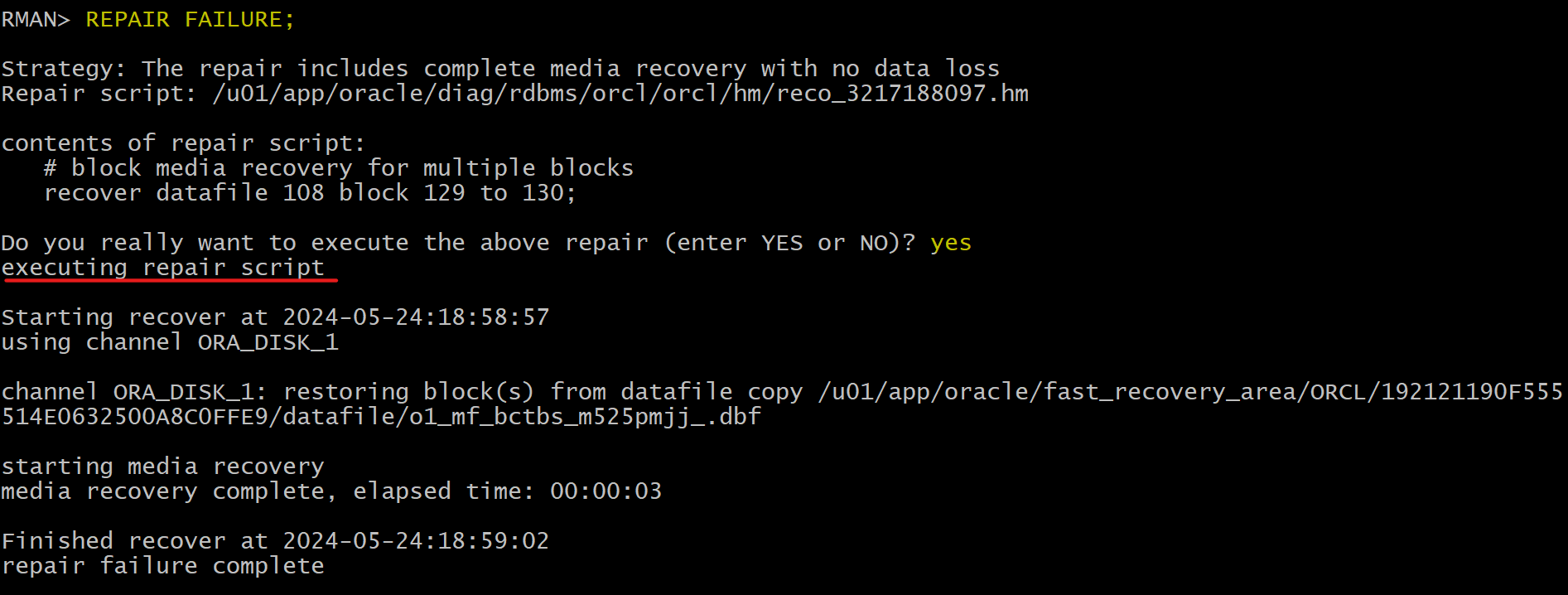
REPAIR FAILURE PREVIEW;
-- # block media recovery for multiple blocks
-- recover datafile 108 block 129 to 130;

-- recover the corrupted blocks.
REPAIR FAILURE;
-- Confirm the recovery
LIST FAILURE;

EXIT


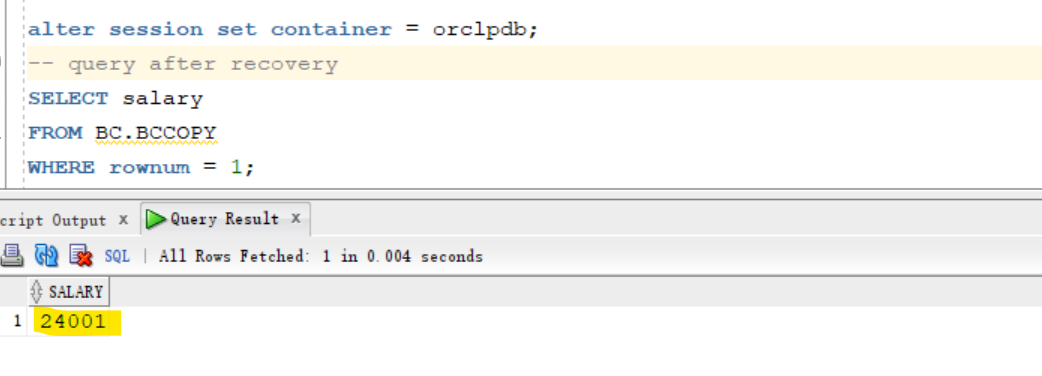
- Confirm the block recovery by querying table
$ sqlplus / as sysdba

alter session set container = orclpdb;
-- query after recovery
SELECT salary
FROM BC.BCCOPY
WHERE rownum = 1;

exit
Clean up
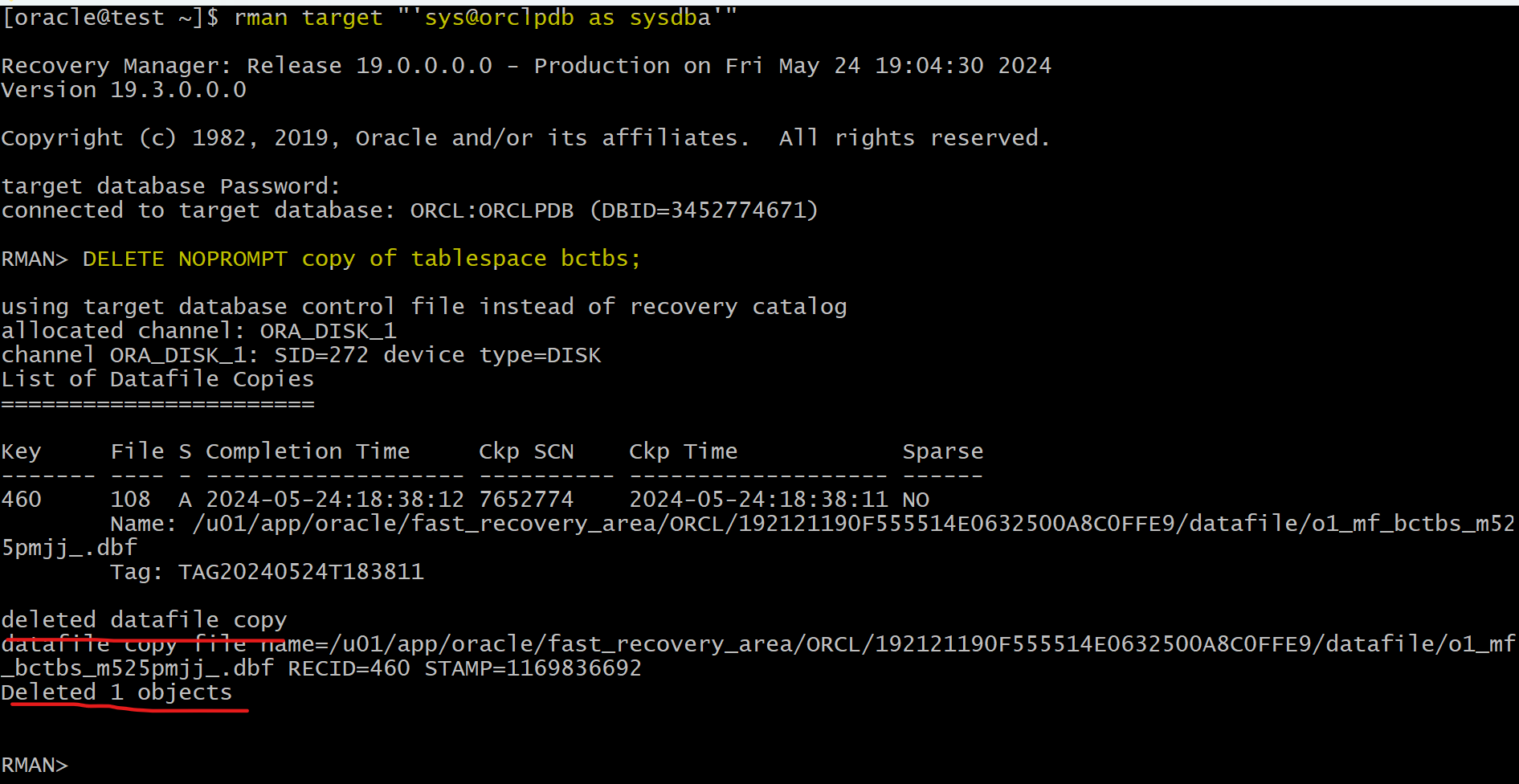
- cleanup backup copy
rman target "'sys@orclpdb as sysdba'"
DELETE NOPROMPT copy of tablespace bctbs;
exit;
- cleanup tablespace and user
sqlplus / as sysdba

ALTER SESSION SET container=orclpdb;
DROP USER bc CASCADE;
DROP TABLESPACE bctbs INCLUDING CONTENTS AND DATAFILES;

EXIT;
Best Practice: Proactive Checks
-
proactive health checks: 主动防御, 周期性检查- possibly daily during low peak interval periods
- can schedule
periodic health checksthrough- the
Health Monitor - the RMAN
VALIDATEcommand.
- the
- can turn on parameter to check for logical and physical corruption.
- Can check the findings logged in the ADR.
-
In general, when a
reactive checkdetects failure(s) in a database component, you may want to execute a more complete check of the affected component. 被动检查出失败, 则需要全面检查.
-
VALIDATEcommand:- Scans the specified files and verifies their contents
- Confirms that the data files exist and are in the correct location检查文件是否存在在正确路径
- Checks for
corrupt data blocks - Skips
never-used blocks - Can check individual
backup setsanddata blocks可以检查个别备份和数据文件
- Displays failures and logs them in the
ADR- can use the
LIST FAILUREcommand to view all failures recorded in the repository.
- can use the
- By default, the VALIDATE command checks for
physical corruptiononly. 默认只检查物理坏块- can specify
CHECK LOGICALto check for logical corruption as well.
- can specify
- checks for
intrablock corruptionsonly.
- Scans the specified files and verifies their contents
-
VALIDATE DATABASEcommand- used to invoke health checks for the database and its components.
- extends the existing
VALIDATE BACKUPSETcommand. - displays Any problem detected during validation.
- Problems initiate the execution of a failure assessment.
- If a failure is detected, it is logged into
ADRas a finding.
Lab: Validate the database
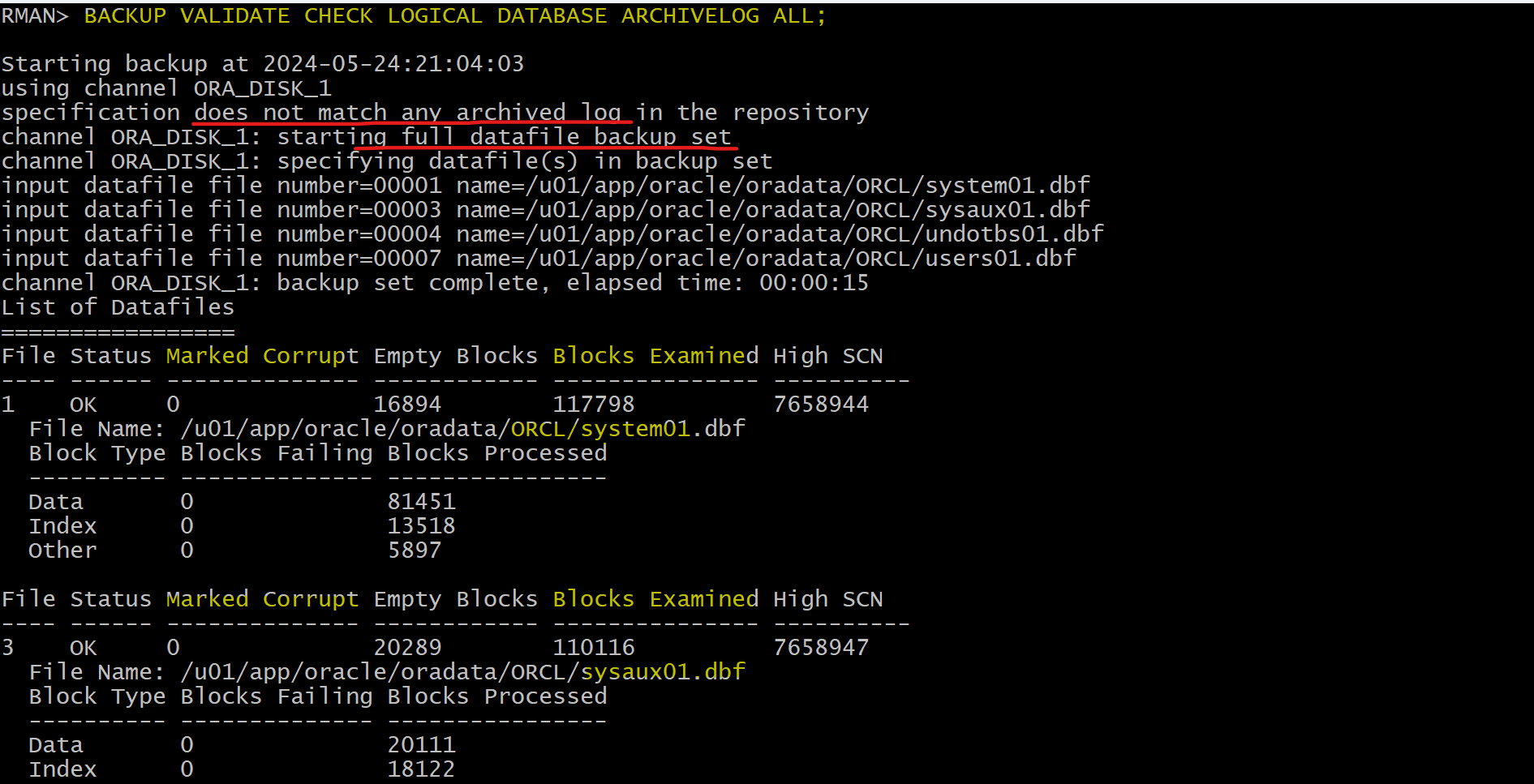
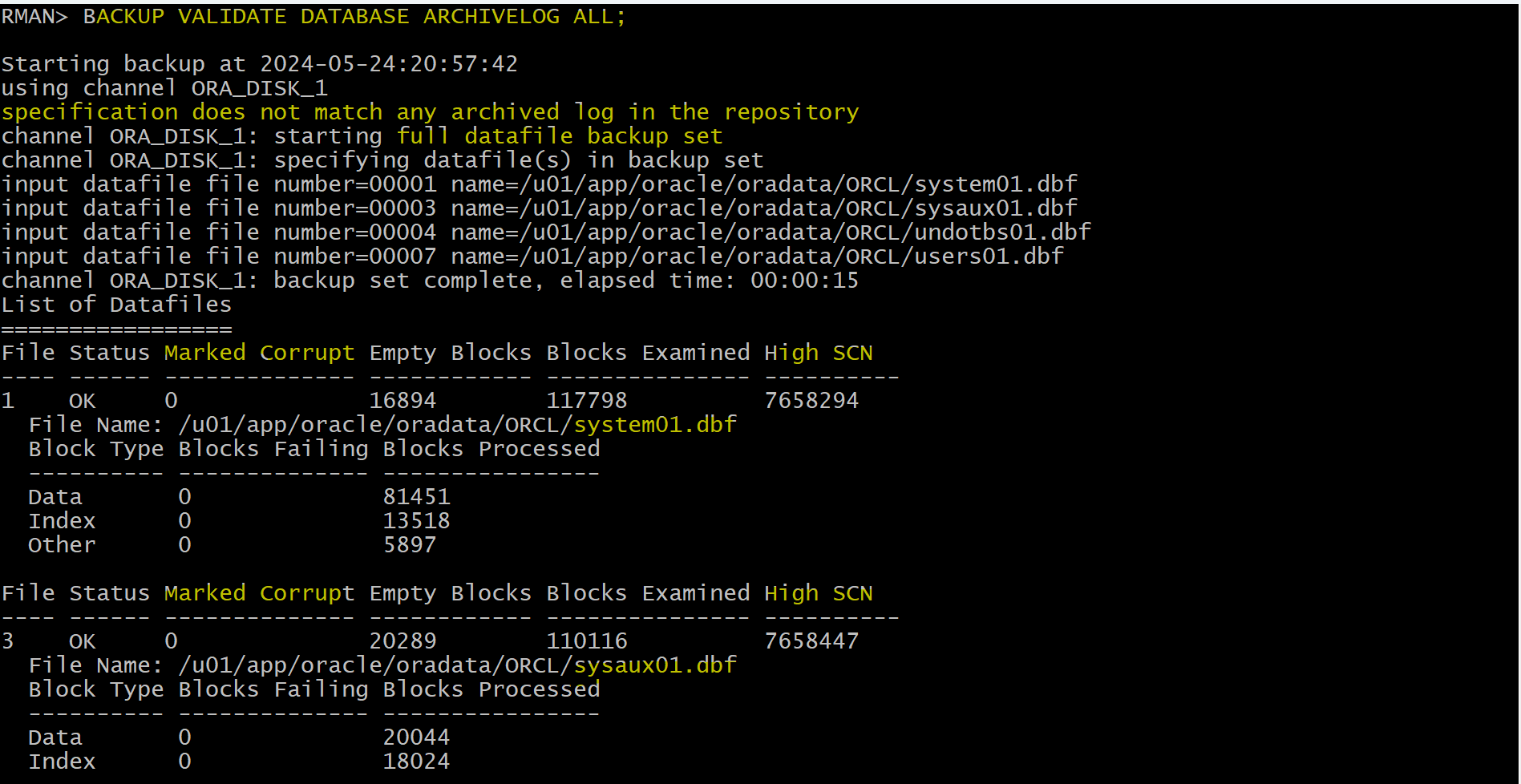
- outputs the same information you would see during a backup,
- but no backup is created.
- Any block corruptions are visible in the
V$DATABASE_BLOCK_CORRUPTIONview, as well as in the RMAN output.
rman target /

-- alidate the database
BACKUP VALIDATE DATABASE ARCHIVELOG ALL;

LIST BACKUP;
-- no backup was created
- By default the command only checks for
physical corruption.- Add the
CHECK LOGICALclause to include checks forlogical corruption.
- Add the
BACKUP VALIDATE CHECK LOGICAL DATABASE ARCHIVELOG ALL;