Note_Tech
All technological notes.
Project maintained by simonangel-fong Hosted on GitHub Pages — Theme by mattgraham
Recovery - Complete Recovery: ARCHIVELOG Mode - CDB
- Recovery -
Complete Recovery:ARCHIVELOGMode - CDB
Loss of a noncritical data file
-
Noncritical data file:- Not application file but the files the database needs.
- the data file that does not belong to the
SYSTEMorUNDOtablespace - affects only the objects that are in the missing file. 只影响文件内的对象
- The rest of the database remains available for users to continue work. 不影响其他对象
- can restore and recover this missing data file while the database is open. 所以能在打开 db 的情况下恢复
-
Because the database is in
ARCHIVELOGmode,- Recovery is possible up to the time of the last commit
- users are not required to reenter any data.
Lab: Recover from the loss of SYSTEM datafile in CDB
- Create a loss of critical datafile
# remove system df from CDB
rm '/u01/app/oracle/oradata/ORCL/system01.dbf'
- Try to connect using system
- it raises error due to loss of datafile
-- connect
connect system
-- ERROR:
-- ORA-00604: error occurred at recursive SQL level 1
-- ORA-01116: error in opening database file 1
-- ORA-01110: data file 1: '/u01/app/oracle/oradata/ORCL/system01.dbf'
-- ORA-27041: unable to open file
-- Linux-x86_64 Error: 2: No such file or directory
-- Additional information: 3
- Q: Which type of recovery is possible in this case?
-
A: A
complete recoveryis possible.- The database is in ArchiveLog mode.
- A full backup has been created, including the missing system01.dbf and archive log files. So it is possible to recovery the database up to the current SCN.
- Q: Which methods can you use to recover the data file?
-
A: RMAN is the best utility to recover data.
- You can use the
RESTOREandRECOVERcommands - You can use the Data Recovery Advisor with
LIST FAILUREcommand.
- You can use the
-
Determine the state of the database to choose the course of action in the next step.
- a. If the
SQL*Pluslogin displays “ORA-01034: ORACLE not available”, then the database instance is down.- Action: use
STARTUP MOUNTto mount database.
- Action: use
- b. If the
SQL*Pluslogin displays an error that includes “ORA-01116: error in opening database file 1”, then database instance is still running, but impaired and must be terminated with shutdown abort.- Action: use
Shutdown abortto shutdown instance
- Action: use
- c. If the
rman target /command shows an error and immediately disconnects then the database instance is down. - d. If RMAN connects but the restore datafile 1 command fails with errors about datafile 1, then the database is impaired and must be terminated with shutdown abort.
- a. If the
Solution: Complete Recovery using RMAN
- In this case, the instance is still running and needs to be terminated.
rman target /

SHUTNDOWN ABORT
STARTUP MOUNT
-- restore and recover system01.dbf
RESTORE DATAFILE 1;
RECOVER DATAFILE 1;

-- Open db
ALTER DATABASE OPEN;
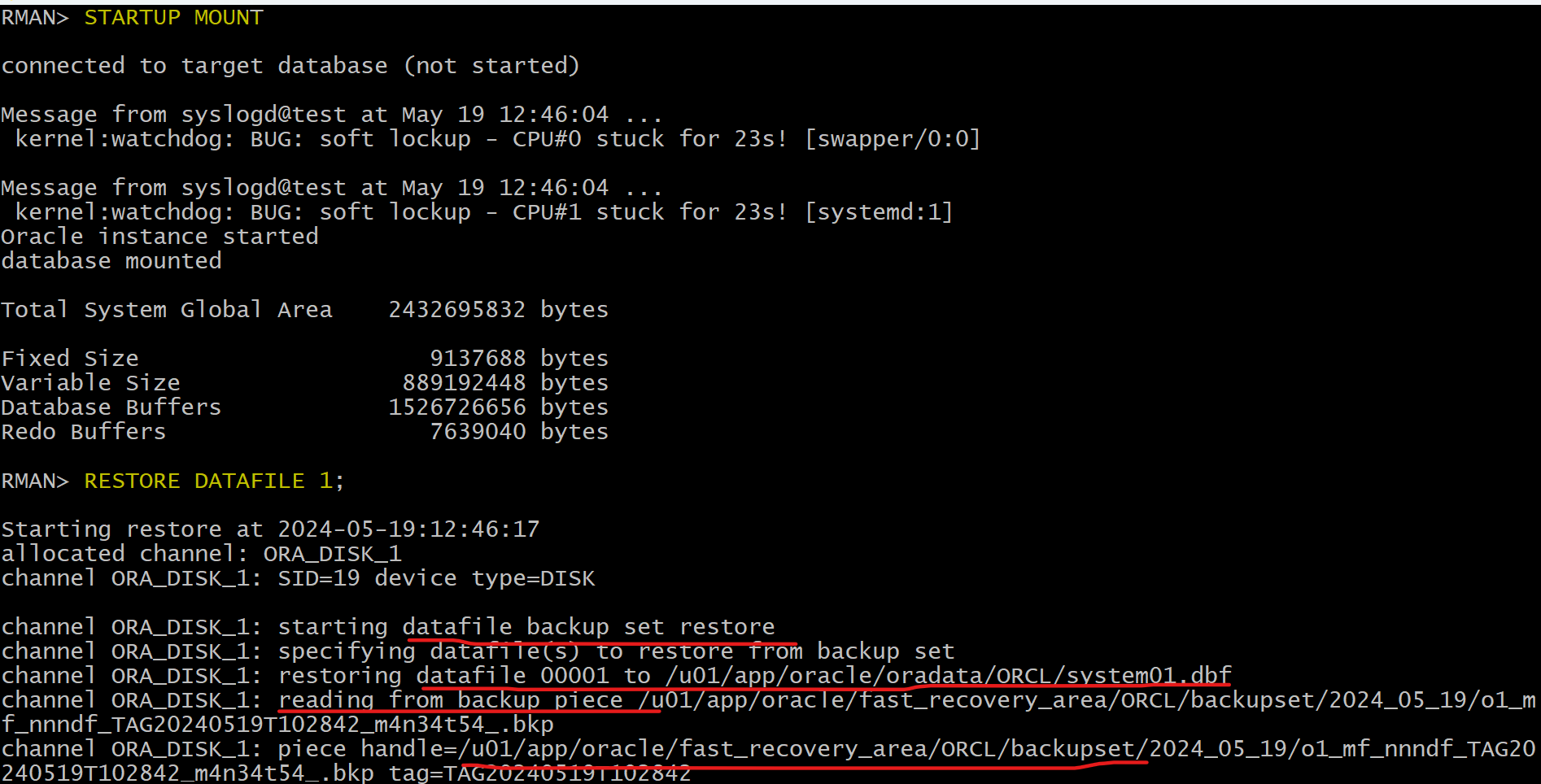
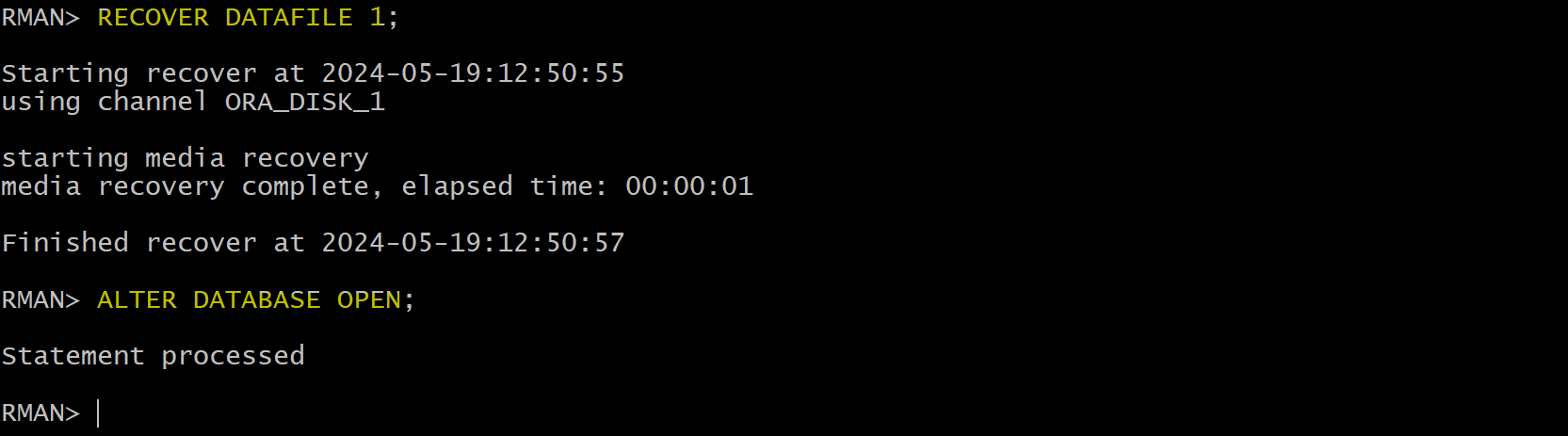
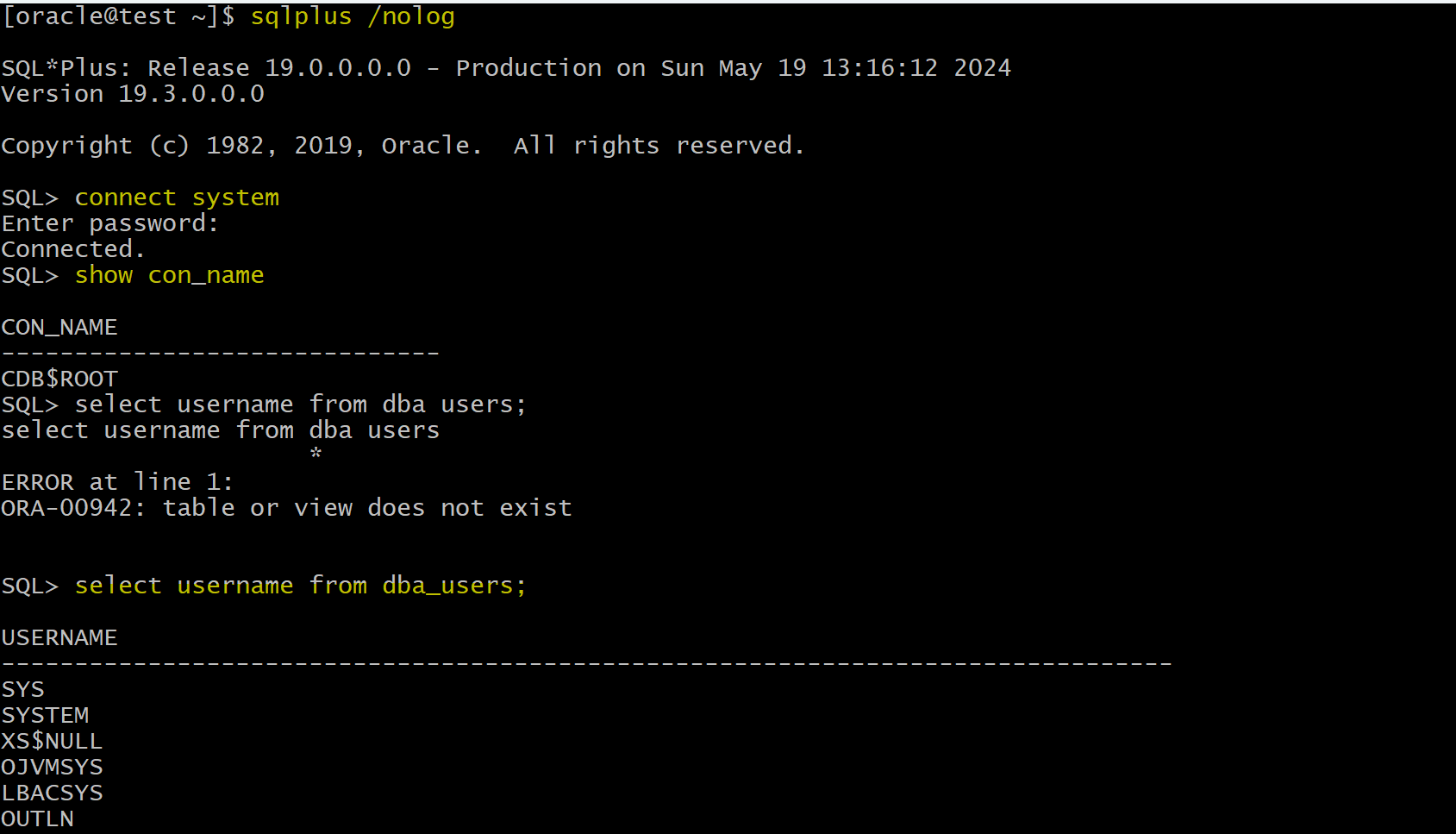
- Confirm in sqlplus
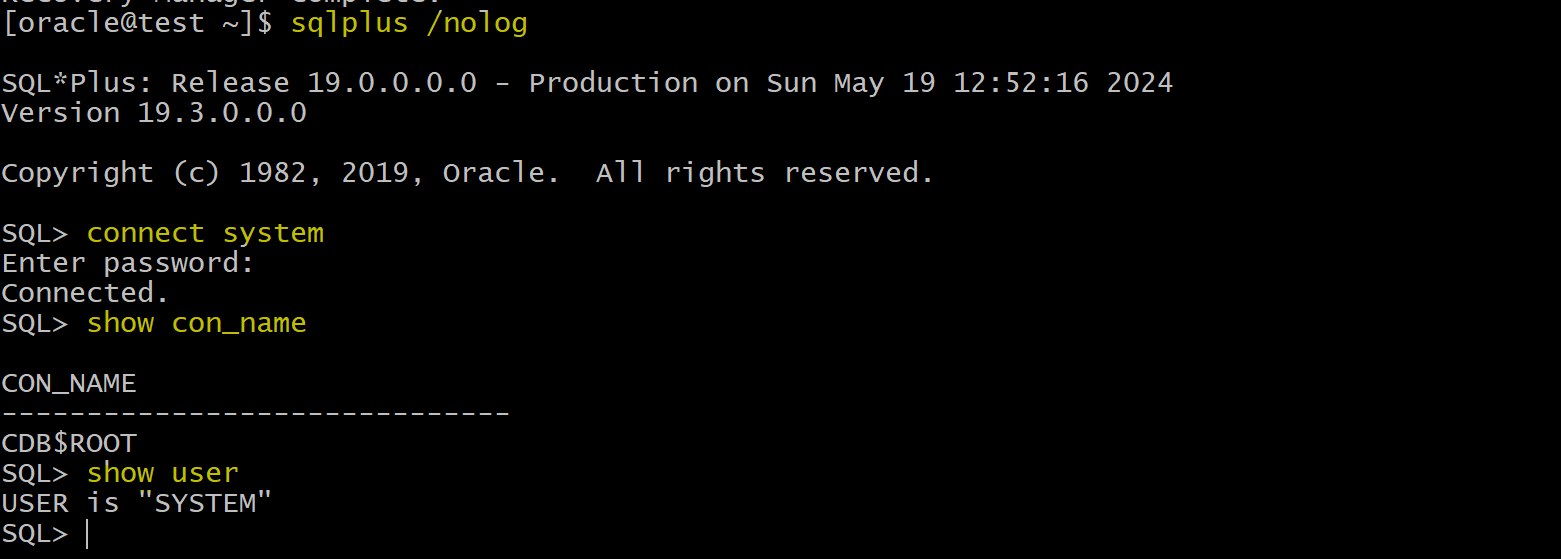
- database can be connected after restore and recover
sqlplus /nolog
connect system
show con_name
show user
Solution: Complete Recovery using DRA
-
recreate loss of critical datafile
-
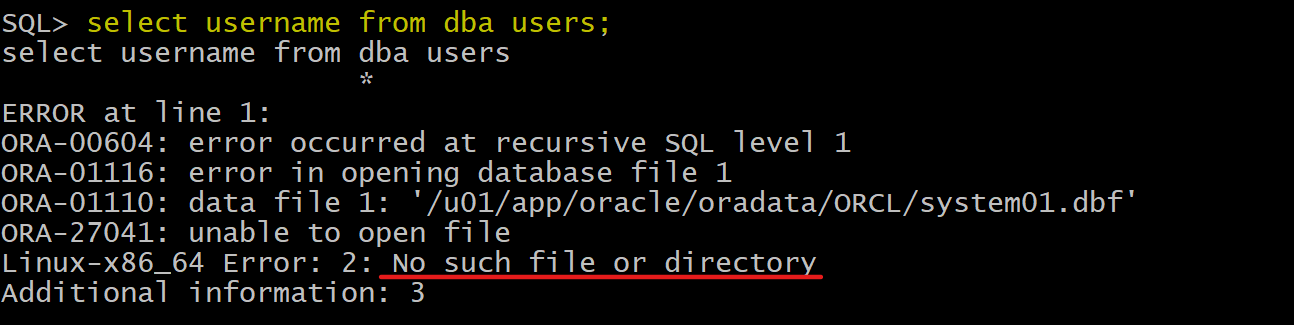
Confirm failure in sqlplus
sqlplus / as sysdba
select username from dba_users;
-- select username from dba users
                     *
-- ERROR at line 1:
-- ORA-00604: error occurred at recursive SQL level 1
-- ORA-01116: error in opening database file 1
-- ORA-01110: data file 1: '/u01/app/oracle/oradata/ORCL/system01.dbf'
-- ORA-27041: unable to open file
-- Linux-x86_64 Error: 2: No such file or directory
-- Additional information: 3
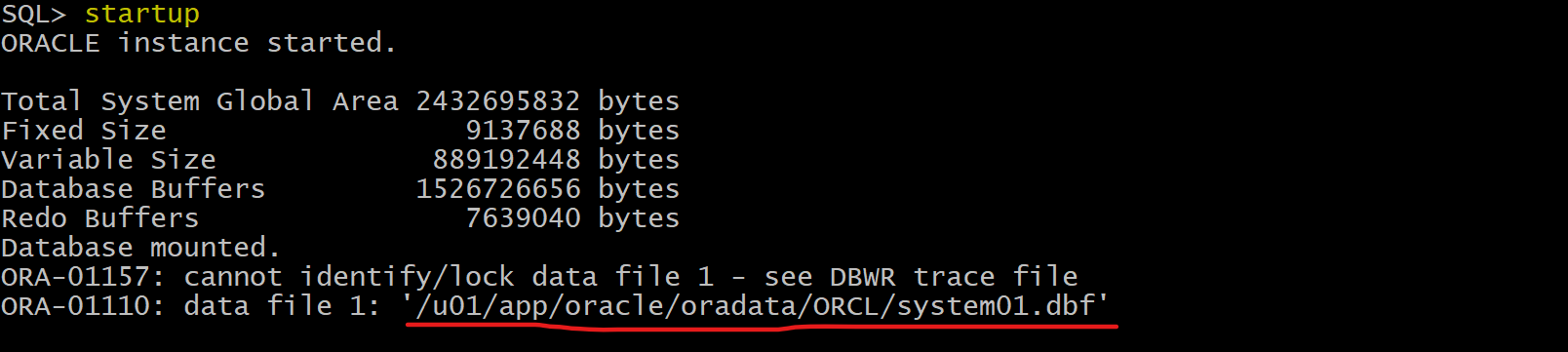
- If shutdown and restart instance, it cannot be openned
- Recovery using DRA
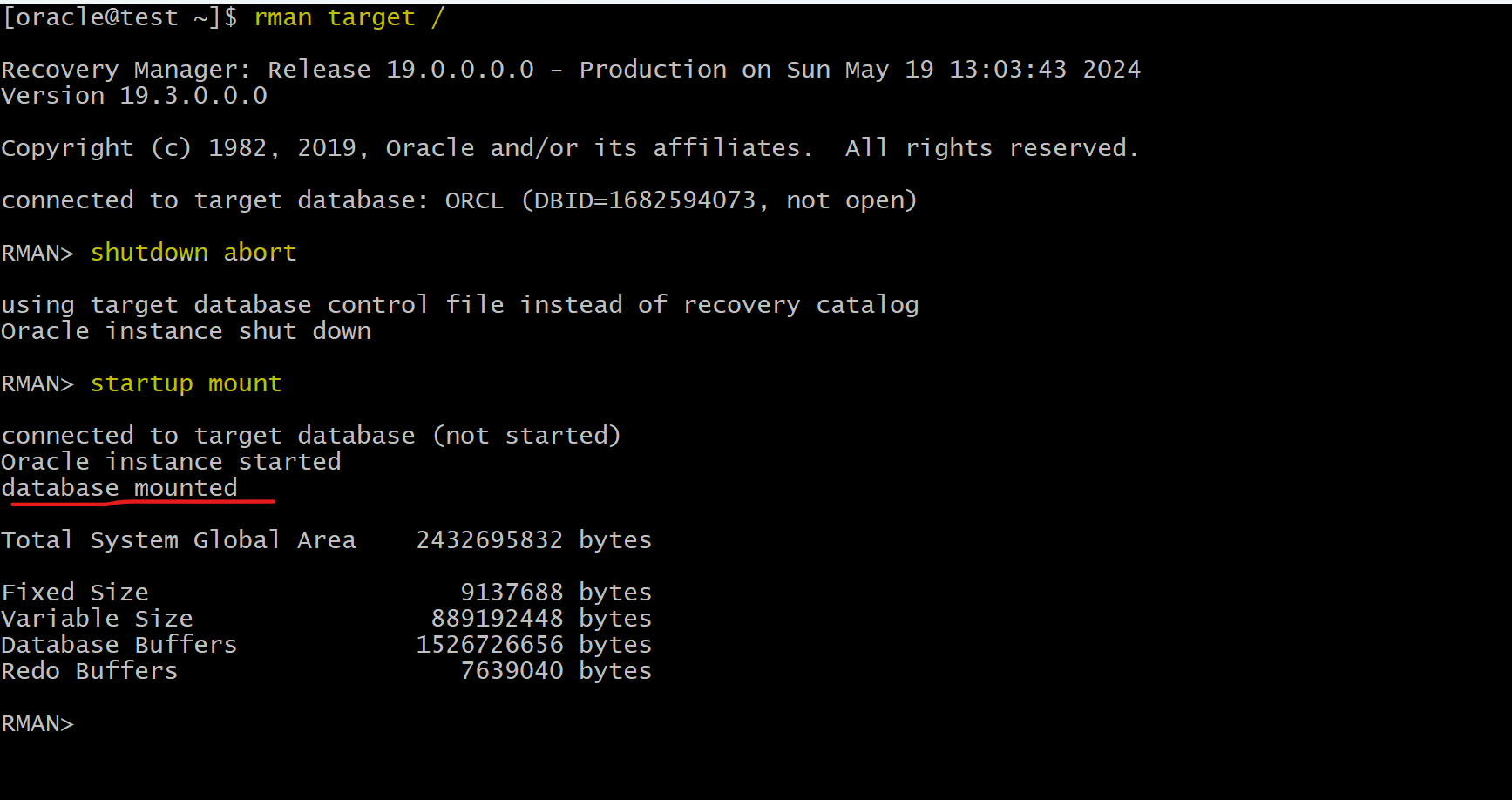
rman target /
shutdown abort
startup mount

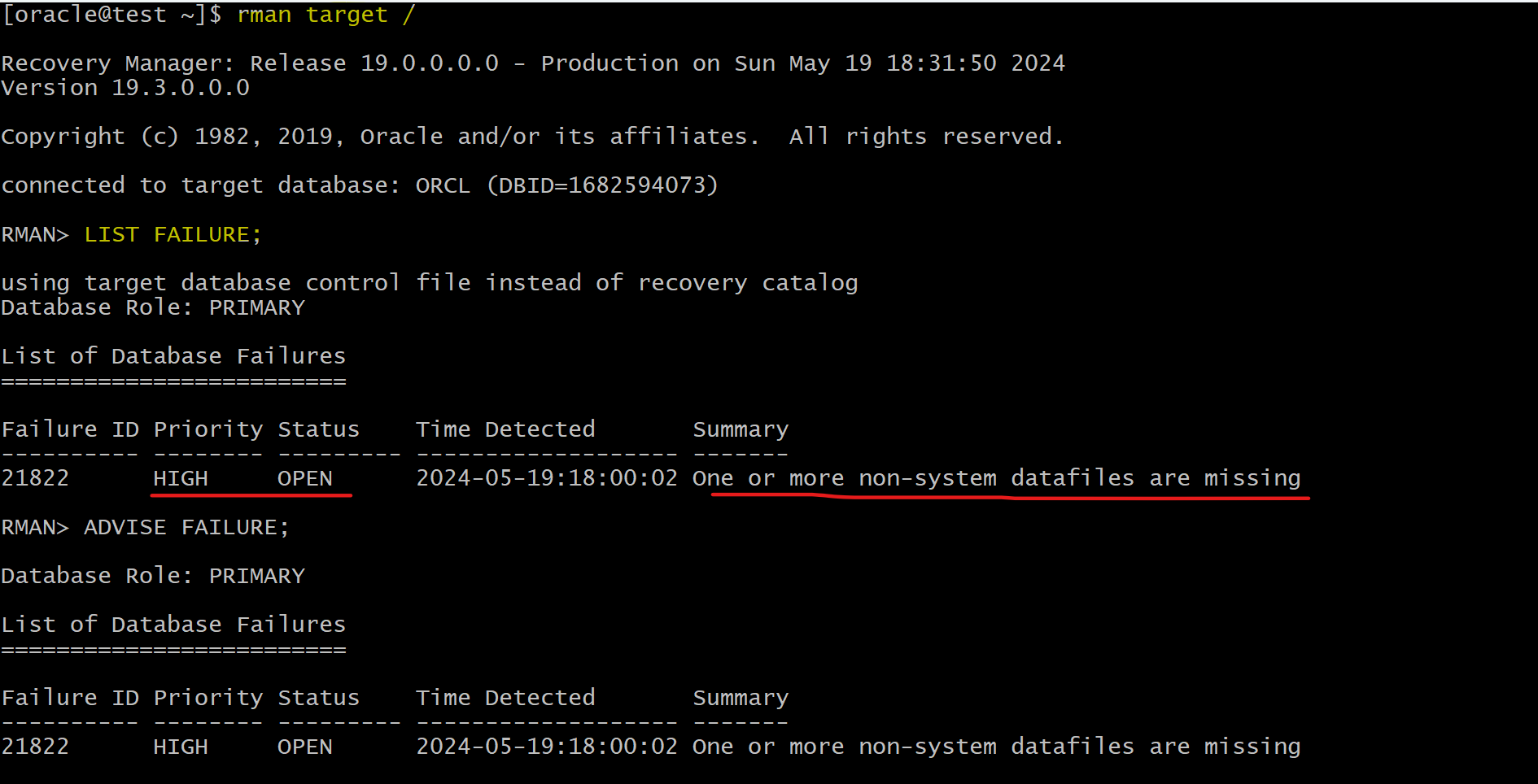
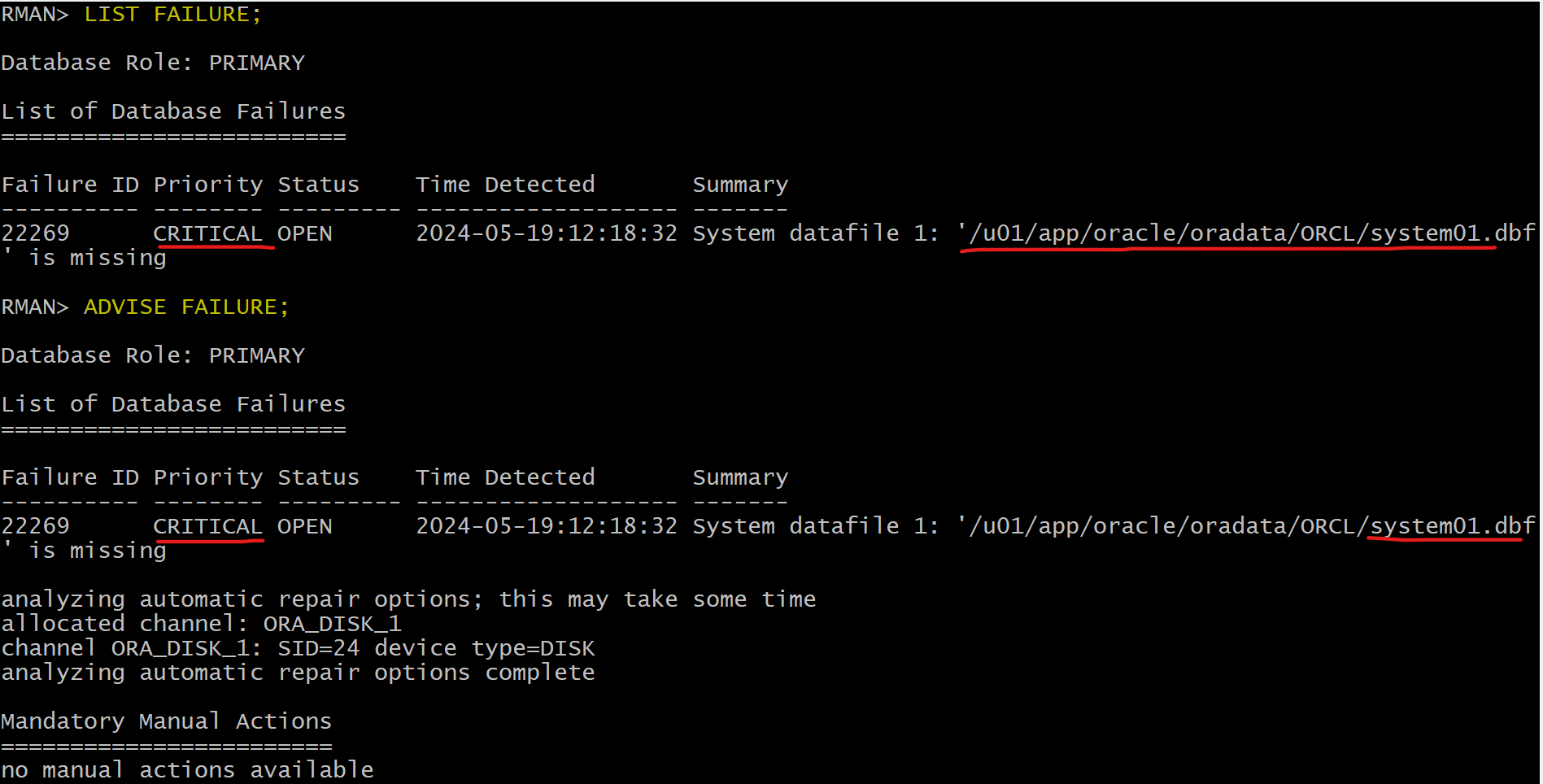
LIST FAILURE;
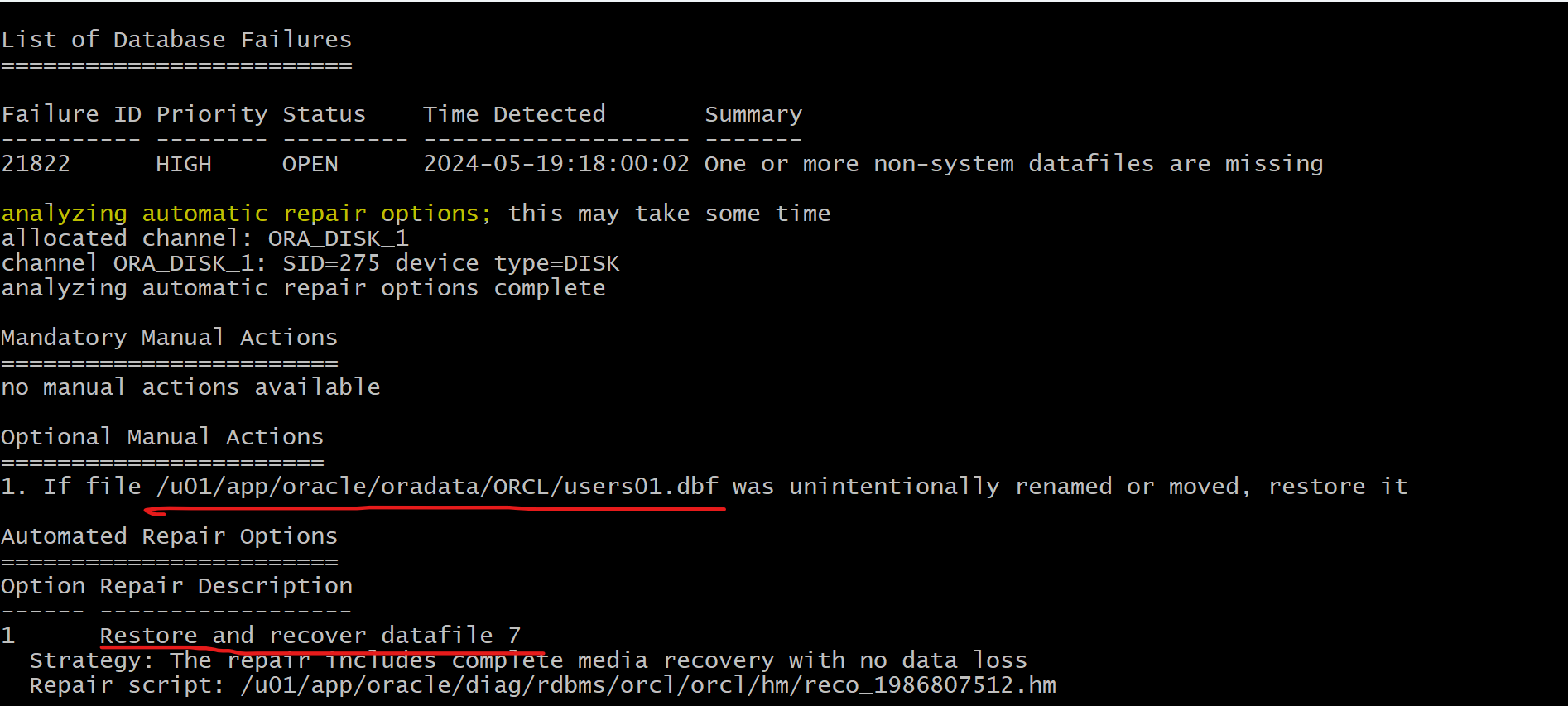
ADVISE FAILURE;
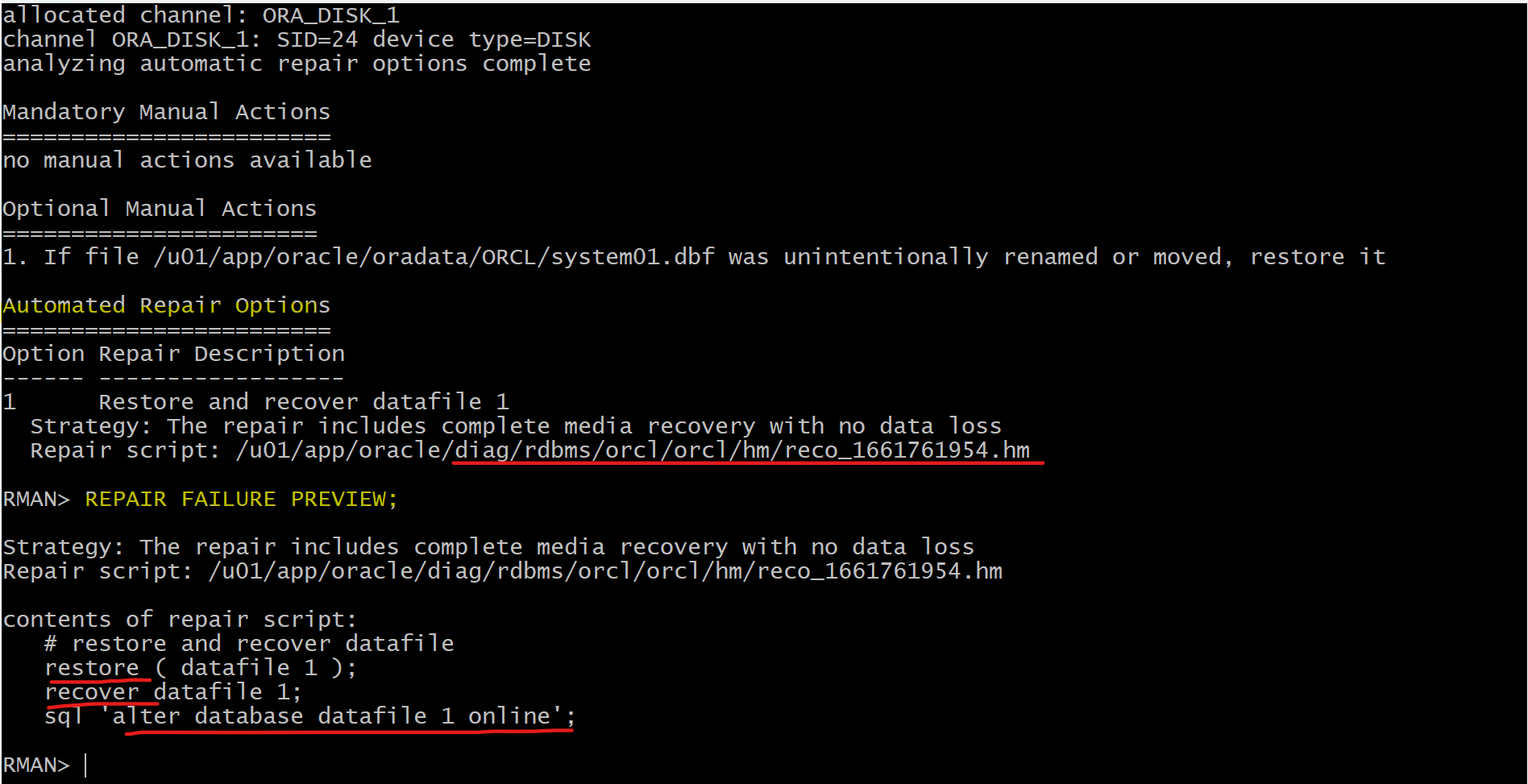
-- generate a script with all repair actions and comments.
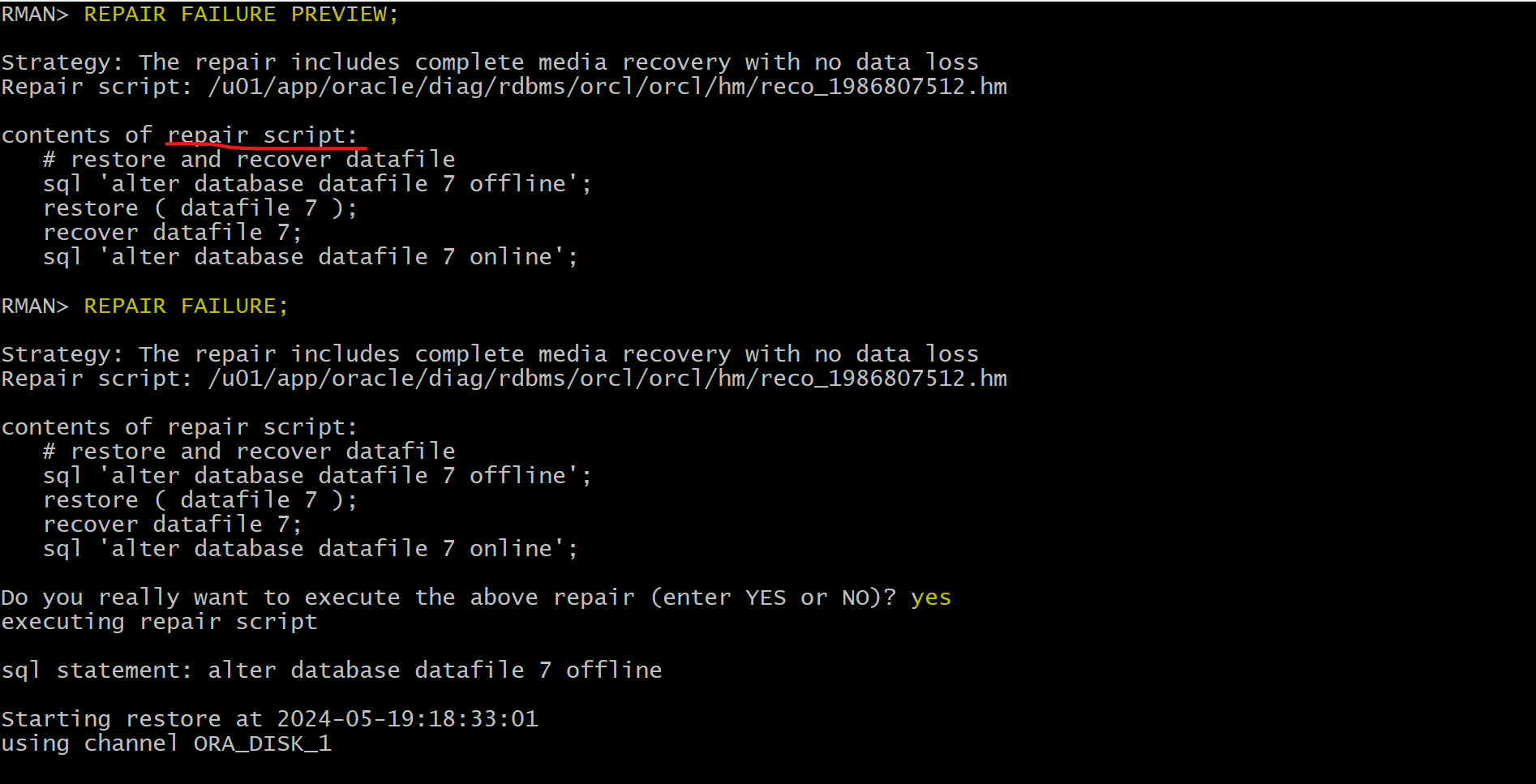
REPAIR FAILURE PREVIEW;
-- repair database failures
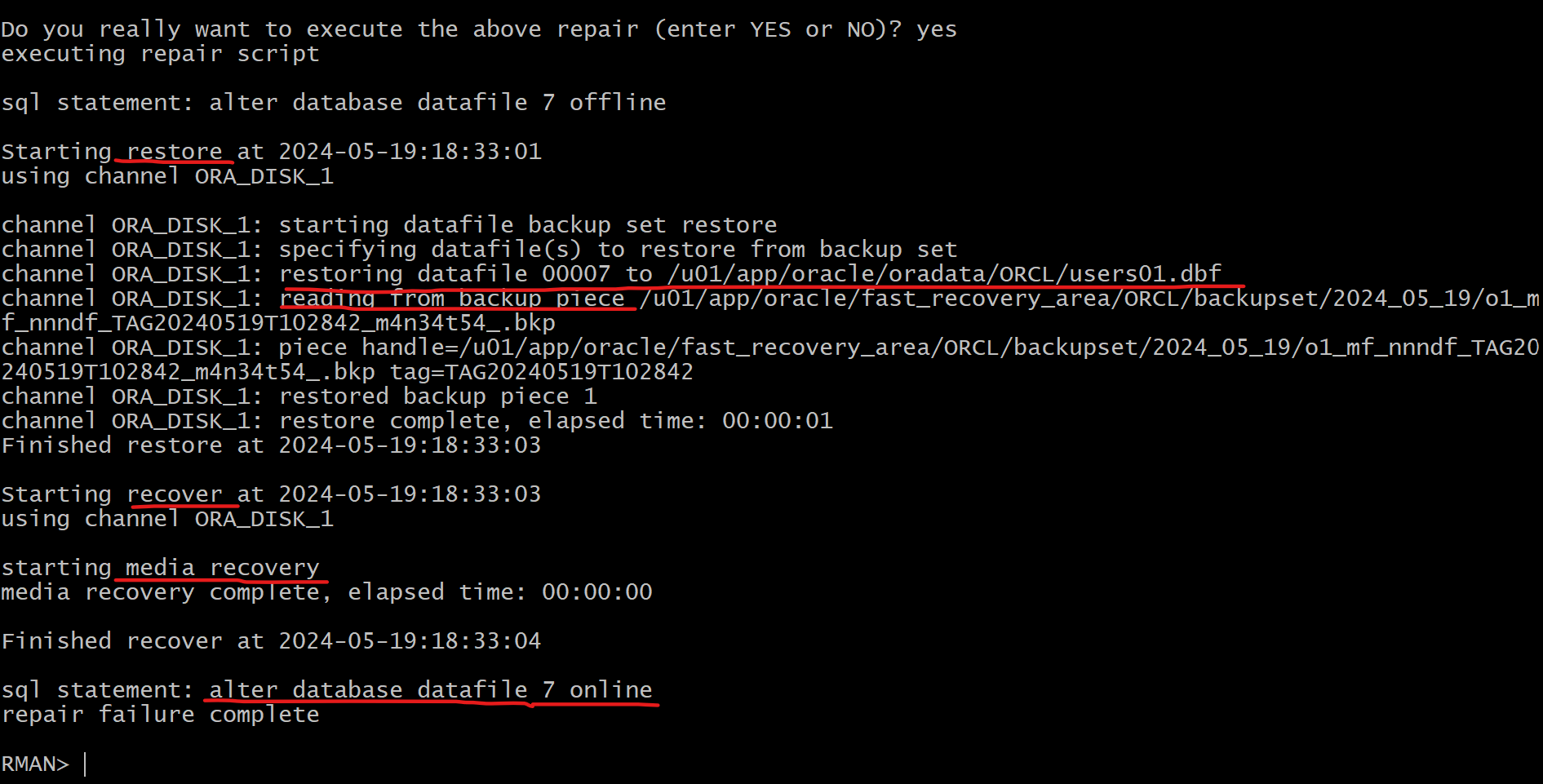
REPAIR FAILURE;
-- will ask whether open the db
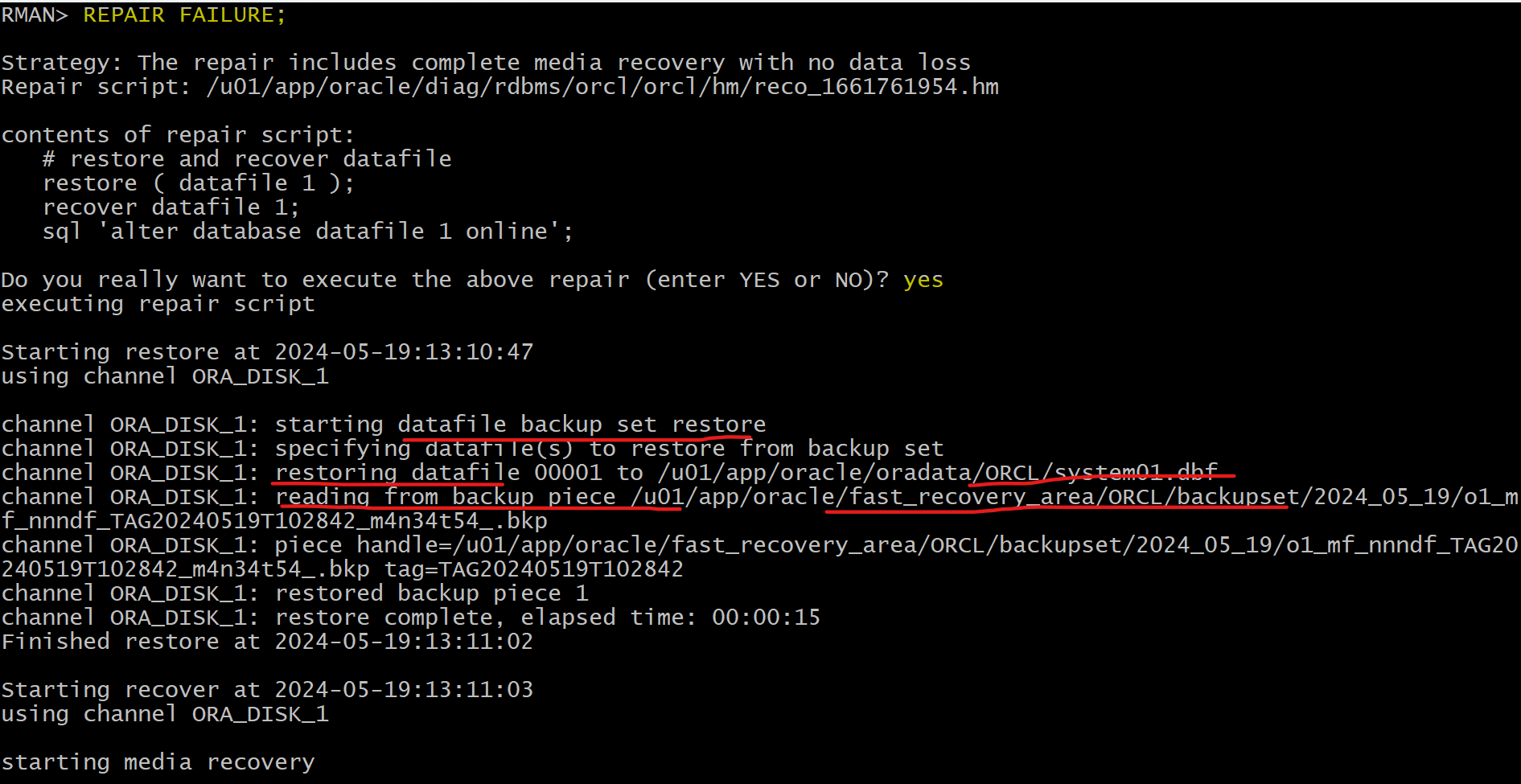
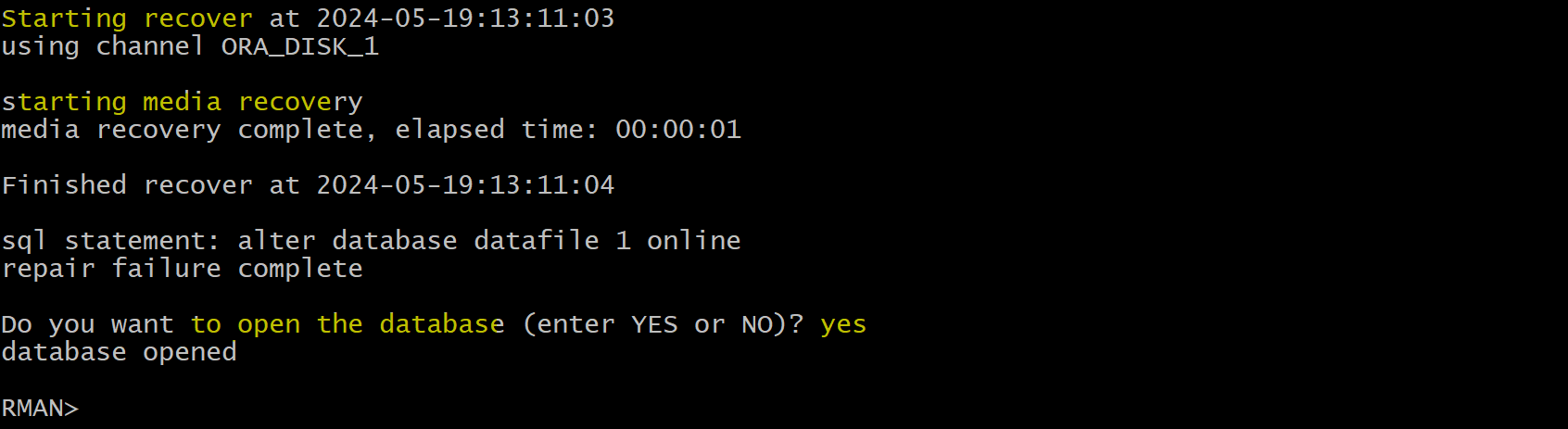
- Confirm in sqlplus
- database can be connected after restore and recover
sqlplus /nolog
connect system
show con_name
show user
Loss of a critical data file
-
Critical data file- Data files belonging to the
SYSTEMtablespace or containingUNDOdata
- Data files belonging to the
-
A loss of one of
critical data filerequires the database to be restored from theMOUNTstate. 需要 mount- unlike other data files that may be restored with the database open.
-
Steps:
-
The instance may or may not shut down automatically.
- If it does not, use
SHUTDOWN ABORTto bring the instance down.
- If it does not, use
- Mount the database.
- Restore and recover the missing data file.
- Open the database.
-
Lab: Recover from the loss of non-critical datafile in CDB
- Create a loss of non-critical datafile
# remove user df from CDB
rm '/u01/app/oracle/oradata/ORCL/users01.dbf'
Solution: Complete Recovery using RMAN
-- query and create user can be executed.
SELECT username FROM cdb_users;
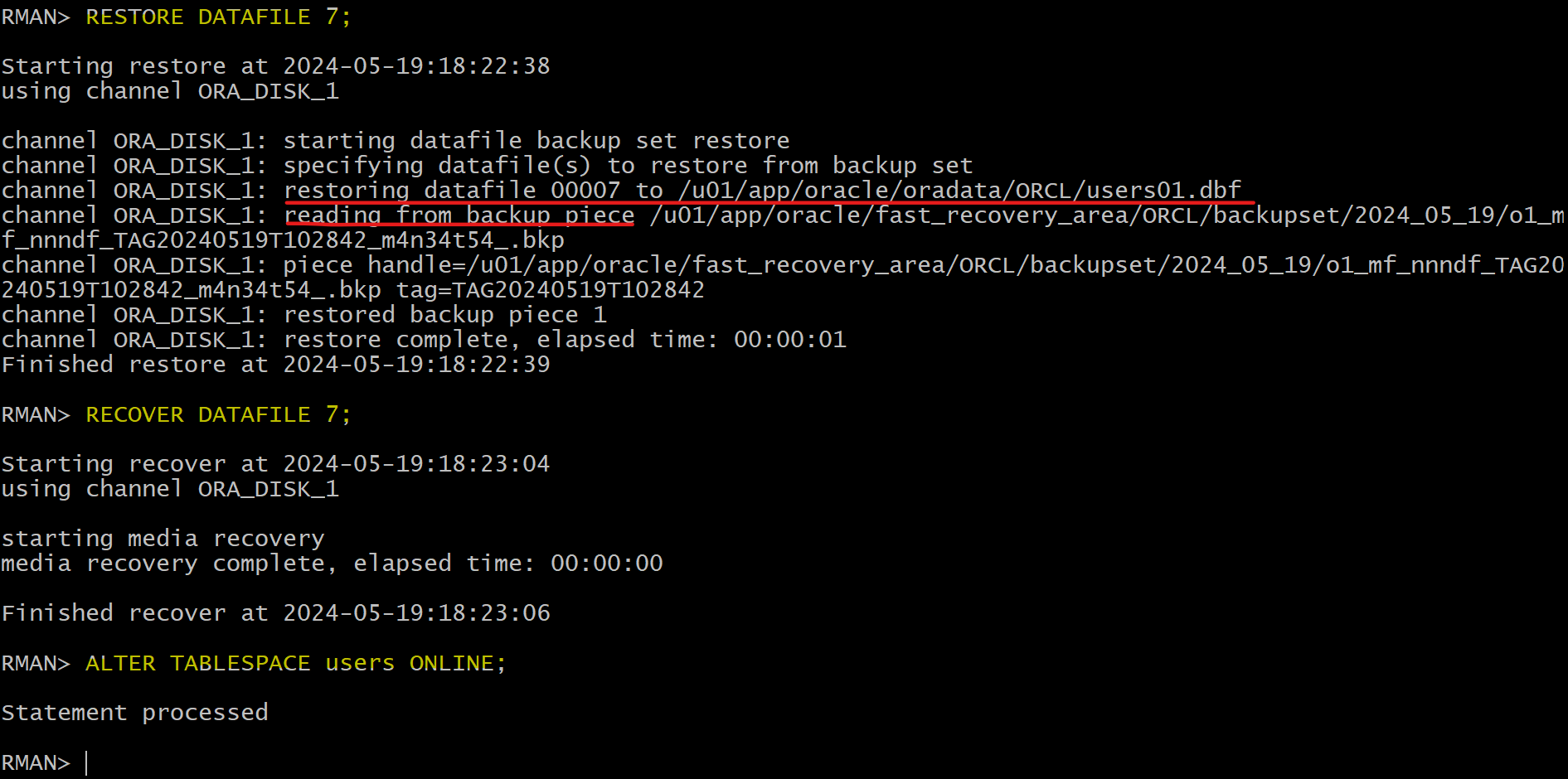
- Restore where instance does not need to be terminated.
- The tbsp needs to take offline.
rman target /
ALTER TABLESPACE users OFFLINE IMMEDIATE;

-- rman
RESTORE DATAFILE 7;
RECOVER DATAFILE 7;

-- sqlplus
ALTER TABLESPACE users ONLINE;
- Confirm the file is restored
ls -al '/u01/app/oracle/oradata/ORCL/users01.dbf'
Solution: Complete Recovery using DRA
-
recreate loss of critical datafile
-
Confirm failure in sqlplus
rman target /
LIST FAILURE;
ADVISE FAILURE;
-- generate a script with all repair actions and comments.
REPAIR FAILURE PREVIEW;
-- repair database failures
REPAIR FAILURE;
-- will ask whether open the db