Note_Tech
All technological notes.
Project maintained by simonangel-fong Hosted on GitHub Pages — Theme by mattgraham
Recovery - Complete Recovery: ARCHIVELOG Mode - PDB
- Recovery -
Complete Recovery:ARCHIVELOGMode - PDB
Recovering PDB SYSTEM or UNDO Tablespace
-
Prerequisites:
- system privilege to alter
PLUGGABLE DATABASE - the CDB in
ARCHIVELOGmode.
- system privilege to alter
-
Characteristics:
- The CDB and all other PDBs can be left open.
-
Step to recover
SYSTEMorUNDOTBSP- Connect to the PDB.
-
Shut down the PDB with the
ABORToption if it is not automatically done. - Restore and recover the PDB or the missing
tablespaceor the damageddatafile.
-
Features:
- Closing a PDB with the
ABORTmode forcefully closes it without bringing down the entire CDB instance.关闭 pdb,而不是整个 CDB. -
If the
datafilethat is missing or corrupted belongs to a PDB and more specifically to theSYSTEMorUNDOtablespace, 缺失关键文件时, 必须 ABORT 关闭.- the PDB must be shut down in
ABORTmode.
- the PDB must be shut down in
-
A
PDB,tablespace, ordatafilemedia recovery is required.- Before the PDB can be reopened,
- In case the
PDBis the application root of an application container, otherdatafilesin the application PDBs may have to be restored and recovered as well. 如果 PDB 是根, 其他 df 需要恢复.
- Closing a PDB with the
-
Example:
-- close pdb
rman target "'sys@pdb_name'"
SHUTDOWN ABORT

-- restore and recover
RESTORE DATABASE;
RECOVER DATABASE;

-- open pdb
STARTUP
Lab: Recover from the loss of SYSTEM datafile in PDB
- setup env lab
-- Create tbsp in pdb
alter session set container=orclpdb;

-- CLEANUP from previous run
DROP USER bar91 CASCADE;

DROP TABLESPACE bar91tbs INCLUDING CONTENTS AND DATAFILES;

-- Create tablespace
CREATE TABLESPACE bar91tbs
DATAFILE '/u01/app/oracle/oradata/ORCL/orclpdb/bar91tbs01.dbf' SIZE 10M
SEGMENT SPACE MANAGEMENT MANUAL;

-- Create user
CREATE USER bar91 IDENTIFIED BY pass4B91
DEFAULT TABLESPACE bar91tbs
QUOTA UNLIMITED ON bar91tbs;

GRANT CREATE SESSION TO bar91;

-- create table and populate
-- be sure table is at least 2 blocks long
CREATE TABLE bar91.barcopy
TABLESPACE bar91tbs
AS SELECT * FROM HR.EMPLOYEES;

INSERT INTO bar91.BARCOPY
SELECT * FROM bar91.BARCOPY;

INSERT INTO bar91.BARCOPY
SELECT * FROM bar91.BARCOPY;


rman target "'sys@orclpdb as sysdba'"
BACKUP PLUGGABLE DATABASE ORCLPDB;


sqlplus / as sysdba
alter session set container=orclpdb;
UPDATE bar91.BARCOPY SET salary = salary+1;
COMMIT;
- Remove the system of orclpdb
rm /u01/app/oracle/oradata/ORCL/orclpdb/system01.dbf
Solution: Complete Recovery using RMAN
- Recover critical file in PDB
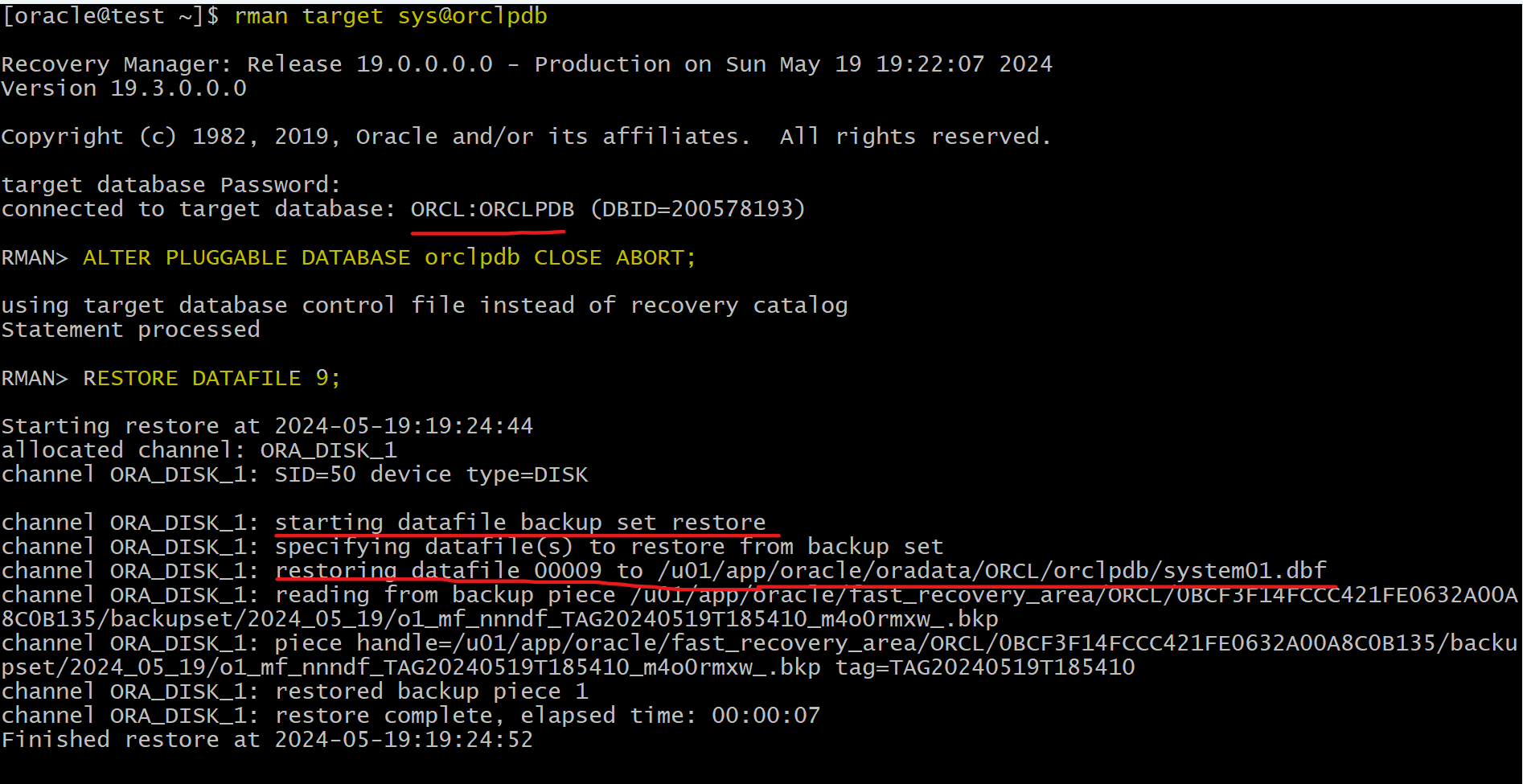
rman target sys@orclpdb
-- close pdb
SQL "ALTER PLUGGABLE DATABASE orclpdb CLOSE ABORT";

-- restore and recover df
RESTORE DATAFILE 9;
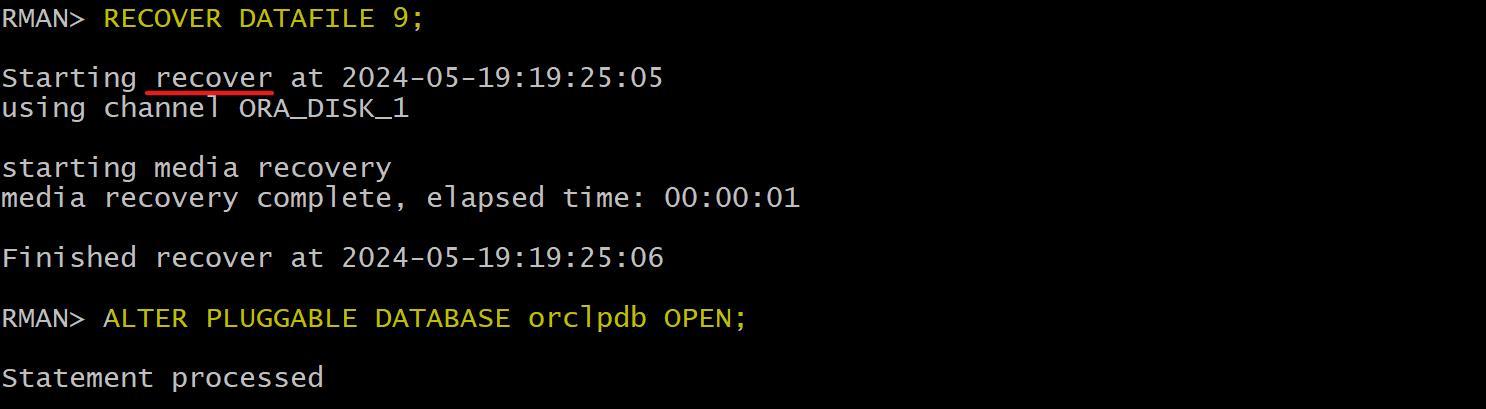
RECOVER DATAFILE 9;

-- open pdb
SQL "ALTER PLUGGABLE DATABASE orclpdb OPEN";
- Confirm datafile is restored
ls -al /u01/app/oracle/oradata/ORCL/orclpdb/system01.dbf
Solution: Complete Recovery using DRA
-
recreate loss of critical datafile
-
Confirm failure in sqlplus
rman target "'/ as sysdba'"

ALTER PLUGGABLE DATABASE orclpdb CLOSE ABORT;

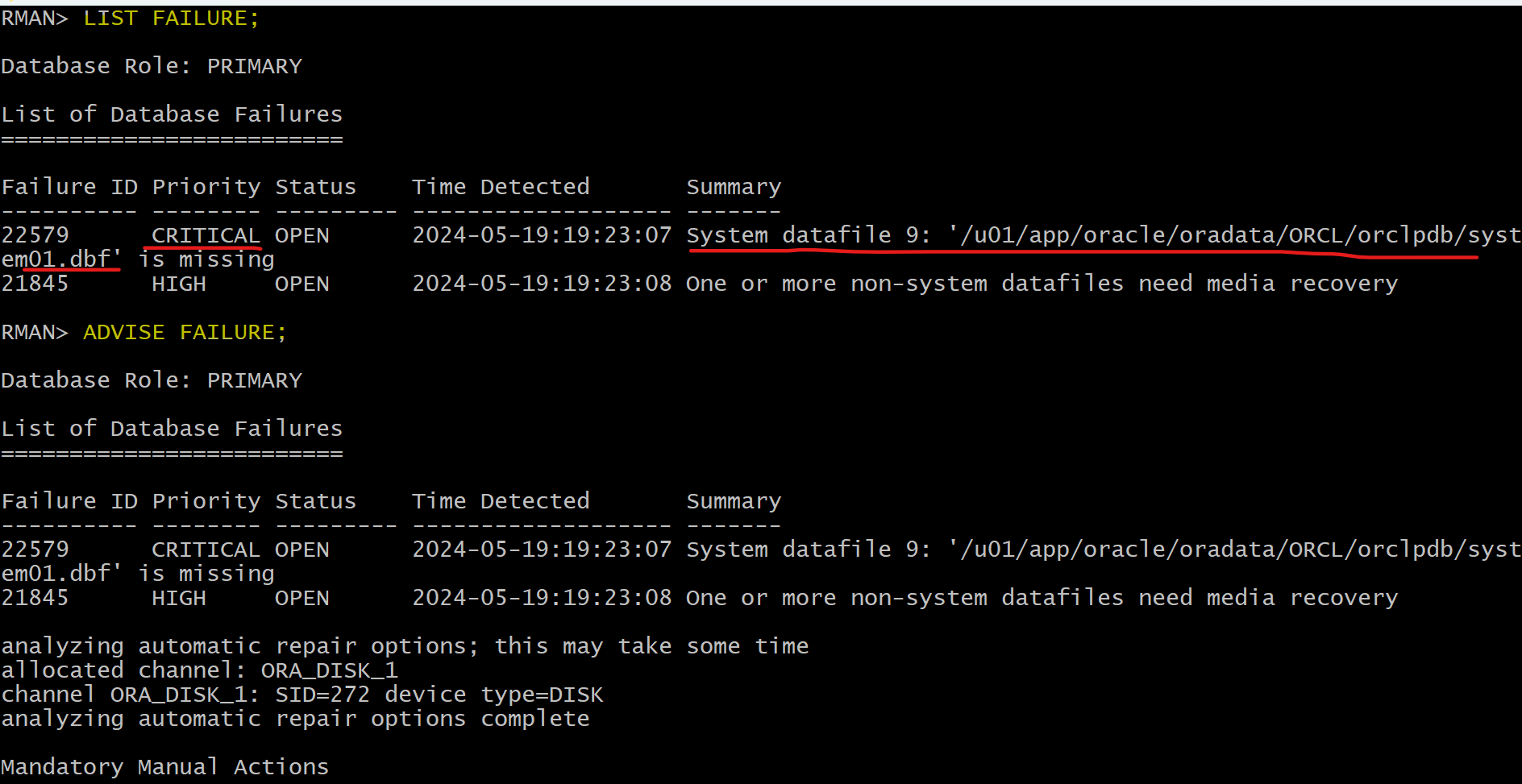
LIST FAILURE;
ADVISE FAILURE;
-- generate a script with all repair actions and comments.
REPAIR FAILURE PREVIEW;
-- repair database failures
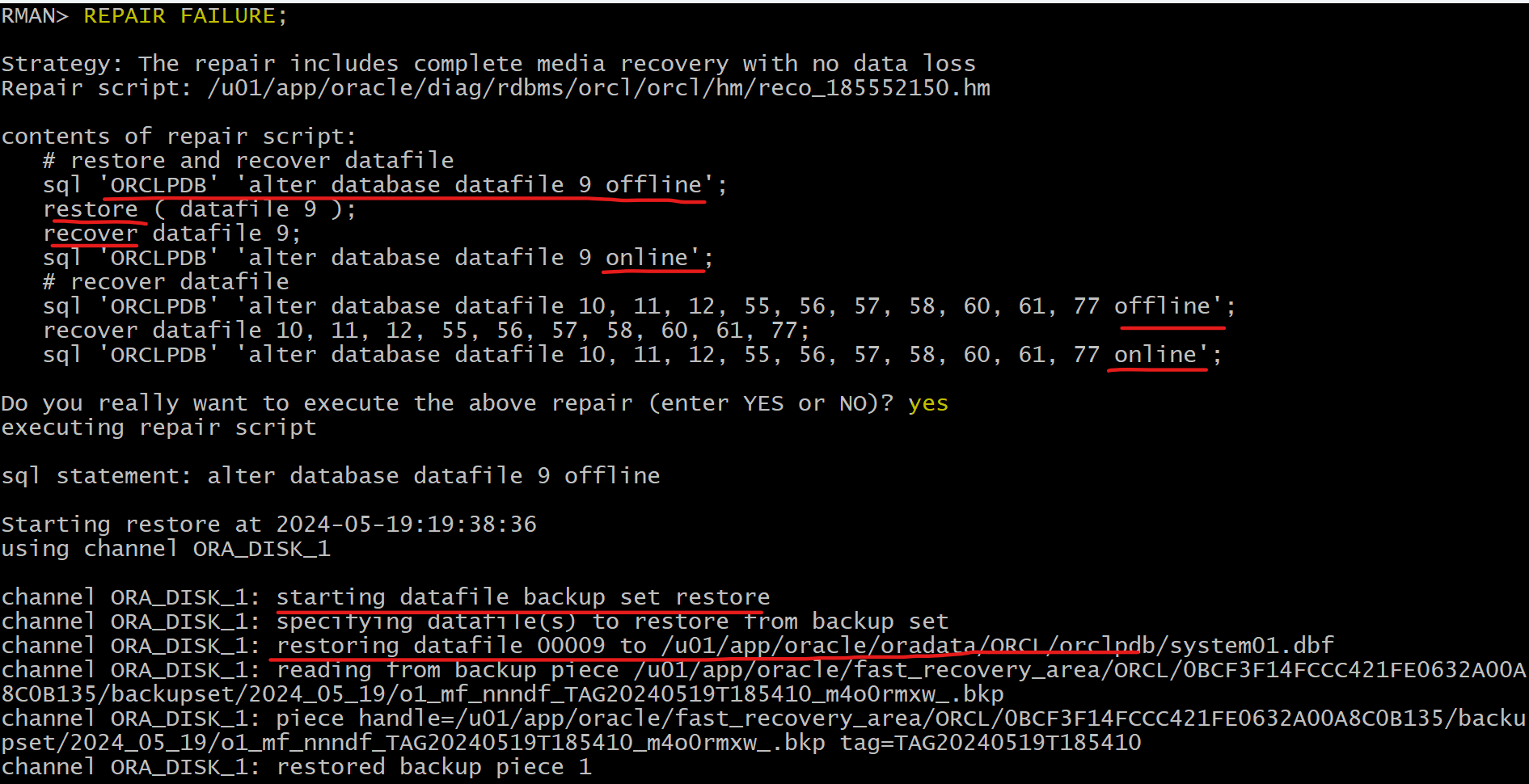
REPAIR FAILURE;
-- will ask whether open the db
ALTER PLUGGABLE DATABASE orclpdb OPEN;
- Q:Which type of recovery is possible in this case?
- A: A
complete recoveryis possible as long as you have all available backups required.- This means that you have a backup (backup set or image copy) of the missing data file and all
archive log filesrequired to recover the restored data file up to the currentSCNof the PDB including all redo log files (one member in each group will be sufficient).
- This means that you have a backup (backup set or image copy) of the missing data file and all
- A: A
- Q: Which methods can you use to recover?
- A:
RMANis the best utility to recover data.- You can use the
RESTOREandRECOVERcommands. - you can get help with the
LIST FAILUREcommands. - You can also use the simple
REPAIRcommand.
- You can use the
- A:
Non-SYSTEM Tablespace Recovery
-
Step to recover Non-
SYSTEMTBSP- Connect to the PDB.
- Take the tablespace offline.
- The datafile with the error is taken
OFFLINE IMMEDIATE.
- The datafile with the error is taken
- Restore and recover datafile
Media recoveryfor that datafile is required
-
Features:
- If the datafile that is missing or corrupted belongs to a
PDBand more specifically to any tablespace other thanSYSTEMtablespace,- the PDB need not be closed.
- Other PDBs are not impacted.
- During that recovery time, users can work with other PDB tablespaces and within other PDBs.
- If the datafile that is missing or corrupted belongs to a
Lab: Recover from the loss of non-critical datafile in PDB
- Remove non-critical datafile
rm /u01/app/oracle/oradata/ORCL/orclpdb/bar91tbs01.dbf
Solution: Complete Recovery using RMAN
- Recover non-critical file in PDB
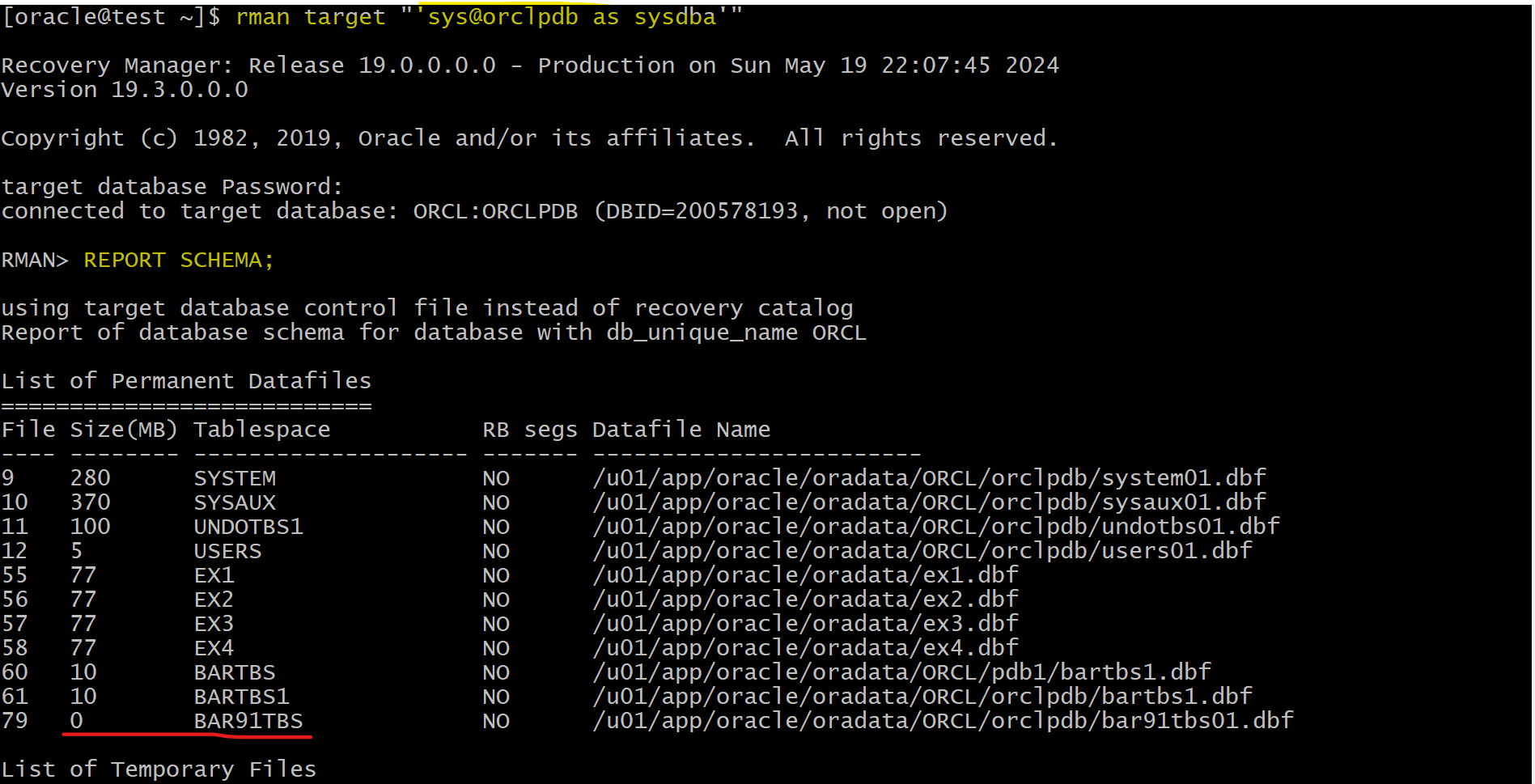
-- rman
rman target "'sys@orclpdb as sysdba'"
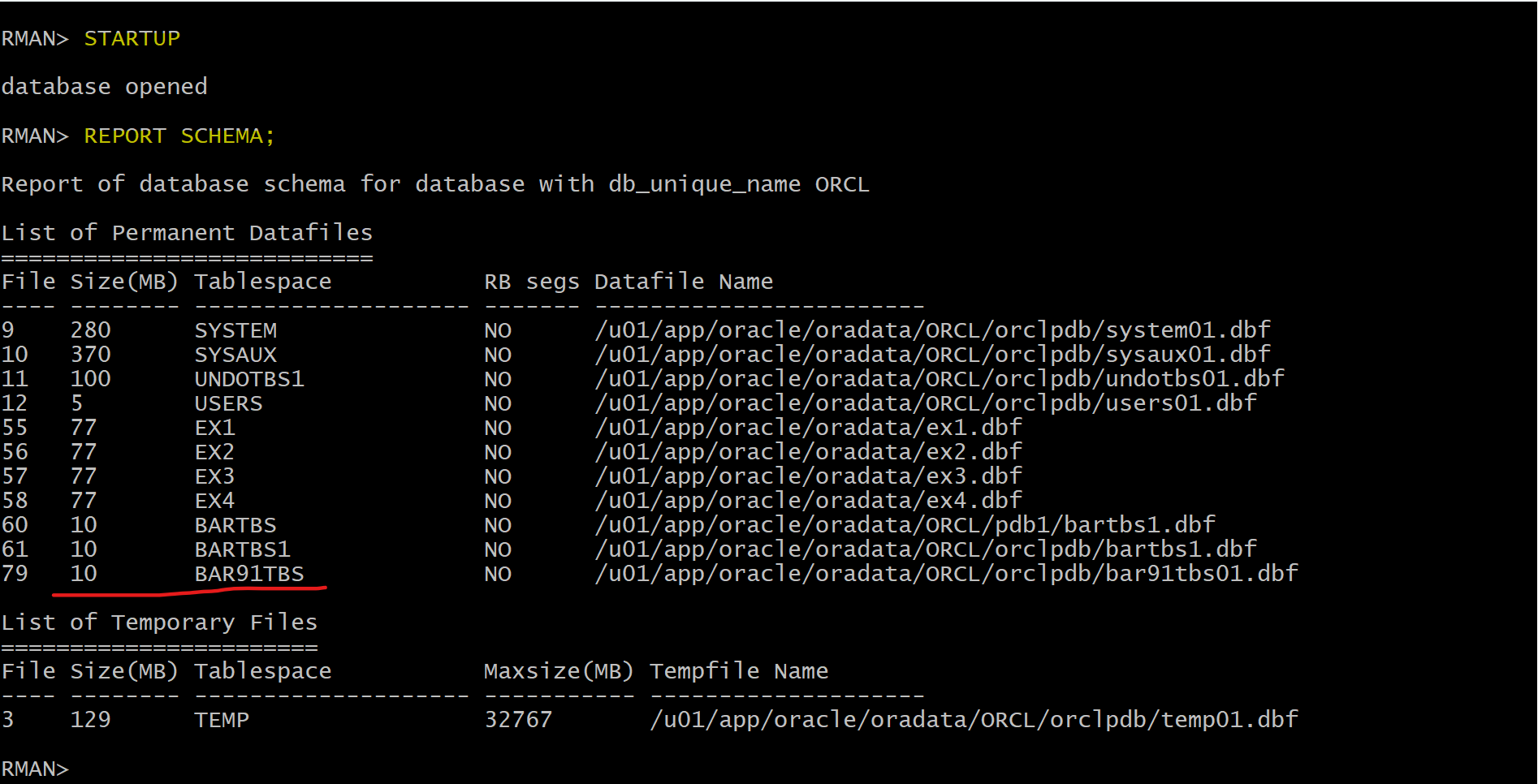
REPORT SCHEMA;
-- close pdb immediate
SHUTDOWN IMMEDIATE;

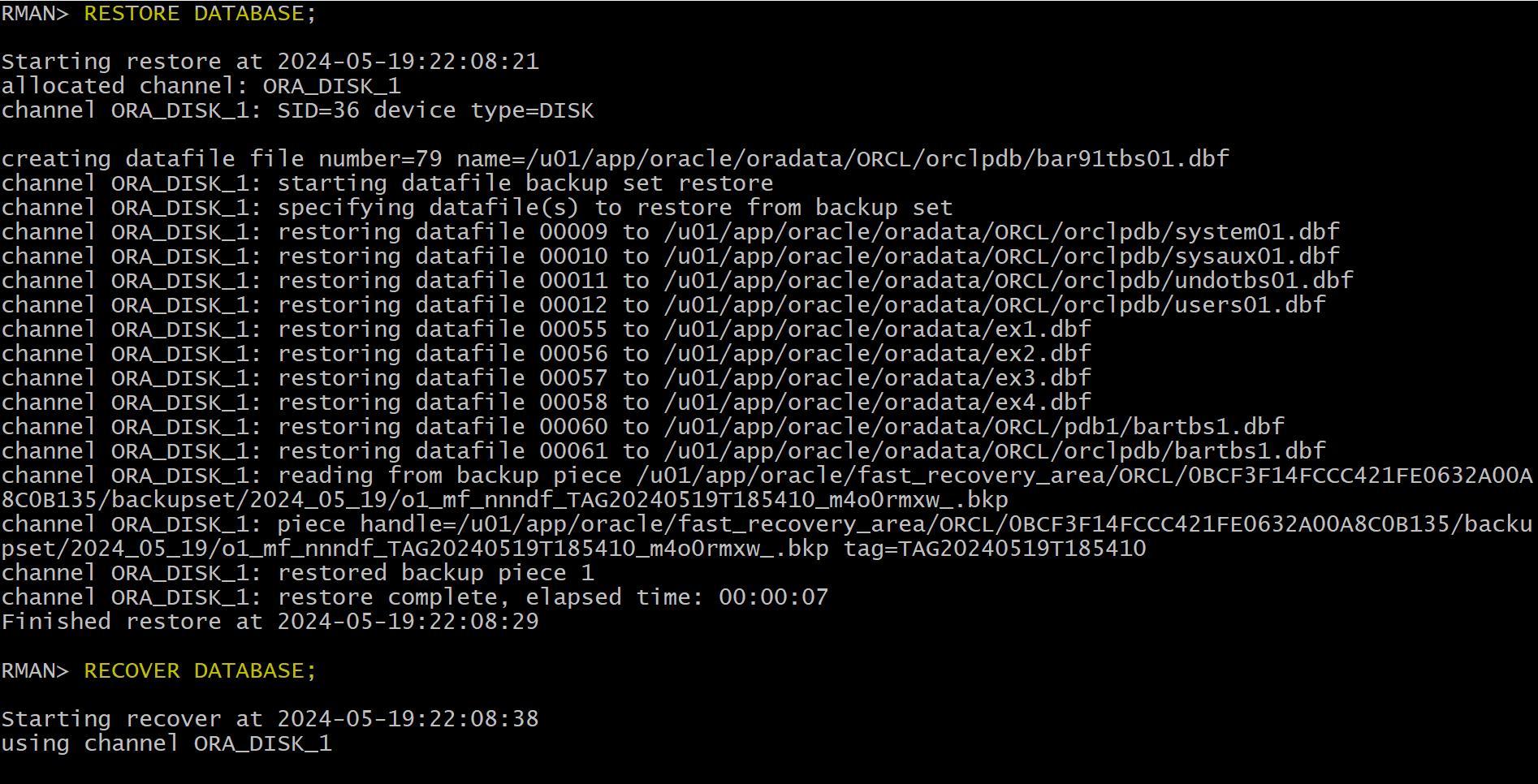
-- restore and recover
RESTORE DATABASE;
RECOVER DATABASE;

-- open pdb
STARTUP
Solution: Complete Recovery using DRA
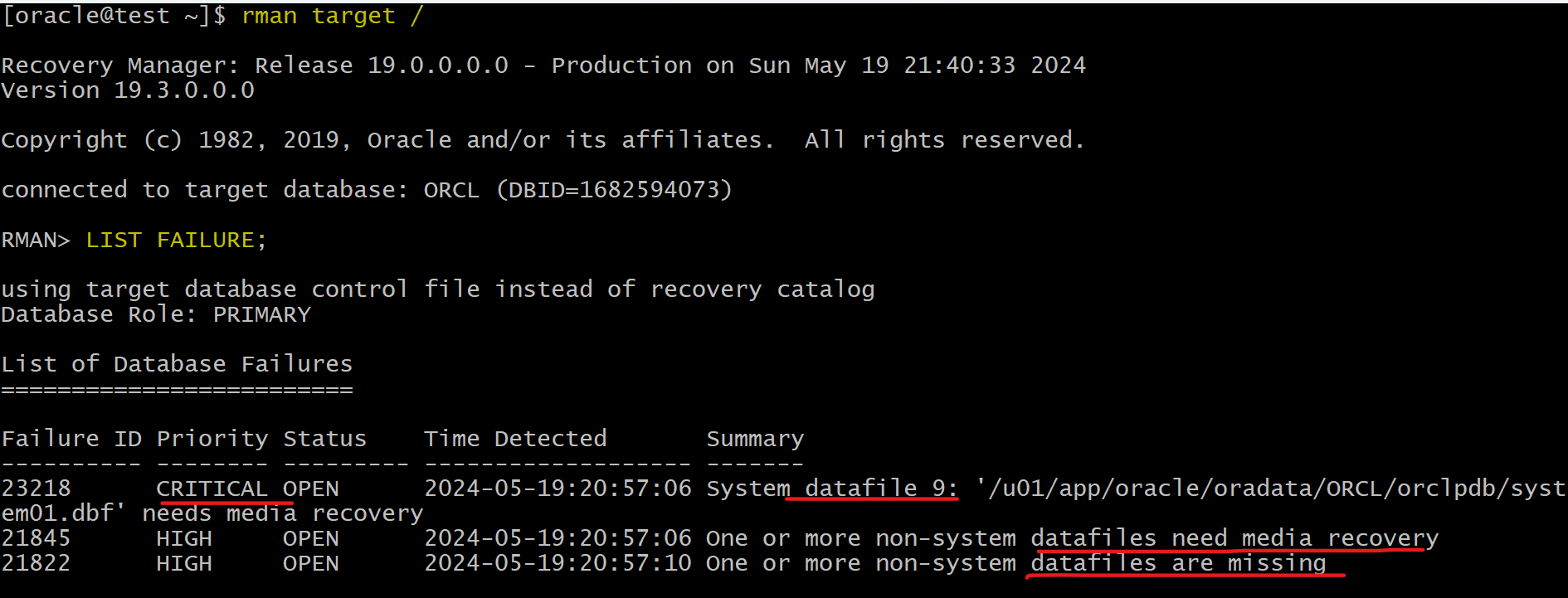
rman target "'/ as sysdba'"

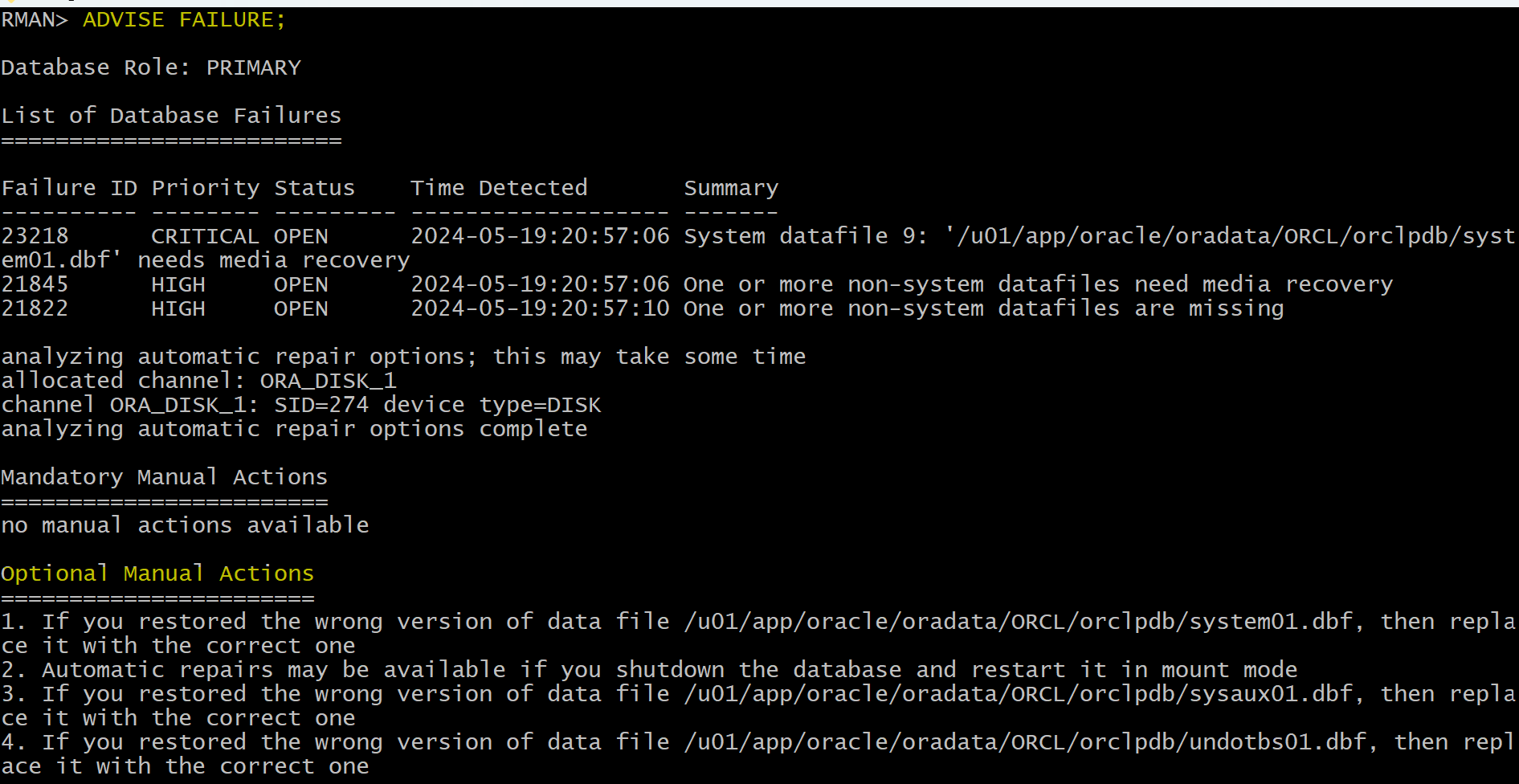
LIST FAILURE;
ADVISE FAILURE;
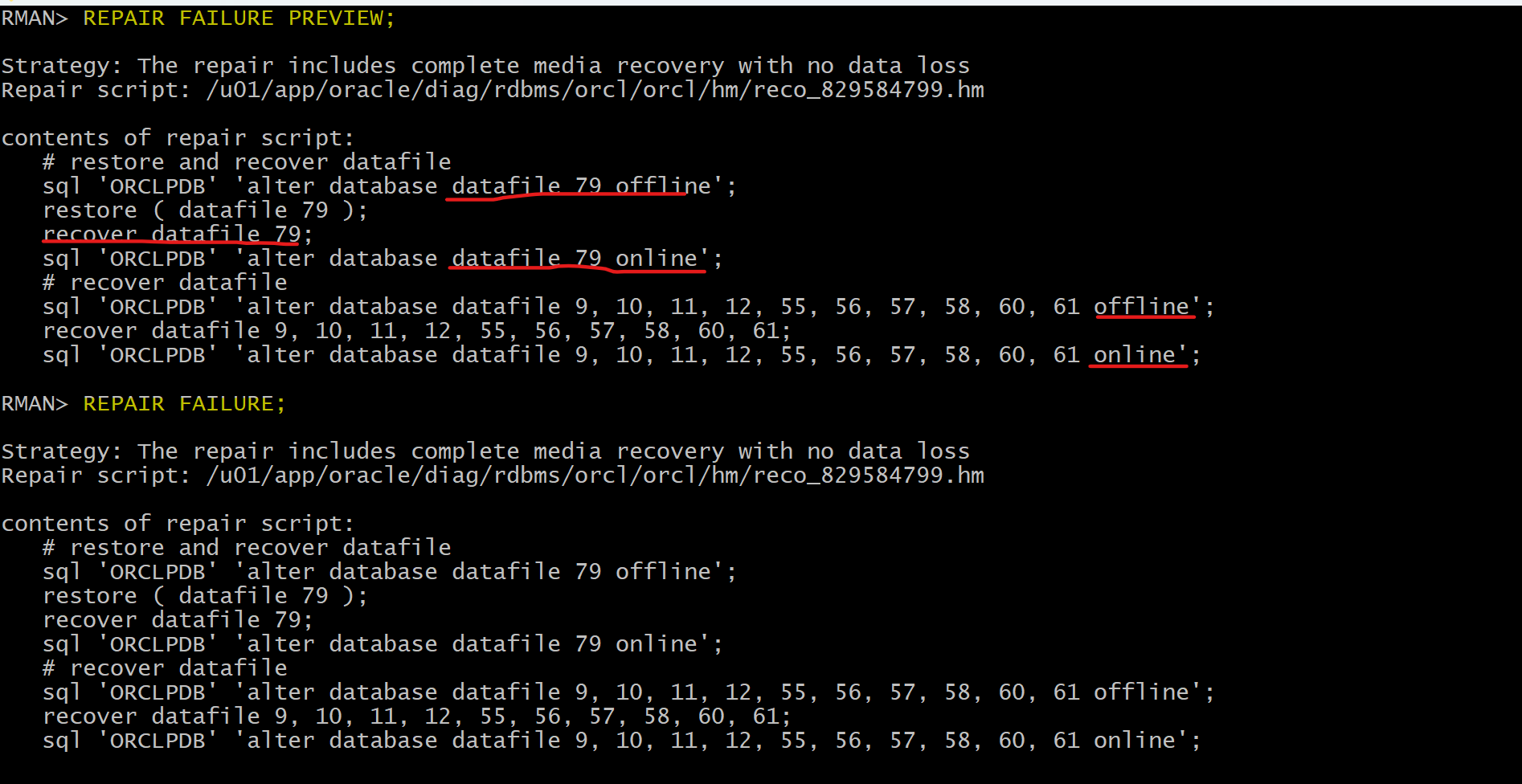
-- generate a script with all repair actions and comments.
REPAIR FAILURE PREVIEW;
-- repair database failures
REPAIR FAILURE;
-- will ask whether open the db
ALTER PLUGGABLE DATABASE orclpdb OPEN;
REPAIR command:
-
REPAIRcommand:- automatically takes a file offline, restores and recovers it, and then brings it back online again
- Automatically takes files offline (if applicable)
- Restores designated files
- Recovers designated files
- Automatically brings back online any files taken offline in step 1
-
Example:
-- rman
CONNECT TARGET /
REPAIR REPAIR pdb_name:tbsp_name;
-- sqlplus
CONNECT system@sales_pdb
ALTER TABLESPACE tbs2 OFFLINE IMMEDIATE;

-- rman
CONNECT TARGET /
RESTORE TABLESPACE sales_pdb:tbs2;
RECOVER TABLESPACE sales_pdb:tbs2;

-- sqlplus
ALTER TABLESPACE tbs2 ONLINE;
Solution: Complete Recovery using the REPAIR Command
rman target "'/ as sysdba'"
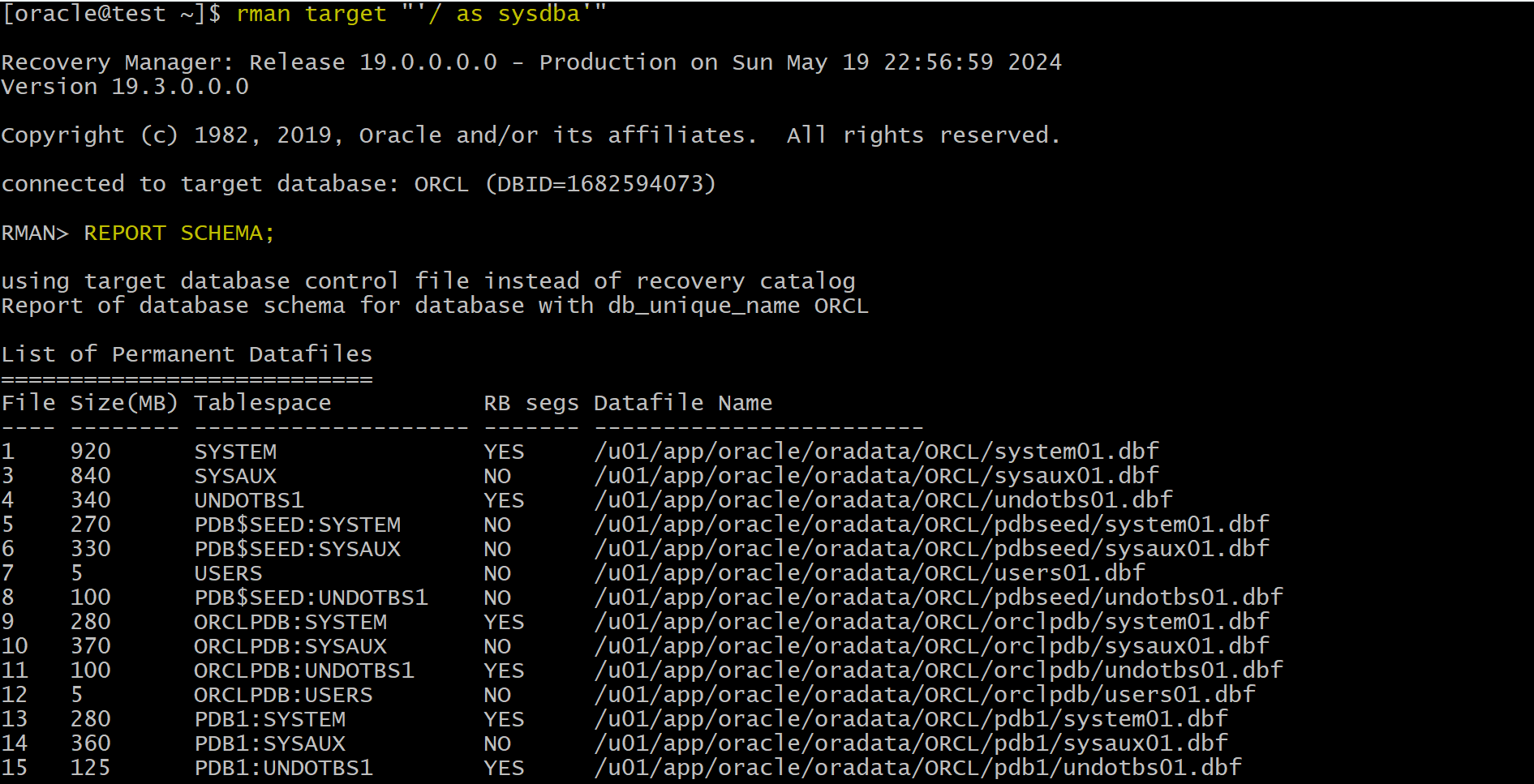
REPORT SCHEMA;
-- close pdb immediate
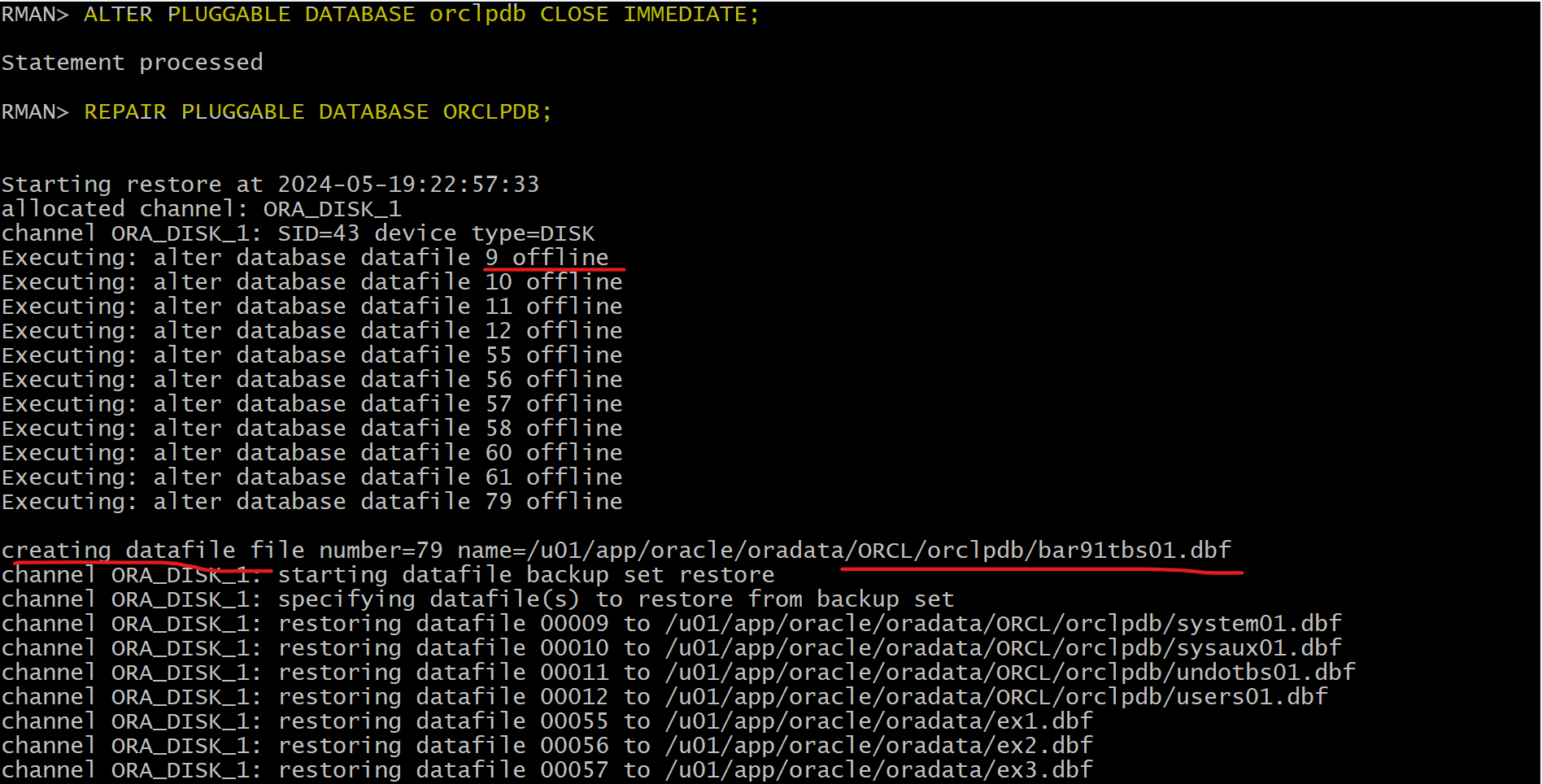
ALTER PLUGGABLE DATABASE orclpdb CLOSE IMMEDIATE;
-- restores and recovers the data file.
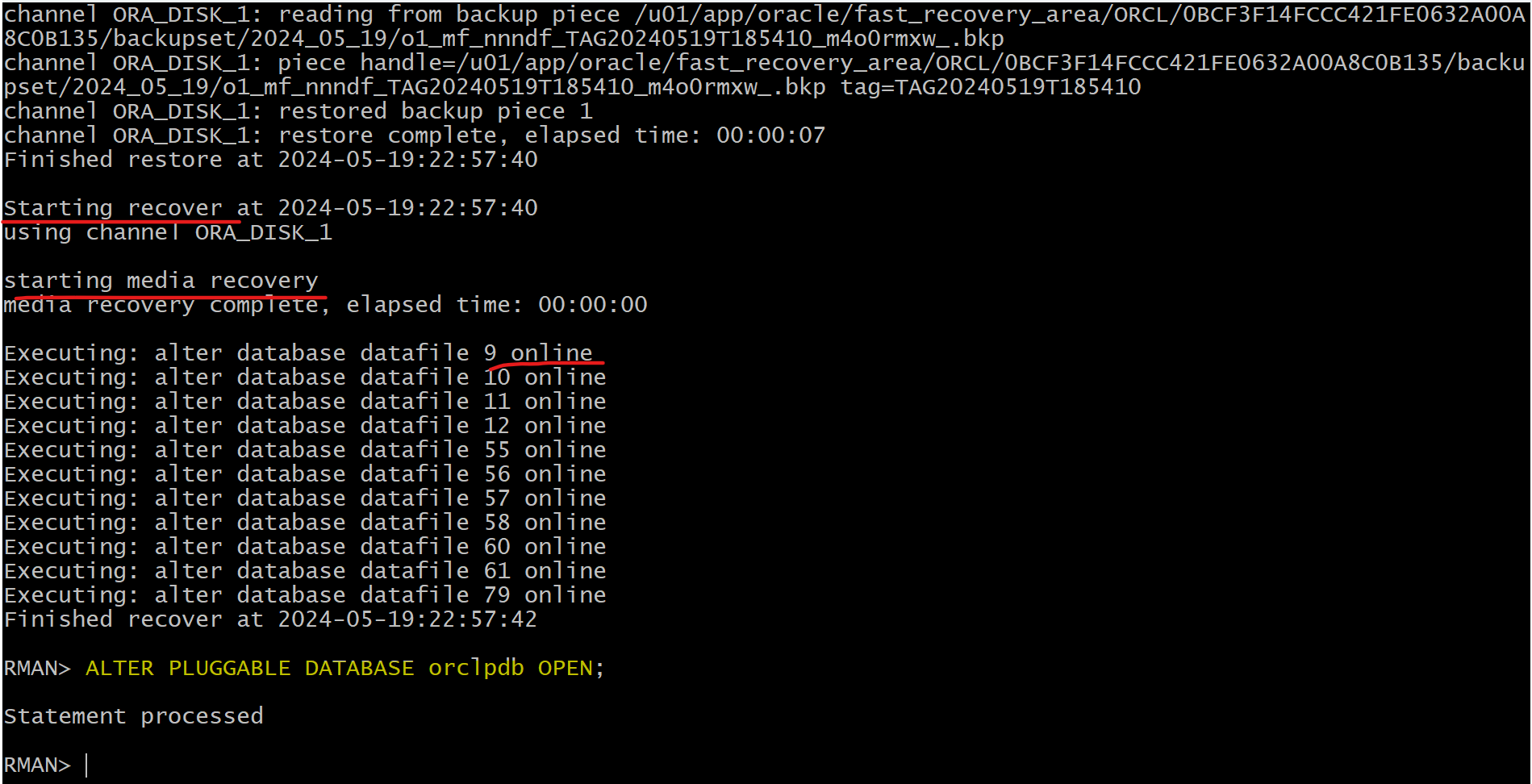
REPAIR PLUGGABLE DATABASE ORCLPDB;
ALTER PLUGGABLE DATABASE orclpdb OPEN;
Recovering PDB Tempfile
-
Missing of a
tempfilebelonging to aPDBtemporary tablespace- The PDB can open with a missing temporary file. PDB 可以打开.
- lead to failure of SQL statements that require temporary space to execute. SQL 语句会执行失败.
-
Solution:
- Temporary files are automatically re-created at PDB startup. 自动恢复, 当 PDB 开启时
- Manual re-creation is also possible.
-
Can add or drop tempfile:
-- When connecting with PDB

-- add new tempfile
ALTER TABLESPACE temp ADD TEMPFILE
'/u0l/app/oracle/oradata/CDB1/HR_PDB/temp2_02.dbf"'
SIZE 20M;

--  drop missing tempfile
ALTER TABLESPACE temp DROP TEMPFILE
'/u0l/app/oracle/oradata/CDB1/HR_PDB/temp2_01.dbf';