Note_Tech
All technological notes.
Project maintained by simonangel-fong Hosted on GitHub Pages — Theme by mattgraham
Recovery - Re-creating Password File
Re-creating a Password Authentication File
Oracle Password File
-
password file:- allows authentication of users with administrative privileges (e.g., SYSDBA, SYSOPER) when connecting to an Oracle database remotely.
- stores the usernames and associated passwords of these privileged users.
- only used for high-specific privilege users (e.g., SYS, SYSBACKUP, SYSKM)
- Location:
- UNIX:
$ORACLE_HOME/dbs - Windows:
$ORACLE_HOME%\database
- UNIX:
-
File name:
orapw<ORACLE_SID>- e.g.,
orapwORCL
-
Parameter
REMOTE_LOGIN_PASSWORDFILE:- specifies whether Oracle checks for a password file
- Value:
EXCLUSIVE: password file can be used by only one databaseSHARED: One or more databases can use the password file.NONE: Oracle ignores any password file. Therefore, privileged users must be authenticated by the operating system.
-
Creation and Management:
- created and managed using the
orapwdutility. - Delete the existing
password fileby using operating system commands and create a new password file by using the password utility.
- created and managed using the
- Adding Users to the Password File
- using grant command with adminstrative privileges
CREATE USER admin_user IDENTIFIED BY admin_password;
GRANT SYSDBA TO admin_user;
-
V$PWFILE_USERSview:- lists all users in the password file, and indicates whether the user has been granted the SYSDBA, SYSOPER, SYSASM, SYSBACKUP, SYSDG, and SYSKM privileges.
SELECT * FROM V$PWFILE_USERS;

- When connecting with
SYSDBAprivilege,- you are connecting as the
sysschema and not the schema associated with your username.
- you are connecting as the
-
When connecting with
SYSOPERprivilege:- you are connected to the
PUBLICschema.
- you are connected to the
Re-creating a Password File
-
Typically, the
password fileis not included in backups- because, in almost all situations, it can be easily re-created.
-
You should not remove or modify the
password fileif you have a database or instance mounted usingREMOTE_LOGIN_PASSWORDFILE=EXCLUSIVEorSHARED.- If you do, you will be unable to reconnect remotely using the password file.
-
Passwords are case-sensitive, so you must take that into consideration when **re-creating **the password file.
- Also, if the original
password filewas created with theITGNORECASE=Yoption, then it must be re-created with the same option.
- Also, if the original
Steps for re-creating the password file:
- Create the password file by using the password utility
orapwd.
orapwd file=filename password=password entries=max users

# example
orapwd file=$ORACLE_HOME/dbs/orapwUl5 password=admin entries=20
- There are no spaces around the “equal to” (=) character.
filename: the name of the password file (mandatory).password: the password forSYS(optional).
- You are prompted for the password if you do not include the password argument.
max_users: the maximum number of distinct users allowed to connect asSYSDBAorSYSOPER.
- If you exceed this number, you must create a new password file.
- It is safer to have a larger number.
- Connect to the database by using the password file created in step 1 and grant privileges as needed
CONNECT sys/admin AS SYSDBA
CREATE USER admin2 IDENTIFIED BY admin_password;
grant sysdba to admin2;
Lab: Restoring the Password File
Setup Environment
# copy pwd file to
cp $ORACLE_HOME/dbs/orapworcl /home/oracle/backup
# remove file
rm $ORACLE_HOME/dbs/orapworcl
# confirm file has been removed
ls $ORACLE_HOME/dbs/orapw*

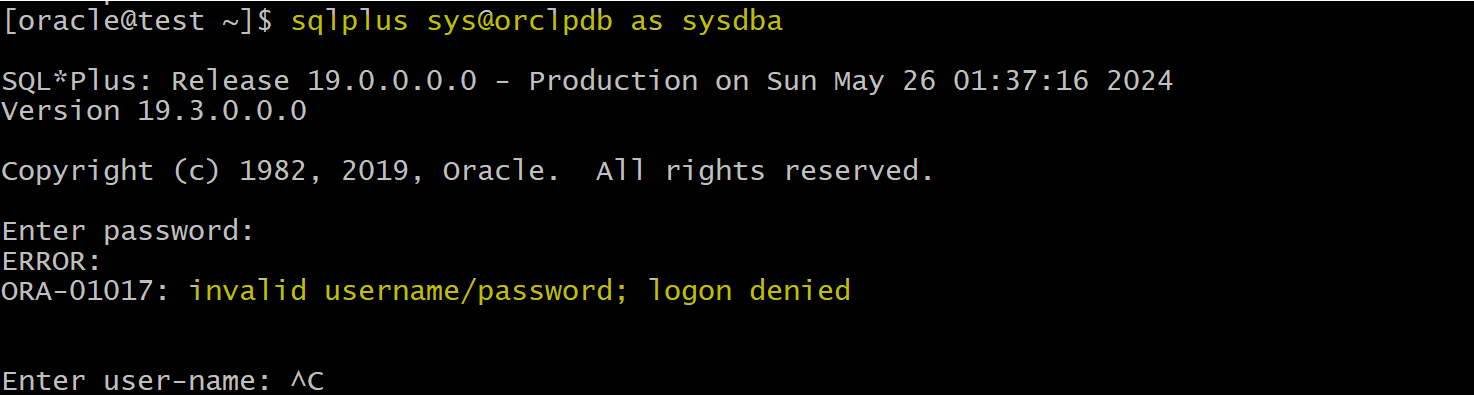
- Try to login sqlplus
sqlplus sys@orclpdb as sysdba
Restore password file
- Create a new password file by using the
orapwdutility.
# view the description of the orapwd parameters.
orapwd

orapwd FILE=$ORACLE_HOME/dbs/orapworcl ENTRIES=15

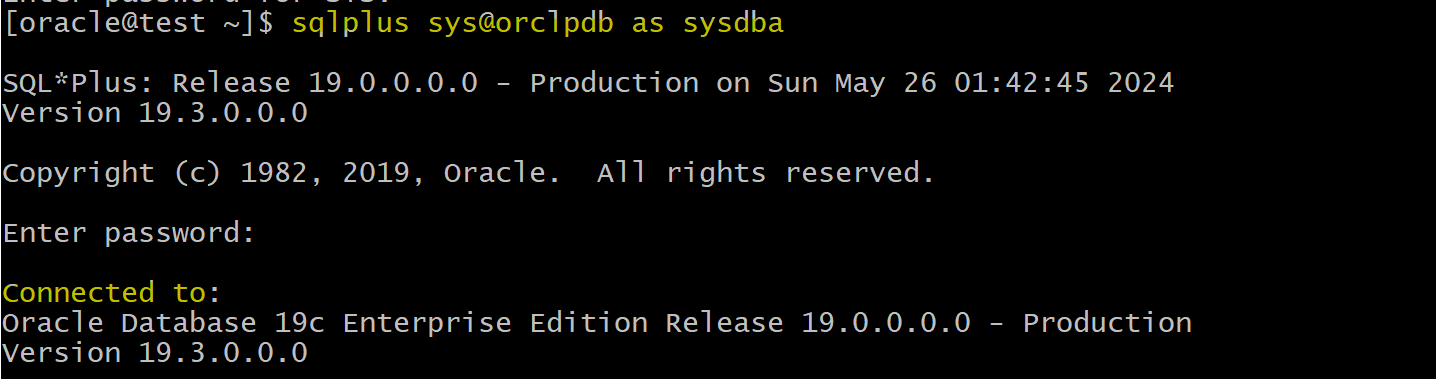
- Confirm by loging in sqlplus
- query
sqlplus sys@orclpdb as sysdba

-- view the users in pwf
SELECT * FROM V$PWFILE_USERS;

Clean up
# remove the new created pwd file
rm $ORACLE_HOME/dbs/orapworcl
# copy back the old pwd file
cp /home/oracle/backup/orapworcl $ORACLE_HOME/dbs/orapworcl
# confirm file has been removed back
ls $ORACLE_HOME/dbs/orapw*