Note_Tech
All technological notes.
Project maintained by simonangel-fong Hosted on GitHub Pages — Theme by mattgraham
DBA - Recovery Manager (RMAN)
- DBA - Recovery Manager (RMAN)
Commands
| RMAN Command | Description |
|---|---|
host 'clear screen'; |
Clear screen |
host 'clear'; |
Clear screen |
show all; |
List all persistent settings |
show <setting>; |
Show a persistent setting |
configure <setting> <value>; |
Configure a persistent setting |
configure <setting> clear; |
Set a persistent setting back to default |
RESYNC CATALOG |
Execute catalog resynchronization |
BACKUP DATABASE |
Backup the entire database |
ALLOCATE CHANNEL |
Allocate a channel for executing a job command |
- Retention Policy
| RMAN Command | Description |
|---|---|
CONFIGURE RETENTION POLICY TO RECOVERY WINDOW OF <days> DAYS; |
Configure the recovery window retention policy |
CONFIGURE RETENTION POLICY TO REDUNDANCY <copies>; |
Configure the redundancy retention policy |
CONFIGURE RETENTION POLICY TO NONE; |
Disable the retention policy |
Oracle Recovery Manager (RMAN)
-
Oracle Recovery Manager (RMAN)- is the core Oracle Database software component that manages database backup, restore, and recovery processes.
- maintains configurable backup and recovery policies and keeps historical records of all database backup and recovery activities.
- ensures
- that all files required to successfully restore and recover a database are included in complete database backups.
- all data blocks are verified to ensure that corrupt blocks are not propagated into the backup files.
-
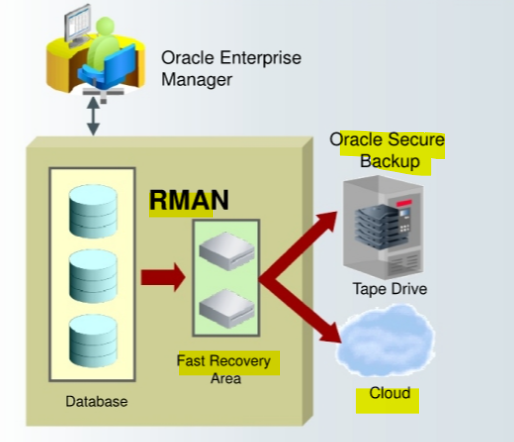
RMAN uses
- the
fast recovery areafor backups. - Optionally,
Oracle Secure Backup, so backups can be made to the tape drive and to the cloud. Backups can be performed to other designated locations, such as directly to disk.
- the
- Intrinsic knowledge of database file formats and recovery procedures
- Tablespace and data file recovery
- Block validation
- Online block-level recovery
- Online, multistreamed backup
- Unused block compression
- Native encryption
- Integrated disk, tape, and cloud backup leveraging the
fast recovery areaandOracle Secure Backup
Connecting to RMAN and a Target Database
-
In your Linux course environment, you have more than one local database.
. oraenvto set your environment variables.
-
Invoke
RMANat the operating system command line and specify the appropriate options. Commonly used options are:target: The connect-string for thetarget databasecatalog: The connect-string for arecovery catalognocatalog: Specifies there is norecovery catalog.- the default.
cmdfile: The name of aninput command filelog: The name of theoutput message log file
-
The RMAN invocation
rman target /connects to the local database as thetarget.
# call oraenv script to set environment vairable
. oraenv

# rman connect to the local db with the sYSBACKUP privilege.
rman target "'/ as sysbackup'"
Using SQL in RMAN
-
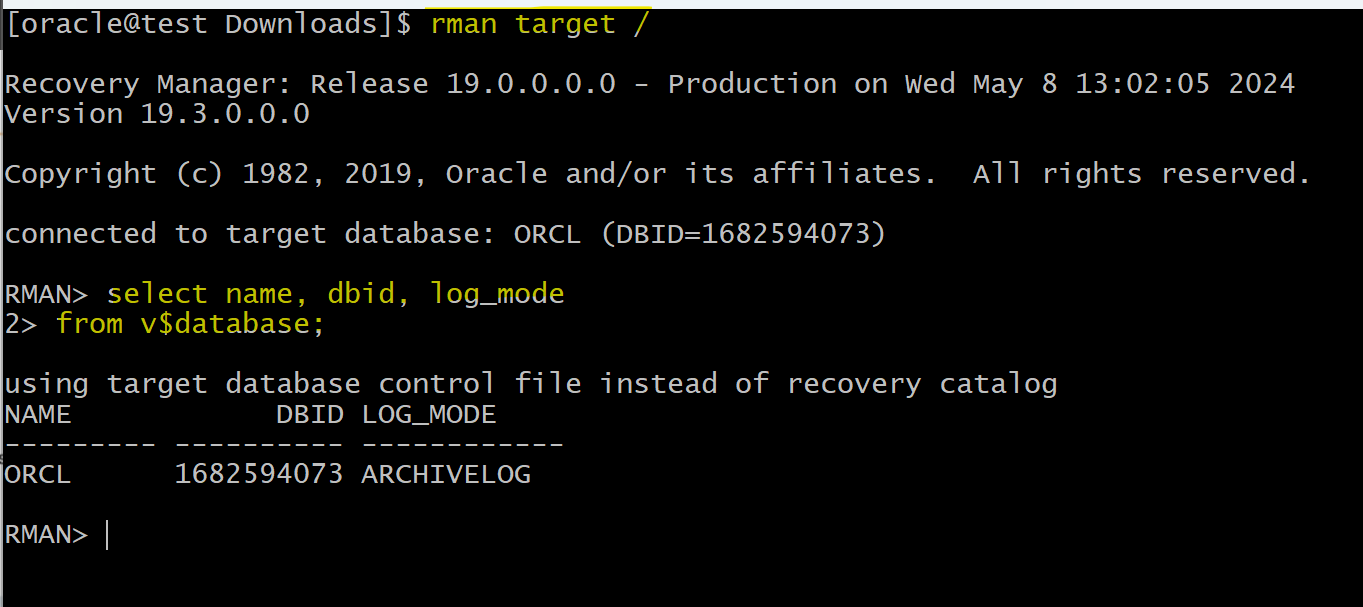
You can execute
SQLcommands andPL/SQLprocedures from the RMAN command line.-
The
SQLkeyword is optional, but you should use it to eliminate ambiguity, especially for a few commands that exist in bothRMANandSQLand have different uses. - The RMAN
DESCRIBEcommand provides the functionality of theSQL\*Plus DESCRIBEcommand. You can use the abbreviated versionDESCor the spelled-outDESCRIBEto list the column definitions of a table or view. - To access a table or view in another schema, you must have
SELECTprivileges on the object or connect in theSYSDBAmode.(sysdba 有全权限, 默认 sysbackup 没有 select any 权限)
-
Types of RMAN Commands
-
two basic types of RMAN commands:
stand-aloneandjob commands.Stand-alone commands- executed at the RMAN prompt and are generally self-contained.
-
Job commands- usually grouped and executed sequentially inside a command block.- If any command within the block fails, RMAN ceases processing; no further commands within the block are executed. The effects of any already executed commands still remain, though; they are not undone in any way.
- e.g.,
ALLOCATE CHANNEL.- The channel is allocated only for the execution of the job, so it cannot be issued as a stand-alone command.不能单独执行
- There are some commands that can be issued either at the prompt or within a
RUNcommand block, such asBACKUP DATABASE.- If you issue stand-alone commands, RMAN allocates any needed channels by using the automatic channel allocation feature.
-
You can execute
stand-aloneandjob commandsin interactive mode or batch mode. 两模式都可以
-
RMAN commands are of the following types:
-
Stand-alone command:- Is executed individually at the
RMANprompt - Cannot appear as subcommands within
RUN
- Is executed individually at the
-
Job command:- Must be within the braces of a
RUNcommand - Is executed as a group
- Must be within the braces of a
-
-
Some commands can be executed as both types.
Job commands
-
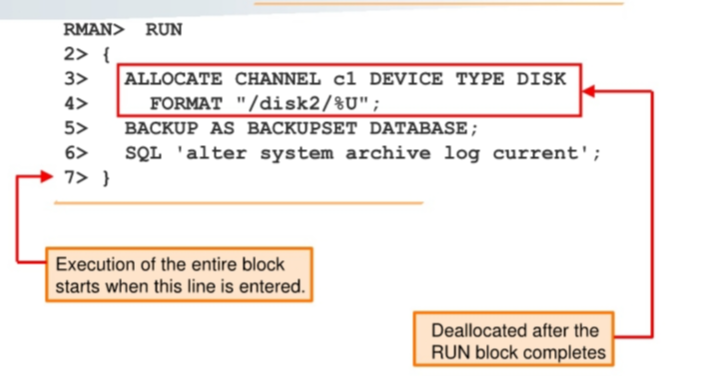
Unlike stand-alone commands, job commands must appear within the braces of a
RUNcommand.- Any configurations made within the run block apply within the scope of the block and override any previously made settings.
-
e.g.:
-
RMAN executes the
job commandsinside aRUNcommand block sequentially.- If any command within the block fails, RMAN ceases processing. No further commands within the block are executed.
- When the last command within a RUN block completes, the Oracle database releases any server-side resources such as input/output (1/0) buffers or I/O slave processes allocated within the block.
Configuring Persistent Settings for RMAN
-
Persistent configuration settings- control many aspects of RMAN’s behavior
- always stored in the
control fileand in therecovery catalog database(if it exists). - have default values
-
CONFIGUREcommand-
used to configure persistent settings:
- Configure automatic channels
- Specify the backup retention policy
- Specify the number of backup copies to be created
- Set the default backup type to
BACKUPSETorCOPY - Limit the size of backup pieces
- Exempt a tablespace from backup
- Enable and disable backup optimization
- Configure automatic backups of
control files - Define the
archive logdeletion policy - Specify the parallelism for a device
-
Set the encryption and compression parameters to be used for backups
- These settings are in effect for any RMAN session until the configuration is cleared or changed.一旦设置则长期有效直到被清除或修改
-
-
SETcommand- used to change the configuration settings in an RMAN job (or session) just for the duration of the job (or session) with the.
View all RMAN persistent settings
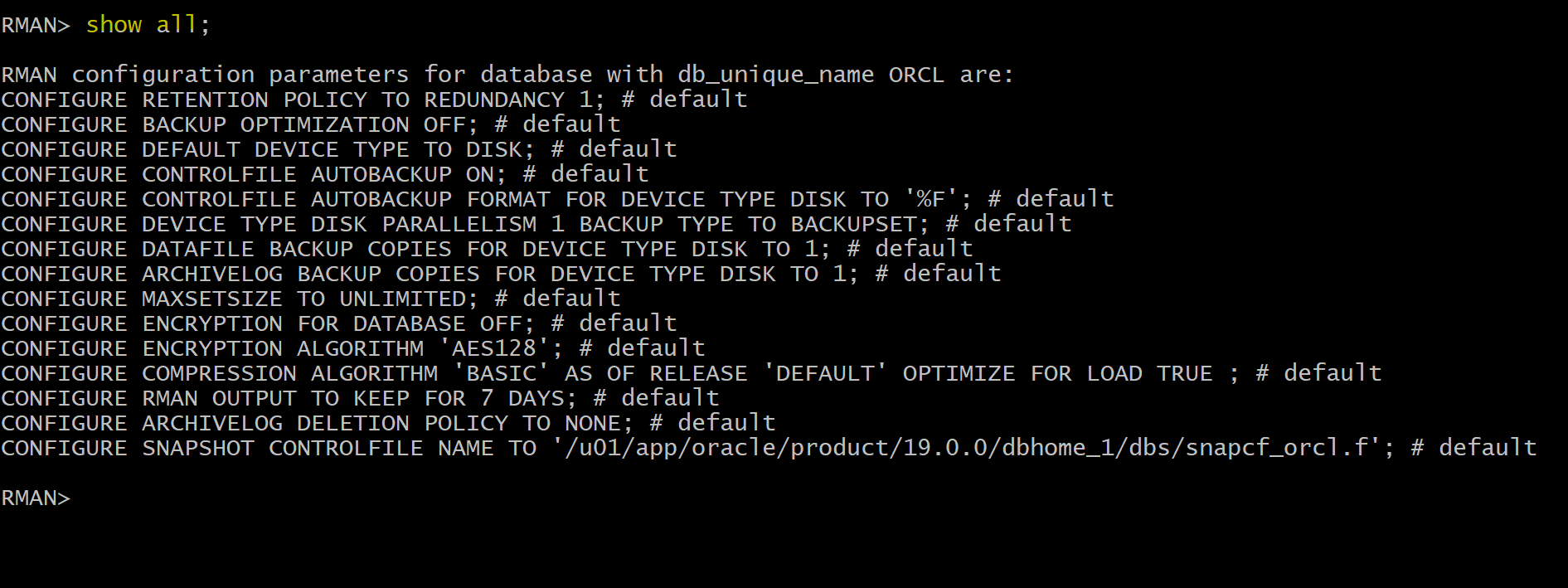
- to view all configuration settings
-- RMAN command to view all configuration settings
SHOW ALL;

-- sql command to display configuration settings that have been explicitly set.
SQL 'select * from V$RMAN_CONFIGURATION';
-- if no explicit settings, nothing returns.
- In the multitenant DB, each entry in
V$RMAN_CONFIGURATIONhas acon_idvalue:0means the configuration applies to the entire CDB,1means it applies to the root container only, and any other value means that it applies to the container ID of the PDB only.
Managing Persistent Settings
-
Parallelism- the number of streams of data that can be used to read from and write to the device.
- define the number of channels to be allocated when the device is used by RMAN.
- e.g., if a media manager has two tape drives available, parallelism 2 would allow both tape drives to be used simultaneously for
BACKUPcommands using that media manager.
- e.g., if a media manager has two tape drives available, parallelism 2 would allow both tape drives to be used simultaneously for
- Parallelism for the disk device type is also useful, when you want to spread out a backup over multiple disks.
- e.g.,
-- where <n> is the parallelism value.
CONFIGURE DEVICE TYPE <device> PARALLELISM <n>
-
SHOWcommand- view the RMAN configuration settings.
SHOW CONTROLFILE AUTOBACKUP FORMAT;
SHOW EXCLUDE;
SHOW ALL;
-
SHOW AL- only node-specific configurations and database configurations are displayed.
CONFIGUREcommand +CLEARoption:- to reset any persistent setting to its default value
CONFIGURE BACKUP OPTIMIZATION CLEAR;
CONFIGURE MAXSETSIZE CLEAR;
CONFIGURE DEFAULT DEVICE TYPE CLEAR;
Lab
Backup Database
- The
DB_RECOVERY_FILE_DESTparameter specifies the default location for thefast recovery area. - View the parameter value by logging in to SQL*Plus and using theSHOW PARAMETERcommand.
-- in sqlplus
show parameter db_recovery_file_dest

-- in rman
BACKUP DATABASE;
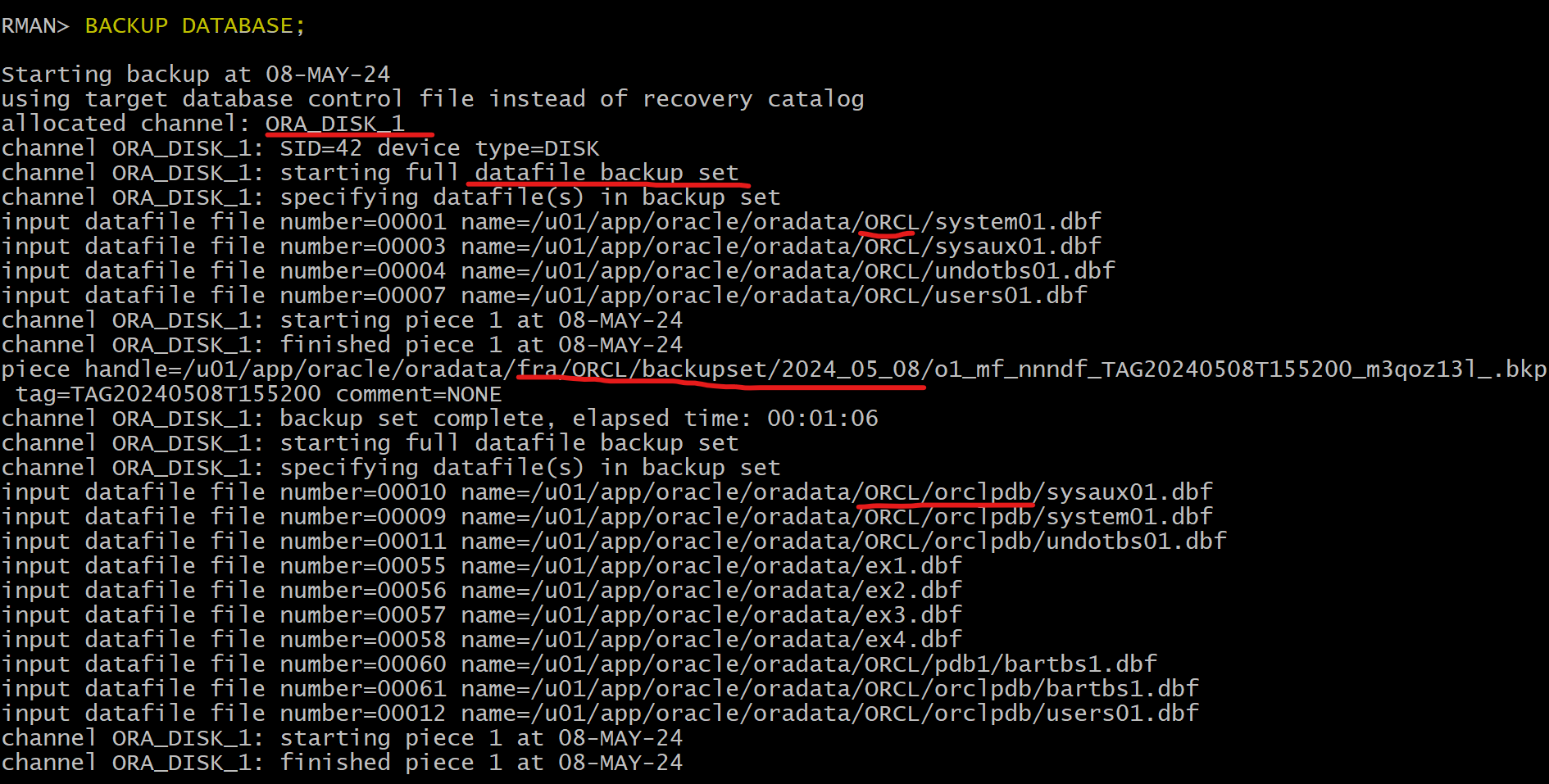
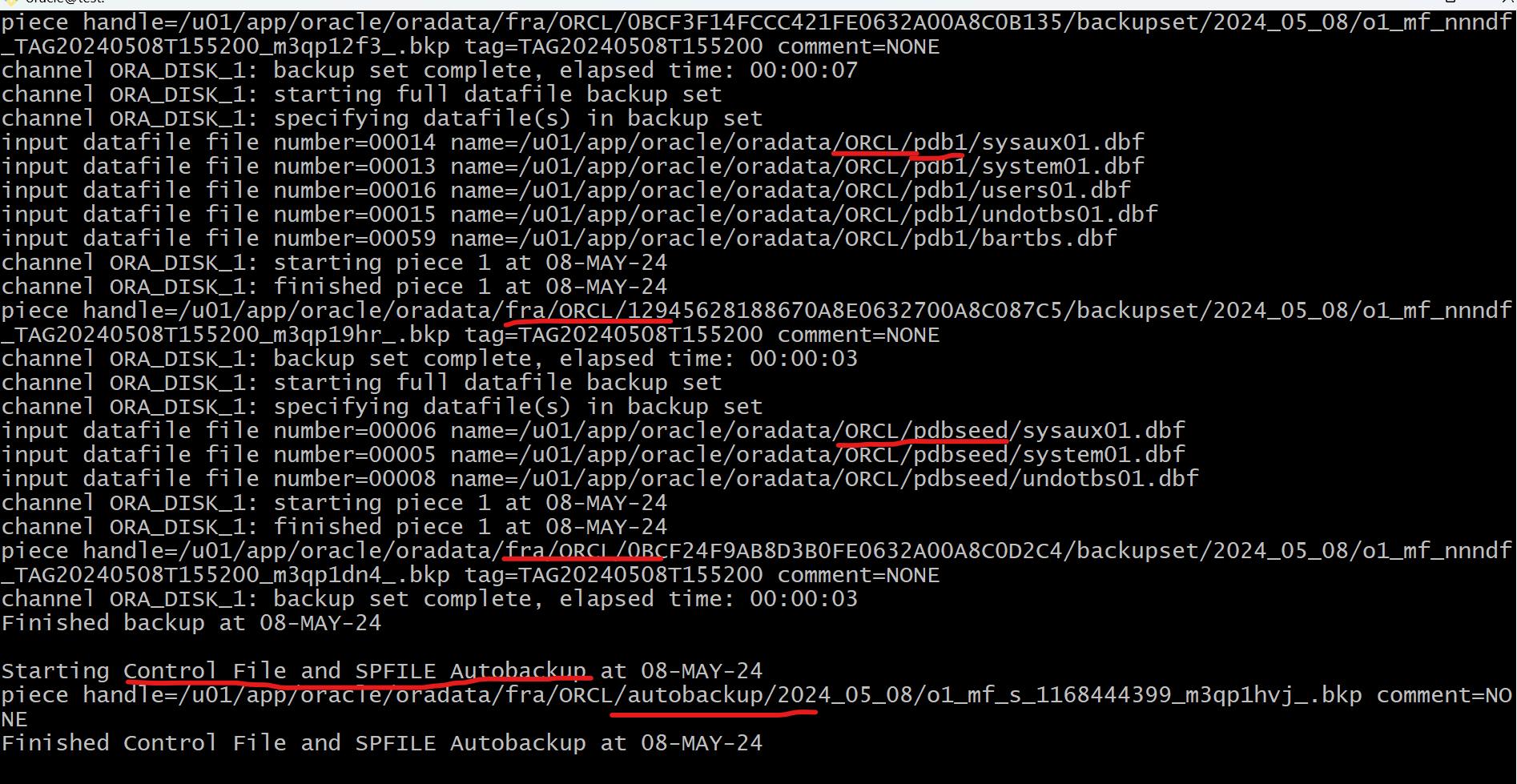
Include all datafiles of CDB and all PDBs, along with control file and parameter file will be backed up. By default, using backup set
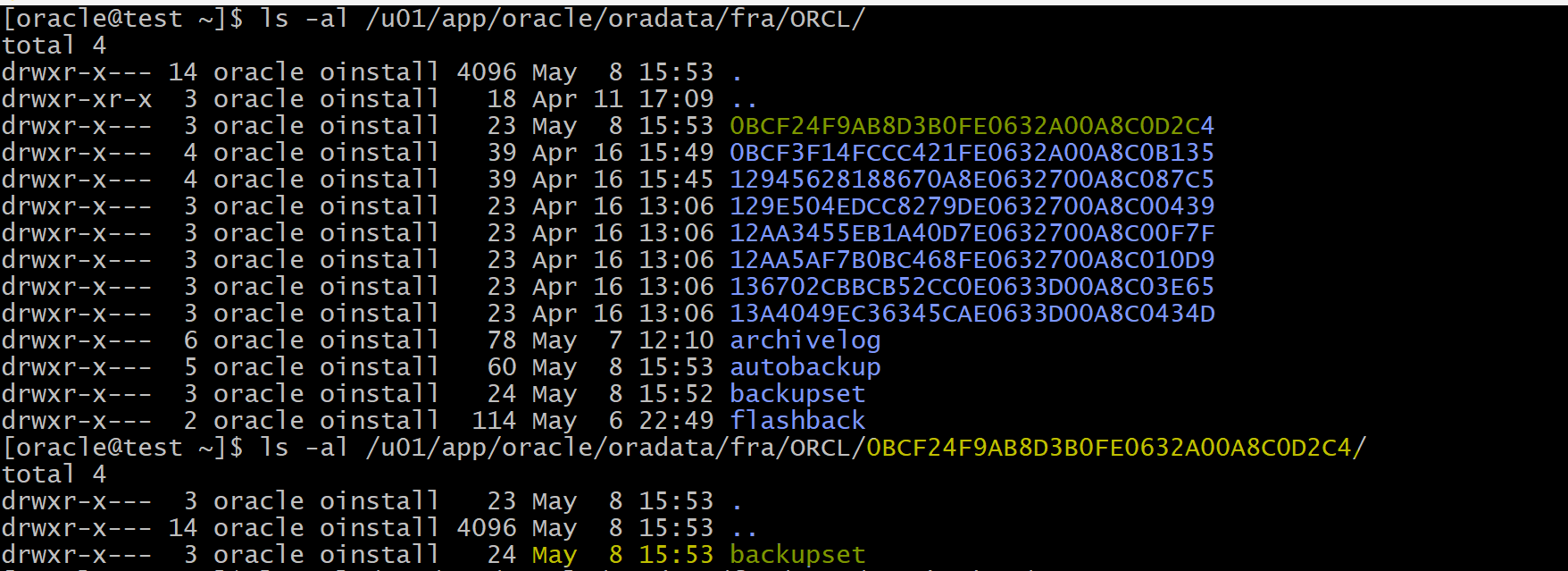
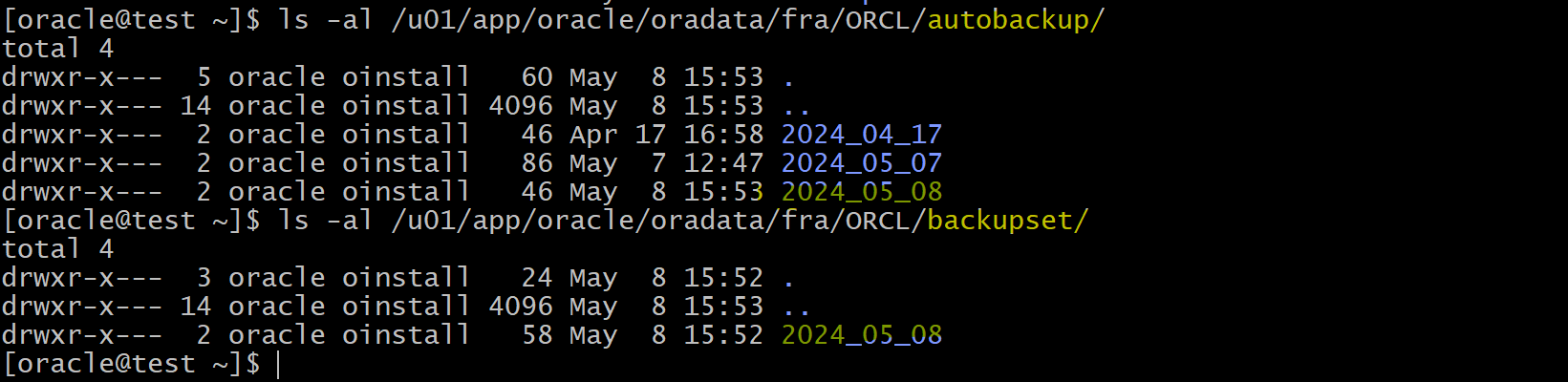
- Confirm in the FRA
Setting the Date and Time Format for RMAN
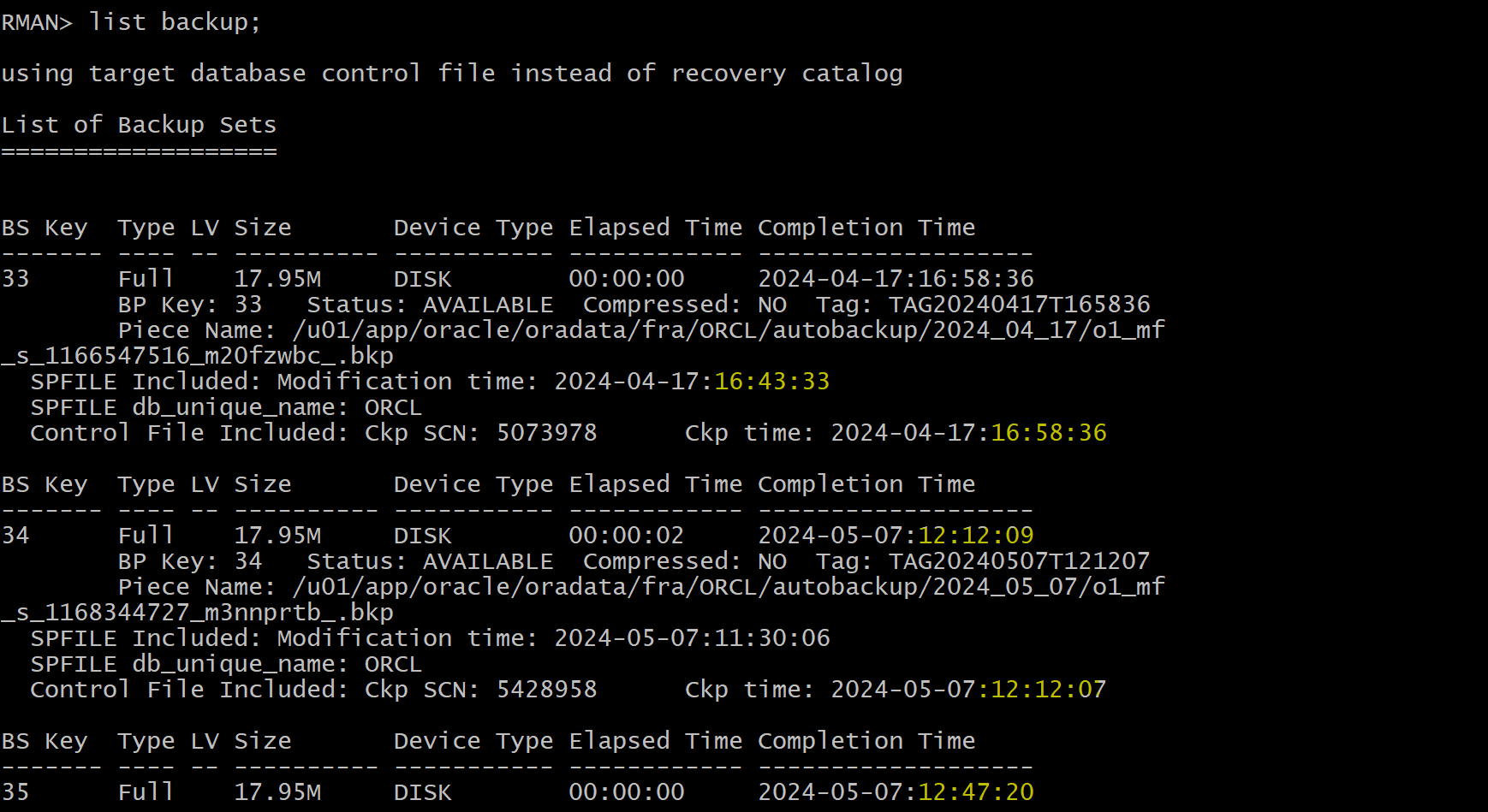
- Use the editor of your choice (vi, gedit) and add the following two lines to the end of the
~oracle/.bashrc file:export NLS_LANG=american_america.al32utf8export NLS_DATE_FORMAT="yyyy-mm-dd:hh24:mi:ss"
# edite bash script
vi ~oracle/.bashrc

# apply bash script to export env var
. ~oracle/.bashrc
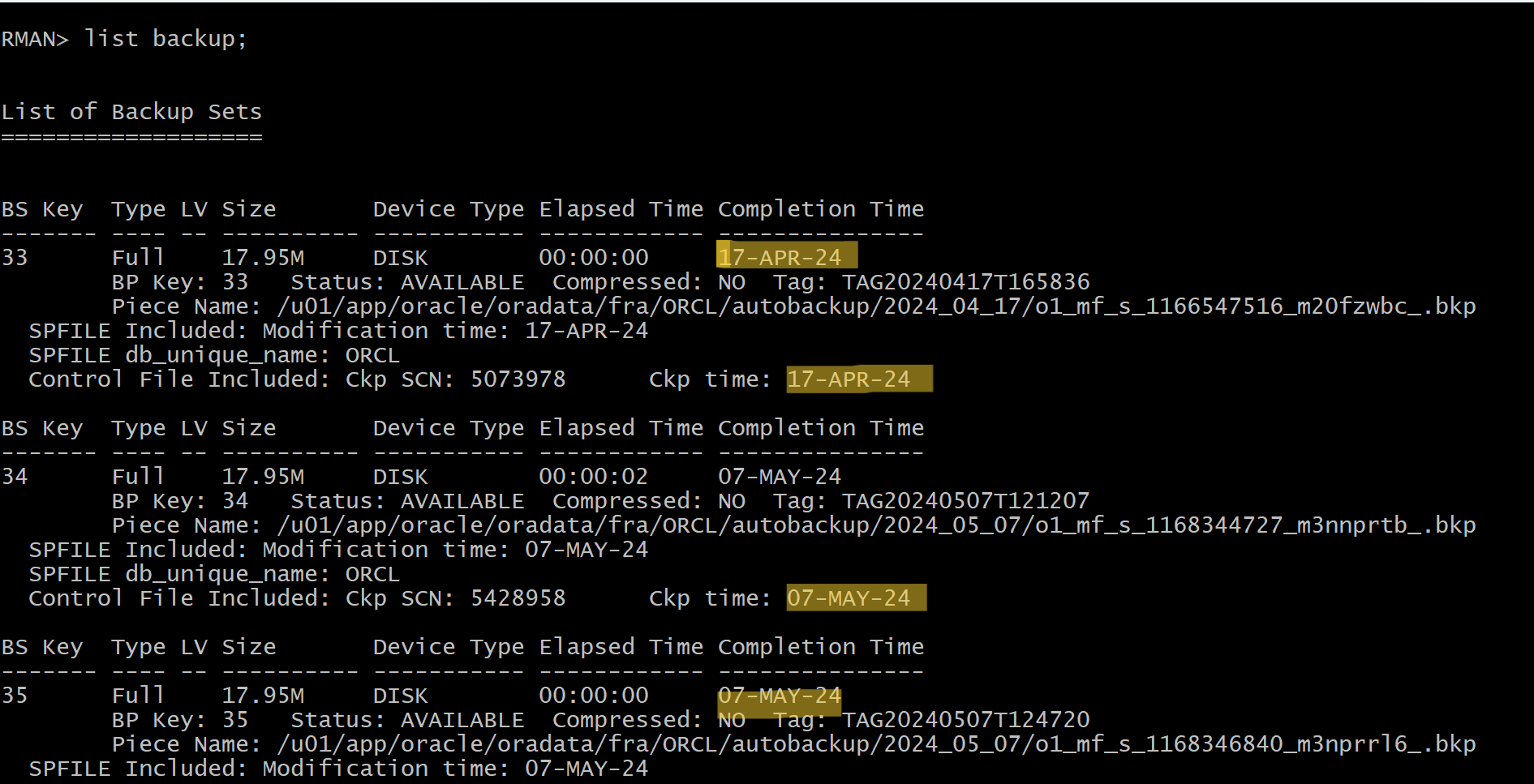
- Login RMAN to list backups
list backup;
- By default, date format does not include the time of day information.
- After update the shell script
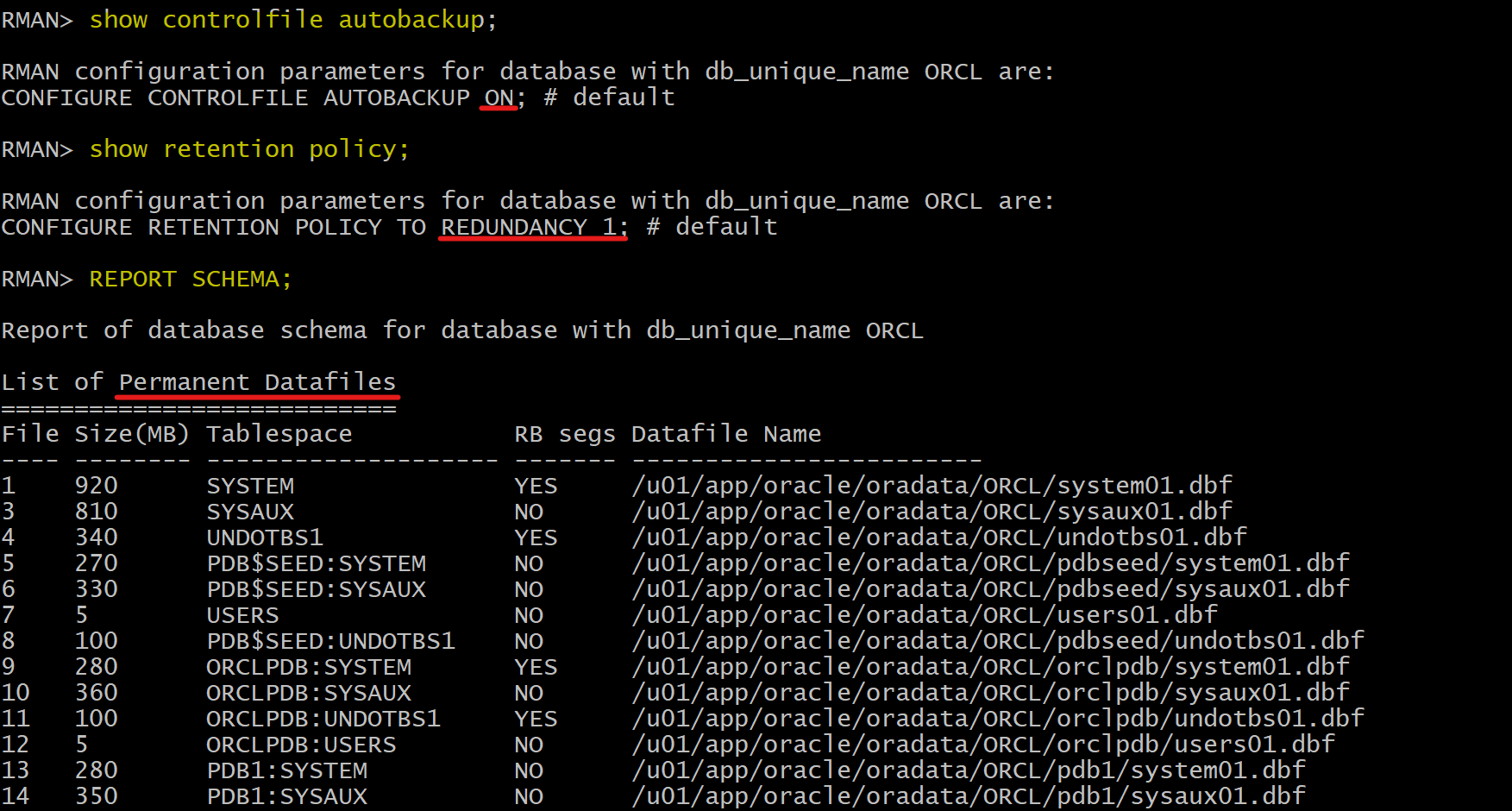
View RMAN Configuration
-- Displays whether RMAN is configured to automatically back up the control file and server parameter file whenever a backup or copy operation is performed.
show controlfile autobackup;

-- Displays the retention policy settings for backups, which specify how long to keep backups and how they should be managed.
show retention policy;

-- Provides a summary report of the database schema, including information about the datafiles, tablespaces, and their sizes.
REPORT SCHEMA;
Backup Tablespace
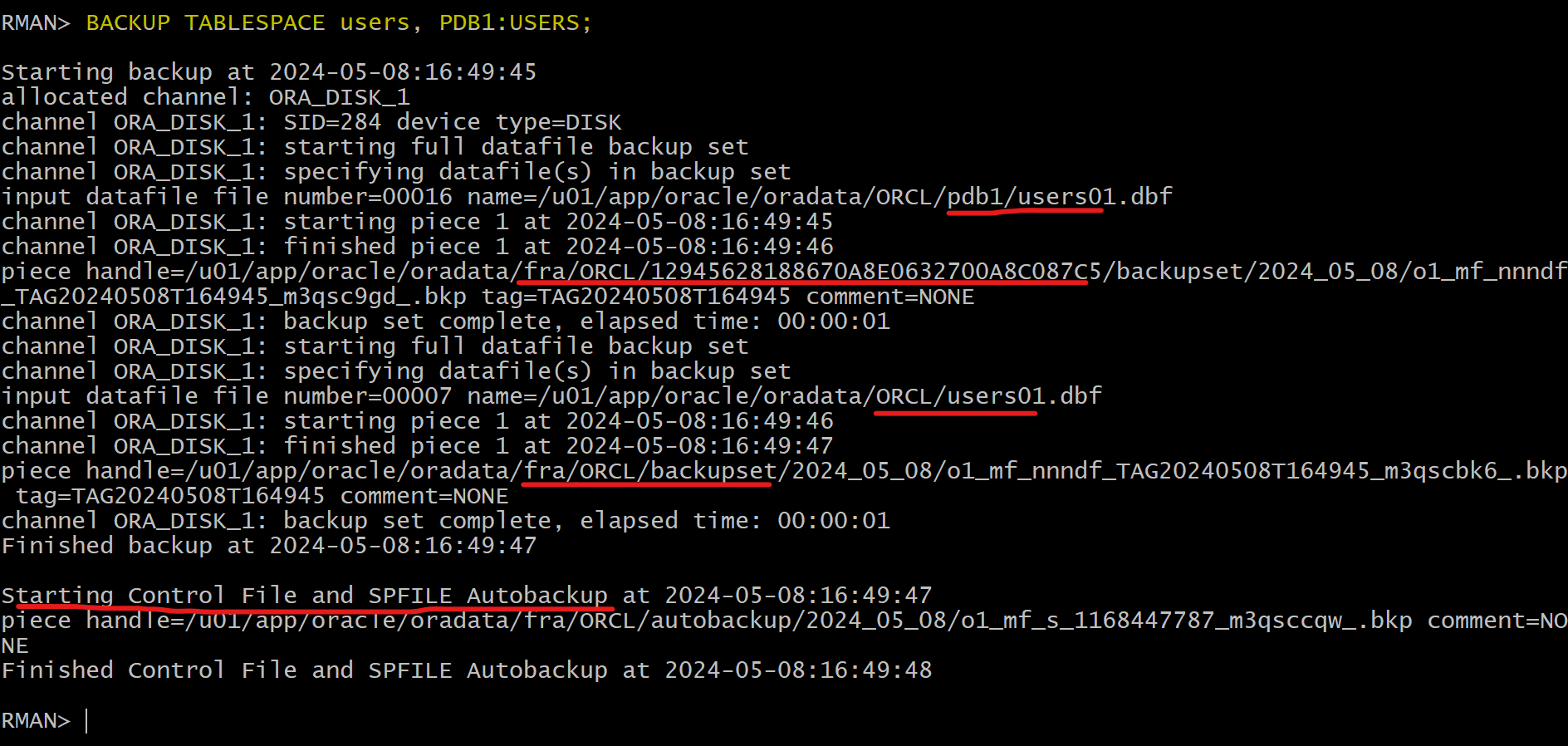
- Back up the
USERStablespace in both the CDB and PDB1.
BACKUP TABLESPACE users, PDB1:USERS;
Direct the Output to a File
-
Using
SPOOL LOG TO <file> -
Create a file for logging
-- do not use ~ for home,
-- rman will create the file
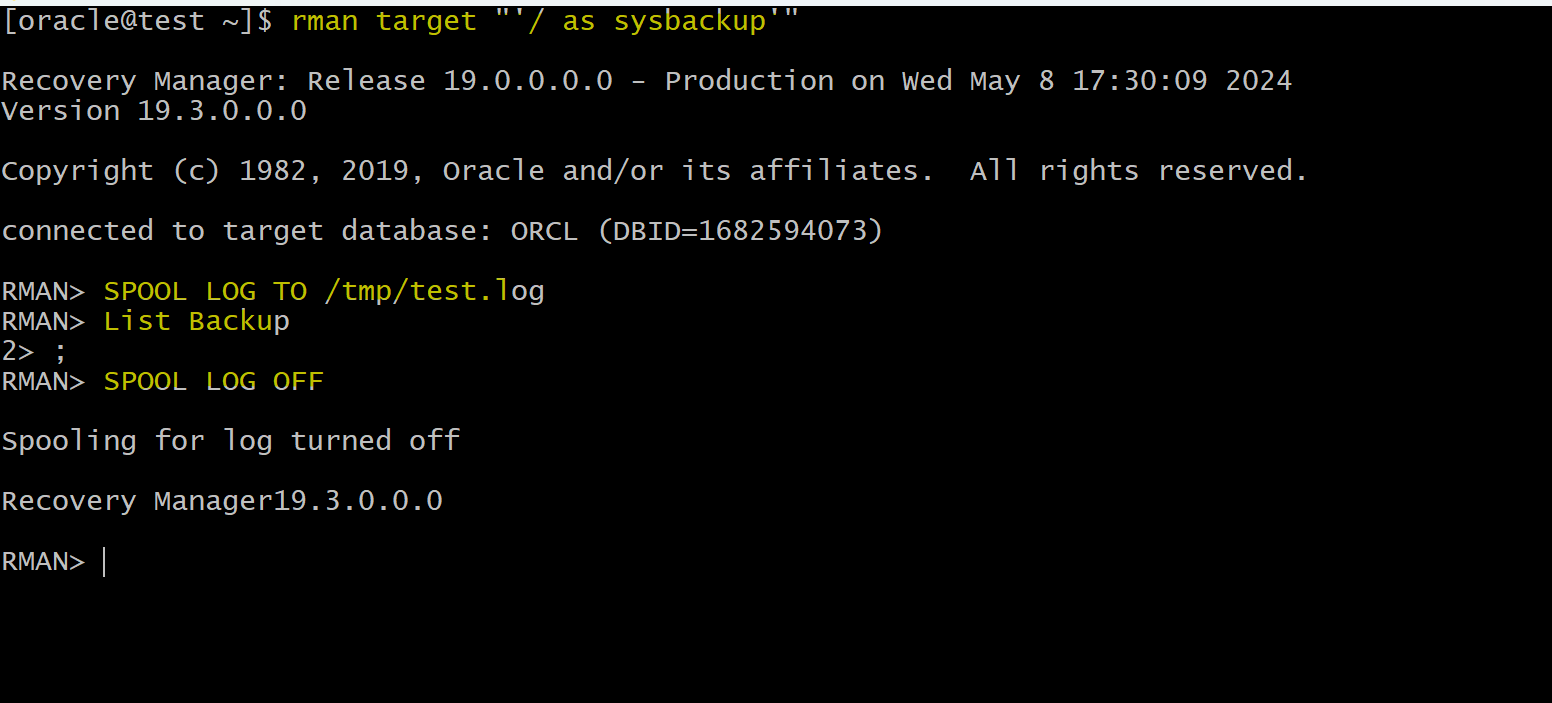
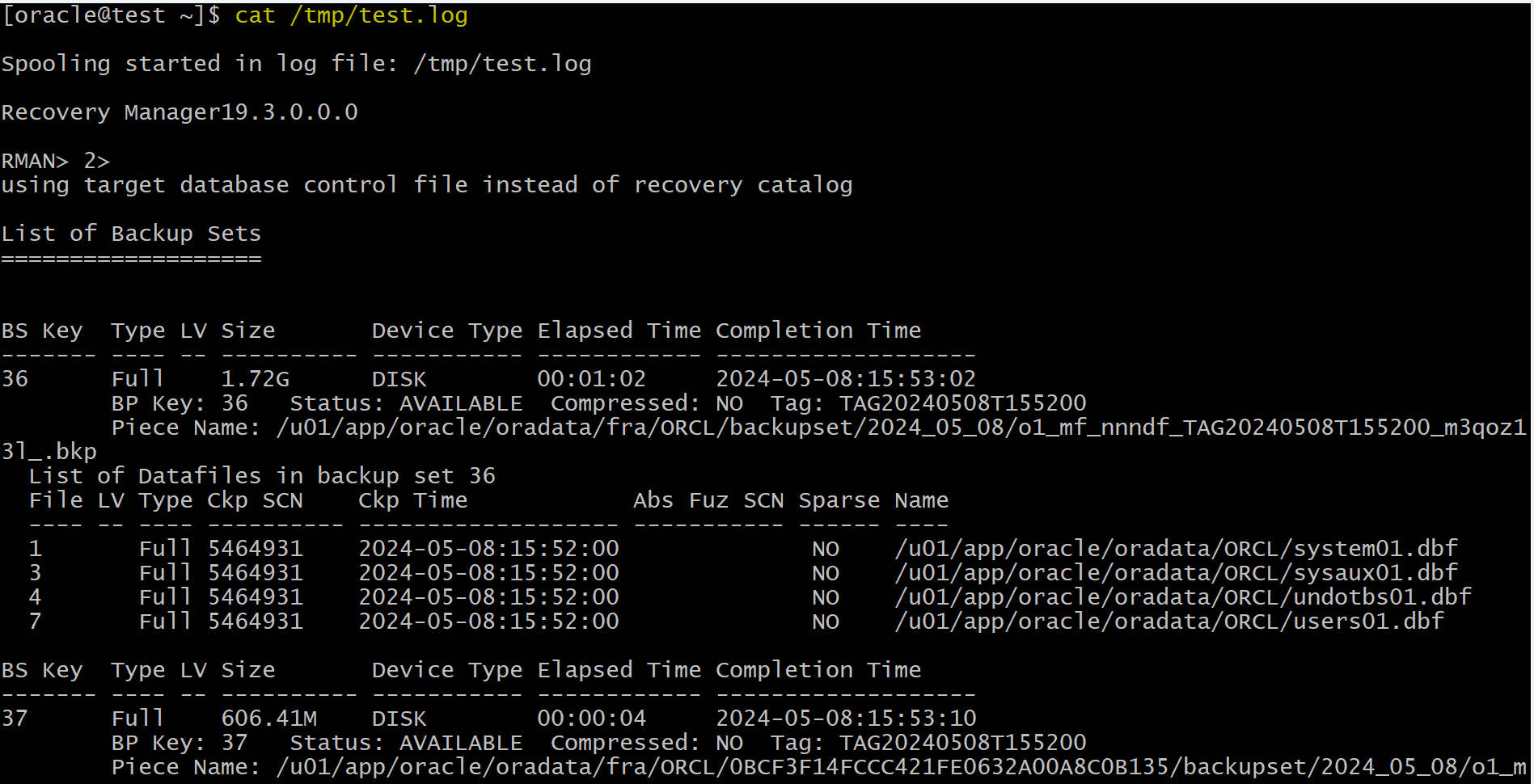
SPOOL LOG TO /tmp/test.log
-- will not display
List Backup
-- stop directing output to the file.
SPOOL LOG OFF