Note_Tech
All technological notes.
Project maintained by simonangel-fong Hosted on GitHub Pages — Theme by mattgraham
Diagnosis - Data Failure & Data Recovery Advisor
Data Failure
Data failures- detected by checks, which are diagnostic procedures that assess the health of the database or its components.
-
Each
checkcan diagnose one or more failures, which are mapped to a repair.- Checks can be reactive or proactive.
- When an error occurs in the database,
reactive checksare automatically executed. - You can also initiate
proactive checks, for example, by executing theVALIDATE DATABASEcommand.
- When an error occurs in the database,
- Checks can be reactive or proactive.
-
Example of Data Failure:
- Not accessible components
- e.g.,
- Missing data files at the OS level
- Incorrect access permissions
- Offline tablespace and so on
- e.g.,
- Physical corruptions
- e.g., block checksum failures or invalid block header field values
- Logical corruptions
- such as inconsistent dictionary, corrupt row piece, corrupt index entry, or corrupt transaction
- Inconsistencies
- such as control file is older or newer than the data files and online redo logs
- I/O failures
- such as a limit on the number of open files exceeded, channels inaccessible, network or I/O error
- Not accessible components
- The
Data Recovery Advisorcan analyze failures and suggest repair options for issues
Data Recovery Advisor
-
Data Recovery Advisor- automatically gathers data failure information when an error is encountered.
-
can proactively check for failures, detect and analyze data failures before a database process discovers the corruption and signals an error. 可以先于 db 发现并分析错误.
- handles both cases: 处理致命错误和非致命错误
- the one where you cannot start up the database (because some required database files are missing, inconsistent, or corrupted)
- the one where file corruptions are discovered during run time.
-
Characteristics:
- Fast detection, analysis, and repair of failures
- Minimizing disruptions for users
- Down time and runtime failures
-
User interfaces:
EMGUI interface (several paths)RMANcommand line
rman target / nocatalog
list failure all;
-
Supported Database Configurations
- Single-instance
- Not
RAC - Supporting failover to standby, but not analysis and repair of standby databases
- Workflow with DRA:
- The
Health Monitorautomatically executes checks and logs failures and their symptoms as “findings” into theADR. - The
Data Recovery Advisorconsolidates findings into failures. It lists the results of previously executed assessments with failure severity (critical or high). - When you ask for repair advice on a failure, the
Data Recovery Advisormaps failures to automatic and manual repair options, checks basic feasibility, and presents you with the repair advice. - You can choose to manually execute a repair or request the
Data Recovery Advisorto do it for you.

- Command-Line Interface
| RMAN Command | Action |
|---|---|
LIST FAILURE |
Lists previously executed failure assessment |
ADVISE FAILURE |
Displays recommended repair option |
REPAIR FAILURE |
Repairs and closes failures (after ADVISE in the same RMAN session) |
CHANGE FAILURE |
Changes or closes one or more failures |
Listing Data Failures
-
LIST FAILURE:- lists previously executed failure assessment
- Including newly diagnosed failures
- Removing closed failures (by default)
-
Characteristics:
- Failures are uniquely identified by failure numbers.
- Note that these numbers are not consecutive, so gaps between failure numbers have no significance.失败号码无顺序
- If the target instance uses a
recovery catalog, it can be inSTARTEDmode;- otherwise it must be in
MOUNTEDmode.
- otherwise it must be in
- does not initiate checks to diagnose new failures;
- it lists the results of previously executed assessments.
- Repeatedly executing the this command revalidates all existing failures.
- If the database diagnoses new ones (between command executions), they are displayed. 返回实时监控结果
- If a user manually fixes failures, or if transient failures disappear, then the
Data Recovery Advisorremoves these failures from the output.人工修复或消失的失败会被移除
-
Syntax:
failnum: Number of the failure to display repair options forALL: List failures of all priorities.CRITICAL: List failures ofCRITICALpriority andOPENstatus.- These failures require immediate attention, because they make the whole database unavailable (for example, a missing
control file).
- These failures require immediate attention, because they make the whole database unavailable (for example, a missing
HIGH: List failures ofHIGHpriority andOPENstatus.- These failures make a database partly unavailable or unrecoverable, so they should be repaired quickly (for example, missing
archived redo logs).
- These failures make a database partly unavailable or unrecoverable, so they should be repaired quickly (for example, missing
LOW: List failures ofLowpriority andOPENstatus.- Failures of a low priority can wait until more important failures are fixed.
CLOSED: List only closed failures.EXCLUDE FAILURE: Exclude the specified list of failure numbers from the list.DETAIL: List failures by expanding the consolidated failure.- For example, if there are multiple block corruptions in a file, the DETAIL option lists each one of them.
LIST FAILURE
[ ALL | CRITICAL | HIGH | LOW | CLOSED | failnum[, failnum,..] ]
[ EXCLUDE FAILURE failnum[,failnum,..] ]
[ DETAIL J]
Advising on Repair
-
ADVISE FAILURE:- displays a recommended repair option for the specified failures and prints a summary of the input failure
- If a new failure has been recorded in ADR since the last
LIST FAILUREcommand, this command includes aWARNINGbefore advising on allCRITICALandHIGHfailures. 新插入的失败会显示为警告
- If a new failure has been recorded in ADR since the last
- Displays a manual checklist
- Lists a single recommended repair option
- By default, advise on all the
CRITICALandHIGHpriority failures that are recorded inADR.
- displays a recommended repair option for the specified failures and prints a summary of the input failure
-
Two general repair options are implemented:
no-data-lossdata-loss repairs.
-
When the
Data Recovery Advisorgenerates an automated repair option, it generates a script that shows you how RMAN plans to repair the failure. 会生成脚本- If you do not want the
Data Recovery Advisorto automatically repair the failure, then you can use this script as a starting point for your manual repair. - The
operating system (OS)location of the script is printed at the end of the command output. - You can examine this script, customize it (if needed), and also execute it manually if, for example, your audit trail requirements recommend such an action.
- If you do not want the
-
Syntax:
ADVISE FAILURE
[ ALL | CRITICAL | HIGH | LOW | failnum[, failnum,..] ]
[ EXCLUDE FAILURE failnum [,failnum,..] ]
Executing Repairs
-
REPAIR FAILUREcommand:- used after an
ADVISE FAILUREcommand in the same RMAN session. - By default, uses the single, recommended repair option of the last
ADVISE FAILUREexecution in the current session.仅仅针对当前的建议进行修复- During the execution of a repair, the output of the command indicates what phase of the repair is being executed.
- If none exists, it initiates an implicit
ADVISE FAILUREcommand. 如果没有失败, 则会自动触发 advise 命令 - After completing the repair, the command closes the failure.
- used after an
-
USING ADVISE OPTIONinteger:- specify desired repair option by its option number (from the
ADVISE FAILUREcommand ); - this is not the failure number.
- specify desired repair option by its option number (from the
-
You cannot run multiple concurrent repair sessions.
- However, concurrent
REPAIR .. PREVIEWsessions are allowed.
- However, concurrent
-
Syntax:
PREVIEW:- Do not execute the repairs;
- instead, display the previously generated RMAN script with all repair actions and comments.
NOPROMPT:- Do not ask for confirmation.
REPAIR FAILURE
[USING ADVISE OPTION integer]
[ { {NOPROMPT | PREVIEW}}...]
Classifying and Closing Failures
CHANGE FAILUREcommand:- Changes the failure priority
- except for
CRITICAL
- except for
- Closes one or more failures
- By default, the command asks the user to confirm a requested change.
- Changes the failure priority
CHANGE FAILURE
{ ALL | CRITICAL | HIGH | LOW | failnum[,failnum,..] }
[ EXCLUDE FAILURE failnum[,failnum,..] ]
{ PRIORITY {CRITICAL | HIGH | LOW} | cLose } -- Change status of the failure(s) to closed.
[ NoproMPT ] -- Do not ask user for a confirmation.
- It is an error to change the priority level of
CRITICAL. -
A failure priority can be changed:
- from
HIGHtoLow - from
LOWtoHIGH - e.g.:
- if a block corruption has
HIGHpriority, you may want to temporarily change it toLowif the block is in a little-used tablespace.
- if a block corruption has
- from
- Closing failures
- implicitly when repaired
- explicitly when using
CHANGE - it involves a re-evaluation of all other open failures, because some of them may become irrelevant as the result of the closure of the failure.关闭失败会重新评估其他失败.
Views
- Views:
V$IR_FAILURE: List of all failures, including closed ones (result of theLIST FAILUREcommand)V$IR_MANUAL_CHECKLIST: List of manual advice (result of theADVISE FAILUREcommand)V$IR_REPAIR: List of repairs (result of theADVISE FAILUREcommand)V$IR_FAILURE_SET: Cross-reference of failure and advice identifiers
Lab: Diagnosing and Repairing Database Failure
Setup environment
- create tbsp
-- start a connectionless command-line session.
-- establishes no initial connection to Oracle Database.
sqlplus /nolog
connect / as sysdba

alter session set container=orclpdb;

-- CLEANUP from previous run
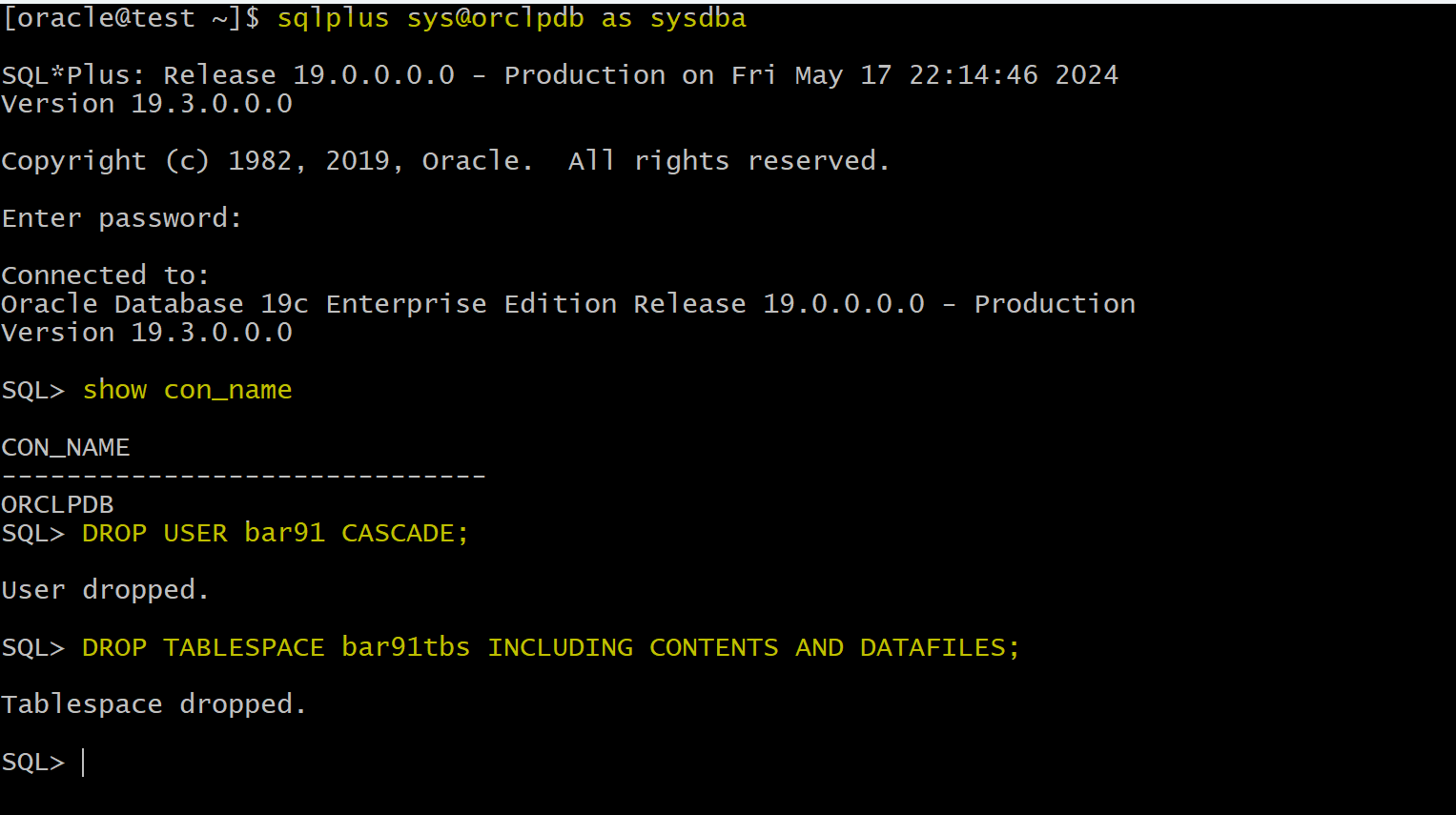
DROP USER bar91 CASCADE;
DROP TABLESPACE bar91tbs INCLUDING CONTENTS AND DATAFILES;


-- Create tablespace
CREATE TABLESPACE bar91tbs
DATAFILE '/u01/app/oracle/oradata/ORCL/orclpdb/bar91tbs01.dbf' SIZE 10M
SEGMENT SPACE MANAGEMENT MANUAL;

-- Create user
CREATE USER bar91 IDENTIFIED BY pass4B91
DEFAULT TABLESPACE bar91tbs
QUOTA UNLIMITED ON bar91tbs;

GRANT CREATE SESSION TO bar91;

-- create table and populate
-- be sure table is at least 2 blocks long
CREATE TABLE bar91.barcopy
TABLESPACE bar91tbs
AS SELECT * FROM HR.EMPLOYEES;

INSERT INTO bar91.BARCOPY
SELECT * FROM bar91.BARCOPY;

INSERT INTO bar91.BARCOPY
SELECT * FROM bar91.BARCOPY;

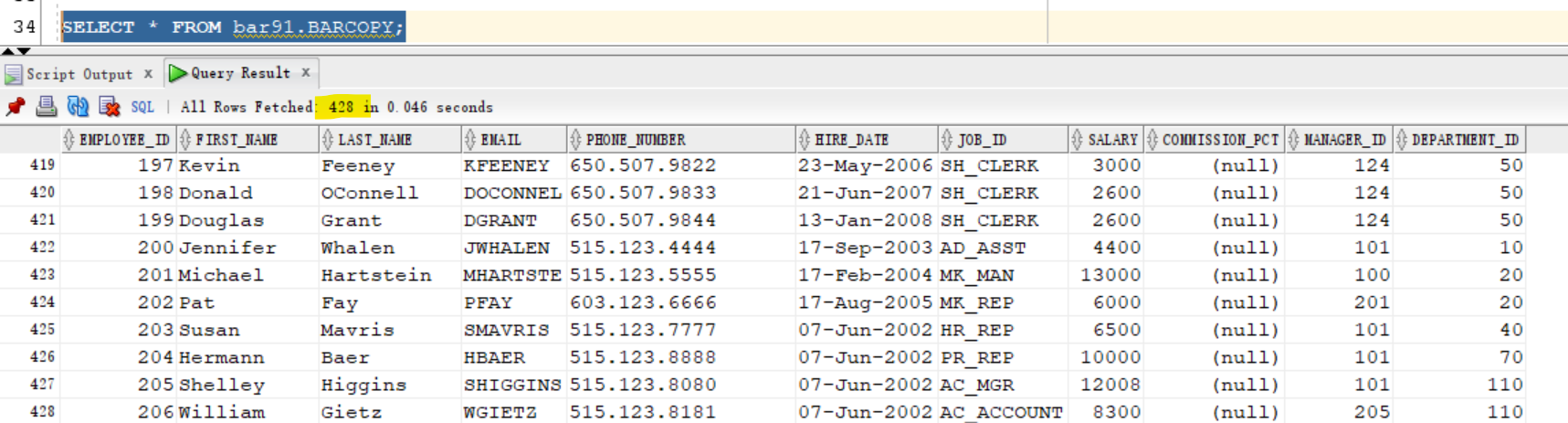
SELECT * FROM bar91.BARCOPY;
- Create backup of the bar*tbs tablespace
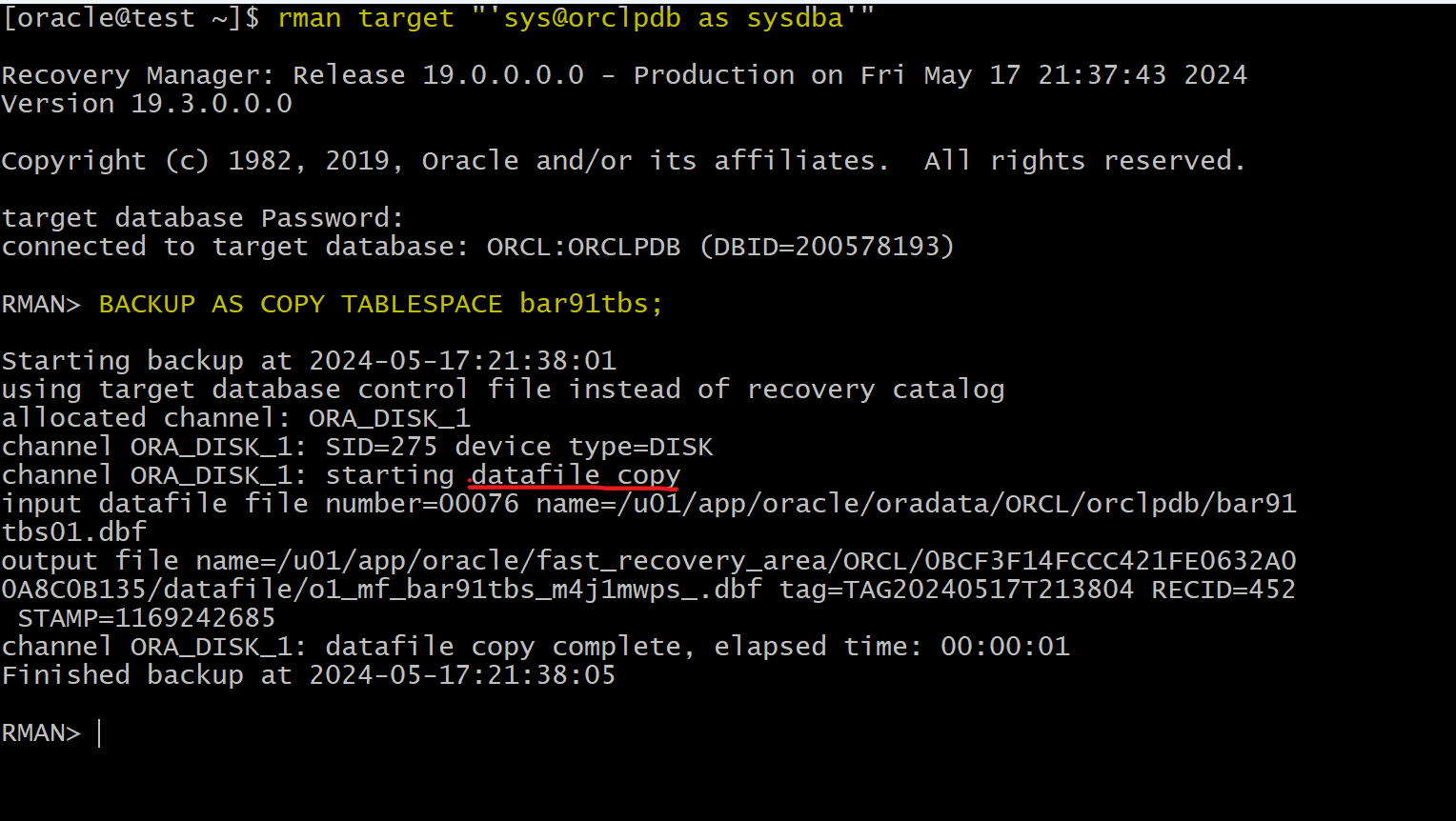
rman target "'sys@orclpdb as sysdba'"

-- backup tbsp
BACKUP AS COPY TABLESPACE bar91tbs;
- Update table
sqlplus -S /nolog

connect / as sysdba
alter session set container=orclpdb;
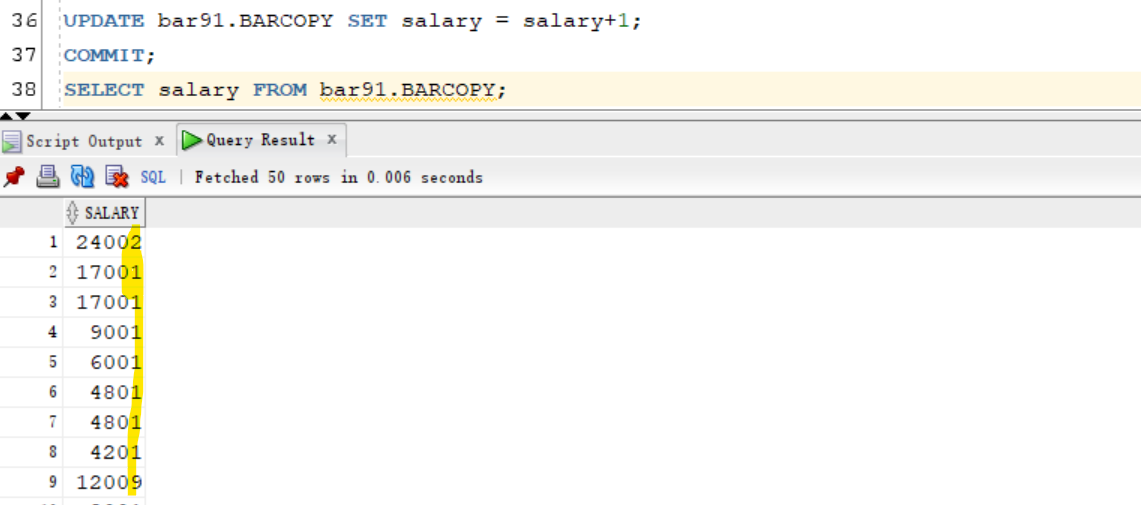
UPDATE bar91.BARCOPY SET salary = salary+1;
COMMIT;
- Shutdown abort
sqlplus / as sysdba
shutdown abort
exit
- Remove tbsp
rm /u01/app/oracle/oradata/ORCL/orclpdb/bar91tbs01.dbf
Diagnosing Database Failure
- Open instance
sqlplus / as sysdba
startup

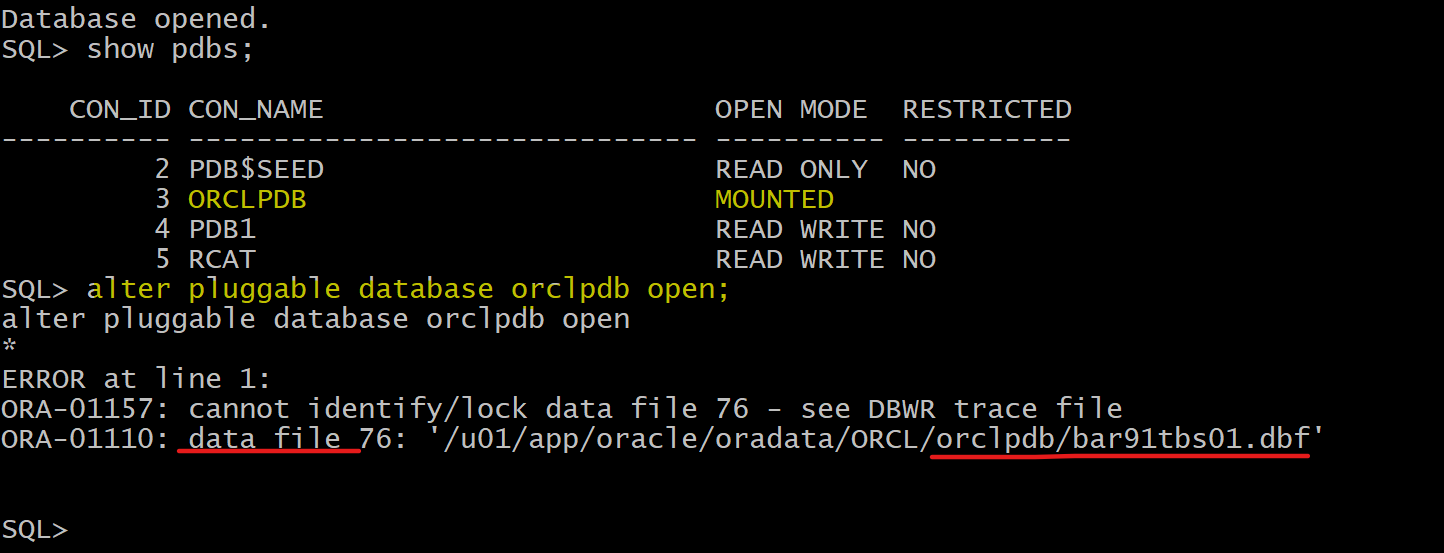
-- try to orclpdb open
show pdbs
alter pluggable database orclpdb open;
-- fails because df is missing
Repairing Database Failure
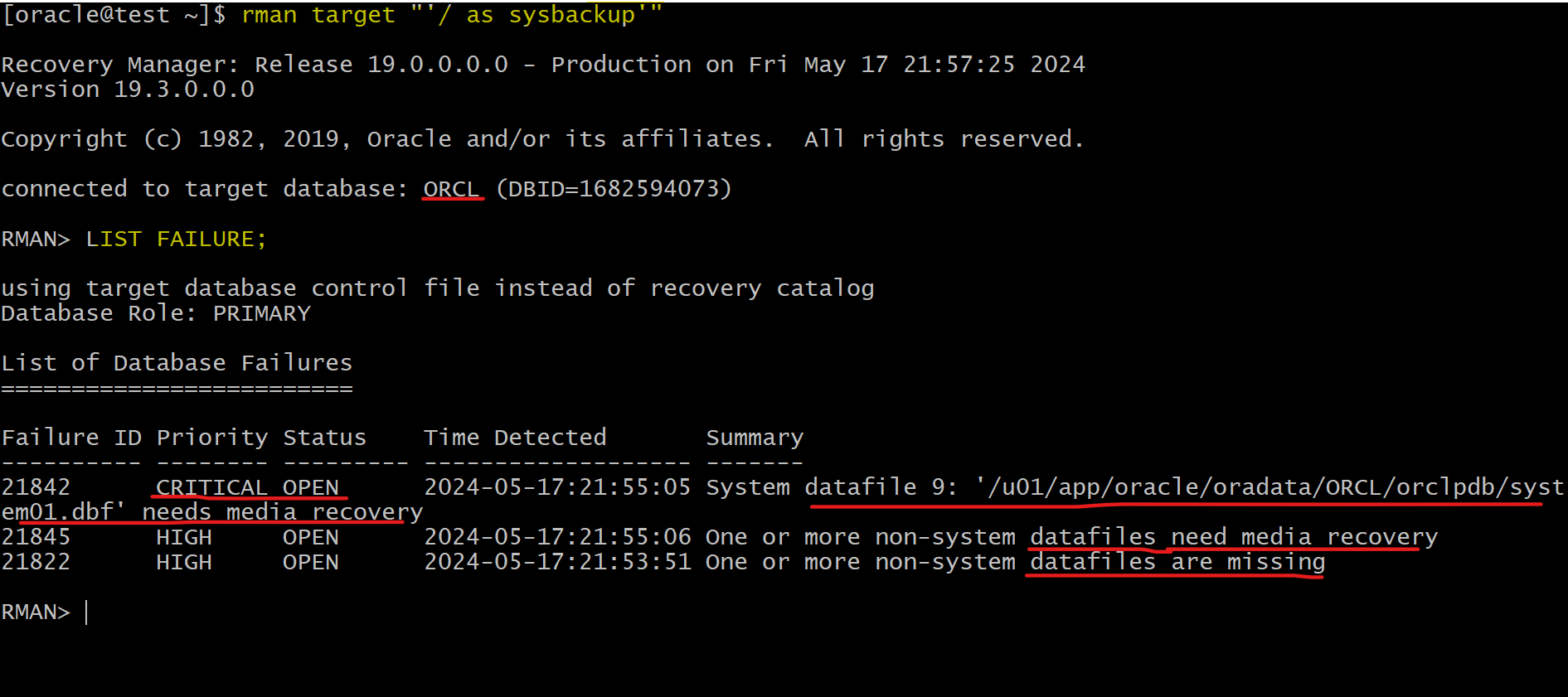
- Use the
Data Recovery Advisorto list the database failure.
rman target "'/ as sysbackup'"
LIST FAILURE;
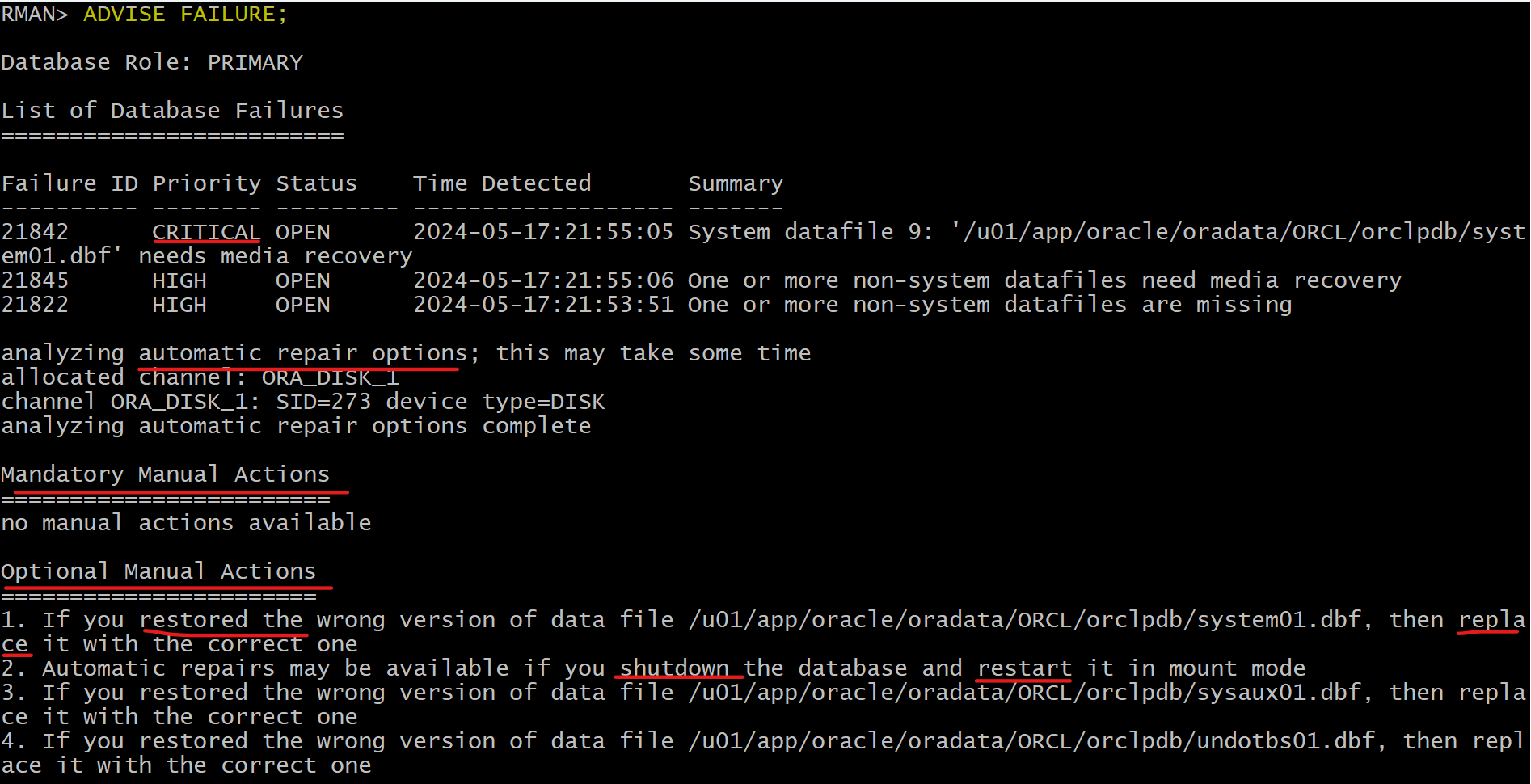
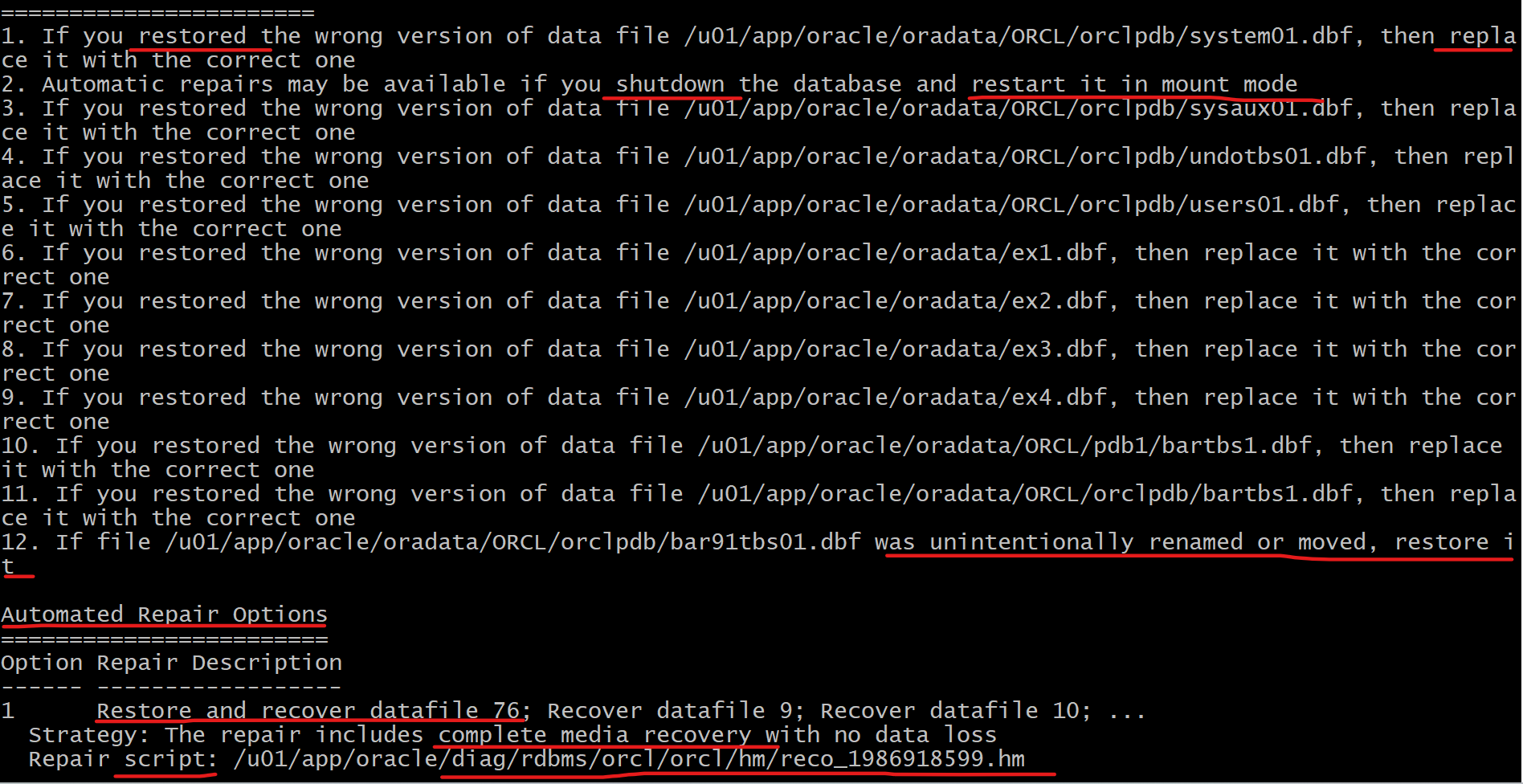
- Use the
Data Recovery Advisorto obtain advice on how to repair the failure
ADVISE FAILURE;
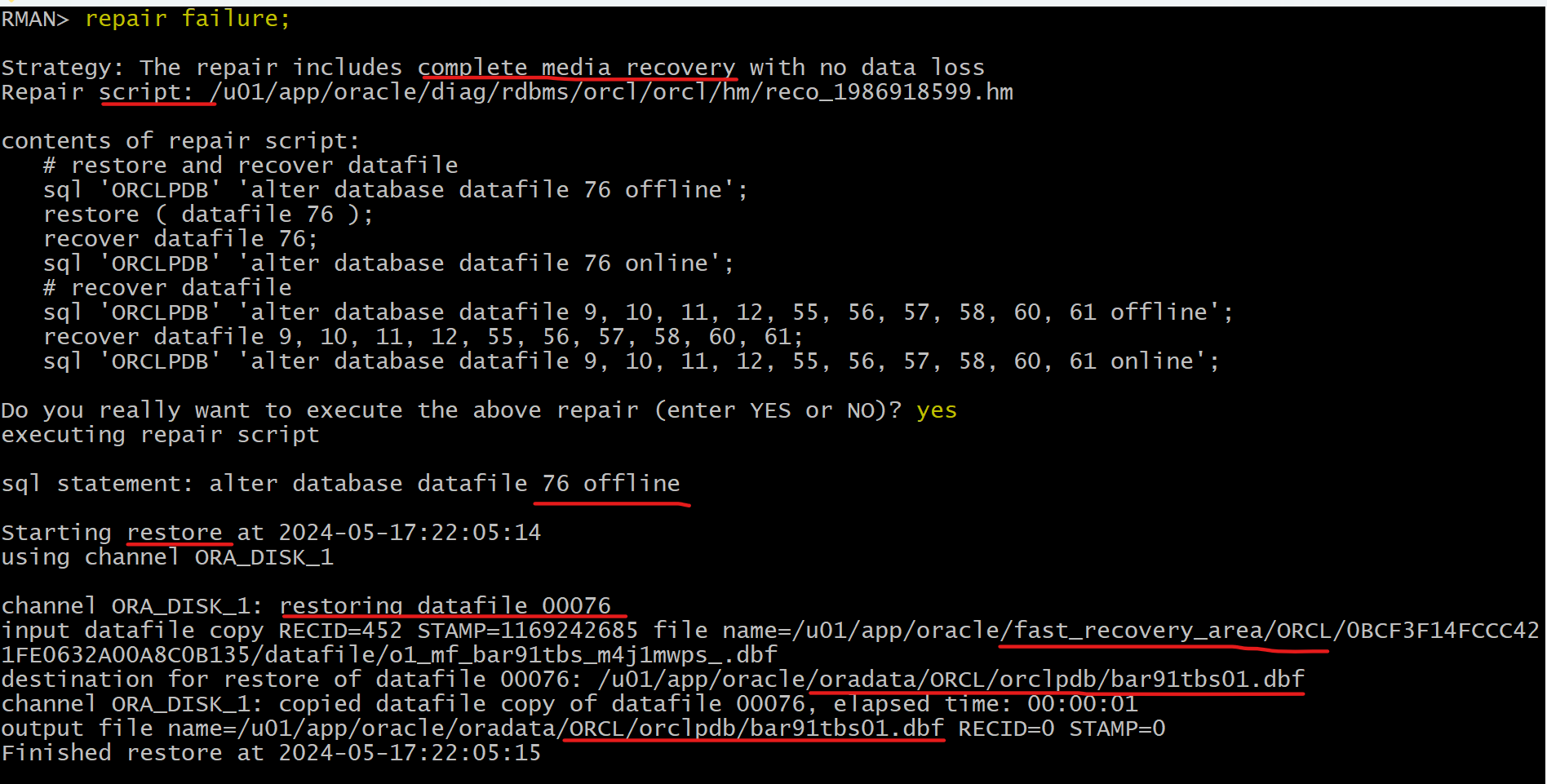
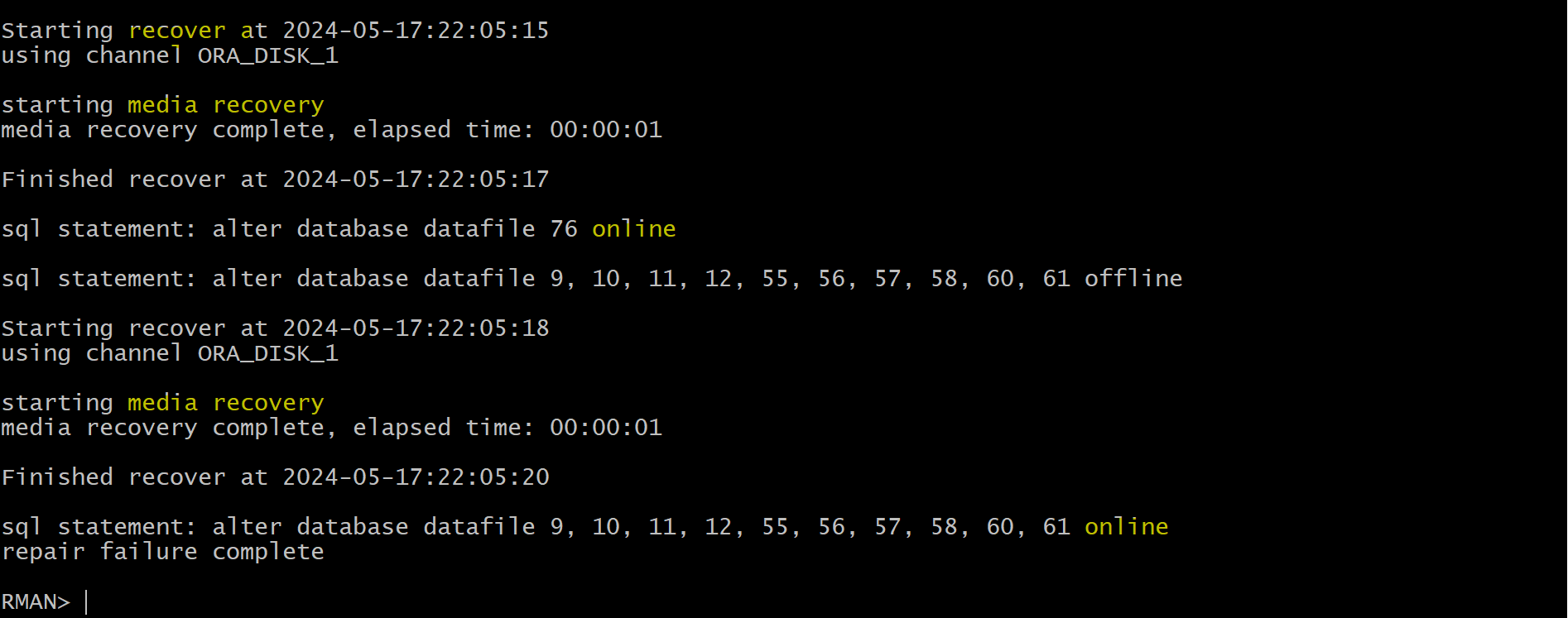
- Use the Data Recovery Advisor to repair the failure.
repair failure;

-- open orclpdb in rman
alter pluggable database orclpdb open;
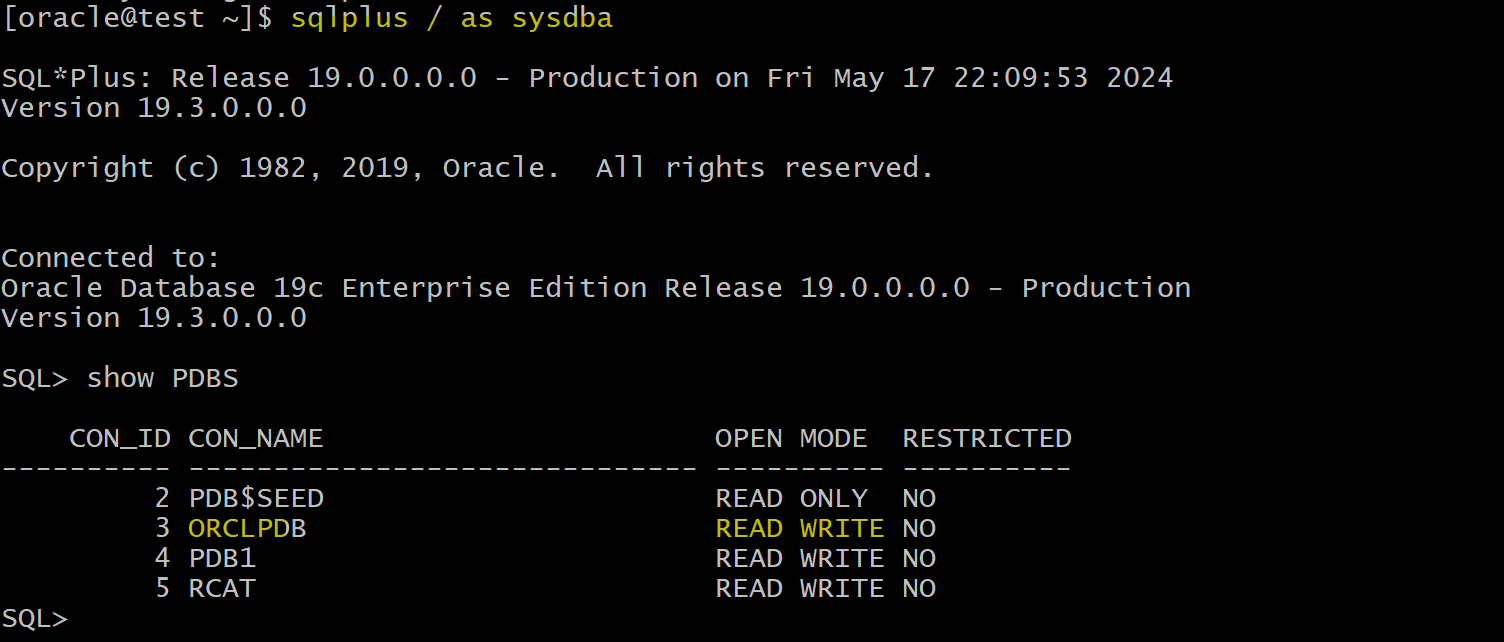
- Confirm pdb can be opened
sqlplus / as sysdba
show PDBS
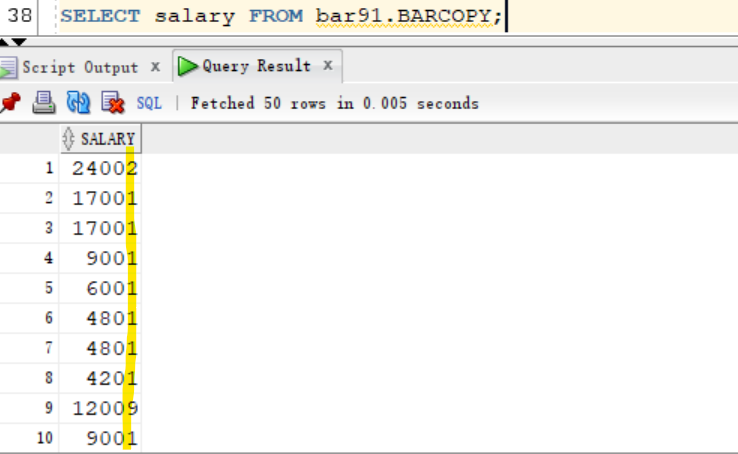
- Confirm table data
- all data has been restored.
Clean up
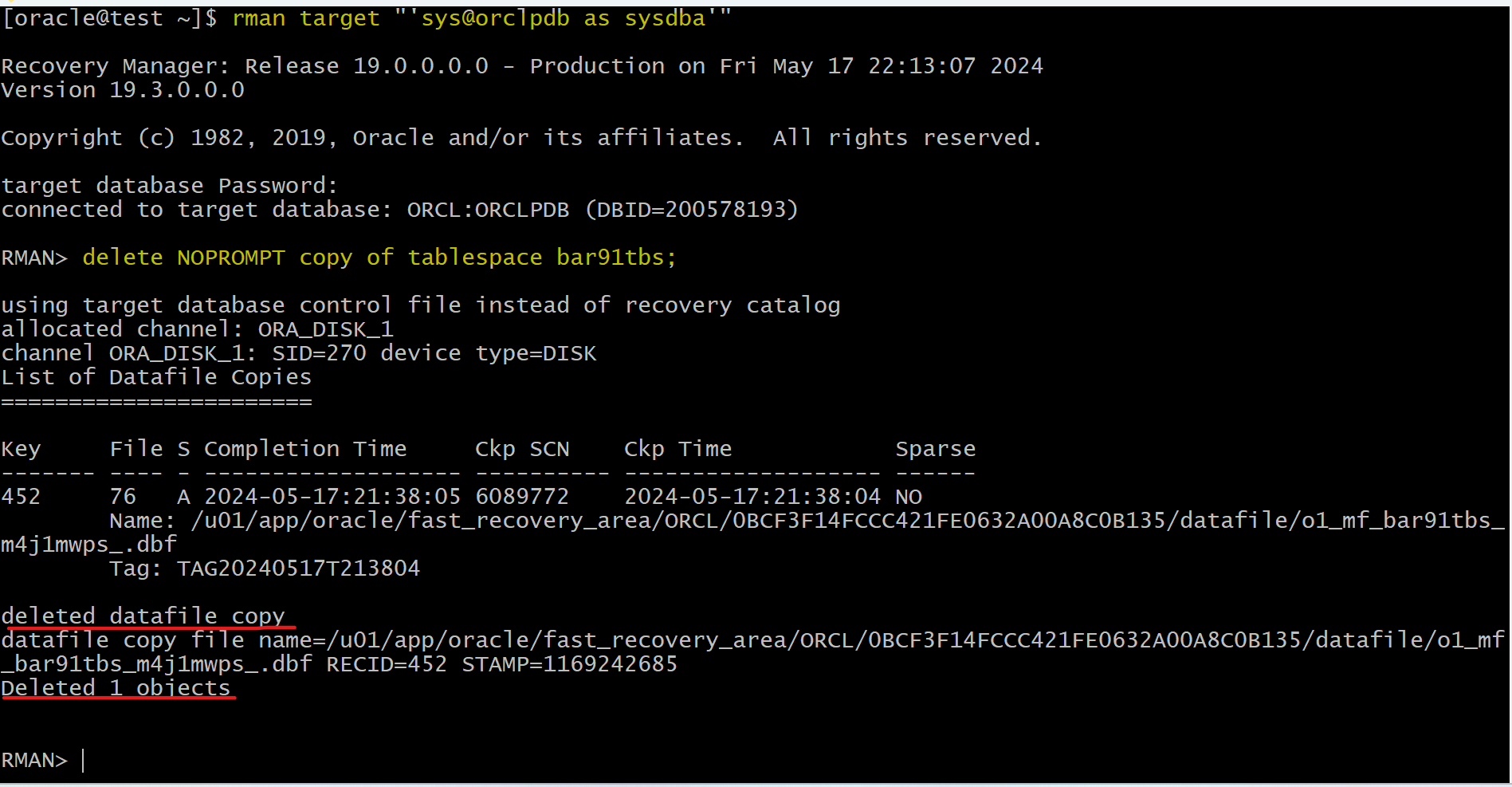
- Delete tbsp and backup
rman target "'sys@orclpdb as sysdba'"
-- delete tbsp
delete NOPROMPT copy of tablespace bar91tbs;
exit;
sqlplus sys@orclpdb as sysdba
show con_name

-- CLEANUP from previous run
DROP USER bar91 CASCADE;
DROP TABLESPACE bar91tbs INCLUDING CONTENTS AND DATAFILES;