Note_Tech
All technological notes.
Project maintained by simonangel-fong Hosted on GitHub Pages — Theme by mattgraham
RMAN - Stored Script
Stored Script
-
Stored scripts:- An alternative to command files
- Available to any
RMAN clientthat can connect to thetarget databaseandrecovery catalog
-
command filesvsstored scripts:command filesare available only on the system on which they are storedstored scriptis always available to any RMAN client that can connect to thetarget databaseandrecovery catalog.
-
Types of stored scripts
local stored script:- associated with the
target databaseto which RMAN is connected when the script is created and can be executed only when you are connected to thattarget database.
- associated with the
global stored script:- can be executed against any database registered in the
recovery catalog,if the RMAN client is connected to therecovery catalogand a target database.
- can be executed against any database registered in the
Creating RMAN-Stored Scripts
-
Prerequisites:
- Connect to the desired target database and the recovery catalog
-
Syntax:
-- local script
CREATE SCRIPT script_name {
    <RMAN commands>
};
-- Created local script from a text file
CREATE SCRIPT script_name
FROM FILE 'file_name';

-- global script
CREATE GLOBAL SCRIPT script_name {
    <RMAN commands>
};
-- Created local script from a text file
CREATE GLOBAL SCRIPT script_name
FROM FILE 'file_name';
Executing RMAN Stored Scripts
-
Prerequisites:
- Connect to the desired target database and the recovery catalog
-
Syntax:
-- Executing a lcoal script:
RUN {
    EXECUTE SCRIPT script_name;
}

-- Executing a global script:
RUN {
    EXECUTE GLOBAL SCRIPT script_name;
}
-
If an RMAN command in the script fails, subsequent RMAN commands in the script do not execute.
-
Channels:
- When you execute the script, it uses the automatic channels configured at the time.
- to override the configured channels:
-- define 3 channels for the script
RUN {
    ALLOCATE CHANNEL chl DEVICE TYPE DISK;
    ALLOCATE CHANNEL ch2 DEVICE TYPE DISK;
    ALLOCATE CHANNEL ch3 DEVICE TYPE DISK;

    EXECUTE SCRIPT full_backup;
}
Maintaining RMAN Stored Scripts
-
Prerequisites:
- Connect to the desired target database and the recovery catalog
-
Syntax:
-- Displaying a script:
PRINT SCRIPT script_name;           -- local
PRINT GLOBAL SCRIPT script_name;    -- global

-- Sending the contents of a script to a file:
PRINT SCRIPT script_name TO FILE 'file_name';           -- local
PRINT GLOBAL SCRIPT script_name TO FILE 'file_name';    -- global

-- displays the names of all stored scripts, both global and local,
-- that can be executed for the target database to which you are currently connected.
LIST SCRIPT_NAMES;          -- local
LIST GLOBAL SCRIPT_NAMES;   -- global

-- Updating a script:
-- local
REPLACE SCRIPT script_name {
    <RMAN commands>;
}
-- global
REPLACE GLOBAL SCRIPT script_name {
    <RMAN commands>;
}

-- Updating a script from a file:
REPLACE SCRIPT script_name FROM FILE 'file_name';
REPLACE GLOBAL SCRIPT script_name FROM FILE 'file_name';

-- Deleting a script:
DELETE SCRIPT script_name;
Lab
Creating a Stored Script
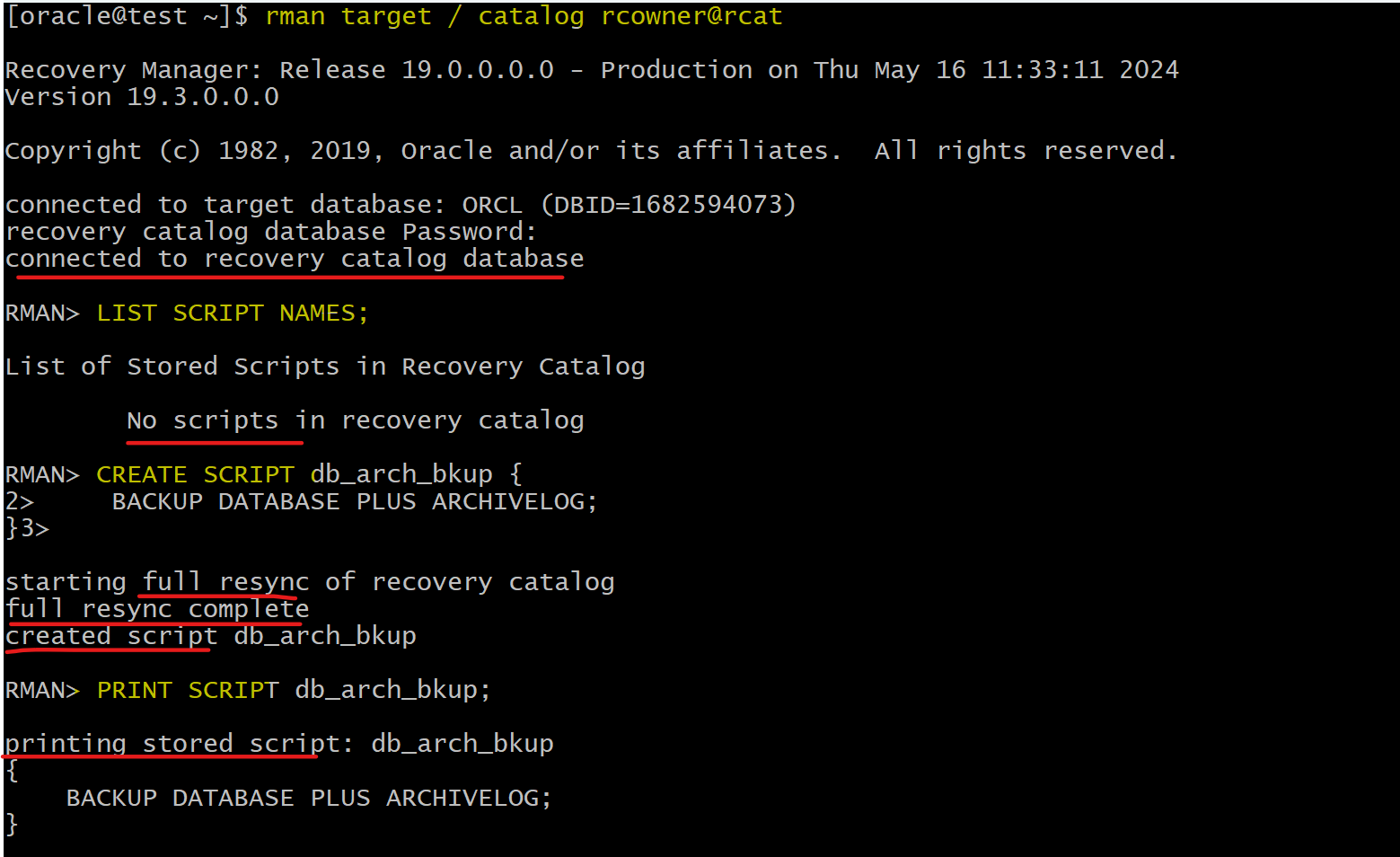
-- connect
rman target / catalog rcowner@rcat

LIST SCRIPT NAMES;

-- Create a local script named db_arch_bkup to perform a database backup, including the archived log files.
CREATE SCRIPT db_arch_bkup {
    BACKUP DATABASE PLUS ARCHIVELOG;
}

-- List the contents of the script you created.
PRINT SCRIPT db_arch_bkup;
Modify a Stored Script
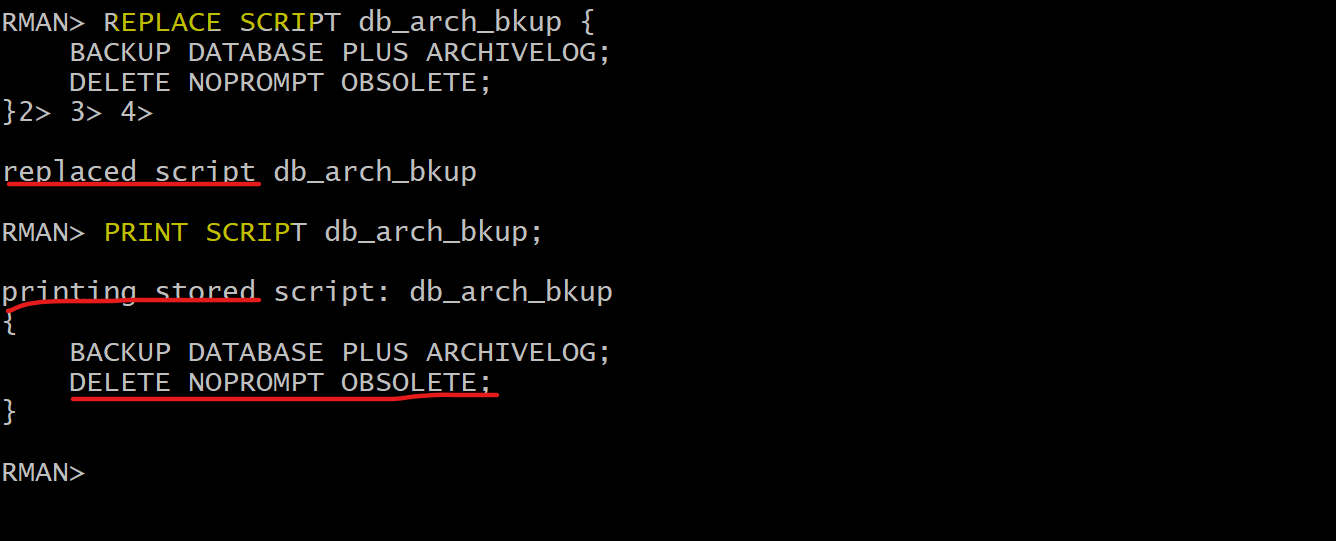
-- Modify the db_arch_bu script so that it also deletes obsolete archived log files.
REPLACE SCRIPT db_arch_bkup {
    BACKUP DATABASE PLUS ARCHIVELOG;
    DELETE NOPROMPT OBSOLETE;
}

-- print the contents of the modified script.
PRINT SCRIPT db_arch_bkup;
Executing a Stored Script
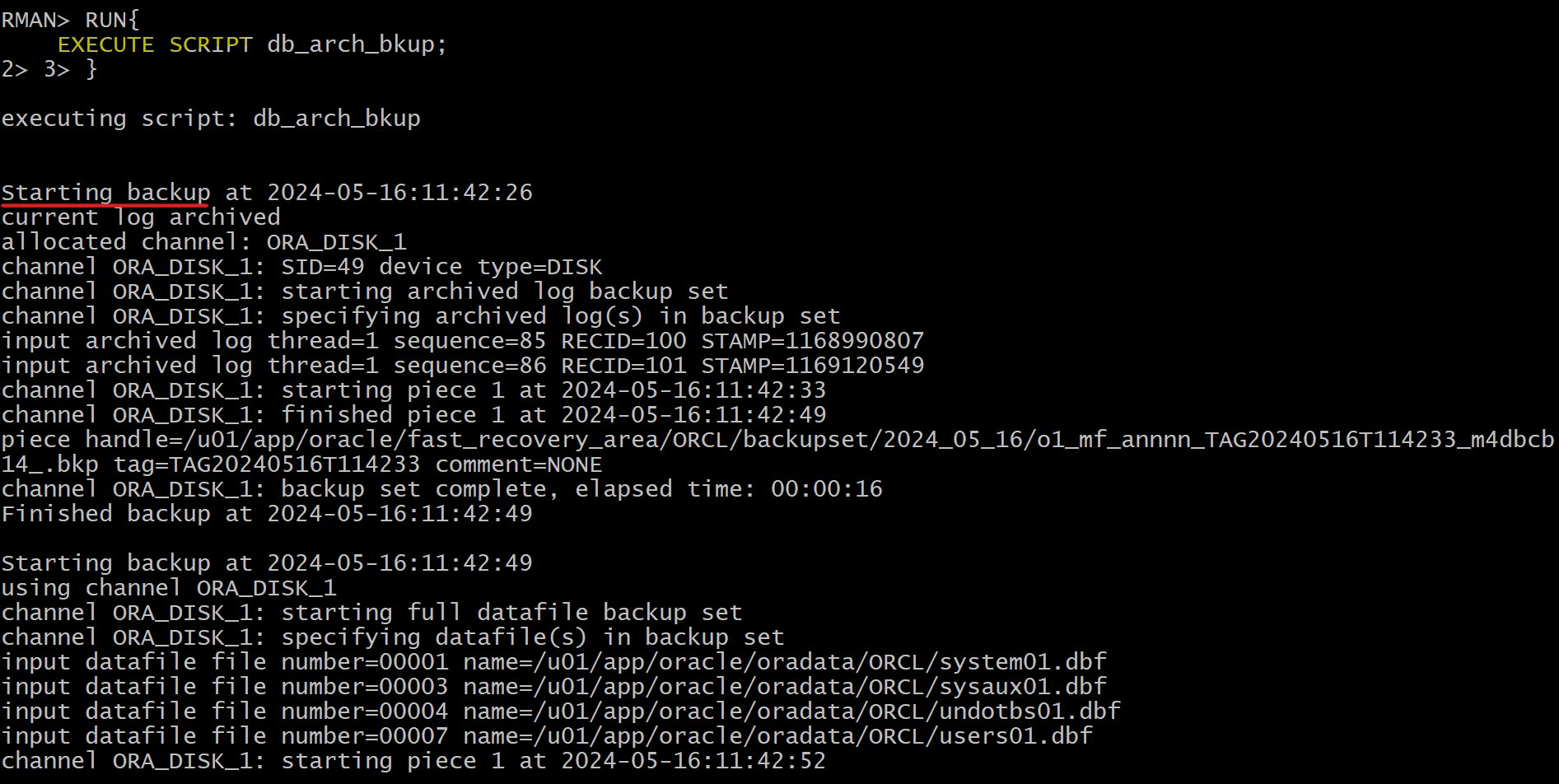
-- execute
RUN{
    EXECUTE SCRIPT db_arch_bkup;
}

-- confirm
LIST BACKUP;
Exporting a script to a file
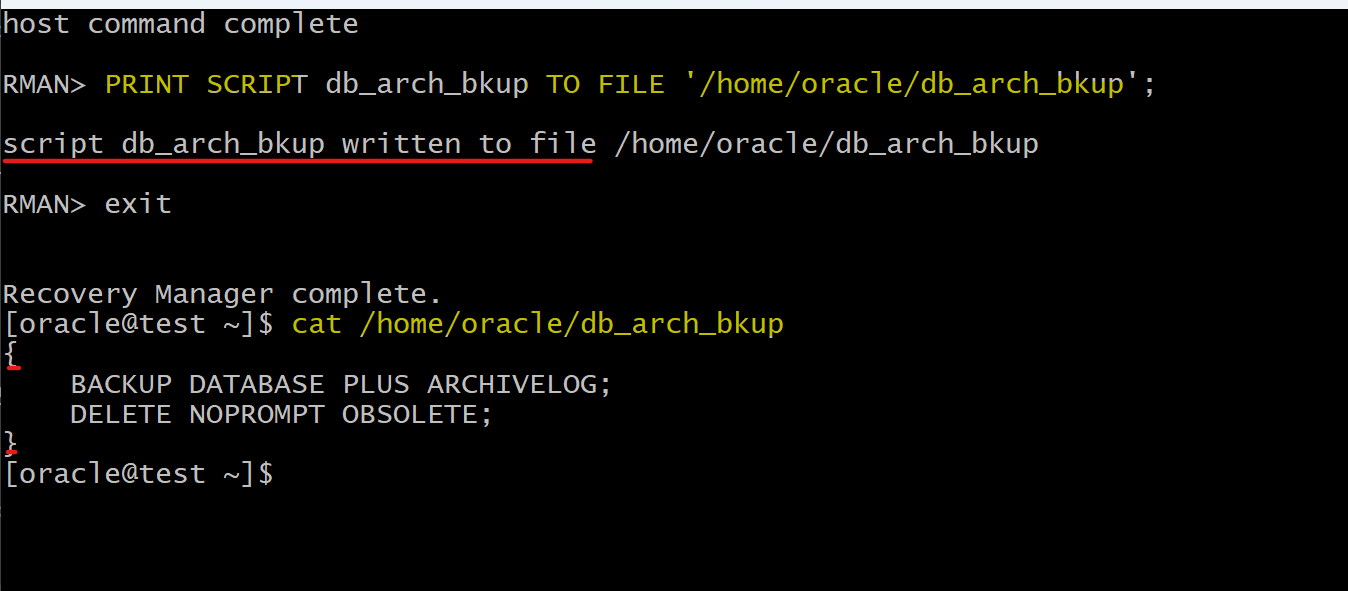
PRINT SCRIPT db_arch_bkup TO FILE '/home/oracle/db_arch_bkup';
Creating a script from a file
- define a file
vi /home/oracle/report_schema_script
# it is fine with cruely bracket
#{
#   report schema;
#   list backup;
#}

# or without is fine
# report schema;
#   list backup;
- Create from file
-- create
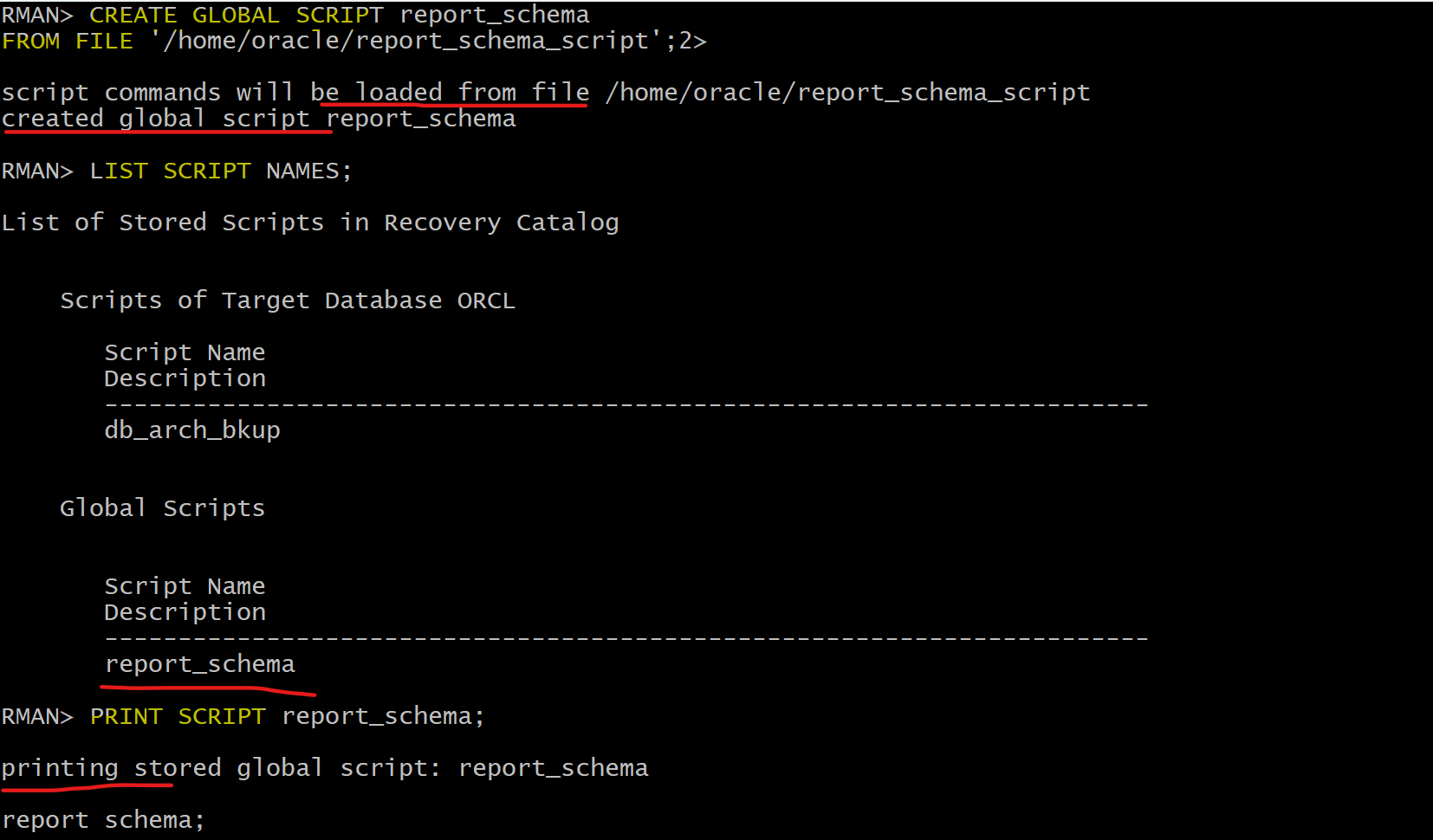
CREATE GLOBAL SCRIPT report_schema
FROM FILE '/home/oracle/report_schema_script';

-- replace
-- REPLACE GLOBAL SCRIPT report_schema
-- FROM FILE '/home/oracle/report_schema_script';

-- confirm
LIST SCRIPT NAMES;
PRINT SCRIPT report_schema;
- execute
-- execute
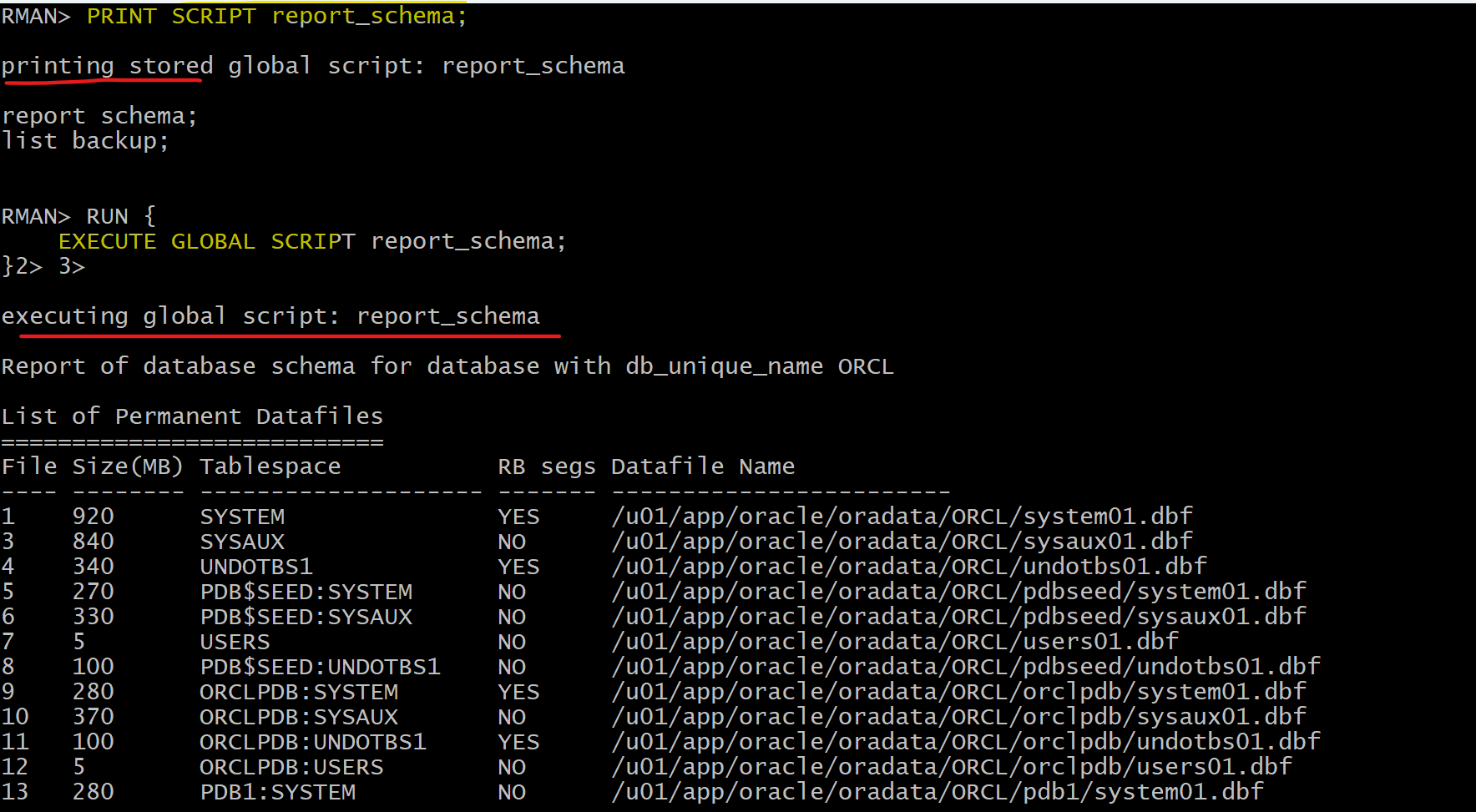
RUN {
    EXECUTE GLOBAL SCRIPT report_schema;
}
- delete
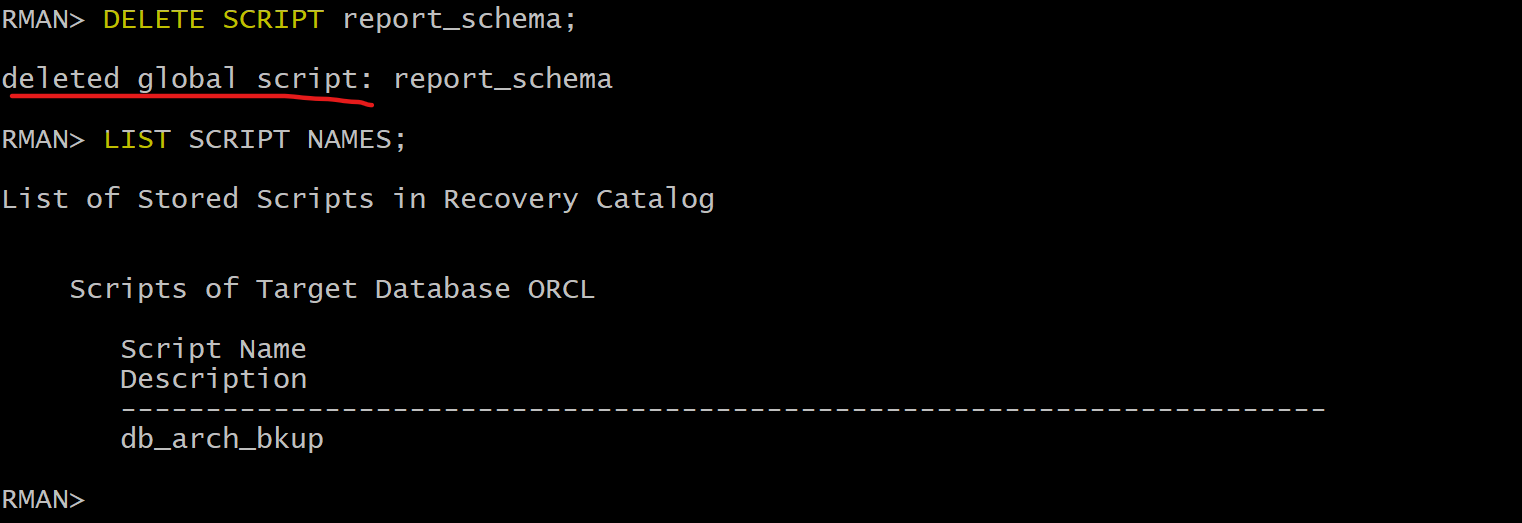
-- delete script
DELETE SCRIPT report_schema;
-- confirm
LIST SCRIPT NAMES;