Note_Tech
All technological notes.
Project maintained by simonangel-fong Hosted on GitHub Pages — Theme by mattgraham
Linux - Container: Package podman
Podman
-
Podman (short for Pod Manager)- an open-source container management tool developed by Red Hat.
- It provides a daemonless alternative to Docker for building, running, and managing containers and pods.
- Podman uses the same container image format as Docker and is compatible with
Open Container Initiative (OCI)standards.
images- used to create containers
-
pod- a group of containers, similar to Kubernetes pods, enabling better control over multi-container applications.
- Features
- Daemonless Architecture:
- Unlike Docker,
Podmandoes not require a background daemon. - Containers are run as child processes of the
Podman CLI. - This architecture makes Podman more secure and lightweight.
- Unlike Docker,
- Rootless Containers:
- Podman supports running containers as a non-root user, enhancing security by reducing the risk of privilege escalation.
- OCI Compliance:
- Podman adheres to the OCI standards for container images and runtimes, ensuring portability and compatibility with other tools like Kubernetes.
- Docker-Compatible Commands:
- Many Docker commands work with Podman, making it easy for users to transition from Docker.
- Pods:
- Podman allows managing groups of containers as pods, similar to Kubernetes pods, enabling better control over multi-container applications.
- Built-In Systemd Integration:
- Podman can generate systemd service files to manage containers as system services.
- Daemonless Architecture:
Podman vs Docker
| Feature | Podman | Docker |
|---|---|---|
| Architecture | Daemonless | Daemon-based |
| Rootless | Fully supports rootless mode |
Limited support |
| Pods | Supports pods (native to Kubernetes) |
No native pod support |
| Systemd Integration | Built-in systemd support | Requires manual setup |
| Security | More secure by default, no root daemon | Requires root daemon for full functionality |
| Compatibility | Supports Docker images and commands | Native support for Docker tools |
Common Podman Commands
- Common Commands
| CMD | DESC |
|---|---|
podman -V |
Check Podman Version |
podman info |
Display Podman related system information |
- Registry Commands
| Command | Description |
|---|---|
podman search img_pattern |
Search for an image in a remote registry. |
podman pull img_url |
Pull an image from a container registry (e.g., Docker Hub, Quay.io). |
podman push img_name |
Push an image to a remote registry. |
- Local Image Management Commands
| Command | Description |
|---|---|
podman images |
List all available images locally. |
podman build -t tag_name . |
Build an image from a Dockerfile in the current directory. |
podman rm img_name |
Remove a local image. |
podman inspect img_name |
View detailed information about a local image. |
podman tag img_name tag_name |
Tag an image with a new name or tag. |
podman commit con_name image_name |
Create a new image from a container’s current state. |
- Container Management Commands
| Command | Description |
|---|---|
podman ps |
List all running containers. |
podman ps -a |
List all containers, including stopped ones. |
podman run image_name |
Run a container from an image. |
podman run -d image_name |
Run a container in detached mode. |
podman run -it image_name |
Run a container interactively. |
podman run -d --name con_name -p host_port:con_port img_name |
Run a Container |
podman start con_name |
Start a stopped container. |
podman stop con_name |
Stop a running container. |
podman restart con_name |
Restart a container. |
podman rm con_name |
Remove a container. |
podman exec -it con_name bash |
Execute a command (e.g., a shell) inside a running container. |
podman logs con_name |
View logs for a container. |
podman stats con_name |
Show resource usage statistics for running containers. |
podman inspect con_name |
View detailed information about a container. |
podman cp con_name:con_path host_dest |
Copy files from a container to the host. |
podman generate systemd --name con_name |
Generate a systemd Service File |
- Pod Management Commands
| Command | Description |
|---|---|
podman pod ps |
List all running pods. |
podman pod ps -a |
List all pods, including stopped ones. |
podman pod top pod_name |
Display active processes in a pod. |
podman pod create --name pod_name |
Create a new pod. |
podman pod rm pod_name |
Remove a pod (stops and removes all associated containers). |
podman run -dt --pod pod_name img_name |
Add a container to an existing pod and run it. |
podman pod start pod_name |
Start a stopped pod. |
podman pod stop pod_name |
Stop a running pod. |
podman pod restart pod_name |
Restart a pod. |
podman pod inspect pod_name |
View detailed information about a pod. |
podman pod logs pod_name |
View logs from all containers in a pod. |
podman generate kube pod_name |
Generate a Kubernetes YAML manifest for a pod. |
Package and Service
- Installing package
dnf install podman -y
rpm -qa | grep podman
# podman-gvproxy-4.9.4-18.module+el8.10.0+22417+2fb00970.x86_64
# podman-catatonit-4.9.4-18.module+el8.10.0+22417+2fb00970.x86_64
# podman-plugins-4.9.4-18.module+el8.10.0+22417+2fb00970.x86_64
# podman-4.9.4-18.module+el8.10.0+22417+2fb00970.x86_64

podman -v
# podman version 4.9.4-rhel
- Service
- To create Alias for docker using podman
alias docker=podman
Lab: Download Image
# Search an image
podman search docker.io/library/httpd
# NAME                              DESCRIPTION
# docker.io/library/httpd           The Apache HTTP Server Project
# docker.io/manageiq/httpd          Container with httpd, built on CentOS for Ma...
# docker.io/paketobuildpacks/httpd
# docker.io/vulhub/httpd
# docker.io/jitesoft/httpd          Apache httpd on Alpine linux.
# docker.io/openquantumsafe/httpd   Demo of post-quantum cryptography in Apache...
# docker.io/openeuler/httpd
# docker.io/dockerpinata/httpd
# docker.io/centos/httpd
# docker.io/e2eteam/httpd
# docker.io/manasip/httpd
# docker.io/amd64/httpd             The Apache HTTP Server Project
# docker.io/futdryt/httpd
# docker.io/ppc64le/httpd           The Apache HTTP Server Project
# docker.io/9af925e7043/httpd
# docker.io/arm64v8/httpd           The Apache HTTP Server Project
# docker.io/arm32v7/httpd           The Apache HTTP Server Project
# docker.io/i386/httpd              The Apache HTTP Server Project
# docker.io/s390x/httpd             The Apache HTTP Server Project
# docker.io/tugboatqa/httpd         The Apache HTTP Server Project
# docker.io/signiant/httpd          httpd (apache2) base container with a custom...
# docker.io/inventis/httpd          apache container with support for https only
# docker.io/armhf/httpd             The Apache HTTP Server Project
# docker.io/publici/httpd           httpd:latest
# docker.io/vzwingmadomatic/httpd   Service frontal de l'application de domotiqu...

# List all local images before downloading
podman images
# REPOSITORY  TAG         IMAGE ID    CREATED     SIZE

# Download image
podman pull docker.io/library/httpd
# Trying to pull docker.io/library/httpd:latest...
# Getting image source signatures
# Copying blob 9bd25d4f7b77 done   |
# Copying blob bc0965b23a04 done   |
# Copying blob 4f4fb700ef54 done   |
# Copying blob d7ad38c6dd97 done   |
# Copying blob 79b49624e34b done   |
# Copying blob 7d9f97915db2 done   |
# Copying config 494b2b45fd done   |
# Writing manifest to image destination
# 494b2b45fd74cbf7eb7dc9cfeda02b26c9450e26719afaf1914635832217c4ce

# List all local images before downloading
podman images
# REPOSITORY               TAG         IMAGE ID      CREATED       SIZE
# docker.io/library/httpd  latest      494b2b45fd74  5 months ago  151 MB
Lab: Run a container
# list all containers
podman ps
# CONTAINER ID  IMAGE       COMMAND     CREATED     STATUS      PORTS       NAMES

# run a con from an img
# -d: detach mode, detach the current terminal from the running container
# -t: allocates a pseudo-tty and attach to the standard input of the container.
# -p: Mapping Ports for External Usage
# an httpd port 80 can be mapped to the host port 8080
podman run -dt -p 8080:80/tcp docker.io/library/httpd

# confirm
podman ps
# CONTAINER ID  IMAGE                           COMMAND           CREATED         STATUS         PORTS                 NAMES
# d8cdeff2b178  docker.io/library/httpd:latest  httpd-foreground  28 seconds ago  Up 28 seconds  0.0.0.0:8080->80/tcp  zealous_perlman
- Confirm via browser
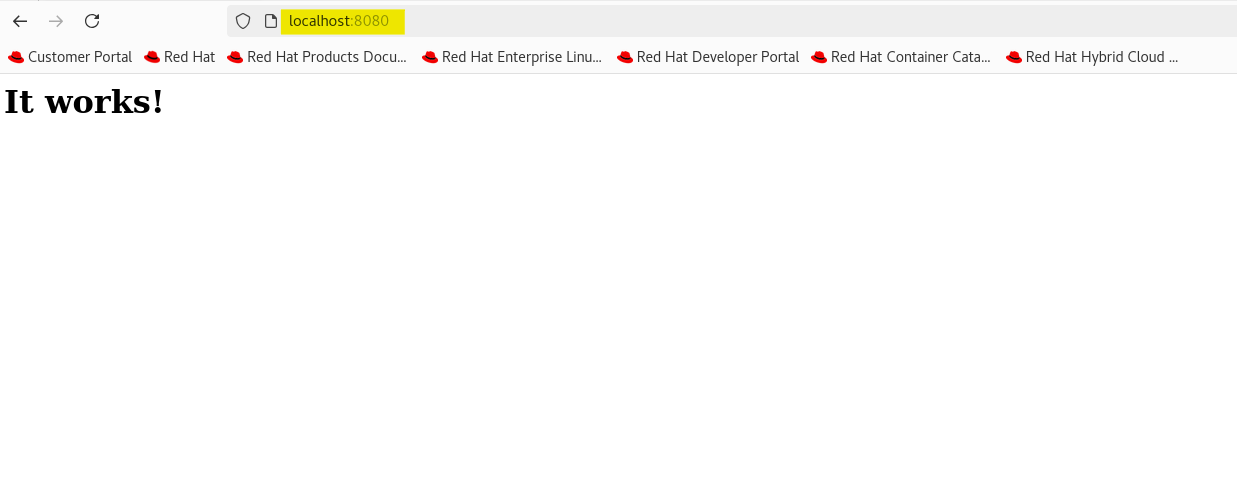
- debug by checking log
podman logs -l
# AH00558: httpd: Could not reliably determine the server's fully qualified domain name, using 10.88.0.2. Set the 'ServerName' directive globally to suppress this message
# AH00558: httpd: Could not reliably determine the server's fully qualified domain name, using 10.88.0.2. Set the 'ServerName' directive globally to suppress this message
# [Tue Dec 24 23:45:07.019966 2024] [mpm_event:notice] [pid 1:tid 1] AH00489: Apache/2.4.62 (Unix) configured -- resuming normal operations
# [Tue Dec 24 23:45:07.020107 2024] [core:notice] [pid 1:tid 1] AH00094: Command line: 'httpd -D FOREGROUND'
# 10.88.0.1 - - [24/Dec/2024:23:48:33 +0000] "GET / HTTP/1.1" 200 45
# 10.88.0.1 - - [24/Dec/2024:23:48:33 +0000] "GET /favicon.ico HTTP/1.1" 404 196
- Stop a container
# list all con
podman ps
# CONTAINER ID  IMAGE                           COMMAND           CREATED        STATUS        PORTS                 NAMES
# d8cdeff2b178  docker.io/library/httpd:latest  httpd-foreground  7 minutes ago  Up 7 minutes  0.0.0.0:8080->80/tcp  zealous_perlman

# stop a con
podman stop d8cdeff2b178
# d8cdeff2b178

# confirm
podman ps
# CONTAINER ID  IMAGE       COMMAND     CREATED     STATUS      PORTS       NAMES
- Run 2 cons with different ports
podman run -dt -p 8081:80/tcp docker.io/library/httpd
podman run -dt -p 8082:80/tcp docker.io/library/httpd

# confirm
podman ps
# CONTAINER ID  IMAGE                           COMMAND           CREATED         STATUS         PORTS                 NAMES
# 3fb8d076caae  docker.io/library/httpd:latest  httpd-foreground  13 seconds ago  Up 14 seconds  0.0.0.0:8081->80/tcp  amazing_nash
# 52e55e608970  docker.io/library/httpd:latest  httpd-foreground  11 seconds ago  Up 12 seconds  0.0.0.0:8082->80/tcp  wonderful_banzai

# stop one con
podman stop 52e55e608970 3fb8d076caae
# 3fb8d076caae
# 52e55e608970

# confirm
podman ps
# CONTAINER ID  IMAGE       COMMAND     CREATED     STATUS      PORTS       NAMES
Lab: Create container with a name
# create a con from an img with a name
podman create --name httpd-con docker.io/library/httpd

# confirm: it donot display in the running list, but all list
podman ps
# CONTAINER ID  IMAGE       COMMAND     CREATED     STATUS      PORTS       NAMES

podman ps -a
# CONTAINER ID  IMAGE                           COMMAND           CREATED         STATUS                         PORTS                 NAMES
# d8cdeff2b178  docker.io/library/httpd:latest  httpd-foreground  17 minutes ago  Exited (0) 9 minutes ago       0.0.0.0:8080->80/tcp  zealous_perlman
# 3fb8d076caae  docker.io/library/httpd:latest  httpd-foreground  7 minutes ago   Exited (0) About a minute ago  0.0.0.0:8081->80/tcp  amazing_nash
# 52e55e608970  docker.io/library/httpd:latest  httpd-foreground  7 minutes ago   Exited (0) 5 minutes ago       0.0.0.0:8082->80/tcp  wonderful_banzai
# 43d5903bae4a  docker.io/library/httpd:latest  httpd-foreground  3 minutes ago   Created                                              httpd-con

# Start the container
podman start httpd-con
# httpd-con

# confirm
podman ps
# CONTAINER ID  IMAGE                           COMMAND           CREATED        STATUS         PORTS       NAMES
# 43d5903bae4a  docker.io/library/httpd:latest  httpd-foreground  6 minutes ago  Up 44 seconds              httpd-con
Lab: Manage container using systemd
- Steps:
- generate systemd unit file
- copy the unit file into the systemd dir
- Purpose:
- Can enable the container as a service in ssytemd
# generate a unit file
podman generate systemd --new --files --name httpd-con
# /root/container-httpd-con.service

# copy the systemd unit file
cp /root/container-httpd-con.service /etc/systemd/system
# confirm
ll /etc/systemd/system/container-httpd-con.service
# -rw-r--r--. 1 root root 760 Dec 24 19:12 /etc/systemd/system/container-httpd-con.service
systemctl list-unit-files | grep httpd-con
# container-httpd-con.service                                            disabled

# enable the service
systemctl enable container-httpd-con.service
# Created symlink /etc/systemd/system/default.target.wants/container-httpd-con.service → /etc/systemd/system/container-httpd-con.service.

# start the service
systemctl start container-httpd-con.service

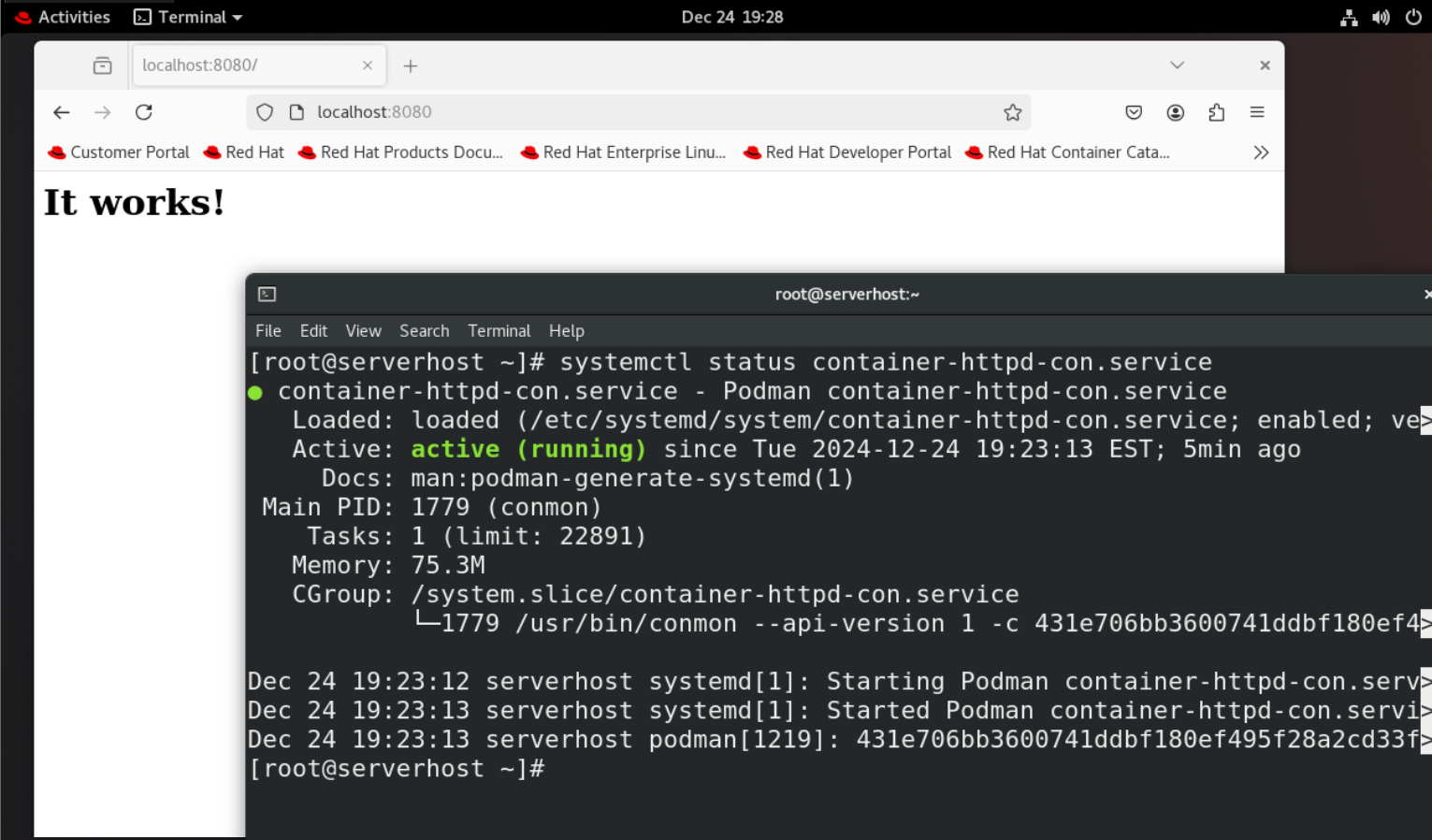
# confirm
systemctl status container-httpd-con.service
# ● container-httpd-con.service - Podman container-httpd-con.service
#    Loaded: loaded (/etc/systemd/system/container-httpd-con.service; enabled; vendor preset: disab>
#    Active: active (running) since Tue 2024-12-24 19:16:45 EST; 4s ago
#      Docs: man:podman-generate-systemd(1)
#  Main PID: 10137 (conmon)
#     Tasks: 1 (limit: 22890)
#    Memory: 2.5M
#    CGroup: /system.slice/container-httpd-con.service
#            └─10137 /usr/bin/conmon --api-version 1 -c fa69ce22071f7297ad4855fda45c76e236ecce2f605>
# Dec 24 19:16:44 serverhost systemd[1]: Starting Podman container-httpd-con.service...
# Dec 24 19:16:45 serverhost systemd[1]: Started Podman container-httpd-con.service.
# Dec 24 19:16:45 serverhost podman[9980]: fa69ce22071f7297ad4855fda45c76e236ecce2f605a4fb87551ede0>
# lines 1-13/13 (END)
- Reboot and check if the service enable
systemctl status container-httpd-con.service
# ● container-httpd-con.service - Podman container-httpd-con.service
#    Loaded: loaded (/etc/systemd/system/container-httpd-con.service; enabled; ve>
#    Active: active (running) since Tue 2024-12-24 19:19:58 EST; 1min 12s ago
#      Docs: man:podman-generate-systemd(1)
#  Main PID: 1788 (conmon)
#     Tasks: 1 (limit: 22890)
#    Memory: 75.3M
#    CGroup: /system.slice/container-httpd-con.service
#            └─1788 /usr/bin/conmon --api-version 1 -c f867fcbc8fdfdc852dd28b9d06>

# Dec 24 19:19:56 serverhost systemd[1]: Starting Podman container-httpd-con.serv>
# Dec 24 19:19:58 serverhost systemd[1]: Started Podman container-httpd-con.servi>
# Dec 24 19:19:58 serverhost podman[1235]: f867fcbc8fdfdc852dd28b9d065d8c64f4c636>
# lines 1-13/13 (END)
- Confirm in browser