Note_Tech
All technological notes.
Project maintained by simonangel-fong Hosted on GitHub Pages — Theme by mattgraham
Project - Sending Gmail using postfix on Redhat8
Install Package
# switch to root user
su - root

sudo apt upgrade -y
sudo apt install -y postfix mailutils
Configure Credential File
SASL:Simple Authentication and Security Layer- a framework for authentication and data security in Internet protocols.
- used by postfix for authentication.
- by creating the directory
/etc/postfix/saslto store email’s credential- In this project, the file
/etc/postfix/sasl/sasl_passwdis used to configure Gmail address and App Password.
- In this project, the file
sudo mkdir -p /etc/postfix/sasl
sudo vi /etc/postfix/sasl/sasl_passwd

# [smtp.gmail.com]:587 your_gmail_address:your_app_pwd
- Create a hash database file (
.dbfile)
sudo postmap /etc/postfix/sasl/sasl_passwd
ls -l /etc/postfix/sasl/
# -rw-r--r-- 1 root root    58 Nov 22 19:24 sasl_passwd
# -rw-r--r-- 1 root root 12288 Nov 22 19:25 sasl_passwd.db
- For security, change the ownership and permission of these files
# change ownership
sudo chown root:root /etc/postfix/sasl/sasl_passwd /etc/postfix/sasl/sasl_passwd.db
# change mode
sudo chmod 0600 /etc/postfix/sasl/sasl_passwd /etc/postfix/sasl/sasl_passwd.db
ls -l /etc/postfix/sasl/
Configure postfix
- configuration file
/etc/postfix/main.cf
# backup configuration file
cp /etc/postfix/main.cf /etc/postfix/main.cf.bkp
vi /etc/postfix/main.cf
# find and edit
# configure relay host
relayhost = [smtp.gmail.com]:587


# Append to the end of file
# Enable SASL authentication for postfix
smtp_sasl_auth_enable = yes
# Prevent anonymous authentication
smtp_sasl_security_options = noanonymous
# specify location of sasl_passwd file
smtp_sasl_password_maps = hash:/etc/postfix/sasl/sasl_passwd
# user encryption for tls
smtp_tls_security_level = encrypt
# specify the cafile
smtp_tls_CAfile = /etc/ssl/certs/ca-certificates.crt
- Restart postfix
sudo systemctl restart postfix
sudo systemctl status postfix
Test
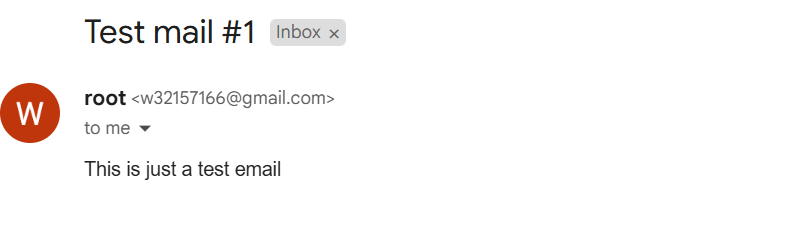
Sending Gmail using terminal
# use terminal to input email details
sendmail target@email

# To: target@email
# Subject: Test mail #1
# This is just a test email

# ctrl + D to exit
Automatically send email
- send simple message
crontab -e

# add the following
# send hellow world to the target email
MAILTO="target@gmail"
* * * * * echo "Hello world"
- Send email with details
crontab -e

* * * * *  echo "Subject: Email Automation Test - $(date)\nFrom: target@gmail\nTo: target@gmail\n\n$(date)Auto email." | sendmail -v target@gmail