Note_Tech
All technological notes.
Project maintained by simonangel-fong Hosted on GitHub Pages — Theme by mattgraham
Git - 远程仓库操作
目录
总结
| 动作 | 对象 | 命令 | 备注 |
|---|---|---|---|
| 查看 | 远程仓库别名列表 | git remote |
|
| 查看 | 远程仓库详细列表 | git remote -v |
|
| 查看 | 指定远程仓库详细参数 | git remote show <remote_alias> |
|
| 添加 | 远程仓库链接 | git remote add <alias> <remote_url> |
|
| 查看 | 远程仓库指定链接 | git remote get-url --push|--all <remote_alias> |
|
| 修改 | 远程仓库别名 | git remote rename <old_name> <new_name> |
|
| 修改 | 远程仓库链接 | git config remote.<remote_alias>.url <new_url> |
|
| 删除 | 远程仓库 | git remote remove <remote_alias> |
远程仓库参数
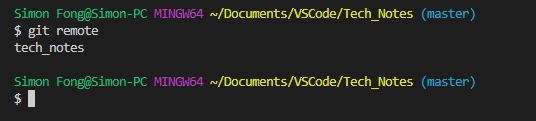
查看:远程仓库列表git remote
无参数:只显示别名
命令
git remote
- 只显示远程仓库在本地的别名。
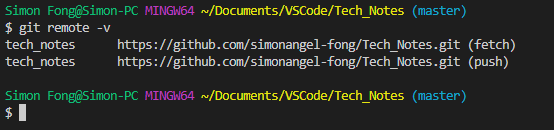
参数v:显示详细地址
命令
git remote -v
- 显示的包括fetch和push的地址。
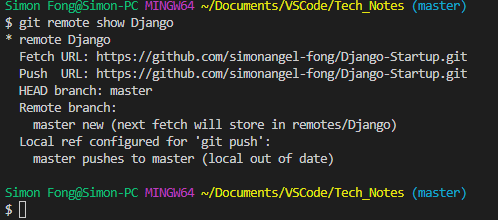
查看:指定远程仓库参数 git remote show
命令
git remote show <remote_alias>
-
: 远程仓库在本地的别名
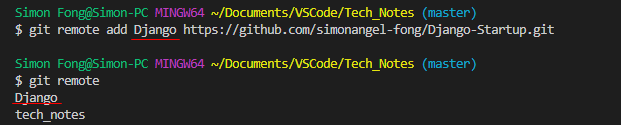
添加:远程仓库git remote add
命令
git remote add <alias> <remote_url>
-
: 远程仓库在本地的别名 -
: 通常是github仓库链接地址
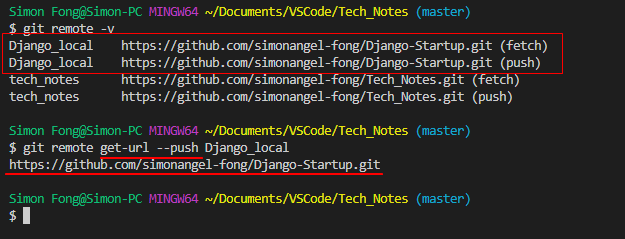
查看:指定仓库的链接 git remote get-url
命令
git remote get-url --push|--all <remote_alias>
- –push:获取push的地址
- –all:获取所有地址
-
: 指定仓库
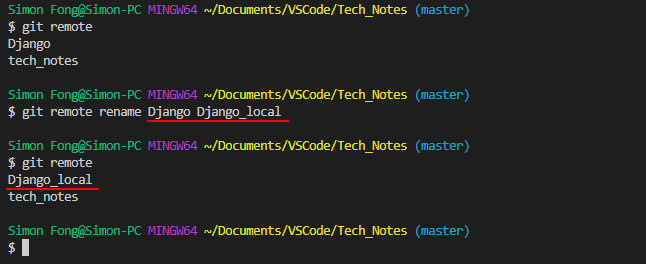
修改:本地仓库别名 git remote rename
命令
git remote rename <old_name> <new_name>
-
: 旧名 -
:新名
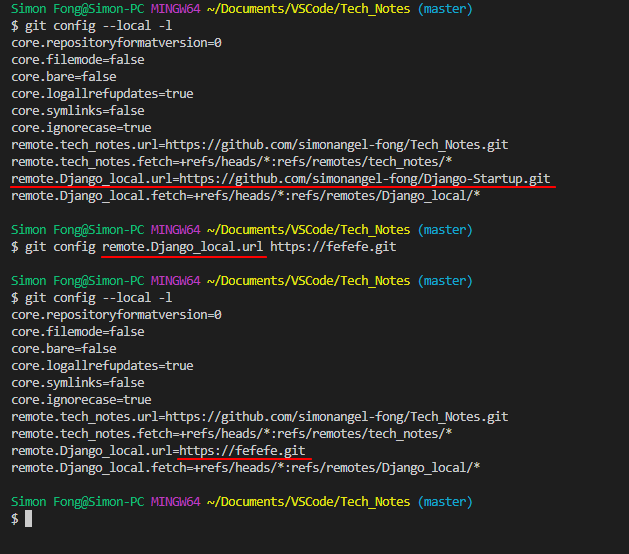
修改:远程仓库参数 git config remote.
- 先使用
git config --local -l查看; - 然后使用
git config remote.<remote_alias>.url <new_url>修改。
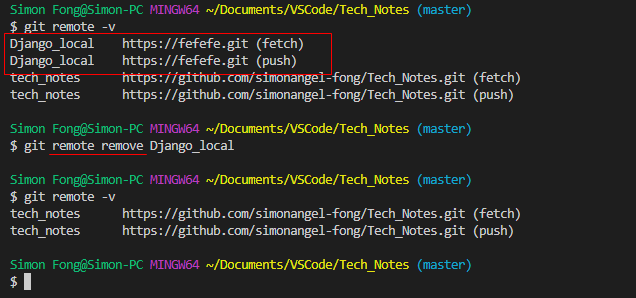
删除:远程仓库参数 git remote remove
命令
git remote remove <remote_alias>
-
: 远程仓库在本地的别名