Note_Tech
All technological notes.
Project maintained by simonangel-fong Hosted on GitHub Pages — Theme by mattgraham
Argo Rollout - Blue-Green Deployment Strategy
Blue-Green Deployment
Blue-green deployment- a software release strategy that minimizes downtime and risk by running two identical production environments
- allows developers to test the new version in production before instantly switching all traffic from
BluetoGreen - enabling instant rollbacks if issues occur.
- allows developers to test the new version in production before instantly switching all traffic from
- a software release strategy that minimizes downtime and risk by running two identical production environments
Blue- current live version
Green- new version.
- Benefits
- Reduced Risk:
- New code is thoroughly tested in a production environment before handling live users.
- Fast Rollback:
- Quick recovery from issues by switching traffic back to the original environment.
- No Downtime:
- Ideal for applications that need to remain available 24/7.
- Reduced Risk:
- Drawbacks
- High Cost:
- Requires doubling the infrastructure resources to maintain two identical production environments.
- Data Synchronization:
- Ensuring that databases work correctly with both versions can be complex.
- High Cost:
How It Works
- Stage 1: Only
BlueEnvironmentBlueis Active- The current application (
Blue) is serving live user traffic.
- The current application (
- The application’s stable version is running.
- Stage 2:
Blue&GreenEnvironments Side by SideGreenis Prepared:- The new version is deployed and tested in the idle environment (
Green).
- The new version is deployed and tested in the idle environment (
- A new ReplicaSet is created as the
GreenEnvironment, and theGreenService points towards its pods.
- Stage 3: Green Environment as the New Blue
- Switch Traffic:
- Once validated, the router/load balancer is configured to direct all user traffic to the Green environment.
- When the new
GreenEnvironment is deemed healthy, it’s promoted as the newBlueEnvironment. - The
Blueenvironment stays idle as a backup for immediate rollback if needed, or becomes the new “idle” environment for the next release.
- Switch Traffic:
Lab: Blue-Green Deployment
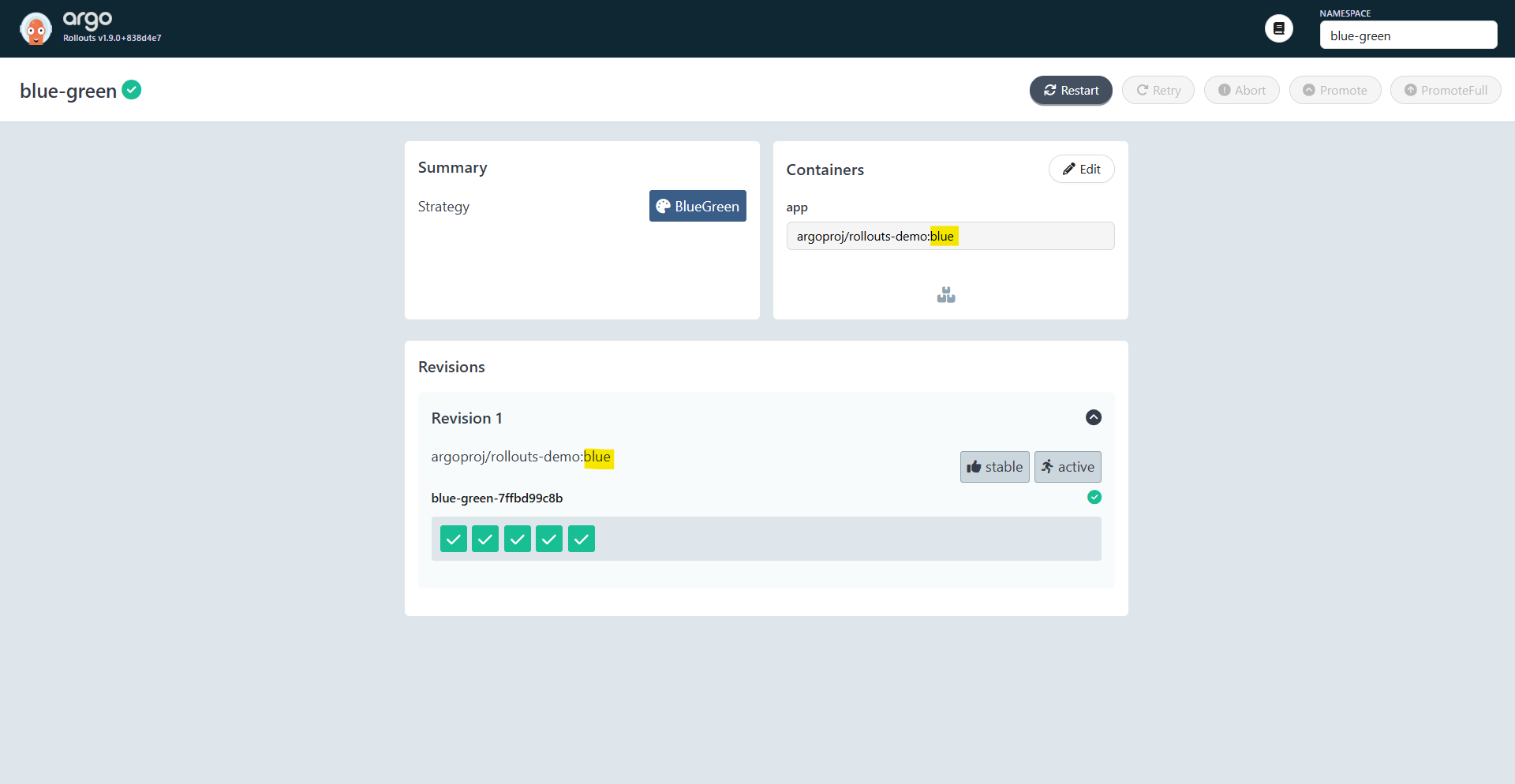
Step 0: Deploy Active Version(Blue)
# 00-namespace.yaml
apiVersion: v1
kind: Namespace
metadata:
  name: blue-green
---
# 01-services.yaml
apiVersion: v1
kind: Service
metadata:
  name: blue-green-active
  namespace: blue-green
spec:
  ports:
    - name: http
      port: 3000
      targetPort: 3000
      protocol: TCP
  selector:
    app: blue-green
---
apiVersion: v1
kind: Service
metadata:
  name: blue-green-preview
  namespace: blue-green
spec:
  ports:
    - name: http
      port: 3000
      targetPort: 3000
      protocol: TCP
  selector:
    app: blue-green
---
# 02-rollout.yaml
apiVersion: argoproj.io/v1alpha1
kind: Rollout
metadata:
  name: blue-green
  namespace: blue-green
spec:
  replicas: 5
  selector:
    matchLabels:
      app: blue-green
  template:
    metadata:
      labels:
        app: blue-green
    spec:
      containers:
        - name: app
          image: argoproj/rollouts-demo:blue
          # image: argoproj/rollouts-demo:green
          ports:
            - containerPort: 3000
  strategy:
    blueGreen:
      activeService: blue-green-active
      previewService: blue-green-preview
      autoPromotionEnabled: false
kubectl apply -f .
Step 1: Deploy Preview Version(Green)
- Update rollout with green
apiVersion: argoproj.io/v1alpha1
kind: Rollout
spec:
  template:
    spec:
      containers:
        - name: app
          image: argoproj/rollouts-demo:green # new Preview Version
kubectl apply -f 02-rollout.yaml
# rollout.argoproj.io/blue-green configured

kubectl argo rollouts get rollout blue-green -n blue-green
# Name:            blue-green
# Namespace:       blue-green
# Status:          ॥ Paused
# Message:         BlueGreenPause
# Strategy:        BlueGreen
# Images:          argoproj/rollouts-demo:blue (stable, active)
#                  argoproj/rollouts-demo:green (preview)
# Replicas:
#   Desired:       5
#   Current:       10
#   Updated:       5
#   Ready:         5
#   Available:     5

# NAME                                    KIND        STATUS     AGE  INFO
# ⟳ blue-green                            Rollout     ॥ Paused   14m
# ├──# revision:2
# │  └──⧉ blue-green-9596667c9            ReplicaSet  ✔ Healthy  99s  preview
# │     ├──□ blue-green-9596667c9-c82xm   Pod         ✔ Running  99s  ready:1/1
# │     ├──□ blue-green-9596667c9-kqbq8   Pod         ✔ Running  99s  ready:1/1
# │     ├──□ blue-green-9596667c9-lb97s   Pod         ✔ Running  99s  ready:1/1
# │     ├──□ blue-green-9596667c9-lj8dv   Pod         ✔ Running  99s  ready:1/1
# │     └──□ blue-green-9596667c9-rm9xf   Pod         ✔ Running  99s  ready:1/1
# └──# revision:1
#    └──⧉ blue-green-7ffbd99c8b           ReplicaSet  ✔ Healthy  14m  stable,active
#       ├──□ blue-green-7ffbd99c8b-29llj  Pod         ✔ Running  14m  ready:1/1
#       ├──□ blue-green-7ffbd99c8b-6dc94  Pod         ✔ Running  14m  ready:1/1
#       ├──□ blue-green-7ffbd99c8b-98fjn  Pod         ✔ Running  14m  ready:1/1
#       ├──□ blue-green-7ffbd99c8b-mtxsk  Pod         ✔ Running  14m  ready:1/1
#       └──□ blue-green-7ffbd99c8b-zqzqf  Pod         ✔ Running  14m  ready:1/1
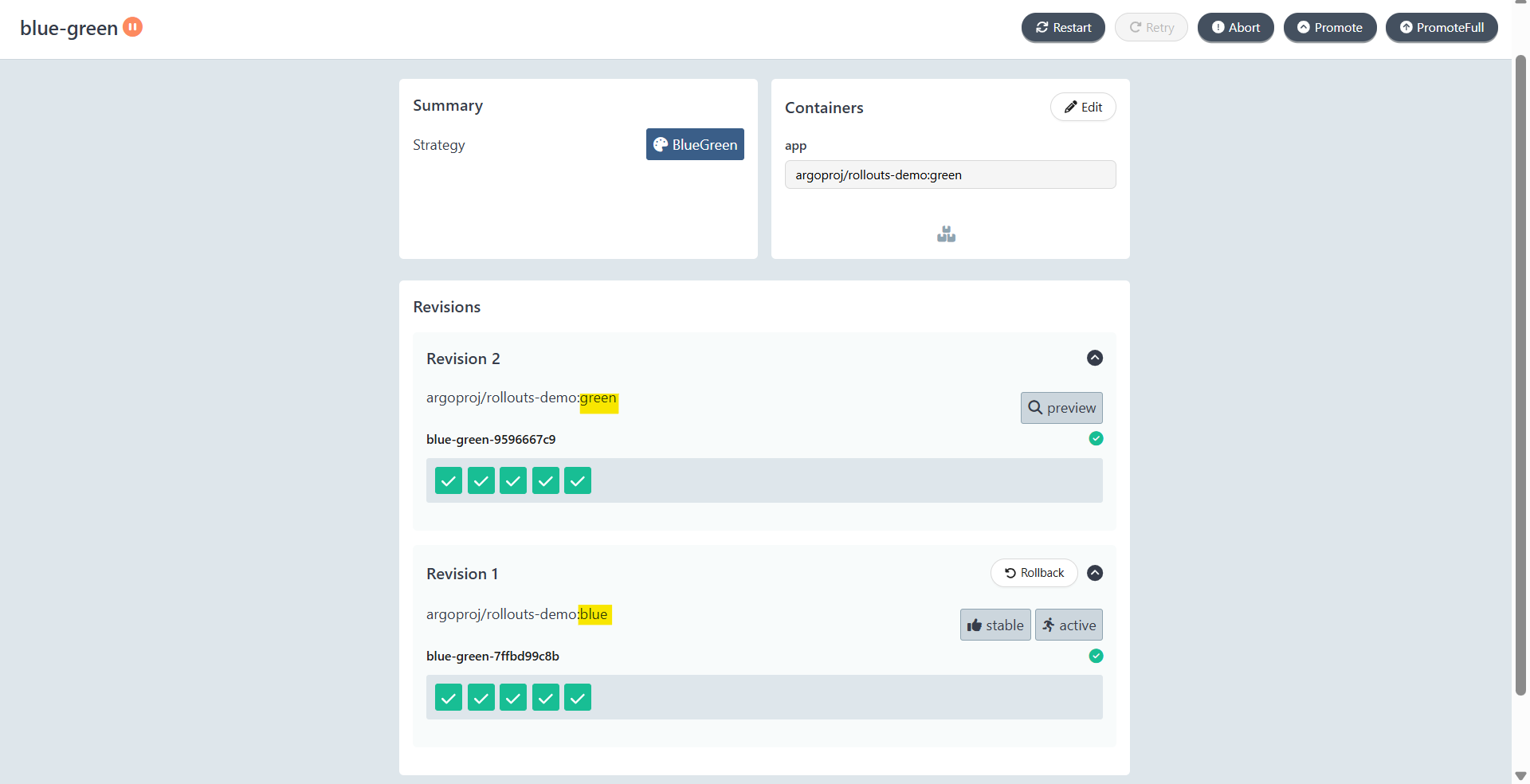
Blue green side by side
Step 2: Promote Green to Blue
- Promote
kubectl argo rollouts promote blue-green -n blue-green
# rollout 'blue-green' promoted
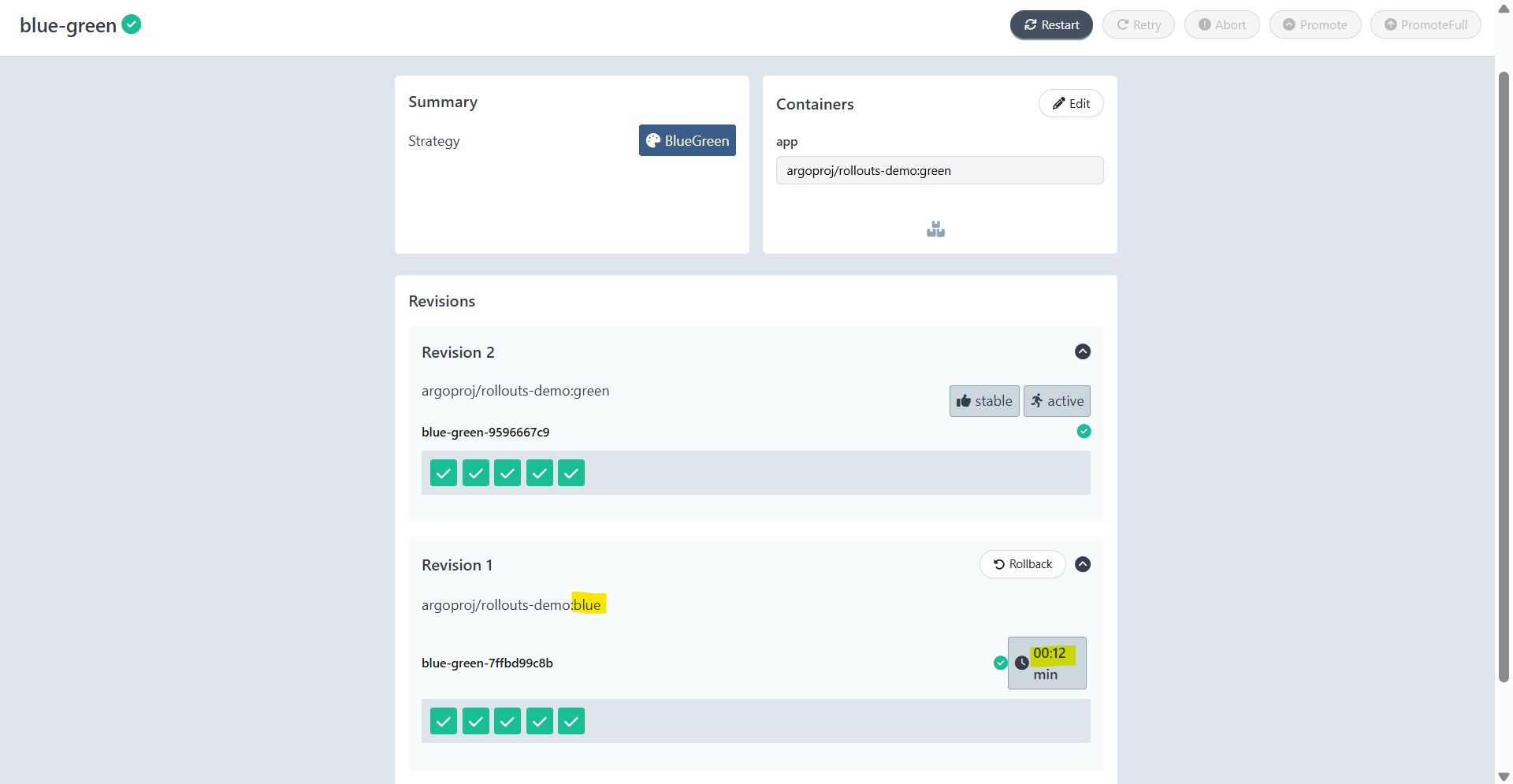
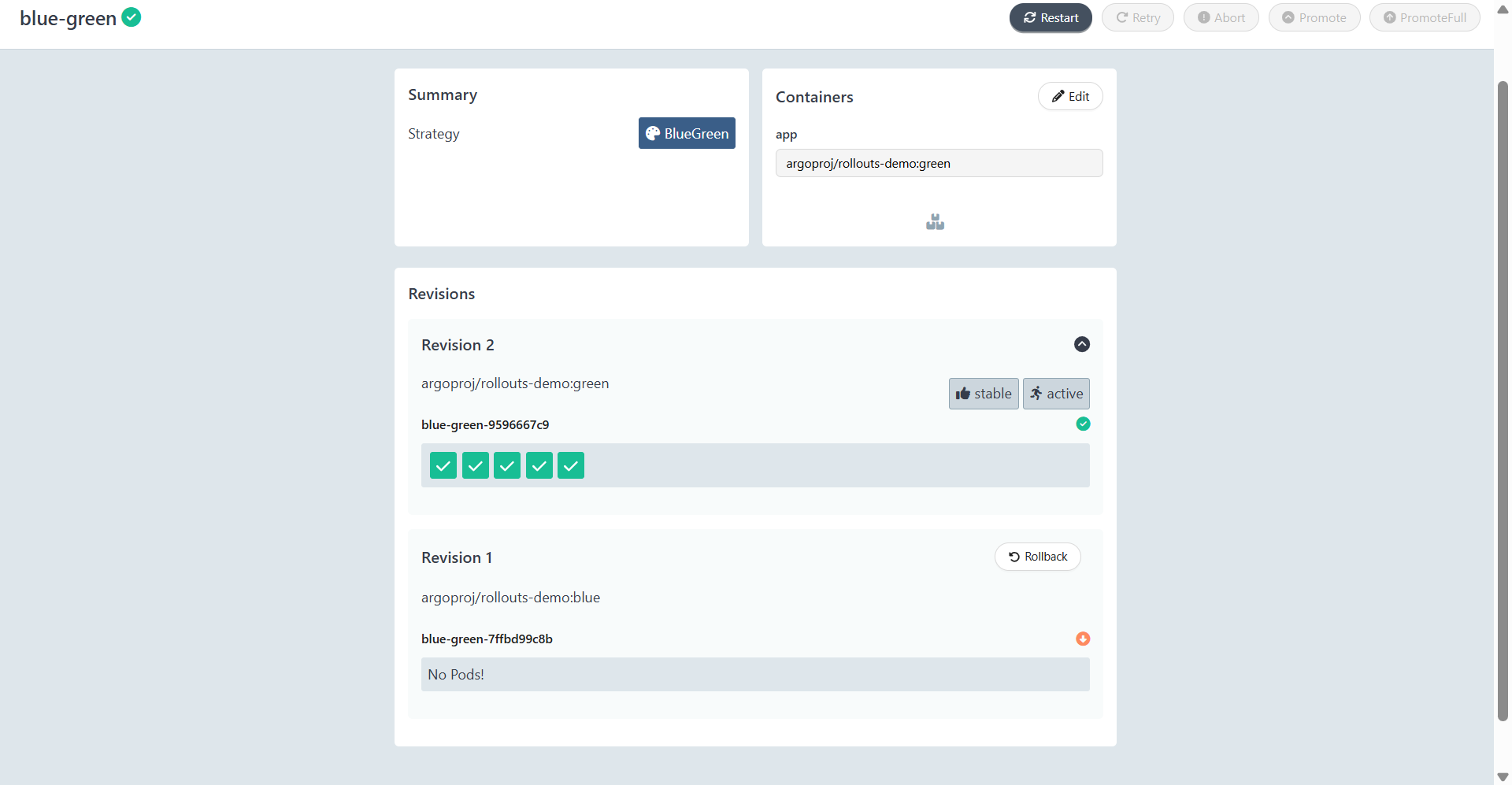
- Eventually
kubectl argo rollouts get rollout blue-green -n blue-green
# Name:            blue-green
# Namespace:       blue-green
# Status:          ✔ Healthy
# Strategy:        BlueGreen
# Images:          argoproj/rollouts-demo:green (stable, active)
# Replicas:
#   Desired:       5
#   Current:       5
#   Updated:       5
#   Ready:         5
#   Available:     5

# NAME                                   KIND        STATUS        AGE    INFO
# ⟳ blue-green                           Rollout     ✔ Healthy     17m
# ├──# revision:2
# │  └──⧉ blue-green-9596667c9           ReplicaSet  ✔ Healthy     4m32s  stable,active
# │     ├──□ blue-green-9596667c9-c82xm  Pod         ✔ Running     4m32s  ready:1/1
# │     ├──□ blue-green-9596667c9-kqbq8  Pod         ✔ Running     4m32s  ready:1/1
# │     ├──□ blue-green-9596667c9-lb97s  Pod         ✔ Running     4m32s  ready:1/1
# │     ├──□ blue-green-9596667c9-lj8dv  Pod         ✔ Running     4m32s  ready:1/1
# │     └──□ blue-green-9596667c9-rm9xf  Pod         ✔ Running     4m32s  ready:1/1
# └──# revision:1
#    └──⧉ blue-green-7ffbd99c8b          ReplicaSet  • ScaledDown  17m

kubectl get replicasets -n blue-green
# NAME                    DESIRED   CURRENT   READY   AGE
# blue-green-7ffbd99c8b   0         0         0       17m
# blue-green-9596667c9    5         5         5       4m55s