Note_Tech
All technological notes.
Project maintained by simonangel-fong Hosted on GitHub Pages — Theme by mattgraham
Jenkins - Security
Good Practices
- User login
- Disable allow users sign up
- Authorization:
- disable allow anonymous read access: users who are not authenticated to access Jenkins in a read-only mode.
- Secure Jenkins Controller
- set the number of executors on the built-in node to 0
built-in node: Jenkins controller itself — the machine where Jenkins is running.- Do NOT run any build jobs on the controller node.
- set the number of executors on the built-in node to 0
- Common practices:
- Regularly back up Jenkins data.
- Use SSL/TLS encryption for data transfer.
- Keep Jenkins and its plugins updated.
- Develop an incident response plan.
Role-based Authorization Strategy
- Install Plugins
Role-based Authorization Strategy: Enables user authorization using a Role-Based strategy.- enable: security > Authorization = Role-Based Strategy
- Manage Jenkins > Security > Manage and Assign Roles
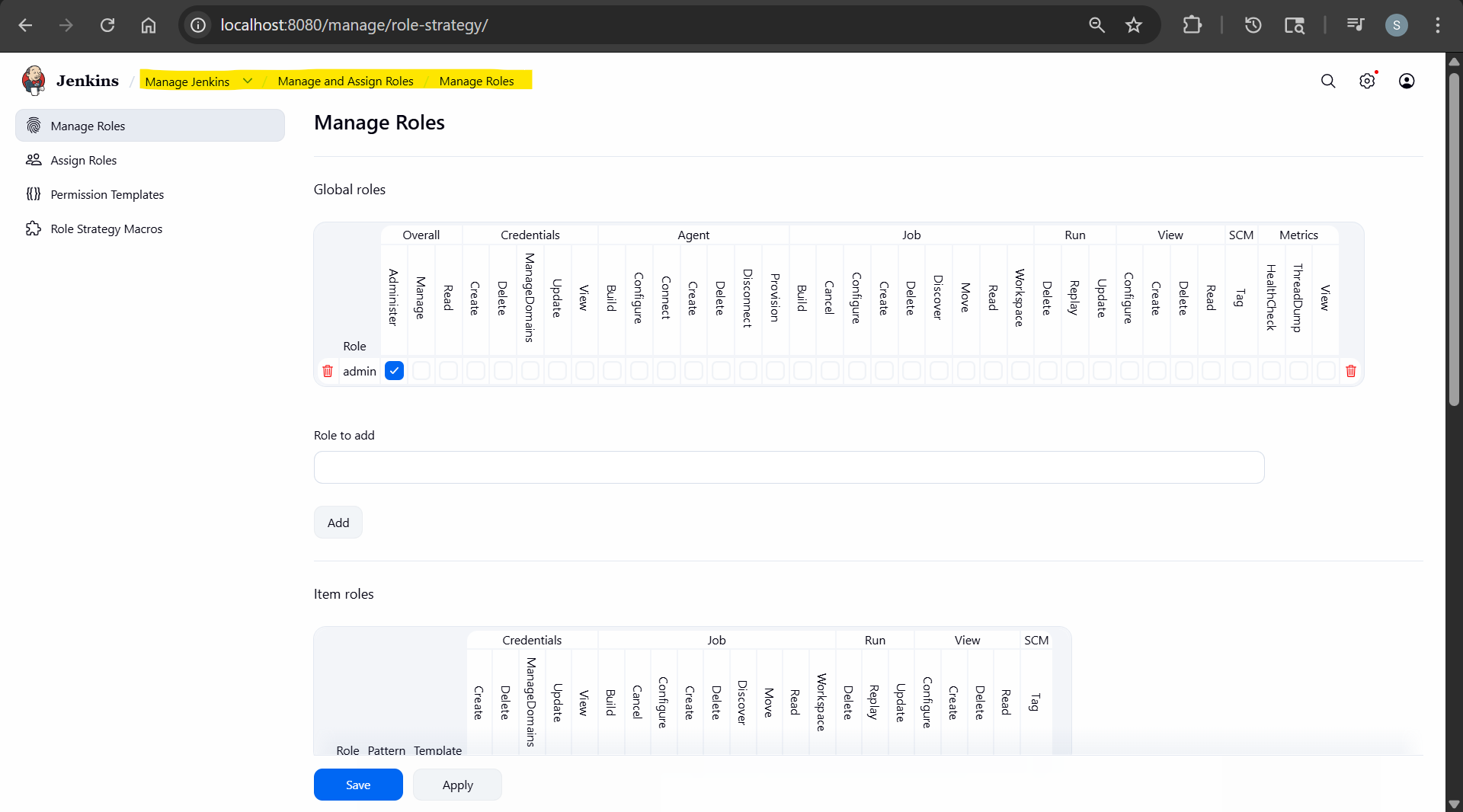
role:- a set of permission to be granted
Lab: Manage Users with RBAS
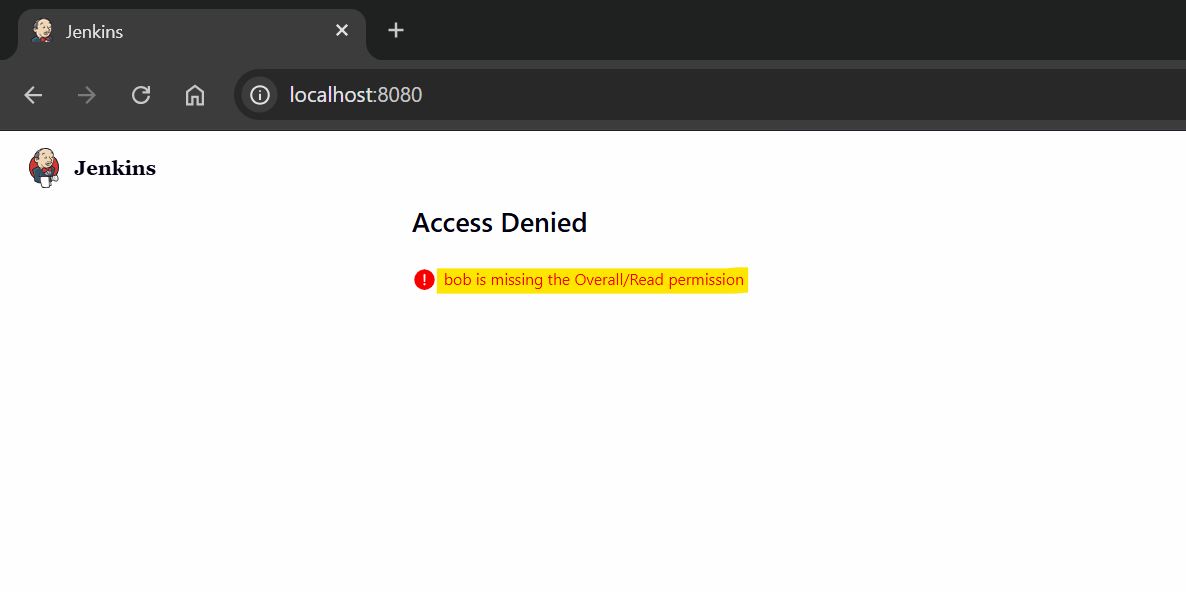
- Create new user and login
- Access Denied, bob is missing the Overall/Read permission
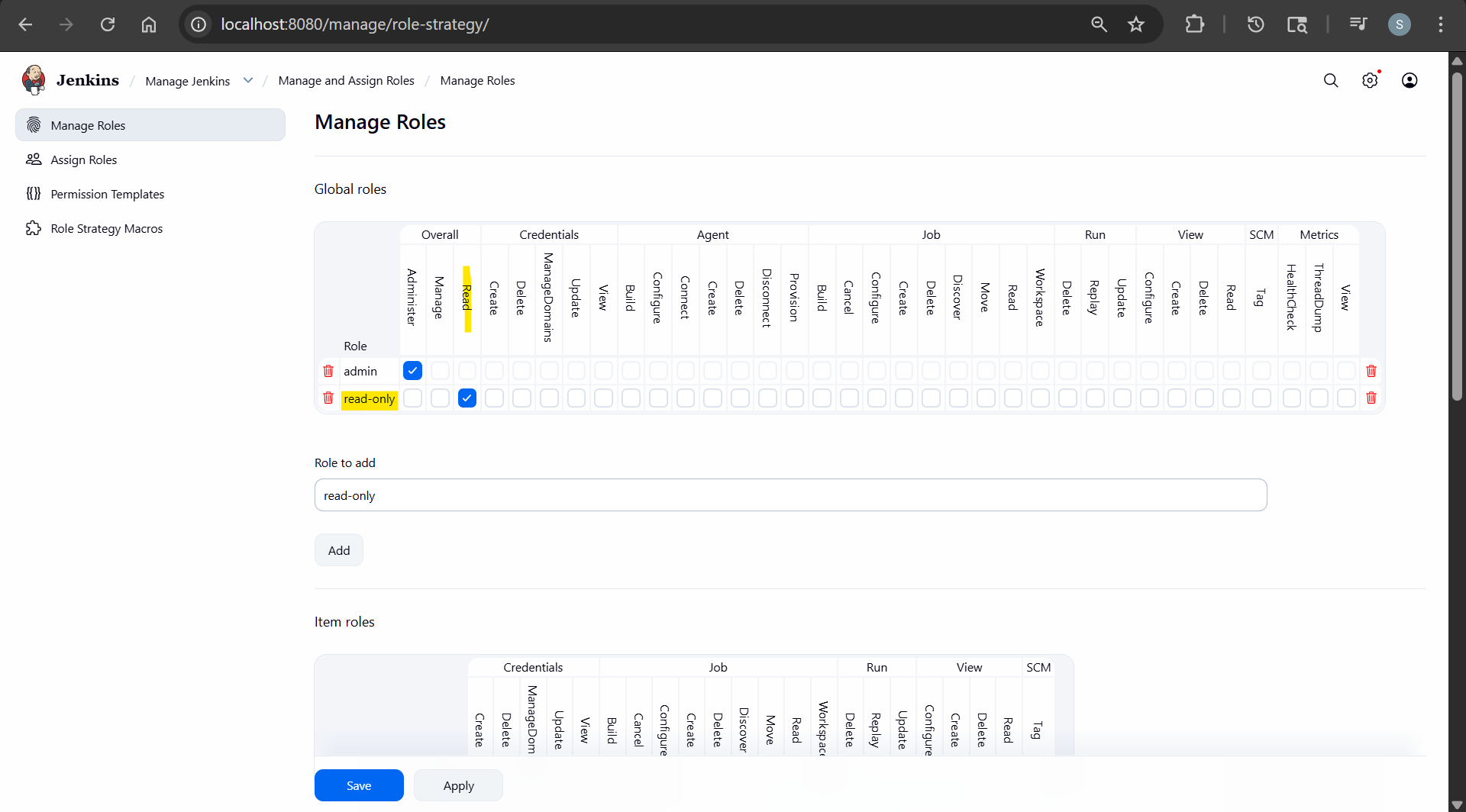
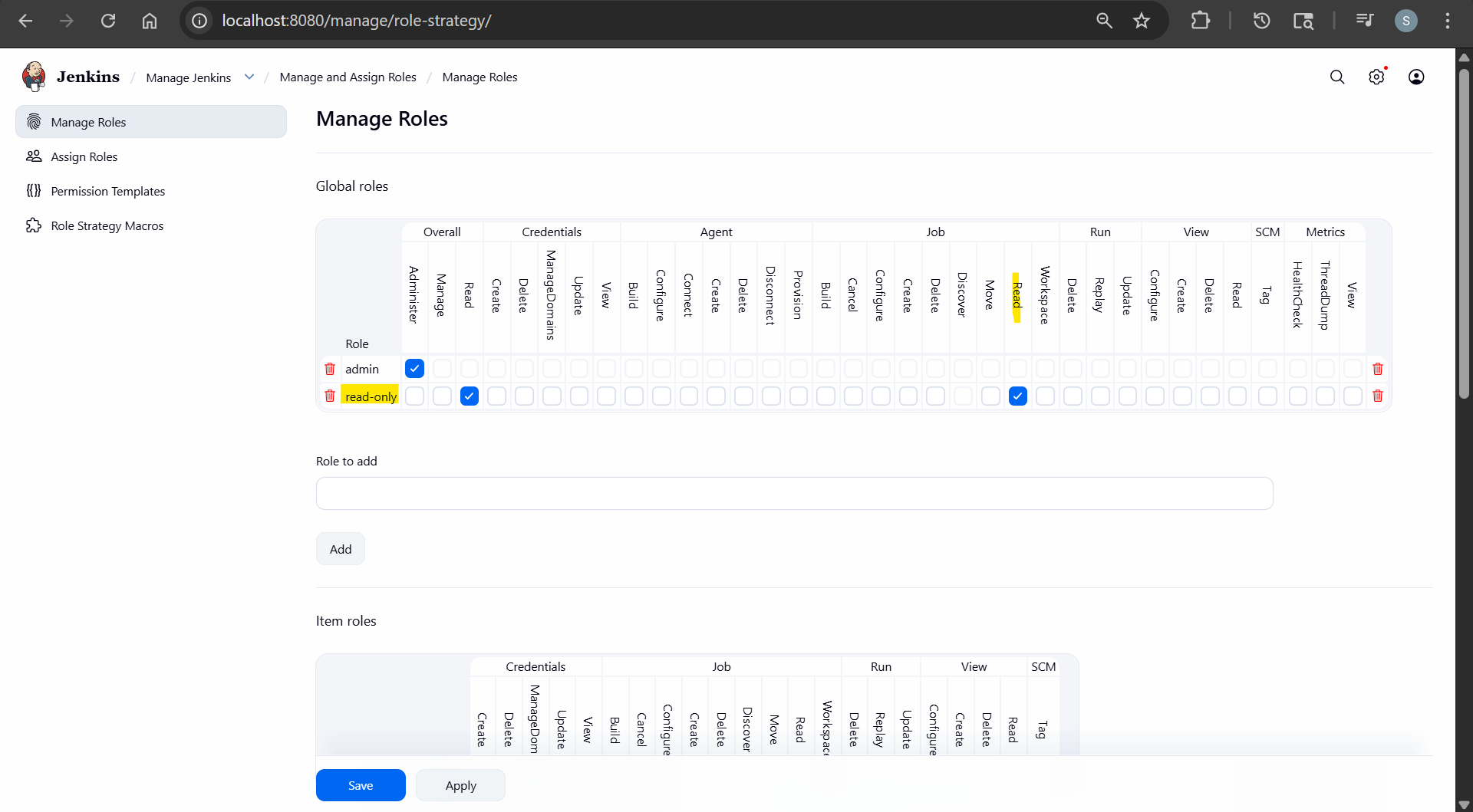
- Create read-only role
- Assign Role
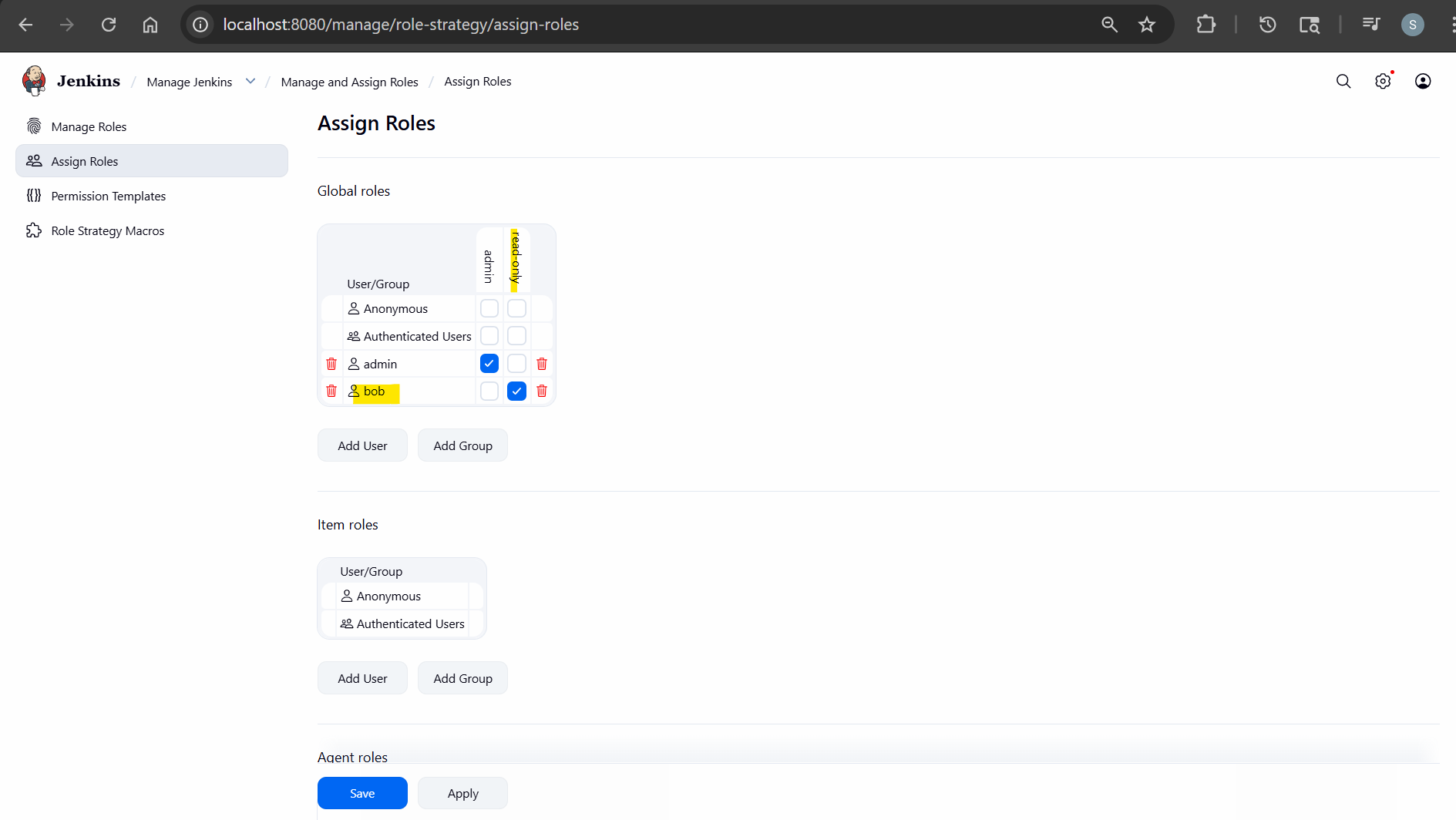
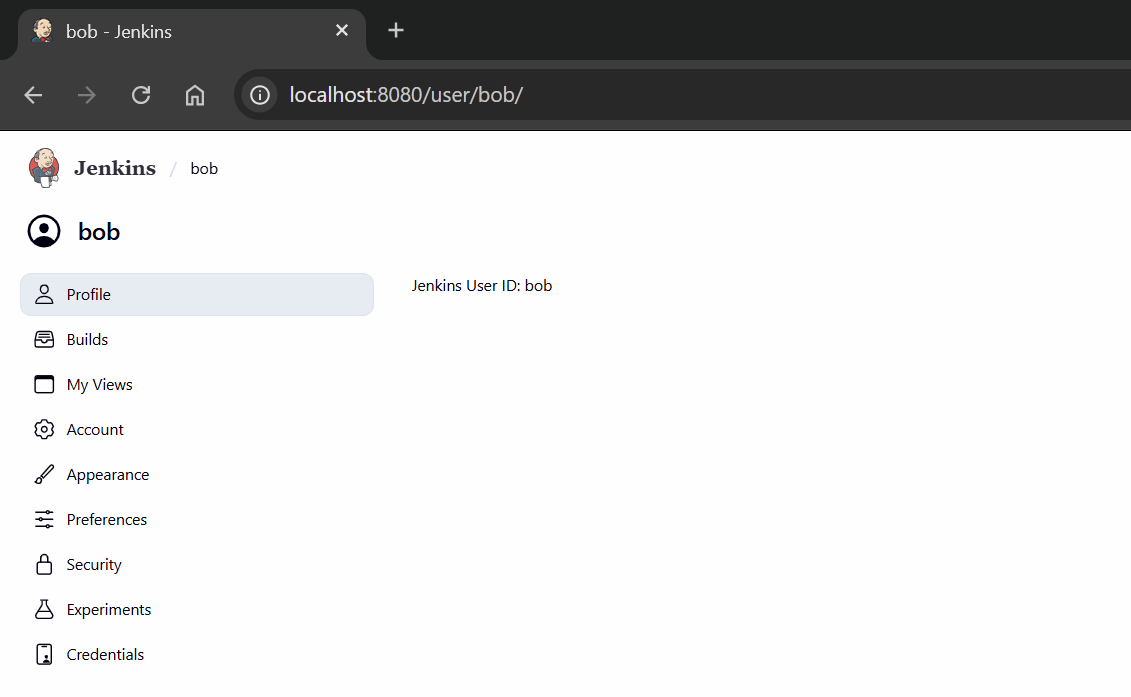
- re-login
- Add permission: read job
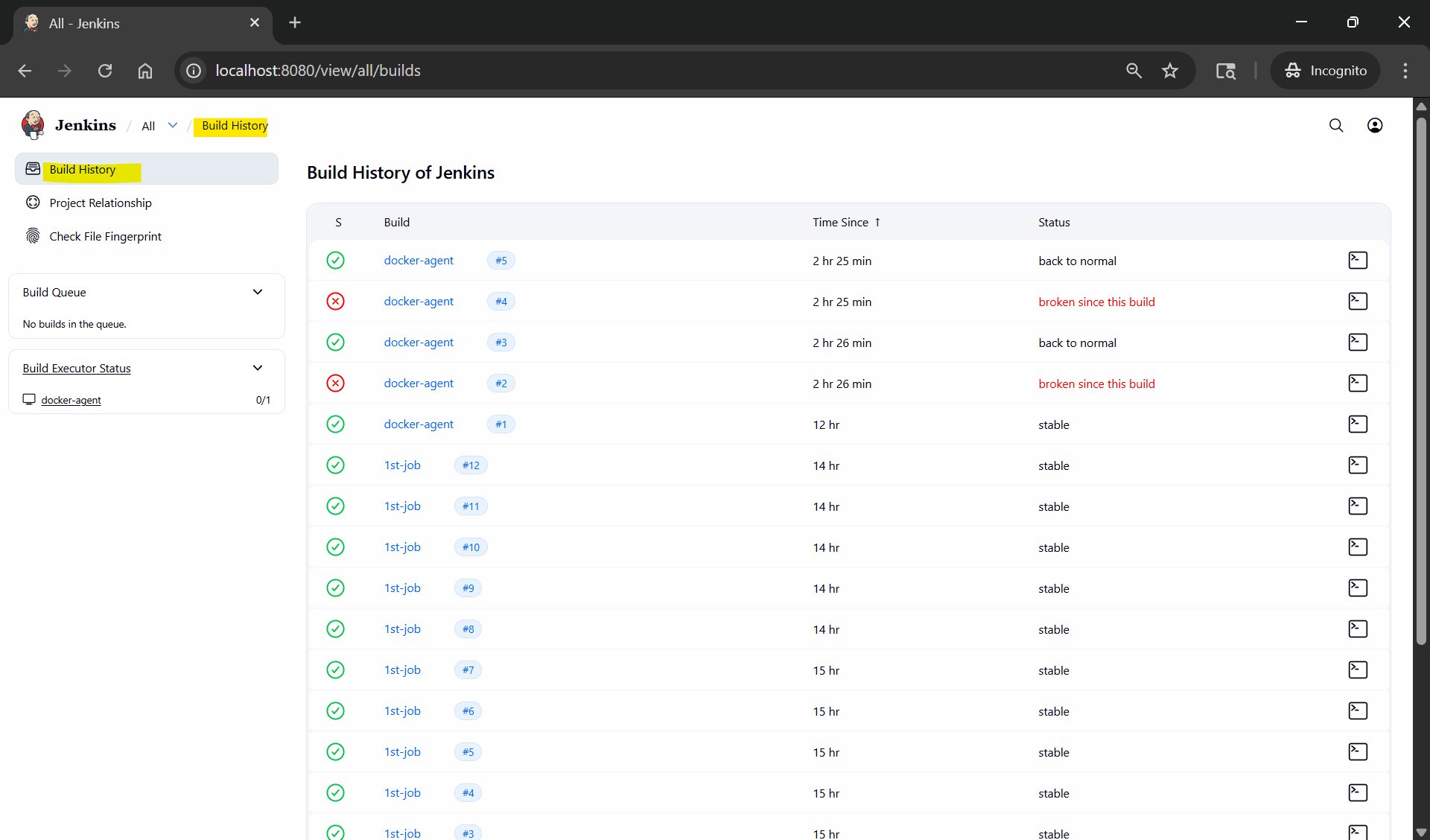
- re-login
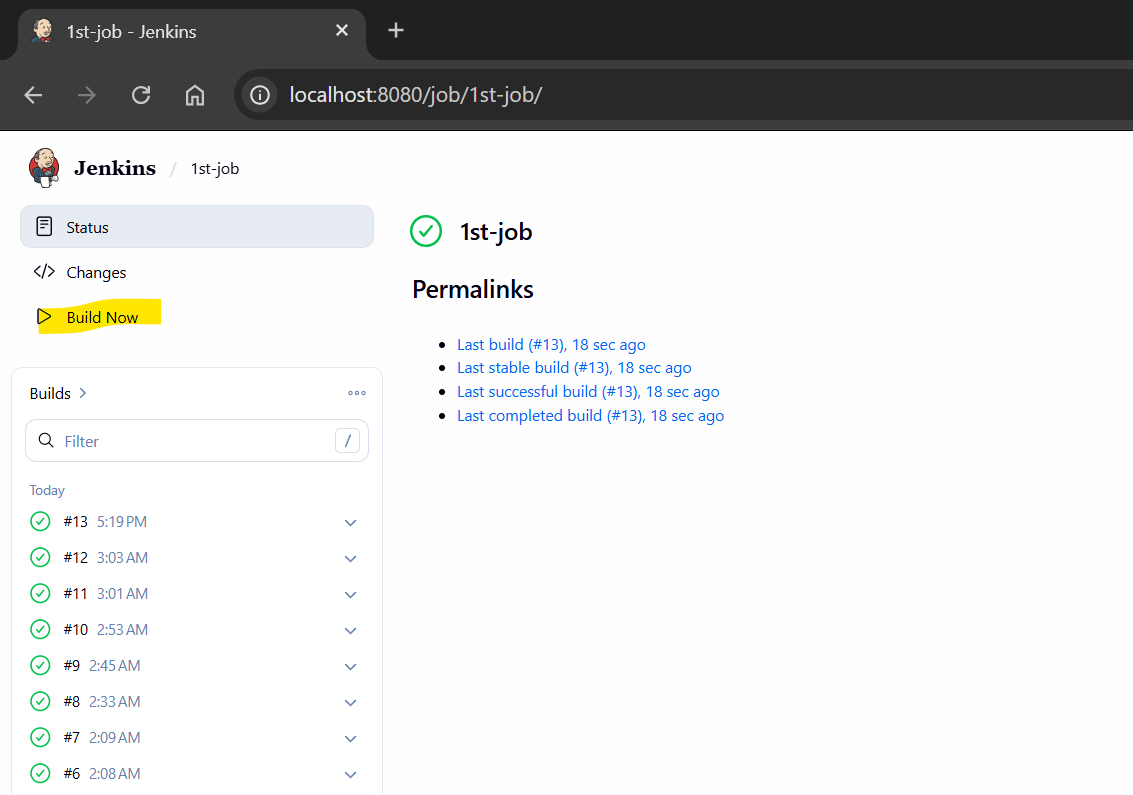
- Create new role: run-job
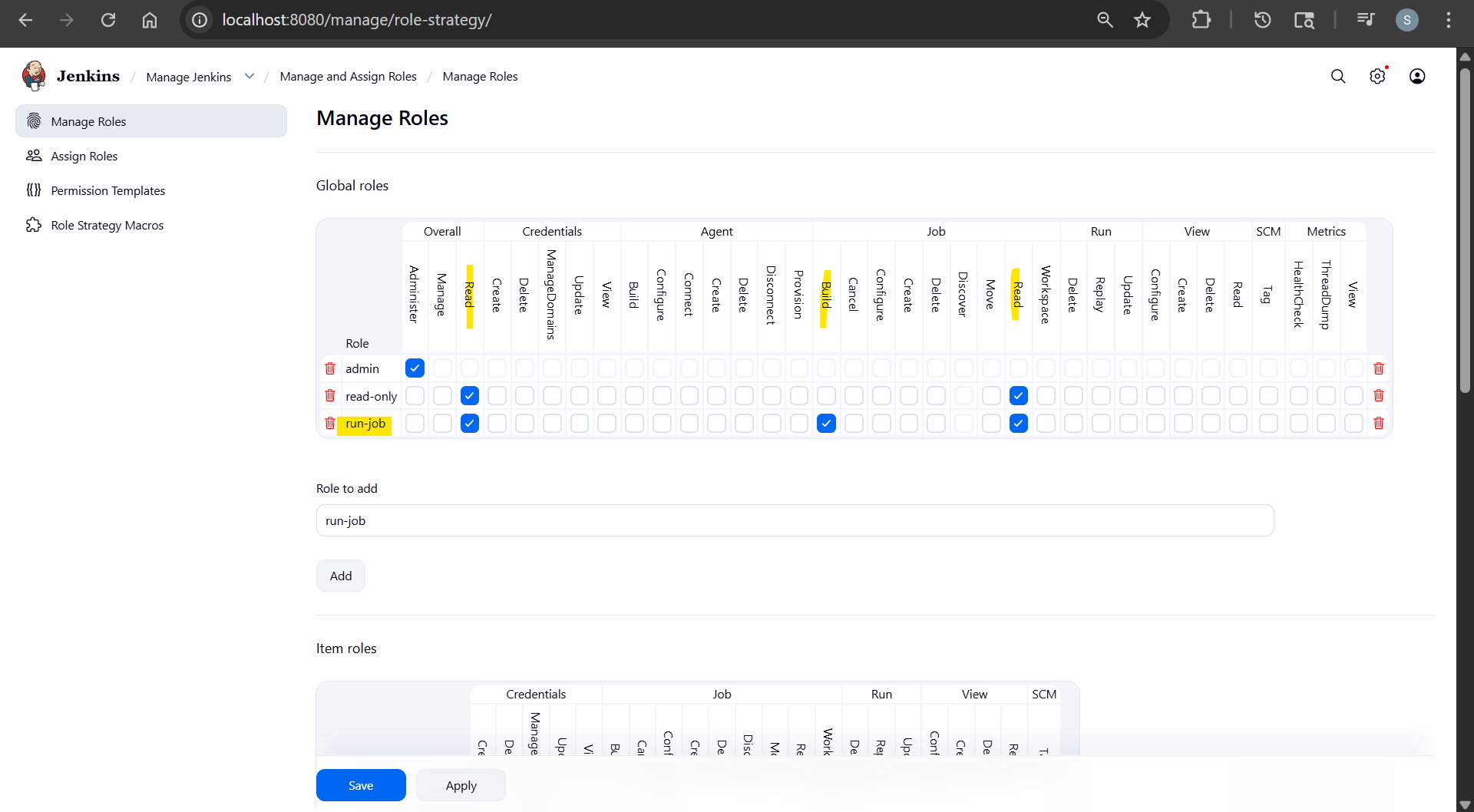
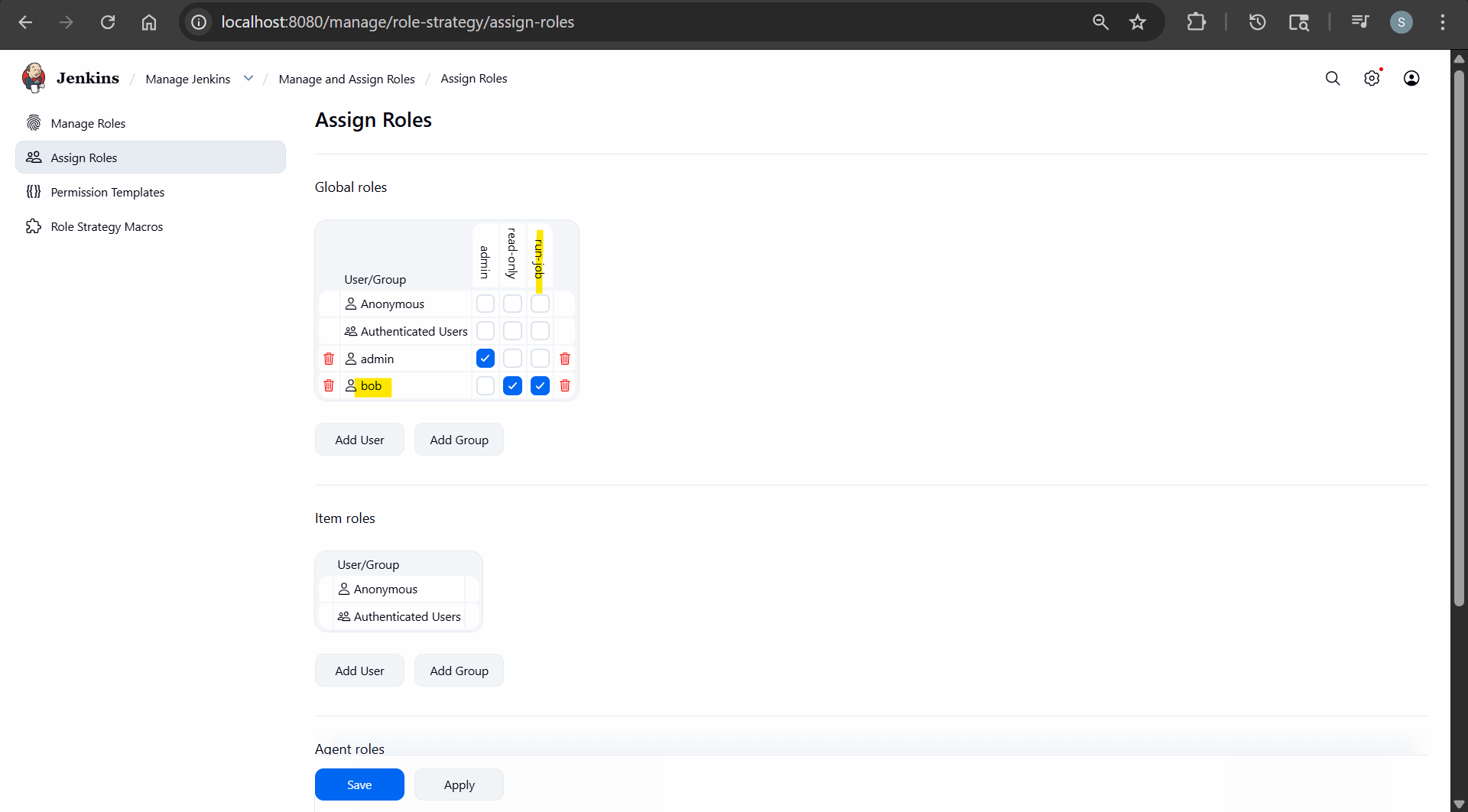
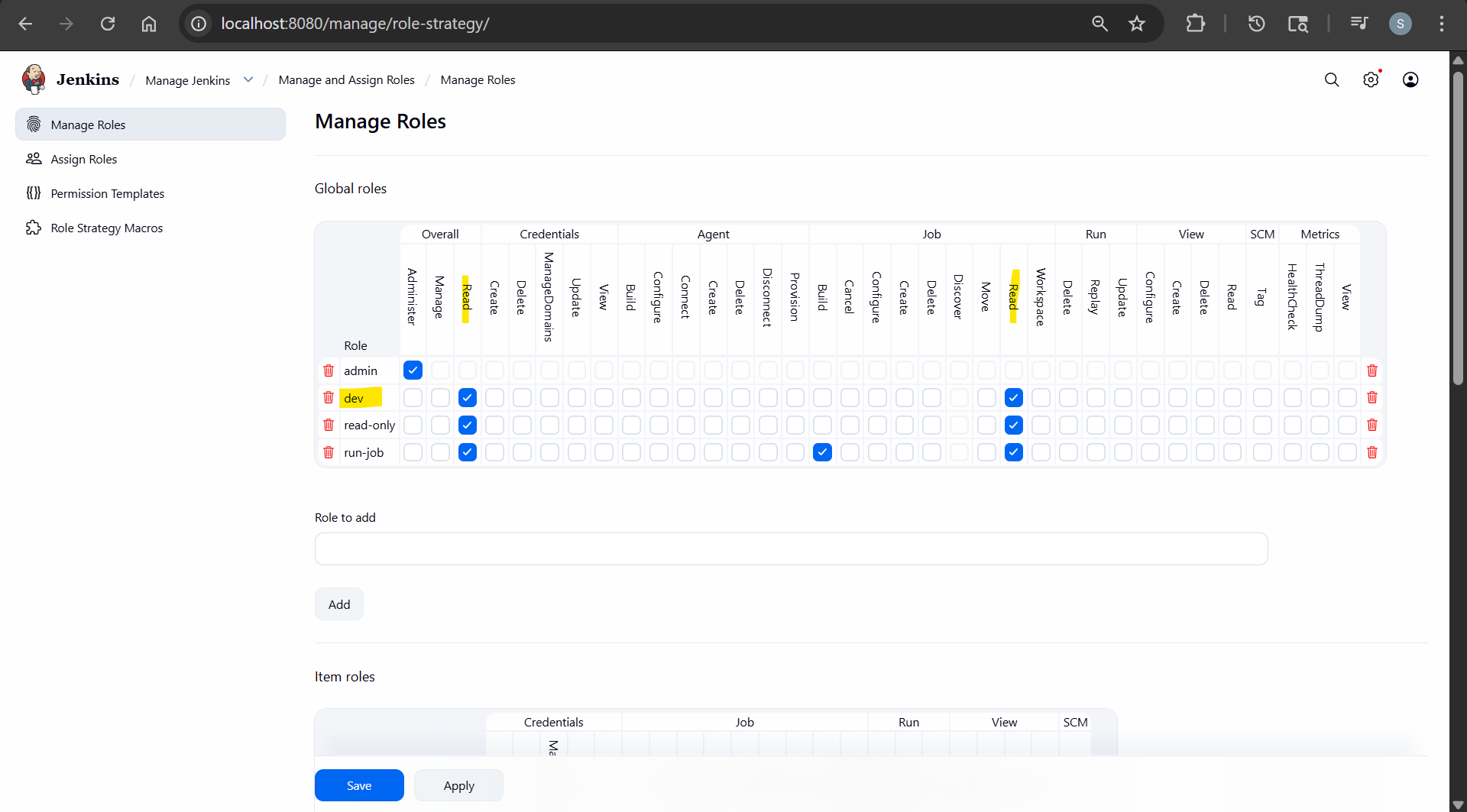
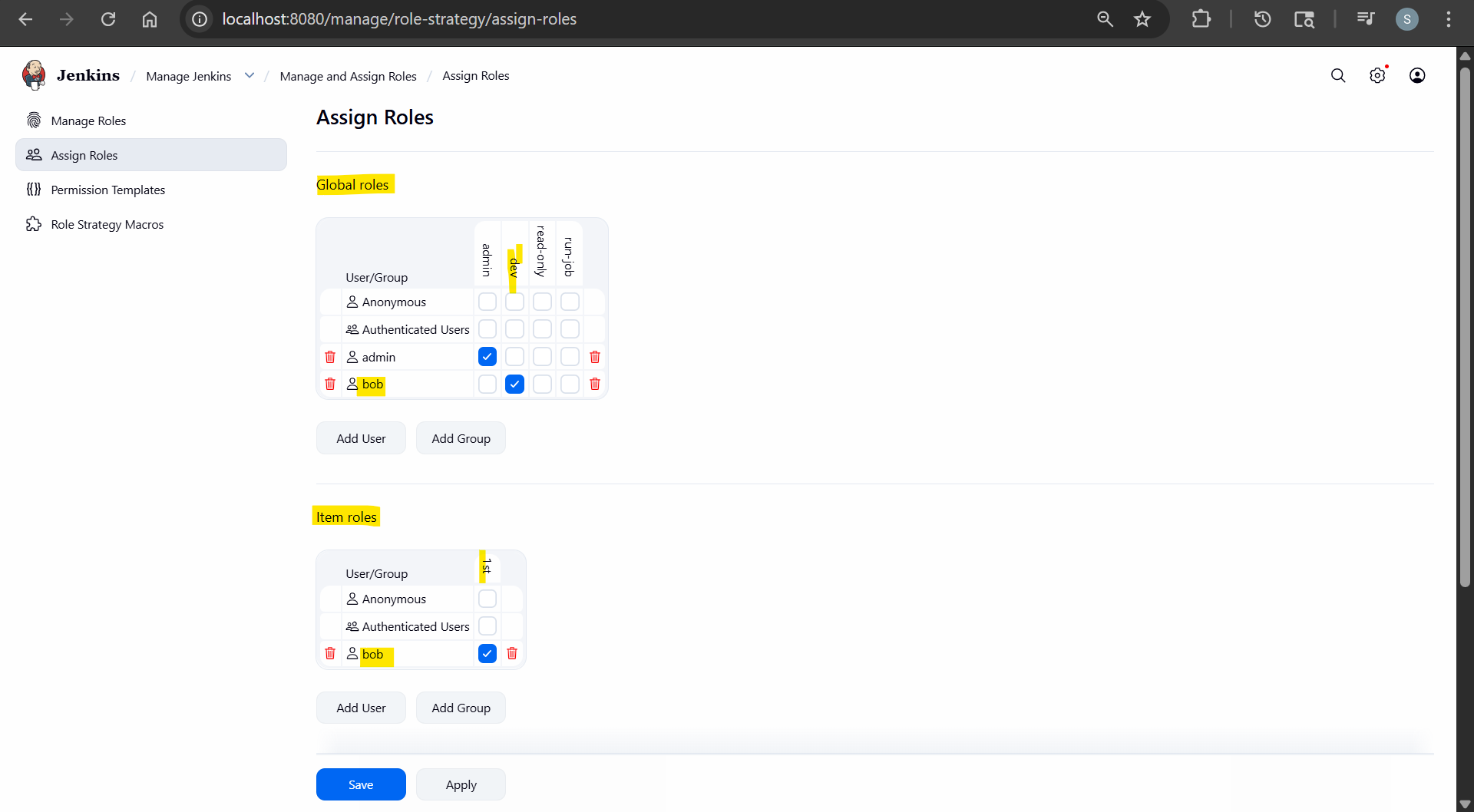
- Global roles: dev
- overall: read
- job: read
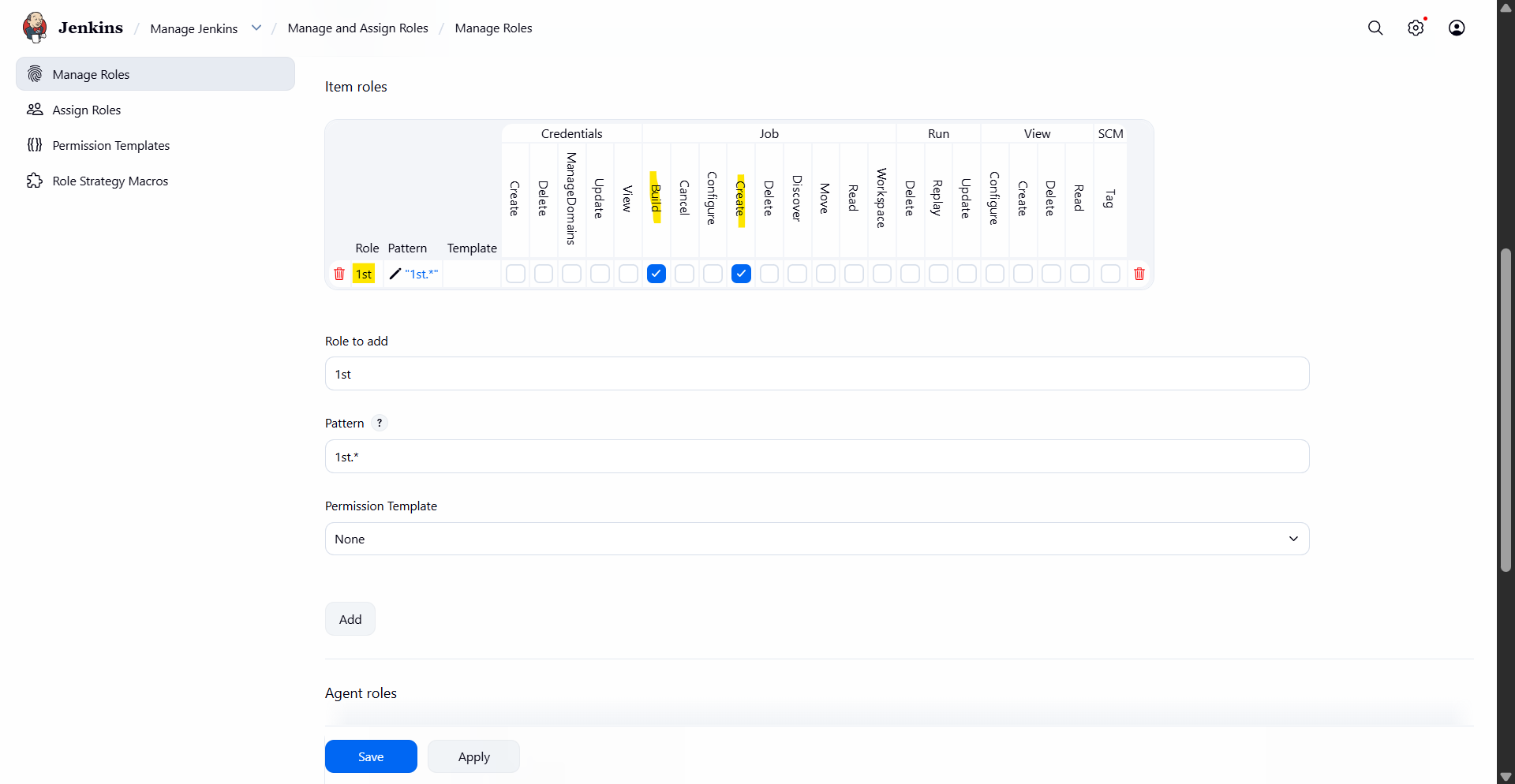
- Item roles: 1st
- pattern: 1st.*
- Assign
- re-login
- 1st-*: can see and run
- docker*: can see only